586  Mobile Phone Sensors: Assessment and Review

586.1 Learning Objectives

This assessment will test your understanding of:

  • Smartphone sensor types and their applications
  • Web APIs for sensor access
  • Participatory sensing principles
  • Privacy protection techniques
  • Battery optimization strategies
  • Sensor fusion for navigation

586.2 Knowledge Check

Test your understanding with these questions.

Test your knowledge of mobile phone sensing and its applications in IoT systems.

NoteQuestion 1

Which sensor is typically used for step counting in fitness trackers?

  1. Gyroscope
  2. Accelerometer
  3. Magnetometer
  4. Barometer

B) Accelerometer

The accelerometer is the primary sensor for step counting because it detects linear acceleration in 3 axes (x, y, z). Step detection algorithms:

  1. Calculate magnitude: √(x² + y² + z²)
  2. Detect peaks: When magnitude exceeds threshold (typically >10.5 m/s²)
  3. Apply timing filter: Minimum interval between steps (300-500ms)
  4. Count valid peaks: Each peak = one step

Why not other sensors? - Gyroscope: Measures rotation, not linear movement - Magnetometer: Detects magnetic fields (used for compass) - Barometer: Measures air pressure (used for altitude/floors)

Modern fitness trackers often combine accelerometer + gyroscope for better accuracy in detecting different activities (walking, running, cycling).

NoteQuestion 2

What is the typical GPS accuracy on smartphones in open outdoor areas?

  1. 1-2 meters
  2. 5-10 meters
  3. 50-100 meters
  4. 500-1000 meters

B) 5-10 meters

GPS accuracy on smartphones:

Environment Typical Accuracy
Open outdoor 5-10 meters
Urban areas 10-50 meters
Indoor Not available or >100m
With A-GPS 3-5 meters

Factors affecting GPS accuracy: - Satellite visibility: Need 4+ satellites for 3D fix - Atmospheric conditions: Ionospheric delay, signal refraction - Multipath effects: Signal reflections in urban canyons - Device hardware: Quality of GPS chip and antenna

Improvements: - A-GPS (Assisted GPS): Uses cellular network to speed up satellite acquisition - GLONASS, Galileo, BeiDou: Additional satellite systems improve accuracy - Wi-Fi positioning: Indoor location using Wi-Fi access point triangulation - Sensor fusion: Combine GPS with accelerometer and gyroscope for smoothing

For IoT applications requiring high precision (e.g., autonomous vehicles), RTK-GPS can achieve centimeter-level accuracy but requires additional infrastructure.

NoteQuestion 3

Which Web API allows access to smartphone sensors without requiring a native app?

  1. MQTT API
  2. Generic Sensor API
  3. WebSocket API
  4. REST API

B) Generic Sensor API

The Generic Sensor API is a W3C standard that provides a unified interface for accessing smartphone sensors via web browsers:

Supported sensors: - Accelerometer: Linear acceleration (3-axis) - Gyroscope: Angular velocity (3-axis) - Magnetometer: Magnetic field (3-axis) - AbsoluteOrientationSensor: Device orientation in 3D space - AmbientLightSensor: Illuminance level

Example:

const accelerometer = new Accelerometer({ frequency: 60 });
accelerometer.addEventListener('reading', () => {
    console.log(`X: ${accelerometer.x}, Y: ${accelerometer.y}, Z: ${accelerometer.z}`);
});
accelerometer.start();

Additional Web APIs for sensors: - Geolocation API: GPS location (navigator.geolocation) - DeviceOrientation API: Gyroscope/magnetometer orientation - Web Audio API: Microphone access - MediaDevices API: Camera access (getUserMedia)

Advantages of Web APIs: - No app installation required - Cross-platform compatibility - Instant updates (no app store approval) - Lower development cost

Limitations: - Requires HTTPS for security - Limited background execution - May have lower sampling rates than native apps

NoteQuestion 4

What is the primary advantage of participatory sensing compared to fixed sensor networks?

  1. Higher sensor accuracy
  2. Lower cost and greater spatial coverage
  3. Faster data transmission
  4. Better battery life

B) Lower cost and greater spatial coverage

Participatory sensing leverages smartphones carried by users to collect data, offering several advantages:

Advantages: 1. Massive spatial coverage: Billions of smartphones worldwide provide data from areas that would be impractical to cover with fixed sensors 2. Lower infrastructure cost: No need to deploy and maintain dedicated sensor networks 3. Temporal coverage: Mobile users provide data at different times and locations 4. Rapid deployment: No hardware installation required—just release an app

Example applications: - Traffic monitoring: Waze uses crowdsourced location data to detect congestion - Air quality mapping: Multiple apps aggregate pollution readings from phone sensors - Noise pollution: Community noise maps created from smartphone microphones - Pothole detection: Accelerometer data detects road conditions

Challenges: - Data quality variation: Different devices, sensor calibration, user behavior - Privacy concerns: Location tracking and data anonymization - Incentivization: Need to motivate users to participate - Battery drain: Continuous sensing impacts battery life

Comparison with fixed networks: - Fixed sensors: Higher accuracy, controlled placement, 24/7 operation - Mobile sensors: Broader coverage, lower cost, flexibility

Hybrid approaches combining both are often most effective.

NoteQuestion 5

Which technique is commonly used to reduce battery drain during continuous GPS tracking?

  1. Increase sampling frequency
  2. Use A-GPS for faster acquisition
  3. Adaptive sampling based on movement
  4. Disable Wi-Fi and Bluetooth

C) Adaptive sampling based on movement

Adaptive sampling adjusts GPS update frequency based on device movement and context, significantly reducing battery consumption:

Strategy:

IF stationary:
    GPS update every 60 seconds (or disable)
ELIF walking:
    GPS update every 10-20 seconds
ELIF driving:
    GPS update every 5-10 seconds
ELIF high-speed movement:
    GPS update every 1-3 seconds

Implementation approaches:

  1. Movement-based: Use accelerometer to detect motion
    • If accelerometer magnitude is stable → reduce GPS rate
    • If significant movement detected → increase GPS rate
  2. Geofencing-based: Update rate depends on proximity to points of interest
    • Far from POIs → low update rate
    • Near POI → high update rate
  3. Battery-aware: Adjust based on remaining battery
    • High battery (>80%) → normal rate
    • Low battery (<20%) → minimal rate
  4. Context-aware: Use activity recognition
    • Stationary → GPS off
    • Walking → 10-second intervals
    • Driving → 5-second intervals

Power consumption comparison: - Continuous GPS (1 Hz): ~450 mWh (4-6 hours battery life) - Adaptive sampling: ~50-100 mWh (20-40 hours battery life)

Additional battery optimization techniques: - Batching: Group GPS updates and process together - Sensor fusion: Use accelerometer+gyroscope between GPS updates - Wi-Fi positioning: Use Wi-Fi when indoors (lower power than GPS) - Geofence-based wake-up: Only enable GPS when entering/exiting areas

Note: While A-GPS (option B) speeds up initial satellite acquisition, it doesn’t significantly reduce ongoing power consumption during tracking.

NoteQuestion 6

What is the primary privacy concern with mobile sensing applications?

  1. High data storage requirements
  2. Excessive battery consumption
  3. Location tracking and user identification
  4. Slow data transmission

C) Location tracking and user identification

Mobile sensing applications pose significant privacy risks because they can reveal sensitive information about users:

Privacy concerns:

  1. Location tracking: GPS data reveals:
    • Home and work addresses
    • Daily routines and patterns
    • Visited locations (hospitals, religious sites, political events)
    • Social relationships (who you meet and where)
  2. Activity inference: Sensor data can infer:
    • Health conditions (gait analysis from accelerometer)
    • Lifestyle habits (sleep patterns, exercise)
    • Transportation modes (walking, driving, public transit)
  3. User identification: Even “anonymized” data can be de-anonymized:
    • Unique movement patterns act as fingerprints
    • 4 spatio-temporal points can identify 95% of users
    • Combining datasets enables re-identification

Privacy protection techniques:

  1. Data minimization: Only collect necessary data
  2. Anonymization: Remove personally identifiable information
  3. Differential privacy: Add statistical noise to protect individuals
  4. K-anonymity: Ensure each record is indistinguishable from k-1 others
  5. Location obfuscation: Report grid-based regions instead of precise coordinates
  6. On-device processing: Process data locally, only send aggregated results
  7. User consent: Clear opt-in with transparent data usage policies

Regulatory frameworks: - GDPR (Europe): Requires explicit consent, data minimization - CCPA (California): User rights to data access and deletion - HIPAA (USA): Health data protection requirements

Best practices for developers: - Implement “privacy by design” - Provide granular permissions (e.g., approximate location only) - Allow users to review and delete their data - Encrypt data in transit and at rest - Regular privacy audits and impact assessments

NoteQuestion 7

Which sensor combination is typically used for dead reckoning navigation when GPS is unavailable?

  1. Camera + Microphone
  2. Accelerometer + Gyroscope
  3. Barometer + Magnetometer
  4. Proximity + Light sensor

B) Accelerometer + Gyroscope

Dead reckoning (also called inertial navigation) estimates position by tracking movement from a known starting point without external references.

How it works:

  1. Accelerometer: Measures linear acceleration

    • Integrate once → velocity
    • Integrate twice → displacement
  2. Gyroscope: Measures angular velocity

    • Integrate → orientation (heading)
  3. Combined approach:

    Initial position: (x₀, y₀)
    Measure: acceleration (ax, ay, az) and rotation (ωx, ωy, ωz)
    Calculate: velocity and orientation
    Estimate: new position (x₁, y₁)

Typical implementation:

# Simplified dead reckoning
position = [0, 0]  # Start position
velocity = [0, 0]
orientation = 0  # degrees

while True:
    accel = read_accelerometer()
    gyro = read_gyroscope()
    dt = 0.01  # 100 Hz sampling

    # Update orientation from gyroscope
    orientation += gyro.z * dt

    # Update velocity from accelerometer (in local frame)
    velocity[0] += accel.x * dt
    velocity[1] += accel.y * dt

    # Rotate velocity to global frame
    vx_global = velocity[0] * cos(orientation) - velocity[1] * sin(orientation)
    vy_global = velocity[0] * sin(orientation) + velocity[1] * cos(orientation)

    # Update position
    position[0] += vx_global * dt
    position[1] += vy_global * dt

Challenges: - Drift error: Small sensor errors accumulate rapidly - Noise: Sensor noise causes position uncertainty - Gravity compensation: Must separate gravity from motion

Solutions: - Sensor fusion: Combine with magnetometer (compass) for heading correction - Periodic GPS updates: Reset position when GPS available - Kalman filtering: Optimal estimation combining multiple sensors - Zero-velocity updates: Reset errors during stationary periods

Use cases: - Indoor navigation (shopping malls, airports) - GPS-denied environments (tunnels, urban canyons) - Pedestrian dead reckoning (PDR) for step-by-step tracking - Augmented reality positioning

Additional sensors that help: - Magnetometer: Provides absolute heading (compass) - Barometer: Detects floor changes in buildings - Wi-Fi/Bluetooth beacons: Periodic position resets

NoteQuestion 8

What is the purpose of a Progressive Web App (PWA) for mobile sensing?

  1. To increase GPS accuracy
  2. To provide installable, offline-capable web applications
  3. To reduce sensor sampling rates
  4. To improve battery life

B) To provide installable, offline-capable web applications

Progressive Web Apps (PWAs) combine the best of web and native apps for mobile sensing:

Key features:

  1. Installable: Add to home screen like native apps

    • No app store submission required
    • Instant updates without user approval
  2. Offline capability: Service Workers cache resources

    // Service Worker caching
    self.addEventListener('install', event => {
        event.waitUntil(
            caches.open('sensor-cache-v1').then(cache => {
                return cache.addAll(['/index.html', '/app.js', '/styles.css']);
            })
        );
    });
  3. Background sync: Queue data uploads when offline

    • Data collected offline is uploaded when connection restored
    • Prevents data loss in poor connectivity areas
  4. Push notifications: Receive alerts even when app closed

  5. Responsive: Works on any device size

Advantages for mobile sensing:

Feature PWA Native App Mobile Web
Installation Optional Required No
Updates Automatic Manual (app store) Automatic
Offline support Yes Yes No
Sensor access Yes (via Web APIs) Yes (full access) Yes
Distribution URL/QR code App stores URL
Development cost Lower Higher Lower

PWA manifest.json example:

{
  "name": "IoT Sensor App",
  "short_name": "Sensors",
  "start_url": "/",
  "display": "standalone",
  "background_color": "#ffffff",
  "theme_color": "#007bff",
  "icons": [{"src": "/icon-192.png", "sizes": "192x192", "type": "image/png"}]
}

Use cases for IoT sensing: - Environmental monitoring (air quality, noise) - Health tracking (activity, vitals) - Participatory sensing campaigns - Field data collection (surveys, inspections)

Limitations: - Reduced background processing compared to native apps - Some sensors may have limited access (varies by browser) - iOS has more restrictions than Android

PWAs are ideal for rapid deployment of IoT sensing applications without the overhead of native app development and distribution.

NoteQuestion 9

Which sampling rate is typical for smartphone accelerometers used in activity recognition?

  1. 1-5 Hz
  2. 10-20 Hz
  3. 50-100 Hz
  4. 500-1000 Hz

C) 50-100 Hz

Accelerometer sampling rates for different IoT applications:

Application Sampling Rate Rationale
Activity recognition 50-100 Hz Captures human movement patterns (walking ~2 Hz, running ~3 Hz). Nyquist requires 2× highest frequency, so 50 Hz sufficient
Step counting 20-50 Hz Detect peaks in acceleration magnitude (steps occur at ~2-3 Hz)
Fall detection 50-100 Hz Rapid acceleration changes during falls require higher sampling
Gesture recognition 100-200 Hz Fine-grained hand movements need higher resolution
Vehicle tracking 10-20 Hz Slower dynamics, lower rate saves battery
Screen rotation 10-20 Hz Smooth UI updates, not time-critical
High-precision IMU 200-1000 Hz Robotics, drones, navigation systems

Why 50-100 Hz for activity recognition?

  1. Human movement frequency: Most human activities have frequency components below 20 Hz
    • Walking: ~2 Hz (120 steps/min)
    • Running: ~2.5 Hz (150 steps/min)
    • Hand gestures: <10 Hz
  2. Nyquist sampling theorem: Must sample at ≥2× the highest frequency
    • To capture 20 Hz signals → need ≥40 Hz sampling
    • 50-100 Hz provides margin for accurate reconstruction
  3. Battery vs. accuracy trade-off:
    • Higher rates improve accuracy but drain battery
    • 50-100 Hz balances both for mobile devices
  4. Processing requirements:
    • 100 Hz × 3 axes = 300 samples/second
    • Manageable on smartphones without excessive CPU load

Typical smartphone accelerometer specs: - Maximum rate: 200-400 Hz (hardware dependent) - Typical use: 50-100 Hz - Low-power mode: 10-20 Hz - Sensor fusion: 100 Hz (combining accel + gyro + mag)

Example configuration:

// Web API
const accelerometer = new Accelerometer({ frequency: 60 }); // 60 Hz

// Android (Java)
sensorManager.registerListener(this, accelerometer,
    SensorManager.SENSOR_DELAY_GAME); // ~50-100 Hz

Power consumption: - 10 Hz: ~0.5 mW - 50 Hz: ~2 mW - 100 Hz: ~4 mW

For battery-constrained IoT applications, adaptive sampling (adjusting rate based on activity) is common practice.

NoteQuestion 10

What is the primary challenge of using smartphone camera as a sensor for IoT applications?

  1. Low image resolution
  2. High power consumption and processing requirements
  3. Lack of software support
  4. Limited field of view

B) High power consumption and processing requirements

Using the camera as a sensor in IoT applications faces significant challenges:

Power consumption: - Camera sensor: 200-500 mW - Image processing: 500-2000 mW (depends on resolution and algorithms) - Comparison: Accelerometer uses ~2 mW (100-1000× less power)

Processing requirements: - Image capture: 1920×1080 pixels = 2.1 million pixels - Frame rate: 30 fps = 63 million pixels/second - Processing: Object detection, recognition, tracking requires significant CPU/GPU - Latency: Real-time processing challenging on mobile devices

Specific challenges:

  1. Battery drain:
    • Continuous camera use can drain battery in 1-2 hours
    • Background camera use may be restricted by OS
  2. Computational load:
    • Image processing algorithms (edge detection, feature extraction) are CPU-intensive
    • Machine learning models (object detection) require GPU acceleration
  3. Storage requirements:
    • Video/images consume significant storage
    • Streaming to cloud requires bandwidth
  4. Privacy concerns:
    • Camera captures sensitive information
    • Requires user consent and careful data handling
    • May violate privacy laws in public spaces
  5. Environmental factors:
    • Lighting conditions affect image quality
    • Motion blur during device movement
    • Occlusions and obstructions

Solutions and optimizations:

  1. On-device processing: Process images locally, send only results

    Camera → Image Processing → Object Detection → Send "car detected" (NOT raw image)
  2. Trigger-based capture: Only activate camera when needed

    Motion sensor detects movement → Capture image → Process → Sleep
  3. Low-resolution processing: Use lower resolution for detection, high-res for confirmation

  4. Edge AI accelerators: Use dedicated hardware (e.g., Google Edge TPU, Apple Neural Engine)

  5. Frame skipping: Process every Nth frame instead of all frames

  6. Region of interest: Only process relevant parts of image

IoT camera applications:

Application Challenge Solution
QR code scanning Continuous camera on Activate only when user opens scanner
Object detection High CPU usage Use lightweight models (MobileNet, TinyYOLO)
Surveillance Privacy + power Motion-triggered capture, edge processing
AR applications Real-time tracking Use AR frameworks (ARCore, ARKit) with optimized pipelines
Plant identification Network bandwidth On-device ML models, compress images before upload

Power consumption comparison (typical smartphone): - Accelerometer: 0.002 W - GPS: 0.05 W - Display: 0.3-1.0 W - Camera + Processing: 0.7-2.5 W (largest power consumer besides display)

For continuous IoT sensing, camera use is often limited to intermittent capture or trigger-based activation to manage power consumption.


586.3 Comprehensive Review Quiz

Question 1: Which of the following sensors is typically NOT found in modern smartphones?

  • Accelerometer (measures acceleration in 3 axes)
  • Magnetometer (measures magnetic field direction)
  • Barometer (measures atmospheric pressure)
  • Soil moisture sensor (measures water content)

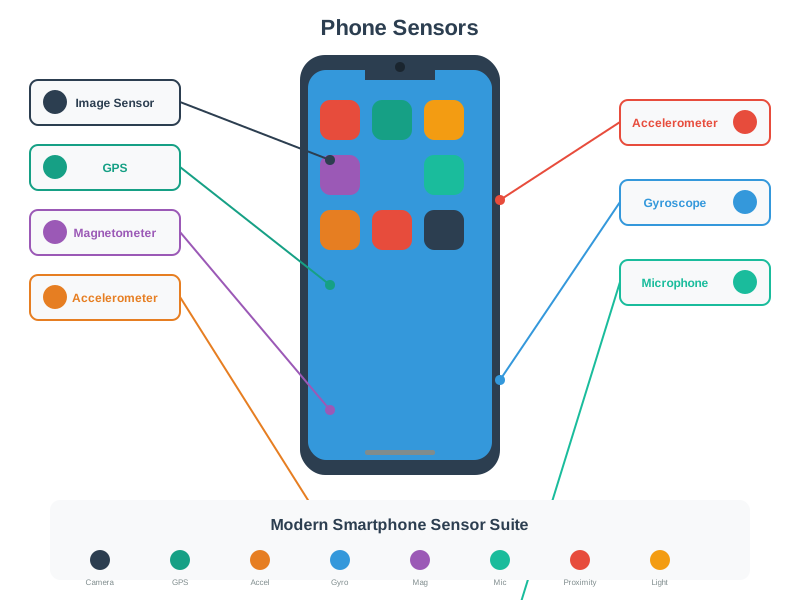
Explanation: Smartphones include 10+ sensors: accelerometer, gyroscope, magnetometer, GPS, barometer, light/proximity sensors, microphone, cameras, and sometimes temperature/humidity sensors. Soil moisture sensors are specialized agricultural sensors not integrated into smartphones. However, smartphones can connect to external IoT sensors via Bluetooth or Wi-Fi to access specialized measurements like soil moisture.

Question 2: What web API should you use to access device motion (acceleration and rotation) in a browser-based IoT application?

  • Geolocation API
  • Web Audio API
  • DeviceMotion API / Generic Sensor API
  • WebRTC API

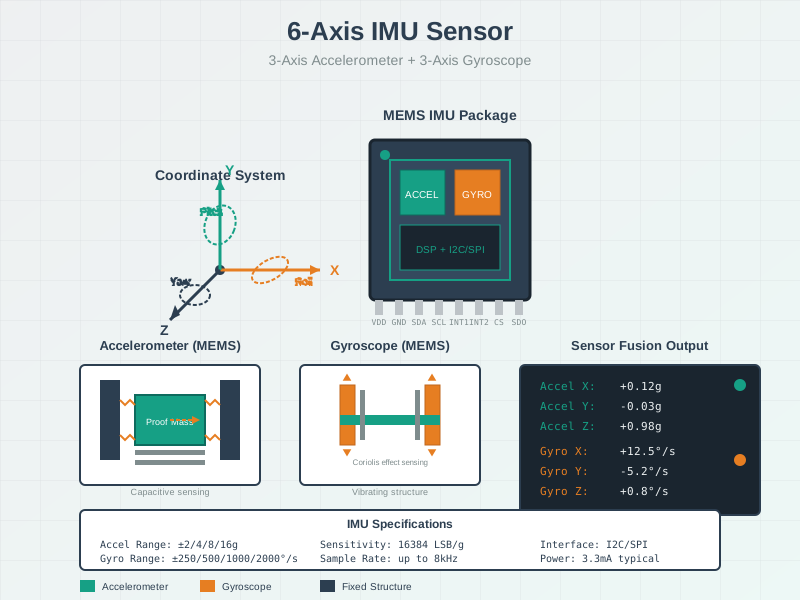
Explanation: The DeviceMotion API (part of DeviceOrientation Events) and Generic Sensor API provide access to accelerometer and gyroscope data in web browsers. DeviceMotionEvent reports acceleration (x, y, z) and rotation rate, enabling motion-based web applications without native app development. Geolocation API provides GPS coordinates, Web Audio captures sound, and WebRTC handles peer-to-peer communication.

Question 3: What is the primary advantage of Progressive Web Apps (PWAs) for mobile IoT sensing?

  • Higher sensor sampling rates than native apps
  • Cross-platform compatibility and no app store deployment
  • Better battery efficiency
  • Access to more sensors than native apps

Explanation: PWAs run in web browsers with cross-platform compatibility (iOS, Android, desktop) and can be “installed” without app store approval, reducing deployment barriers. They’re ideal for rapid prototyping and reaching broad audiences. Native apps typically offer better performance, deeper sensor access, and more efficient battery usage, but require separate development for each platform and app store distribution.

Question 4: In participatory sensing, what is the main challenge with data quality?

  • Inconsistent sampling due to user mobility and voluntary participation
  • Sensors are too accurate
  • Too much data storage capacity
  • Excessive battery life

Explanation: Participatory sensing relies on volunteers who move unpredictably and may opt in/out, creating spatial and temporal gaps in coverage. Unlike fixed sensor networks with controlled deployment, participatory sensing faces challenges including: uneven geographic coverage, biased sampling (users in certain demographics/locations), inconsistent sampling intervals, varying sensor quality across devices, and potential for malicious data injection. Data validation and statistical techniques help address these issues.

Question 5: What privacy protection technique adds statistical noise to sensor data to prevent individual identification while preserving aggregate patterns?

  • Data encryption
  • Differential privacy
  • Access control
  • Data compression

Explanation: Differential privacy adds calibrated random noise to data such that any single individual’s contribution is statistically indistinguishable, protecting privacy while maintaining useful aggregate statistics. For example, adding Laplace noise to location data prevents tracking specific individuals while preserving traffic flow patterns. Encryption protects data in transit but doesn’t address statistical inference attacks. k-anonymity and data minimization are complementary privacy techniques.

Question 6: Which battery optimization strategy involves collecting sensor readings in bursts rather than continuous sampling?

  • Screen dimming
  • Sensor fusion
  • Duty cycling
  • Data compression

Explanation: Duty cycling alternates between active sampling periods and sleep periods, dramatically reducing power consumption. For example, sampling accelerometer for 1 second every minute (1.7% duty cycle) instead of continuously reduces battery drain by ~60×. This works well for applications with slowly-changing data (temperature, location tracking) but may miss transient events. Sensor batching and adaptive sampling rates are complementary battery optimization techniques.

Question 7: What is the typical GPS accuracy in smartphones under good conditions?

  • 1-2 meters (sub-meter precision)
  • 50-100 meters
  • 1 kilometer
  • 5-10 meters

Explanation: Smartphone GPS typically provides 5-10 meter accuracy under good conditions (clear sky, outdoor, multiple satellites visible). Assisted GPS (A-GPS) and sensor fusion with Wi-Fi/cellular triangulation can improve this to ~5m. Indoor accuracy degrades to 20-50m or worse. Advanced techniques like RTK-GPS achieve centimeter-level accuracy but require base stations. For IoT applications, consider accuracy requirements: 10m is sufficient for neighborhood-level analysis but insufficient for lane-level navigation.

Question 8: Which mobile sensing application would benefit most from sensor fusion (combining multiple sensors)?

  • Displaying a static temperature reading
  • Indoor navigation and positioning
  • Reading ambient light levels
  • Recording audio

Explanation: Indoor navigation benefits greatly from sensor fusion, combining accelerometer (step detection), gyroscope (orientation), magnetometer (compass), barometer (floor detection), Wi-Fi/BLE (proximity), and map matching. This compensates for GPS unavailability indoors and provides more accurate positioning than any single sensor. Other examples: activity recognition combines accelerometer + gyroscope + magnetometer; augmented reality fuses camera + IMU + GPS.

Question 9: What is k-anonymity in the context of mobile sensing privacy?

  • Encrypting data with k different keys
  • Sampling data every k seconds
  • Ensuring each data record is indistinguishable from at least k-1 others
  • Using k sensors simultaneously

Explanation: k-anonymity ensures each released data record is indistinguishable from at least k-1 other records by generalizing or suppressing identifying attributes. For example, with 5-anonymity, any individual’s location is shared by at least 4 others in the dataset, preventing unique identification. This protects against linkage attacks where attackers combine datasets to identify individuals. However, k-anonymity alone doesn’t prevent all privacy attacks; combine with differential privacy for stronger protection.

Question 10: For a participatory sensing app collecting air quality data, what is the most energy-efficient location update strategy?

  • Significant location change (100m threshold) instead of continuous GPS polling
  • Update GPS position every second for maximum accuracy
  • Never use GPS, only Wi-Fi triangulation
  • Keep screen on to ensure location updates

Explanation: Using significant location change callbacks (triggered when device moves >100m) dramatically reduces battery drain compared to continuous GPS polling. GPS consumes ~150-400mA while active vs ~1mA in sleep. For air quality monitoring, 100m resolution is typically sufficient to capture spatial variations. Additional optimizations: use coarse location (cellular/Wi-Fi) instead of GPS when appropriate, batch updates, and leverage OS geofencing APIs. Continuous 1-second GPS updates would drain battery in hours.


586.4 Chapter Summary

ImportantChapter Summary

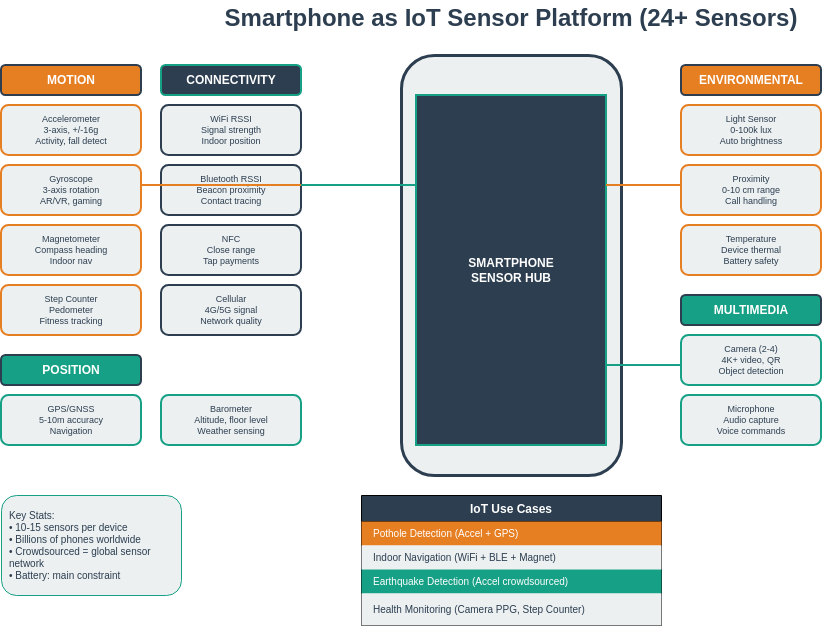
Smartphones are ubiquitous multi-sensor platforms that extend IoT capabilities to billions of users worldwide, offering 10+ sensors (motion, position, environmental, multimedia) combined with powerful processors, always-on connectivity, and rich user interfaces. This unique combination enables participatory sensing applications where volunteer users contribute data for environmental monitoring, traffic analysis, and public health tracking.

Web-based sensing through standardized APIs (Generic Sensor API, Geolocation API, DeviceOrientation, Progressive Web Apps) enables cross-platform sensor access without requiring native app development. These browser-based approaches reduce deployment barriers and enable rapid prototyping of mobile IoT applications. Native frameworks like React Native provide deeper sensor access and better performance for production applications.

Privacy and battery management are critical considerations for mobile sensing applications. Privacy protection techniques include data anonymization, differential privacy, k-anonymity, and informed consent mechanisms. Battery optimization strategies involve adaptive sampling rates, sensor batching, duty cycling, and intelligent use of sensor fusion to reduce redundant measurements while maintaining data quality.

Participatory sensing transforms smartphones into crowdsourced sensor networks for applications ranging from air quality monitoring to traffic flow analysis and noise pollution mapping. The combination of location awareness, user context, and multi-sensor capabilities makes smartphones powerful tools for understanding urban environments and enabling smart city applications.

586.5 Academic Resources
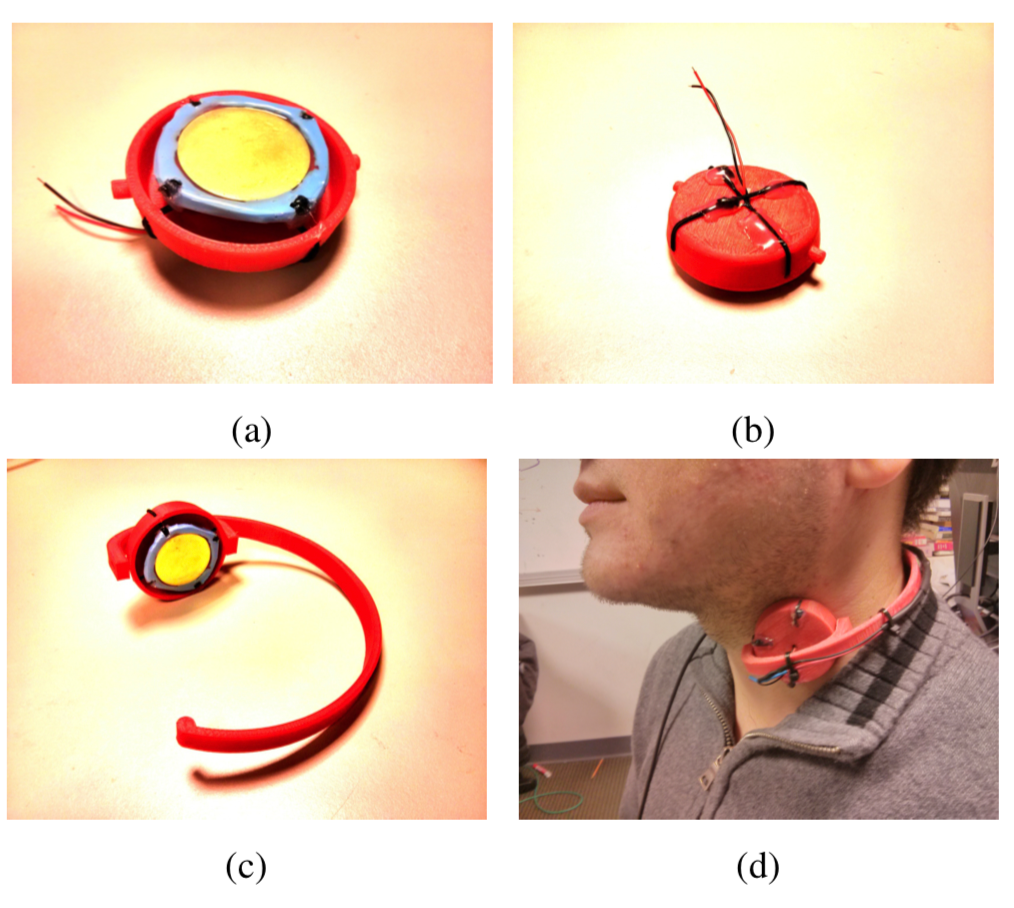
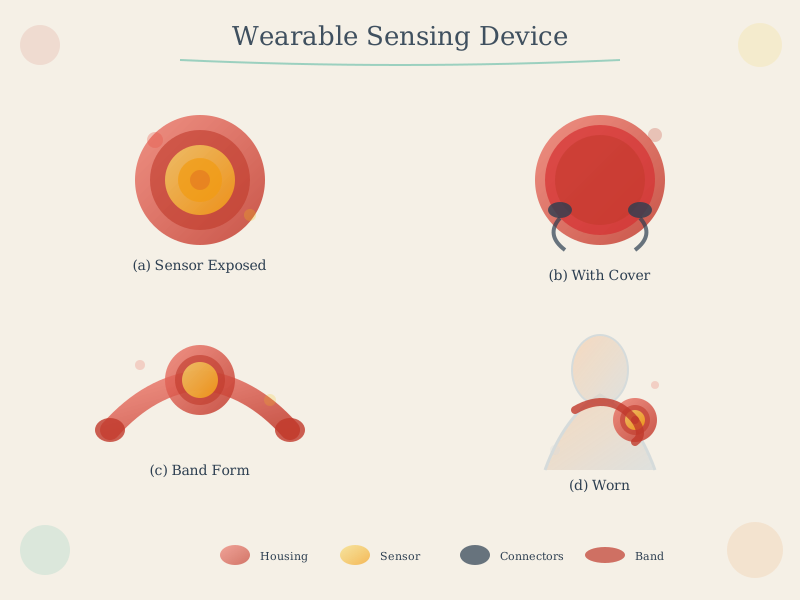
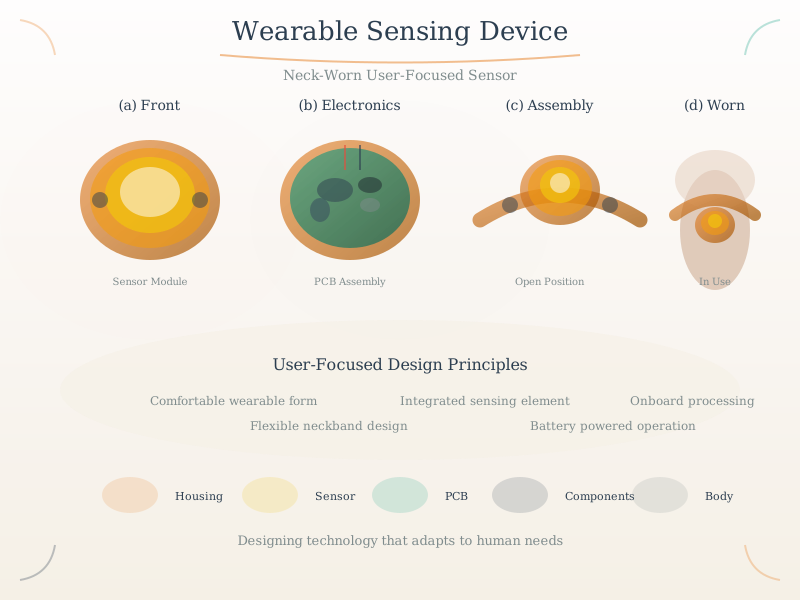
Four-panel image of a wearable neck sensor: panel (a) shows circular red device with yellow piezoelectric sensor in center from top, panel (b) shows bottom with electronics compartment, panel (c) displays flexible red neck band configuration, panel (d) shows device worn around person's neck near throat for capturing swallowing, speaking, and physiological signals.

Wearable neck-mounted sensor device shown in four views: (a) top view showing circular sensor with yellow piezoelectric element, (b) bottom view with electronics and battery compartment, (c) flexible neck band form factor, and (d) device worn on a person’s neck. This design enables continuous physiological and activity monitoring.

Source: Carnegie Mellon University - Building User-Focused Sensing Systems

Wearable sensors complement smartphone sensing:

  • Form factor: Neck-mounted devices capture throat vibrations, swallowing, and vocalization
  • Piezoelectric sensing: Converts mechanical vibration to electrical signal for eating/drinking detection
  • Continuous monitoring: Unlike phone sensors, wearables provide always-on physiological data
  • Fusion opportunity: Combine with smartphone accelerometer and audio for robust activity recognition
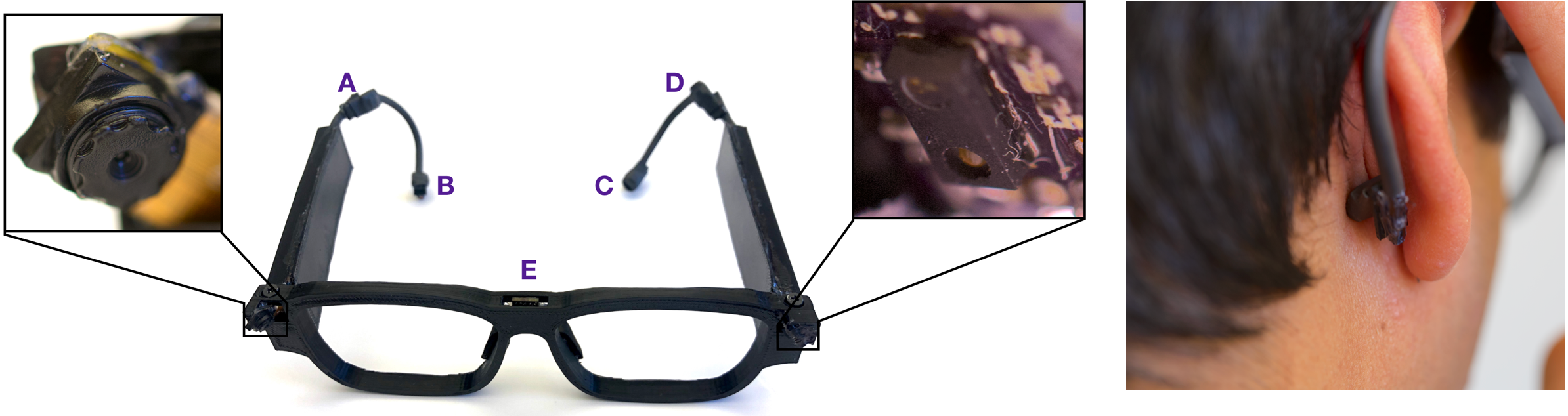
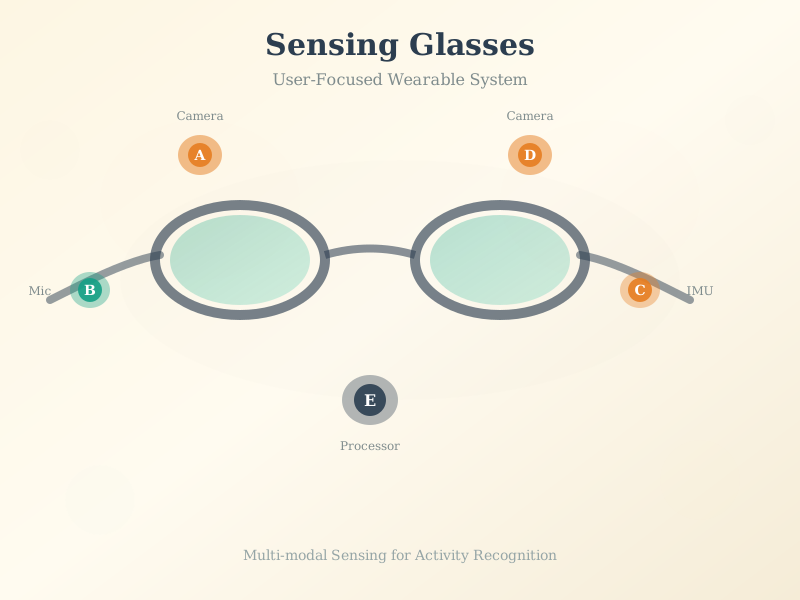
Annotated smart glasses showing sensor placement: camera module at bridge position A for first-person video capture, proximity sensor at position B for gesture detection, light sensor at C for ambient monitoring, bone conduction transducer at D behind ear for audio, IMU at E for head tracking. Right image shows natural appearance when worn.

Smart glasses prototype with labeled sensor positions: (A) wide-angle camera at bridge, (B) proximity/gesture sensor, (C) environmental light sensor, (D) bone conduction speaker, (E) IMU (accelerometer/gyroscope). Right panel shows glasses worn by user demonstrating unobtrusive design.

Source: Carnegie Mellon University - Building User-Focused Sensing Systems

Smart glasses extend mobile sensing capabilities:

  • First-person vision: Camera captures what user sees, enabling visual context awareness
  • Proximity/gesture: Hand gesture detection near face without touch
  • Head motion tracking: IMU measures head orientation and movement patterns
  • Bone conduction: Audio feedback without blocking ears, enabling ambient awareness
  • Integration with phone: Glasses sensors complement smartphone for richer activity context

586.7 Visual Reference Library

This section contains AI-generated phantom figures designed to illustrate key concepts covered in this chapter. These figures provide visual reference material for understanding sensing and actuation systems.

Note: These are AI-generated educational illustrations meant to complement the technical content.

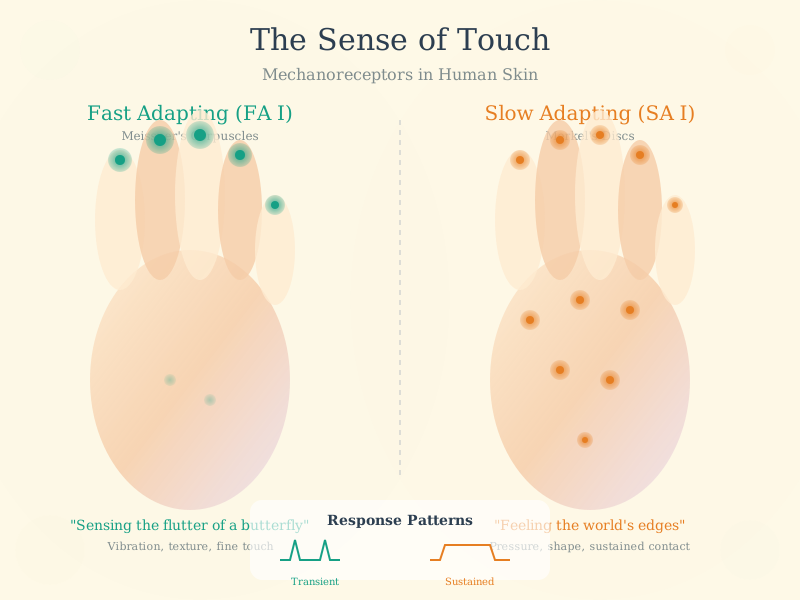
586.7.1 Skin and Tactile Sensing
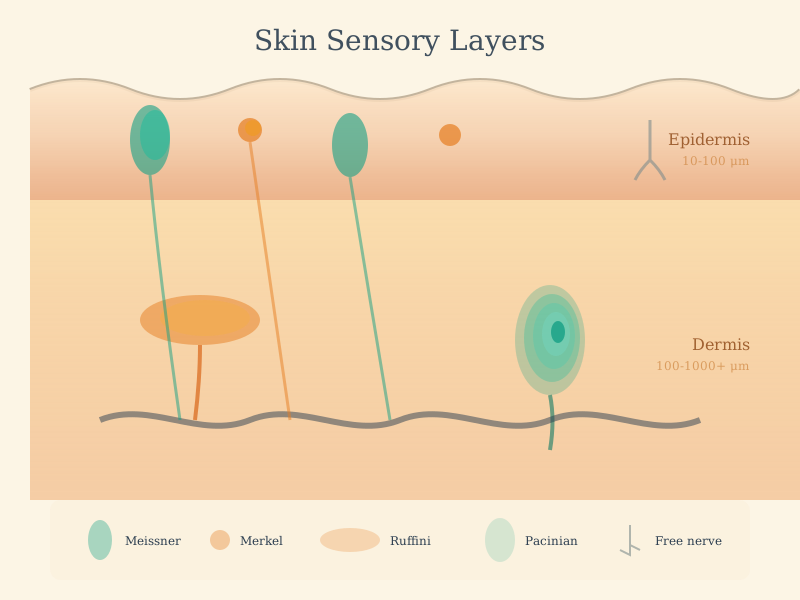
Technical illustration of s k i n used in IoT sensing and actuation systems

S K I N

Technical illustration of s k i n2 used in IoT sensing and actuation systems

S K I N2

Technical illustration of s k i n3 used in IoT sensing and actuation systems

S K I N3

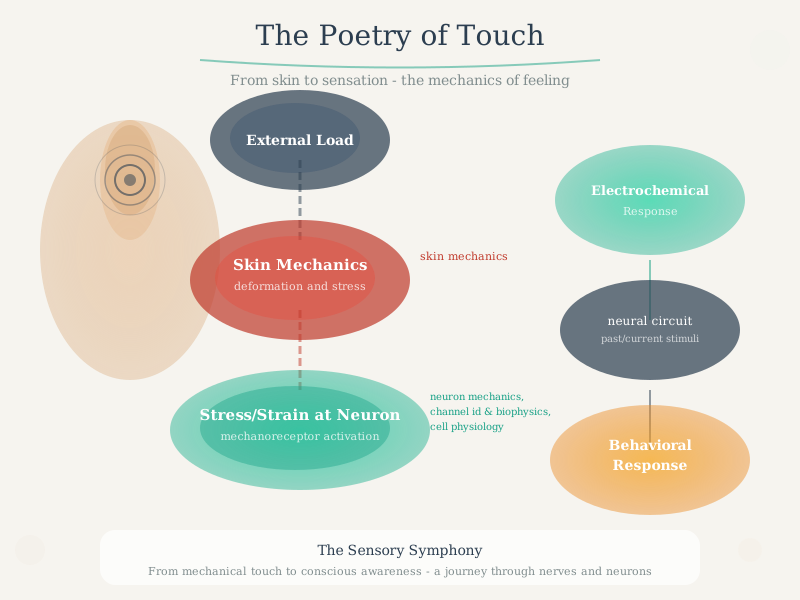
Technical illustration of skin mechanics used in IoT sensing and actuation systems

Skin Mechanics

586.7.2 Academic Research Illustrations
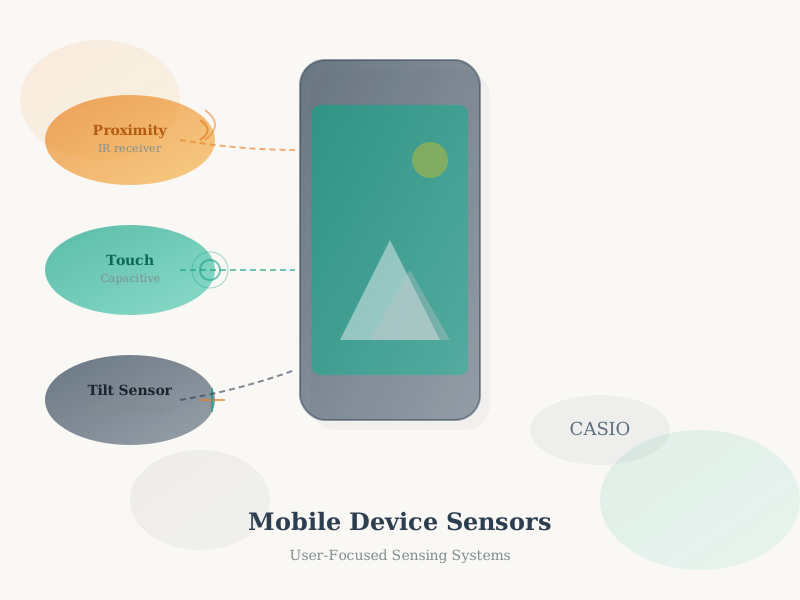
Technical illustration of cmu building user focused sensing systems part1 000 used in IoT sensing and actuation systems

cmu building user focused sensing systems Part1 000

Technical illustration of cmu building user focused sensing systems part101 000 used in IoT sensing and actuation systems

cmu building user focused sensing systems Part101 000

Technical illustration of cmu building user focused sensing systems part102 000 used in IoT sensing and actuation systems

cmu building user focused sensing systems Part102 000

Technical illustration of cmu cmu building user focused sensing systems part1 000 used in IoT sensing and actuation systems

cmu cmu building user focused sensing systems Part1 000

Technical illustration of cmu cmu building user focused sensing systems part102 000 used in IoT sensing and actuation systems

cmu cmu building user focused sensing systems Part102 000

Technical illustration of cmu cmu building user focused sensing systems part103 000 used in IoT sensing and actuation systems

cmu cmu building user focused sensing systems Part103 000

Technical illustration of nptel part558 002 used in IoT sensing and actuation systems

nptel part558 002

586.7.3 Sensing Fundamentals
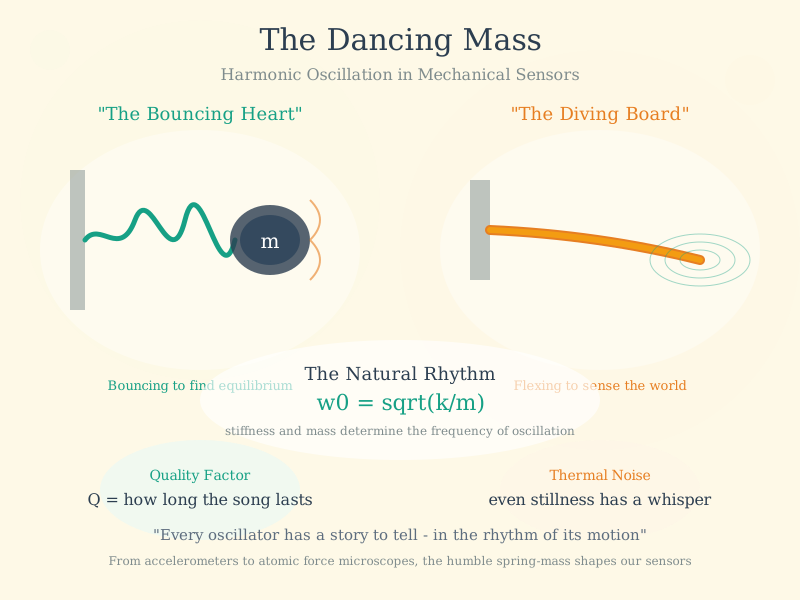
Technical illustration of mechanical harmonic oscillator used in IoT sensing and actuation systems

Mechanical Harmonic Oscillator

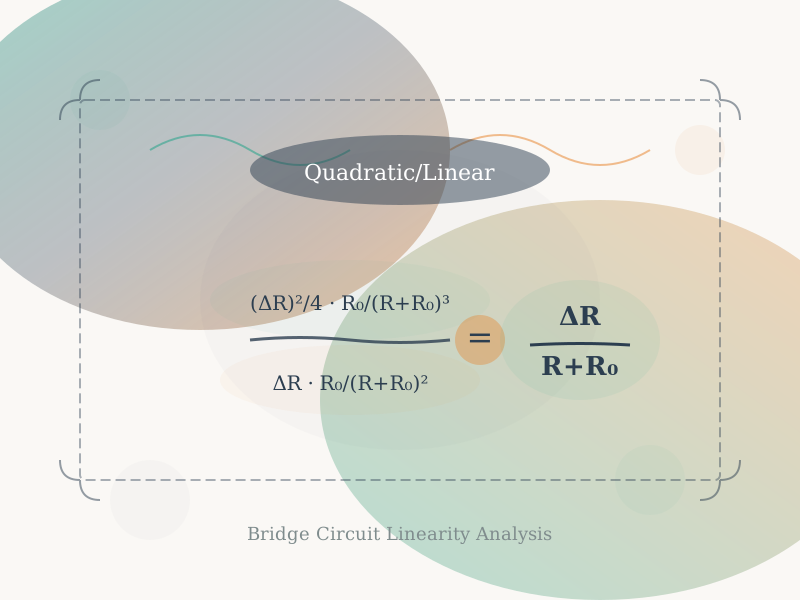
Technical illustration of quadratic used in IoT sensing and actuation systems

Quadratic

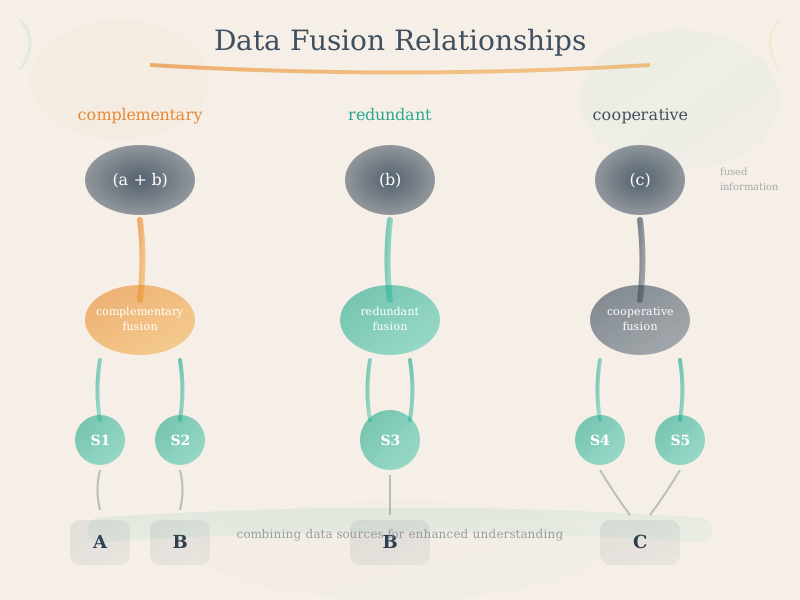
Technical illustration of relationship between data sources used in IoT sensing and actuation systems

Relationship Between Data Sources

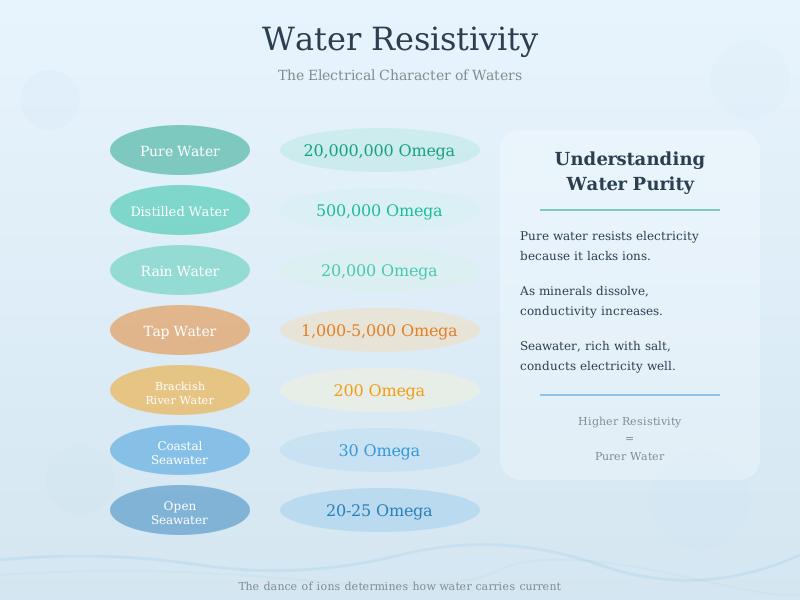
Technical illustration of types of water used in IoT sensing and actuation systems

Types Of Water

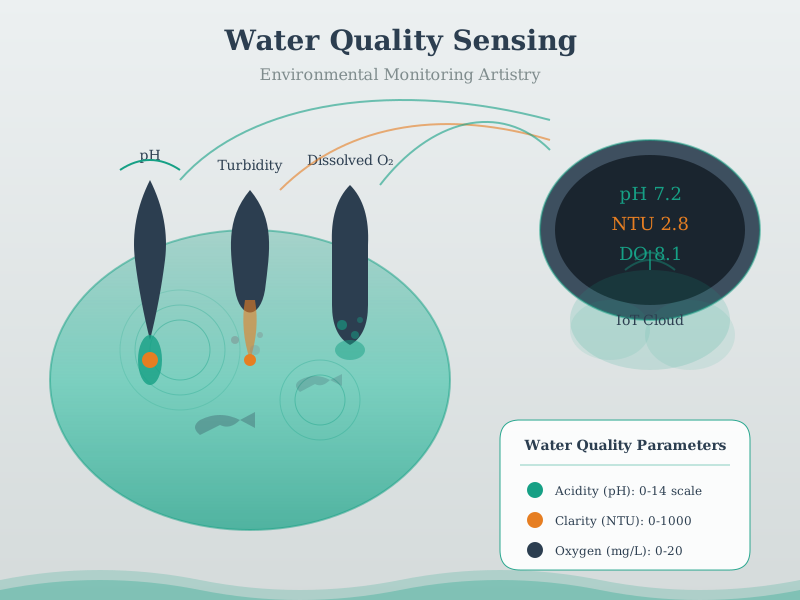
Illustration of water quality sensor showing sensor components, measurement principles, and typical applications in IoT systems

Water Quality Sensor

Technical illustration of wireless transmission used in IoT sensing and actuation systems

Wireless Transmission

586.8 What’s Next

Now that you understand sensors and actuators in both dedicated IoT devices and smartphones, you’re ready to dive into the electrical foundations that power these systems. The next section covers fundamental electricity concepts essential for understanding power requirements, circuits, and energy management in IoT deployments.

Continue to Electricity

NoteRelated Chapters and Resources

Phone Sensor Technologies: - Location Awareness - GPS and positioning - Bluetooth - BLE beacons - NFC - Near-field communication

Product Examples Using Phone Sensors: - Fitbit - Phone app integration

User Experience: - Interface Design - App interfaces - UX Design - Mobile UX patterns

586.9 Resources

586.9.1 Web APIs

586.9.2 Mobile Frameworks

586.9.3 Research Papers

  • “Mobile Phone Sensing Systems: A Survey” (IEEE Communications Surveys)
  • “Participatory Sensing: Applications and Architecture” (IEEE Internet Computing)
  • “Privacy in Mobile Sensing” (IEEE Pervasive Computing)

586.9.4 Privacy Guidelines