%%{init: {'theme': 'base', 'themeVariables': {'primaryColor': '#2C3E50', 'primaryTextColor': '#fff', 'primaryBorderColor': '#16A085', 'lineColor': '#16A085', 'secondaryColor': '#E67E22', 'tertiaryColor': '#7F8C8D'}}}%%
sequenceDiagram
participant S as Sensor
participant G as Gateway
participant K as Kafka Broker
participant P as Stream Processor
participant W as WebSocket Server
participant D as Dashboard
Note over S,D: End-to-End Latency Budget: ~200-500ms
S->>G: Raw reading
Note right of S: 0ms
G->>K: MQTT → Kafka
Note right of G: +10-50ms<br/>(edge processing)
K->>P: Topic consume
Note right of K: +5-20ms<br/>(queue latency)
P->>P: Window aggregation
Note right of P: +100-200ms<br/>(5-sec tumbling window)
P->>W: Push aggregated
Note right of P: +5-10ms
W->>D: WebSocket push
Note right of W: +10-50ms<br/>(network RTT)
D->>D: Canvas render
Note right of D: +16ms<br/>(60 fps frame)
Note over S,D: Total: User sees update 150-350ms after sensor event
1283 Real-Time Visualization for IoT
1283.1 Learning Objectives
By the end of this chapter, you will be able to:
- Choose between push (WebSocket) and pull (polling) update strategies based on requirements
- Implement data decimation algorithms (min-max, LTTB) to handle millions of data points
- Select appropriate refresh rates for different data types and audiences
- Optimize query performance using continuous aggregates and caching
- Build responsive real-time dashboards that maintain 60fps rendering
- Implement adaptive refresh rates based on tab visibility and network conditions
TipMinimum Viable Understanding: Real-Time Data Flow
Core Concept: Real-time visualization requires intelligent data reduction - you cannot render 1 million points on a 1920-pixel screen. Decimation algorithms preserve visual accuracy while reducing rendered points by 100-1000x.
Why It Matters: Without decimation, dashboards crash browsers, waste bandwidth, and paradoxically make patterns harder to see by rendering overlapping points. LTTB (Largest Triangle Three Buckets) downsamples 100,000 points to 1,000 while preserving the visual shape.
Key Takeaway: Pre-aggregate at the database, cache shared queries, use WebSockets only for sub-second critical alerts, and apply LTTB before rendering. Most dashboards need near-real-time (30s), not true real-time (1s).
1283.2 Introduction
IoT systems generate continuous data streams. A factory with 10,000 sensors reporting every second produces 36 million data points per hour. Visualizing this flood requires fundamentally different strategies than batch analytics - you cannot simply query all data and render it.
This chapter covers the techniques that make real-time IoT dashboards possible: push vs. pull update strategies, intelligent data decimation, refresh rate optimization, and the full performance stack from database to browser rendering.
TipFor Beginners: Why Real-Time Is Hard
Imagine watching a security camera. If it shows you one frame per hour, you’ll miss the burglar. If it tries to show you 1,000 frames per second, it will crash.
IoT dashboards face the same problem. Sensors generate data continuously, but: - Your screen only has ~2,000 pixels across - Your eyes can only see ~60 updates per second - Your browser can only render so many elements before slowing down
Real-time visualization is the art of showing just enough data, updated just fast enough, to capture what matters without overwhelming the system or the user.
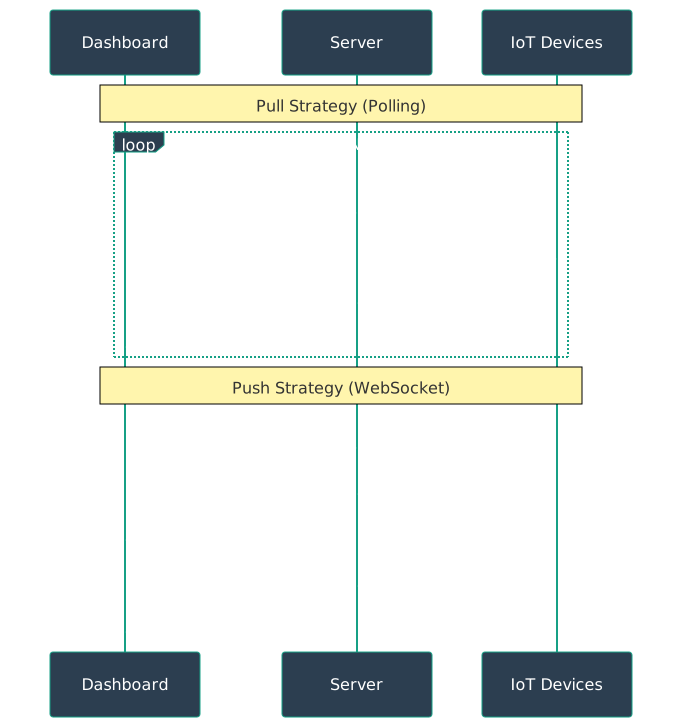
1283.3 Push vs. Pull Updates
Two fundamental approaches to getting data to your dashboard.
1283.3.1 Pull (Polling)
Dashboard requests new data periodically.
- How it works: Browser requests data every N seconds
- Pros: Simple to implement, works with any backend
- Cons: Delay (up to N seconds), wasted requests if no change
- Best for: Low-priority metrics, updates > 30 seconds
Implementation:
// Simple polling every 5 seconds
setInterval(async () => {
  const data = await fetch('/api/sensors');
  updateChart(data);
}, 5000);
1283.3.2 Push (WebSockets/SSE)
Server sends data when available.
- How it works: Persistent connection, server pushes updates
- Pros: Instant updates, efficient, no polling overhead
- Cons: More complex, requires WebSocket support
- Best for: Critical alerts, updates < 10 seconds
Implementation:
// WebSocket push updates
const ws = new WebSocket('wss://api.example.com/sensors');
ws.onmessage = (event) => {
  const data = JSON.parse(event.data);
  updateChart(data);
};
1283.3.3 Hybrid Approach
Mix strategies based on priority:
| Data Type | Update Strategy | Refresh Rate |
|---|---|---|
| Critical alerts | WebSocket push | Sub-second |
| Operational metrics | 5-second polling | 5 seconds |
| Trend charts | 1-minute polling | 1 minute |
| Historical views | On-demand only | User-triggered |

1283.4 Data Decimation
You cannot render 1 million data points on a 1920-pixel-wide screen. Decimation reduces data while preserving important features.
1283.4.1 Min-Max Decimation
Preserve range within time buckets.
- Method: For each pixel, show min and max values in that time range
- Preserves: Peaks, troughs, full range of variation
- Example: 1 million points to 1920 pixel columns, each showing min/max
- Use case: Ensure no spikes are missed
1283.4.2 Averaging
Smooth out noise, show general trend.
- Method: Average all points within each time bucket
- Preserves: Overall trend, reduces noise
- Example: Average every 100 points to get 10,000 points
- Use case: Long-term trend visualization
1283.4.3 LTTB (Largest Triangle Three Buckets)
Perceptually-aware downsampling that preserves visual shape.
- Method: Select points that maintain visual appearance
- Preserves: Overall chart shape, key features
- Example: 100,000 points to 1,000 points that look identical when charted
- Use case: Best visual fidelity with minimal points
1283.4.4 Sampling
Select representative subset.
- Method: Take every Nth point, or random sampling
- Preserves: Statistical properties (if done correctly)
- Example: Sample 1% of data = 10,000 from 1 million
- Use case: Quick overview, statistical analysis
1283.5 Refresh Rate Considerations
Faster isn’t always better. Match refresh rate to data characteristics and human perception.
1283.5.1 1-Second Refresh
Critical real-time monitoring.
- Use case: Safety systems, active alarms, production line monitoring
- Human factor: Perception of “live” data
- Cost: High server load, high bandwidth
- Example: Factory emergency shutdown monitoring
1283.5.2 5-Second Refresh
Standard operational dashboards.
- Use case: General monitoring, operational metrics
- Human factor: Still feels responsive
- Cost: Reasonable server load
- Example: Building HVAC monitoring
1283.5.3 30-Second Refresh
Environmental and slow-changing data.
- Use case: Temperature, humidity, air quality
- Human factor: Acceptable for slow trends
- Cost: Low server impact
- Example: Greenhouse environmental monitoring
1283.5.4 5-Minute Refresh
Long-term trends and analysis.
- Use case: Historical comparisons, daily patterns
- Human factor: Used for observation, not immediate action
- Cost: Minimal server load
- Example: Monthly energy consumption analysis
1283.5.5 On-Demand Only
Reference data and deep dives.
- Use case: Detailed logs, configuration screens
- Human factor: User expects to request explicitly
- Cost: Zero when not viewing
- Example: Device configuration history
1283.6 Deep Dive: Performance Optimization
NoteDeep Dive: Real-Time Dashboard Performance Optimization
Building dashboards that remain responsive with millions of data points and sub-second refresh rates requires careful optimization across the entire stack.
1283.6.1 The Performance Budget
For a responsive real-time dashboard, you have approximately 16.67ms per frame (60fps). Break this down:
| Stage | Budget | Description |
|---|---|---|
| Data fetch | 5ms | Query and network transfer |
| Data transform | 3ms | Aggregation, formatting |
| DOM/Canvas update | 5ms | Rendering engine work |
| Browser paint | 3ms | Pixel painting |
| Total | 16ms | Must stay under for 60fps |
Exceeding this budget causes frame drops, perceived lag, and frustrated users.
1283.6.2 Level 1: Query Optimization
Pre-aggregate at the Database
Never query raw data for dashboard display. Use continuous aggregates or materialized views:
-- TimescaleDB continuous aggregate (pre-computed)
CREATE MATERIALIZED VIEW sensor_5min
WITH (timescaledb.continuous) AS
SELECT
    time_bucket('5 minutes', time) AS bucket,
    device_id,
    avg(value) AS avg_value,
    min(value) AS min_value,
    max(value) AS max_value,
    count(*) AS sample_count
FROM sensor_readings
GROUP BY bucket, device_id
WITH NO DATA;

-- Refresh policy: update every 5 minutes, covering last hour
SELECT add_continuous_aggregate_policy('sensor_5min',
    start_offset => INTERVAL '1 hour',
    end_offset => INTERVAL '5 minutes',
    schedule_interval => INTERVAL '5 minutes');

-- Dashboard query: hits pre-computed data, not raw table
SELECT * FROM sensor_5min
WHERE bucket > NOW() - INTERVAL '24 hours'
AND device_id = 'sensor-42';
-- Execution time: <10ms vs. 2000ms for raw query
Query Result Caching
For dashboards with multiple viewers showing the same data:
# Redis-based query cache with TTL
import redis
import hashlib
import json

class QueryCache:
    def __init__(self, ttl_seconds=5):
        self.redis = redis.Redis()
        self.ttl = ttl_seconds

    def get_or_fetch(self, query: str, fetch_fn):
        cache_key = f"dashboard:{hashlib.md5(query.encode()).hexdigest()}"

        # Try cache first
        cached = self.redis.get(cache_key)
        if cached:
            return json.loads(cached)

        # Cache miss: fetch from database
        result = fetch_fn(query)

        # Store with TTL
        self.redis.setex(cache_key, self.ttl, json.dumps(result))
        return result

# 100 users viewing same dashboard = 1 query, not 100
1283.6.3 Level 2: Data Transfer Optimization
Binary Protocols Instead of JSON
JSON parsing is expensive. For high-frequency updates, use binary formats:
# Server: Pack data as binary
import struct

def pack_sensor_data(readings):
    """
    Pack sensor readings as binary.
    Each reading: timestamp (8 bytes) + device_id (4 bytes) + value (4 bytes) = 16 bytes
    vs JSON: ~80 bytes per reading (5x larger)
    """
    buffer = bytearray()
    for r in readings:
        buffer.extend(struct.pack(
            '>QIf',  # Big-endian: uint64 + uint32 + float32
            int(r['timestamp'].timestamp() * 1000),
            r['device_id_int'],
            r['value']
        ))
    return bytes(buffer)
// Client: Unpack binary (JavaScript)
function unpackSensorData(buffer) {
const view = new DataView(buffer);
const readings = [];
for (let i = 0; i < buffer.byteLength; i += 16) {
readings.push({
timestamp: Number(view.getBigUint64(i)) / 1000,
deviceId: view.getUint32(i + 8),
value: view.getFloat32(i + 12)
});
}
return readings;
}
// Result: 5x less bandwidth, 3x faster parsingDelta Compression for Updates
Only send changed values, not full state:
// Server maintains last-sent state per client
class DeltaEncoder {
    constructor() {
        this.lastState = new Map();
    }

    encode(clientId, currentState) {
        const last = this.lastState.get(clientId) || {};
        const delta = {};

        for (const [key, value] of Object.entries(currentState)) {
            if (last[key] !== value) {
                delta[key] = value;
            }
        }

        this.lastState.set(clientId, {...currentState});
        return delta;  // Only changed values
    }
}

// 100 sensors, 5 changed = send 5 values, not 100
// Typical reduction: 80-95% less data after initial state
1283.6.4 Level 3: Rendering Optimization
Canvas vs. SVG Decision Matrix
| Factor | Canvas | SVG |
|---|---|---|
| Data points >10,000 | Preferred | Slow |
| Data points <1,000 | Either | Preferred |
| Interactivity (hover, click) | Complex | Native |
| Animation smoothness | Better | Good |
| Memory usage | Lower | Higher |
| Accessibility | Poor | Good |
Recommendation: Use Canvas for real-time time-series with >1,000 points; SVG for interactive elements like legends and tooltips.
Virtual Scrolling for Large Datasets
Do not render off-screen elements:
class VirtualizedChart {
    constructor(container, data, options) {
        this.visibleRange = { start: 0, end: 0 };
        this.data = data;  // Full dataset
        this.canvas = container.querySelector('canvas');
        this.ctx = this.canvas.getContext('2d');
    }

    updateVisibleRange(scrollPosition, viewportWidth) {
        const pointWidth = 2;  // pixels per data point
        this.visibleRange = {
            start: Math.floor(scrollPosition / pointWidth),
            end: Math.ceil((scrollPosition + viewportWidth) / pointWidth)
        };
        this.render();
    }

    render() {
        const { start, end } = this.visibleRange;
        const visibleData = this.data.slice(
            Math.max(0, start - 100),  // Buffer for smooth scroll
            Math.min(this.data.length, end + 100)
        );

        // Only render visible points
        this.ctx.clearRect(0, 0, this.canvas.width, this.canvas.height);
        this.drawLine(visibleData);
    }
}

// 1M points total, render only ~2000 visible = 500x less work
RequestAnimationFrame Batching
Never update DOM synchronously on data arrival:
class DashboardRenderer {
    constructor() {
        this.pendingUpdates = new Map();
        this.frameRequested = false;
    }

    queueUpdate(panelId, data) {
        // Accumulate updates
        this.pendingUpdates.set(panelId, data);

        // Request single frame for all updates
        if (!this.frameRequested) {
            this.frameRequested = true;
            requestAnimationFrame(() => this.flush());
        }
    }

    flush() {
        this.frameRequested = false;

        // Batch all DOM updates in single frame
        for (const [panelId, data] of this.pendingUpdates) {
            this.renderPanel(panelId, data);
        }
        this.pendingUpdates.clear();
    }
}

// 50 WebSocket messages in 16ms = 1 render, not 50
1283.6.5 Level 4: LTTB Implementation
The gold standard for visual downsampling:
import numpy as np

def lttb_downsample(data, threshold):
    """
    Downsample time-series data using LTTB algorithm.

    Args:
        data: List of (timestamp, value) tuples
        threshold: Target number of points

    Returns:
        Downsampled data preserving visual appearance
    """
    if len(data) <= threshold:
        return data

    sampled = [data[0]]  # Always keep first point
    bucket_size = (len(data) - 2) / (threshold - 2)

    a = 0  # Previous selected point index

    for i in range(threshold - 2):
        # Calculate bucket boundaries
        bucket_start = int((i + 1) * bucket_size) + 1
        bucket_end = int((i + 2) * bucket_size) + 1
        bucket_end = min(bucket_end, len(data) - 1)

        # Average of next bucket (for triangle calculation)
        next_start = int((i + 2) * bucket_size) + 1
        next_end = int((i + 3) * bucket_size) + 1
        next_end = min(next_end, len(data))

        avg_x = np.mean([d[0] for d in data[next_start:next_end]])
        avg_y = np.mean([d[1] for d in data[next_start:next_end]])

        # Find point in current bucket with largest triangle area
        max_area = -1
        max_idx = bucket_start

        for j in range(bucket_start, bucket_end):
            # Triangle area = 0.5 * |x1(y2-y3) + x2(y3-y1) + x3(y1-y2)|
            area = abs(
                (data[a][0] - avg_x) * (data[j][1] - data[a][1]) -
                (data[a][0] - data[j][0]) * (avg_y - data[a][1])
            )
            if area > max_area:
                max_area = area
                max_idx = j

        sampled.append(data[max_idx])
        a = max_idx

    sampled.append(data[-1])  # Always keep last point
    return sampled

# 100,000 points -> 1,000 points
# Visual difference: imperceptible
# Rendering time: 100x faster
1283.6.6 Level 5: WebSocket Connection Management
Multiplexed Channels
Single connection for multiple data streams:
class MultiplexedWebSocket {
    constructor(url) {
        this.ws = new WebSocket(url);
        this.channels = new Map();

        this.ws.onmessage = (event) => {
            const { channel, data } = JSON.parse(event.data);
            const handlers = this.channels.get(channel);
            if (handlers) {
                handlers.forEach(h => h(data));
            }
        };
    }

    subscribe(channel, handler) {
        if (!this.channels.has(channel)) {
            this.channels.set(channel, new Set());
            this.ws.send(JSON.stringify({ action: 'subscribe', channel }));
        }
        this.channels.get(channel).add(handler);
    }

    unsubscribe(channel, handler) {
        const handlers = this.channels.get(channel);
        if (handlers) {
            handlers.delete(handler);
            if (handlers.size === 0) {
                this.channels.delete(channel);
                this.ws.send(JSON.stringify({ action: 'unsubscribe', channel }));
            }
        }
    }
}

// Dashboard with 20 panels = 1 WebSocket, not 20
Adaptive Refresh Rate
Slow down updates when tab is inactive or network is slow:
class AdaptiveRefresh {
    constructor(minInterval = 100, maxInterval = 5000) {
        this.minInterval = minInterval;
        this.maxInterval = maxInterval;
        this.currentInterval = minInterval;
        this.lastRenderTime = 0;
    }

    adjustRate() {
        // Slow down if tab is hidden
        if (document.hidden) {
            this.currentInterval = this.maxInterval;
            return;
        }

        // Measure actual render time
        const renderTime = performance.now() - this.lastRenderTime;

        // If rendering takes >50% of frame budget, slow down
        if (renderTime > this.currentInterval * 0.5) {
            this.currentInterval = Math.min(
                this.currentInterval * 1.5,
                this.maxInterval
            );
        } else if (renderTime < this.currentInterval * 0.2) {
            this.currentInterval = Math.max(
                this.currentInterval * 0.8,
                this.minInterval
            );
        }
    }
}

// Auto-adapts: fast refresh when possible, slows when needed
1283.6.7 Performance Checklist
Before deploying a real-time dashboard:
Target Metrics:
| Metric | Target | Measurement |
|---|---|---|
| Time to First Render | <500ms | Performance.timing |
| Frame Rate | >55fps | DevTools FPS meter |
| Memory Usage | <200MB | DevTools Memory |
| WebSocket Latency | <100ms | Custom instrumentation |
| Query Response | <50ms | Server logs |
1283.7 Common Real-Time Pitfalls
CautionPitfall: Displaying Too Many Data Points Without Decimation
The mistake: Rendering millions of raw data points directly to the screen, causing browser crashes, multi-second render times, and illegible visualizations where individual trends are impossible to distinguish.
Why it happens: Developers assume that more data equals better visualization. Time-series databases return all requested points by default. Initial development with small datasets works fine, but production scale breaks the dashboard. Users request “show me everything” without understanding the cost.
The fix: Implement intelligent downsampling before rendering. Use min-max-avg algorithms to preserve peaks and valleys while reducing point count. Apply LTTB (Largest Triangle Three Buckets) for visually accurate decimation. Limit rendered points to 1,000-2,000 per chart regardless of time range. Show aggregated views (hourly/daily averages) by default with drill-down to raw data for specific time ranges. Add loading indicators and progressive rendering for large datasets.
1283.8 Summary
Real-time IoT visualization requires a complete optimization stack:
- Choose update strategy: WebSocket for critical sub-second alerts; polling for operational metrics
- Pre-aggregate at database: Continuous aggregates avoid expensive queries
- Cache shared queries: 100 users viewing the same dashboard = 1 query
- Apply decimation: LTTB, min-max, or averaging to reduce points before rendering
- Match refresh rate to need: 1s for safety, 30s for operations, 5min for trends
- Optimize rendering: Canvas for large datasets, batched updates, virtual scrolling
- Adapt to conditions: Slow down when tab is hidden or network is constrained
The goal is not “show everything in real-time” but “show what matters, fast enough to act on it.”
1283.9 What’s Next
With real-time optimization covered, explore the media encoding layer:
- Data Encoding for IoT Media: Audio and video codecs for IoT surveillance and monitoring
- Visualization Tools: Building dashboards with Grafana, ThingsBoard, and custom solutions