%%{init: {'theme': 'base', 'themeVariables': {'primaryColor':'#E8EAF6','primaryTextColor':'#2C3E50','primaryBorderColor':'#2C3E50','lineColor':'#16A085','secondaryColor':'#FFF3E0','tertiaryColor':'#E8F5E9','noteTextColor':'#2C3E50','noteBkgColor':'#FFF9C4','noteBorderColor':'#E67E22'}}}%%
graph TD
    FF[Form Factor Design] --> Size[Size Constraints]
    FF --> Enc[Enclosure Materials]
    FF --> Mount[Mounting Method]
    FF --> UI[User Interaction]

    Size --> S1[Component dimensions]
    Size --> S2[Battery volume]
    Size --> S3[Heat dissipation]
    Size --> S4[Antenna placement]

    Enc --> E1[ABS Plastic - Indoor]
    Enc --> E2[Polycarbonate - Outdoor]
    Enc --> E3[Aluminum - High power]
    Enc --> E4[TPU/Silicone - Wearable]

    Mount --> M1[Adhesive]
    Mount --> M2[Screw mount]
    Mount --> M3[Magnetic]
    Mount --> M4[Strap/Band]

    UI --> U1[Button size]
    UI --> U2[Display visibility]
    UI --> U3[LED indicators]

    style FF fill:#2C3E50,stroke:#2C3E50,color:#fff
    style Size fill:#16A085,stroke:#16A085,color:#fff
    style Enc fill:#16A085,stroke:#16A085,color:#fff
    style Mount fill:#16A085,stroke:#16A085,color:#fff
    style UI fill:#16A085,stroke:#16A085,color:#fff
1495 Connected Devices - Form Factors and Enclosures
1495.1 Learning Objectives
After completing this chapter, you will be able to:
- Design connected devices with appropriate form factors for specific use cases
- Select enclosure materials based on environmental and functional requirements
- Apply mounting and user interaction considerations to device design
- Understand IP ratings and environmental protection requirements
- Evaluate trade-offs between size, weight, durability, and cost
1495.2 Prerequisites
Before diving into this chapter, you should be familiar with:
- Connected Devices - Fundamentals: Understanding device categories and the design triangle
- Sensor Fundamentals and Types: Knowledge of sensor physical requirements
1495.3 Introduction
The physical design of IoT devices significantly impacts usability, durability, and user acceptance. A device with excellent functionality can fail in the market if it’s too large, uncomfortable, or doesn’t survive its deployment environment. This chapter explores form factor considerations, enclosure material selection, and the physical design decisions that determine whether an IoT device succeeds.
1495.4 Form Factor Design Considerations
{fig-alt=“Mind map showing form factor design considerations: size constraints (components, battery, heat, antenna), enclosure materials (plastic types, aluminum, silicone), mounting methods (adhesive, screws, magnetic, straps), and user interaction elements (buttons, display, LEDs)”}
1495.5 Size Constraints
Key factors when designing device form factor:
1495.5.1 Component Dimensions and Clearance
- PCB footprint: Minimum board size based on components, connectors, and routing
- Heat dissipation: Clearance required for thermal management (power regulators, processors)
- Antenna placement: Keep antennas away from metal, ground planes, and the human body
- Sensor positioning: Temperature sensors away from heat sources, motion sensors with clear view
1495.5.2 Battery Volume
Battery selection often drives enclosure size:
| Battery Type | Typical Capacity | Volume | Best For |
|---|---|---|---|
| CR2032 coin cell | 225mAh | 1.0 cm³ | Ultra-compact, years life |
| AAA alkaline | 1200mAh | 3.8 cm³ | Replaceable, medium devices |
| 18650 Li-ion | 2600mAh | 16.5 cm³ | Rechargeable, high capacity |
| Custom LiPo pouch | Variable | Variable | Wearables, custom shapes |
1495.5.3 Weight Considerations
Weight constraints vary by device category:
- Wearables: <50g ideal, >100g uncomfortable for all-day wear
- Drones: Every gram reduces flight time
- Wall-mounted: Must support own weight without falling
- Handheld: Balance point affects ergonomics
1495.6 Mounting Methods
%%{init: {'theme': 'base', 'themeVariables': {'primaryColor':'#2C3E50','primaryTextColor':'#fff','primaryBorderColor':'#16A085','lineColor':'#16A085','secondaryColor':'#E67E22','tertiaryColor':'#7F8C8D'}}}%%
flowchart LR
    subgraph ADHESIVE["Adhesive Mounting"]
        A1[3M VHB tape<br/>No holes needed]
        A2[Easy repositioning<br/>Renter-friendly]
        A3[Temp sensitive<br/>May fail in heat]
    end

    subgraph SCREW["Screw Mount"]
        S1[Permanent install<br/>High security]
        S2[Requires tools<br/>May damage surface]
        S3[Best for outdoor<br/>and industrial]
    end

    subgraph MAGNETIC["Magnetic"]
        M1[Quick attach/detach<br/>Easy repositioning]
        M2[Metal surface needed<br/>Limited locations]
        M3[May interfere with<br/>compass sensors]
    end

    subgraph STRAP["Strap/Band"]
        S4[Wearables<br/>Adjustable fit]
        S5[Comfort critical<br/>Hypoallergenic]
        S6[User replaceable<br/>Personalization]
    end

    style ADHESIVE fill:#16A085,stroke:#2C3E50,color:#fff
    style SCREW fill:#E67E22,stroke:#2C3E50,color:#fff
    style MAGNETIC fill:#2C3E50,stroke:#16A085,color:#fff
    style STRAP fill:#7F8C8D,stroke:#2C3E50,color:#fff
{fig-alt=“Four-column comparison of mounting methods: Adhesive (no holes, renter-friendly, temp sensitive), Screw (permanent, requires tools, best for outdoor), Magnetic (quick detach, needs metal surface, may interfere with compass), Strap (wearables, comfort critical, user replaceable)”}
1495.6.1 Mounting Selection Guidelines
| Use Case | Recommended Mounting | Considerations |
|---|---|---|
| Smart home sensors | Adhesive or magnetic | Renter-friendly, easy repositioning |
| Security cameras | Screw mount | Tamper resistance, outdoor durability |
| Industrial sensors | DIN rail or screw | Vibration resistance, cable management |
| Wearables | Strap or clip | Comfort, adjustability, style |
| Asset trackers | Magnetic or adhesive | Quick deployment, vehicle mounting |
1495.7 Enclosure Materials
Material selection is critical for device durability, RF performance, and user safety.
1495.7.1 Material Comparison
| Material | Advantages | Disadvantages | Best For |
|---|---|---|---|
| ABS Plastic | Low cost, easy molding, lightweight | Poor UV resistance, scratches easily | Indoor devices |
| Polycarbonate | Impact resistant, UV stable, clear options | More expensive, may yellow over time | Outdoor devices |
| Aluminum | Excellent heat dissipation, EMI shielding, premium feel | Blocks wireless signals, heavy, expensive | High-power devices, gateways |
| TPU/Silicone | Shock absorption, waterproof, flexible | Not rigid, can attract dust | Wearables, rugged devices |
| 3D Printed PLA/PETG | Rapid prototyping, custom shapes | Not production-grade, limited durability | Prototypes only |
| Stainless Steel | Corrosion resistant, durable, medical-grade | Heavy, expensive, blocks RF | Medical devices, harsh environments |
1495.7.2 RF Transparency Considerations
WarningMetal Enclosures Block Wireless Signals
Metal enclosures act as Faraday cages, blocking Wi-Fi, BLE, cellular, and other RF signals. If using metal enclosures: - Use external antennas with SMA connectors - Create “antenna windows” (plastic sections in metal case) - Consider hybrid designs (metal back, plastic front)
1495.7.3 UV Resistance for Outdoor Devices
NoteUV Degradation Problem
UV radiation breaks down polymer chains in plastics, causing: - Embrittlement and cracking - Discoloration and yellowing - Surface chalking
Solutions: - UV-stabilized plastics (ASA, UV-stabilized ABS) - UV absorber additives - UV-resistant coatings or paint - Dark pigments (carbon black absorbs UV) - Metal enclosures (no UV degradation)
1495.8 IP Ratings and Environmental Protection
IP (Ingress Protection) ratings define protection against solids and liquids.
1495.8.1 IP Rating Guide
| Rating | First Digit (Solids) | Second Digit (Liquids) |
|---|---|---|
| IP2X | Finger-sized objects | - |
| IP4X | Objects >1mm | - |
| IP5X | Dust protected (limited ingress) | - |
| IP6X | Dust-tight (no ingress) | - |
| IPX4 | - | Splashing water |
| IPX5 | - | Water jets |
| IPX6 | - | Powerful water jets |
| IPX7 | - | Immersion to 1m, 30 min |
| IPX8 | - | Continuous immersion |
1495.8.2 Common IoT IP Ratings
| Environment | Minimum IP Rating | Examples |
|---|---|---|
| Indoor, clean | IP20-IP40 | Smart home sensors |
| Indoor, humid (bathroom) | IP44-IP54 | Smart scales, humidity sensors |
| Outdoor, sheltered | IP54-IP55 | Covered outdoor sensors |
| Outdoor, exposed | IP65-IP66 | Weather stations, cameras |
| Submersible | IP67-IP68 | Pool sensors, underground |
WarningIP54 Is NOT Sufficient for Outdoor Exposure
A common mistake: IP54 only protects against “splashing water from any direction”—NOT sustained rain. For outdoor IoT devices exposed to weather: - IP65 minimum for rain exposure - IP67 for temporary immersion (1m, 30 min) - IP68 for continuous underwater operation
1495.9 User Interaction Design
Physical interface elements must balance functionality with form factor constraints.
1495.9.2 Display Considerations
%%{init: {'theme': 'base', 'themeVariables': {'primaryColor':'#2C3E50','primaryTextColor':'#fff','primaryBorderColor':'#16A085','lineColor':'#16A085','secondaryColor':'#E67E22','tertiaryColor':'#7F8C8D'}}}%%
flowchart TD
    DISPLAY{Need a<br/>display?} -->|No| LED[LED indicators only<br/>Lowest power, lowest cost]
    DISPLAY -->|Simple info| SEGMENT[7-segment / character LCD<br/>Low power, always-on]
    DISPLAY -->|Graphics| EINK[E-ink<br/>Zero power when static<br/>Slow refresh]
    DISPLAY -->|Full color| LCD_TFT[LCD/TFT<br/>Fast refresh<br/>Backlight needed]
    DISPLAY -->|Premium| OLED[OLED<br/>Deep blacks, vibrant<br/>Higher power, burn-in]

    LED --> POWER1[~1mW]
    SEGMENT --> POWER2[~5mW]
    EINK --> POWER3[~0mW static<br/>~50mW refresh]
    LCD_TFT --> POWER4[~100-500mW]
    OLED --> POWER5[~100-300mW]

    style DISPLAY fill:#E67E22,stroke:#2C3E50,color:#fff
    style LED fill:#16A085,stroke:#2C3E50,color:#fff
    style SEGMENT fill:#16A085,stroke:#2C3E50,color:#fff
    style EINK fill:#2C3E50,stroke:#16A085,color:#fff
    style LCD_TFT fill:#7F8C8D,stroke:#2C3E50,color:#fff
    style OLED fill:#7F8C8D,stroke:#2C3E50,color:#fff
{fig-alt=“Decision tree for display selection: No display leads to LED indicators (lowest power); simple info leads to segment LCD (low power); graphics needs lead to e-ink (zero static power); full color leads to LCD/TFT (needs backlight); premium leads to OLED (vibrant but higher power)”}
1495.9.3 LED Status Indicator Design
TipEffective LED Feedback Design
Users can’t remember complex LED color codes. Best practices:
- Limit to 3-4 states: OK (green), Warning (yellow/amber), Error (red), Activity (flashing)
- Follow conventions: Green = good, Red = problem (traffic light metaphor)
- Simple patterns: Solid vs. flashing only (not multiple flash speeds)
- Companion app: Use app for detailed status, LED for glanceable state
Visual Reference Gallery
NoteWearable Device Interaction
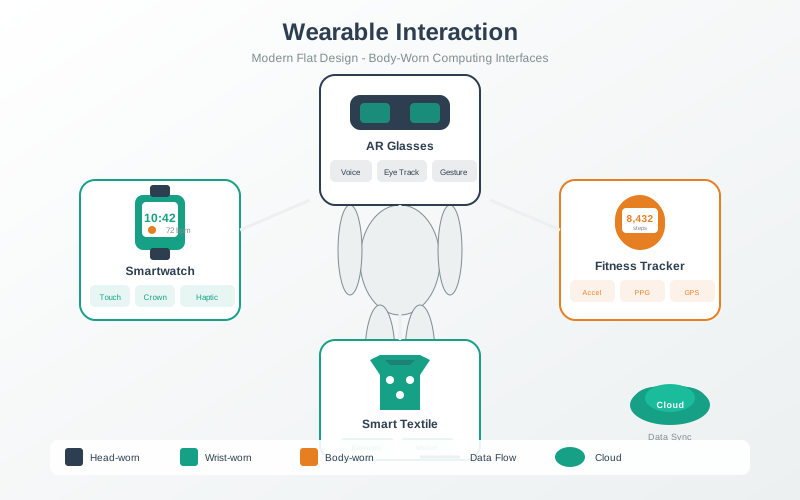
Wearable IoT devices face unique interaction challenges: tiny screens (if any), limited input options, and the need for quick, glanceable information. This visualization shows how wearables leverage multiple modalities - haptic vibrations for notifications, audio for hands-free output, gestures for touchless control - to create usable experiences within severe form factor constraints.
AI-Generated Visualization - Modern Style
NoteAmbient Computing Environment
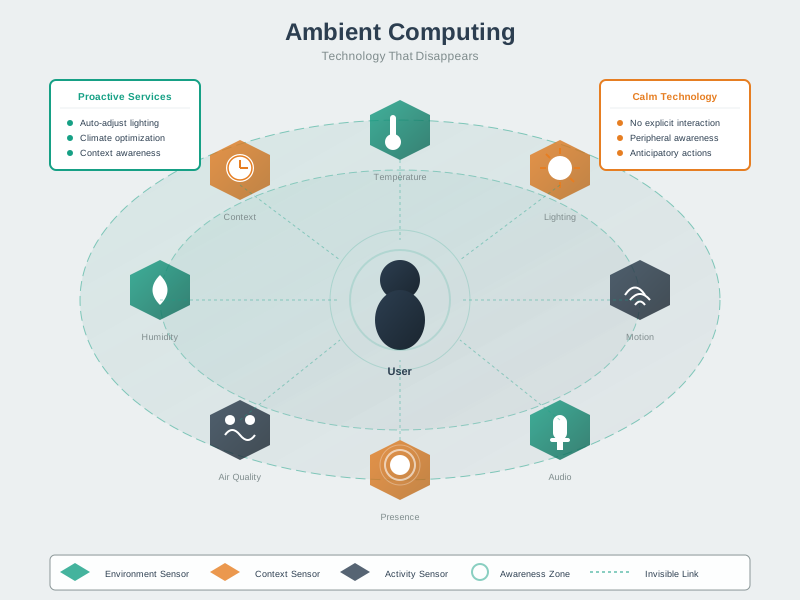
Ambient computing represents the IoT vision of technology fading into the background. Rather than requiring explicit interaction, ambient systems use distributed sensors to infer context and provide appropriate services automatically. This visualization shows how environmental sensing, activity recognition, and predictive intelligence combine to create responsive spaces that adapt to occupants without demanding attention.
AI-Generated Visualization - Geometric Style
1495.10 Knowledge Check
TipUnderstanding Check: Form Factor and Installation UX
Scenario: Your smart home security camera has excellent image quality and AI features, but 35% of units are returned within 30 days. User feedback reveals: “Too hard to install,” “Didn’t work with my Wi-Fi,” “Couldn’t figure out mounting.” The device requires: drilling holes, connecting to 2.4GHz Wi-Fi (not 5GHz), and mobile app setup with account creation.
Think about: 1. What human factors were overlooked in the installation experience? 2. How does device design impact user success beyond the core functionality? 3. What makes installation a “make or break” moment for IoT products?
Key Insight: Installation UX is as critical as device functionality: - Complexity barriers: Each installation step (drill holes → mount bracket → attach camera → download app → create account → connect Wi-Fi → position camera) has 10-15% failure rate, compounding to 50%+ overall failure - Technical assumptions: Assuming users know their Wi-Fi frequency (2.4GHz vs 5GHz) causes 40% of support calls—most people don’t know - Physical constraints: Requiring drilling deters renters (50% of urban households) and users without tools - Solution strategies: (1) Magnetic mounting (no drilling), (2) Auto-detect Wi-Fi frequency, (3) QR code setup (no account creation first), (4) Visual guides in app showing real homes (not just diagrams) - Studies show: 25% of “defective” returns are actually installation failures, not product defects. Better installation UX reduces returns and support costs dramatically.
Question 1: An outdoor IoT weather station is designed with an IP54 rating. After 6 months of deployment, water damage causes multiple device failures. What is the most likely design flaw?
Explanation: IP ratings specify ingress protection: first digit (0-6) is dust/solids, second digit (0-9) is liquids. IP54 = “Protected against dust (limited ingress)” and “Splashing water from any direction”—NOT sufficient for outdoor deployment with sustained rain. For outdoor IoT devices: IP65 minimum (dust-tight, protected against water jets), IP67 for temporary immersion (1m, 30 min), IP68 for continuous immersion.
Question 2: Your IoT device uses an ESP32 microcontroller with Wi-Fi connectivity. During testing, you notice frequent disconnections when the device is installed inside metal HVAC ductwork. What is the cause and solution?
Explanation: Metal enclosures block RF signals (Faraday cage effect), severely attenuating Wi-Fi, BLE, and cellular signals. RF design considerations: (1) External antenna mounted outside metal enclosure via SMA connector, (2) Plastic enclosures for RF transparency, (3) PCB antenna keep-out zones (no ground plane under antenna), (4) Test RSSI in actual deployment environment.
Question 3: An agricultural IoT sensor is deployed in fields for soil monitoring. After one growing season, the plastic enclosure becomes brittle and cracks, despite being rated for outdoor use. What environmental factor was overlooked?
Explanation: UV radiation breaks down polymer chains in plastics, causing embrittlement, discoloration, and cracking. UV resistance strategies: (1) UV-stabilized plastics (ASA, polycarbonate with UV coating), (2) UV absorber additives, (3) UV-resistant coatings, (4) Dark pigments (carbon black absorbs UV). Agricultural/outdoor IoT must survive 5-10 years of sun exposure.
Question 4: An IoT device uses a single RGB LED to indicate status: solid green (connected), flashing green (connecting), solid red (error), flashing red (critical error), blue (updating), purple (pairing). Users can’t remember what each pattern means. What design principle would improve this?
Explanation: Human short-term memory limits mean users can’t remember complex LED code systems. Effective LED feedback design: (1) Limit to 3-4 states maximum, (2) Follow traffic light conventions (green=good, red=problem), (3) Simple patterns (solid vs. flashing only), (4) Use companion app for detailed status information.
1495.11 Summary
This chapter covered form factors and enclosure design for IoT devices:
Key Takeaways:
Size Constraints: Component dimensions, battery volume, heat dissipation, and antenna placement all drive minimum device size
Mounting Methods: Choose between adhesive (renter-friendly), screw (permanent), magnetic (quick attach), and strap (wearables) based on use case
Material Selection: ABS for indoor, polycarbonate for outdoor, aluminum for heat dissipation (but blocks RF), silicone for wearables
IP Ratings: IP54 is NOT sufficient for outdoor exposure—use IP65+ for weather exposure, IP67+ for immersion
User Interaction: LED indicators should use simple, intuitive conventions; complex states belong in companion apps
1495.12 What’s Next
The next chapter explores Power Management, the critical constraint that often determines IoT device success or failure.
1495.13 Resources
Design Tools and Standards: - IP Code (IEC 60529) - Ingress protection ratings - Autodesk Fusion 360 - Mechanical CAD for enclosures - IEC 60068 - Environmental testing standards