%% fig-cap: "OTA Update Risk Assessment Matrix"
%% fig-alt: "Two-by-two matrix showing OTA update strategies based on risk: Top-left (Low Criticality + Easy Rollback) shows aggressive updates with fast iteration; Top-right (High Criticality + Easy Rollback) shows staged rollouts with canary deployments; Bottom-left (Low Criticality + Hard Rollback) shows careful testing before push; Bottom-right (High Criticality + Hard Rollback) shows extensive validation, certification, and manual approval gates. Examples provided for each quadrant."

%%{init: {'theme': 'base', 'themeVariables': { 'primaryColor': '#2C3E50', 'primaryTextColor': '#fff', 'primaryBorderColor': '#16A085', 'lineColor': '#16A085', 'secondaryColor': '#E67E22', 'tertiaryColor': '#ecf0f1', 'noteTextColor': '#2C3E50', 'noteBkgColor': '#fff3cd', 'textColor': '#2C3E50', 'fontSize': '16px'}}}%%

graph TB
    subgraph Matrix["OTA RISK ASSESSMENT"]
        direction TB
        subgraph Q1["LOW CRITICALITY + EASY ROLLBACK"]
            S1["Strategy: Aggressive Updates<br/>Deploy frequently, iterate fast<br/>Example: Smart light bulb, fitness tracker"]
        end

        subgraph Q2["HIGH CRITICALITY + EASY ROLLBACK"]
            S2["Strategy: Staged Rollouts<br/>Canary → 10% → 50% → 100%<br/>Example: Smart thermostat, security camera"]
        end

        subgraph Q3["LOW CRITICALITY + HARD ROLLBACK"]
            S3["Strategy: Careful Testing<br/>Extended beta, thorough QA<br/>Example: Battery sensor, beacon"]
        end

        subgraph Q4["HIGH CRITICALITY + HARD ROLLBACK"]
            S4["Strategy: Extensive Validation<br/>Certification, manual approval<br/>Example: Medical device, industrial PLC"]
        end
    end

    Q1 --> Risk1["Risk: Low<br/>Velocity: High"]
    Q2 --> Risk2["Risk: Medium<br/>Velocity: Medium"]
    Q3 --> Risk3["Risk: Medium<br/>Velocity: Low"]
    Q4 --> Risk4["Risk: High<br/>Velocity: Very Low"]

    style S1 fill:#16A085,stroke:#2C3E50,stroke-width:2px,color:#fff
    style S2 fill:#E67E22,stroke:#2C3E50,stroke-width:2px,color:#fff
    style S3 fill:#E67E22,stroke:#2C3E50,stroke-width:2px,color:#fff
    style S4 fill:#2C3E50,stroke:#16A085,stroke-width:3px,color:#fff
    style Risk1 fill:#16A085,stroke:#2C3E50,stroke-width:2px,color:#fff
    style Risk2 fill:#E67E22,stroke:#2C3E50,stroke-width:2px,color:#fff
    style Risk3 fill:#E67E22,stroke:#2C3E50,stroke-width:2px,color:#fff
    style Risk4 fill:#2C3E50,stroke:#16A085,stroke-width:2px,color:#fff
1584 CI/CD Fundamentals for IoT
1584.1 Learning Objectives
By the end of this chapter, you will be able to:
- Explain the unique constraints and challenges of CI/CD for embedded IoT systems
- Identify the key differences between web application CI/CD and IoT firmware CI/CD
- Design firmware update contracts based on risk class and recovery requirements
- Implement automated build pipelines for cross-platform firmware development
- Apply static analysis and compliance checking to embedded code
- Structure automated testing stages from unit tests to hardware-in-the-loop validation
1584.2 Introduction
Tesla pushes over-the-air (OTA) updates to millions of vehicles worldwide. One bad update could brick cars on highways, disable safety systems, or worse. In 2020, Tesla avoided a costly recall of 135,000 vehicles by deploying an OTA fix instead. This is why IoT CI/CD isn’t just DevOps—it’s safety-critical DevOps.
Traditional web application CI/CD operates in a forgiving environment: servers can be easily rolled back, users refresh browsers, and infrastructure is centralized. IoT systems operate under drastically different constraints: devices are geographically distributed, hardware is heterogeneous, network connectivity is unreliable, and failed updates can brick expensive equipment or compromise safety.
This chapter explores how to adapt continuous integration and continuous delivery practices to the unique challenges of IoT systems, from automated firmware testing to secure OTA update architectures.
TipFor Beginners: What is CI/CD?
CI/CD is like a quality control assembly line for software. Every time a developer makes a change to code, it automatically gets tested (CI = Continuous Integration). If the tests pass, it can be automatically delivered to devices (CD = Continuous Deployment).
Think of it like car manufacturing: every component is tested before assembly, the assembled car is tested, and only passing vehicles reach customers. CI/CD catches bugs before they reach your customers, reducing the cost and embarrassment of field failures.
In IoT, this is especially important because you can’t easily recall thousands of deployed sensors or medical devices.
TipMVU: IoT Deployment Strategy
Core Concept: Deploy firmware updates using staged rollouts (1% canary, then 5%, 25%, 100%) with A/B partition schemes that enable automatic rollback if devices fail health checks after update. Why It Matters: Unlike web apps where bad deployments can be instantly reverted, IoT devices may be unreachable, battery-powered, or safety-critical - a bad OTA update can brick entire fleets or compromise physical safety. Key Takeaway: Never deploy to 100% of devices at once; always have a rollback path, and define automatic pause triggers based on crash rate, connectivity, and battery drain metrics.
TipFor Kids: Meet the Sensor Squad!
Deploying and maintaining IoT devices is like being a responsible pet owner - you don’t just get a puppy and forget about it. You feed it, take it to the vet, and help it learn new tricks throughout its whole life!
1584.2.1 The Sensor Squad Adventure: The Great Update Mission
The Sensor Squad had been working happily in weather stations all across the country for six months. Then one day, their creators at Mission Control had exciting news: “We’ve taught you a new skill - you can now predict rain three hours early instead of just one hour!”
“Hooray!” cheered Sammy the Temperature Sensor. “But wait… how do we learn this new skill? We’re spread out in a thousand different weather stations!”
Mission Control’s Update Robot explained the careful process. “We don’t teach everyone at once - that would be too risky! First, we send the new instructions to just 10 weather stations to make sure everything works perfectly.” The Update Robot showed a map with 10 stations blinking green. “See? These 10 are our ‘test pilots.’ If anything goes wrong, we can quickly help just 10 stations instead of a thousand!”
Lux the Light Sensor in Test Station #3 received the update first. “Downloading new skills now…” she announced. But something was wrong! After the update, Lux got confused and started measuring light at night when she should have been sleeping. “Oops! Help! I’m doing things backwards!”
Mission Control noticed immediately because they were watching the test stations closely. “Good thing we only updated 10 stations!” They quickly sent Lux her OLD instructions back - this is called a “rollback.” Within minutes, Lux was back to normal. “Phew! Crisis avoided!”
The engineers fixed the bug in the new instructions and tried again with the 10 test stations. This time, everything worked perfectly! Motio the Motion Detector in Test Station #7 reported: “I can predict rain three hours early now! And I’m not confused at all!”
Only then did Mission Control update the other 990 stations - first 100, then 500, then the rest. Pressi the Pressure Sensor in Station #847 smiled as the update arrived. “I love that the humans are so careful with us. They make sure updates are safe before sending them to everyone!”
1584.2.2 Key Words for Kids
| Word | What It Means |
|---|---|
| Update | New instructions sent to a device to teach it new skills or fix problems - like downloading a new version of a game |
| Rollback | Going back to the old instructions if something goes wrong - like using the “undo” button |
| Deployment | Sending updates or new software to devices in the real world - like mailing packages to different houses |
| Maintenance | Taking care of devices over time by fixing problems and adding improvements - like taking your bike in for tune-ups |
| Canary Release | Testing an update on just a few devices first before sending it to everyone - named after canaries that miners used to check if air was safe! |
1584.2.3 Try This at Home!
The Careful Update Game
Imagine you’re in charge of updating 100 robot helpers that clean different rooms in a school. Practice careful updating with this activity:
- Draw 100 small circles on paper (or use 100 small objects like coins or LEGO pieces) - these are your robots
- Color 5 circles green - these are your “test robots” that will get the update first
- Pretend to send an update: Roll a die. If you get a 1, the update has a bug! Color those 5 circles red (broken robots). Otherwise, color them blue (successful update).
- If the test failed (red robots): Fix the bug (wait one turn), then try again with 5 NEW test robots
- If the test succeeded (blue robots): Now update 20 more robots the same way
- Keep going: 50 robots, then all 100
Notice how if something goes wrong early, only a few robots are affected! This is exactly how real companies update millions of IoT devices safely. Would you rather fix 5 broken robots or 100 broken robots?
1584.3 CI/CD Challenges for IoT
1584.3.1 Unique Constraints
IoT systems differ fundamentally from traditional web applications in ways that complicate CI/CD:
Hardware Diversity: A single IoT product line might support: - Multiple microcontroller families (ARM Cortex-M, RISC-V, ESP32) - Different sensor configurations - Varied communication modules (Wi-Fi, LTE, LoRaWAN) - Regional variants (different radio frequencies, certifications)
Resource Limitations: - Limited storage for dual boot partitions - Constrained RAM preventing in-place updates - Power constraints during lengthy update processes - Processing overhead of cryptographic verification
Deployment Complexity: - Devices in remote locations (oil rigs, farms, oceans) - Intermittent connectivity (low-power devices, poor coverage) - Irreversible updates (no physical access for recovery) - Long validation cycles (environmental testing, certification)
Safety and Reliability Requirements: - Medical devices requiring FDA validation - Industrial controllers with safety certifications (IEC 61508) - Automotive systems (ISO 26262) - Can’t afford “move fast and break things” philosophy
1584.3.2 The Firmware Update Paradox
Every firmware update represents a paradox:
- Updates are essential: They fix security vulnerabilities, add features, and resolve bugs
- Updates are risky: Each update is a potential brick event, introducing new bugs or incompatibilities
Consider a smart thermostat controlling heating in Minnesota in winter. A failed update during a -20 F night could result in frozen pipes and thousands of dollars in damage. The risk-benefit calculation is far different from updating a mobile app.

Alternative View:
NoteOTA Update Risk Assessment Matrix
This matrix variant helps teams assess update risk based on device criticality and rollback capability, guiding OTA deployment strategy decisions.
1584.3.3 Decision Framework: Design the OTA Contract
Before you automate anything, decide the update contract your device must satisfy:
- Risk class: What happens if an update fails? (annoyance vs safety/security impact)
- Recovery path: How does the device get back to a known-good state? (rollback, safe mode, service path)
- Connectivity model: Always connected vs intermittent, and what data/energy budget can you afford?
- Storage budget: Can you store two images plus metadata (version, signature, health state)?
Common OTA trade-offs
| Design choice | Choose this when | Trade-off |
|---|---|---|
| A/B (dual-slot) firmware + verified boot | You need reliable rollback and you can afford extra flash | ~2x firmware storage + more bootloader complexity |
| Single-slot firmware + robust bootloader | Flash is tight and you have a service recovery path (USB/JTAG/dealer) | Higher brick risk if power/network fails mid-update |
| Delta updates | Cellular data, long downloads, or update energy are expensive | More tooling and version management (needs base image assumptions) |
| Full image updates | You want the simplest, most robust update format | Larger payloads and longer download/flash time |
| Canary / rings rollout | Large fleets, safety/security impact, or unknown field diversity | Slower release velocity; requires telemetry and stop conditions |
| All-at-once rollout | Tiny fleets and low consequence of failure | High blast radius if something goes wrong |
CautionCommon IoT CI/CD Pitfalls
- Treating “downloaded successfully” as success (you need post-reboot health checks)
- Shipping OTA without a rollback story (no A/B, no safe mode, no service path)
- Rolling out without pause criteria (no canary metrics, no stop thresholds)
- Ignoring update energy cost (battery devices can die mid-flash and brick)
1584.3.4 CI/CD Pipeline Visualizations
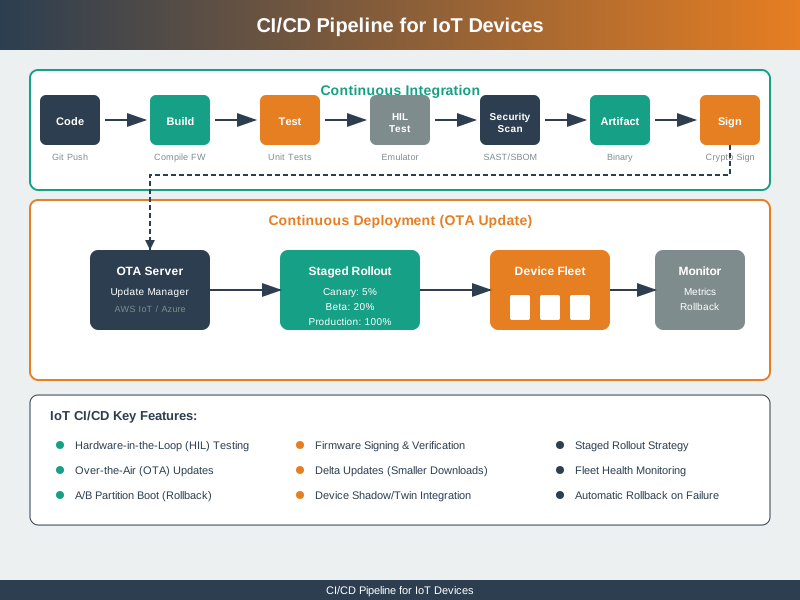
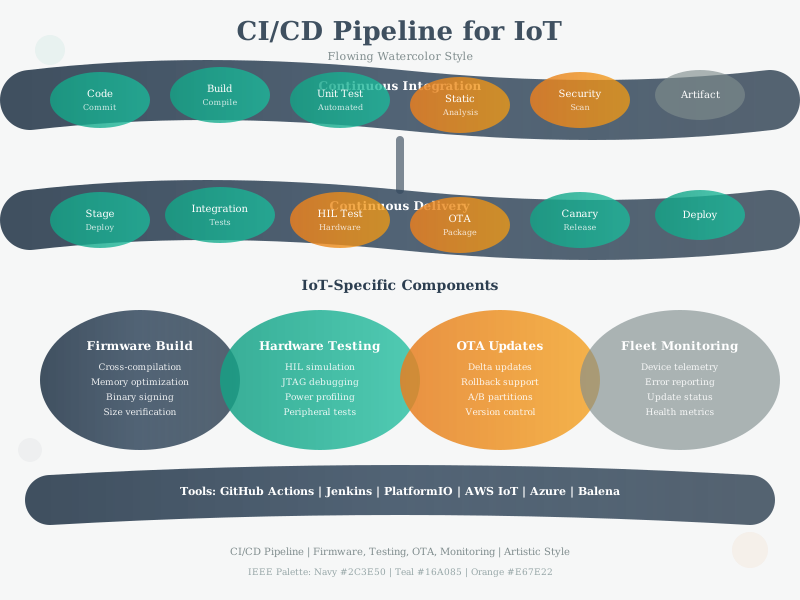
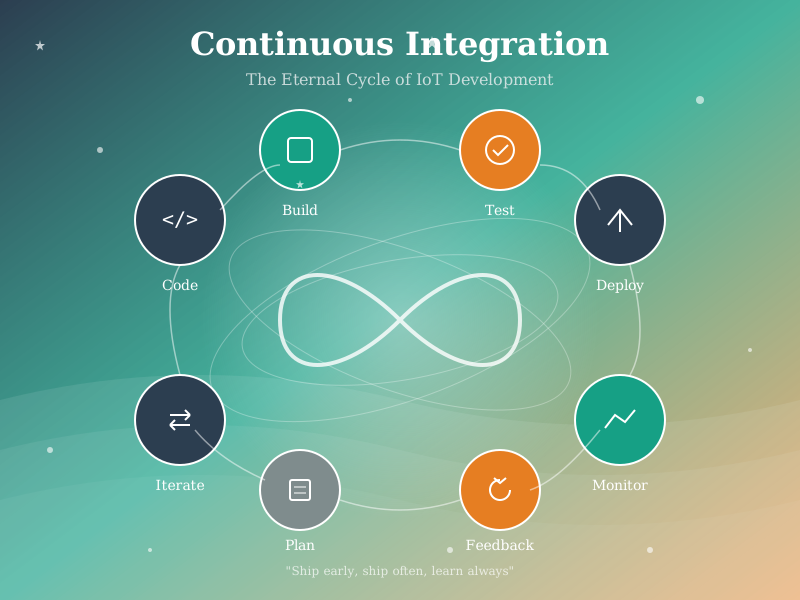
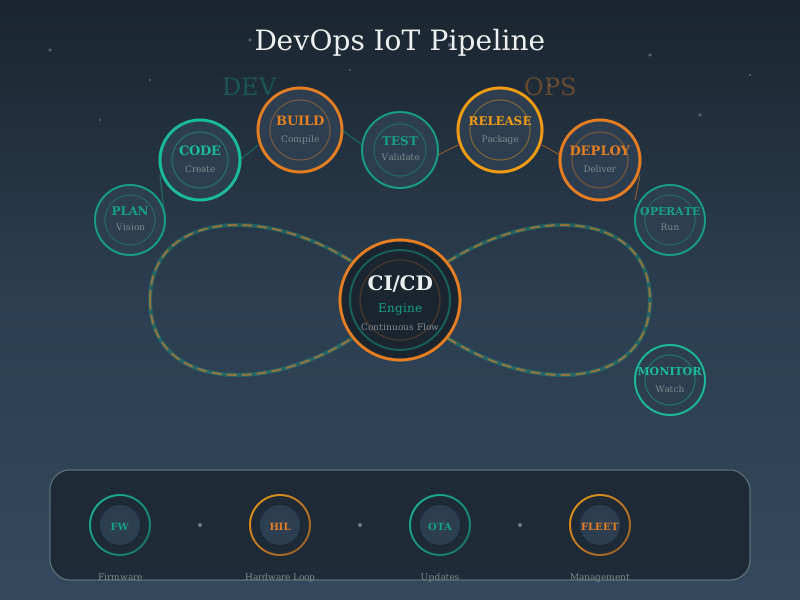
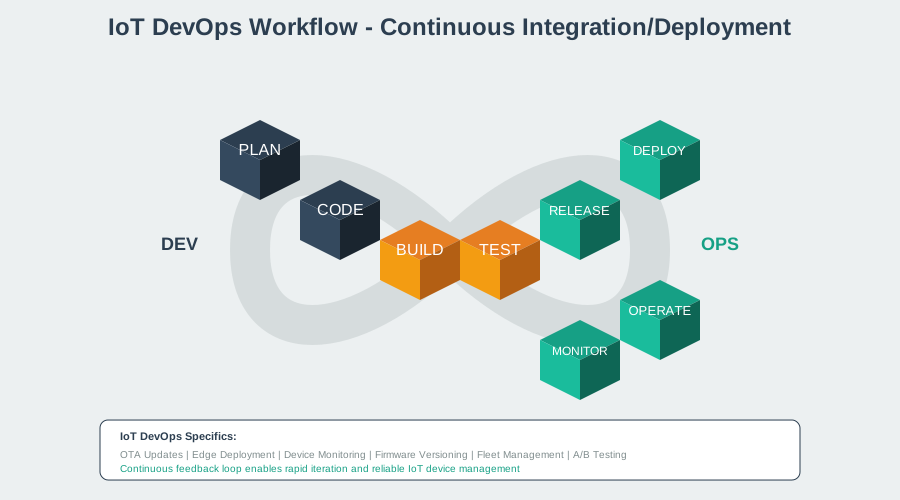
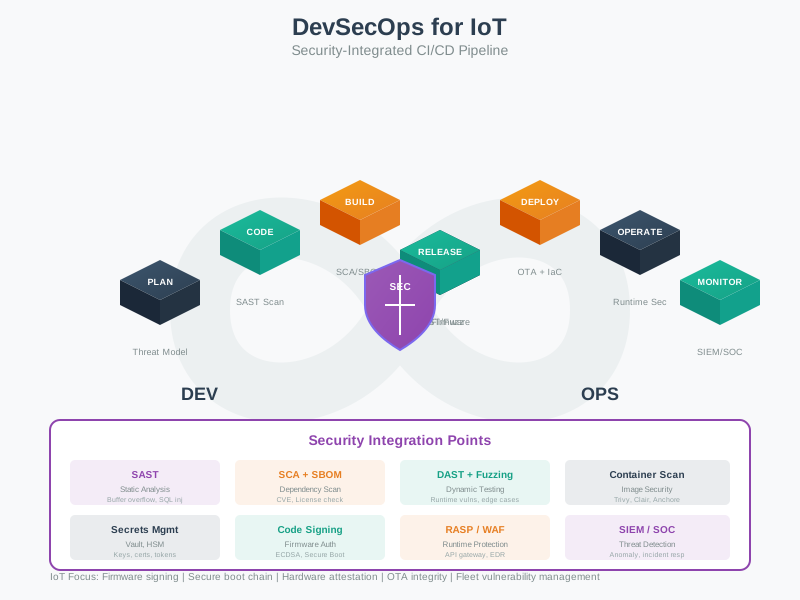
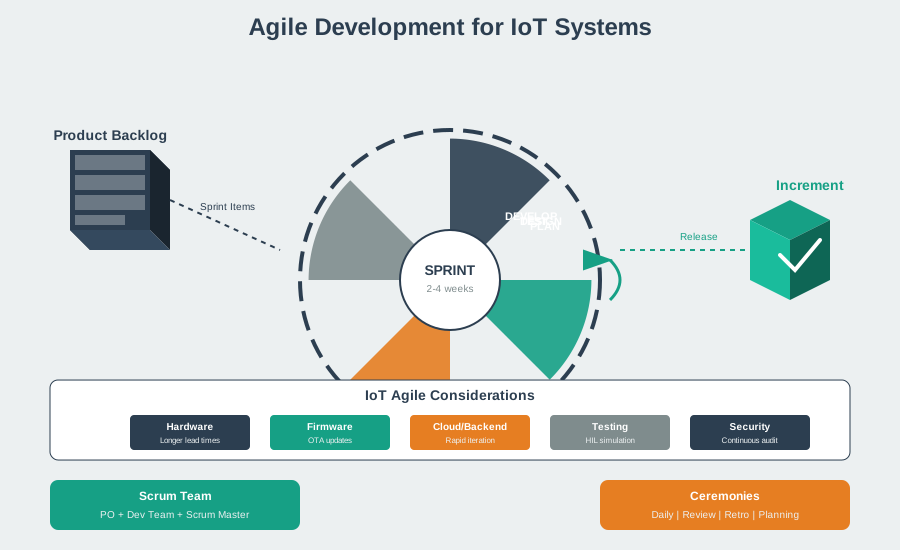
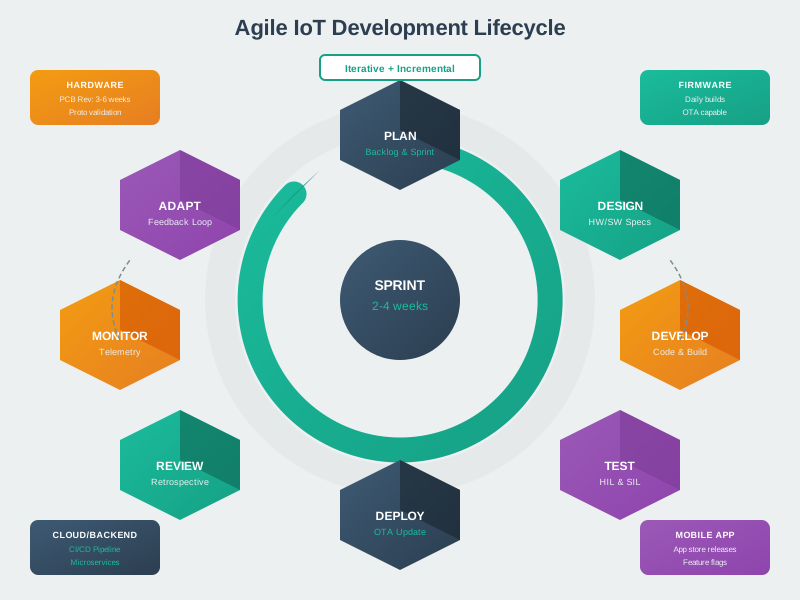
The following AI-generated diagrams illustrate modern CI/CD and DevOps practices adapted for IoT development workflows.
1584.4 Continuous Integration for Firmware
1584.4.1 Build Automation
Effective IoT CI starts with automated builds for all target hardware configurations:
Cross-Compilation Strategy: - Maintain build scripts for each hardware variant - Use Docker containers for reproducible toolchains - Version control toolchain dependencies (GCC version, libraries) - Generate build matrices for all combinations
Toolchain Management: - Open Source: GCC ARM Embedded, LLVM/Clang, PlatformIO - Commercial: IAR Embedded Workbench, Keil MDK, Green Hills - Vendor-Specific: ESP-IDF (Espressif), nRF SDK (Nordic), STM32Cube (ST)
Build Artifacts: - Binary images (.bin, .hex, .elf) - Debug symbols for crash analysis - Build manifests (versions, commit hashes, dependencies) - Cryptographic signatures for secure boot
1584.4.2 Static Analysis
Automated code quality checks catch bugs before they reach hardware:
Code Quality Tools: - Cppcheck: Free C/C++ static analyzer - PC-lint/FlexeLint: Commercial deep analysis - Clang Static Analyzer: Open source LLVM-based - Coverity: Commercial security-focused analysis
Compliance Checking: - MISRA C: Safety-critical automotive standard - CERT C: Secure coding standard - ISO 26262: Automotive functional safety - IEC 62304: Medical device software
Security Scanning: - CodeQL: GitHub’s semantic code analysis - Snyk: Dependency vulnerability scanning - Bandit: Python security linter - Semgrep: Lightweight pattern matching
1584.4.3 Automated Testing Stages
IoT testing progresses through stages of increasing realism and cost:
- Unit Tests: Test individual functions in isolation (host machine)
- Integration Tests: Test component interactions (simulator)
- Simulation Tests: Run firmware in QEMU or vendor simulators
- Hardware-in-the-Loop (HIL): Test on real hardware with automated test rigs
- Field Tests: Beta deployments to real-world environments

Alternative View:
NoteCI Pipeline as Testing Pyramid
This layered variant visualizes the same CI pipeline as a testing pyramid, showing the relationship between test quantity, speed, and cost at each level.
%% fig-cap: "IoT CI Testing Pyramid: Quantity, Speed, and Cost Trade-offs"
%% fig-alt: "Pyramid diagram showing four testing layers for IoT CI. Base layer is Unit Tests with 1000+ tests, milliseconds per test, and near-zero cost per run. Second layer is Simulation Tests with 100+ tests, seconds per test, cloud compute cost. Third layer is HIL Tests with 10-50 tests, minutes per test, and hardware lab cost. Top layer is Field Tests with 5-10 sites, hours to days, and highest cost including deployment logistics. Annotations show that 70% of bugs should be caught at the unit test base, 20% at simulation, 9% at HIL, and only 1% should reach field testing."

%%{init: {'theme': 'base', 'themeVariables': { 'primaryColor': '#2C3E50', 'primaryTextColor': '#fff', 'primaryBorderColor': '#16A085', 'lineColor': '#16A085', 'secondaryColor': '#E67E22', 'tertiaryColor': '#fff', 'fontSize': '11px'}}}%%
graph TB
    subgraph Pyramid["IoT TESTING PYRAMID"]
        L4["FIELD TESTS<br/>5-10 sites | Hours-Days | $$$$<br/>Real-world validation<br/>Catch: 1% of bugs"]

        L3["HIL TESTS<br/>10-50 tests | Minutes | $$$<br/>Real hardware, test rigs<br/>Catch: 9% of bugs"]

        L2["SIMULATION TESTS<br/>100+ tests | Seconds | $$<br/>QEMU, vendor tools<br/>Catch: 20% of bugs"]

        L1["UNIT TESTS<br/>1000+ tests | Milliseconds | $<br/>Host machine, mocked HW<br/>Catch: 70% of bugs"]
    end

    L4 --> L3 --> L2 --> L1

    Speed["SPEED"] -.-> L1
    Cost["COST"] -.-> L4
    Coverage["COVERAGE"] -.-> L1

    style L4 fill:#E67E22,stroke:#2C3E50,color:#fff
    style L3 fill:#2C3E50,stroke:#E67E22,color:#fff
    style L2 fill:#2C3E50,stroke:#16A085,color:#fff
    style L1 fill:#16A085,stroke:#2C3E50,color:#fff
1584.5 Summary
Continuous integration and delivery for IoT firmware requires adapting web development practices to the unique constraints of embedded systems. Key takeaways from this chapter:
- IoT CI/CD operates under fundamentally different constraints than web application CI/CD, including hardware diversity, resource limitations, deployment complexity, and safety requirements
- The firmware update paradox balances the necessity of updates (security fixes, features) against the risks (bricking devices, introducing bugs)
- Design the OTA contract first by defining risk class, recovery path, connectivity model, and storage budget before automating anything
- Build automation must handle cross-compilation for multiple targets, reproducible toolchains, and proper artifact management
- Static analysis and compliance checking catch bugs early and ensure regulatory compliance (MISRA, CERT, ISO 26262)
- The testing pyramid structures automated testing from fast unit tests through expensive field tests, with each layer catching different categories of bugs
NoteRelated Chapters
- OTA Update Architecture: Deep dive into update mechanisms, security, and delivery strategies
- Rollback and Staged Rollout: Strategies for safe deployment and recovery
- Monitoring and Tools: Telemetry, platforms, and real-world case studies
- Network Design and Simulation: Testing network interactions in simulation before deployment
- Programming Paradigms: Software architectures for embedded IoT systems
1584.6 What’s Next
In the next chapter, OTA Update Architecture, we explore the detailed mechanisms of over-the-air firmware updates, including A/B partitioning, delta updates, secure boot chains, code signing, and update delivery strategies. You’ll learn how to design OTA systems that are both reliable and secure.