Resolve conflicts between physical and digital states
Model digital twin data using DTDL (Digital Twin Definition Language)
Design relationship graphs for interconnected twins
Evaluate and select digital twin platforms (Azure, AWS, open source)
504.2 Synchronization Patterns
⏱️ ~10 min | ⭐⭐⭐ Advanced | 📋 P05.C01.U05
TipUnderstanding Twin Synchronization
Core Concept: Twin synchronization is the continuous process of keeping the digital model’s state aligned with the physical system’s actual state, including both data flow directions (physical-to-digital telemetry and digital-to-physical commands).
Why It Matters: A digital twin that lags behind reality is worse than useless because it creates false confidence. If a building’s twin shows 22C but the actual temperature hit 28C three minutes ago, operators make wrong decisions based on stale data. Synchronization latency must match decision-making speed: a wind turbine control loop needs sub-second sync, while a building energy optimization can tolerate minute-level delays. The synchronization architecture also determines failure modes: if the network fails, should the physical system follow its last commanded state or revert to safe defaults?
Key Takeaway: Define your maximum acceptable staleness before designing synchronization; then add timestamps and confidence indicators to every displayed value so operators know when data is degraded.
Keeping physical and digital entities synchronized is the fundamental challenge of digital twin implementations. Different use cases demand different synchronization strategies.
Twin Synchronization
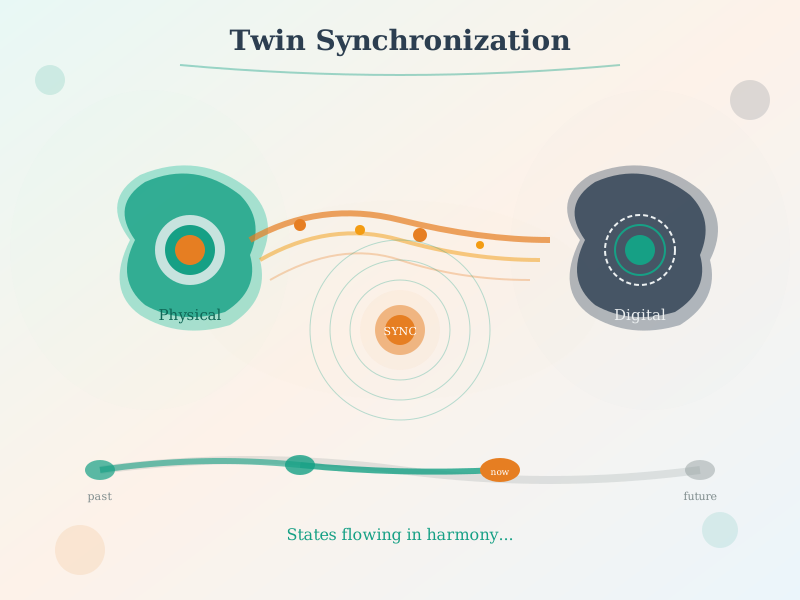
Figure 504.1: Digital twin synchronization showing bidirectional data flow between physical and digital entities.
WarningCommon Pitfall: Twin-Sync Latency
The mistake: Designing digital twin synchronization with inadequate latency budgets, causing the digital model to lag significantly behind physical reality during critical operational periods.
Symptoms: - Digital twin shows “normal operation” while physical system is already in fault state - Operators make decisions based on stale twin data, causing incorrect interventions - Predictive maintenance alerts arrive after equipment has already failed - Control commands based on twin state cause oscillations or overcorrection
Why it happens: Teams optimize for average-case network latency, ignoring tail latencies during network congestion or cloud provider issues. Synchronization architectures are designed for steady-state operation without stress testing peak loads or degraded network conditions.
The fix: 1. Define latency SLAs per use case: Safety-critical (10ms edge processing), operational (1-5 seconds acceptable), analytics (minutes acceptable) 2. Implement edge-first architecture: Critical decisions made at edge gateway with cloud sync for analytics 3. Add staleness indicators: Every twin data point should display “last updated X seconds ago” 4. Design for graceful degradation: When sync fails, twin enters “degraded confidence” mode with appropriate warnings
Prevention: Stress test synchronization under 10x normal load and 50% packet loss. Define maximum acceptable latency for each twin use case before implementation. Never display twin state without timestamp and confidence indicator.
Show code
{const container =document.getElementById('kc-twin-4');if (container &&typeof InlineKnowledgeCheck !=='undefined') { container.innerHTML=''; container.appendChild(InlineKnowledgeCheck.create({question:"An offshore oil platform uses digital twins for equipment monitoring. During a storm, satellite connectivity drops for 45 minutes. When connection restores, the operator sees the digital twin showing 'Motor A temperature: 85C (last updated 47 minutes ago)'. The operator should:",options: [ {text:"Trust the displayed value since it was accurate when last updated",correct:false,feedback:"A 47-minute-old reading during a storm is dangerously stale. Equipment conditions can change dramatically in minutes, especially during extreme weather. Never make operational decisions based on severely stale data."}, {text:"Recognize this as stale data and request a manual inspection or wait for fresh sensor data before making decisions",correct:true,feedback:"Correct! The staleness indicator (47 minutes ago) is a critical warning. During network outages, edge devices should buffer data locally. Upon reconnection, fresh data should arrive within seconds. If data remains stale, there may be a sensor or edge device failure requiring investigation."}, {text:"Assume the temperature has remained constant at 85C during the outage",correct:false,feedback:"Equipment temperatures fluctuate constantly based on load, ambient conditions, and operational state. During a storm with potential power fluctuations, assuming constant temperature is dangerous."}, {text:"Ignore the timestamp since the digital twin automatically compensates for network delays",correct:false,feedback:"Digital twins cannot extrapolate sensor readings during complete communication outages. The timestamp is there precisely to indicate data freshness. A well-designed twin enters a degraded confidence mode during extended outages."} ],difficulty:"hard",topic:"digital-twins" })); }}
WarningCommon Pitfall: Model Fidelity Overkill
The mistake: Building digital twins with excessive physics simulation fidelity that consumes enormous compute resources without providing proportional decision-making value.
Symptoms: - Twin simulations taking hours to run, preventing real-time operational use - Cloud compute costs for twin platform exceeding the value of insights generated - Data scientists spending months refining models that operators never consult - 3D visualization consuming more resources than actual analytics
Why it happens: Engineering teams pursue technically impressive high-fidelity models without validating whether the additional accuracy changes operational decisions. “Digital twin” is interpreted as “perfect virtual replica” rather than “decision-support tool.”
The fix: 1. Start with MVP twin: Simple threshold monitoring and trend analysis often provides 80% of value 2. Validate before elaborating: Ask “would higher fidelity change any decision?” before adding complexity 3. Tiered fidelity approach: Use simple models for routine monitoring, trigger high-fidelity simulation only for anomaly investigation 4. Measure ROI per feature: Track which twin capabilities actually influence operational decisions
Prevention: Define specific decision scenarios the twin must support before selecting fidelity level. A spreadsheet with sensor trends often outperforms a photorealistic 3D model for predictive maintenance. Build the minimum viable twin that supports required decisions, then iterate based on actual operational needs.
504.2.1 Real-Time State Synchronization
The frequency of synchronization depends critically on the application requirements:
High-Frequency Sync (10ms - 100ms) - Robotics and autonomous systems - Industrial control systems - Safety-critical applications - Requires: Edge computing, specialized protocols, low-latency networks
Low-Frequency Sync (1 minute - hourly) - Building management systems - Environmental monitoring - Asset tracking - Requires: Standard IoT protocols, cloud storage
Batch Sync (hourly - daily) - City planning and infrastructure - Long-term optimization - Historical analysis - Requires: Data warehousing, batch processing pipelines
Mermaid diagram
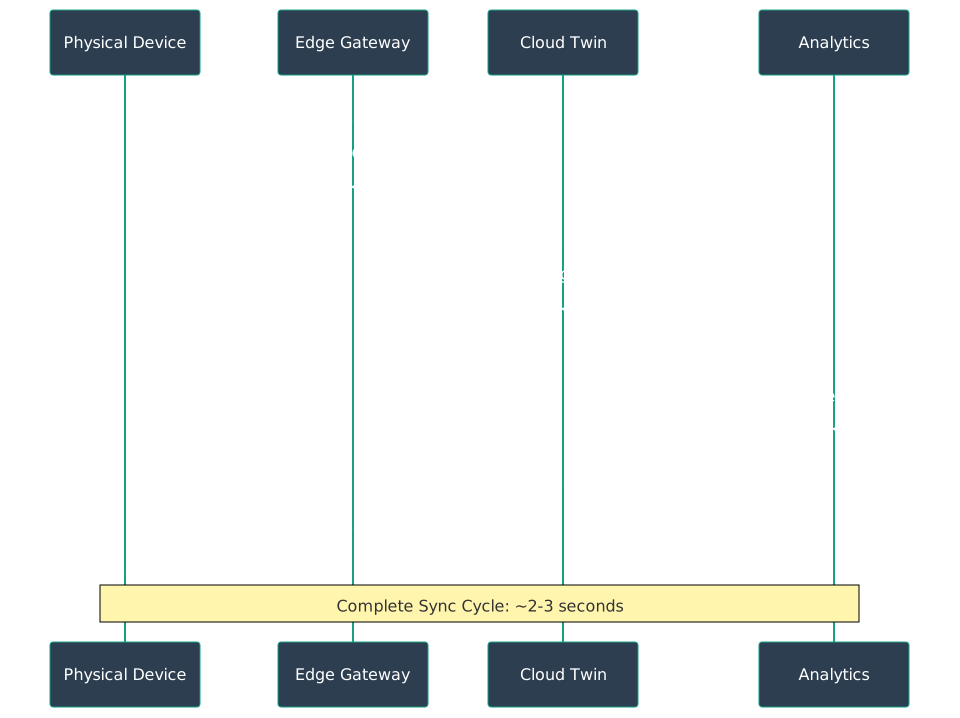
Figure 504.2: Synchronization sequence showing physical device sending sensor readings every 100ms to edge gateway, which aggregates and forwards to cloud twin every second, triggering analytics that generate optimization recommendations sent back as control commands to the physical device in a complete 2-3 second cycle.
504.2.2 Event-Driven Updates
Rather than continuous polling, event-driven synchronization triggers updates only when significant changes occur:
Hybrid Approach: Most production systems combine both strategies—continuous background sync for critical telemetry with event-driven updates for significant state changes.
504.2.3 Conflict Resolution
Conflicts arise when physical and digital states diverge due to network issues, sensor failures, or concurrent updates. Resolution strategies include:
Last-Write-Wins: Simplest approach, newest update takes precedence. Risk: data loss if network delays reorder updates.
Physical-Wins: Physical state is always authoritative. Digital model must reconcile to match reality. Best for: monitoring-focused twins.
Digital-Wins: Digital model controls physical system. Physical state should match commanded state. Best for: control-focused applications.
Merge Strategies: Intelligent reconciliation based on data types, timestamps, and business logic. Example: Average sensor readings during brief disconnection, but preserve all state change events.
Versioning: Maintain version history for both physical and digital states. Allows conflict detection and manual resolution for critical systems.
TipTradeoff: Real-time Sync vs Batch Sync
Decision context: When designing digital twin synchronization, you must balance update frequency against resource consumption and cost.
Factor
Real-time Sync
Batch Sync
Power
High (continuous radio/network active)
Low (periodic transmissions)
Cost
Higher bandwidth and cloud ingestion costs
Lower, predictable costs
Complexity
Requires robust streaming infrastructure
Simpler store-and-forward
Latency
Milliseconds (immediate state reflection)
Minutes to hours (delayed visibility)
Choose Real-time Sync when: - Safety-critical applications require immediate anomaly detection (industrial control) - Digital twin drives closed-loop control (autonomous systems, robotics) - Time-sensitive decisions depend on current state (trading, emergency response) - Regulatory requirements mandate continuous monitoring (healthcare, aviation)
Choose Batch Sync when: - Historical analysis and trend detection are primary use cases - Devices operate on battery power with limited energy budget - Network connectivity is intermittent or expensive (remote assets, cellular IoT) - High-frequency raw data can be aggregated without losing critical information
Default recommendation: Use Batch Sync with event-driven exceptions - sync summaries hourly but push critical threshold violations immediately. This balances cost efficiency with responsiveness for most industrial IoT scenarios.
Show code
{const container =document.getElementById('kc-twin-5');if (container &&typeof InlineKnowledgeCheck !=='undefined') { container.innerHTML=''; container.appendChild(InlineKnowledgeCheck.create({question:"A logistics company tracks 5,000 shipping containers with GPS and temperature sensors. Containers are in transit for 2-4 weeks. Which synchronization strategy is most appropriate?",options: [ {text:"Real-time sync (100ms) to track container location and temperature continuously",correct:false,feedback:"100ms sync for containers moving at truck/ship speeds is massive overkill. GPS positions change slowly, and cellular data costs would be prohibitive. This frequency is appropriate for robotics or autonomous vehicles, not shipping containers."}, {text:"Batch sync every 15 minutes for location updates, with immediate event-driven alerts for temperature threshold violations",correct:true,feedback:"Correct! Containers move slowly enough that 15-minute location updates provide adequate tracking. But temperature-sensitive cargo (pharmaceuticals, food) needs immediate alerts when thresholds are crossed. This hybrid approach balances data costs with critical monitoring needs."}, {text:"Daily batch uploads to minimize cellular data costs",correct:false,feedback:"Daily updates are too infrequent for logistics. A container could be stolen, routed incorrectly, or experience temperature excursions for hours before detection. The cost savings do not justify the risk."}, {text:"No synchronization needed - just query the container when it arrives at destination",correct:false,feedback:"This approach provides zero visibility during transit. The entire value of container tracking comes from knowing location and condition while in transit, not after arrival."} ],difficulty:"medium",topic:"digital-twins" })); }}
504.3 Data Modeling for Digital Twins
⏱️ ~12 min | ⭐⭐⭐ Advanced | 📋 P05.C01.U06
Effective data modeling is crucial for creating maintainable, interoperable digital twins. Industry standards like DTDL provide a common language.
Twin Data Model
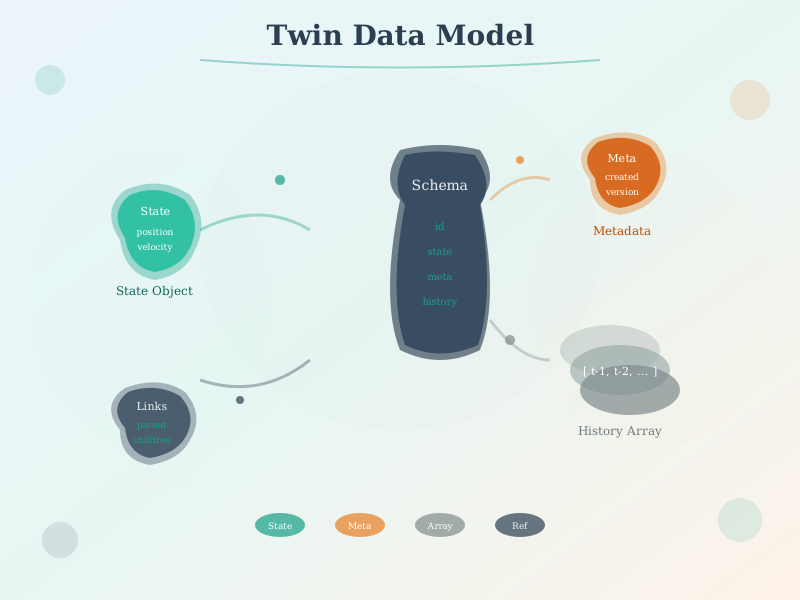
Figure 504.3: Digital twin data model structure showing properties, telemetry, commands, and relationships that define a twin’s capabilities and connections.
504.3.1 Digital Twin Definition Language (DTDL)
DTDL is a JSON-based language developed by Microsoft for describing digital twins. It defines the capabilities and relationships of IoT entities.
Core DTDL Concepts:
Properties - Static or slowly-changing characteristics:
Digital twins gain power through their relationships, forming graphs that mirror real-world spatial and functional hierarchies.
Graph diagram
Figure 504.4: Smart building digital twin relationship graph showing hierarchical containment (building in navy contains floors in teal containing rooms in orange) and functional relationships (rooms connected to HVAC equipment and sensors with temperature and CO2 data).
These relationships enable powerful queries like “Find all temperature sensors in Building A that are upstream of HVAC system 5” or “Alert all rooms that share equipment with Room 101.”
Show code
{const container =document.getElementById('kc-twin-14');if (container &&typeof InlineKnowledgeCheck !=='undefined') { container.innerHTML=''; container.appendChild(InlineKnowledgeCheck.create({question:"A smart city wants to model relationships between traffic lights, intersections, and pedestrian crossings. When one intersection's signal timing changes, they need to query 'What other signals need to coordinate?' Which data modeling approach is most appropriate?",options: [ {text:"A relational database with tables for traffic_lights, intersections, and crossings joined by foreign keys",correct:false,feedback:"Relational databases can model relationships but are inefficient for graph traversal queries like 'find all connected signals within 3 intersections.' Each hop requires another JOIN, making complex relationship queries slow."}, {text:"A time-series database optimized for storing signal timing data",correct:false,feedback:"Time-series databases excel at storing sensor telemetry (signal states over time) but are not designed for relationship modeling. They answer 'what was the signal state at time X?' not 'which signals affect each other?'"}, {text:"A graph-based relationship model where intersections and signals are nodes connected by edges representing spatial and functional dependencies",correct:true,feedback:"Correct! Graph databases (or graph-based twin platforms like Azure Digital Twins) are designed for relationship-heavy queries. Finding all signals within N hops of a changed intersection is a simple graph traversal, not a complex multi-table JOIN. This is essential for coordination queries in traffic, utilities, and supply chains."}, {text:"A document store with JSON documents containing nested signal configurations",correct:false,feedback:"Document stores are good for flexible schemas but poor at cross-document relationship queries. Finding related signals would require loading and parsing many documents."} ],difficulty:"medium",topic:"digital-twins" })); }}
Show code
{const container =document.getElementById('kc-twin-6');if (container &&typeof InlineKnowledgeCheck !=='undefined') { container.innerHTML=''; container.appendChild(InlineKnowledgeCheck.create({question:"You are designing a DTDL model for a hospital's medical equipment. A patient monitor has a serial number (never changes), software version (changes with updates), heart rate reading (changes every second), and a 'silence alarm' action. How should these be classified in DTDL?",options: [ {text:"All four should be Properties since they describe the device",correct:false,feedback:"Properties are for static or slowly-changing characteristics. Heart rate changes every second (Telemetry), and 'silence alarm' is an action (Command), not a characteristic."}, {text:"Serial number and software version as Properties; heart rate as Telemetry; silence alarm as Command",correct:true,feedback:"Correct! Serial number and software version are Properties (static/slow-changing). Heart rate is Telemetry (time-series sensor data). Silence alarm is a Command (action the twin can perform). DTDL distinguishes data by change frequency and purpose."}, {text:"Serial number as Property; software version, heart rate, and silence alarm as Telemetry",correct:false,feedback:"Software version changes infrequently (on updates), making it a Property. 'Silence alarm' is an action that triggers behavior, not data being reported - it should be a Command."}, {text:"All four should be Telemetry since they can all change over time",correct:false,feedback:"Telemetry is specifically for time-series sensor data that changes frequently. Serial numbers never change, software versions change rarely, and 'silence alarm' is an action, not a measurement."} ],difficulty:"medium",topic:"digital-twins" })); }}
504.4 Platform Comparison
⏱️ ~10 min | ⭐⭐ Intermediate | 📋 P05.C01.U07
Several major cloud platforms and open-source projects provide digital twin capabilities, each with distinct strengths.
504.4.1 Azure Digital Twins
Overview: Microsoft’s enterprise digital twin platform, deeply integrated with the Azure ecosystem.
Key Features: - Native DTDL support (Microsoft created the standard) - Graph-based twin storage with spatial intelligence - Integration with Azure IoT Hub, Time Series Insights, and Azure Maps - ADT Explorer for visual twin graph management - Live execution environment for real-time data processing
Architecture Pattern:
Flowchart diagram
Figure 504.5: Azure Digital Twins architecture showing IoT devices sending telemetry to Azure IoT Hub (navy), ingested by Azure Functions, updating the central twin graph (orange), which integrates with Time Series Insights for queries, Event Grid for event-driven workflows, and exposes APIs to web applications.
Strengths: - Excellent for complex relationship modeling - Strong security and compliance (Azure AD integration) - Comprehensive monitoring and debugging tools - Good for building and smart city applications
Considerations: - Azure-locked ecosystem - Learning curve for DTDL and graph queries - Pricing based on twin operations and queries
504.4.2 AWS IoT TwinMaker
Overview: Amazon’s digital twin service focused on operational data and 3D visualization.
Key Features: - Integration with AWS IoT SiteWise, Kinesis, and S3 - Built-in 3D visualization using game engine technology (Babylon.js, Unreal Engine) - Time-series data from multiple sources (IoT, historians, video streams) - Knowledge graph for entity relationships - Pre-built connectors for industrial systems
Architecture Pattern:
Flowchart diagram
Figure 504.6: AWS IoT TwinMaker architecture integrating industrial equipment data via SiteWise (navy), video streams via Kinesis, and sensor data via IoT Core, all unified in TwinMaker (orange) with 3D models in S3, time-series data in Timestream, and visualization through Grafana and custom applications.
Strengths: - Outstanding 3D visualization capabilities - Natural fit for manufacturing and industrial IoT - Integration with existing AWS IoT infrastructure - Supports video analytics integration
Considerations: - AWS-specific deployment - Newer service, evolving feature set - Best suited for visualization-heavy use cases
504.4.3 Open Source Options
Eclipse Ditto
A framework for building digital twins that abstracts device connectivity and provides a digital representation layer.
Features: - Protocol-agnostic (MQTT, HTTP, AMQP) - Built-in authentication and authorization - Live message routing and transformation - Search capabilities across all twins - Can be self-hosted or cloud-deployed
Best For: Organizations wanting full control and customization, avoiding vendor lock-in.
Apache StreamPipes
Self-service IoT analytics platform with digital twin capabilities.
Best For: Data scientists and developers building custom IoT analytics workflows.
Show code
{const container =document.getElementById('kc-twin-15');if (container &&typeof InlineKnowledgeCheck !=='undefined') { container.innerHTML=''; container.appendChild(InlineKnowledgeCheck.create({question:"A manufacturing company is choosing between Azure Digital Twins and AWS IoT TwinMaker for their factory floor. They have 500 CNC machines, need strong 3D visualization with camera feeds for operator dashboards, and already use AWS for their cloud infrastructure. Which platform is the better choice?",options: [ {text:"Azure Digital Twins because Microsoft's DTDL standard is more mature for manufacturing",correct:false,feedback:"While DTDL is excellent for relationship modeling, platform selection should consider the whole picture. The company already uses AWS and needs strong 3D visualization - both favor TwinMaker."}, {text:"AWS IoT TwinMaker because it offers built-in 3D visualization, integrates with existing AWS infrastructure, and supports video stream integration",correct:true,feedback:"Correct! TwinMaker is optimal here for three reasons: (1) Built-in 3D visualization using Babylon.js/Unreal Engine matches the visualization requirement, (2) Native integration with existing AWS services reduces complexity, (3) Video stream support via Kinesis enables camera feed integration. Switching cloud providers just for twin capability adds unnecessary migration risk."}, {text:"Eclipse Ditto because open source avoids vendor lock-in with either cloud provider",correct:false,feedback:"While avoiding lock-in is valuable, Eclipse Ditto lacks built-in 3D visualization and requires significant development effort. The company needs operational capability quickly, not maximum flexibility."}, {text:"Both platforms are equivalent; choose based on pricing",correct:false,feedback:"The platforms have different strengths. TwinMaker excels at 3D visualization and manufacturing; Azure Digital Twins excels at relationship modeling and building management. The use case requirements should drive selection, not just price."} ],difficulty:"medium",topic:"digital-twins" })); }}
504.4.4 Platform Comparison Matrix
Feature
Azure Digital Twins
AWS IoT TwinMaker
Eclipse Ditto
Apache StreamPipes
Modeling Language
DTDL (JSON-LD)
Custom Schema
JSON
Custom Models
Relationship Graph
Native, queryable
Knowledge graph
Basic linking
Event-based
3D Visualization
Via partners
Built-in (Babylon.js, Unreal)
Not included
Basic dashboards
Time-Series Storage
TSI integration
Timestream, S3
External DB
Built-in
Edge Computing
IoT Edge support
Greengrass integration
Self-hosted
Docker deployment
Pricing Model
Per operation
Per workspace + data
Open source
Open source
Best For
Buildings, Smart Cities
Manufacturing, Industrial
Custom deployments
Analytics pipelines
Learning Curve
Medium-High
Medium
High
Medium
Show code
{const container =document.getElementById('kc-twin-7');if (container &&typeof InlineKnowledgeCheck !=='undefined') { container.innerHTML=''; container.appendChild(InlineKnowledgeCheck.create({question:"A city government wants to build a digital twin of their traffic network (50,000 intersections, complex dependencies). They need to answer queries like 'Which intersections will be affected if we close Main Street for construction?' Which platform capability is most critical?",options: [ {text:"Built-in 3D visualization with realistic traffic animations",correct:false,feedback:"While 3D visualization is impressive, traffic operations primarily use 2D maps. The core requirement is understanding relationships and dependencies between intersections, not visual rendering."}, {text:"Native graph-based relationship modeling for efficient spatial and connectivity queries",correct:true,feedback:"Correct! Traffic management fundamentally depends on relationships: upstream/downstream intersections, connected routes, signal coordination groups. Answering 'what affects what' requires efficient graph traversal. Azure Digital Twins or Neo4j excel at this; 3D rendering is secondary."}, {text:"Sub-millisecond synchronization latency for real-time control",correct:false,feedback:"Traffic signals operate on second-to-minute timescales, not milliseconds. While low latency is nice, it is not the critical requirement. Graph query capability matters more for planning scenarios."}, {text:"Machine learning integration for autonomous traffic control",correct:false,feedback:"ML is valuable for optimization, but the foundation must be relationship modeling first. You cannot optimize traffic flow without understanding how intersections connect and affect each other."} ],difficulty:"medium",topic:"digital-twins" })); }}
504.5 Summary
In this chapter, you learned:
Synchronization patterns from high-frequency (10ms) to batch (daily) with appropriate use cases
Now that you understand the technical foundations of digital twin synchronization, data modeling, and platforms, the next chapter explores real-world implementations and their measurable business impact across manufacturing, healthcare, and smart cities.