1546 Simulation-Driven Development and Testing
1546.1 Learning Objectives
By the end of this chapter, you will be able to:
- Apply simulation-driven development workflows across project phases
- Implement the IoT testing pyramid with appropriate test coverage
- Configure hardware-in-the-loop (HIL) testing environments
- Follow best practices for simulation-to-hardware transitions
- Integrate simulation testing into CI/CD pipelines
1546.2 Prerequisites
Before diving into this chapter, you should be familiar with:
- Platform-Specific Emulation: Understanding of simulation tools and debugging techniques
- Online Hardware Simulators: Experience with Wokwi and other simulation platforms
1546.3 Simulation-Driven Development Workflow

1546.3.1 Phase 1: Design and Prototype
- Circuit Design: Build circuit in simulator (Wokwi, Tinkercad)
- Firmware Development: Write and test code in simulation
- Debugging: Use simulator debugging tools
- Iteration: Rapidly test design variations
Duration: Days to weeks
Cost: $0 (time only)
1546.3.2 Phase 2: Hardware Validation
- Assemble Breadboard: Build physical circuit matching simulation
- Flash Firmware: Upload simulated code to real hardware
- Initial Testing: Verify basic functionality
- Debug Differences: Address any simulation vs. reality gaps
Duration: Days
Cost: $20-200 (components)
1546.3.3 Phase 3: Optimization
- Performance Tuning: Optimize on real hardware
- Edge Case Testing: Test failure modes
- Environmental Testing: Temperature, power, interference
- Long-Term Stability: Multi-day/week tests
Duration: Weeks to months
Cost: $50-500 (additional components, test equipment)
1546.3.4 Phase 4: Production
- PCB Design: Create custom PCB from proven design
- Manufacturing: Produce boards
- Flashing and Testing: Automated test fixtures
- Deployment: Field installation
Duration: Months
Cost: $500-$10,000+ (depends on quantity)
Key Insight: Simulation enables 80-90% of development without hardware, reserving expensive physical testing for validation and optimization.
1546.4 Best Practices
1546.4.1 Start with Simulation
- Design circuits in simulator first
- Validate logic before hardware investment
- Share designs with team/community for review
1546.4.2 Modular Design
- Write testable functions (pure logic)
- Separate hardware abstraction layer
- Enable unit testing in simulation
1546.4.3 Document Assumptions
- Note differences between simulation and reality
- Document unsimulated features
- Plan physical testing for critical aspects
1546.4.4 Version Control
- Save simulation projects in git
- Track firmware changes alongside circuit design
- Enable collaboration
1546.4.5 Continuous Integration
Integrate simulation into CI/CD:
# GitHub Actions example
name: Firmware Test

on: [push]

jobs:
  simulate:
    runs-on: ubuntu-latest
    steps:
      - uses: actions/checkout@v2
      - name: Install Renode
        run: |
          wget https://builds.renode.io/renode-latest.linux-portable.tar.gz
          tar xzf renode-latest.linux-portable.tar.gz
      - name: Run tests
        run: renode-test firmware.resc
1546.4.6 Transition Planning
Create checklist for simulation to hardware transition:
1546.5 Testing and Validation Guide
Comprehensive testing strategies ensure simulated designs translate successfully to production hardware.
1546.5.1 Testing Pyramid for IoT
Effective IoT testing follows a layered approach, balancing automation, cost, and real-world validation:
| Level | Scope | Tools | Automation | Execution Time |
|---|---|---|---|---|
| Unit Tests | Individual functions | PlatformIO, Unity | High (95%+) | Seconds |
| Integration | Component interaction | HIL rigs | Medium (60-80%) | Minutes |
| System | End-to-end flow | Testbeds | Medium (40-60%) | Hours |
| Field | Real environment | Pilot deployment | Low (10-20%) | Days-Weeks |
Pyramid Strategy:
- 70% Unit Tests: Fast, cheap, catches logic bugs early in simulation
- 20% Integration Tests: Validates component interactions with hardware-in-the-loop
- 9% System Tests: Full system validation on physical testbeds
- 1% Field Tests: Real-world environmental validation with pilot deployments
1546.5.2 Hardware-in-the-Loop (HIL) Testing
Bridge simulation and physical hardware for comprehensive validation:
| Component | Purpose | Example Setup | Cost |
|---|---|---|---|
| DUT (Device Under Test) | Target hardware | ESP32 development board | $10-50 |
| Sensor Simulator | Generate test inputs | DAC + signal generator software | $20-100 |
| Network Simulator | Control connectivity | Raspberry Pi with traffic shaping | $50-150 |
| Power Monitor | Measure consumption | INA219 current sensor | $10-30 |
| Test Controller | Orchestrate tests | Python scripts on PC | $0 (software) |
| Environmental Chamber | Temperature/humidity | Programmable chamber (optional) | $500-5000 |
HIL Architecture:
Test Controller (PC running Python)
    |
    +-> Sensor Simulator (DAC outputs fake sensor signals)
    +-> Network Simulator (Raspberry Pi controls Wi-Fi/MQTT)
    +-> Power Monitor (INA219 measures current draw)
    +-> DUT (ESP32 firmware under test)
            |
        Serial Monitor (capture logs, responses)
Example HIL Test Script (Python):
import serial
import time

# Setup
dut = serial.Serial('/dev/ttyUSB0', 115200)
sensor_sim = initialize_dac()
power_monitor = INA219()

# Test Case: Temperature threshold trigger
sensor_sim.set_voltage(1.5)  # Simulate 25C
time.sleep(2)
assert read_mqtt_publish() == "25.0", "Expected temp 25C"

sensor_sim.set_voltage(2.0)  # Simulate 30C
time.sleep(2)
assert read_mqtt_publish() == "30.0", "Expected temp 30C"

# Validate power consumption
current_mA = power_monitor.read_current()
assert current_mA < 150, f"Excessive current: {current_mA}mA"
1546.5.3 Test Cases Checklist
Systematically validate all critical functionality before production deployment:
Functional Tests:
Stress Tests:
Environmental Tests:
Security Tests:
Power Consumption Tests:
1546.5.4 Test Report Template
Document every test execution for traceability and debugging:
# IoT Device Test Report

**Test:** [Test Name - e.g., "Temperature Sensor Accuracy Validation"]
**Date:** [YYYY-MM-DD]
**Tester:** [Name]
**Device:** [Model, Hardware Revision, Firmware Version]
**Result:** [PASS / FAIL / INCONCLUSIVE]

## Test Environment
- Temperature: [C]
- Humidity: [%]
- Power Supply: [Voltage, Source]
- Network: [Wi-Fi SSID, MQTT Broker URL]

## Test Steps
1. [Action taken - e.g., "Set DHT22 to read 25.0C using calibrated reference"]
2. [Action taken - e.g., "Wait 5 seconds for sensor stabilization"]
3. [Action taken - e.g., "Read value from serial monitor"]
4. [Action taken - e.g., "Compare reading to expected value +/-0.5C"]

## Expected Result
[Detailed description of expected behavior]

## Actual Result
[Detailed description of observed behavior]

## Pass/Fail Criteria
- Reading accuracy: +/-0.5C -> PASS/FAIL
- Response time: <2 seconds -> PASS/FAIL
- MQTT topic: 'sensors/temp' -> PASS/FAIL

## Evidence
- Screenshot: `test_screenshots/temp_accuracy_001.png`
- Serial log: `logs/temp_test_2025-12-12_14-30.txt`
- MQTT capture: `pcap/mqtt_publish_temp.pcap`

## Notes
- Sensor showed slight drift after 1-hour operation
- Recommended: Add periodic calibration check in production firmware

## Follow-Up Actions
- [ ] Investigate long-term drift (schedule 24-hour stability test)
- [ ] Document calibration procedure in user manual
1546.5.5 Automated Testing with CI/CD
Integrate simulation testing into continuous integration pipelines:
GitHub Actions Example (PlatformIO + Wokwi):
name: IoT Firmware Test

on: [push, pull_request]

jobs:
  test:
    runs-on: ubuntu-latest
    steps:
      - uses: actions/checkout@v3

      - name: Set up Python
        uses: actions/setup-python@v4
        with:
          python-version: '3.10'

      - name: Install PlatformIO
        run: |
          pip install platformio

      - name: Run Unit Tests
        run: |
          cd firmware
          pio test -e native

      - name: Build Firmware
        run: |
          cd firmware
          pio run -e esp32dev

      - name: Run Wokwi Simulation Tests
        run: |
          npm install -g @wokwi/cli
          wokwi-cli simulate --timeout 30s wokwi.toml

      - name: Upload Test Results
        if: always()
        uses: actions/upload-artifact@v3
        with:
          name: test-results
          path: firmware/.pio/test/
Benefits of Automated Testing:
- Catch regressions immediately (every code commit tested)
- Consistent test environment (reproducible results)
- Fast feedback loop (results in <5 minutes)
- Documentation of test history (pass/fail trends over time)
- Confidence for code reviews (tests must pass before merge)
1546.5.6 Simulation-to-Hardware Transition Checklist
Before deploying firmware validated in simulation to physical hardware, verify these critical differences:
Hardware-Specific Validation:
Timing and Performance:
Resource Management:
Production Readiness:
1546.6 Knowledge Check
Test your understanding of simulation-driven development concepts.
1546.7 Visual Reference Gallery
Modern IoT development combines simulation for rapid iteration with targeted hardware testing for validation and optimization.
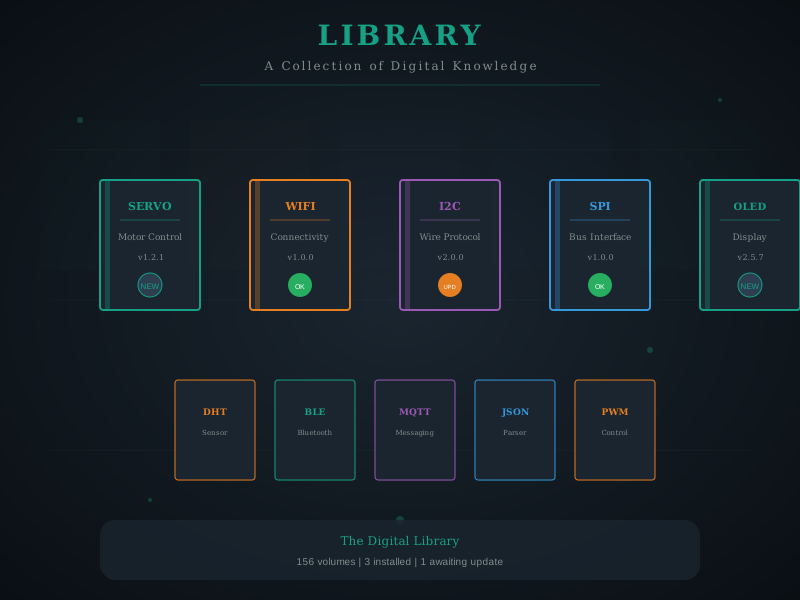
The extensive Wokwi component library enables simulation of complex IoT systems including sensors, displays, actuators, and communication modules.
1546.8 Summary
- Simulation-driven workflow enables 80-90% of development without hardware through four phases: design, validation, optimization, and production
- Testing pyramid balances automation and real-world validation: 70% unit tests, 20% integration, 9% system, 1% field tests
- Hardware-in-the-loop (HIL) testing bridges simulation and physical hardware for comprehensive validation
- Best practices include starting with simulation, modular design, documenting assumptions, version control, and CI/CD integration
- Transition checklists ensure successful migration from simulation to physical hardware deployment
1546.10 What’s Next
The next section covers Programming Paradigms and Tools, which explores the various approaches and utilities for organizing embedded software. Understanding different programming paradigms helps you choose the right architecture for your specific IoT application.