%%{init: {'theme': 'base', 'themeVariables': {'primaryColor':'#2C3E50','primaryTextColor':'#fff','primaryBorderColor':'#16A085','lineColor':'#16A085','secondaryColor':'#E67E22','tertiaryColor':'#ecf0f1','textColor':'#2C3E50','fontSize':'14px'}}}%%
graph TB
    CLOUD["Cloud Server"]

    subgraph "Star Backhaul (Wi-Fi/Ethernet)"
        GW1["Gateway 1"]
        GW2["Gateway 2"]
        GW3["Gateway 3"]
    end

    subgraph "Mesh Network 1 (Zigbee/Thread)"
        GW1 -.-> S1A["Sensor 1A"]
        GW1 -.-> S1B["Sensor 1B"]
        S1A -.-> S1C["Sensor 1C"]
        S1B -.-> S1C
    end

    subgraph "Mesh Network 2 (Zigbee/Thread)"
        GW2 -.-> S2A["Sensor 2A"]
        GW2 -.-> S2B["Sensor 2B"]
        S2A -.-> S2C["Sensor 2C"]
    end

    subgraph "Mesh Network 3 (Zigbee/Thread)"
        GW3 -.-> S3A["Sensor 3A"]
        GW3 -.-> S3B["Sensor 3B"]
        S3A -.-> S3C["Sensor 3C"]
    end

    CLOUD -->|High BW<br/>Ethernet| GW1
    CLOUD -->|High BW<br/>Ethernet| GW2
    CLOUD -->|High BW<br/>Ethernet| GW3

    style CLOUD fill:#2C3E50,stroke:#16A085,color:#fff
    style GW1 fill:#16A085,stroke:#2C3E50,color:#fff
    style GW2 fill:#16A085,stroke:#2C3E50,color:#fff
    style GW3 fill:#16A085,stroke:#2C3E50,color:#fff
    style S1A fill:#E67E22,stroke:#2C3E50,color:#fff
    style S1B fill:#E67E22,stroke:#2C3E50,color:#fff
    style S1C fill:#E67E22,stroke:#2C3E50,color:#fff
    style S2A fill:#E67E22,stroke:#2C3E50,color:#fff
    style S2B fill:#E67E22,stroke:#2C3E50,color:#fff
    style S2C fill:#E67E22,stroke:#2C3E50,color:#fff
    style S3A fill:#E67E22,stroke:#2C3E50,color:#fff
    style S3B fill:#E67E22,stroke:#2C3E50,color:#fff
    style S3C fill:#E67E22,stroke:#2C3E50,color:#fff
784 Network Topologies: Scenario-Based Review
TipFor Beginners: Scenario-Based Assessment
This chapter tests your topology knowledge through real-world scenarios:
- Hybrid topology design for multi-floor buildings
- Fault tolerance categorization and analysis
- Large-scale deployment planning for campuses and cities
- Topology selection for specific IoT applications
Complete Design Analysis before attempting these scenarios.
784.1 Learning Objectives
By the end of this chapter, you will be able to:
- Design Hybrid Topologies: Combine mesh and star for optimal deployments
- Categorize Fault Tolerance: Classify topologies by reliability level
- Plan Large-Scale Deployments: Select topologies for buildings, campuses, and cities
- Match Topologies to Applications: Select the right topology for specific IoT use cases
784.2 Prerequisites
Required Chapters: - Topology Comparison - Trade-offs analysis - Design Analysis - Protocol matching, diameter analysis
Estimated Time: 30 minutes
784.3 Hybrid Topology Design
Question 1: A hybrid topology combines star and mesh: sensors form mesh networks, each mesh has a gateway, and gateways connect via Wi-Fi to a central server. What are the benefits?
Explanation: Hybrid topologies leverage strengths of multiple topologies at different layers:
Architecture:
{fig-alt=“Hybrid topology architecture combining mesh networks at edge with star backhaul. Cloud server (navy) connects via high-bandwidth Ethernet in star pattern to three gateways (teal). Each gateway manages a local Zigbee/Thread mesh network (dotted lines) with sensors (orange) providing multi-hop self-healing connectivity. Mesh provides resilience for battery-powered sensors, star provides high bandwidth for aggregated data to cloud.”}
Benefits of this hybrid: 1. Mesh at edge: Zigbee/Thread sensors have multi-hop, self-healing, battery-efficient connectivity 2. Star backhaul: Wi-Fi gateways to server provide high bandwidth, low latency for aggregated data 3. Layered protocols: Zigbee/Thread for sensors, Wi-Fi for gateways, Ethernet/Internet for server 4. Scalability: Add more mesh networks (each with gateway) without overloading single mesh
Why this works: - Mesh advantages: Resilience and coverage for distributed sensors (low data rate OK) - Star advantages: High bandwidth and centralized management for backhaul (gateways are mains-powered)
Real-world example: - Smart building: Each floor has Zigbee mesh (50 sensors -> gateway). 10 floor gateways connect via Ethernet switch (star) to building server. - Trade-off: More complex than pure topology, but optimizes each layer for its requirements
Failure scenarios: - Zigbee sensor fails -> Mesh self-heals - Gateway fails -> Only that floor’s sensors offline (others continue) - Server fails -> All data collection stops (but local mesh still functions)
784.4 Physical vs Logical Topology Purpose
Question 2: Why do physical topology diagrams show device locations on floor plans while logical topology diagrams use simplified symbols?
Explanation: Different audiences, different purposes:
Physical topology diagram: - Purpose: Guide installation, plan cable runs, ensure coverage - Audience: Installers, facility managers, RF engineers - Content: Building floor plan, device locations, distances, cable routes, wireless coverage areas, mounting heights - Scale: Drawn to scale (accurate dimensions matter) - Example use: “Install gateway on 2nd floor center to reach all sensors within 30m”
Logical topology diagram: - Purpose: Understand network operation, troubleshoot, document configuration - Audience: Network engineers, system integrators, support staff - Content: Device types, connections, protocols, IP addresses, VLANs, routing paths - Scale: Not to scale (simplified, focus on connectivity) - Example use: “Sensor A routes through Router B to reach Gateway C using Zigbee”
Why both are needed: | Task | Use Physical | Use Logical | |——|————–|————-| | Plan sensor placement | Yes | No | | Estimate cable length | Yes | No | | Troubleshoot routing | No | Yes | | Configure IP addresses | No | Yes | | Check wireless coverage | Yes | No | | Understand data flow | No | Yes | | Install new device | Yes | No | | Debug protocol issue | No | Yes |
Real-world scenario: Smart building deployment 1. Physical diagram: Place 50 sensors to cover all rooms (based on floor plan) 2. Logical diagram: Show sensor -> router -> gateway -> cloud path (troubleshoot if data not reaching cloud)
784.5 Partial Mesh Link Counting
Question 3: A mesh network with 20 nodes has N(N-1)/2 = 190 potential connections. If each node maintains 5 connections to neighbors, what is the total number of active links?
Explanation: Partial mesh link counting:
Given: - 20 nodes - Each node connects to 5 neighbors - Total node-connections: 20 x 5 = 100
Key insight: Each link is bidirectional and counted twice (once from each endpoint): - Node A connects to Node B (counted in A’s 5) - Node B connects to Node A (counted in B’s 5) - But there’s only 1 physical link between A and B
Calculation:
Total unique links = (Sum of all connections) / 2
                   = (20 nodes x 5 connections/node) / 2
                   = 100 / 2
= 50 linksVerification: - 50 links x 2 endpoints = 100 node-connection instances - Each node has 5 connections
Full mesh comparison: - Full mesh: N(N-1)/2 = 20x19/2 = 190 links (all possible connections) - Partial mesh: 50 links (only ~26% of possible connections) - Sparse mesh: Typical for IoT to balance resilience vs overhead
Real-world: Zigbee mesh typically has 3-6 neighbor connections per router (not full mesh). This provides redundancy without excessive routing table size.
784.6 Hierarchical Mesh for Battery Life
Question 4: Which topology provides the best balance of resilience and battery life for battery-powered IoT sensors?
Explanation: Hierarchical (tiered) mesh optimizes for battery life while maintaining resilience:
Architecture:
%%{init: {'theme': 'base', 'themeVariables': {'primaryColor':'#2C3E50','primaryTextColor':'#fff','primaryBorderColor':'#16A085','lineColor':'#16A085','secondaryColor':'#E67E22','tertiaryColor':'#ecf0f1','textColor':'#2C3E50','fontSize':'14px'}}}%%
graph TB
    GW["Gateway/Coordinator<br/>(Mains powered)"]

    subgraph "Mesh Backbone (Routers - Mains Powered)"
        R1["Router 1"]
        R2["Router 2"]
        R3["Router 3"]
        R4["Router 4"]
    end

    subgraph "End Devices (Battery Sensors)"
        S1["Sensor 1<br/>(Sleepy)"]
        S2["Sensor 2<br/>(Sleepy)"]
        S3["Sensor 3<br/>(Sleepy)"]
        S4["Sensor 4<br/>(Sleepy)"]
        S5["Sensor 5<br/>(Sleepy)"]
        S6["Sensor 6<br/>(Sleepy)"]
    end

    GW <-->|Mesh| R1
    GW <-->|Mesh| R2
    R1 <-->|Mesh| R2
    R1 <-->|Mesh| R3
    R2 <-->|Mesh| R4
    R3 <-->|Mesh| R4

    R1 -->|Star-like| S1
    R1 -->|Star-like| S2
    R2 -->|Star-like| S3
    R3 -->|Star-like| S4
    R4 -->|Star-like| S5
    R4 -->|Star-like| S6

    style GW fill:#2C3E50,stroke:#16A085,color:#fff
    style R1 fill:#16A085,stroke:#2C3E50,color:#fff,stroke-width:3px
    style R2 fill:#16A085,stroke:#2C3E50,color:#fff,stroke-width:3px
    style R3 fill:#16A085,stroke:#2C3E50,color:#fff,stroke-width:3px
    style R4 fill:#16A085,stroke:#2C3E50,color:#fff,stroke-width:3px
    style S1 fill:#E67E22,stroke:#2C3E50,color:#fff
    style S2 fill:#E67E22,stroke:#2C3E50,color:#fff
    style S3 fill:#E67E22,stroke:#2C3E50,color:#fff
    style S4 fill:#E67E22,stroke:#2C3E50,color:#fff
    style S5 fill:#E67E22,stroke:#2C3E50,color:#fff
    style S6 fill:#E67E22,stroke:#2C3E50,color:#fff
{fig-alt=“Hierarchical mesh topology showing gateway/coordinator (navy) at top connecting to mesh backbone of mains-powered routers (teal with thick borders) that form full mesh with bidirectional links providing redundant paths. Battery-powered sensors (orange) connect to parent routers in star-like pattern (single direction arrows) and sleep between transmissions, never routing traffic for others. Optimizes battery life while maintaining mesh resilience through router backbone.”}
Legend: - Gateway (Coordinator) at top - Routers form mesh backbone (thick lines indicate mesh connections) - Battery sensors connect to parent routers (sleep mode)
Routers (mains-powered): - Form mesh backbone - Always-on, can relay messages - Provide redundant paths - No battery constraint
End devices (battery sensors): - Connect to parent router (star-like) - Don’t route others’ messages (save battery) - Sleep mode between transmissions - Wake to send data, then sleep
Benefits: 1. Resilience: Mesh backbone provides multiple paths, survives router failures 2. Battery life: Sensors don’t route (routing drains battery ~10x faster) 3. Coverage: Multi-hop mesh extends range beyond single gateway 4. Scalability: Add routers to extend mesh, sensors attach as end devices
Battery impact: - Full mesh (all sensors route): Battery life ~1-6 months (always listening, routing others) - Hierarchical mesh (only routers route): Battery life ~1-3 years (sleep between transmissions) - Star (direct gateway): Battery life ~2-5 years (but limited range, no redundancy)
Real-world examples: - Zigbee: Coordinators/routers (mains) + end devices (battery) - Thread: Routers (mains) + Sleepy End Devices (battery) - Z-Wave: Routing slaves (mains) + battery sensors
Design rule: Never make battery devices route traffic in production IoT.
784.7 Campus-Scale Deployment
Question 5: A university campus deploys IoT sensors across 20 buildings. Each building has a local mesh network of sensors. How should building networks be interconnected?
Explanation: Large-scale IoT deployments use hierarchical/tree topology:
Recommended architecture:
%%{init: {'theme': 'base', 'themeVariables': {'primaryColor':'#2C3E50','primaryTextColor':'#fff','primaryBorderColor':'#16A085','lineColor':'#16A085','secondaryColor':'#E67E22','tertiaryColor':'#ecf0f1','textColor':'#2C3E50','fontSize':'14px'}}}%%
graph TB
    DC["Campus Data Center<br/>(Root)"]

    subgraph "Campus Network Backbone (Fiber/Ethernet)"
        SWITCH["Core Network Switch"]
    end

    subgraph "Building 1"
        GW1["Gateway 1"]
        MESH1["Zigbee/Thread<br/>Mesh Network<br/>(50 sensors)"]
        GW1 -.-> MESH1
    end

    subgraph "Building 2"
        GW2["Gateway 2"]
        MESH2["LoRaWAN<br/>Network<br/>(100 sensors)"]
        GW2 -.-> MESH2
    end

    subgraph "Building 3"
        GW3["Gateway 3"]
        MESH3["Thread<br/>Mesh Network<br/>(75 sensors)"]
        GW3 -.-> MESH3
    end

    DC -->|10 Gbps Fiber| SWITCH
    SWITCH -->|1 Gbps| GW1
    SWITCH -->|1 Gbps| GW2
    SWITCH -->|1 Gbps| GW3
    SWITCH -.->|"To 17 more<br/>buildings"| GW1

    style DC fill:#2C3E50,stroke:#16A085,color:#fff
    style SWITCH fill:#2C3E50,stroke:#16A085,color:#fff
    style GW1 fill:#16A085,stroke:#2C3E50,color:#fff
    style GW2 fill:#16A085,stroke:#2C3E50,color:#fff
    style GW3 fill:#16A085,stroke:#2C3E50,color:#fff
    style MESH1 fill:#E67E22,stroke:#2C3E50,color:#fff
    style MESH2 fill:#E67E22,stroke:#2C3E50,color:#fff
    style MESH3 fill:#E67E22,stroke:#2C3E50,color:#fff
{fig-alt=“University campus hierarchical topology showing campus data center (navy root) connected via 10Gbps fiber to core network switch (navy), which distributes 1Gbps Ethernet connections in star pattern to building gateways (teal). Each building has local mesh network (orange, dotted lines) using different protocols: Building 1 uses Zigbee mesh with 50 sensors, Building 2 uses LoRaWAN with 100 sensors, Building 3 uses Thread mesh with 75 sensors. Architecture isolates building failures, supports mixed protocols, and scales to 20 buildings with high-bandwidth backbone.”}
Why this design: 1. Isolation: Each building is separate mesh (failure in Building 1 doesn’t affect Building 2) 2. Scalability: Add buildings without affecting existing networks 3. Performance: Local mesh handles local traffic, only aggregated data flows to campus backbone 4. Technology mixing: Buildings can use different protocols (Zigbee, Thread, LoRaWAN) with gateways translating to IP 5. Bandwidth: Fiber/Ethernet backbone handles high aggregate throughput from 20 gateways
Why NOT extend mesh across buildings: - Range limits: Wireless mesh protocols (Zigbee, Thread) have ~30m hop range, multi-building coverage requires many hops (>10) - Latency: Each hop adds latency; 10-hop path = 100-500ms latency (unacceptable for some applications) - Overhead: Large mesh = large routing tables, frequent updates, broadcast storms - Failure domain: One building’s RF interference affects entire campus mesh
Why NOT bus/ring: - Bus: Single point of failure, doesn’t scale to 20 buildings - Ring: Sequential dependency means upstream building failure affects all downstream
Real-world: University of California used this model: Thread mesh per building -> gateway -> campus 10 Gbps fiber backbone -> data center.
784.8 Topology Comparison Table
Question 6: Complete this comparison table of network topologies for IoT deployments:
| Topology | Fault Tolerance | Scalability | Installation Complexity | Best IoT Use Case |
|---|---|---|---|---|
| Star | ??? | Good (add nodes to hub/switch) | ??? | Smart home with central hub (SmartThings, Alexa) |
| Mesh | ??? | ??? | High (many links, routing overhead) | ??? |
| Tree (Hierarchical) | Medium (subtree isolation) | ??? | ??? | Multi-floor smart building with edge routers per floor |
| ??? | Low (hub failure = network failure) | Limited (hub capacity) | Low (simple installation) | ??? |
Correct Completions:
Star - Fault Tolerance: “Low (hub/switch is single point of failure; if central device fails, entire network goes down)”
Star - Installation Complexity: “Low (each device connects directly to central hub; no inter-device coordination needed)”
Mesh - Fault Tolerance: “Excellent (self-healing; multiple paths allow automatic rerouting around failed nodes)”
Mesh - Scalability: “Excellent (nodes can be added anywhere; network extends range through multi-hop relay)”
Mesh - Best IoT Use Case: “Large-area sensor networks (agriculture, environmental monitoring) where devices relay for each other, extending coverage”
Tree - Scalability: “Excellent (hierarchical layers support hundreds to thousands of devices organized in branches)”
Tree - Installation Complexity: “Medium (requires planning hierarchy and placement of intermediate routers/gateways)”
Missing Topology: “Point-to-Point”
Point-to-Point - Best Use Case: “Direct sensor-to-gateway connection (industrial monitoring, dedicated links where reliability critical)”
784.9 Fault Tolerance Categorization
Question 7: Categorize these network topologies by their fault tolerance level:
Topologies to categorize: - Full mesh topology - Star topology with single hub - Partial mesh topology - Tree topology with dual-homed routers - Ring topology with single break detection - Bus topology with multiple devices
Categories: - High Fault Tolerance (self-healing, multiple paths, no single point of failure) - Medium Fault Tolerance (some redundancy or isolation, limited failover) - Low Fault Tolerance (single points of failure, no alternate paths)
Correct Categorization:
High Fault Tolerance: - Full mesh topology: Every node connects to every other node. Loss of any single node (or even multiple nodes) doesn’t partition network. - Partial mesh topology: Not every node connects to every other node, but multiple alternate paths exist. If each node has 3-5 neighbors, losing 1-2 nodes typically doesn’t partition network.
Medium Fault Tolerance: - Tree topology with dual-homed routers: Each edge router connects to TWO parent routers instead of one. If primary parent fails, edge router switches to secondary parent. - Ring topology with single break detection: Topology can detect and recover from single link break by rerouting through opposite direction.
Low Fault Tolerance: - Star topology with single hub: Hub/switch is single point of failure (SPOF). Hub fails = entire network isolated. - Bus topology with multiple devices: Single break in bus cable disconnects ALL devices downstream. Catastrophic failure mode.
Key insights: - Fault tolerance inversely related to cost: Full mesh (high tolerance, high cost) vs Bus (low tolerance, low cost) - Redundancy types: Path redundancy (mesh), Device redundancy (dual hubs), Link redundancy (dual-homed) - IoT tradeoff: Consumer IoT typically accepts low tolerance (star) due to cost. Industrial IoT requires high tolerance (mesh or dual-homed tree).
784.10 Mesh Topology Benefits and Tradeoffs
Question 8: Which statements correctly describe the benefits and tradeoffs of mesh topology for IoT networks? Select ALL that apply.
Explanation:
Range extension (B correct): Multi-hop relay allows network to span large areas. Single Zigbee hub has 50m range. Add 5 mains-powered routers -> mesh extends to 200m (4 hops x 50m). 4-hop mesh covers 16x larger area than 1-hop star.
Self-healing (C correct): Routing protocols (RPL, AODV, Thread) detect node failures and recompute routes automatically within 30-60 seconds. 100-node mesh with 10 nodes failing -> 90 nodes reorganize into new routing tree.
No overhead (A is false): Mesh has SIGNIFICANT overhead. Routing control messages consume 1-5% bandwidth. Multi-hop latency: 5-hop path has 5x latency of direct path. Battery impact: Relay nodes forward packets for neighbors, consuming 2-5x more battery.
Not all devices need mains power (D is false): Mesh supports two device types: - Router nodes (mains-powered, always-on, relay traffic) - End device / Sleepy end device nodes (battery-powered, sleep, send own traffic only)
Typical ratio: 20-30% routers (plugged-in devices) + 70-80% end devices (battery sensors).
784.11 Topology-Application Matching
Question 9: Match each network topology to the IoT deployment scenario where it is MOST appropriate:
Topologies: 1. Star topology 2. Mesh topology 3. Tree (Hierarchical) topology 4. Hybrid topology (Tree backbone + Mesh access)
Scenarios: - A) Smart home with 30 devices (lights, locks, thermostats) all within 30m of central hub, requiring simple setup for non-technical users - B) 50-acre farm with 200 soil moisture sensors distributed across fields, requiring battery-powered sensors with 10-year life and coverage beyond single gateway range - C) 20-story corporate office building with 5000 sensors (HVAC, lighting, occupancy) requiring high bandwidth, structured management, and floor-level aggregation - D) Smart city streetlight network across 100 city blocks with 2000 lights, needing both wired backbone (fiber between blocks) and wireless mesh (lights within blocks)
Correct Matches:
Star topology -> A (Smart home): 30 devices, 30m range suited for star with central hub. Simple setup, low cost, adequate range.
Mesh topology -> B (50-acre farm): 200 sensors across large area requires multi-hop mesh. Sensors as end devices (not routers) achieve 10-year battery life. Self-healing handles tractor damage to relay nodes.
Tree (Hierarchical) topology -> C (20-story office building): 5000 sensors across 20 floors require structured hierarchy. Floor controllers aggregate data, reducing root load. Floor failure isolates only 250 sensors.
Hybrid (Tree + Mesh) -> D (Smart city streetlights): Fiber backbone between blocks (reliable, high bandwidth), wireless mesh within blocks (no trenching between poles). Saves $1M-4M vs pure wired.
Key takeaway: Topology selection depends on scale, area, bandwidth, cost, and fault tolerance requirements.
784.12 Scalability and Reliability Evaluation
Question 10: Evaluate these statements about network topology scalability and reliability for IoT. Mark each as True or False:
- Mesh topology generally scales better than star topology for large-area deployments because each added node extends network range through multi-hop relay
- Tree topology provides better traffic aggregation than flat mesh topology because hierarchical layers allow data filtering and summarization at intermediate routers
- In star topology, adding more devices always decreases network performance because all traffic must pass through the central hub, creating bottleneck
- Hybrid topologies combining wired backbone (tree) with wireless mesh access provide both reliability and flexibility but at highest cost compared to pure topologies
Answers and Explanations:
TRUE: Mesh scales better for large areas than star. Star requires all devices within single-hop range of hub. Mesh with N-hop coverage reaches (N x R) distance. 4-hop mesh covers 200m (4 x 50m), area = 125,600 m^2 (3x larger than 9-hub star).
TRUE: Tree provides better aggregation than flat mesh. Flat mesh: all 1000 sensors send data to root (12,000 packets/hour). Tree with floor-level aggregation: 20 floor controllers each aggregate 50 readings, send summaries. Root receives 240 packets/hour (50x reduction).
FALSE: Adding devices doesn’t ALWAYS decrease performance. Switch-based star (modern): Dedicated bandwidth per port. 48-port switch with 1 Gbps each = 48 Gbps aggregate. Adding 49th device requires upgrading switch, but existing 48 unaffected. Hub-based star (legacy or wireless): Shared medium, gradual degradation as devices added.
FALSE regarding cost: Hybrid topologies often LOWER cost for large-scale deployments. Example: Smart city streetlights. Pure wired = $2-6M (trenching to every light). Pure mesh = $170k capex but $120k cellular fees over 10 years. Hybrid = $1-2M (fiber backbone + wireless mesh within blocks). Hybrid provides mid-range cost with best performance/reliability.
784.13 Visual Reference Gallery
NoteVisual: Bus Topology Architecture
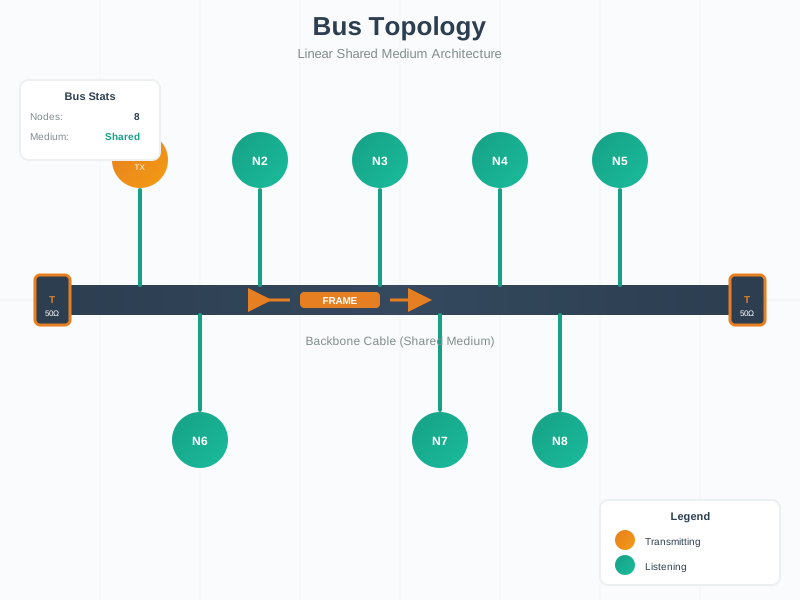
Bus topologies offer simplicity but create a single point of failure and shared bandwidth limitations.
NoteVisual: Ring Network Design
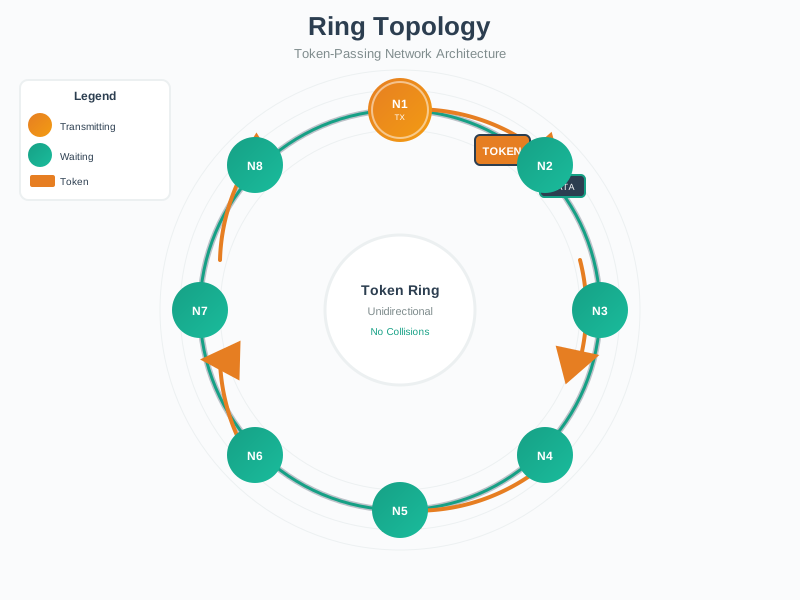
Ring topologies provide deterministic access but require careful design for fault tolerance in IoT applications.
784.14 Summary
- Hybrid topologies combine mesh resilience at the edge with high-bandwidth star/tree backhaul for optimal large-scale deployments
- Physical topology diagrams serve installation needs (floor plans, cable routes), while logical diagrams serve troubleshooting (connectivity, protocols)
- Partial mesh link counting divides total connections by 2 since each link connects two nodes bidirectionally
- Hierarchical mesh with mains-powered routers and battery end devices optimizes both resilience and battery life
- Campus-scale deployments use tree/star backbone with building-level mesh networks for isolation and scalability
- Fault tolerance levels range from high (full/partial mesh) to medium (dual-homed tree, ring) to low (star, bus)
- Topology selection depends on scale, area coverage, bandwidth requirements, cost constraints, and reliability needs
784.15 What’s Next
Continue your networking knowledge with:
- Network Topologies: Labs and Design: Hands-on topology design and implementation exercises
- Transport Protocols: Fundamentals: TCP and UDP characteristics for IoT applications
- Routing Fundamentals: How routing protocols work within different topologies
- Application Protocols: MQTT, CoAP, and HTTP for IoT applications
Continue to: Design Implications for IoT Networks