%%{init: {'theme': 'base', 'themeVariables': {'primaryColor': '#2C3E50', 'primaryTextColor': '#fff', 'primaryBorderColor': '#16A085', 'lineColor': '#E67E22', 'secondaryColor': '#16A085', 'tertiaryColor': '#7F8C8D'}}}%%
graph TB
    subgraph DeviceType["Dimmable Light Device Type"]
        Required[Required Clusters]
        Optional[Optional Clusters]
        Features[Feature Flags]
    end

    Required --> OnOff[On/Off Cluster]
    Required --> Level[Level Control Cluster]
    Required --> Identify[Identify Cluster]
    Required --> Groups[Groups Cluster]
    Required --> Scenes[Scenes Cluster]

    Optional --> Color[Color Control Cluster]
    Optional --> Occupancy[Occupancy Sensing<br/>for auto-on]

    Features --> F1[Lighting Feature]
    Features --> F2[Frequency Feature]

    style DeviceType fill:#16A085,stroke:#2C3E50,color:#fff
    style Required fill:#E67E22,stroke:#2C3E50,color:#fff
    style Optional fill:#7F8C8D,stroke:#2C3E50,color:#fff
    style Features fill:#2C3E50,stroke:#16A085,color:#fff
1030 Matter Device Types and Clusters
1030.1 Matter Device Types and Cluster Library
NoteLearning Objectives
By the end of this section, you will be able to:
- Understand Matter’s device type taxonomy and classification
- Navigate the Matter cluster library for common device categories
- Design device type compositions using required and optional clusters
- Implement cluster-based feature discovery
- Map legacy Zigbee/Z-Wave devices to Matter equivalents
- Evaluate Matter’s device support roadmap for future planning
1030.2 Prerequisites
Before diving into this chapter, you should be familiar with:
- Matter Protocol Overview: Understanding Matter’s role in smart home unification
- Matter Architecture and Fabric: Data model concepts (nodes, endpoints, clusters, attributes)
NoteRelated Chapters
Deep Dives: - Matter Protocol Overview - Introduction and ecosystem - Matter Architecture and Fabric - Protocol stack and fabric management - Matter Implementation - SDKs and development
Comparisons: - Zigbee Fundamentals and Architecture - Zigbee cluster library comparison
1030.3 For Beginners: Understanding Device Types
TipWhat Are Device Types?
Imagine you’re buying furniture for your home. You don’t just buy “wood” or “metal”—you buy specific things like: - A chair (for sitting) - A table (for eating/working) - A lamp (for lighting)
Each furniture type has expected features: - A chair has legs, a seat, and a back - A lamp has a power switch and light source
Matter Device Types work the same way:
Instead of just seeing a generic “smart device,” controllers know they’re communicating with: - A Dimmable Light (has on/off + brightness control) - A Door Lock (has lock/unlock + optional keypad) - A Thermostat (has temperature reading + heating/cooling control)
This means your smart home app can show the right controls automatically—a dimmer slider for lights, a lock icon for locks, a temperature dial for thermostats.
TipFor Kids: Meet the Sensor Squad! 🌟
Matter Device Types are like special uniforms that tell everyone what job you do - just like how a firefighter’s uniform tells you they fight fires!
1030.3.1 The Sensor Squad Adventure: Uniform Day at the Smart Home School
It was the first day of Smart Home School, and the Sensor Squad was excited but confused. There were SO many different gadgets running around - light bulbs, door locks, thermostats, sensors - and nobody knew who did what!
“This is chaos!” said Sammy the Temperature Sensor. “That light bulb just tried to unlock a door, and that motion detector is trying to change the room temperature!”
The headmaster, Mr. Matter, gathered everyone together. “Today, we’re assigning Device Types - special uniforms that tell everyone exactly what you can do!”
Sammy got the Temperature Sensor uniform (Device Type 0x0302). “Your uniform has a thermometer badge,” explained Mr. Matter. “Everyone who sees this badge knows you can tell them how hot or cold it is. That’s your Cluster - your special power!”
Lila the Light Sensor received the Occupancy Sensor uniform (Device Type 0x0107). Her badge showed an eye symbol. “Your job is to notice when people are in the room. When you see movement, you report it. That’s your Occupancy Sensing Cluster!”
Max the Motion Detector was special - he got an Extended Color Light uniform (Device Type 0x010D)! “You have THREE badges,” Mr. Matter showed him. “On/Off for turning on and off. Level Control for brightness. AND Color Control for picking any color in the rainbow!”
Bella the Button received a Generic Switch uniform (Device Type 0x000F). Her badge showed a finger pressing a button. “When someone presses you, you tell everyone ‘Hey! I was pressed!’ That’s your Switch Cluster.”
The BEST part was what happened next. A new student walked in - an Apple HomePod! Then a Google Nest! Then an Amazon Echo! In the old days, they would have spoken different languages. But now, the HomePod looked at Sammy’s Temperature Sensor badge and said, “Oh, I know exactly how to ask you for the temperature!” The Google Nest saw Lila’s Occupancy badge and knew exactly what questions to ask her.
“This is the magic of Device Types,” smiled Mr. Matter. “No matter who asks - Apple, Google, Amazon, or Samsung - they all understand what each uniform means. Everyone can work together!”
1030.3.2 Key Words for Kids
| Word | What It Means |
|---|---|
| Device Type | A special “uniform” that tells everyone what job a smart device does |
| Cluster | A badge on the uniform that shows one specific skill, like measuring temperature or controlling brightness |
| Endpoint | Like having multiple uniforms at once - a smart device can have several jobs! |
| Required Cluster | A badge you MUST have for your job - a light MUST have an on/off badge |
| Optional Cluster | An extra badge that’s nice to have - a light might also have a color badge |
1030.3.3 Try This at Home! 🏠
Create Your Own Matter Device Type Cards!
Design uniform badges for your family members to understand how device types work:
Make ID badges: Cut rectangles from cardboard for each family member.
Assign Device Types:
- Give Mom a “Thermostat” badge with a temperature dial drawing
- Give Dad a “Door Lock” badge with a key symbol
- Give yourself a “Light Switch” badge with an on/off symbol
- Give a sibling an “Occupancy Sensor” badge with an eye
Add Cluster stickers: Each person adds their special power stickers:
- Thermostat: “Read Temperature” + “Set Target Temperature” + “Choose Heat or Cool”
- Door Lock: “Lock” + “Unlock” + “Check if Locked”
- Light Switch: “On” + “Off” + “Tell Others to Turn On”
- Occupancy Sensor: “Detect Movement” + “Report Occupancy”
Play Smart Home:
- Walk around the house. When you enter a room, the “Occupancy Sensor” person shouts “Movement detected!”
- The “Light Switch” person can then say “Turning on lights!”
- The “Thermostat” person checks if the room is comfortable.
Try mixing! What happens if the Occupancy Sensor leaves the room? What should happen to the lights?
This game shows how Matter devices use their “uniforms” (Device Types) and “badges” (Clusters) to work together - and why any smart home app can understand any device with the same badge!
1030.4 Device Type Architecture
1030.4.1 Device Type Definition
A Device Type specifies: - Required Clusters: Must be implemented - Optional Clusters: May be implemented - Cluster Requirements: Which attributes/commands are mandatory - Conditions: Feature-dependent requirements
{fig-alt=“Dimmable Light device type structure showing three categories: Required Clusters in orange (On/Off, Level Control, Identify, Groups, Scenes), Optional Clusters in gray (Color Control, Occupancy Sensing), and Feature Flags in navy (Lighting, Frequency). Demonstrates how device types compose clusters with mandatory and optional elements.”}
TipAlternative View: Matter Device Type Coverage Timeline
%%{init: {'theme': 'base', 'themeVariables': {'primaryColor': '#2C3E50', 'primaryTextColor': '#fff', 'primaryBorderColor': '#16A085', 'lineColor': '#16A085', 'secondaryColor': '#E67E22', 'tertiaryColor': '#7F8C8D'}}}%%
timeline
    title Matter Device Type Support Roadmap
    section Matter 1.0 (2022)
        Core Devices : Lights, Switches, Plugs
                     : Thermostats, Door Locks
                     : Sensors (Contact, Motion)
    section Matter 1.1 (2023)
        Expanded : Blinds/Shades
                 : Fans, Air Quality
                 : Smoke/CO Detectors
    section Matter 1.2 (2023)
        Appliances : Refrigerators, Washers
                   : Dishwashers, Ovens
                   : Robot Vacuums
    section Matter 1.3+ (2024+)
        Future : Cameras (planned)
               : Energy Management
               : Electric Vehicle Charging
               : Water Management
1030.4.2 Root Node Device Type
Every Matter device has a Root Node device type at Endpoint 0:
| Cluster | Purpose | Required |
|---|---|---|
| Basic Information | Device identity, vendor, model | ✅ |
| Access Control | ACL management | ✅ |
| General Commissioning | Commissioning state | ✅ |
| Network Commissioning | Thread/Wi-Fi configuration | ✅ |
| Administrator Commissioning | Commission window control | ✅ |
| Operational Credentials | Certificate management | ✅ |
| Group Key Management | Multicast key distribution | ✅ |
| General Diagnostics | Health monitoring | Optional |
| Software Diagnostics | Software metrics | Optional |
| Thread/Wi-Fi Diagnostics | Network-specific diagnostics | Optional |
1030.5 Lighting Device Types
1030.5.1 Device Type Hierarchy
%%{init: {'theme': 'base', 'themeVariables': {'primaryColor': '#2C3E50', 'primaryTextColor': '#fff', 'primaryBorderColor': '#16A085', 'lineColor': '#E67E22', 'secondaryColor': '#16A085', 'tertiaryColor': '#7F8C8D'}}}%%
graph TB
    Light[Lighting Device Types]

    Light --> OnOff[On/Off Light<br/>0x0100]
    Light --> Dimmable[Dimmable Light<br/>0x0101]
    Light --> ColorTemp[Color Temperature Light<br/>0x010C]
    Light --> ExtColor[Extended Color Light<br/>0x010D]

    OnOff --> O1[On/Off Cluster only]
    Dimmable --> D1[+ Level Control]
    ColorTemp --> CT1[+ Color Control<br/>Temperature only]
    ExtColor --> EC1[+ Color Control<br/>Full XY/HSV]

    style Light fill:#16A085,stroke:#2C3E50,color:#fff
    style OnOff fill:#2C3E50,stroke:#16A085,color:#fff
    style Dimmable fill:#2C3E50,stroke:#16A085,color:#fff
    style ColorTemp fill:#E67E22,stroke:#2C3E50,color:#fff
    style ExtColor fill:#E67E22,stroke:#2C3E50,color:#fff
{fig-alt=“Lighting device type hierarchy showing four types: On/Off Light (0x0100) with On/Off Cluster only, Dimmable Light (0x0101) adding Level Control, Color Temperature Light (0x010C) adding temperature-only Color Control, Extended Color Light (0x010D) with full XY/HSV Color Control. Shows progressive capability addition.”}
1030.5.2 On/Off Light (0x0100)
Simplest lighting device—binary on/off control
| Cluster | Requirement | Key Attributes | Key Commands |
|---|---|---|---|
| Identify | Required | IdentifyTime | Identify, TriggerEffect |
| Groups | Required | NameSupport | AddGroup, RemoveGroup |
| Scenes | Required | SceneCount | AddScene, RecallScene |
| On/Off | Required | OnOff | Off, On, Toggle |
1030.5.3 Dimmable Light (0x0101)
Adds brightness control to On/Off Light
| Cluster | Requirement | Key Attributes | Key Commands |
|---|---|---|---|
| All On/Off Light clusters | Required | — | — |
| Level Control | Required | CurrentLevel, MinLevel, MaxLevel | MoveToLevel, Move, Step |
Level Control Attribute Details: | Attribute | Type | Range | Description | |———–|——|——-|————-| | CurrentLevel | uint8 | 1-254 | Current brightness (0=off, 254=max) | | MinLevel | uint8 | 1-254 | Minimum configurable level | | MaxLevel | uint8 | 1-254 | Maximum configurable level | | OnLevel | uint8 | 0-255 | Level when turned on (0xFF=previous) | | OnTransitionTime | uint16 | 0-65534 | Fade-on time (tenths of second) |
1030.5.4 Extended Color Light (0x010D)
Full color control with RGB/HSV/XY color spaces
%%{init: {'theme': 'base', 'themeVariables': {'primaryColor': '#2C3E50', 'primaryTextColor': '#fff', 'primaryBorderColor': '#16A085', 'lineColor': '#E67E22', 'secondaryColor': '#16A085', 'tertiaryColor': '#7F8C8D'}}}%%
graph LR
    subgraph ColorSpaces["Color Control Modes"]
        HS[Hue/Saturation<br/>Mode 0]
        XY[CIE XY<br/>Mode 1]
        CT[Color Temperature<br/>Mode 2]
        EHS[Enhanced Hue/Sat<br/>Mode 3]
    end

    HS --> H1[CurrentHue: 0-254<br/>CurrentSaturation: 0-254]
    XY --> X1[CurrentX: 0-65279<br/>CurrentY: 0-65279]
    CT --> T1[ColorTemperatureMireds: 153-500<br/>~6500K to 2000K]
    EHS --> E1[EnhancedCurrentHue: 0-65535<br/>16-bit precision]

    style ColorSpaces fill:#16A085,stroke:#2C3E50,color:#fff
    style HS fill:#E67E22,stroke:#2C3E50,color:#fff
    style XY fill:#E67E22,stroke:#2C3E50,color:#fff
    style CT fill:#2C3E50,stroke:#16A085,color:#fff
    style EHS fill:#2C3E50,stroke:#16A085,color:#fff
{fig-alt=“Color Control cluster modes showing four color spaces: Hue/Saturation (Mode 0) with 0-254 range, CIE XY (Mode 1) with 0-65279 range, Color Temperature (Mode 2) in Mireds 153-500 (6500K-2000K), Enhanced Hue/Saturation (Mode 3) with 16-bit precision. Demonstrates multiple ways to specify color in Matter.”}
1030.6 HVAC Device Types
1030.6.1 Thermostat (0x0301)
Climate control with heating/cooling modes
| Cluster | Requirement | Purpose |
|---|---|---|
| Identify | Required | Device identification |
| Thermostat | Required | Temperature control |
| Thermostat UI Config | Optional | Display configuration |
| Fan Control | Optional | Fan speed control |
| Relative Humidity | Optional | Humidity sensing |
Thermostat Cluster Key Attributes: | Attribute | Type | Description | |———–|——|————-| | LocalTemperature | int16 | Current temperature × 100 (°C) | | OccupiedCoolingSetpoint | int16 | Cooling target × 100 | | OccupiedHeatingSetpoint | int16 | Heating target × 100 | | SystemMode | enum8 | Off/Auto/Cool/Heat/EmergencyHeat/Precooling/FanOnly | | ThermostatRunningState | bitmap16 | Current running states (heat/cool/fan) | | ControlSequenceOfOperation | enum8 | Cooling Only/Heating Only/Both |
1030.6.2 Room Air Conditioner (0x0072)
Dedicated AC unit control
| Cluster | Requirement | Key Feature |
|---|---|---|
| Identify | Required | — |
| Thermostat | Required | Temperature control |
| Fan Control | Required | Fan speed |
| Thermostat UI Config | Optional | Display settings |
1030.6.3 Fan (0x002B)
Standalone fan device
| Cluster | Requirement | Key Attributes |
|---|---|---|
| Identify | Required | — |
| Groups | Required | — |
| Fan Control | Required | FanMode, PercentCurrent, SpeedMax |
1030.7 Security Device Types
1030.7.1 Door Lock (0x000A)
Electronic lock with optional keypad/PIN
%%{init: {'theme': 'base', 'themeVariables': {'primaryColor': '#2C3E50', 'primaryTextColor': '#fff', 'primaryBorderColor': '#16A085', 'lineColor': '#E67E22', 'secondaryColor': '#16A085', 'tertiaryColor': '#7F8C8D'}}}%%
graph TB
    subgraph DoorLock["Door Lock Device Type"]
        Required[Required Clusters]
        Features[Feature-Based Requirements]
    end

    Required --> DL[Door Lock Cluster]
    Required --> Identify[Identify Cluster]

    Features --> PIN[PIN Credential Feature]
    Features --> RFID[RFID Credential Feature]
    Features --> Finger[Fingerprint Feature]
    Features --> User[User Feature]

    PIN --> C1[Requires User cluster<br/>PIN management commands]
    RFID --> C2[RFID credential commands]
    Finger --> C3[Biometric commands]
    User --> C4[User management<br/>Up to 255 users]

    style DoorLock fill:#16A085,stroke:#2C3E50,color:#fff
    style Required fill:#E67E22,stroke:#2C3E50,color:#fff
    style Features fill:#2C3E50,stroke:#16A085,color:#fff
{fig-alt=“Door Lock device type structure showing Required Clusters (Door Lock, Identify) and Feature-Based Requirements (PIN Credential requiring User cluster, RFID Credential commands, Fingerprint biometric commands, User management for up to 255 users). Demonstrates feature-driven cluster requirements.”}
Door Lock Cluster Key Elements: | Element | Type | Description | |———|——|————-| | LockState | enum8 | NotFullyLocked, Locked, Unlocked, Unlatched | | LockType | enum8 | DeadBolt, Magnetic, Other, Mortise, etc. | | ActuatorEnabled | bool | Whether lock can be actuated | | LockDoor | command | Lock the door | | UnlockDoor | command | Unlock the door | | SetCredential | command | Add PIN/RFID/Fingerprint |
1030.7.2 Door Lock Controller (0x000B)
Device that controls door locks (keypad, app)
| Cluster | Requirement | Role |
|---|---|---|
| Identify | Required | — |
| Groups | Required | — |
| Scenes | Required | Store lock/unlock scenes |
| Door Lock (Client) | Required | Send lock commands |
1030.7.3 Contact Sensor (0x0015)
Door/window open/close detection
| Cluster | Requirement | Key Attribute |
|---|---|---|
| Identify | Required | — |
| Boolean State | Required | StateValue (open/closed) |
| Binding | Optional | Automation triggers |
1030.8 Sensor Device Types
1030.8.1 Occupancy Sensor (0x0107)
Motion/presence detection
| Cluster | Requirement | Key Attributes |
|---|---|---|
| Identify | Required | — |
| Occupancy Sensing | Required | Occupancy, OccupancySensorType |
| Binding | Optional | Automation targets |
Sensor Types: | Type | Value | Technology | |——|——-|————| | PIR | 0 | Passive Infrared | | Ultrasonic | 1 | Ultrasonic waves | | PIR+Ultrasonic | 2 | Combination | | Physical Contact | 3 | Pressure plates, etc. |
1030.8.2 Temperature Sensor (0x0302)
Environmental temperature measurement
| Cluster | Requirement | Key Attributes |
|---|---|---|
| Identify | Required | — |
| Temperature Measurement | Required | MeasuredValue, MinMeasuredValue, MaxMeasuredValue |
Temperature Units: - All temperatures in °C × 100 (int16) - Example: 21.5°C = 2150
1030.8.3 Humidity Sensor (0x0307)
Relative humidity measurement
| Cluster | Requirement | Key Attributes |
|---|---|---|
| Identify | Required | — |
| Relative Humidity | Required | MeasuredValue (0-10000 = 0-100%) |
1030.8.4 Light Sensor (0x0106)
Ambient light level measurement
| Cluster | Requirement | Key Attributes |
|---|---|---|
| Identify | Required | — |
| Illuminance Measurement | Required | MeasuredValue (10000 × log10(lux) + 1) |
1030.8.5 Air Quality Sensor (0x002C)
Multi-parameter air quality measurement
| Cluster | Requirement | Measures |
|---|---|---|
| Air Quality | Required | Overall air quality index |
| Carbon Monoxide | Optional | CO concentration (ppm) |
| Carbon Dioxide | Optional | CO2 concentration (ppm) |
| PM2.5 | Optional | Particulate matter (μg/m³) |
| PM10 | Optional | Coarse particulate matter |
| Formaldehyde | Optional | HCHO concentration |
| Total VOC | Optional | Volatile organic compounds |
1030.9 Closure Device Types
1030.9.1 Window Covering (0x0202)
Motorized blinds, shades, curtains
%%{init: {'theme': 'base', 'themeVariables': {'primaryColor': '#2C3E50', 'primaryTextColor': '#fff', 'primaryBorderColor': '#16A085', 'lineColor': '#E67E22', 'secondaryColor': '#16A085', 'tertiaryColor': '#7F8C8D'}}}%%
graph LR
    subgraph WC["Window Covering Types"]
        Lift[Lift Feature<br/>Vertical position]
        Tilt[Tilt Feature<br/>Slat angle]
        PA[Position Aware<br/>Exact percentage]
    end

    Lift --> L1[CurrentPositionLiftPercent100ths<br/>0-10000]
    Tilt --> T1[CurrentPositionTiltPercent100ths<br/>0-10000]
    PA --> P1[UpOrOpen<br/>DownOrClose<br/>GoToLiftPercentage]

    style WC fill:#16A085,stroke:#2C3E50,color:#fff
    style Lift fill:#E67E22,stroke:#2C3E50,color:#fff
    style Tilt fill:#E67E22,stroke:#2C3E50,color:#fff
    style PA fill:#2C3E50,stroke:#16A085,color:#fff
{fig-alt=“Window Covering device type features showing three capabilities: Lift Feature for vertical position (CurrentPositionLiftPercent100ths 0-10000), Tilt Feature for slat angle (CurrentPositionTiltPercent100ths 0-10000), Position Aware for exact percentage with UpOrOpen, DownOrClose, and GoToLiftPercentage commands.”}
1030.10 Switch Device Types
1030.10.1 On/Off Light Switch (0x0103)
Physical wall switch binding to lights
| Cluster | Requirement | Purpose |
|---|---|---|
| Identify | Required | — |
| Scenes (Client) | Required | Scene recall |
| On/Off (Client) | Required | Toggle bound lights |
| Level Control (Client) | Optional | Dim bound lights |
| Color Control (Client) | Optional | Color bound lights |
| Binding | Required | Target device configuration |
1030.10.2 Generic Switch (0x000F)
Multi-function button/switch
| Cluster | Requirement | Key Events |
|---|---|---|
| Identify | Required | — |
| Switch | Required | InitialPress, LongPress, ShortRelease, LongRelease, MultiPressOngoing, MultiPressComplete |
Switch Positions and Features: - Latching Switch: Stays in position (on/off) - Momentary Switch: Returns to neutral (button press) - Multi-position: Multiple discrete positions
1030.11 Appliance Device Types (Matter 1.3+)
1030.11.1 Refrigerator (0x0070)
| Cluster | Requirement | Purpose |
|---|---|---|
| Refrigerator Alarm | Required | Door open, temperature |
| Temperature Control | Required | Target temperature |
| Refrigerator and TCC Mode | Required | Operating modes |
1030.11.2 Laundry Washer (0x0073)
| Cluster | Requirement | Purpose |
|---|---|---|
| Laundry Washer Mode | Required | Wash cycles |
| Laundry Washer Controls | Required | Spin speed, rinse, temperature |
| Operational State | Required | Running, paused, complete |
1030.11.3 Robot Vacuum Cleaner (0x0074)
| Cluster | Requirement | Purpose |
|---|---|---|
| RVC Run Mode | Required | Mapping, cleaning, idle |
| RVC Clean Mode | Required | Vacuum, mop, both |
| RVC Operational State | Required | Running, docked, error |
1030.12 Energy Management Device Types (Matter 1.3+)
1030.12.1 EV Charger (0x050C)
%%{init: {'theme': 'base', 'themeVariables': {'primaryColor': '#2C3E50', 'primaryTextColor': '#fff', 'primaryBorderColor': '#16A085', 'lineColor': '#E67E22', 'secondaryColor': '#16A085', 'tertiaryColor': '#7F8C8D'}}}%%
graph TB
    subgraph EVSE["EV Charger Device Type"]
        Required[Required Clusters]
        Optional[Optional Features]
    end

    Required --> EVSE1[Energy EVSE Cluster]
    Required --> EM[Electrical Measurement]

    Optional --> TOU[Time of Use Pricing]
    Optional --> Solar[Solar/Grid Integration]
    Optional --> V2H[Vehicle to Home]

    EVSE1 --> A1[State: NotPluggedIn/PluggedInNotCharging/Charging]
    EVSE1 --> A2[SessionEnergyCharged: Wh]
    EVSE1 --> A3[MaximumChargeCurrent: mA]

    style EVSE fill:#16A085,stroke:#2C3E50,color:#fff
    style Required fill:#E67E22,stroke:#2C3E50,color:#fff
    style Optional fill:#7F8C8D,stroke:#2C3E50,color:#fff
{fig-alt=“EV Charger device type showing Required Clusters (Energy EVSE with State/SessionEnergyCharged/MaximumChargeCurrent attributes, Electrical Measurement) and Optional Features (Time of Use Pricing, Solar/Grid Integration, Vehicle to Home). EVSE Cluster attributes show NotPluggedIn/PluggedInNotCharging/Charging states, Wh energy tracking, and mA current limits.”}
1030.12.2 Solar Power (0x050D)
| Cluster | Requirement | Key Attributes |
|---|---|---|
| Electrical Power Measurement | Required | ActivePower, Voltage, Current |
| Electrical Energy Measurement | Required | CumulativeEnergyExported |
1030.13 Device Type Composition
1030.13.1 Bridge Device Pattern
Bridges expose non-Matter devices as Matter endpoints:
%%{init: {'theme': 'base', 'themeVariables': {'primaryColor': '#2C3E50', 'primaryTextColor': '#fff', 'primaryBorderColor': '#16A085', 'lineColor': '#E67E22', 'secondaryColor': '#16A085', 'tertiaryColor': '#7F8C8D'}}}%%
graph TB
    subgraph Bridge["Matter Bridge Node"]
        EP0[Endpoint 0<br/>Root Node]
        EP1[Endpoint 1<br/>Bridge Device Type]
        EP2[Endpoint 2<br/>Bridged Light 1]
        EP3[Endpoint 3<br/>Bridged Light 2]
        EP4[Endpoint 4<br/>Bridged Sensor]
    end

    subgraph Legacy["Legacy Devices"]
        Z1[Zigbee Light 1]
        Z2[Zigbee Light 2]
        Z3[Zigbee Sensor]
    end

    EP2 <-.->|Translated| Z1
    EP3 <-.->|Translated| Z2
    EP4 <-.->|Translated| Z3

    style Bridge fill:#16A085,stroke:#2C3E50
    style Legacy fill:#7F8C8D,stroke:#2C3E50
    style EP1 fill:#E67E22,stroke:#2C3E50,color:#fff
{fig-alt=“Matter Bridge composition pattern showing Bridge Node with Endpoint 0 (Root), Endpoint 1 (Bridge device type in orange), and Endpoints 2-4 representing bridged legacy devices. Dotted arrows show translation between Matter endpoints and actual Zigbee devices (Light 1, Light 2, Sensor).”}
Bridged Device Considerations: - Each legacy device = one Matter endpoint - Bridge handles protocol translation - Bridged devices have limitations: - Delayed responses (protocol translation latency) - Feature subset (only common capabilities mapped) - Network dependency (legacy network must be operational)
1030.13.2 Composed Device Pattern
Single physical device with multiple functions:
%%{init: {'theme': 'base', 'themeVariables': {'primaryColor': '#2C3E50', 'primaryTextColor': '#fff', 'primaryBorderColor': '#16A085', 'lineColor': '#E67E22', 'secondaryColor': '#16A085', 'tertiaryColor': '#7F8C8D'}}}%%
graph TB
    subgraph SmartPlug["Smart Plug with Energy Monitoring"]
        EP0[Endpoint 0<br/>Root Node]
        EP1[Endpoint 1<br/>On/Off Plug-in Unit]
        EP2[Endpoint 2<br/>Power Source<br/>for USB ports]
    end

    subgraph EP1Clusters["Endpoint 1 Clusters"]
        C1[On/Off Cluster]
        C2[Electrical Measurement Cluster]
        C3[Device Energy Management Cluster]
    end

    subgraph EP2Clusters["Endpoint 2 Clusters"]
        C4[Power Source Cluster]
    end

    EP1 --> EP1Clusters
    EP2 --> EP2Clusters

    style SmartPlug fill:#16A085,stroke:#2C3E50,color:#fff
    style EP0 fill:#2C3E50,stroke:#16A085,color:#fff
    style EP1 fill:#E67E22,stroke:#2C3E50,color:#fff
    style EP2 fill:#E67E22,stroke:#2C3E50,color:#fff
    style EP1Clusters fill:#7F8C8D,stroke:#2C3E50,color:#fff
    style EP2Clusters fill:#7F8C8D,stroke:#2C3E50,color:#fff
    style C1 fill:#2C3E50,stroke:#16A085,color:#fff
    style C2 fill:#2C3E50,stroke:#16A085,color:#fff
    style C3 fill:#2C3E50,stroke:#16A085,color:#fff
    style C4 fill:#2C3E50,stroke:#16A085,color:#fff
{fig-alt=“Matter composed device pattern showing a Smart Plug with Energy Monitoring. The device has three endpoints: Endpoint 0 (Root Node in navy), Endpoint 1 (On/Off Plug-in Unit in orange) containing On/Off, Electrical Measurement, and Device Energy Management clusters, and Endpoint 2 (Power Source for USB ports in orange) containing the Power Source cluster. Demonstrates how multi-function devices use multiple endpoints.”}
1030.14 Cluster Library Reference
1030.14.1 Common Utility Clusters
| Cluster ID | Name | Purpose |
|---|---|---|
| 0x001D | Descriptor | List endpoints/device types |
| 0x001E | Binding | Configure automation targets |
| 0x001F | Access Control | ACL management |
| 0x0028 | Basic Information | Vendor, product, serial |
| 0x0030 | General Commissioning | Commission state |
| 0x0031 | Network Commissioning | Thread/Wi-Fi config |
| 0x003E | Operational Credentials | Certificate management |
1030.14.2 Application Clusters
| Cluster ID | Name | Use Case |
|---|---|---|
| 0x0003 | Identify | Locate device physically |
| 0x0004 | Groups | Multicast control |
| 0x0005 | Scenes | Store/recall device states |
| 0x0006 | On/Off | Binary power control |
| 0x0008 | Level Control | Dimming/volume |
| 0x0101 | Door Lock | Lock control |
| 0x0201 | Thermostat | HVAC control |
| 0x0300 | Color Control | Lighting color |
| 0x0400 | Illuminance | Light sensing |
| 0x0402 | Temperature | Temperature sensing |
| 0x0405 | Relative Humidity | Humidity sensing |
| 0x0406 | Occupancy | Presence detection |
1030.15 Understanding Check
WarningKnowledge Check
Scenario: You’re designing a multi-function smart device that includes: - A main ceiling light (dimmable, color temperature adjustable) - An integrated occupancy sensor - A nightlight (dim warm white only) - A Zigbee bridge for 5 legacy Zigbee bulbs
Questions:
- How many endpoints would this device have?
- What device type would Endpoint 1 be?
- What clusters are required for the occupancy sensor endpoint?
- How would the Zigbee bulbs appear in the Matter data model?
NoteSolution
1. Total Endpoints: 9
Endpoint 0: Root Node (mandatory)
Endpoint 1: Main Light (Color Temperature Light)
Endpoint 2: Occupancy Sensor
Endpoint 3: Nightlight (Dimmable Light)
Endpoint 4: Bridge (Aggregator device type)
Endpoints 5-9: Bridged Zigbee Bulbs (5 endpoints)
2. Endpoint 1 Device Type: Color Temperature Light (0x010C) - Includes On/Off, Level Control, Color Control (CT only) - Not Extended Color Light because no full RGB
3. Occupancy Sensor Endpoint (Endpoint 2) Required Clusters: - Identify Cluster (0x0003) - Occupancy Sensing Cluster (0x0406) - Optional: Binding Cluster for automation
4. Zigbee Bulbs in Matter Data Model: Each Zigbee bulb appears as a separate endpoint: - Endpoint 5: Bridged Node with Dimmable Light - Bridged Device Basic Information cluster indicates it’s bridged - Commands translated by Endpoint 4 (Bridge) - Reachable attribute indicates Zigbee network status
1030.16 Key Takeaways
TipSummary
Device Types define blueprints with required and optional clusters for each device category
Endpoint 0 is always Root Node—every other endpoint hosts application device types
Clusters are reusable—the same On/Off cluster works on lights, plugs, and fans
Features drive requirements—a Door Lock with PIN feature requires User cluster
Bridges expose legacy devices as multiple Matter endpoints on a single bridge node
Composed devices use multiple endpoints for multi-function products
Matter 1.3+ added major categories: Appliances, energy management, water management
1030.17 Visual Reference Gallery
NoteVisual: Matter Device Types Architecture
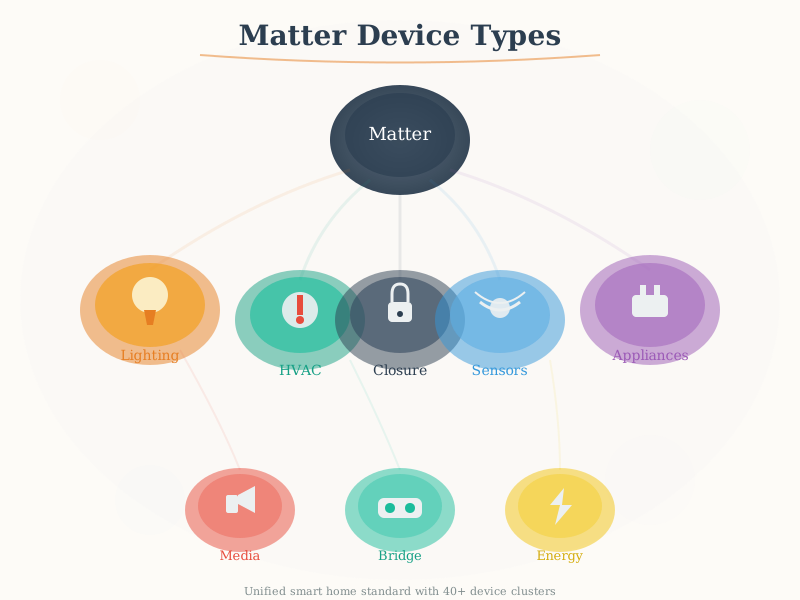
This artistic visualization illustrates the Matter device type taxonomy, showing how different device categories (lighting, HVAC, security, sensors) map to required and optional clusters, enabling interoperability across smart home ecosystems.
NoteVisual: Matter Device Types (Geometric Style)
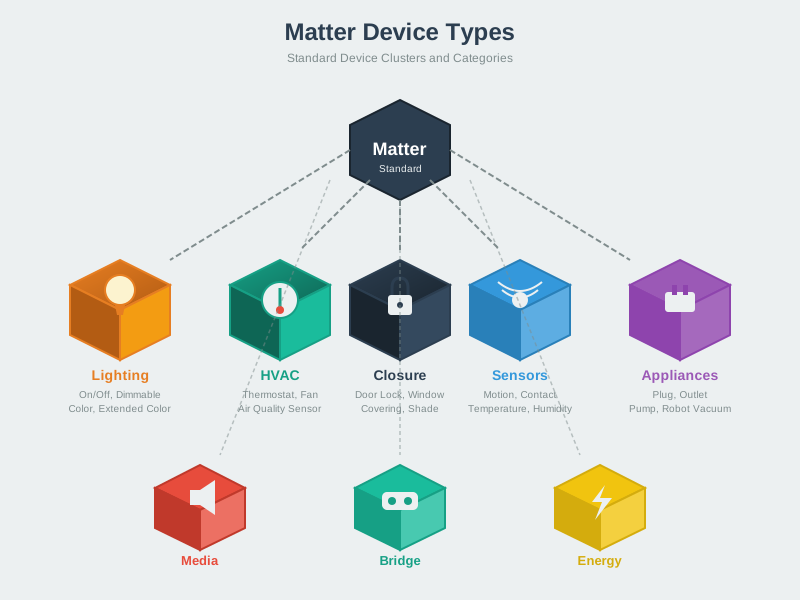
A geometric perspective on Matter device types emphasizing the structured relationship between device type definitions and their cluster requirements for certification compliance.
NoteVisual: Matter Device Types (Modern Style)
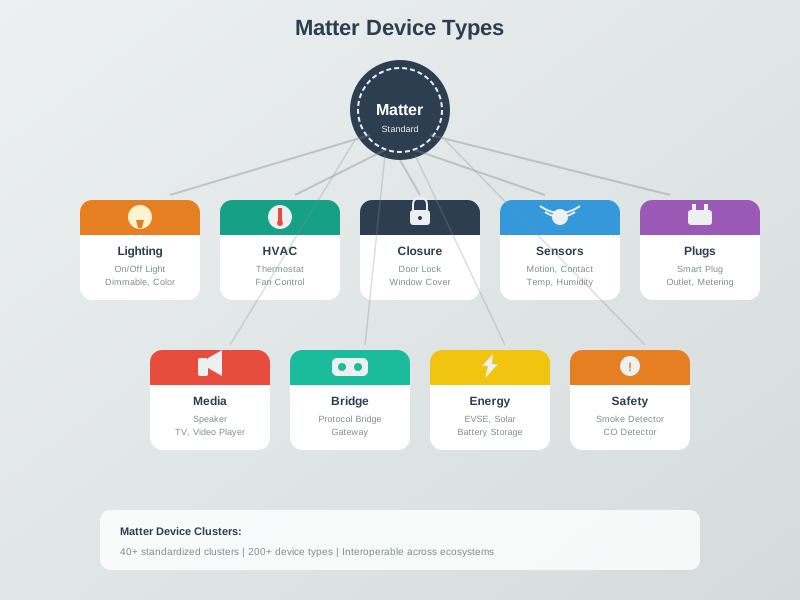
A modern, clean visualization of the Matter device type ecosystem showing how manufacturers implement device types to ensure cross-platform compatibility with Apple Home, Google Home, and Amazon Alexa.
NoteVisual: Matter Fabric Architecture
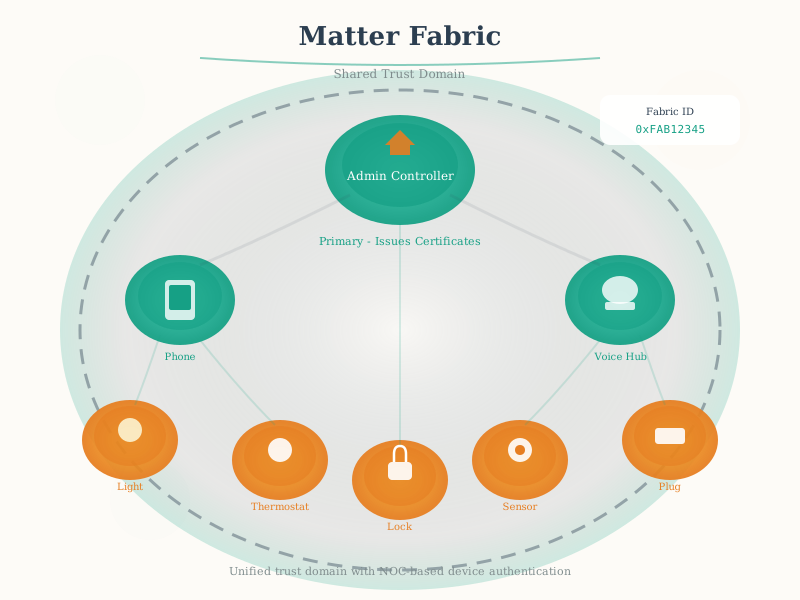
This artistic rendering shows how Matter’s fabric architecture enables multi-admin support, allowing a single smart device to be controlled by Apple HomeKit, Google Home, and Amazon Alexa simultaneously without conflicts.
1030.18 What’s Next
Continue your Matter exploration with:
- Matter Implementation - Learn about SDKs, certification, and building Matter products
- Matter Architecture and Fabric - Deep dive into protocol stack and security
- Thread Fundamentals and Roles - Understand Thread as Matter’s primary transport