1202 MQTT Labs and Implementations
1202.1 Overview
This chapter series provides comprehensive hands-on MQTT implementation guidance, from beginner-friendly browser simulators to production-ready secure deployments. The content has been organized into three focused chapters for easier navigation and learning.
1202.2 Chapter Index
1202.2.1 Getting Started with MQTT Implementation
Difficulty: Beginner | Time: ~45 minutes
Perfect for those new to MQTT development. This chapter covers:
- Three Core Components: Understanding brokers, publishers, and subscribers
- Browser Simulators: Try MQTT in Wokwi without any hardware
- Python Publisher/Subscriber: Complete code examples with paho-mqtt
- Learning Paths: Choose between simulator-based learning or real hardware
- Common Questions: FAQ for beginners starting their first MQTT project
Start here if: You’ve learned MQTT theory but haven’t built anything yet.
1202.2.2 Python Patterns and Security
Difficulty: Intermediate | Time: ~30 minutes
Production-ready patterns and critical security knowledge:
- Callback Architecture: Event-driven MQTT clients with proper error handling
- Loop Management:
loop_forever(),loop_start(), andloop()options - Security Pitfalls: Why public brokers are dangerous (with real breach statistics)
- Connection Limits: Capacity planning and monitoring broker health
- TLS Timeouts: Configuring ESP32/ESP8266 for reliable secure connections
- Debugging Workflow: Systematic troubleshooting approach
Start here if: You can write basic MQTT code but need production-ready patterns.
1202.2.3 Hands-On Labs
Difficulty: Intermediate | Time: ~2 hours
Four complete lab exercises with code, circuits, and simulators:
- Lab 1: ESP32 DHT22 temperature publisher with QoS levels
- Lab 2: Python multi-sensor dashboard with wildcards
- Lab 3: Home automation with motion-controlled lights (2 ESP32s)
- Lab 4: Secure MQTT with TLS certificates and authentication
- QoS Simulator: Interactive comparison of QoS 0, 1, and 2
- LWT Patterns: Last Will and Testament for disconnect detection
- Knowledge Checks: Self-assessment questions with explanations
Start here if: You want hands-on experience building complete IoT systems.
1202.3 Visual Reference Gallery
Explore these AI-generated diagrams that illustrate MQTT implementation concepts:
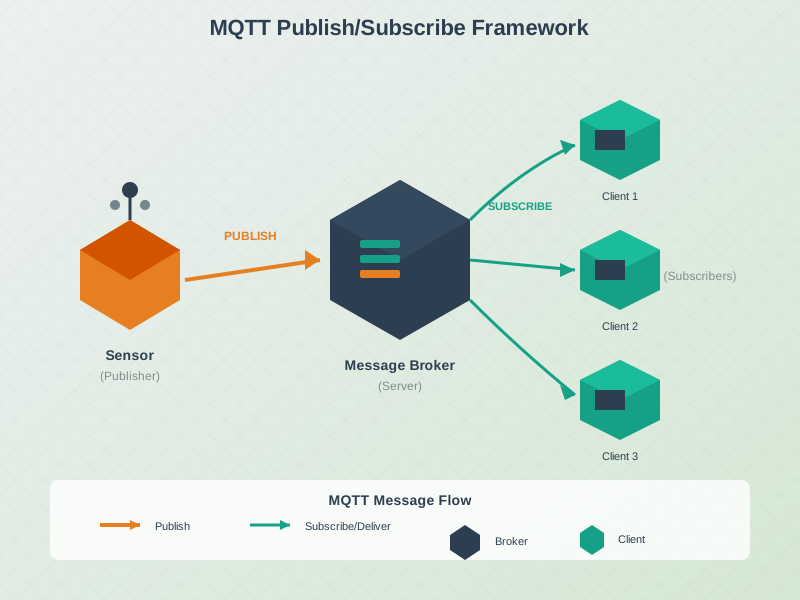
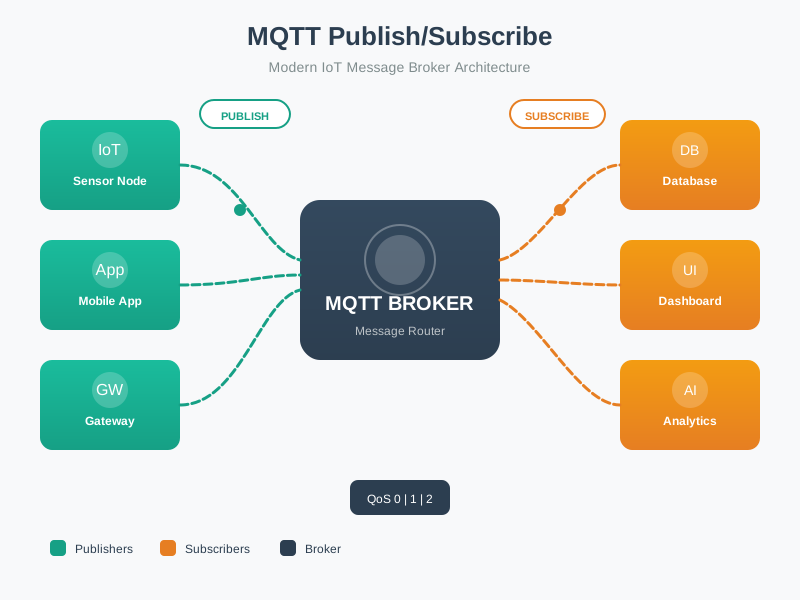
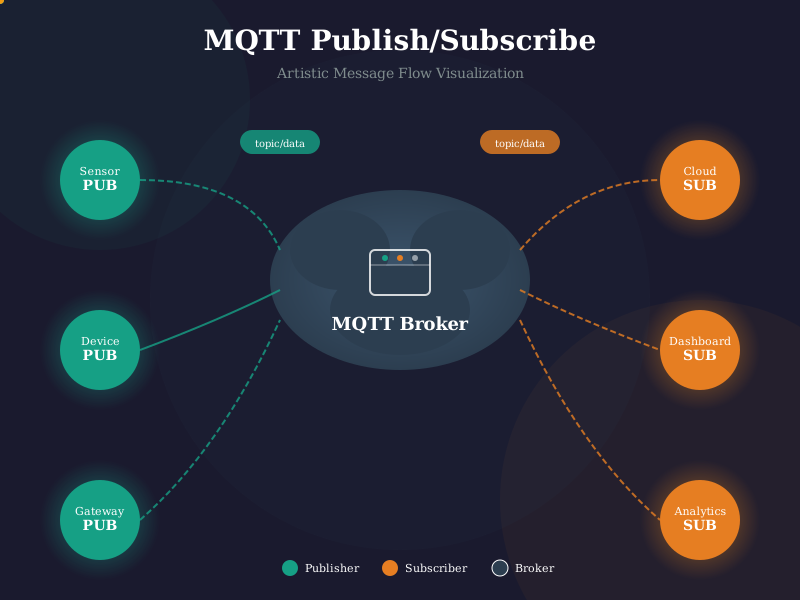
This diagram shows the complete MQTT implementation stack, from hardware sensors publishing data through the broker to cloud applications consuming the messages.
The ESP32 provides an excellent platform for MQTT IoT projects, combining Wi-Fi connectivity with low power consumption and sufficient processing power for sensor data collection.
Production MQTT deployments require multiple security layers including TLS encryption (port 8883), authentication (username/password or certificates), and authorization (topic ACLs).
1202.4 Worked Examples
Scenario: A manufacturing plant deploys an MQTT-based monitoring system for 200 CNC machines. Each machine publishes sensor data (spindle speed, temperature, vibration) and receives occasional control commands.
Key Calculations: - Inbound: 200 machines x 3 topics x 1 msg/sec = 600 messages/second - Fan-out: 600 msg/sec x 6 subscribers = 3,600 messages/second outbound - Bandwidth: ~3 Mbps total (inbound + outbound) - Memory: ~53 MB (connections + topics + subscriptions + buffers)
Result: Single Mosquitto instance on modest hardware (4 CPU cores, 128 MB RAM) handles this with 95%+ headroom. See Hands-On Labs for complete capacity planning formulas.
Scenario: A smart building needs to detect when door lock controllers go offline unexpectedly within 90 seconds.
Solution: - Configure LWT with topic locks/{id}/status, message {"state":"OFFLINE","reason":"unexpected"} - Set keep-alive to 60 seconds (broker timeout = 1.5 x 60 = 90 seconds) - Use QoS 1 and retain=true for LWT - Always publish explicit “online” status after connecting
Result: Dashboard receives automatic offline notification within 90 seconds of any lock failure. See Hands-On Labs for complete LWT implementation patterns.
MQTT Foundations: - MQTT Fundamentals - Core concepts and pub-sub patterns - MQTT QoS and Session - Reliability and message guarantees - MQTT Comprehensive Review - Advanced topics and best practices
Hands-On Comparisons: - CoAP Features and Labs - Compare CoAP implementations - IoT Protocols Overview - Protocol selection guide
Hardware Integration: - Prototyping Hardware - ESP32 and sensor setup - Sensor Labs - Integrating sensors with MQTT
Security Implementation: - Cyber Security Methods - TLS/SSL configuration - Encryption Architecture - Securing MQTT brokers
Learning Tools: - Simulations Hub - Interactive MQTT simulators - Network Design - Testing MQTT systems
1202.5 What’s Next
Choose your path based on your experience level:
- New to MQTT coding? Start with Getting Started
- Ready for production? Jump to Python Patterns and Security
- Want hands-on practice? Go directly to Hands-On Labs
After completing this series, continue with MQTT Comprehensive Review to synthesize your knowledge with scenario-based questions and protocol comparisons.