%%{init: {'theme': 'base', 'themeVariables': {'primaryColor': '#2C3E50', 'primaryTextColor': '#fff', 'primaryBorderColor': '#16A085', 'lineColor': '#E67E22', 'secondaryColor': '#16A085', 'tertiaryColor': '#7F8C8D'}}}%%
flowchart TD
    START(["Select QoS Level"])
    Q1{"Is message loss<br/>acceptable?"}
    Q2{"Are duplicates<br/>harmful?"}
    Q3{"Battery-powered<br/>device?"}
    Q4{"High-frequency<br/>data (>1/min)?"}

    QOS0["QoS 0<br/>Fire & Forget"]
    QOS1["QoS 1<br/>At Least Once"]
    QOS2["QoS 2<br/>Exactly Once"]

    EX0["Examples:<br/>Temperature every 10s<br/>Humidity readings<br/>Environmental data<br/>Heartbeat signals"]
    EX1["Examples:<br/>Motion alerts<br/>Door open/close<br/>Low battery warning<br/>Threshold exceeded"]
    EX2["Examples:<br/>Smart lock UNLOCK<br/>Payment transactions<br/>Medication dispenser<br/>Critical valve control"]

    START --> Q1
    Q1 -->|"Yes"| Q4
    Q1 -->|"No"| Q2
    Q4 -->|"Yes"| QOS0
    Q4 -->|"No"| Q3
    Q3 -->|"Yes"| QOS0
    Q3 -->|"No"| QOS1
    Q2 -->|"No"| QOS1
    Q2 -->|"Yes"| QOS2

    QOS0 --> EX0
    QOS1 --> EX1
    QOS2 --> EX2

    style START fill:#7F8C8D,color:#fff
    style Q1 fill:#2C3E50,color:#fff
    style Q2 fill:#2C3E50,color:#fff
    style Q3 fill:#2C3E50,color:#fff
    style Q4 fill:#2C3E50,color:#fff
    style QOS0 fill:#27ae60,color:#fff
    style QOS1 fill:#E67E22,color:#fff
    style QOS2 fill:#e74c3c,color:#fff
    style EX0 fill:#d5f5e3,color:#2C3E50
    style EX1 fill:#fdebd0,color:#2C3E50
    style EX2 fill:#fadbd8,color:#2C3E50
1194 MQTT QoS Levels
1194.1 Learning Objectives
By the end of this chapter, you will be able to:
- Analyze QoS Handshakes: Trace the message flow for QoS 0, 1, and 2 including all acknowledgment packets
- Calculate Battery Impact: Quantify the power consumption differences between QoS levels
- Apply Decision Frameworks: Use systematic approaches to select optimal QoS for any message type
- Avoid Common Mistakes: Recognize and prevent QoS mismatch and session configuration errors
- Use Interactive Tools: Visualize QoS behavior using the interactive simulator
NoteRelated Chapters
Foundations: - MQTT QoS Fundamentals - Basic QoS concepts - MQTT Fundamentals - MQTT architecture basics
Deep Dives: - MQTT Session Management - Session persistence and security - MQTT QoS Worked Examples - Real-world QoS selection
Hands-On: - MQTT Labs and Implementation - Build MQTT projects
1194.2 Quality of Service (QoS) Levels
| QoS | Name | Guarantee | Use Case |
|---|---|---|---|
| 0 | At most once | Fire and forget | Frequent sensor readings |
| 1 | At least once | Acknowledged delivery | Important alerts |
| 2 | Exactly once | Guaranteed once | Critical commands |
1194.3 QoS Message Flow Comparison
The following diagrams illustrate the message handshake patterns for each QoS level, showing how reliability increases with complexity:

1194.4 QoS 0: At Most Once (Fire and Forget)
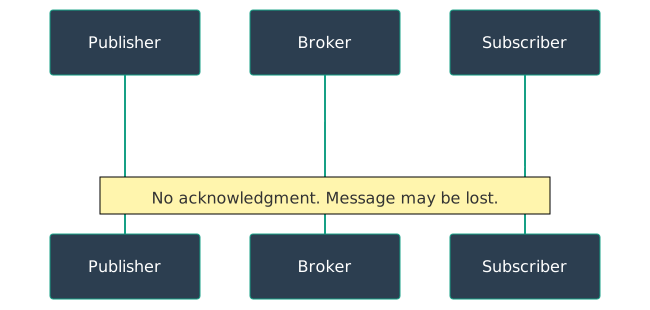
Use case: Sensor data where occasional loss is acceptable (temperature readings every 10 seconds).
1194.5 QoS 1: At Least Once (Acknowledged Delivery)
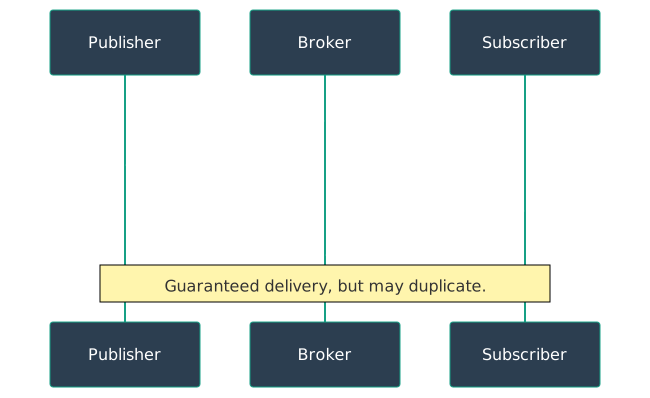
Use case: Commands where delivery matters but duplicates are harmless (motion sensor alerts, door open/close events).
1194.6 QoS 2: Exactly Once (4-Way Handshake)
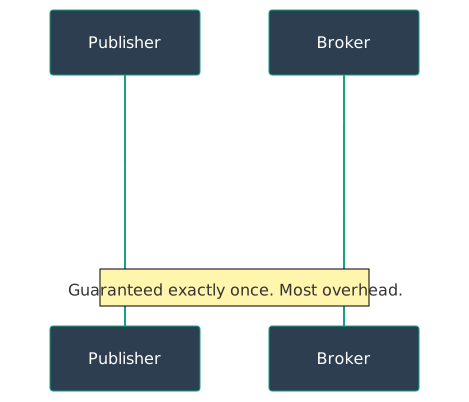
Use case: Financial transactions, billing events, smart lock commands, medication dispensers.
1194.7 QoS Comparison Summary
| QoS | Messages | Guarantee | Overhead | Use When |
|---|---|---|---|---|
| 0 | 1 | May lose | Minimal | Loss OK (frequent telemetry) |
| 1 | 2 | At least once | Low | Duplicates OK (alerts) |
| 2 | 4 | Exactly once | High | Critical data (commands) |
TipTradeoff: QoS 0 vs QoS 1 vs QoS 2
Decision context: When choosing MQTT Quality of Service level for your IoT messages
| Factor | QoS 0 | QoS 1 | QoS 2 |
|---|---|---|---|
| Battery impact | Low (1 message) | Medium (2 messages) | High (4 messages) |
| Bandwidth | Minimal | Low | Moderate |
| Latency | Lowest | Low | Higher |
| Reliability | Fire-and-forget | At-least-once delivery | Exactly-once delivery |
| Duplicates | No (may lose) | Possible (if ACK lost) | Never |
| Message loss | Possible | No | No |
| Complexity | Simplest | Simple ACK handling | 4-way handshake |
Choose QoS 0 when:
- Data is sent frequently (every few seconds) and missing one reading is acceptable
- Battery life is critical on constrained devices
- Telemetry data where the next value replaces the previous (temperature, humidity)
- High-volume sensor networks where some loss is tolerable
Choose QoS 1 when:
- Every message should be delivered but duplicates are harmless
- Alert/event notifications (motion detected, door opened)
- Log entries or metrics where idempotent processing handles duplicates
- Moderate reliability needed without extreme battery drain
Choose QoS 2 when:
- Duplicates would cause problems (billing events, unlock commands)
- Critical actuator commands (smart lock, valve control, medication dispenser)
- Financial transactions or one-time triggers
- Message ordering and exactly-once semantics are required
Default recommendation: QoS 0 for telemetry (90% of IoT traffic), QoS 1 for events/alerts, QoS 2 only for critical commands where duplicates cause harm
TipChoosing Between QoS Levels
Decision framework: 1. Can you afford to lose this message? Yes -> QoS 0 2. Is receiving the message twice harmful? No -> QoS 1 3. Must the message be delivered exactly once? Yes -> QoS 2
Most IoT applications use QoS 0 for telemetry (90% of traffic) and QoS 1 for events/alerts (9%). Reserve QoS 2 for critical actuator commands (1%).
WarningCommon Misconception: “QoS 2 is Always Better Than QoS 0”
The Misconception: Higher QoS numbers mean better quality, so always use QoS 2 for important data.
Why It’s Wrong: - QoS 2 requires 4 messages (vs 1 for QoS 0) = 4x bandwidth - Each message needs acknowledgment = higher latency - Broker must store message state = more memory - For 1000 sensors sending every minute: QoS 2 = 4M messages/hour vs 1M for QoS 0
Real-World Example: - Temperature sensor sending every 5 minutes - Missing one reading is harmless (interpolate from neighbors) - QoS 2 overhead: 28% more bandwidth, 4x broker load - Result: Wasted resources for no benefit
The Correct Understanding: - QoS 0: Acceptable loss (most sensor data) - QoS 1: Delivery matters, duplicates OK (alerts) - QoS 2: Exactly-once critical (payments, door locks)
Match QoS to actual requirements, not perceived importance.
1194.8 QoS Decision Tree
This decision flowchart provides an alternative approach to selecting the appropriate MQTT QoS level based on application requirements:
1194.9 Interactive: MQTT QoS Visualizer
Explore the differences between MQTT QoS levels interactively. Select a QoS level and click “Send Message” to see the message flow animation, including potential message duplication (QoS 1) and the latency trade-off (QoS 2).
How to use this visualizer:
- Select a QoS level using the radio buttons above
- Click “Send Message” to see the animated message flow
- Observe the differences: QoS 0 is fastest (1 message), QoS 1 adds acknowledgment (2 messages), QoS 2 uses a 4-way handshake (4 messages)
- Watch for duplicates: QoS 1 may show a duplicate warning (30% chance) demonstrating the “at least once” behavior
- Compare the metrics table to understand trade-offs between reliability, latency, and message overhead
TipChoosing the Right QoS Level for Battery Life
QoS level dramatically affects battery consumption. For a sensor sending data every 60 seconds:
- QoS 0: ~10 days battery life (minimal radio time)
- QoS 1: ~3 days battery life (waits for PUBACK acknowledgment)
- QoS 2: ~1.7 days battery life (four-way handshake overhead)
Best practice: Use QoS 0 for frequent, replaceable data (temperature every minute). Use QoS 1 only for important events (door opened, alarm triggered). Reserve QoS 2 for critical, non-idempotent commands (unlock door, dispense medication) where duplicates would cause serious problems.
WarningQoS Doesn’t Guarantee End-to-End Delivery
A common misconception: QoS 2 means the message reaches the subscriber. Wrong! QoS only guarantees delivery between publisher-to-broker and broker-to-subscriber independently. If the subscriber is offline, QoS 2 ensures the broker stores the message (with Clean Session=false), but the subscriber might never come back online. For true end-to-end confirmation, implement application-level acknowledgments where the subscriber publishes a response message confirming it processed the data.
Knowledge Check: QoS Levels Quick Check
Concept: MQTT supports three Quality of Service (QoS) levels that balance reliability, performance, and network overhead. Choosing the right QoS level is crucial for IoT system design.
Question: Which QoS level would be MOST appropriate for sending temperature readings every 5 seconds from a weather station?
Explanation: QoS 0 is ideal for frequent, redundant sensor readings because: - Temperature changes slowly, so occasional lost messages are acceptable - The next reading arrives in 5 seconds anyway - Minimal network overhead and fastest delivery - QoS 1 and 2 add unnecessary overhead for this use case - QoS 3 doesn’t exist in MQTT
When to use higher QoS: Use QoS 1 for important alerts (e.g., “door opened”) and QoS 2 for critical commands (e.g., “unlock door”).
Question: What is the main difference between QoS 1 and QoS 2?
Explanation: - QoS 1 guarantees “at least once” delivery, which may result in duplicates (uses PUBACK acknowledgment) - QoS 2 guarantees “exactly once” delivery with no duplicates (uses four-way handshake: PUBREC, PUBREL, PUBCOMP) - QoS 2 is actually slower than QoS 1 due to the extra handshake steps - Neither QoS level includes encryption (use TLS for that)
Real-world impact: For a smart lock command, duplicates could cause the lock to toggle multiple times - dangerous! Use QoS 2 for critical commands where duplicates are unacceptable.
1194.10 Visual Reference Gallery
NoteMQTT QoS and Session Diagrams
These visual references provide alternative perspectives on MQTT QoS and session management concepts covered in this chapter.

1194.11 QoS and Session Combination Matrix
This matrix visualization shows how different combinations of QoS levels and session types affect IoT deployments, helping you select the optimal configuration:
%%{init: {'theme': 'base', 'themeVariables': {'primaryColor': '#2C3E50', 'primaryTextColor': '#fff', 'primaryBorderColor': '#16A085', 'lineColor': '#E67E22', 'secondaryColor': '#16A085', 'tertiaryColor': '#7F8C8D'}}}%%
graph TB
    subgraph Header["QoS + Session Configuration Matrix"]
        direction LR
        H1["Configuration"]
        H2["Behavior"]
        H3["Use Case"]
    end

    subgraph C1["QoS 0 + Clean Session"]
        C1A["No ACK, No Storage<br/>Messages lost if offline"]
        C1B["Battery: *****<br/>Reliability: *<br/>Broker Load: *"]
        C1C["Frequent telemetry<br/>Temperature every 10s<br/>Non-critical sensors"]
    end

    subgraph C2["QoS 1 + Clean Session"]
        C2A["ACK required<br/>No offline queuing"]
        C2B["Battery: ***<br/>Reliability: ***<br/>Broker Load: **"]
        C2C["Important alerts<br/>Motion detection<br/>One-shot events"]
    end

    subgraph C3["QoS 1 + Persistent Session"]
        C3A["ACK + Offline queue<br/>Catch-up on reconnect"]
        C3B["Battery: **<br/>Reliability: ****<br/>Broker Load: ***"]
        C3C["Intermittent devices<br/>Sleep/wake sensors<br/>Command receivers"]
    end

    subgraph C4["QoS 2 + Persistent Session"]
        C4A["4-way handshake<br/>Exactly-once + queue"]
        C4B["Battery: *<br/>Reliability: *****<br/>Broker Load: *****"]
        C4C["Critical commands<br/>Smart locks<br/>Payment triggers"]
    end

    Header --> C1
    Header --> C2
    Header --> C3
    Header --> C4

    style Header fill:#2C3E50,color:#fff
    style C1 fill:#27ae60,color:#fff
    style C2 fill:#f39c12,color:#fff
    style C3 fill:#E67E22,color:#fff
    style C4 fill:#e74c3c,color:#fff
1194.12 Summary
This chapter covered the technical details of MQTT Quality of Service levels:
- QoS 0 uses a single message with no acknowledgment, providing the fastest and most battery-efficient delivery at the cost of potential message loss
- QoS 1 adds a PUBACK acknowledgment ensuring delivery, but retransmissions when ACKs are lost can create duplicates
- QoS 2 uses a four-way handshake (PUBLISH->PUBREC->PUBREL->PUBCOMP) guaranteeing exactly-once delivery at the highest overhead cost
- Decision frameworks help systematically select QoS: loss acceptable = QoS 0, duplicates OK = QoS 1, exactly-once required = QoS 2
- Battery impact is significant: QoS 2 uses 4x more messages than QoS 0, reducing battery life proportionally
- End-to-end delivery is not guaranteed by QoS alone; subscriber must be online or use persistent sessions
1194.13 What’s Next
The next chapter, MQTT Session Management, covers session persistence, security considerations, common pitfalls around session configuration, and the interaction between QoS levels and session types for reliable IoT deployments.