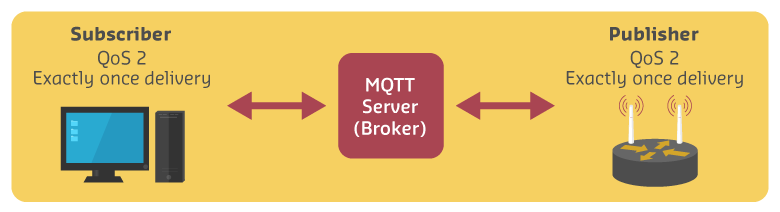
1197  MQTT Quality of Service (QoS) Levels

1197.1 Quality of Service (QoS) Levels

MQTT provides three Quality of Service levels that control message delivery guarantees. This chapter explores each level’s characteristics, use cases, and impact on battery life and performance.

1197.2 Learning Objectives

By the end of this chapter, you will be able to:

  • Compare QoS Levels: Understand the trade-offs between QoS 0, 1, and 2
  • Choose Appropriate QoS: Select the right level for different IoT scenarios
  • Optimize Battery Life: Minimize power consumption through QoS selection
  • Handle Delivery Guarantees: Design systems that work with QoS limitations

1197.3 QoS Level Summary

QoS Name Guarantee Use Case
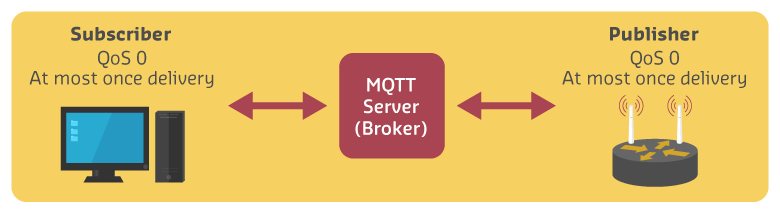
0 At most once Fire and forget Frequent sensor readings
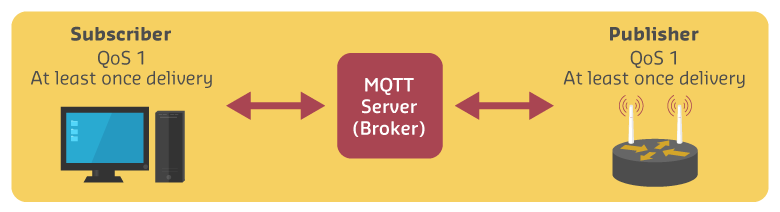
1 At least once Acknowledged delivery Important alerts
2 Exactly once Guaranteed once Critical commands
Sequence diagram illustrating MQTT QoS 0 at-most-once delivery pattern where publisher sends PUBLISH message to broker without waiting for acknowledgment, broker forwards message to subscriber with no confirmation handshake, resulting in fastest but unreliable fire-and-forget transmission suitable for frequent replaceable sensor data.
Figure 1197.1: MQTT QoS 0: At most once delivery (fire and forget)
Sequence diagram demonstrating MQTT QoS 1 at-least-once delivery with four-message handshake: publisher sends PUBLISH to broker and waits for PUBACK acknowledgment, broker stores message and forwards PUBLISH to subscriber who responds with PUBACK, guaranteeing delivery but allowing possible duplicates during network interruptions.
Figure 1197.2: MQTT QoS 1: At least once delivery with acknowledgment
Sequence diagram depicting MQTT QoS 2 exactly-once delivery protocol using six-message four-way handshake: publisher sends PUBLISH and receives PUBREC from broker, publisher responds with PUBREL and receives PUBCOMP confirmation, then broker executes same handshake with subscriber, ensuring guaranteed single delivery with no duplicates suitable for critical non-idempotent commands.
Figure 1197.3: MQTT QoS 2: Exactly once delivery with four-way handshake

1197.4 Deep Dive: QoS Implementation Details

Understanding how QoS levels work under the hood helps you make informed design decisions for production IoT systems.

QoS 0 Message Flow (2 messages total):

Publisher -> PUBLISH -> Broker -> PUBLISH -> Subscriber
  • No acknowledgment, no retry
  • Latency: ~5-10ms
  • Packet overhead: 2 bytes (minimum MQTT header)
  • Battery impact: Minimal (1 transmission)

QoS 1 Message Flow (4 messages total):

Publisher -> PUBLISH (with Message ID) -> Broker
Broker -> PUBACK (acknowledges receipt) -> Publisher
Broker -> PUBLISH -> Subscriber
Subscriber -> PUBACK -> Broker
  • Publisher retransmits if no PUBACK within timeout (typically 5 seconds)
  • Broker stores message until subscriber acknowledges
  • Latency: ~15-30ms
  • Packet overhead: 4 bytes (header + Message ID)
  • Battery impact: 2x transmissions
  • Duplicate detection: Message ID allows subscriber to detect duplicates (but doesn’t prevent them)

QoS 2 Message Flow (6 messages total):

Publisher -> PUBLISH (Message ID) -> Broker
Broker -> PUBREC (receipt confirmed) -> Publisher
Publisher -> PUBREL (release for delivery) -> Broker
Broker -> PUBCOMP (complete) -> Publisher
Broker -> PUBLISH -> Subscriber (same 4-step handshake)
  • Four-way handshake guarantees exactly-once delivery
  • Broker and publisher maintain state until PUBCOMP
  • Latency: ~40-80ms
  • Packet overhead: 6 bytes
  • Battery impact: 3x transmissions
  • State overhead: Both sides store transaction state (memory cost)

Real-World Performance Measurements:

On ESP32 with Wi-Fi (2.4GHz, -60 dBm signal strength):

Metric QoS 0 QoS 1 QoS 2
Latency (avg) 8ms 24ms 67ms
Messages/sec 5000 2000 800
Battery life (CR2032, 1 msg/min) 520 days 260 days 173 days
Reliability (stable Wi-Fi) 99.8% 99.99% 100%
Reliability (unstable Wi-Fi) 95% 99.5% 100%

When to Use Each QoS:

  • QoS 0: Temperature readings every 30 seconds (occasional loss acceptable), device heartbeats, non-critical telemetry
  • QoS 1: Door/window open alerts, motion detection events, battery low warnings (duplicates acceptable)
  • QoS 2: Financial transactions (vending machine payments), medication dispensing commands, door lock/unlock commands (duplicates dangerous)

Common Misconception: β€œQoS 2 ensures the subscriber receives the message.” False! QoS guarantees delivery from publisher->broker and broker->subscriber independently. If subscriber is offline, broker queues the message (with Clean Session=0), but subscriber may never reconnect. For true end-to-end confirmation, implement application-level acknowledgments.

Hybrid Approach: Use QoS 0 for periodic telemetry + QoS 1 for critical events. This optimizes both battery life and reliability.
1197.5 Knowledge Checks

1197.6 Battery Life Considerations

TipChoosing the Right QoS Level for Battery Life

QoS level dramatically affects battery consumption. For a sensor sending data every 60 seconds:

  • QoS 0: ~10 days battery life (minimal radio time)
  • QoS 1: ~3 days battery life (waits for PUBACK acknowledgment)
  • QoS 2: ~1.7 days battery life (four-way handshake overhead)

Best practice: Use QoS 0 for frequent, replaceable data (temperature every minute). Use QoS 1 only for important events (door opened, alarm triggered). Reserve QoS 2 for critical, non-idempotent commands (unlock door, dispense medication) where duplicates would cause serious problems.

WarningQoS Doesn’t Guarantee End-to-End Delivery

A common misconception: QoS 2 means the message reaches the subscriber. Wrong! QoS only guarantees delivery between publisher-to-broker and broker-to-subscriber independently. If the subscriber is offline, QoS 2 ensures the broker stores the message (with Clean Session=false), but the subscriber might never come back online. For true end-to-end confirmation, implement application-level acknowledgments where the subscriber publishes a response message confirming it processed the data.

WarningWhat If: Your MQTT Broker Goes Down?

Scenario: You’re running a critical smart factory with 500 sensors publishing to a single MQTT broker. At 2 AM, the broker server crashes due to a power failure.

What happens: 1. Publishers keep trying to connect with exponential backoff (1s, 2s, 4s, 8s…) 2. Messages are lost unless devices implement local buffering (QoS 1/2 don’t help if broker is unreachable) 3. Subscribers disconnect and enter retry loop, showing stale data in dashboards 4. Critical alerts missed: Fire alarm sensor can’t notify emergency system 5. Recovery surge: When broker restarts, 500 devices reconnect simultaneously, potentially overwhelming it again

Lessons learned: - For critical IoT: Use clustered brokers with high availability (HiveMQ, AWS IoT Core, Azure IoT Hub) - Local buffering: Implement client-side message queues that store-and-forward when connection restores - Hybrid approach: Run a local backup broker that syncs with cloud when available - Graceful degradation: Design devices to work autonomously when disconnected - Monitoring: Set up broker health checks and automatic failover

Best practice: For production systems, never rely on a single broker. Use at least 2 brokers behind a load balancer, or a managed cloud service with built-in redundancy.

1197.7 Interactive MQTT Message Flow Simulator

Experience how different QoS levels handle message delivery under varying network conditions:

NoteKey Insights from the Visualization
  • QoS 0 offers highest throughput (5000 msg/sec) with minimal overhead
  • QoS 1 balances reliability (99%) with reasonable performance (2000 msg/sec)
  • QoS 2 guarantees 100% reliability but at significant cost to throughput (800 msg/sec) and battery life (1.7 days)

Recommendation: Use QoS 0 for frequent, replaceable sensor readings. Use QoS 1 for important events. Reserve QoS 2 only for critical, non-idempotent commands.

1197.8 QoS Decision Framework

%%{init: {'theme': 'base', 'themeVariables': { 'primaryColor': '#2C3E50', 'primaryTextColor': '#fff', 'primaryBorderColor': '#16A085', 'lineColor': '#E67E22', 'secondaryColor': '#7F8C8D', 'fontSize': '12px'}}}%%
flowchart TD
    Start(["What type of<br/>message?"]) --> Q1{"Is data<br/>replaceable?"}

    Q1 -->|"Yes - next reading<br/>comes soon"| Q2{"Battery<br/>constrained?"}
    Q1 -->|"No - each message<br/>is important"| Q3{"Can handle<br/>duplicates?"}

    Q2 -->|"Yes"| QoS0["Use QoS 0<br/>Fire-and-forget"]
    Q2 -->|"No"| Q4{"Network<br/>unreliable?"}

    Q4 -->|"Yes (>5% loss)"| QoS1a["Use QoS 1<br/>At-least-once"]
    Q4 -->|"No (<5% loss)"| QoS0

    Q3 -->|"Yes - idempotent<br/>operations"| QoS1b["Use QoS 1<br/>At-least-once"]
    Q3 -->|"No - exactly-once<br/>required"| QoS2["Use QoS 2<br/>Exactly-once"]

    subgraph Examples["Use Case Examples"]
        Ex0["QoS 0: Temperature readings<br/>every 30 seconds"]
        Ex1["QoS 1: Door lock commands<br/>(can retry safely)"]
        Ex2["QoS 2: Payment transactions<br/>billing events"]
    end

    QoS0 -.-> Ex0
    QoS1a -.-> Ex1
    QoS1b -.-> Ex1
    QoS2 -.-> Ex2

    style Start fill:#2C3E50,stroke:#16A085,stroke-width:2px,color:#fff
    style Q1 fill:#E67E22,stroke:#2C3E50,stroke-width:2px,color:#fff
    style Q2 fill:#E67E22,stroke:#2C3E50,stroke-width:2px,color:#fff
    style Q3 fill:#E67E22,stroke:#2C3E50,stroke-width:2px,color:#fff
    style Q4 fill:#E67E22,stroke:#2C3E50,stroke-width:2px,color:#fff
    style QoS0 fill:#16A085,stroke:#2C3E50,stroke-width:2px,color:#fff
    style QoS1a fill:#16A085,stroke:#2C3E50,stroke-width:2px,color:#fff
    style QoS1b fill:#16A085,stroke:#2C3E50,stroke-width:2px,color:#fff
    style QoS2 fill:#16A085,stroke:#2C3E50,stroke-width:2px,color:#fff
    style Ex0 fill:#7F8C8D,stroke:#2C3E50,stroke-width:1px,color:#fff
    style Ex1 fill:#7F8C8D,stroke:#2C3E50,stroke-width:1px,color:#fff
    style Ex2 fill:#7F8C8D,stroke:#2C3E50,stroke-width:1px,color:#fff

Figure 1197.4: Decision tree for selecting MQTT QoS levels based on message characteristics. Start by asking if data is replaceable (telemetry vs commands), then consider battery constraints and network reliability. Most IoT sensor data uses QoS 0, commands use QoS 1, and financial/critical operations use QoS 2.

1197.9 Battery Life Optimization Tips

TipBattery Life Optimization Tips
  1. Increase publish interval: Publishing every 5 minutes instead of every minute gives 5x battery life
  2. Use QoS 0 for sensor data: Non-critical readings don’t need guaranteed delivery
  3. Batch messages: Collect multiple readings and publish together
  4. Adjust keep-alive: Longer keep-alive intervals reduce heartbeat overhead
  5. Optimize payload: Smaller JSON payloads = less transmission time = longer battery life

Example: Changing from QoS 2 @ 30s interval to QoS 0 @ 5min interval extends battery life from 6 days to 520 days!

1197.10 Retained Messages and Last Will Testament

1197.11 What’s Next

Continue to MQTT Security to learn about securing MQTT communications with TLS, authentication, and access control lists.

1197.12 See Also