1545 Platform-Specific Emulation and Debugging
1545.1 Learning Objectives
By the end of this chapter, you will be able to:
- Use QEMU for Raspberry Pi OS emulation without physical hardware
- Configure Renode for multi-architecture embedded system simulation
- Apply debugging techniques including breakpoints and variable inspection
- Use serial monitors and plotters for firmware debugging
- Leverage logic analyzers and GDB for advanced debugging scenarios
1545.2 Prerequisites
Before diving into this chapter, you should be familiar with:
- Online Hardware Simulators: Experience with browser-based simulators like Wokwi
- Programming Paradigms and Tools: Basic programming and debugging concepts
1545.3 QEMU for Raspberry Pi
Description: QEMU emulates complete computer systems, including ARM processors used in Raspberry Pi.
Installation:
# Install QEMU
sudo apt install qemu-system-arm

# Download Raspberry Pi kernel and dtb
wget https://github.com/dhruvvyas90/qemu-rpi-kernel/raw/master/kernel-qemu-4.19.50-buster
wget https://github.com/dhruvvyas90/qemu-rpi-kernel/raw/master/versatile-pb-buster.dtb

# Download Raspberry Pi OS image
wget https://downloads.raspberrypi.org/raspios_lite_armhf/images/...
Running Raspberry Pi in QEMU:
qemu-system-arm \
  -kernel kernel-qemu-4.19.50-buster \
  -dtb versatile-pb-buster.dtb \
  -m 256 \
  -M versatilepb \
  -cpu arm1176 \
  -append "root=/dev/sda2 rootfstype=ext4 rw" \
  -hda raspios.img \
  -net nic -net user,hostfwd=tcp::5022-:22 \
  -no-reboot
Strengths:
- Full OS emulation
- Test software before deploying to Pi
- No hardware required
Limitations:
- No GPIO simulation
- Slower than native
- Different architecture (some programs may not work identically)
Typical Use Cases:
- Raspberry Pi software development without hardware
- Testing OS configurations
- CI/CD pipelines
1545.4 Renode
Description: Open-source simulation framework for embedded systems with support for multiple architectures.
Key Features:
- Multi-node networks
- Deterministic execution
- GDB debugging
- Scripting support (Python)
- Peripheral simulation
- Time-travel debugging
Supported Platforms:
- ARM Cortex-M
- RISC-V
- ESP32
- STM32
- Nordic nRF52
- Many others
Example: Simulating nRF52 BLE
# Start Renode
renode

# In Renode console
(monitor) mach create "nrf52"
(monitor) machine LoadPlatformDescription @platforms/cpus/nrf52840.repl
(monitor) sysbus LoadELF @path/to/firmware.elf
(monitor) showAnalyzer sysbus.uart0
(monitor) start
Strengths:
- Deterministic (reproducible)
- Multi-device simulation
- Time-travel debugging
- Free and open source
Limitations:
- Command-line focused
- Steep learning curve
- Requires detailed platform knowledge
Typical Use Cases:
- Multi-device IoT system testing
- Wireless network simulation
- Regression testing
- Complex debugging
1545.5 Debugging in Simulation
1545.5.1 Breakpoints and Variable Inspection
Most simulators support debugging similar to traditional software:
Setting Breakpoints:
void loop() {
  int sensorValue = analogRead(A0);  // Set breakpoint here
  Serial.println(sensorValue);
  delay(1000);
}
In Wokwi:
- Click line number to set breakpoint
- Run simulation
- Execution pauses at breakpoint
- Inspect variables in debugger panel
Variable Watching: Monitor variables in real-time:
- Add variable to watch list
- See value change as simulation runs
- Useful for tracking sensor readings, state machines
1545.5.2 Serial Monitor
Essential for debugging embedded systems:
void setup() {
  Serial.begin(115200);
  Serial.println("Starting...");
}

void loop() {
  Serial.print("Temperature: ");
  Serial.println(readTemperature());
  delay(1000);
}
Simulators provide virtual serial monitors showing output in real-time.
Advanced: Serial Plotter
Visualize numeric data:
void loop() {
  int value1 = analogRead(A0);
  int value2 = analogRead(A1);

  Serial.print(value1);
  Serial.print(",");
  Serial.println(value2);

  delay(100);
}
Serial plotter graphs values over time, useful for sensor data analysis.
1545.5.3 Logic Analyzer
Some simulators (Wokwi, SimulIDE) include virtual logic analyzers to visualize digital signals:
- Monitor pin states over time
- Decode protocols (I2C, SPI, UART)
- Measure timing (pulse width, frequency)
- Debug communication issues
1545.5.4 GDB Debugging
Advanced simulators (Renode, QEMU) support GDB debugging:
# Start simulator with GDB server
renode --debug

# In another terminal, connect GDB
arm-none-eabi-gdb firmware.elf
(gdb) target remote :3333
(gdb) break main
(gdb) continue
(gdb) step
(gdb) print variable
Full debugging capabilities:
- Single-step execution
- Breakpoints (conditional, hardware)
- Memory inspection
- Register viewing
- Stack traces
1545.6 Testing Strategies
1545.6.1 Unit Testing Firmware
Separate business logic from hardware interactions for easier testing:
// Testable: logic separated
float convertToFahrenheit(float celsius) {
  return (celsius * 9.0 / 5.0) + 32.0;
}

// In Arduino code
void loop() {
  float tempC = readSensor();
  float tempF = convertToFahrenheit(tempC);  // Testable function
  display.print(tempF);
}
Test the conversion function in simulation or on PC with unit tests:
// Unit test (can run on PC or simulator)
assert(convertToFahrenheit(0) == 32.0);
assert(convertToFahrenheit(100) == 212.0);
1545.6.2 Integration Testing
Test complete system in simulation:
Test Scenarios:
- Boot sequence
- Sensor reading
- Wi-Fi connection
- Data transmission
- Error handling
- State machine transitions
Automated Testing with Renode:
# Renode test script
Execute "runMacro $reset"
Start

WaitForString "System ready" timeout=10

SendKey "Key_A"
WaitForString "Button A pressed"

SendKey "Key_B"
WaitForString "Button B pressed"

# Test passes if all WaitForString succeed
1545.6.3 Fuzz Testing
Simulate random inputs to find edge cases:
void loop() {
  // In simulator, randomize sensor input
  int sensor = random(0, 1024);

  // Ensure code doesn't crash on any input
  processValue(sensor);
}
Simulators allow rapid iteration through thousands of random scenarios.
1545.7 Limitations of Simulation
1545.7.1 Timing Differences
Simulators may not perfectly match real-time behavior:
- Interrupt timing
- Clock accuracy
- RTOS scheduling
- Hardware delays
Impact: Real-time critical applications (motor control, audio) may behave differently on physical hardware.
Mitigation: Validate timing-critical code on physical hardware.
1545.7.2 Missing Peripherals
Not all hardware features are simulated:
- Specific sensor models
- Proprietary communication protocols
- Custom hardware
Impact: Cannot fully test systems with unsupported components.
Mitigation: Use closest available component or mock behavior.
1545.7.3 Analog Behavior
Digital simulation of analog circuits has limitations:
- Component tolerances
- Temperature effects
- Noise and interference
- Power supply variations
Impact: Analog sensor readings may differ from simulation.
Mitigation: Plan for calibration and testing with physical sensors.
1545.7.4 Physical Interactions
Simulation cannot capture:
- Mechanical vibrations
- Environmental factors (temperature, humidity)
- EMI/RFI interference
- Real-world network conditions
Impact: Deployed devices may encounter issues not seen in simulation.
Mitigation: Field testing with pilot deployments.
1545.7.5 Performance Differences
Simulator performance is not equal to real hardware:
- May be faster (ideal execution)
- May be slower (overhead of simulation)
- Different memory characteristics
Impact: Performance-critical code needs hardware validation.
Mitigation: Profile on real hardware.
1545.8 Visual Reference Gallery
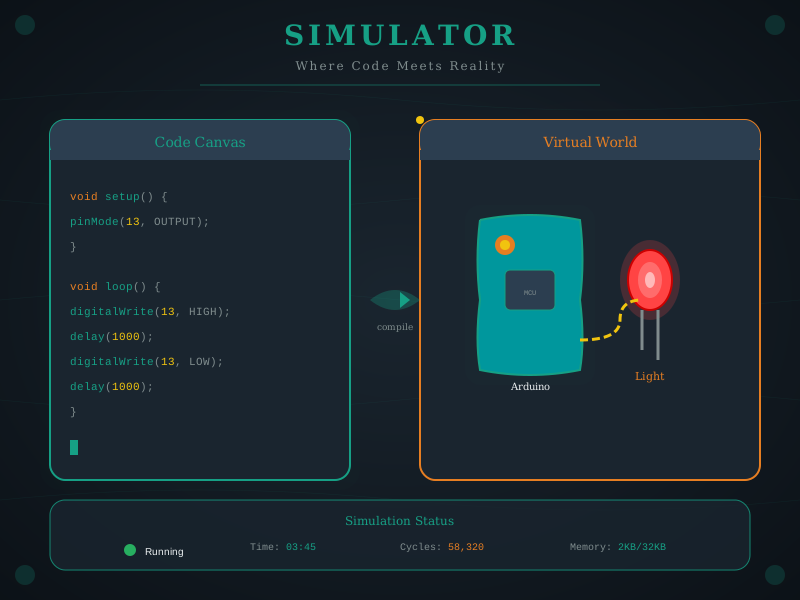
Wokwi provides a comprehensive browser-based simulation environment for ESP32, Arduino, and other microcontrollers with extensive component libraries.
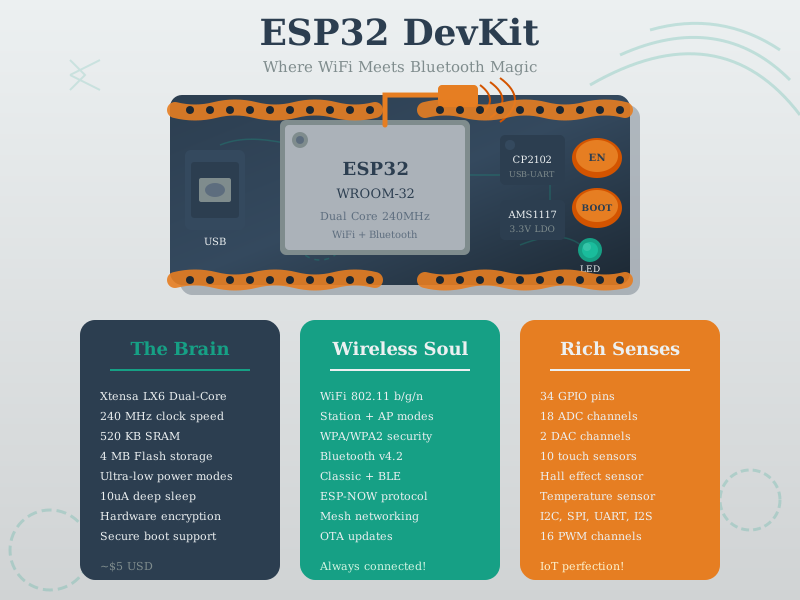
ESP32 development kits provide convenient access to all chip features with integrated USB programming, making them ideal for both simulation and physical prototyping.
1545.9 Summary
- QEMU enables full Raspberry Pi OS emulation for software development and CI/CD integration without physical hardware
- Renode provides deterministic multi-architecture simulation with time-travel debugging for complex embedded systems
- Debugging techniques include breakpoints, variable watching, serial monitors, logic analyzers, and GDB integration
- Testing strategies span unit testing (separated logic), integration testing (full system), and fuzz testing (random inputs)
- Simulation limitations include timing differences, missing peripherals, idealized analog behavior, and absence of physical environmental factors
1545.10 What’s Next
Continue to Simulation-Driven Development to learn about comprehensive development workflows, testing pyramids, hardware-in-the-loop testing, best practices, and CI/CD integration for simulation-based IoT development.