{const container =document.getElementById('kc-coap-5');if (container &&typeof InlineKnowledgeCheck !=='undefined') { container.innerHTML=''; container.appendChild(InlineKnowledgeCheck.create({question:"A developer is implementing a CoAP server for a smart thermostat. The thermostat should allow reading current temperature, updating the target temperature, and resetting to factory defaults. The developer writes: PUT /temperature to read values, POST /target to update settings, and GET /reset to perform factory reset. What's wrong with this design?",options: [ {text:"Nothing is wrong - these are all valid CoAP methods being used correctly",correct:false,feedback:"Incorrect. This design violates REST principles. GET should be used for reading (it's safe and idempotent), PUT for updates (it's idempotent), and POST/DELETE for state-changing operations. The current design inverts the semantics."}, {text:"Should use GET /temperature to read, PUT /target to update, and POST /reset for factory reset",correct:true,feedback:"Correct! GET retrieves data without side effects (reading temperature). PUT updates a known resource idempotently (setting target temperature - calling twice with same value has same effect). POST creates or triggers actions (factory reset is a one-time action that changes state). This follows REST semantics and makes the API predictable for clients."}, {text:"Should use OBSERVE /temperature to read continuously, DELETE /target to update, and PUT /reset for factory reset",correct:false,feedback:"Incorrect. OBSERVE is an extension for subscriptions, not a replacement for GET. DELETE removes resources, not updates them. PUT modifies existing state, but factory reset is better modeled as POST (triggering an action) or DELETE (removing all custom settings)."}, {text:"CoAP methods are interchangeable - only the URI path matters for determining the operation",correct:false,feedback:"Incorrect. CoAP methods have specific semantics inherited from HTTP REST. GET must be safe (no side effects), PUT/DELETE must be idempotent. Servers may refuse unexpected methods, and clients depend on these semantics for caching and retry logic."} ],difficulty:"medium",topic:"coap-rest-methods" })); }}
1225.2 💻 Code Examples
1225.2.1 Python CoAP Server
import asynciofrom aiocoap import*class TemperatureResource(resource.Resource):"""Example resource for temperature readings"""asyncdef render_get(self, request):"""Handle GET requests""" temperature =22.5# Simulated sensor reading payload =f"{temperature}".encode('utf-8')return Message( code=Code.CONTENT, payload=payload, content_format=0# text/plain )asyncdef render_put(self, request):"""Handle PUT requests to update config"""print(f'Received: {request.payload}')return Message(code=Code.CHANGED)asyncdef main():# Create CoAP server root = resource.Site()# Add temperature resource root.add_resource( ['temperature'], TemperatureResource() )# Start serverawait Context.create_server_context(root)print("CoAP server started on port 5683")await asyncio.get_running_loop().create_future()if__name__=="__main__": asyncio.run(main())
Install: pip install aiocoap
1225.2.2 Python CoAP Client
import asynciofrom aiocoap import*asyncdef get_temperature():"""Fetch temperature from CoAP server"""# Create CoAP client protocol protocol =await Context.create_client_context()# Build GET request request = Message( code=Code.GET, uri='coap://localhost/temperature' )try:# Send request response =await protocol.request(request).responseprint(f'Response Code: {response.code}')print(f'Temperature: {response.payload.decode("utf-8")}°C')exceptExceptionas e:print(f'Failed to fetch: {e}')asyncdef update_config():"""Send PUT request to update configuration""" protocol =await Context.create_client_context() request = Message( code=Code.PUT, uri='coap://localhost/config', payload=b'{"interval": 30}' ) response =await protocol.request(request).responseprint(f'Update result: {response.code}')# Run clientasyncio.run(get_temperature())
{python} f”{int((1 - calculate_coap_size(len(uri_topic), 50)/calculate_http_size(len(uri_topic), 50))*100)}%” {/python} vs HTTP
Recommendation: For sensors sending small readings frequently, CoAP’s low overhead translates to: - 📉 Reduced network congestion - 🔋 Longer battery life (less radio time) - ⚡ Lower latency (smaller packets = faster transmission)
1225.5 🔋 CON vs NON: Battery Life Calculator
Visualize how message type affects battery life:
WarningCritical Battery Life Insights
NON vs CON Performance:
Tip🎮 Interactive Simulator: CoAP-Style UDP Communication
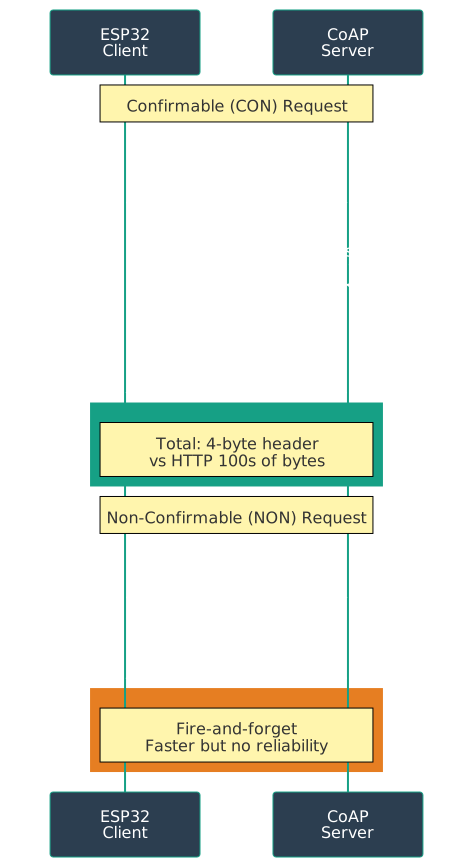
What This Simulates: ESP32 demonstrating CoAP’s lightweight UDP request/response pattern
CoAP Communication Pattern:
Mermaid diagram
Figure 1225.1: CoAP request/response communication pattern showing lightweight UDP exchange between ESP32 client and server with minimal 4-byte header overhead.
How to Use: 1. Click ▶️ Start Simulation 2. Watch Serial Monitor show UDP request/response cycle 3. Observe message types (CON, NON, ACK) 4. See CoAP-style resource addressing 5. Monitor round-trip times (RTT)
Note💡 Learning Points
What You’ll Observe:
UDP Transport - Connectionless, lightweight communication
4-Byte Headers - Minimal overhead compared to HTTP
Request/Response - RESTful pattern like HTTP GET
Message IDs - Tracking requests and responses
No Handshake - Direct communication without TCP overhead
CoAP Message Structure (Simplified):
 0                   1                   2                   3
 0 1 2 3 4 5 6 7 8 9 0 1 2 3 4 5 6 7 8 9 0 1 2 3 4 5 6 7 8 9 0 1
+-+-+-+-+-+-+-+-+-+-+-+-+-+-+-+-+-+-+-+-+-+-+-+-+-+-+-+-+-+-+-+-+
|Ver| T |  TKL  |      Code     |          Message ID           |
+-+-+-+-+-+-+-+-+-+-+-+-+-+-+-+-+-+-+-+-+-+-+-+-+-+-+-+-+-+-+-+-+

Ver = Version (2 bits)
T   = Type (CON, NON, ACK, RST)
TKL = Token Length
Code = Method (GET) or Response (2.05 Content)
Real-World Applications:
Smart Home - Light bulbs responding to GET/PUT requests
Industrial IoT - Sensors publishing data via RESTful interface
Building Automation - HVAC systems with RESTful control
Energy Management - Smart meters with resource discovery
Wearables - Health sensors with minimal power consumption
Experiments to Try:
Change Request Frequency - Modify delay() to see network load
Add More Resources - Simulate /humidity, /pressure endpoints
Calculate Overhead - Compare 4-byte CoAP vs HTTP headers
Test Reliability - Implement CON (confirmable) message handling
CoAP vs HTTP Power Consumption:
HTTP Request:  ~500 bytes (headers + TCP)
CoAP Request:  ~20 bytes (4-byte header + minimal payload)
Power Savings: ~96% less data transmitted
1225.6 Multicast Support
CoAP supports multicast for group communication:
1225.6.1 IPv4 Multicast
224.0.1.187
1225.6.2 IPv6 Multicast
FF0X::FD
Use cases: - Discover devices on network - Broadcast commands to group - Query multiple sensors simultaneously
Example:
coap://[FF05::FD]/temperature
Sends GET request to all devices in multicast group.
Show code
{const container =document.getElementById('kc-coap-6');if (container &&typeof InlineKnowledgeCheck !=='undefined') { container.innerHTML=''; container.appendChild(InlineKnowledgeCheck.create({question:"A building management system needs to display real-time temperature from 50 CoAP-enabled room sensors on a central dashboard. Currently, the dashboard polls each sensor every 5 seconds (GET /temperature). The building manager complains about network congestion and sensor battery drain. What CoAP feature would best solve this problem?",options: [ {text:"Switch from CON to NON messages to reduce acknowledgment traffic",correct:false,feedback:"Incorrect. While NON messages would reduce some overhead, the fundamental problem is polling. With 50 sensors polled every 5 seconds, that's 600 requests/minute regardless of whether values changed. NON doesn't eliminate unnecessary traffic when temperatures are stable."}, {text:"Use CoAP Observe extension - register once, receive push notifications only when values change",correct:true,feedback:"Correct! CoAP Observe (RFC 7641) lets clients register interest in resources (GET with Observe option). The server then pushes updates only when values change or at configured intervals. For 50 stable room temperatures, this could reduce traffic from 600 messages/minute to near zero during stable periods, dramatically reducing both network load and battery consumption."}, {text:"Use multicast to query all 50 sensors with a single request",correct:false,feedback:"Partially correct thinking. Multicast would reduce request count from 50 to 1, but you'd still have 50 responses every 5 seconds. The fundamental issue is polling when values haven't changed. Multicast is better for discovery than continuous monitoring."}, {text:"Increase polling interval to 60 seconds to reduce traffic",correct:false,feedback:"Incorrect. This trades responsiveness for efficiency - you might miss important temperature changes for up to 60 seconds. The Observe pattern provides the best of both worlds: immediate updates when values change, no traffic when stable."} ],difficulty:"medium",topic:"coap-observe" })); }}
1225.7 CoAP Features
NoteKey Features
Reduced Overhead: 4-byte header vs 100+ bytes in HTTP
URI Support: Resource addressing like HTTP
Content-Type: Supports JSON, XML, CBOR, etc.
Resource Discovery: Automatic service discovery (/.well-known/core)
Observe Pattern: Subscribe to resources, receive push notifications
What This Simulates: ESP32 CoAP server with automatic resource discovery via /.well-known/core
Resource Discovery Flow:
Step 1: Client queries server
   GET coap://device/.well-known/core

Step 2: Server responds with resource list
   </temperature>;rt="sensor";if="core.s",
   </humidity>;rt="sensor";if="core.s",
   </led>;rt="actuator";if="core.a"

Step 3: Client accesses specific resource
   GET coap://device/temperature
   Response: "23.5"
How to Use: 1. Click ▶️ Start Simulation 2. Watch ESP32 advertise available resources 3. See resource metadata (resource type, interface) 4. Observe clients discovering services automatically 5. Monitor GET requests to discovered resources
Note💡 Learning Points
What You’ll Observe:
Automatic Discovery - Devices announce capabilities without manual configuration
Standard Endpoint - /.well-known/core is CoAP convention (RFC 6690)
Resource Attributes - Metadata describes resource type and interface
Self-Describing - Servers advertise what they offer
Plug-and-Play - New devices integrate without central registry
Resource Link Format:
</path>;attribute1=value1;attribute2=value2

Common Attributes:
rt = Resource Type (e.g., "temperature-sensor")
if = Interface Description (e.g., "sensor", "actuator")
ct = Content Type (0=text/plain, 50=application/json)
sz = Maximum Size
obs = Observable (supports observe pattern)
Example Resource Advertisement:
Graph diagram
Figure 1225.2: CoAP resource link format showing the structure of a resource advertisement with path, resource type, interface description, observability, and content type attributes.
Real-World Applications:
Smart Building - HVAC units discover sensors automatically
Add New Resources - Implement /pressure, /battery endpoints
Resource Attributes - Add obs for observable resources
Content Types - Support JSON (ct=50) and XML (ct=41)
Filtering - Query specific resource types: ?rt=sensor
Observe Pattern - Implement push notifications when resource changes
Discovery vs Hardcoding:
Without Discovery (Hardcoded):
- Client: GET coap://192.168.1.100/temp  ❌ Must know IP & path
- Brittle: Breaks if device IP changes

With Discovery:
- Client: Multicast GET /.well-known/core  ✅ Finds all devices
- Response: Server at 192.168.1.100 offers /temp
- Robust: Adapts to network changes
CoAP Resource Discovery Benefits: - Zero configuration networking - Dynamic topology adaptation - Service versioning support - Reduces integration time by ~80%
Show code
{const container =document.getElementById('kc-coap-9');if (container &&typeof InlineKnowledgeCheck !=='undefined') { container.innerHTML=''; container.appendChild(InlineKnowledgeCheck.create({question:"A facility manager is deploying a new CoAP-based building automation system. There are 200 sensors from 3 different manufacturers. The installer wants to avoid manually configuring each sensor's IP address into the central management system. Which CoAP feature enables automatic sensor onboarding?",options: [ {text:"CoAP Observe - sensors automatically register with the management system",correct:false,feedback:"Incorrect. Observe enables push notifications for resource changes, but it requires the client to already know the server's address. Observe doesn't help with initial discovery of unknown devices on the network."}, {text:"CoAP resource discovery via /.well-known/core - multicast query finds all sensors and their capabilities",correct:true,feedback:"Correct! The management system can send a multicast GET to coap://[FF02::FD]/.well-known/core, and all 200 sensors will respond with their available resources. The response includes resource paths, types (rt=), and interfaces (if=). This enables zero-configuration onboarding regardless of manufacturer, as long as they follow the CoRE Link Format standard."}, {text:"DTLS authentication - sensors authenticate themselves to the management system",correct:false,feedback:"Incorrect. DTLS provides security (encryption and authentication) but doesn't help with device discovery. You need to know a device exists before you can authenticate with it."}, {text:"Block-wise transfer - sensors send their configuration in blocks during setup",correct:false,feedback:"Incorrect. Block-wise transfer is for handling large payloads, not device discovery. It's used after you've already established communication with a known device."} ],difficulty:"easy",topic:"coap-resource-discovery" })); }}
1225.8 Protocol Comparison
1225.8.1 CoAP vs HTTP: Concrete Performance Numbers
Feature
CoAP
HTTP
CoAP Advantage
Transport
UDP
TCP
No handshake overhead
Header Size
4 bytes
100-200 bytes
96% reduction
Total Request Size
14-28 bytes
150-500 bytes
85-95% smaller
Connection Setup
None (UDP)
3-way handshake
Saves 150ms + 120 bytes
Methods
GET, POST, PUT, DELETE
Same + more
Focused on IoT needs
Discovery
Built-in (/.well-known/core)
No standard
Zero-config networking
Multicast
Yes (FF0X::FD)
No
One-to-many efficiency
Observe
Yes (push notifications)
Server-Sent Events
99% less polling traffic
Security
DTLS
TLS
UDP-optimized
Power per Message
3-5 mJ
30-50 mJ
10x more efficient
Battery Life Impact
2-5 years
2-6 months
10x longer life
Real Numbers Example - Temperature Reading:
Scenario: Send “22.5C” (5 bytes payload) from sensor to server
{const container =document.getElementById('kc-coap-10');if (container &&typeof InlineKnowledgeCheck !=='undefined') { container.innerHTML=''; container.appendChild(InlineKnowledgeCheck.create({question:"An IoT architect is designing a smart parking system. Parking sensors detect car presence and need to update a central server. The system has these requirements: (1) Sensors are battery-powered with 5-year target life, (2) Updates are infrequent (only when state changes: car arrives/leaves), (3) No broker infrastructure exists, (4) Each sensor needs a unique addressable endpoint for maintenance. Which protocol best fits these requirements?",options: [ {text:"MQTT with QoS 1 - reliable delivery and efficient for infrequent updates",correct:false,feedback:"Incorrect. MQTT requires a broker infrastructure (violates requirement 3), and maintaining persistent TCP connections to the broker would drain batteries faster than UDP-based alternatives. MQTT is better when broker infrastructure exists and one-to-many communication is needed."}, {text:"HTTP REST API - familiar to developers and provides addressable endpoints",correct:false,feedback:"Incorrect. HTTP's TCP overhead (connection setup, verbose headers) would significantly impact battery life. For infrequent updates, each message requires a full TCP handshake, consuming 10-15x more energy than UDP-based protocols."}, {text:"CoAP - UDP efficiency for battery life, RESTful addressing for maintenance endpoints, no broker required",correct:true,feedback:"Correct! CoAP perfectly matches all requirements: (1) UDP transport with minimal headers extends battery life to 5+ years, (2) Efficient for infrequent state-change events using NON or CON messages, (3) Direct device-to-server communication without broker, (4) RESTful URI addressing (coap://sensor42/status) enables individual sensor access for maintenance. CoAP's Observe extension could even push updates to the server."}, {text:"WebSocket - bidirectional communication for real-time updates",correct:false,feedback:"Incorrect. WebSocket requires persistent TCP connections, which continuously drain battery even when no data is being sent. For sensors that only update on state changes (a few times per day), WebSocket's always-on connection is extremely wasteful."} ],difficulty:"hard",topic:"coap-protocol-selection" })); }}
Knowledge Check: Protocol SelectionTest Your Understanding
1225.9 Knowledge Check
Test your understanding of IoT protocol selection criteria.
Question 1: A smart agriculture system needs to collect soil moisture readings from 100 battery-powered sensors every 5 minutes and send them to a central monitoring dashboard. Which protocol is most appropriate?
Explanation:MQTT is the best choice. Reasons: 1) Publish-subscribe pattern - all 100 sensors publish to topics, dashboard subscribes once (not 100 direct connections), 2) QoS levels for reliability control, 3) Broker handles routing reducing sensor complexity, 4) Persistent connections more efficient than HTTP request/response, 5) Battery-friendly with keep-alive, 6) One-to-many pattern ideal for this scenario. CoAP would require each sensor to respond to polling requests or implement observe (more complex). HTTP has too much overhead for battery devices.
Question 2: Why does CoAP use UDP instead of TCP?
Explanation:UDP is used because: 1) Lower overhead - no connection setup/teardown handshake (saves ~100 bytes), 2) Lower latency - no connection establishment delay, 3) Simpler for constrained devices - less memory/processing, 4) Better for multicast - UDP supports multicast, TCP doesn’t. Challenges created: 1) No reliability - must implement retransmission (CON messages), 2) No flow control - can overwhelm slow receivers, 3) Packet loss handling required, 4) Security - DTLS (for UDP) more complex than TLS (for TCP). CoAP adds optional reliability at application layer via message types (CON/NON/ACK).
Question 3: What is the main advantage of CoAP’s 4-byte header compared to HTTP’s 100+ byte headers?
Explanation:Critical for constrained networks: 1) Low-bandwidth links - 6LoWPAN has ~20-250 kbps, every byte matters, 2) Battery savings - radio transmission is power-expensive, smaller packets = longer battery life, 3) Network efficiency - can fit more messages in same bandwidth, 4) Lower latency - less time to transmit, 5) Cost savings - cellular IoT charges per byte. Example: Sending 1000 sensor readings/day: CoAP = 4KB headers, HTTP = 100KB headers (96KB saved = $$ and battery life). For powerful devices with broadband, HTTP’s 100-byte overhead is negligible.
Question 4: When would you choose HTTP over CoAP for an IoT device?
Explanation:Choose HTTP when: 1) Web browser access required - users need to access device UI directly, 2) Existing infrastructure - company already has HTTP APIs, load balancers, authentication, 3) Powerful devices - Raspberry Pi, industrial gateway (not battery/MCU constrained), 4) Complex authentication - OAuth2, JWT tokens (easier with HTTP), 5) Cloud services - Most cloud APIs are HTTP REST, 6) Developer familiarity - team knows HTTP well. Example: Smart thermostat with web UI for configuration = HTTP. Tiny battery sensor node = CoAP.
1225.10 What’s Next
Now that you understand CoAP methods, multicast, and key features, the next chapter explores CoAP Security and Applications where you’ll learn about:
Security with DTLS encryption
Real-world applications (smart energy, building automation, industrial IoT)