%%{init: {'theme': 'base', 'themeVariables': { 'primaryColor': '#2C3E50', 'primaryTextColor': '#fff', 'primaryBorderColor': '#16A085', 'lineColor': '#16A085', 'secondaryColor': '#E67E22', 'tertiaryColor': '#ecf0f1', 'noteTextColor': '#2C3E50', 'noteBkgColor': '#fff9e6', 'textColor': '#2C3E50', 'fontSize': '14px'}}}%%
graph TB
    subgraph MQTT["MQTT (Publish-Subscribe)"]
        Sensor1["🌡️ Temp Sensor"] -->|Publish| Broker["📬 MQTT Broker"]
        Sensor2["💧 Humidity Sensor"] -->|Publish| Broker
        Broker -->|Subscribe| Dashboard["📊 Dashboard"]
        Broker -->|Subscribe| Analytics["🔬 Analytics"]
        Broker -->|Subscribe| Alerts["🔔 Alert System"]
    end

    subgraph CoAP["CoAP (Request-Response)"]
        App["📱 Mobile App"] -->|GET /temp| Device["🌡️ IoT Device"]
        Device -->|2.05 Content: 22°C| App
    end

    style MQTT fill:#E67E22,stroke:#D35400,color:#fff
    style CoAP fill:#16A085,stroke:#16A085,color:#fff
1169 IoT Application Protocols: Introduction and Why Lightweight Protocols Matter
1169.1 Learning Objectives
By the end of this chapter, you will be able to:
- Understand Application Layer Protocols: Explain the role of application protocols in IoT
- Compare Traditional vs IoT Protocols: Differentiate between HTTP/XMPP and lightweight IoT protocols
- Identify Protocol Challenges: Recognize common pitfalls with HTTP, WebSockets, and REST in IoT
- Understand Protocol Tradeoffs: Evaluate broker-based vs direct communication patterns
- Choose Lightweight Protocols: Explain why CoAP and MQTT are better suited for constrained devices
1169.2 Prerequisites
Before diving into this chapter, you should be familiar with:
- Networking Fundamentals: Understanding TCP/IP, UDP, and basic network communication is essential for grasping application protocol design choices
- Layered Network Models: Knowledge of the OSI and TCP/IP models helps you understand where application protocols fit in the network stack
- Transport Fundamentals: Familiarity with TCP vs UDP trade-offs is necessary for understanding why IoT protocols choose different transport layers
1169.3 How This Chapter Builds on IoT Protocol Fundamentals
If you have studied IoT Protocols: Fundamentals, you have seen where MQTT and CoAP sit in the overall stack. This chapter zooms in on the application layer, comparing the communication patterns and trade‑offs between HTTP, MQTT, CoAP, and related protocols.
For a smooth progression: - Start with Networking Fundamentals → Layered Models Fundamentals - Then read IoT Protocols: Fundamentals for the full stack picture - Use this introduction as the foundation for the rest of the application protocols series
This Chapter Series: 1. Introduction and Why Lightweight Protocols Matter (this chapter) 2. Protocol Overview and Comparison 3. REST API Design for IoT 4. Real-time Protocols 5. Worked Examples
1169.4 🌱 Getting Started (For Beginners)
TipWhat are Application Protocols? (Simple Explanation)
Analogy: Application protocols are like different languages for IoT devices to chat. Just like humans have formal letters, casual texts, and quick phone calls for different situations, IoT devices have different protocols for different needs.
The main characters: - 📧 HTTP = Formal business letter (complete but heavy) - 💬 MQTT = Group chat with a message board (efficient for many devices) - 📱 CoAP = Quick text messages (lightweight, fast) - 📹 RTP/SIP = Video call (real-time audio/video for doorbells, intercoms)
1169.4.1 The Two Main IoT Protocols
NoteAlternative View: Timeline Comparison
%%{init: {'theme': 'base', 'themeVariables': { 'primaryColor': '#2C3E50', 'primaryTextColor': '#fff', 'primaryBorderColor': '#16A085', 'lineColor': '#16A085', 'secondaryColor': '#E67E22', 'tertiaryColor': '#ecf0f1', 'noteTextColor': '#2C3E50', 'noteBkgColor': '#fff9e6', 'textColor': '#2C3E50', 'fontSize': '14px'}}}%%
sequenceDiagram
    participant S as Sensor
    participant B as MQTT Broker
    participant D as Dashboard
    participant A as Mobile App
    participant T as Thermostat

    rect rgb(230, 126, 34)
    Note over S,D: MQTT: One Publish, Many Receive
    S->>B: CONNECT (once)
    D->>B: SUBSCRIBE temp/#
    S->>B: PUBLISH temp/room1: 22C
    B->>D: temp/room1: 22C
    Note over S,B: Connection stays open
    end

    rect rgb(22, 160, 133)
    Note over A,T: CoAP: Direct Request-Response
    A->>T: GET /temperature
    T->>A: 2.05 Content: 22C
    Note over A,T: No persistent connection
    A->>T: PUT /setpoint {value: 21}
    T->>A: 2.04 Changed
    end
This sequence diagram shows the temporal flow: MQTT maintains persistent connections with pub-sub messaging, while CoAP uses stateless request-response exchanges.
1169.4.2 When to Use Which?
| Scenario | Best Choice | Why |
|---|---|---|
| 1000 sensors → 1 dashboard | MQTT | Publish/subscribe scales well |
| App checking sensor on-demand | CoAP | Request-response pattern |
| Real-time alerts to many apps | MQTT | One publish, many subscribers |
| Firmware update checking | CoAP | Simple GET request |
| Smart home with many devices | MQTT | Central broker manages all devices |
| Battery sensor, infrequent data | CoAP | Lightweight, no persistent connection |
1169.4.3 The Key Difference: Connection Model
%%{init: {'theme': 'base', 'themeVariables': { 'primaryColor': '#2C3E50', 'primaryTextColor': '#fff', 'primaryBorderColor': '#16A085', 'lineColor': '#16A085', 'secondaryColor': '#E67E22', 'tertiaryColor': '#ecf0f1', 'noteTextColor': '#2C3E50', 'noteBkgColor': '#fff9e6', 'textColor': '#2C3E50', 'fontSize': '14px'}}}%%
graph LR
    subgraph MQTT_Connection["MQTT: Always Connected"]
        MQTTDevice["📱 Device"] <-->|TCP Connection<br/>Always Open| MQTTBroker["📬 Broker"]
    end

    subgraph CoAP_Connection["CoAP: Connectionless"]
        CoAPDevice["📱 Device"] -->|UDP Request<br/>When Needed| CoAPServer["🖥️ Server"]
        CoAPServer -.->|UDP Response<br/>Then Done| CoAPDevice
    end

    style MQTT_Connection fill:#E67E22,stroke:#D35400,color:#fff
    style CoAP_Connection fill:#16A085,stroke:#16A085,color:#fff
1169.4.4 🧪 Quick Self-Check
Before continuing, make sure you understand:
- MQTT vs CoAP: What’s the main pattern difference? → MQTT is publish-subscribe; CoAP is request-response
- What is a broker in MQTT? → A central server that receives and distributes messages
- Why is CoAP better for battery devices? → No persistent connection needed
- When would you choose MQTT? → When many devices need to send to/receive from a central system
1169.5 Why Lightweight Application Protocols?
1169.5.1 The Challenge with Traditional Protocols
Traditional application layer protocols like HTTP and XMPP were designed for powerful computers connected to high-bandwidth networks. While effective for web browsers and desktop applications, they pose significant challenges in IoT environments:
Resource Demands: - Large header overhead (100+ bytes per message) - Complex parsing requirements - High memory footprint - Significant processing power needed - Battery-draining connection management
IoT Environment Constraints: - Limited processing power (8-bit to 32-bit microcontrollers) - Constrained memory (KB not GB) - Low bandwidth networks (often < 250 kbps) - Battery-powered operation (months to years) - Unreliable wireless connections
WarningHTTP for IoT?
While HTTP can technically work on IoT devices, using it is like using a semi-truck to deliver a letter—it gets the job done but wastes enormous resources. IoT networks may have thousands of devices sending small messages frequently, making efficiency critical.
WarningCommon Pitfall: HTTP Polling Battery Drain
The mistake: Using HTTP polling (periodic GET requests) to check for updates from battery-powered IoT devices, assuming it will work “just like a web browser.”
Symptoms:
- Battery life measured in days instead of months or years
- Devices going offline unexpectedly in the field
- High cellular/network data costs for fleet deployments
Why it happens: HTTP polling requires the device to wake up, establish a TCP connection (1.5 RTT), perform TLS handshake (2 RTT), send the request with full headers (100-500 bytes), wait for response, and then close the connection. Even a simple “any updates?” check consumes 3-5 seconds of active radio time and 50-100 mA of current.
The fix: Replace HTTP polling with event-driven protocols:
- MQTT: Maintain persistent connection with low keep-alive overhead (2 bytes every 30-60 seconds)
- CoAP Observe: Subscribe to resource changes with minimal UDP overhead
- Push notifications: Let the server initiate contact when updates exist
Prevention: Calculate polling energy budget before design. A device polling every 10 minutes with HTTP uses 144 connections/day, consuming approximately 20-40 mAh daily. Compare this to MQTT’s 0.5-2 mAh daily for persistent connection with periodic keep-alive. For battery devices, polling intervals longer than 1 hour may be acceptable with HTTP; anything more frequent demands MQTT or CoAP.
WarningCommon Pitfall: TLS Handshake Overhead
The mistake: Establishing a new TLS connection for every HTTP request on constrained devices, treating IoT communication like stateless web requests.
Symptoms:
- Each request takes 500-2000ms even for tiny payloads (2-3 RTT for TLS 1.2)
- Device memory exhausted during certificate validation (8-16KB RAM for TLS stack)
- Battery drain from extended radio active time during handshakes
- Intermittent failures on high-latency cellular connections (timeouts during handshake)
Why it happens: Developers familiar with web backends expect HTTP libraries to “just work.” But each TLS 1.2 handshake requires: ClientHello, ServerHello + Certificate (2-4KB), Certificate verification (CPU-intensive), Key exchange, and Finished messages. On a 100ms RTT cellular link, this adds 400-600ms before any application data.
The fix:
- Connection pooling: Reuse TLS sessions across multiple requests (HTTP/1.1 keep-alive or HTTP/2)
- TLS session resumption: Cache session tickets to skip full handshake (reduces to 1 RTT)
- TLS 1.3: Use 0-RTT resumption for frequently-connecting devices
- Protocol alternatives: Consider DTLS with CoAP (lighter handshake) or MQTT with persistent connections
Prevention: For IoT gateways aggregating data, configure HTTP clients with keep-alive enabled and long timeouts (10-60 minutes). For constrained MCUs, prefer CoAP over UDP (no handshake) or MQTT over TCP with single persistent connection. If HTTPS is mandatory, use TLS session caching and monitor session reuse rates in production.
CautionPitfall: Treating REST APIs as Real-Time Event Streams
The mistake: Using HTTP long-polling or frequent polling to simulate real-time updates for IoT dashboards, believing REST can replace WebSockets or MQTT for live data.
Why it happens: REST is familiar, well-tooled, and works everywhere. Developers try to avoid the complexity of WebSockets or MQTT by polling endpoints every 1-5 seconds, thinking “HTTP is good enough.”
The fix: Use the right tool for real-time requirements:
- HTTP long-polling: Server holds request open until data arrives. Better than polling, but still creates connection overhead per client. Acceptable for <50 concurrent clients
- Server-Sent Events (SSE): Unidirectional server-to-client stream over HTTP. Good for dashboards, but no client-to-server channel
- WebSockets: Bidirectional, full-duplex over single TCP connection. Ideal for browser-based IoT dashboards
- MQTT over WebSockets: Full pub-sub semantics in browsers. Best for complex IoT applications with multiple data streams
Rule of thumb: If update frequency is >1/minute or you have >100 concurrent viewers, avoid polling. Use WebSockets or MQTT.
CautionPitfall: Ignoring HTTP Response Codes for Error Handling
The mistake: Returning HTTP 200 OK for all responses and embedding error information in the response body, making it impossible for clients to handle errors consistently.
Why it happens: Developers focus on the “happy path” and treat HTTP as a transport layer rather than leveraging its rich semantics. Some frameworks default to 200 for all responses.
The fix: Use HTTP status codes correctly for IoT APIs:
- 2xx Success:
200 OK(read),201 Created(new resource),204 No Content(delete) - 4xx Client Error:
400 Bad Request(invalid payload),401 Unauthorized,404 Not Found(device offline),429 Too Many Requests(rate limit) - 5xx Server Error:
500 Internal Error,503 Service Unavailable(maintenance),504 Gateway Timeout(device didn’t respond)
# BAD: Always 200, error in body
return {"status": "error", "message": "Device not found"}, 200

# GOOD: Proper status code
return {"error": "Device not found", "device_id": device_id}, 404
IoT-specific: Use 504 Gateway Timeout when cloud API times out waiting for device response. Use 503 Service Unavailable with Retry-After header during maintenance.
CautionPitfall: WebSocket Connection Storms During Reconnection
The Mistake: All IoT dashboard clients reconnecting simultaneously after a server restart or network blip, creating a “thundering herd” that overwhelms the WebSocket server.
Why It Happens: Developers implement WebSocket reconnection with fixed retry intervals (e.g., “reconnect every 5 seconds”). When the server restarts, all 500 dashboard clients reconnect within the same 5-second window, creating 500 concurrent TLS handshakes and authentication requests.
The Fix: Implement exponential backoff with jitter for WebSocket reconnections:
// BAD: Fixed interval reconnection
setTimeout(reconnect, 5000); // All clients hit server at same time

// GOOD: Exponential backoff with jitter
const baseDelay = 1000;  // Start at 1 second
const maxDelay = 60000;  // Cap at 60 seconds
const jitter = Math.random() * 1000;  // 0-1 second random jitter
const delay = Math.min(baseDelay * Math.pow(2, attemptCount), maxDelay) + jitter;
setTimeout(reconnect, delay);
Additionally, configure WebSocket server limits: max_connections: 1000, connection_rate_limit: 50/second, and implement connection queuing to smooth out reconnection storms.
CautionPitfall: Missing HTTP Keep-Alive Causing Connection Churn
The Mistake: Creating a new TCP connection for every HTTP request from IoT gateways, ignoring HTTP/1.1 keep-alive capability and wasting 150-300ms per request on connection setup.
Why It Happens: Developers use simple HTTP libraries that default to closing connections after each request, or they explicitly set Connection: close headers without understanding the performance impact. This works fine for occasional requests but devastates throughput when gateways send batched sensor data.
The Fix: Configure HTTP clients for persistent connections:
# BAD: New connection per request
for reading in sensor_readings:
    requests.post(url, json=reading)  # Opens and closes connection each time

# GOOD: Connection pooling with keep-alive
session = requests.Session()
adapter = HTTPAdapter(pool_connections=10, pool_maxsize=10)
session.mount('https://', adapter)
for reading in sensor_readings:
    session.post(url, json=reading)  # Reuses existing connection

# Server-side (nginx): Enable keep-alive
keepalive_timeout 60s;
keepalive_requests 1000;  # Allow 1000 requests per connection
For IoT gateways sending 100+ requests/minute, keep-alive reduces total latency by 60-80% and cuts CPU usage from TLS handshakes by 90%.
CautionPitfall: Unbounded Payloads Crashing Constrained Gateways
The mistake: Not implementing payload size limits on REST endpoints, allowing malicious or buggy clients to send massive JSON payloads that exhaust gateway memory.
Why it happens: Cloud servers have gigabytes of RAM, so developers don’t think about payload size. But IoT gateways often have 256MB-1GB RAM, and a single 100MB JSON payload can crash the gateway, taking down all connected devices.
The fix: Implement strict size limits at multiple layers:
# 1. Web server level (nginx)
client_max_body_size 1m;  # Reject >1MB at network edge

# 2. Application level (Flask example)
app.config['MAX_CONTENT_LENGTH'] = 1 * 1024 * 1024  # 1MB

# 3. Streaming validation for large transfers
@app.route('/api/firmware', methods=['POST'])
def upload_firmware():
    content_length = request.content_length
    if content_length > 10 * 1024 * 1024:  # 10MB firmware limit
        abort(413, "Payload too large")

    # Stream to disk, don't buffer in memory
    with open(temp_path, 'wb') as f:
        for chunk in request.stream:
            f.write(chunk)
Also protect against “zip bombs” - compressed payloads that expand to gigabytes. Decompress with size limits.
CautionPitfall: WebSocket Heartbeat Interval Mismatch Causing Silent Disconnections
The Mistake: Setting WebSocket ping/pong intervals that don’t account for intermediate proxies and load balancers, causing connections to silently drop when idle for 30-60 seconds without either endpoint detecting the failure.
Why It Happens: Developers configure WebSocket heartbeats at the application level (e.g., 60-second intervals) without realizing that nginx, AWS ALB, or corporate proxies typically have 60-second idle timeouts. When the heartbeat coincides with the proxy timeout, race conditions cause intermittent disconnections that are difficult to diagnose.
The Fix: Configure heartbeats at 50% of the shortest timeout in the connection path:
// Identify your timeout chain:
// AWS ALB: 60s idle timeout (configurable)
// nginx: 60s proxy_read_timeout (default)
// Browser: No timeout (but tabs can be suspended)
// Your safest interval: Math.min(60, 60) * 0.5 = 30 seconds

const HEARTBEAT_INTERVAL = 25000;  // 25 seconds (safe margin below 30s)
const HEARTBEAT_TIMEOUT = 10000;   // 10 seconds to receive pong

let heartbeatTimer = null;
let pongReceived = false;

function startHeartbeat(ws) {
    heartbeatTimer = setInterval(() => {
        if (!pongReceived && ws.readyState === WebSocket.OPEN) {
            console.warn('Missed pong - connection may be dead');
            ws.close(4000, 'Heartbeat timeout');
            return;
        }
        pongReceived = false;
        ws.send(JSON.stringify({ type: 'ping', ts: Date.now() }));
    }, HEARTBEAT_INTERVAL);
}

ws.onmessage = (event) => {
    const msg = JSON.parse(event.data);
    if (msg.type === 'pong') {
        pongReceived = true;
        const latency = Date.now() - msg.ts;
        if (latency > 5000) console.warn(`High latency: ${latency}ms`);
    }
};
Also configure server-side timeouts to match: nginx proxy_read_timeout 120s; and ALB idle timeout to 120 seconds, giving your 25-second heartbeats ample margin.
CautionPitfall: HTTP Chunked Encoding Breaking IoT Gateway Buffering
The Mistake: Using HTTP chunked transfer encoding for streaming sensor data uploads without implementing proper chunk buffering, causing memory exhaustion or truncated uploads when chunk boundaries don’t align with sensor reading boundaries.
Why It Happens: Developers enable chunked encoding to avoid calculating Content-Length upfront when batch size is unknown. However, IoT gateways with limited RAM (64-256MB) can’t buffer unlimited chunks, and some backend frameworks reassemble all chunks before processing, negating the streaming benefit.
The Fix: Use bounded chunking with explicit size limits and checkpoint acknowledgments:
# Gateway-side: Bounded chunk streaming
import requests

def upload_sensor_batch(readings, max_chunk_size=64*1024):  # 64KB chunks
    def chunk_generator():
        buffer = []
        buffer_size = 0

        for reading in readings:
            json_reading = json.dumps(reading) + '\n'  # NDJSON format
            reading_size = len(json_reading.encode('utf-8'))

            if buffer_size + reading_size > max_chunk_size:
                yield ''.join(buffer).encode('utf-8')
                buffer = []
                buffer_size = 0

            buffer.append(json_reading)
            buffer_size += reading_size

        if buffer:  # Flush remaining
            yield ''.join(buffer).encode('utf-8')

    response = requests.post(
        'https://api.example.com/ingest',
        data=chunk_generator(),
        headers={
            'Content-Type': 'application/x-ndjson',
            'Transfer-Encoding': 'chunked',
            'X-Max-Chunk-Size': '65536'  # Inform server of chunk size
        },
        timeout=300  # 5 min for large batches
    )
    return response

# Server-side: Stream processing without full buffering
@app.route('/ingest', methods=['POST'])
def ingest_stream():
    count = 0
    for line in request.stream:
        if line.strip():
            reading = json.loads(line)
            process_reading(reading)  # Process immediately
            count += 1
            if count % 1000 == 0:
                db.session.commit()  # Periodic checkpoint
    return {'processed': count}, 200
For unreliable networks, implement resumable uploads with byte-range checkpoints: track X-Last-Processed-Offset header and resume from last acknowledged position on reconnection.
WarningTradeoff: Broker-Based (MQTT) vs Direct Communication (CoAP/HTTP)
Option A: Use a broker-based architecture where all messages flow through a central MQTT broker Option B: Use direct device-to-device or device-to-server communication with CoAP or HTTP
Decision Factors:
| Factor | Broker-Based (MQTT) | Direct (CoAP/HTTP) |
|---|---|---|
| Coupling | Loose (devices don’t know each other) | Tight (must know endpoint addresses) |
| Discovery | Topic-based (subscribe to patterns) | Requires discovery protocol |
| Fan-out | Built-in (1 publish to N subscribers) | Must implement multi-cast or repeat |
| Single point of failure | Broker is critical | Distributed, no central point |
| Latency | +1 hop through broker | Direct path, minimal latency |
| Offline handling | Broker stores messages | Client must retry |
| Scalability | Scales horizontally with broker cluster | Scales naturally (peer-to-peer) |
| Infrastructure | Requires broker deployment/management | Simpler deployment |
Choose Broker-Based (MQTT) when:
- Multiple consumers need the same data (dashboards, logging, analytics)
- Devices should not know about each other (decoupled architecture)
- Message persistence is needed for offline devices
- Topic-based routing simplifies message organization
- Enterprise-scale deployments with centralized management
Choose Direct Communication (CoAP/HTTP) when:
- Latency-critical control loops require minimal hops
- Simple point-to-point communication between known endpoints
- Broker infrastructure is impractical (resource-constrained networks, isolated sites)
- RESTful semantics and HTTP-style resources are natural fit
- Avoiding single points of failure is priority
Default recommendation: Broker-based (MQTT) for telemetry collection and event distribution; direct communication (CoAP) for device control and local sensor networks
1169.5.2 The Solution: Lightweight IoT Protocols
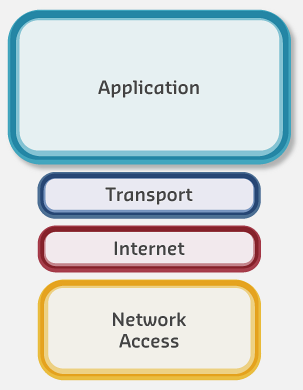
The IoT industry developed specialized application protocols optimized for constrained environments. The two most widely adopted are:
- CoAP (Constrained Application Protocol) - RESTful UDP-based protocol
- MQTT (Message Queue Telemetry Transport) - Publish-Subscribe TCP-based protocol
1169.5.3 Interactive Protocol Comparison Matrix
Use this small tool to explore which protocol is usually a good fit for different IoT scenarios. The recommendations below are guidelines, not hard rules—you should always cross‑check with the detailed sections in subsequent chapters.
TipHands-On: Explore More Scenarios
- Adjust the scenario above to see how protocol recommendations change for different IoT problems.
- You can also launch this matrix from the Simulation Playground under Application Protocols, alongside other calculators and explorers.
1169.6 Summary
In this chapter, we explored why traditional application protocols like HTTP and XMPP are often unsuitable for IoT environments due to high overhead, complex connection management, and battery-draining behavior. We examined common pitfalls including HTTP polling battery drain, TLS handshake overhead, WebSocket connection storms, and improper use of REST APIs for real-time event streams.
Key takeaways: - IoT constraints demand lightweight protocols: Constrained devices with limited CPU, RAM, and battery life cannot afford the overhead of traditional web protocols - Common HTTP pitfalls devastate IoT deployments: Polling, repeated TLS handshakes, missing keep-alive, and unbounded payloads cause battery drain, latency, and system crashes - Broker vs direct communication is a fundamental architectural choice: MQTT’s broker-based pub-sub excels for fan-out and decoupling; CoAP’s direct request-response minimizes latency - Protocol selection is context-dependent: Battery-powered sensors need CoAP; multi-consumer telemetry systems need MQTT; gateways can use HTTP with proper optimization
1169.7 What’s Next?
Now that you understand why lightweight protocols matter and the pitfalls of using traditional protocols in IoT, continue with:
- Protocol Overview and Comparison: Deep dive into CoAP, MQTT, and HTTP/2-3 technical details and comparison matrices
- REST API Design for IoT: Learn best practices for designing RESTful IoT APIs with proper versioning, rate limiting, and error handling
- Real-time Protocols: Understand VoIP, SIP, and RTP for audio/video IoT applications
- Worked Examples: Apply protocol selection principles to real-world agricultural sensor networks
For protocol-specific deep dives, see: - MQTT Fundamentals - CoAP Fundamentals and Architecture