713 RPL Summary and Interactive Tools
713.1 Common Pitfalls
WarningCommon Pitfalls
1. Choosing the Wrong RPL Mode (Storing vs Non-Storing)
- Mistake: Using Storing mode on severely memory-constrained nodes (e.g., 2KB RAM sensors), causing routing table overflow and network instability when nodes cannot store routes to all descendants
- Why it happens: Storing mode provides more efficient point-to-point routing, so developers default to it without calculating memory requirements. Each routing entry requires ~20-40 bytes; a node with 50 descendants needs 1-2KB just for routing tables
- Solution: Calculate your network’s memory budget before choosing modes. Use Non-Storing mode when: (1) nodes have <8KB RAM, (2) network depth exceeds 4-5 hops, or (3) point-to-point traffic is rare. In Non-Storing mode, all downward routes go through the root, which must have sufficient memory but leaf nodes stay lightweight. For hybrid needs, consider using Storing mode only for nodes with adequate memory
2. Aggressive Trickle Timer Settings Causing Network Storms
- Mistake: Setting Trickle timer Imin too low (e.g., 100ms) or Imax too small (e.g., 4 doublings) in dense networks, causing constant DIO flooding that overwhelms the radio channel and drains batteries
- Why it happens: Developers test with small networks (3-5 nodes) where aggressive timers converge quickly. In production deployments with 50+ nodes, the same settings cause every node to transmit DIOs simultaneously during network events
- Solution: Start with conservative Trickle settings: Imin = 2-4 seconds, Imax = 16-20 doublings (giving maximum intervals of hours). For stable networks, RPL naturally reduces DIO frequency through Trickle’s exponential backoff. Only decrease timers if convergence time is unacceptable for your application. Monitor DIO message rates - if you see >1 DIO/minute/node in steady state, your Trickle parameters are too aggressive
3. Single DODAG Root Without Redundancy
- Mistake: Deploying production RPL networks with only one border router as the DODAG root, creating a single point of failure where root failure disconnects the entire network from the Internet
- Why it happens: RPL documentation focuses on single-root DODAGs for simplicity. Adding multiple roots requires understanding RPL instances, DODAG IDs, and root coordination, which adds deployment complexity
- Solution: For production deployments, configure multiple border routers with the same DODAG ID but different root preferences. Use RPL’s multiple DODAG instance feature to provide backup paths. Alternatively, deploy redundant roots with different DODAG IDs and configure important nodes to join both. Monitor root health and implement automatic failover scripts that promote a secondary root if the primary becomes unreachable
713.2 Summary
- Distance-Vector Protocol: RPL is designed specifically for Low-Power and Lossy Networks (LLNs), using parent pointers and RANK values rather than complex link-state databases
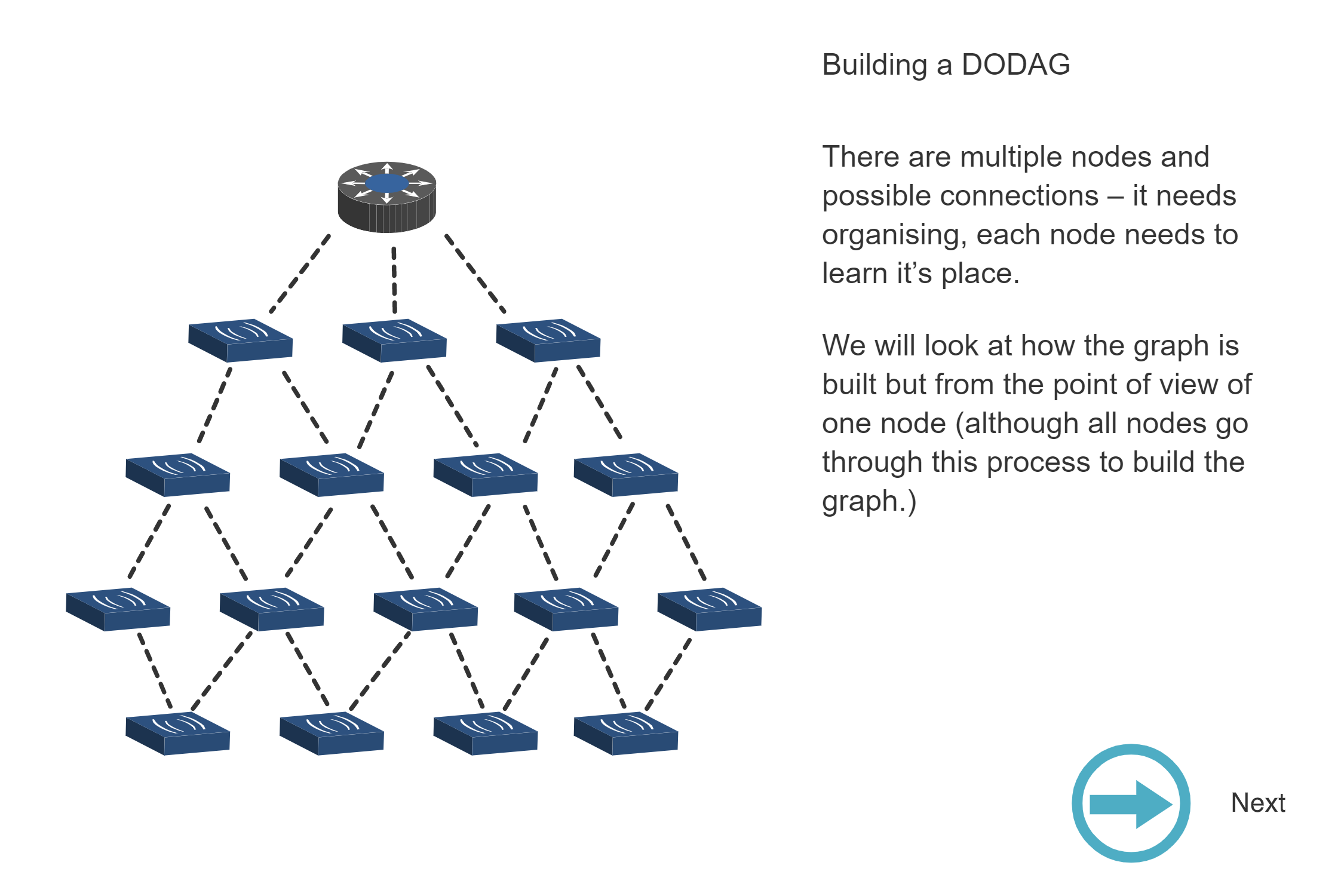
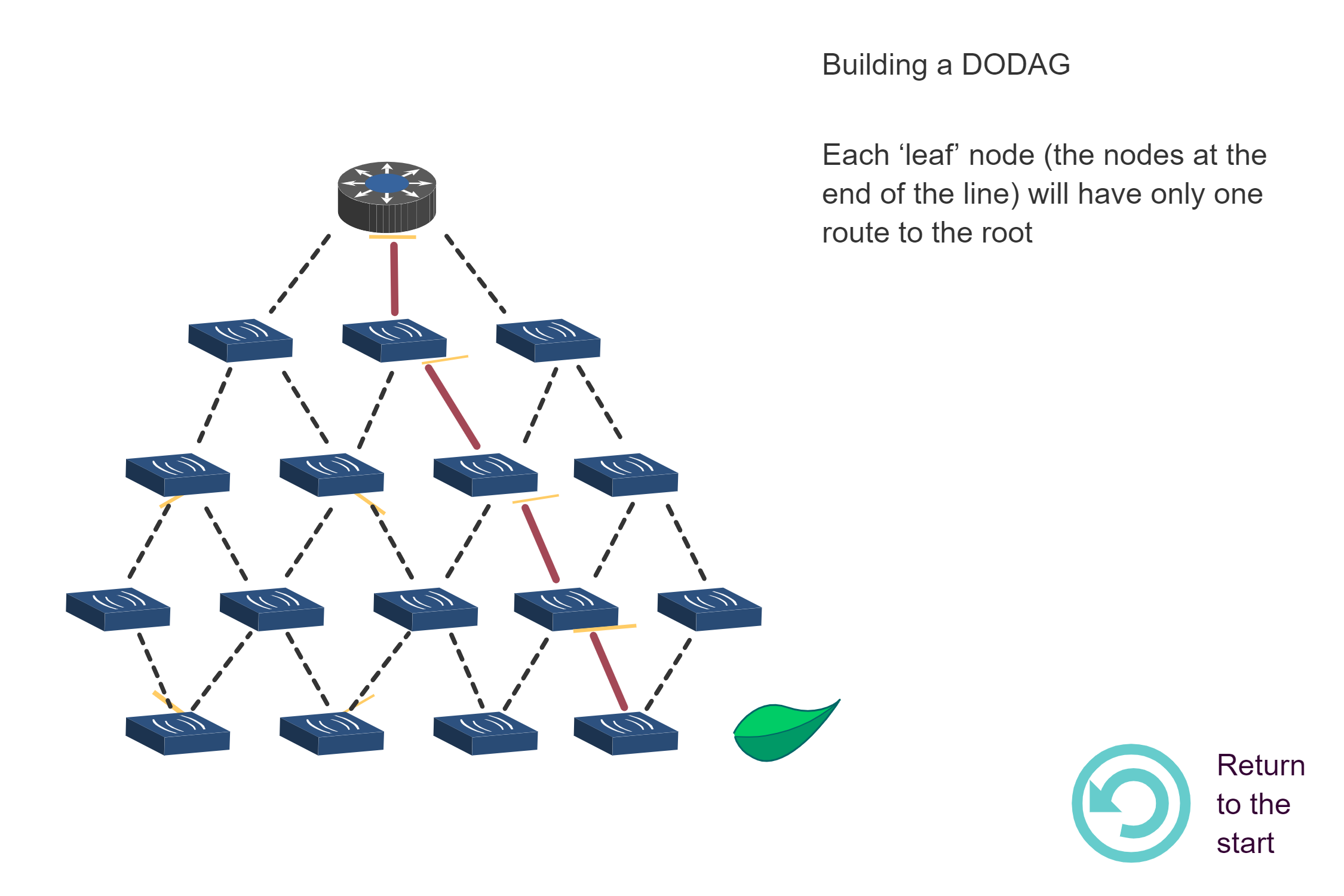
- DODAG Topology: Destination Oriented Directed Acyclic Graph structure with single root enables loop-free routing and efficient many-to-one traffic patterns
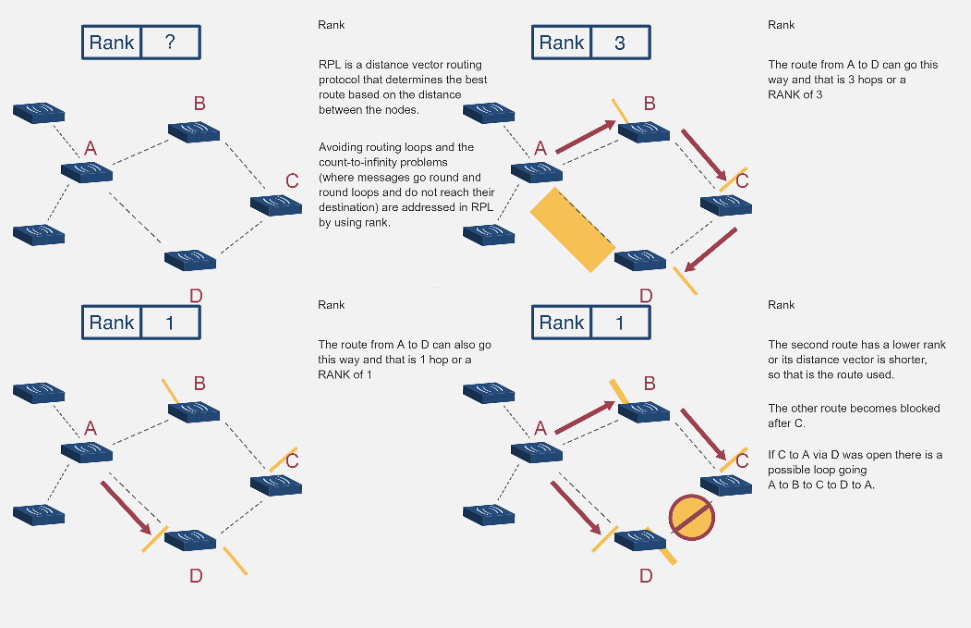
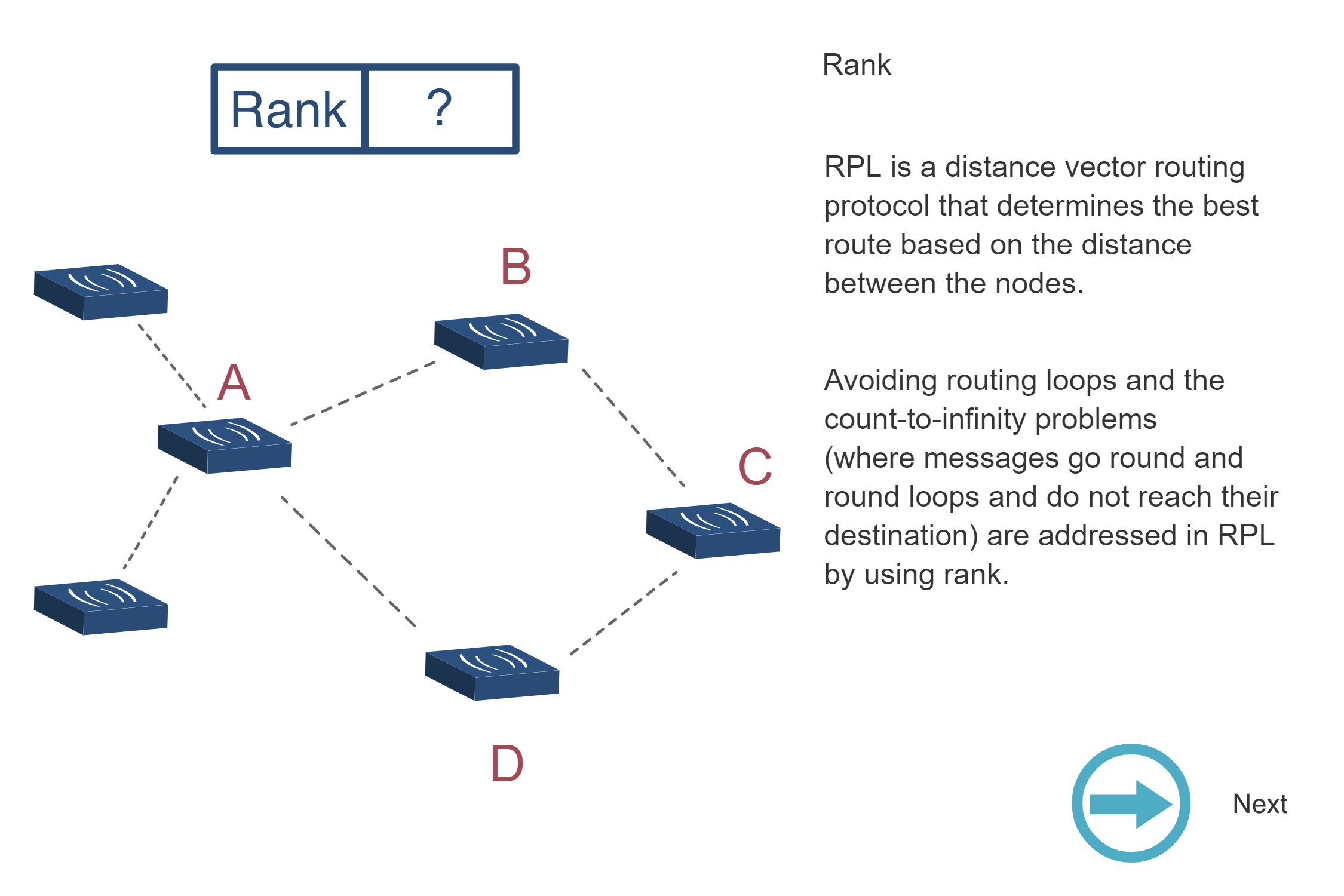
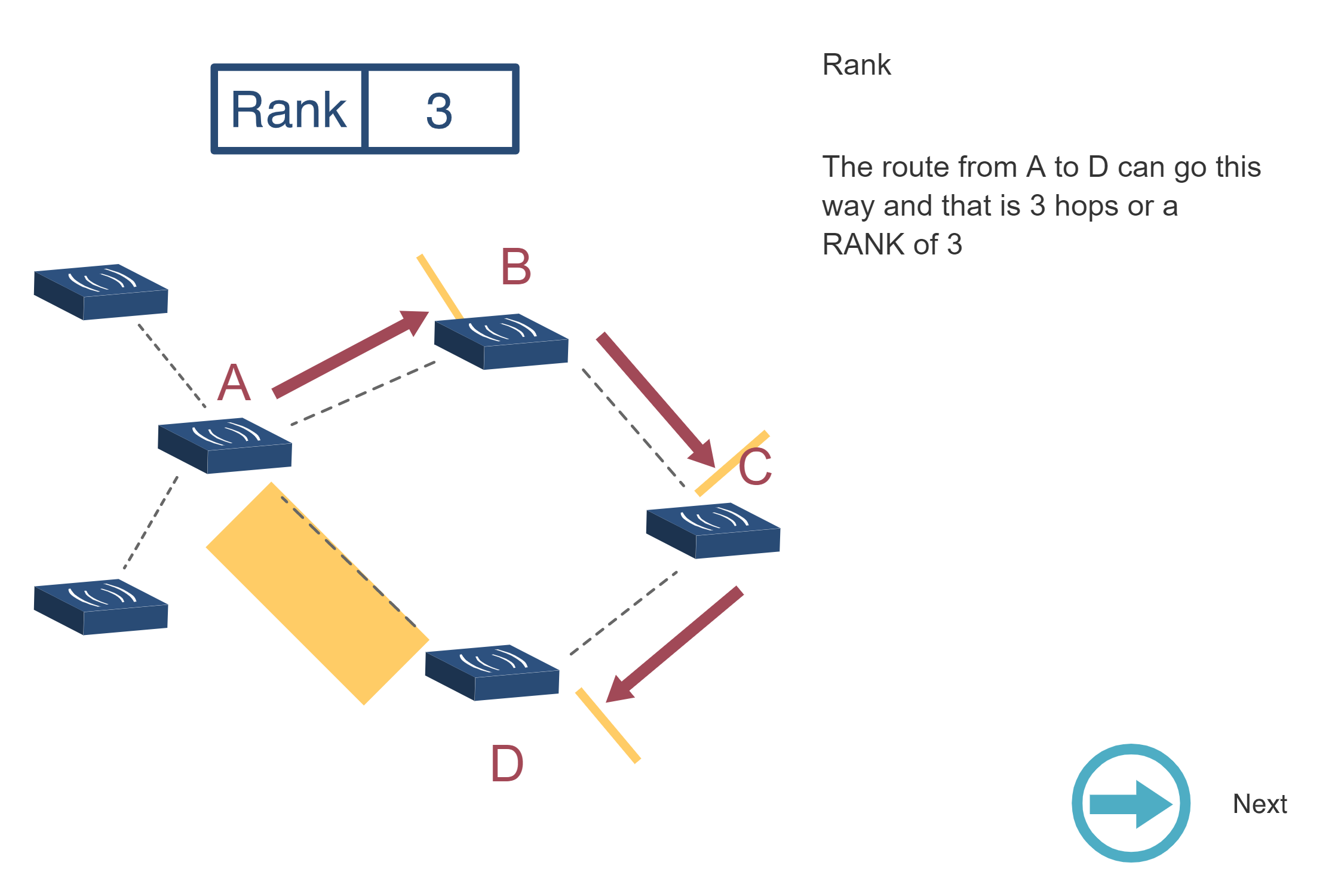
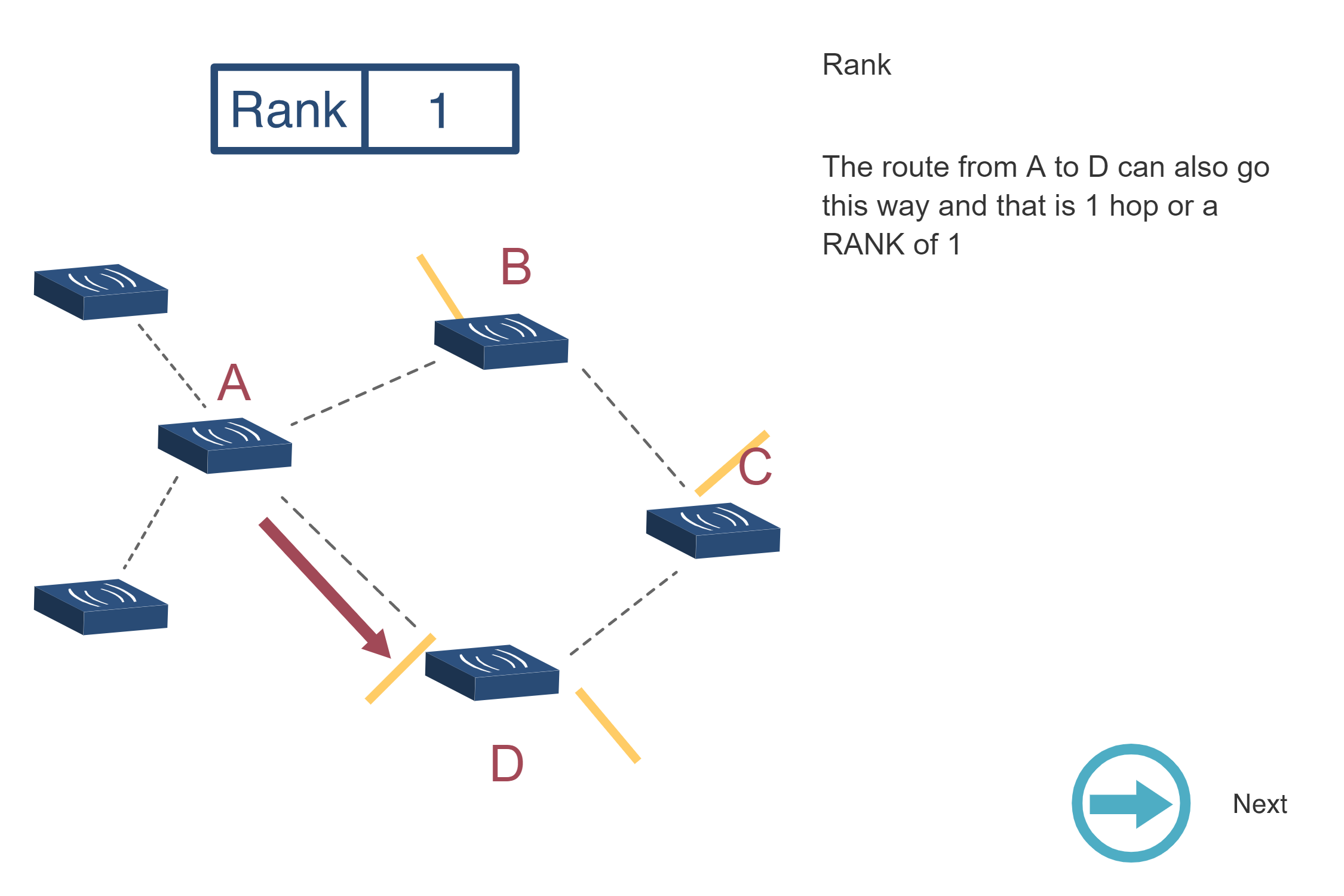
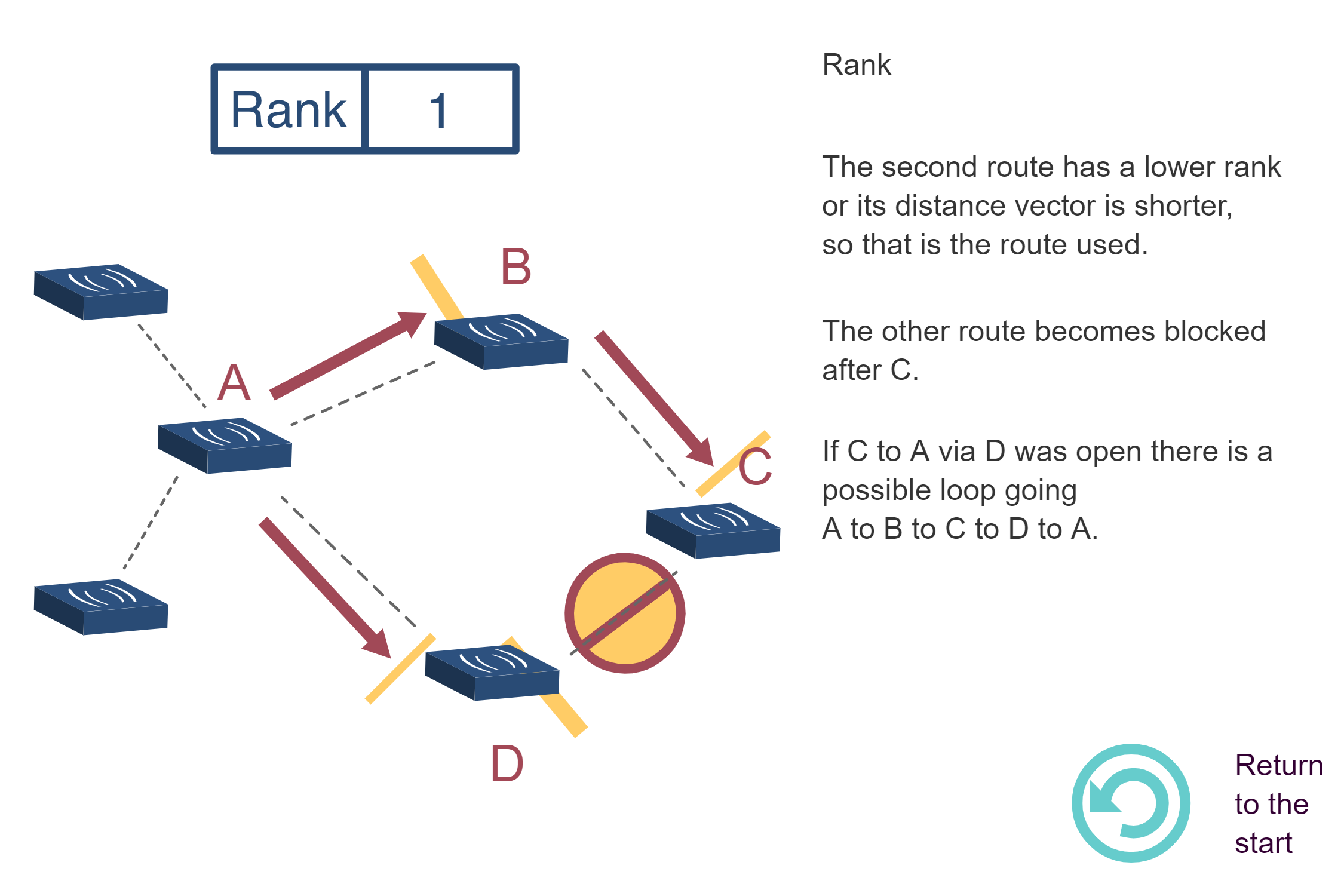
- RANK Mechanism: Hierarchical position values prevent routing loops by enforcing that packets flow only toward lower RANK (toward root), calculated using objective functions
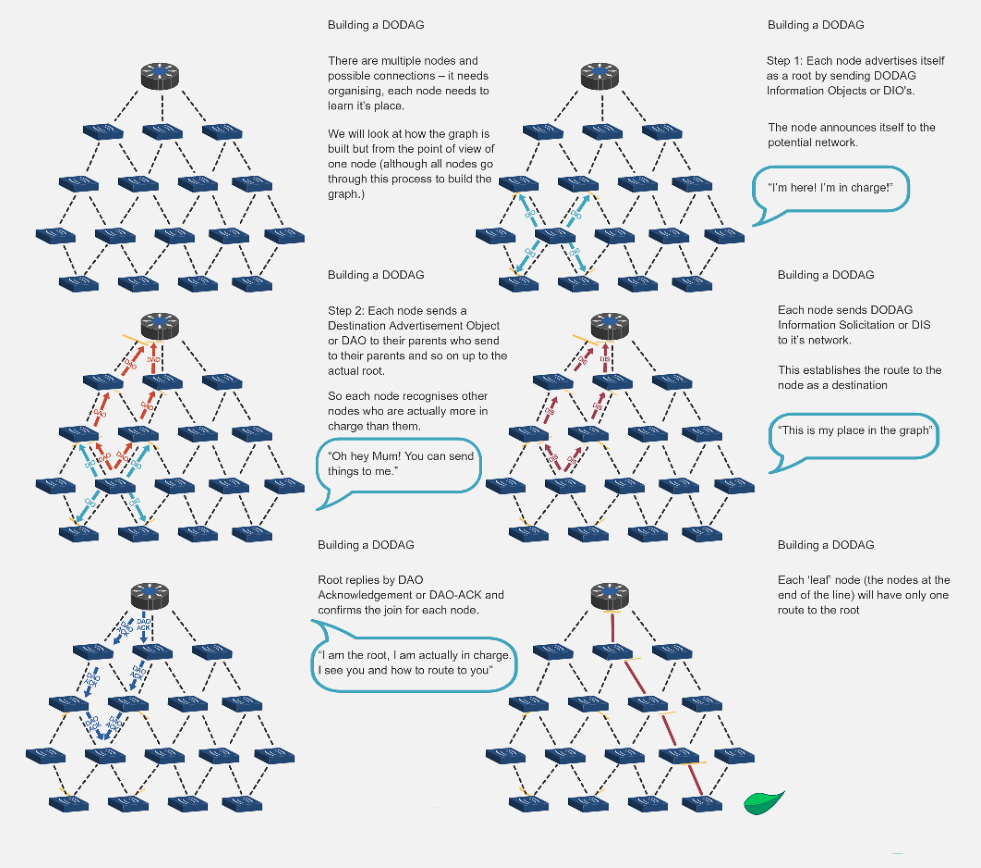
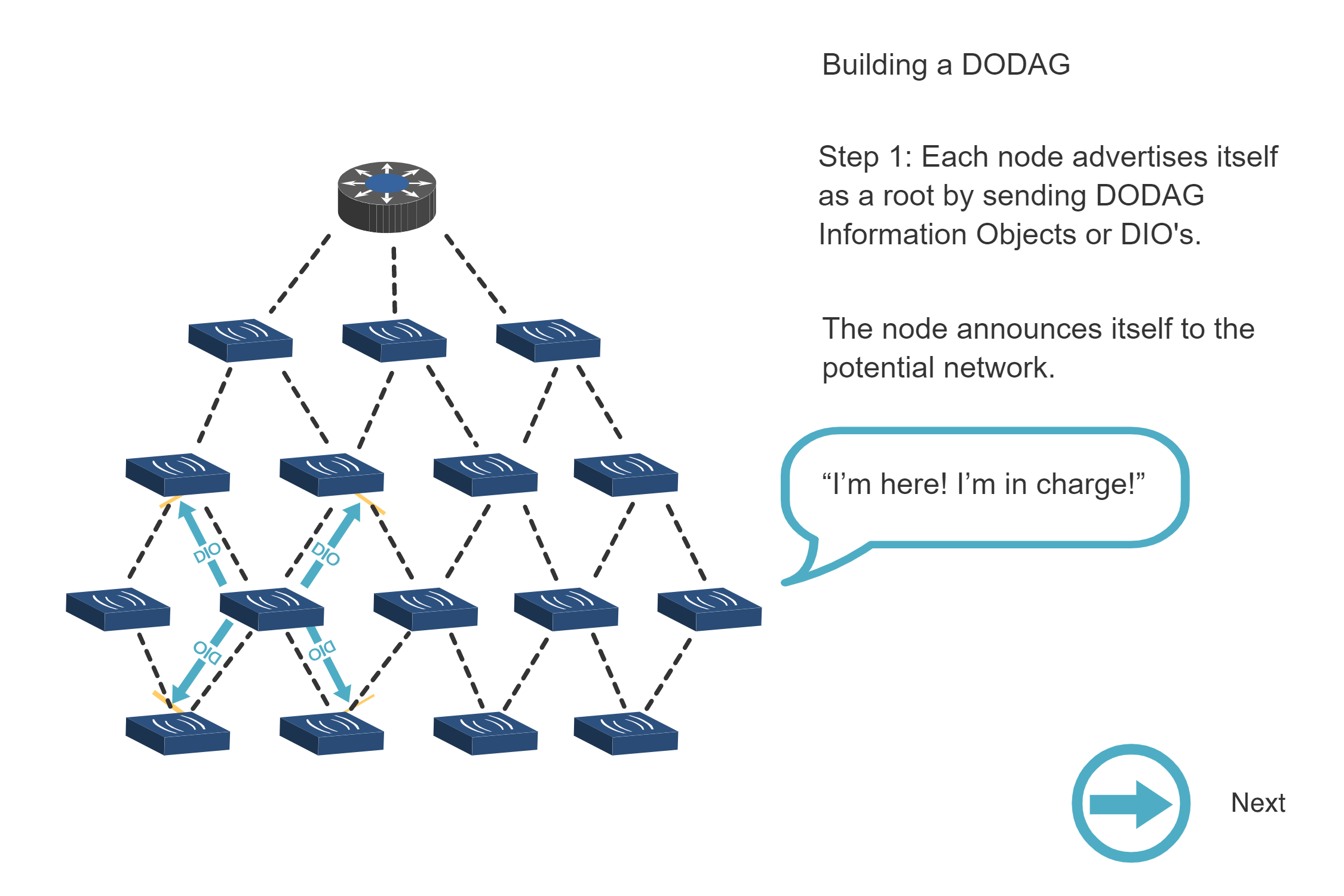
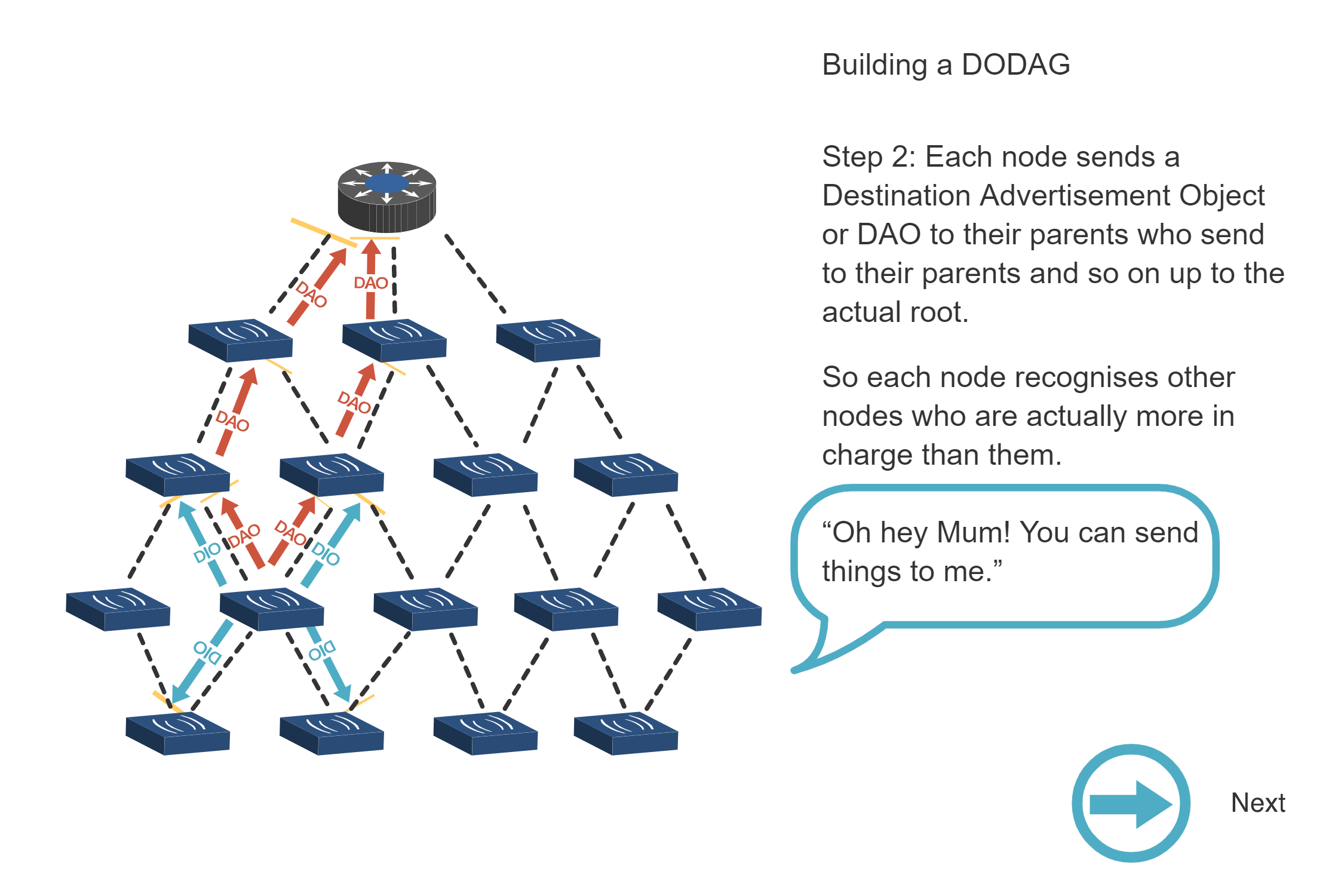
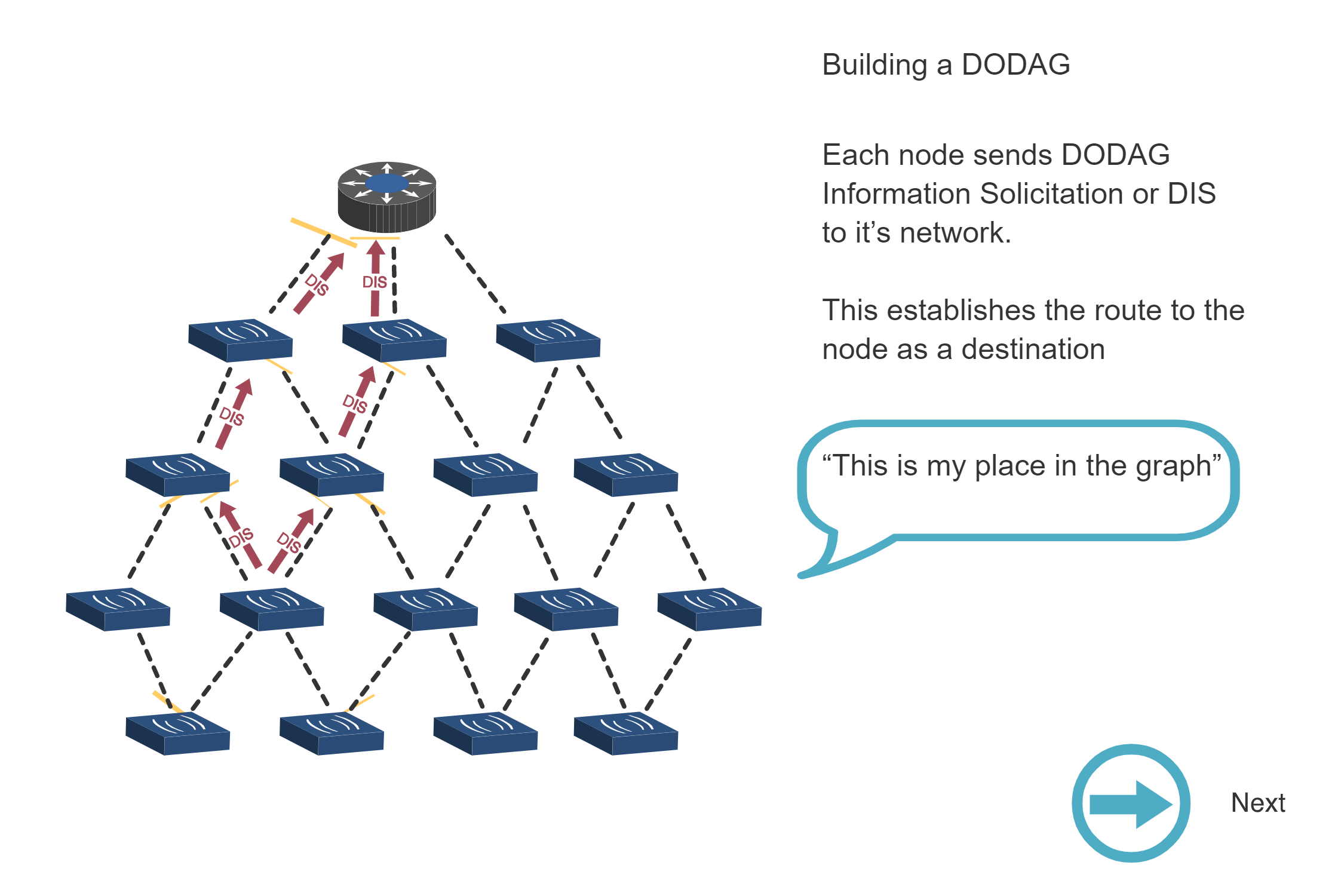
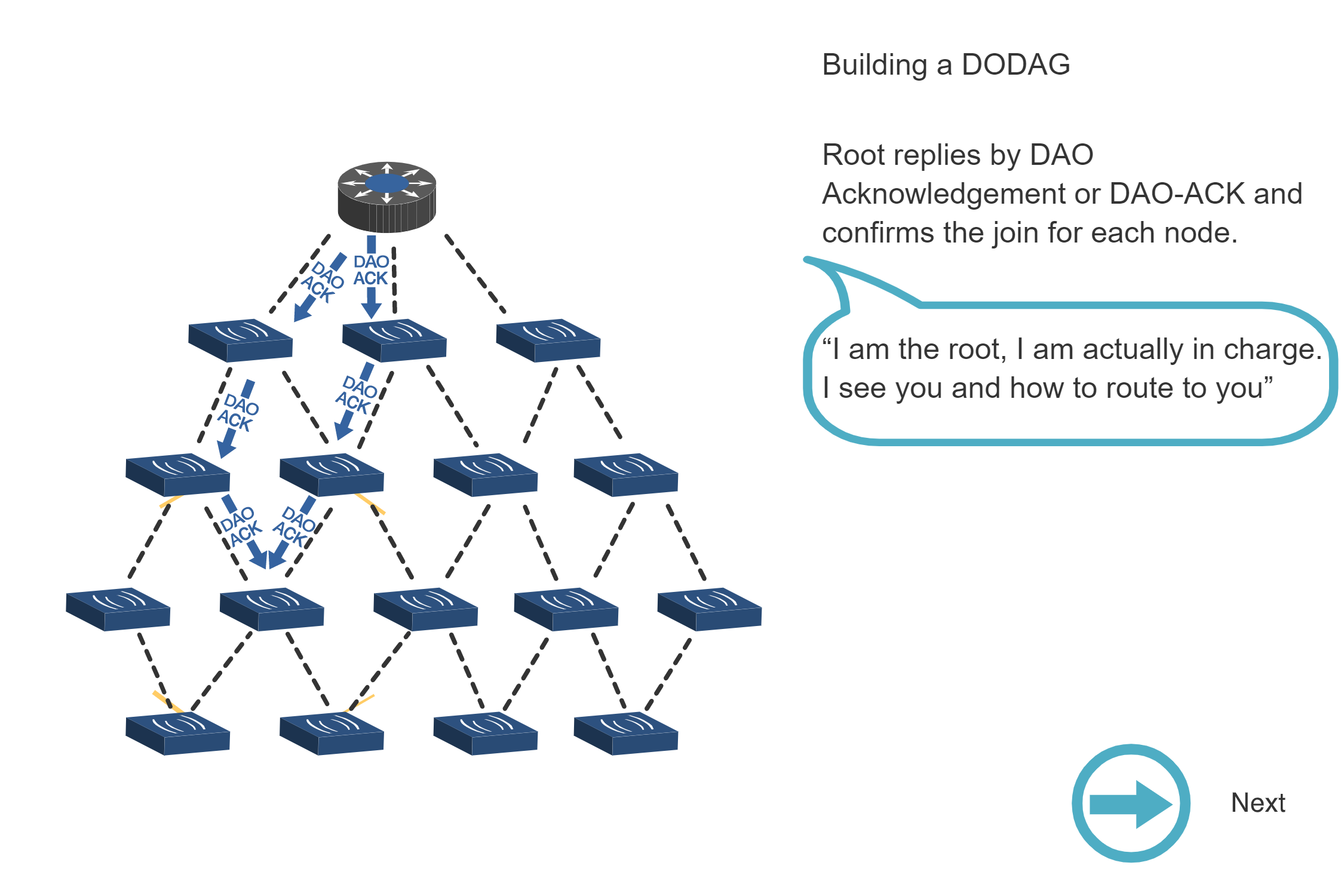
- Control Messages: DIO (DODAG Information Object) advertises network, DIS (DODAG Information Solicitation) requests information, DAO (Destination Advertisement Object) builds downward routes
- Routing Modes: Storing mode distributes routing tables across nodes for optimal paths, while Non-Storing mode centralizes routing at root to minimize node memory requirements
- Traffic Optimization: Upward routing (many-to-one) uses minimal state with parent pointers, downward and point-to-point routing leverages mode-specific mechanisms
- IoT-Specific Design: Trickle timer algorithm, ETX metrics, and support for multiple instances address resource constraints and lossy wireless links
NoteInteractive: RPL DODAG Builder
Build and visualize an RPL DODAG (Destination Oriented Directed Acyclic Graph) interactively. Watch how nodes join the network, calculate their RANK based on different objective functions, and see DIO messages propagate through the tree.
Instructions:
- Click “Add Node” to add new nodes to the network
- Select different Objective Functions to see how RANK calculation changes
- Watch how each node selects its parent based on the objective function
- Observe the DIO propagation from root outward
- Use “Reset Network” to start fresh
Objective Function Details:
| Function | RANK Calculation | Best For |
|---|---|---|
| Hop Count (OF0) | Parent RANK + 256 per hop | Simple networks, equal link quality |
| ETX | Parent RANK + (ETX x 256) | Lossy networks, reliability focus |
| Energy | Parent RANK + (Energy x 2) | Battery-powered, lifetime optimization |
Try This:
- Add 5-6 nodes and observe the tree structure
- Switch objective functions and reset - notice how the same nodes may select different parents
- Watch the orange DIO pulse showing message propagation
- Note how RANK increases as you move away from ROOT
713.3 Original Source Figures (Alternative Views)
The following figures from the CP IoT System Design Guide provide alternative visual representations of RPL concepts covered in this chapter.
NoteDAG and DODAG Structures (Source Figure)
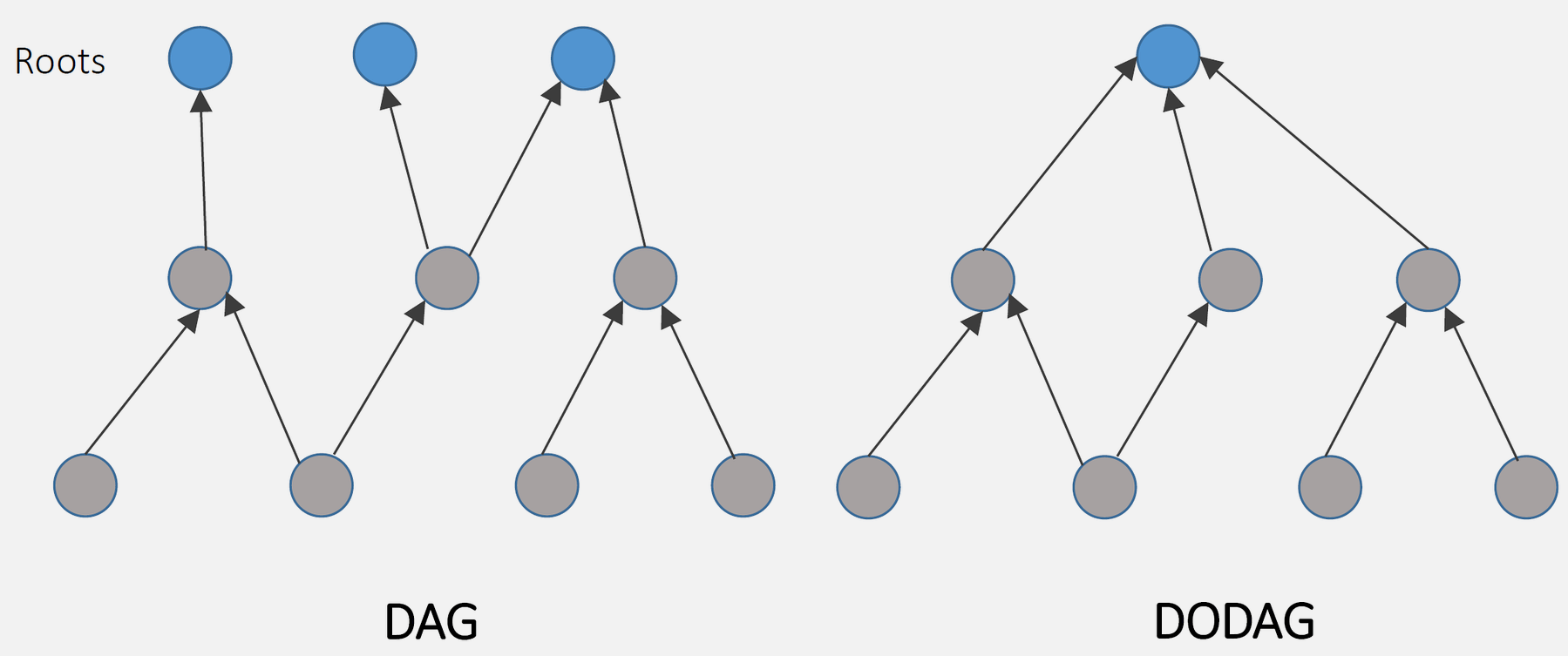
Source: CP IoT System Design Guide, Chapter 4 - Routing
NoteRPL DAG and DODAG Formation Sequence
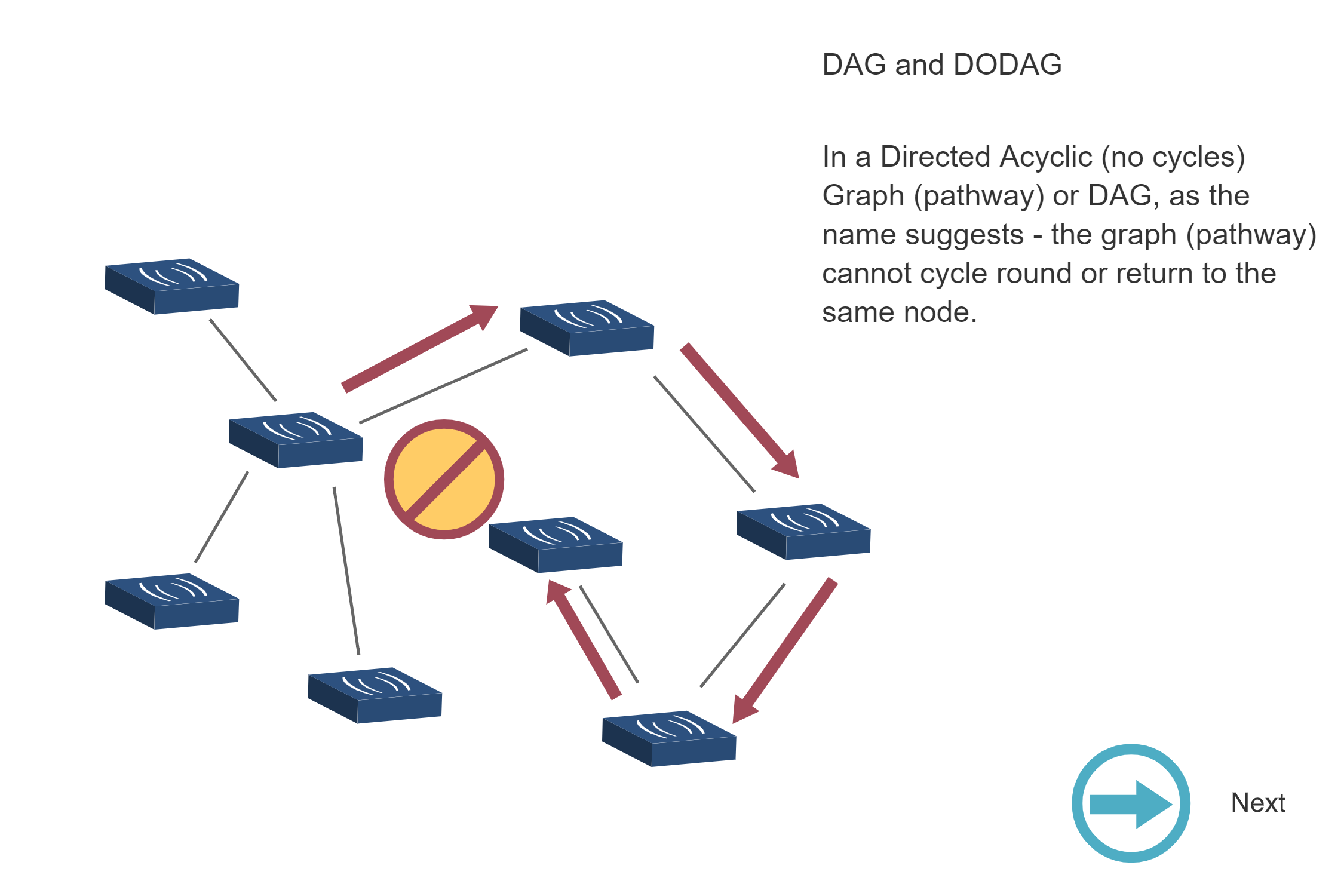
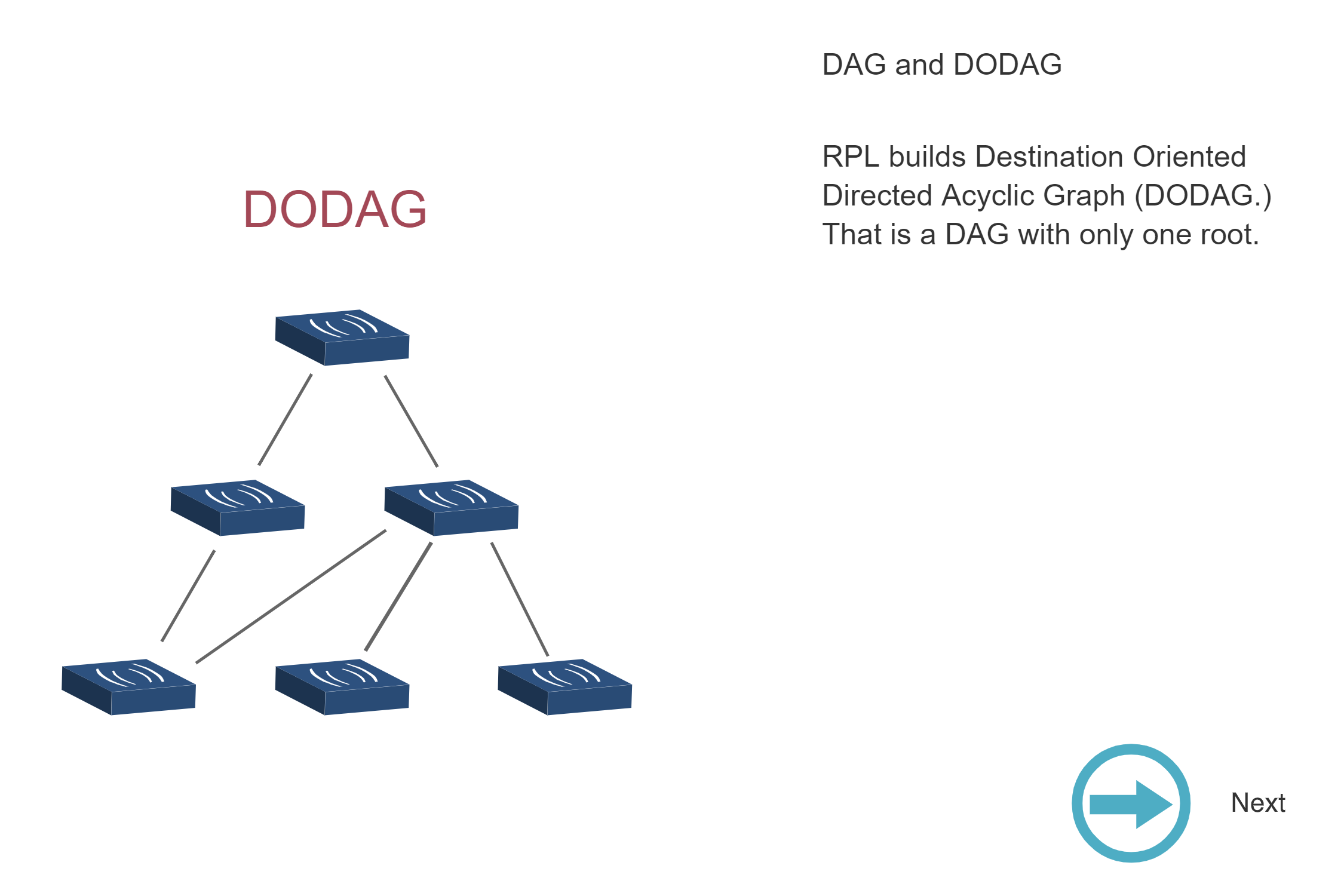
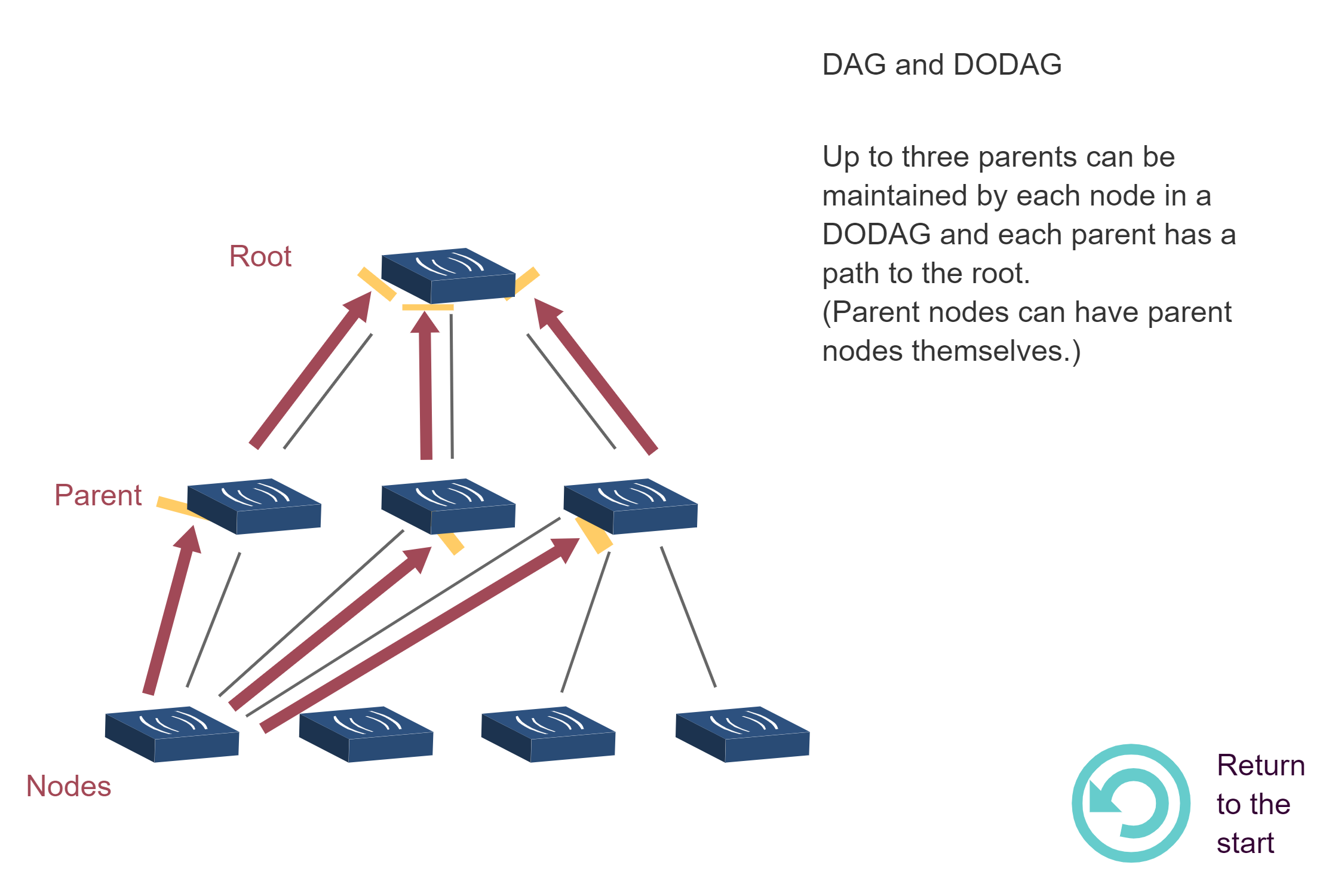
Source: CP IoT System Design Guide, Chapter 4 - Routing
NoteRPL RANK Calculation Visualization
Source: CP IoT System Design Guide, Chapter 4 - Routing
NoteBuilding a DODAG - Step-by-Step Process
Source: CP IoT System Design Guide, Chapter 4 - Routing
713.4 What’s Next
Continue to RPL Labs and Quiz to apply your understanding through hands-on network design exercises and test your knowledge with comprehensive quiz questions.