%% fig-alt: "Troubleshooting view of network layers showing diagnostic questions and tools at each layer: Physical layer asks 'Is it powered? Cable connected?' using multimeter and link lights; Data Link asks 'MAC address correct? Wi-Fi associated?' using arp command; Network asks 'IP assigned? Gateway reachable?' using ping and ipconfig; Transport asks 'Port open? Connection established?' using netstat and telnet; Application asks 'Credentials valid? Data format correct?' using application logs"
%%{init: {'theme': 'base', 'themeVariables': { 'primaryColor': '#E67E22', 'primaryTextColor': '#fff', 'primaryBorderColor': '#2C3E50', 'lineColor': '#16A085', 'secondaryColor': '#16A085', 'tertiaryColor': '#2C3E50', 'fontSize': '12px'}}}%%
flowchart LR
subgraph Symptom["IoT Device Not Connecting"]
Problem["Device offline"]
end
subgraph L1["Layer 1: Physical"]
Q1["Power LED on?<br/>Cable plugged in?<br/>Antenna attached?"]
T1["Tools: Multimeter<br/>Link lights"]
end
subgraph L2["Layer 2: Data Link"]
Q2["Wi-Fi associated?<br/>MAC in ARP table?<br/>VLAN correct?"]
T2["Tools: arp -a<br/>iw dev wlan0 link"]
end
subgraph L3["Layer 3: Network"]
Q3["IP assigned?<br/>Gateway reachable?<br/>DNS working?"]
T3["Tools: ipconfig<br/>ping gateway<br/>nslookup"]
end
subgraph L4["Layer 4: Transport"]
Q4["Port open?<br/>Firewall blocking?<br/>Connection timeout?"]
T4["Tools: netstat<br/>telnet host:port<br/>tcpdump"]
end
subgraph L5["Layer 5-7: Application"]
Q5["Auth valid?<br/>API key correct?<br/>Payload format ok?"]
T5["Tools: App logs<br/>Wireshark<br/>curl/mqtt-cli"]
end
Problem --> Q1
Q1 -->|OK| Q2
Q2 -->|OK| Q3
Q3 -->|OK| Q4
Q4 -->|OK| Q5
Q5 -->|OK| Fixed["Issue Found!"]
style Problem fill:#e74c3c,stroke:#2C3E50,color:#fff
style Q1 fill:#2C3E50,stroke:#2C3E50,color:#fff
style Q2 fill:#2C3E50,stroke:#2C3E50,color:#fff
style Q3 fill:#16A085,stroke:#2C3E50,color:#fff
style Q4 fill:#16A085,stroke:#2C3E50,color:#fff
style Q5 fill:#E67E22,stroke:#2C3E50,color:#fff
style T1 fill:#7F8C8D,stroke:#2C3E50,color:#fff
style T2 fill:#7F8C8D,stroke:#2C3E50,color:#fff
style T3 fill:#7F8C8D,stroke:#2C3E50,color:#fff
style T4 fill:#7F8C8D,stroke:#2C3E50,color:#fff
style T5 fill:#7F8C8D,stroke:#2C3E50,color:#fff
style Fixed fill:#27ae60,stroke:#2C3E50,color:#fff
649 OSI and TCP/IP Models
649.1 Learning Objectives
By the end of this chapter, you will be able to:
- Explain why network standards matter: Understand how standards organizations enable global interoperability
- Describe the OSI 7-layer model: Identify each layer’s function and example protocols
- Explain the TCP/IP 4-layer model: Map real-world protocols to their appropriate layers
- Compare OSI and TCP/IP models: Understand how layers correspond between the two frameworks
- Apply layered thinking to troubleshooting: Use the “bottom-up” diagnostic approach
TipMVU: Minimum Viable Understanding
Core concept: Network communication is organized into layers (OSI: 7 layers, TCP/IP: 4 layers) where each layer handles one specific function and communicates only with layers directly above and below it.
Why it matters: When IoT connectivity fails, understanding layers helps you diagnose whether the problem is physical (antenna/cable), network (IP/routing), or application (code/protocol) - each requires different troubleshooting approaches.
Key takeaway: Think “bottom-up” when debugging: check Physical layer first (is the device powered and connected?), then Data Link (MAC address visible?), then Network (IP assigned?), and finally Application (service running?).
649.2 Prerequisites
Before diving into this chapter, you should be familiar with:
- Overview of IoT: High-level understanding of IoT devices and why networks matter
- Data Representation Fundamentals: Binary/hex foundations that make address and header fields easier to interpret
- Basic computer architecture: how software applications interact with operating systems and hardware
TipFor Beginners: Network Layers Are Like the Postal System
The network layer model becomes intuitive when compared to sending a letter:
| Network Layer | Postal Analogy | What It Does |
|---|---|---|
| Application | Letter content | Your actual message |
| Presentation | Language/encoding | Translate to readable format |
| Session | Conversation tracking | Remember ongoing correspondence |
| Transport | Tracking number | Ensure delivery, handle errors |
| Network | ZIP codes, routing | Find the right city/region |
| Data Link | Local mail carrier | Deliver within your neighborhood |
| Physical | Roads, trucks, planes | The actual transport medium |
649.2.1 Key terms to know:
| Term | Simple Definition |
|---|---|
| OSI Model | A 7-layer reference model that describes how networks should work |
| TCP/IP Model | A simplified 4-layer model that the actual internet uses |
| Encapsulation | The process of wrapping data with headers at each layer |
| MAC Address | A permanent hardware address burned into your network card |
| IP Address | A logical network address that can change |
649.3 Networking Standards and Protocols
649.3.1 The Challenge: Interoperability
Since the 1950s, countless manufacturers have developed their own proprietary hardware and software systems: - IBM mainframes - DEC minicomputers - Apple personal computers - Cisco routers - Ericsson mobile networks - … and thousands more
The miracle: Today, all these different systems successfully communicate with each other!
The reason: Agreed-upon standards and protocols.
649.3.2 Why Standards Matter

Benefits: - Interoperability: Different systems work together seamlessly - Competition: Multiple vendors can build compatible products - Innovation: New technologies can integrate with existing infrastructure
649.3.3 Major Standards Organizations
| Organization | Role | Key IoT Standards |
|---|---|---|
| IEEE | Institute of Electrical and Electronics Engineers | 802.15.4 (Zigbee), 802.11 (Wi-Fi), 802.2413 (IoT framework) |
| IETF | Internet Engineering Task Force | TCP/IP, MQTT, CoAP, 6LoWPAN, RPL |
| ITU | International Telecommunication Union (UN agency) | IoT reference architecture, cellular standards |
| ISO | International Organization for Standardization | OSI model, security standards |
| W3C | World Wide Web Consortium | Web of Things (WoT), HTTP, REST APIs |
NoteQuick Quiz: Standards Organizations
Q1: What is the IEEE project number for the IoT architectural framework standard?
Q2: Which organization is a specialized agency of the United Nations for ICT?
Show Answer
Answer: 2413 (IEEE 2413 - Standard for an Architectural Framework for the Internet of Things)Show Answer
Answer: ITU (International Telecommunication Union)649.4 What is a Protocol?
649.4.1 Definition
A protocol is an agreed (or accepted) set of rules for a procedure.

Just like human communication has protocols: - Handshakes when meeting - Taking turns speaking in conversation - Email format conventions - Telephone etiquette
Network protocols define rules for machine communication.
649.4.2 The Shopping Trip Analogy
Think of network communication like going shopping - each layer has specific procedures:

Each layer has rules: 1. Leave house - Take keys, wallet, shopping bag 2. Transportation - Follow traffic laws, find parking 3. In store - Navigate aisles, select items 4. Checkout - Use payment method, carry groceries home
Failure at any layer means an unsuccessful trip! - Forgot wallet? Can’t buy anything - No parking? Can’t access store - Item out of stock? Trip fails
Same with network protocols - each layer must succeed for communication to work.
649.5 Introduction to Layered Network Models
649.5.1 Why Layers?
Layered networking models divide network communication processes into separate, but connected, domains (layers).

649.5.2 Benefits of Layering
1. Understanding - Break complex system into manageable parts - Learn each layer independently - See how parts interact
2. Development - Design new protocols for specific layers - Improve one layer without changing others - Modular approach enables innovation
3. Troubleshooting - Isolate problems to specific layers - “Is it Layer 1 (cable) or Layer 3 (routing)?” - Systematic fault-finding
IoT Example:
Problem: Temperature sensor not sending data to cloud

Troubleshooting by layer:
✅ Layer 1 (Physical): Sensor powered? Wi-Fi antenna?
✅ Layer 2 (Data Link): Wi-Fi connected? MAC address correct?
✅ Layer 3 (Network): IP address assigned? Gateway reachable?
✅ Layer 4 (Transport): MQTT connection established?
✅ Layer 5+ (Application): Correct API credentials? Data format valid?649.6 OSI Model: The Theoretical Framework
649.6.1 Overview
The Open Systems Interconnection (OSI) model was developed by the International Organization for Standardization (ISO) as a conceptual framework.
Purpose: - Characterize communication functions of any networking system - Enable interoperability between diverse systems - Abstract away underlying technology details
Important: OSI is a theoretical model for research and teaching - not used directly in practice, but essential for understanding networking.
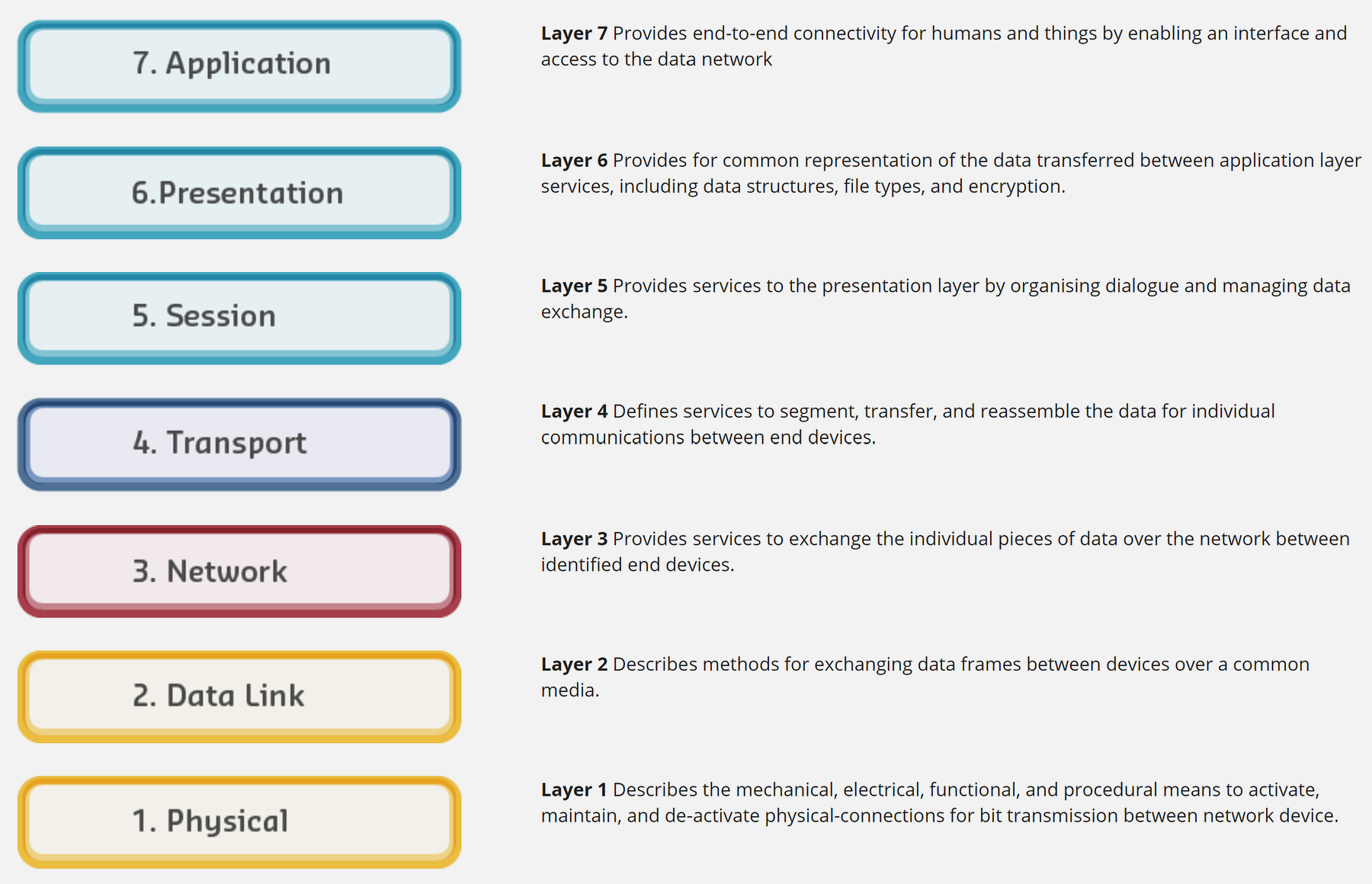
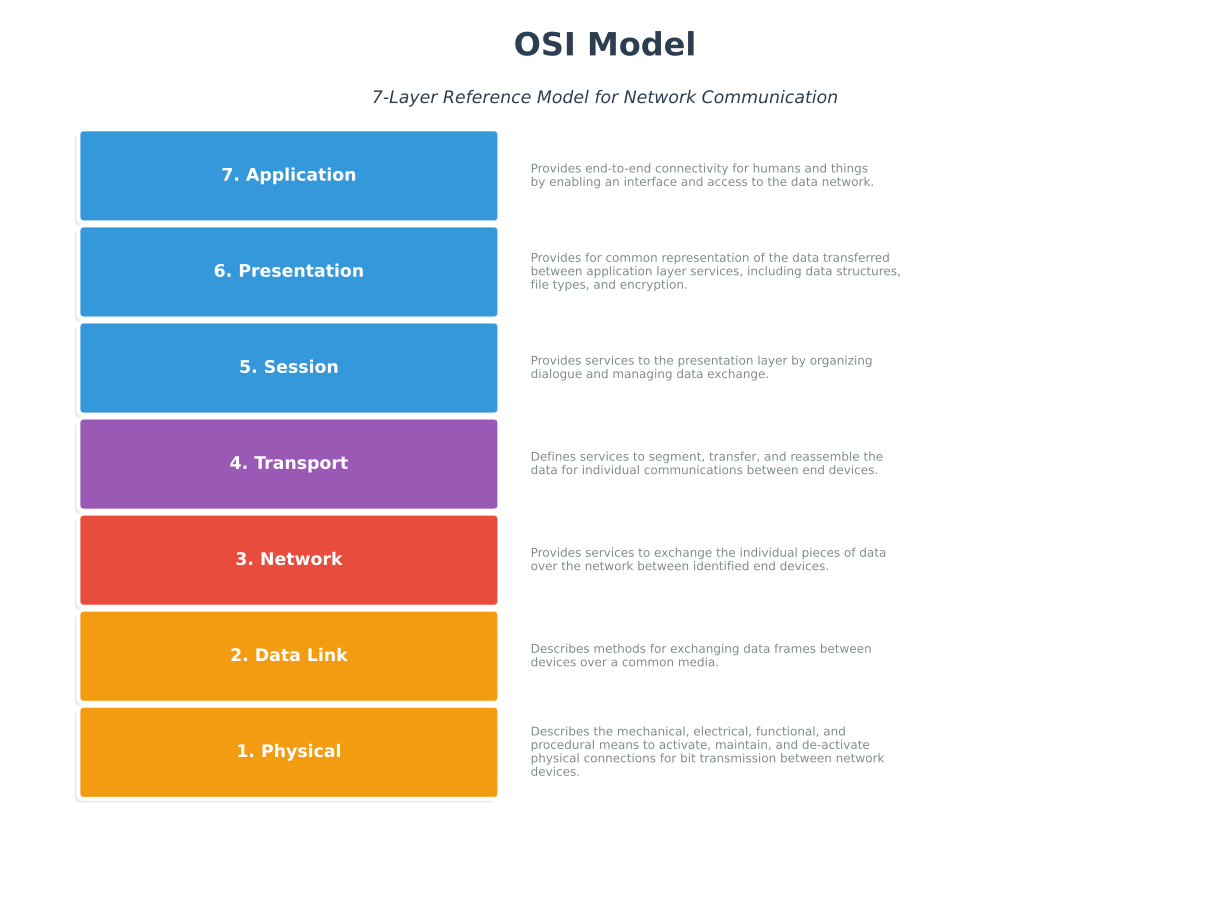
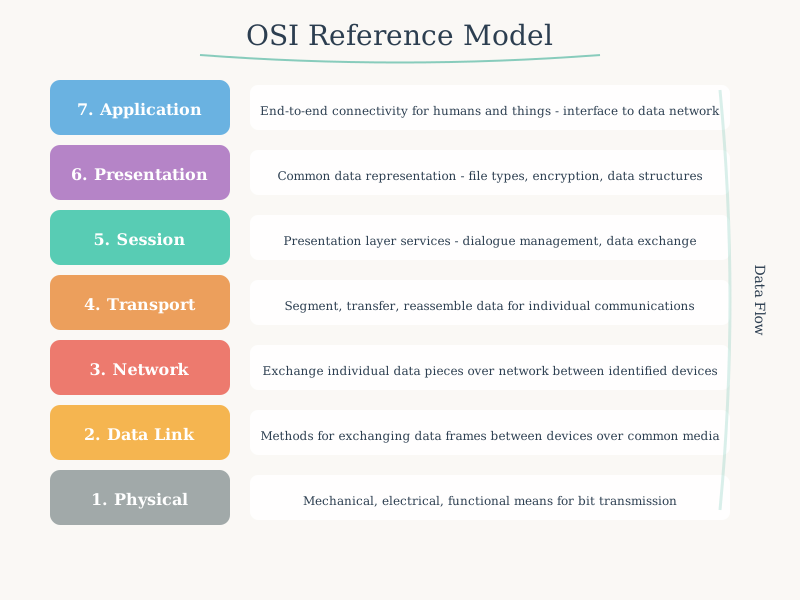
649.6.2 The Seven Layers

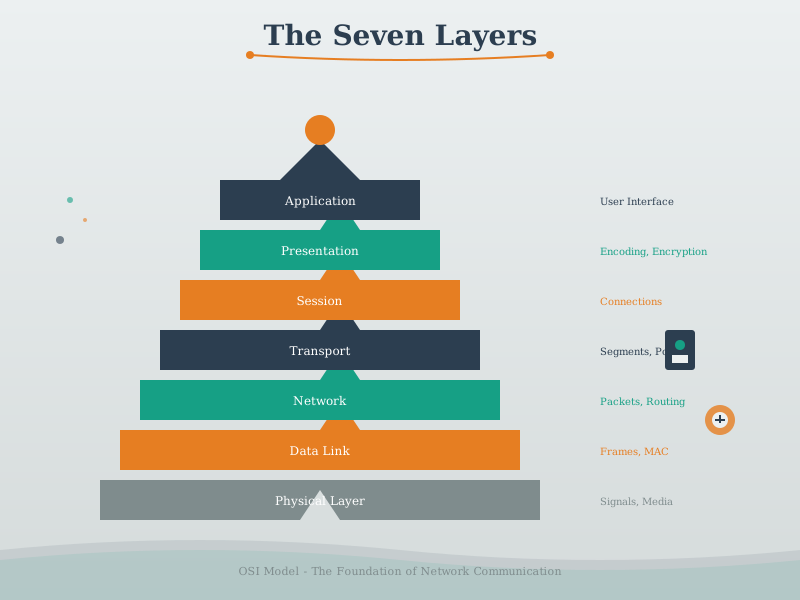
| Layer | Name | Function | Examples |
|---|---|---|---|
| 7 | Application | Network processes for applications | HTTP, MQTT, CoAP, DNS, SMTP |
| 6 | Presentation | Data representation, encryption, compression | TLS/SSL, JPEG, ASCII, JSON |
| 5 | Session | Manages sessions between applications | NetBIOS, RPC, PPTP |
| 4 | Transport | Reliable data transfer, error recovery | TCP, UDP |
| 3 | Network | Logical addressing, routing, path determination | IP (IPv4/IPv6), ICMP, routing protocols |
| 2 | Data Link | Physical addressing, frame delivery | Ethernet, Wi-Fi (MAC), PPP |
| 1 | Physical | Physical transmission of bits | Cables, wireless signals, voltage levels |
649.6.3 Mnemonic Devices
Top to bottom: “All People Seem To Need Data Processing” Bottom to top: “Please Do Not Throw Sausage Pizza Away”
TipAlternative View: OSI Layers from Troubleshooting Perspective
This variant shows the same 7 layers but organized around what to check when debugging network issues. Most IoT problems (80%+) occur at Layers 1-3.
%% fig-alt: "OSI layers organized for troubleshooting showing diagnostic commands and tools at each layer: Physical layer checks include LED status, cable tests, and antenna inspection; Data Link checks MAC address and switch port status; Network checks IP configuration, ping, and routing; Transport checks port listening and firewall rules; Application checks API responses and credentials"
%%{init: {'theme': 'base', 'themeVariables': { 'primaryColor': '#2C3E50', 'primaryTextColor': '#fff', 'primaryBorderColor': '#16A085', 'lineColor': '#E67E22', 'secondaryColor': '#16A085', 'tertiaryColor': '#7F8C8D', 'fontSize': '11px'}}}%%
flowchart LR
    subgraph START["Start Here (80% of issues)"]
        L1["L1: Physical<br/>━━━━━━━━━━<br/>Power LED on?<br/>Cable connected?<br/>Antenna attached?<br/>iwconfig, ethtool"]
        L2["L2: Data Link<br/>━━━━━━━━━━<br/>Link light blinking?<br/>MAC visible?<br/>Wi-Fi associated?<br/>arp -a, iw dev"]
        L3["L3: Network<br/>━━━━━━━━━━<br/>IP assigned?<br/>Can ping gateway?<br/>Route to internet?<br/>ip addr, ping"]
    end

    subgraph MIDDLE["Check Next"]
        L4["L4: Transport<br/>━━━━━━━━━━<br/>Port listening?<br/>Firewall blocking?<br/>Connection refused?<br/>netstat, telnet"]
    end

    subgraph LAST["Usually Last"]
        L567["L5-7: Application<br/>━━━━━━━━━━━━<br/>Auth credentials?<br/>API format correct?<br/>TLS cert valid?<br/>curl -v, mqtt-spy"]
    end

    L1 -->|"OK"| L2 -->|"OK"| L3 -->|"OK"| L4 -->|"OK"| L567

    style L1 fill:#16A085,stroke:#2C3E50,color:#fff
    style L2 fill:#16A085,stroke:#2C3E50,color:#fff
    style L3 fill:#16A085,stroke:#2C3E50,color:#fff
    style L4 fill:#E67E22,stroke:#2C3E50,color:#fff
    style L567 fill:#2C3E50,stroke:#16A085,color:#fff
Pro Tip: When your IoT device won’t connect, resist the urge to start debugging application code! Check the basics first: Is it powered on? Is the antenna connected? Does it have an IP address?
649.7 TCP/IP Model: The Practical Implementation
649.7.1 Overview
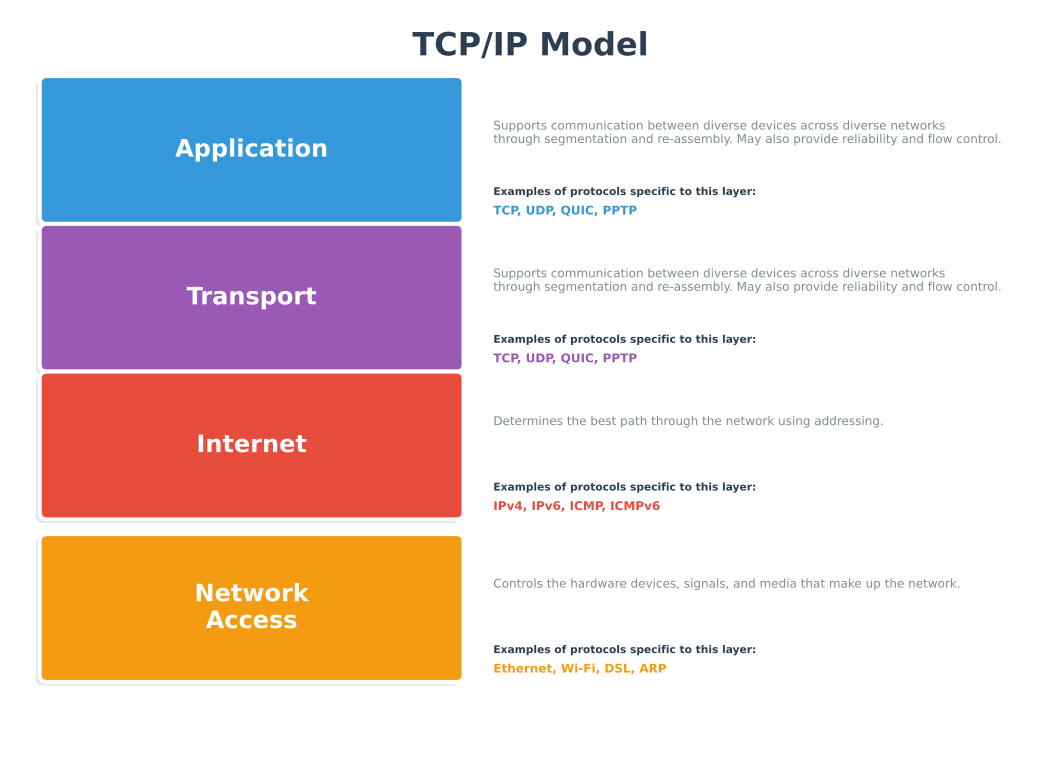
The TCP/IP (Transmission Control Protocol/Internet Protocol) model implements the layering principles of OSI for the specific protocol suite used on the Internet.
Key differences from OSI: - Working model (not just theoretical) - Four layers (combines several OSI layers) - Widely deployed (powers the entire Internet) - Flexible (doesn’t define specific physical standards)
649.7.2 The Four Layers

649.7.3 Layer Details
649.7.3.1 Application Layer (OSI Layers 5-7)
Purpose: Provides network services directly to user applications
IoT Protocols: - MQTT - Lightweight pub/sub messaging for sensors - CoAP - Constrained Application Protocol (HTTP for IoT) - HTTP/HTTPS - Web APIs for cloud connectivity - DNS - Domain name resolution - DHCP - Automatic IP configuration - SNMP - Network management
Implementation: Software (applications, firmware)
649.7.3.2 Transport Layer (OSI Layer 4)
Purpose: End-to-end communication, reliability, flow control
Protocols: - TCP (Transmission Control Protocol) - Reliable, connection-oriented - Error checking and retransmission - Used for: File transfer, web browsing, email - UDP (User Datagram Protocol) - Unreliable, connectionless - Low overhead, faster - Used for: Real-time sensor data, video streaming, DNS
Implementation: Operating system
649.7.3.3 Internet Layer (OSI Layer 3)
Purpose: Logical addressing, routing between networks
Protocols: - IP (Internet Protocol) - IPv4 and IPv6 addressing - ICMP (Internet Control Message Protocol) - Ping, error reporting - ARP (Address Resolution Protocol) - IP to MAC mapping
Implementation: Operating system
649.7.3.4 Network Access Layer (OSI Layers 1-2)
Purpose: Physical transmission and local network delivery
Technologies: - Ethernet - Wired LAN (IEEE 802.3) - Wi-Fi - Wireless LAN (IEEE 802.11) - Bluetooth/BLE - Personal Area Network - Cellular - 4G/5G mobile networks - LoRaWAN - Long-range, low-power IoT
Implementation: Hardware (network interface cards, drivers)
649.8 OSI vs TCP/IP Comparison

| OSI Layers | TCP/IP Layer | Function |
|---|---|---|
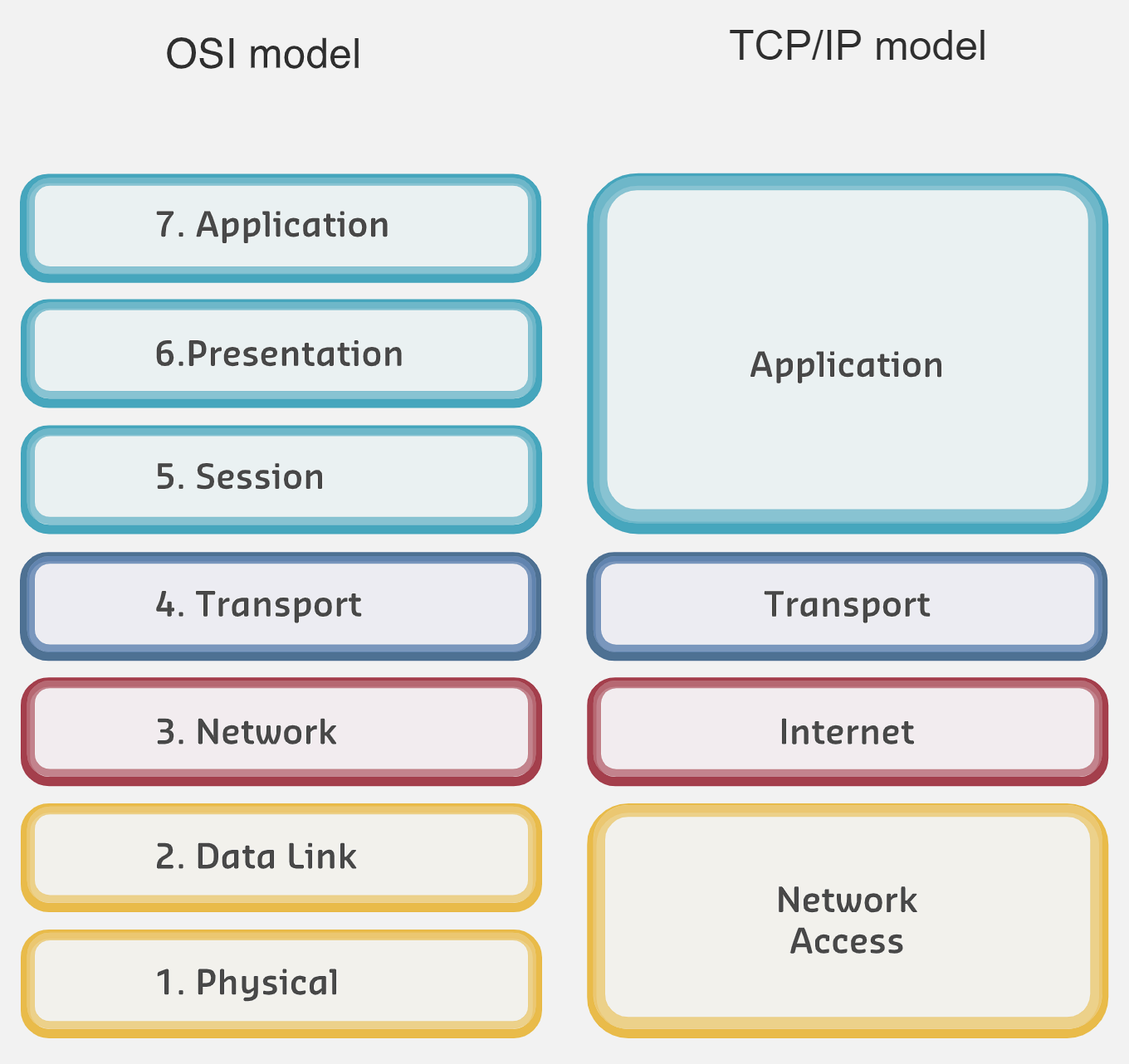
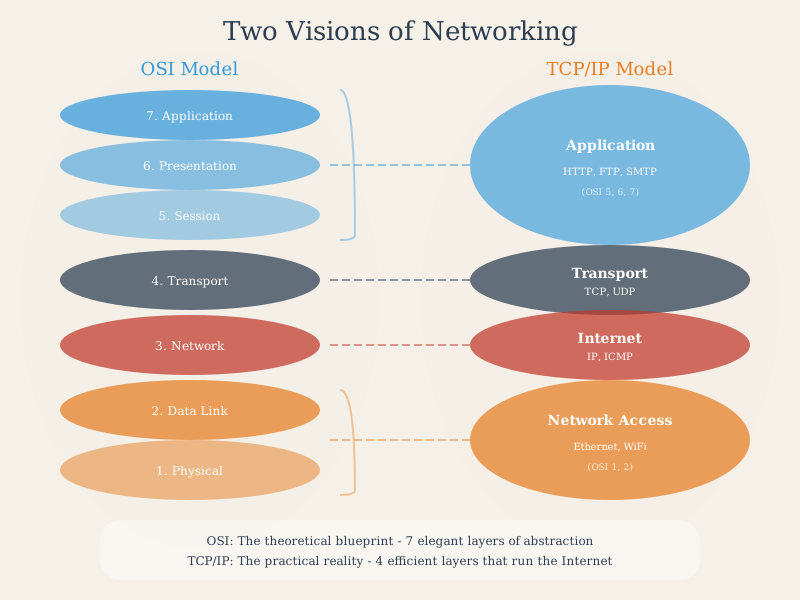
| 7, 6, 5 | Application | User applications and services |
| 4 | Transport | End-to-end reliability |
| 3 | Internet | Routing and logical addressing |
| 2, 1 | Network Access | Physical media and local delivery |
WarningTradeoff: OSI (7-Layer) vs TCP/IP (4-Layer) Model Usage
Option A: Use OSI 7-layer model for detailed protocol analysis and troubleshooting - provides fine-grained separation of concerns (Session, Presentation layers explicit) Option B: Use TCP/IP 4-layer model for practical implementation and development - maps directly to real protocol stacks and operating system APIs Decision Factors: Choose OSI when teaching networking concepts, analyzing protocol interactions at each layer, or troubleshooting complex interoperability issues. Choose TCP/IP when developing applications, configuring systems, or working with actual network implementations. Most IoT development uses TCP/IP thinking, but understanding OSI helps diagnose issues where “the application works but messages are garbled” (Presentation layer) or “connections drop randomly” (Session layer).
649.9 TCP/IP in Practice: Developer Perspective
649.9.1 Software Development Example
Scenario: You’re creating a new web browser or messaging app.
What you choose: - Programming language (Python, JavaScript, C++) - Graphics framework - Operating systems to support (Windows, macOS, Linux, Android, iOS) - User interface design
What you MUST implement: - For web browser: HTTP/HTTPS protocols (Application Layer) - For messaging app: IRC or Signal Protocol (Application Layer)
What you DON’T worry about: - How data is transmitted (copper, fiber, wireless) - Router implementation details - Physical network topology - MAC address handling
The beauty of layering: Operating system handles Transport, Internet, and Network Access layers automatically!

TipThe Power of Abstraction
Layered models enable innovation by allowing developers to focus on their specific layer without understanding every detail of others.
A web developer doesn’t need to understand radio frequency modulation to build a mobile web app!
649.10 Summary
This chapter covered the foundational layered network models that enable billions of devices to communicate:
- Standards organizations (IEEE, IETF, ITU, ISO, W3C) create protocols that enable interoperability between diverse systems from different manufacturers
- The OSI 7-layer model provides a theoretical framework with Physical, Data Link, Network, Transport, Session, Presentation, and Application layers - essential for understanding and teaching networking concepts
- The TCP/IP 4-layer model (Link, Internet, Transport, Application) is the practical implementation that powers all modern networks including IoT deployments
- Layered design enables modularity, independent development, and systematic troubleshooting by isolating concerns at each level
- Bottom-up troubleshooting is the recommended approach: check Physical layer first, then work up through Data Link, Network, Transport, and finally Application
- For IoT development, TCP/IP thinking dominates, but OSI knowledge helps diagnose subtle interoperability issues
649.11 What’s Next
Continue your journey through layered network models:
- Encapsulation and Protocol Data Units: Learn how data is wrapped with headers at each layer and the naming conventions for PDUs
- IoT Reference Models: Explore IoT-specific architectures including the ITU model and Cisco 7-Level reference model
- Layered Models: Labs and Implementation: Hands-on MAC/IP addressing, ARP, and Python implementations