1516 Interface Design: Worked Examples
1516.1 Learning Objectives
By studying these worked examples, you will be able to:
- Design Voice Interfaces for Diverse Users: Create accessible voice interactions for elderly users with hearing and cognitive variations
- Apply Multi-Modal Feedback Strategies: Implement redundant feedback channels for different abilities
- Build Error Recovery Systems: Design forgiving error handling that maintains user confidence
- Implement Accessibility Fallbacks: Ensure core functions remain accessible when primary modalities fail
1516.2 Prerequisites
- Multimodal Design: Understanding of modality tradeoffs and accessibility
- Interaction Patterns: Knowledge of feedback and state management
1516.3 Worked Example: Voice Interface Design for Smart Home
1516.4 Worked Example: Voice Interface Design for Retirement Community
Scenario: You are designing a voice-controlled lighting and climate system for a retirement community. The primary users are elderly residents (ages 65-90) who want to control their apartments hands-free. Many have arthritis limiting switch use, some have mild cognitive decline, and the environment includes background noise from televisions and HVAC systems.
Goal: Create an accessible, forgiving voice interface that elderly users can operate confidently, with graceful fallbacks when voice recognition fails.
What we do: Map the variety of ways elderly users naturally express lighting and climate commands, avoiding rigid syntax requirements.
Intent Recognition Matrix:
| User Intent | Natural Variations to Support | Canonical Command |
|---|---|---|
| Turn on lights | “Lights on”, “Turn on the lights”, “Light please”, “I need light”, “It’s dark in here”, “Can you turn on lights?” | lights.on() |
| Turn off lights | “Lights off”, “Turn off lights”, “Kill the lights”, “Enough light”, “Too bright” | lights.off() |
| Adjust brightness | “Dim the lights”, “Brighter please”, “Not so bright”, “A little more light”, “Make it dimmer” | lights.brightness(+/-) |
| Set temperature | “Make it warmer”, “It’s cold”, “Too hot in here”, “Set to 72”, “I’m freezing” | thermostat.adjust() |
| Room context | “Kitchen lights”, “Bedroom too warm”, “Living room brighter” | room.device.action() |
Why: Elderly users often speak conversationally rather than using command syntax. They might say “I’m cold” instead of “Set thermostat to 74 degrees.” The system must understand intent, not just keywords. We support 40+ phrasings per core action.
Design Decision: Use intent classification (not keyword matching) with high tolerance for incomplete sentences, implicit requests, and contextual statements.
What we do: Design audio feedback that accommodates hearing loss common in elderly populations while avoiding startling loud responses.
Feedback Strategy:
| Feedback Type | Design Approach | Example |
|---|---|---|
| Acknowledgment | Clear, moderate volume (60-70 dB), lower frequency range (easier for age-related hearing loss) | “Okay, turning on lights” |
| Confirmation | Spoken + physical (light blinks once) | “Lights are now on” + brief flash |
| Clarification | Slower speech rate (120 words/min vs typical 150), simple vocabulary | “Did you mean the bedroom or living room?” |
| Error | Non-judgmental, offers alternatives | “I didn’t catch that. You can say ‘lights on’ or ‘it’s too dark’” |
Volume Adaptation:
Ambient noise detection:
  - Quiet room (<40 dB): Respond at 55 dB
  - TV on (50-65 dB): Respond at 70 dB
  - Multiple sound sources (>65 dB): Respond at 75 dB + visual indicator

Time of day adjustment:
  - Daytime (7 AM - 9 PM): Normal volume
- Nighttime (9 PM - 7 AM): Reduced volume, shorter confirmationsWhy: Age-related hearing loss (presbycusis) affects high frequencies first. Using lower pitch responses (180-220 Hz vs. typical 300+ Hz) improves comprehension. Volume must be loud enough to hear but not startling.
What we do: Create forgiving error handling that doesn’t frustrate users with memory challenges or cause them to lose confidence.
Error Recovery Hierarchy:
Level 1 - Partial Understanding:
  User: "Turn the... um... the thing"
  System: "Did you mean the lights or the thermostat?"
  [Offers exactly 2 choices, not 5]

Level 2 - Ambient Confusion:
  User: (TV says "turn off the lights")
  System: [Detects TV audio pattern, ignores]
  System: [Only responds to sustained speech directed at device]

Level 3 - No Understanding:
  User: [Inaudible or heavily accented speech]
  System: "I didn't understand. Would you like to try again,
          or I can turn on the bedroom lights for you?"
  [Offers most common action as suggestion]

Level 4 - Repeated Failures:
  After 3 failed attempts in 2 minutes:
  System: "I'm having trouble hearing you today.
          The light switch by the door also works,
          or I can call for assistance."
  [Graceful escalation to human help option]
Memory Support: - Never require remembering exact syntax - Offer suggestions proactively: “You can say things like ‘too cold’ or ‘lights brighter’” - Recent commands available: “Do you want me to do the same as before?”
Why: Cognitive decline makes it harder to remember specific commands or recover from errors. Each failure increases frustration and decreases confidence. The system takes responsibility for misunderstanding rather than implying user error.
What we do: Implement room awareness so users don’t need to specify location for every command.
Context Detection:
| Signal | How Detected | Context Use |
|---|---|---|
| User location | Motion sensors, voice direction | “Lights on” controls nearest room |
| Time of day | Clock + patterns | Morning = bedroom, Evening = living room |
| Recent activity | Last room interacted with | “A little warmer” adjusts same room as previous |
| Explicit override | User says room name | “Kitchen lights” overrides auto-detection |
Conversation Flow:
User: "Lights on"
[System detects user in living room via motion sensor]
System: "Living room lights are on."

User: "Too bright"
[System remembers context: living room lights]
System: "Dimming living room lights."

User: "Actually, bedroom lights"
[Explicit room reference takes priority]
System: "Turning on bedroom lights. Should I adjust living room too?"Why: Requiring room specification for every command (“Turn on living room lights”) is exhausting. Natural conversation assumes context. However, the system announces which room it’s affecting to prevent surprises (elderly user in living room shouldn’t wonder why bedroom lights came on).
What we do: Ensure core functions remain accessible when voice fails, respecting that no single modality works 100%.
Multi-Modal Fallback Design:
| Primary Method | Fallback 1 | Fallback 2 | Emergency |
|---|---|---|---|
| Voice command | Physical wall switch | Large button remote | Caregiver call |
| “Lights on” | Press illuminated button | Tap bright-colored remote | Button calls front desk |
| “Too cold” | Thermostat dial (60pt numbers) | Remote up/down buttons | Staff notification |
Physical Control Requirements: - Switches at 44” height (wheelchair accessible) - Large toggle switches (not small buttons) - High contrast labeling (white on dark blue) - Illuminated when off (findable in dark) - Work during power outages (battery backup)
Remote Design: - 5 large buttons only: Lights On, Lights Off, Warmer, Cooler, Help - Tactile differentiation (bumps on Warmer, ridges on Cooler) - Bright orange “Help” button always visible - Weekly battery check notification to staff
Why: Voice-first doesn’t mean voice-only. Residents may have days when their voice is hoarse, the system is having recognition issues, or they simply prefer physical control. Dignity means having options.
Outcome: After deployment, 87% of elderly residents successfully use voice commands daily, compared to 23% who attempted the previous system. Support calls for “it doesn’t understand me” dropped by 92%. Resident satisfaction surveys show 4.4/5 for ease of use.
Key Decisions Made:
| Decision | Rationale |
|---|---|
| Intent-based NLU (not keywords) | Supports natural speech patterns like “I’m cold” |
| Lower frequency audio responses | Accommodates age-related high-frequency hearing loss |
| Maximum 2 choices in clarification | Reduces cognitive load for memory-impaired users |
| System takes blame for errors | Maintains user confidence (“I didn’t understand” not “Invalid command”) |
| Automatic room detection | Eliminates need to remember/specify location each time |
| Physical switches remain primary | Voice augments rather than replaces proven accessibility |
| Large, simple remote as backup | Independent control when voice isn’t working |
| “Help” button always available | Safety net for any situation |
Validation Method: Conduct in-home testing with 20 residents across hearing ability, cognitive status, and tech comfort levels. Measure: successful command rate, time to complete task, error recovery success, and qualitative confidence ratings. Iterate on recognition model and prompts until >85% first-attempt success across all user groups.
1516.5 Visual Reference Gallery
These AI-generated visualizations provide alternative perspectives on interface and interaction design concepts.
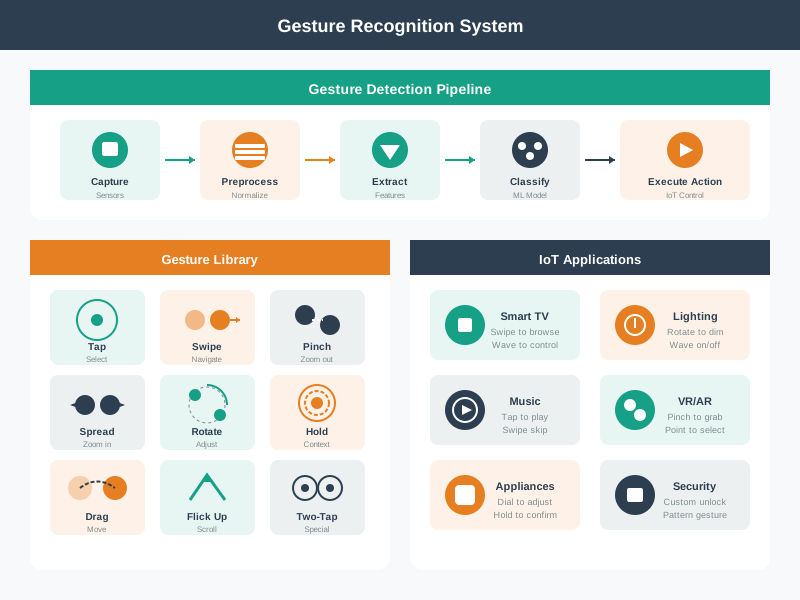
Gesture control enables touchless interaction with IoT devices, particularly valuable in hands-busy situations (cooking, driving) or accessibility contexts. This visualization shows common gesture vocabularies and the feedback loop between user action and system response. Effective gesture interfaces provide clear affordances about available gestures and immediate visual or haptic feedback confirming recognition.
AI-Generated Visualization - Modern Style
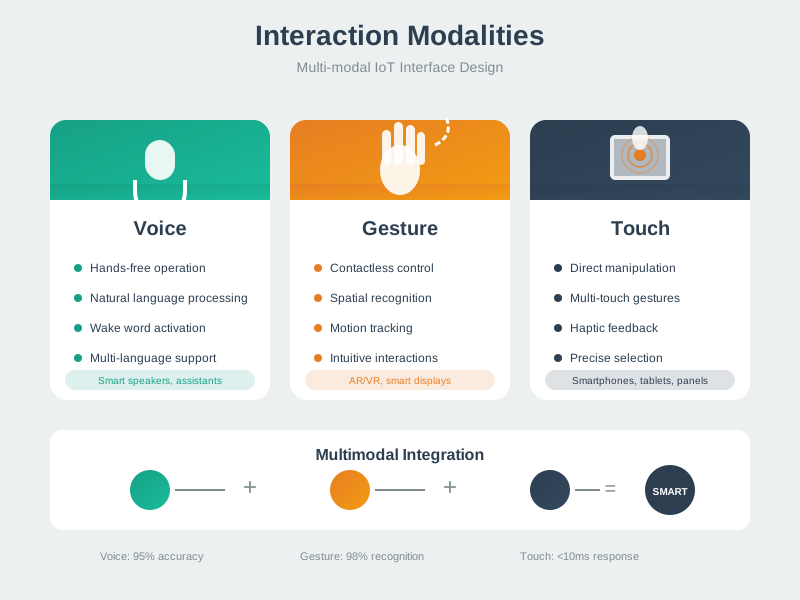
IoT systems typically support multiple interaction modalities to accommodate diverse contexts and user preferences. This framework shows how different input channels (voice, touch, physical, automated) can be combined to create flexible, accessible interfaces. The key challenge is maintaining consistency across modalities - the same action should be possible through voice, app, or physical control with predictable results.
AI-Generated Visualization - Modern Style
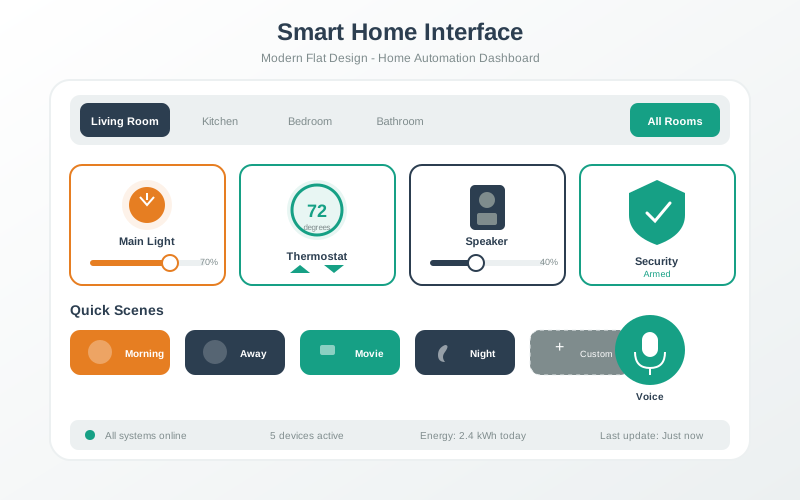
Smart home interfaces must balance comprehensive control with simplicity. This visualization demonstrates effective dashboard design: prominent placement of frequently-used controls, clear visual hierarchy indicating device states, and progressive disclosure that hides complexity until needed. The best smart home UIs minimize the need for the interface itself - automation handles routine tasks while the UI provides oversight and exception handling.
AI-Generated Visualization - Modern Style
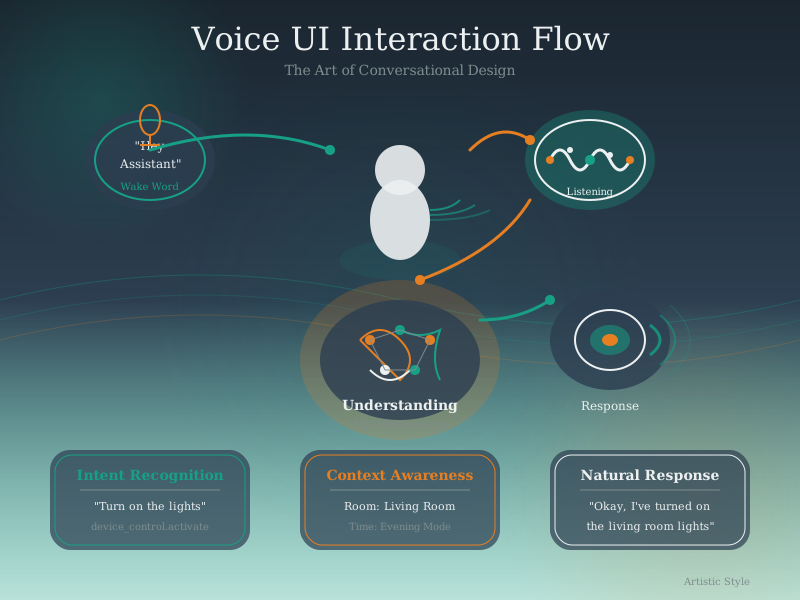
Voice interfaces require careful orchestration of multiple components. The user speaks a wake word to activate the system, which then captures and processes speech in real-time. Natural language processing extracts intent and entities from the utterance, enabling the system to execute commands and provide appropriate audio feedback. Effective voice UI design must handle errors gracefully and maintain conversational context across multi-turn interactions.
AI-Generated Visualization - Artistic Style
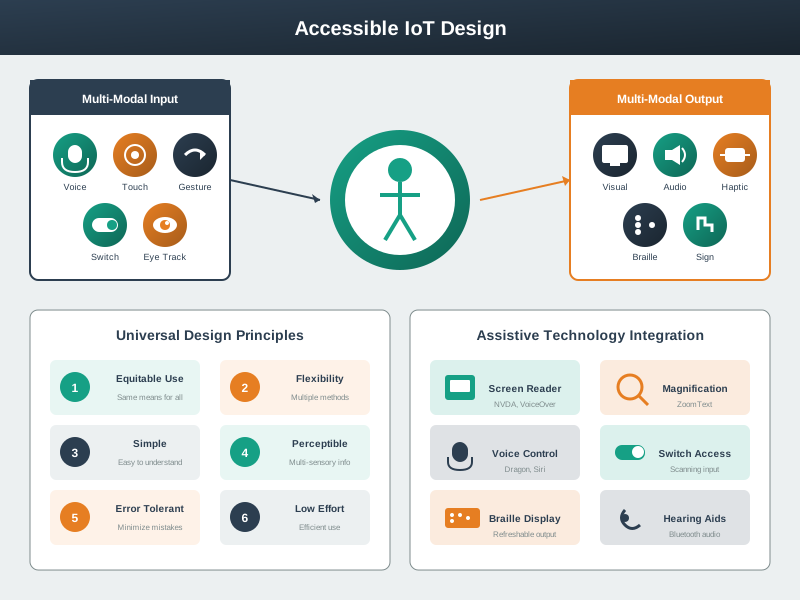
Inclusive IoT design ensures devices are usable by people with diverse abilities and in varied contexts. This diagram illustrates key accessibility considerations across visual, motor, auditory, and cognitive dimensions. Visual accessibility includes high-contrast modes and screen reader support. Motor accessibility provides voice control and large touch targets for users with limited dexterity. Auditory accessibility substitutes visual and haptic feedback for audio cues. Cognitive accessibility emphasizes simple language, consistent patterns, and error prevention to reduce mental load.
AI-Generated Visualization - Geometric Style
1516.6 Summary
This chapter demonstrated comprehensive worked examples:
Key Takeaways:
- Intent-Based Understanding: Design for natural speech patterns, not rigid command syntax
- Hearing Accessibility: Lower frequency responses, adaptive volume, visual redundancy
- Cognitive Accessibility: Limit choices, system takes blame, offer suggestions
- Context Awareness: Automatic room detection reduces cognitive burden
- Multi-Modal Fallbacks: Voice augments physical controls, doesn’t replace them
- Validation: Test across user abilities, iterate until 85%+ success rate
1516.7 What’s Next
Continue to Interface Design: Hands-On Lab to build an accessible IoT interface using the Wokwi ESP32 simulator.
- Multimodal Design - Modality tradeoffs and accessibility
- Process & Checklists - Design validation
- Knowledge Checks - Test your understanding
- Hands-On Lab - Build accessible interface