%%{init: {'theme': 'base', 'themeVariables': {'primaryColor':'#E8EAF6','primaryTextColor':'#2C3E50','primaryBorderColor':'#2C3E50','lineColor':'#16A085','secondaryColor':'#FFF3E0','tertiaryColor':'#E8F5E9','noteTextColor':'#2C3E50','noteBkgColor':'#FFF9C4','noteBorderColor':'#E67E22'}}}%%
graph TD
    subgraph Before["Before Matter (The Mess)"]
        ZL[Zigbee Light] -.can't talk to.-> ZWL[Z-Wave Lock]
        ZWL -.can't talk to.-> WC[Wi-Fi Camera]
        WC -.can't talk to.-> ZL

        Note1[Need 3 different apps!]
    end

    subgraph After["With Matter (The Solution)"]
        ML[Matter Light] -->|works with| MHub[Matter Hub]
        MLock[Matter Lock] -->|works with| MHub
        MCam[Matter Camera] -->|works with| MHub

        MHub --> OneApp[One App Controls All!]
    end

    style ZL fill:#7F8C8D,stroke:#7F8C8D,color:#fff
    style ZWL fill:#7F8C8D,stroke:#7F8C8D,color:#fff
    style WC fill:#7F8C8D,stroke:#7F8C8D,color:#fff
    style ML fill:#16A085,stroke:#16A085,color:#fff
    style MLock fill:#16A085,stroke:#16A085,color:#fff
    style MCam fill:#16A085,stroke:#16A085,color:#fff
    style MHub fill:#E67E22,stroke:#E67E22,color:#fff
    style OneApp fill:#2C3E50,stroke:#2C3E50,color:#fff
1501 Ecosystem Integration and Interoperability
1501.1 Learning Objectives
After completing this chapter, you will be able to:
- Design multi-device user interfaces for IoT ecosystems
- Implement cross-platform mobile apps for device management
- Apply Matter protocol for vendor-agnostic device integration
- Integrate devices with Apple HomeKit ecosystem
- Create unified control experiences across heterogeneous devices
TipRelated Chapters, Products, and Tools
- Networking & Protocols - For protocol details, see IoT Application Protocols Overview
- User Experience - For UX principles, see User Experience Design and Interface Design
1501.2 Prerequisites
Before diving into this chapter, you should be familiar with:
- Device Communication Patterns: Understanding of how devices communicate
- Device Discovery and Pairing: Knowledge of how devices find and authenticate each other
- Interface Design: Understanding of multimodal interfaces and interaction patterns
1501.3 Introduction
The true value of IoT emerges when devices from different manufacturers work together seamlessly. This chapter explores how to build unified user experiences across heterogeneous device ecosystems using modern interoperability standards.
CautionThe Interoperability Challenge
Not all devices speak the same “language”!
| Protocol | Used By | Can Talk To |
|---|---|---|
| Zigbee | Philips Hue, IKEA | Other Zigbee devices |
| Z-Wave | Ring, Yale locks | Other Z-Wave devices |
| Wi-Fi | Most smart devices | Your router |
| Matter (New!) | Apple, Google, Amazon | All Matter devices! |
The Problem:
{fig-alt=“Before-and-after comparison showing the interoperability problem: before Matter, different protocol devices (Zigbee, Z-Wave, Wi-Fi) can’t communicate and need separate apps; after Matter, all devices connect to a unified hub with one app”}
1501.4 Multi-Device User Interfaces
1501.4.1 UI Organization Concepts
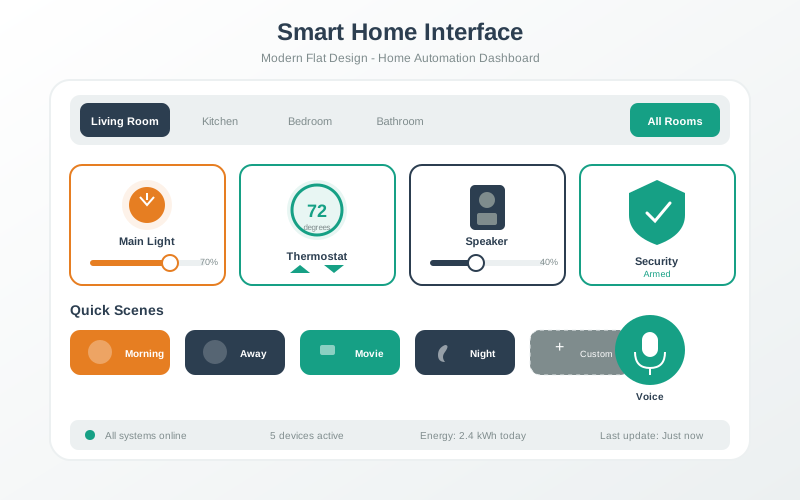
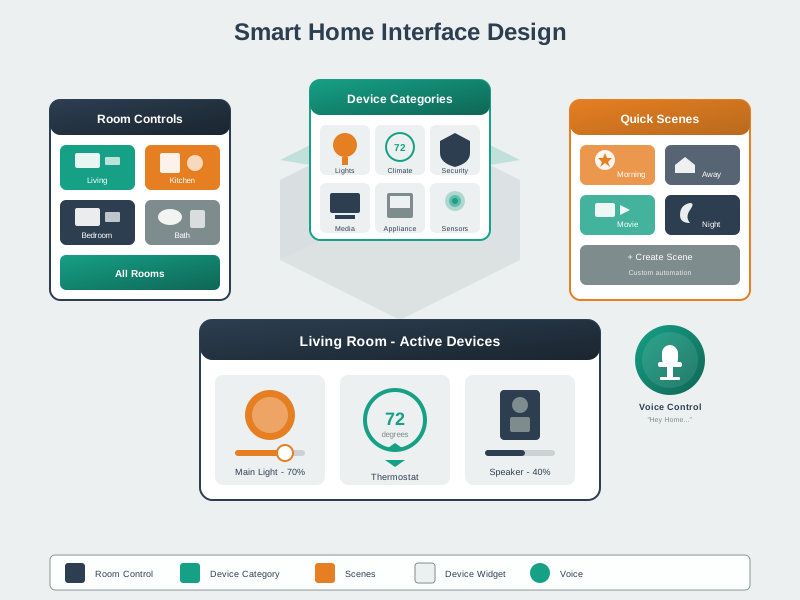
Rooms: Group devices by physical location (Living Room, Bedroom, Kitchen) for easy navigation
Scenes: Preset device configurations activated with one action (e.g., “Movie Time” dims lights and adjusts thermostat)
Device Controls: Generate appropriate UI controls based on device type (toggles for lights, sliders for brightness, temperature controls for thermostats)
Dashboard Layout: Hierarchical view organized by rooms, with expandable sections for each device type
TipReal Example: Smart Home Scene
When you say “Goodnight” to your smart speaker:
| Device | Action | How It Knows |
|---|---|---|
| Lights | All turn off | Connected to hub |
| Door | Locks automatically | Part of “goodnight” routine |
| Thermostat | Lowers to 65F | Scheduled night mode |
| TV | Turns off | Smart plug controlled |
| Phone | Sets alarm | Integrated with routine |
All from ONE voice command! This is the power of connected devices.
%%{init: {'theme': 'base', 'themeVariables': {'primaryColor':'#E8EAF6','primaryTextColor':'#2C3E50','primaryBorderColor':'#2C3E50','lineColor':'#16A085','secondaryColor':'#FFF3E0','tertiaryColor':'#E8F5E9','noteTextColor':'#2C3E50','noteBkgColor':'#FFF9C4','noteBorderColor':'#E67E22'}}}%%
sequenceDiagram
    participant You
    participant Speaker as Smart Speaker
    participant Lights
    participant Lock
    participant Thermo as Thermostat
    participant TV
    participant Phone

    You->>Speaker: "Goodnight"

    Note over Speaker: Triggers "Goodnight" Scene

    Speaker->>Lights: Turn off all lights
    Lights-->>Speaker: Confirmed

    Speaker->>Lock: Lock front door
    Lock-->>Speaker: Locked

    Speaker->>Thermo: Set to 65F
    Thermo-->>Speaker: Temperature set

    Speaker->>TV: Power off
    TV-->>Speaker: Off

    Speaker->>Phone: Set alarm for 7am
    Phone-->>Speaker: Alarm set

    Speaker->>You: "Goodnight! Everything is secure."
{fig-alt=“Sequence diagram showing a smart home ‘Goodnight’ routine triggered by voice command, orchestrating multiple devices: lights turn off, door locks, thermostat adjusts, TV powers down, and phone alarm sets, all from one command”}
1501.5 Cross-Platform Mobile Development
React Native mobile app for managing IoT devices:
import React, { useState, useEffect } from 'react';
import { View, Text, Switch, Slider, FlatList, TouchableOpacity } from 'react-native';

const IoTDeviceApp = () => {
  const [devices, setDevices] = useState([]);
  const [rooms, setRooms] = useState([]);
  const [selectedRoom, setSelectedRoom] = useState('All');

  useEffect(() => {
    // Load devices from backend/local storage
    loadDevices();
  }, []);

  const loadDevices = async () => {
    // Simulated device loading
    const mockDevices = [
      {
        id: 'light_1',
        name: 'Living Room Light',
        type: 'light',
        room: 'Living Room',
        state: { power: true, brightness: 80 }
      },
      {
        id: 'thermostat_1',
        name: 'Main Thermostat',
        type: 'thermostat',
        room: 'Living Room',
        state: { temperature: 22, mode: 'heat' }
      },
      {
        id: 'sensor_1',
        name: 'Bedroom Sensor',
        type: 'sensor',
        room: 'Bedroom',
        state: { temperature: 21.5, humidity: 45 }
      }
    ];

    setDevices(mockDevices);

    // Extract unique rooms
    const uniqueRooms = ['All', ...new Set(mockDevices.map(d => d.room))];
    setRooms(uniqueRooms);
  };

  const sendCommand = async (deviceId, command) => {
    // Send command to device via API/MQTT
    console.log(`Command to ${deviceId}:`, command);

    // Update local state optimistically
    setDevices(devices.map(device =>
      device.id === deviceId
        ? { ...device, state: { ...device.state, ...command } }
        : device
    ));
  };

  const renderDevice = ({ item: device }) => {
    return (
      <View style={styles.deviceCard}>
        <Text style={styles.deviceName}>{device.name}</Text>
        <Text style={styles.deviceRoom}>{device.room}</Text>

        {device.type === 'light' && (
          <View>
            <View style={styles.control}>
              <Text>Power</Text>
              <Switch
                value={device.state.power}
                onValueChange={(value) =>
                  sendCommand(device.id, { power: value })
                }
              />
            </View>

            <View style={styles.control}>
              <Text>Brightness: {device.state.brightness}%</Text>
              <Slider
                style={styles.slider}
                value={device.state.brightness}
                minimumValue={0}
                maximumValue={100}
                step={1}
                onSlidingComplete={(value) =>
                  sendCommand(device.id, { brightness: value })
                }
              />
            </View>
          </View>
        )}

        {device.type === 'thermostat' && (
          <View>
            <Text style={styles.reading}>
              Current: {device.state.temperature}C
            </Text>
            <Text>Mode: {device.state.mode}</Text>
          </View>
        )}

        {device.type === 'sensor' && (
          <View>
            <Text style={styles.reading}>
              Temp: {device.state.temperature}C
            </Text>
            <Text style={styles.reading}>
              Humidity: {device.state.humidity}%
            </Text>
          </View>
        )}
      </View>
    );
  };

  const filteredDevices = selectedRoom === 'All'
    ? devices
    : devices.filter(d => d.room === selectedRoom);

  return (
    <View style={styles.container}>
      <Text style={styles.header}>My IoT Devices</Text>

      {/* Room selector */}
      <View style={styles.roomSelector}>
        {rooms.map(room => (
          <TouchableOpacity
            key={room}
            style={[
              styles.roomButton,
              selectedRoom === room && styles.roomButtonActive
            ]}
            onPress={() => setSelectedRoom(room)}
          >
            <Text>{room}</Text>
          </TouchableOpacity>
        ))}
      </View>

      {/* Device list */}
      <FlatList
        data={filteredDevices}
        renderItem={renderDevice}
        keyExtractor={item => item.id}
      />
    </View>
  );
};

const styles = {
  container: {
    flex: 1,
    padding: 16,
    backgroundColor: '#f5f5f5'
  },
  header: {
    fontSize: 24,
    fontWeight: 'bold',
    marginBottom: 16
  },
  roomSelector: {
    flexDirection: 'row',
    marginBottom: 16
  },
  roomButton: {
    padding: 8,
    marginRight: 8,
    backgroundColor: '#e0e0e0',
    borderRadius: 4
  },
  roomButtonActive: {
    backgroundColor: '#2196F3'
  },
  deviceCard: {
    backgroundColor: 'white',
    padding: 16,
    marginBottom: 12,
    borderRadius: 8,
    shadowColor: '#000',
    shadowOffset: { width: 0, height: 2 },
    shadowOpacity: 0.1,
    shadowRadius: 4,
    elevation: 3
  },
  deviceName: {
    fontSize: 18,
    fontWeight: 'bold'
  },
  deviceRoom: {
    fontSize: 14,
    color: '#666',
    marginBottom: 12
  },
  control: {
    marginVertical: 8
  },
  slider: {
    width: '100%',
    height: 40
  },
  reading: {
    fontSize: 16,
    marginVertical: 4
  }
};

export default IoTDeviceApp;
1501.6 Matter Protocol Support
1501.6.1 Matter Device Structure
Matter devices use a hierarchical organization: - Device: The physical product (e.g., smart light) - Endpoints: Functional units within the device (e.g., endpoint 1 = main light) - Clusters: Groups of related functionality (e.g., On/Off cluster, Level Control cluster) - Attributes: Data values (e.g., current state, brightness level) - Commands: Actions the device can perform (e.g., toggle, set brightness)
Example Matter Device Hierarchy:
Smart Light (Device ID: light_matter_001)
  - Endpoint 1: OnOffLight
      - Cluster 0x0006 (OnOff)
          - Attribute 0x0000: on_off = true/false
          - Command: Toggle()
      - Cluster 0x0008 (LevelControl)
          - Attribute 0x0000: current_level = 0-255
          - Command: MoveToLevel(level, transition_time)
Key Benefit: Any Matter-certified controller (Apple Home, Google Home, Amazon Alexa) can control this device using the same standardized clusters and commands, without device-specific code.
%%{init: {'theme': 'base', 'themeVariables': {'primaryColor':'#2C3E50','primaryTextColor':'#fff','primaryBorderColor':'#16A085','lineColor':'#16A085','secondaryColor':'#E67E22','tertiaryColor':'#7F8C8D'}}}%%
flowchart TD
    START{What are you<br/>connecting?} --> Q1{Need<br/>battery power?}

    Q1 -->|Yes, 5+ years| LOW[Low Power Priority]
    Q1 -->|No, wall powered| FULL[Full Power Available]

    LOW --> Q2{Home or<br/>large building?}
    Q2 -->|Small home| BLE[BLE/Thread<br/>Low energy mesh]
    Q2 -->|Large building| ZIGBEE[Zigbee<br/>Extended mesh range]

    FULL --> Q3{Need high<br/>bandwidth?}
    Q3 -->|Yes, video/audio| Wi-Fi[Wi-Fi<br/>High throughput]
    Q3 -->|No, control only| Q4{Cross-vendor<br/>needed?}

    Q4 -->|Yes| MATTER[Matter<br/>Universal standard]
    Q4 -->|No, single brand| PROP[Proprietary<br/>Brand ecosystem]

    style START fill:#2C3E50,stroke:#16A085,color:#fff
    style BLE fill:#16A085,stroke:#2C3E50,color:#fff
    style ZIGBEE fill:#16A085,stroke:#2C3E50,color:#fff
    style Wi-Fi fill:#E67E22,stroke:#2C3E50,color:#fff
    style MATTER fill:#16A085,stroke:#2C3E50,color:#fff
    style PROP fill:#7F8C8D,stroke:#2C3E50,color:#fff
{fig-alt=“Decision tree for selecting IoT communication protocol: Starting from power requirements (battery vs wall powered), branching through scale needs and bandwidth requirements, leading to recommendations: BLE/Thread for small battery homes, Zigbee for large buildings with batteries, Wi-Fi for high bandwidth needs, Matter for cross-vendor interoperability, or proprietary for single-brand ecosystems”}
1501.7 HomeKit Integration
1501.7.1 HomeKit Accessory Model
HomeKit organizes smart home devices using a service-characteristic model: - Accessory: The device itself (e.g., “Bedroom Light”) - Services: Types of functionality (e.g., Lightbulb service, Battery service) - Characteristics: Individual controllable properties with permissions (e.g., On, Brightness, Hue)
Example HomeKit Lightbulb Structure:
Accessory: "Bedroom Light" (Category: Lightbulb)
  - Service: Lightbulb
      - Characteristic: On
          - Value: true/false
          - Permissions: read, write, notify
      - Characteristic: Brightness
          - Value: 0-100 (percentage)
          - Permissions: read, write, notify
      - Characteristic: Hue
          - Value: 0-360 (degrees)
          - Permissions: read, write, notify
      - Characteristic: Saturation
          - Value: 0-100 (percentage)
          - Permissions: read, write, notify
Key Features: - Permissions: Define what apps can do (read current state, write new values, receive notifications on changes) - Notifications: Devices can push updates when characteristics change (e.g., manual switch flips light on) - Siri Integration: Services map to voice commands (“Set bedroom light to 75%”)
1501.8 Knowledge Check
1501.9 Visual Reference Gallery
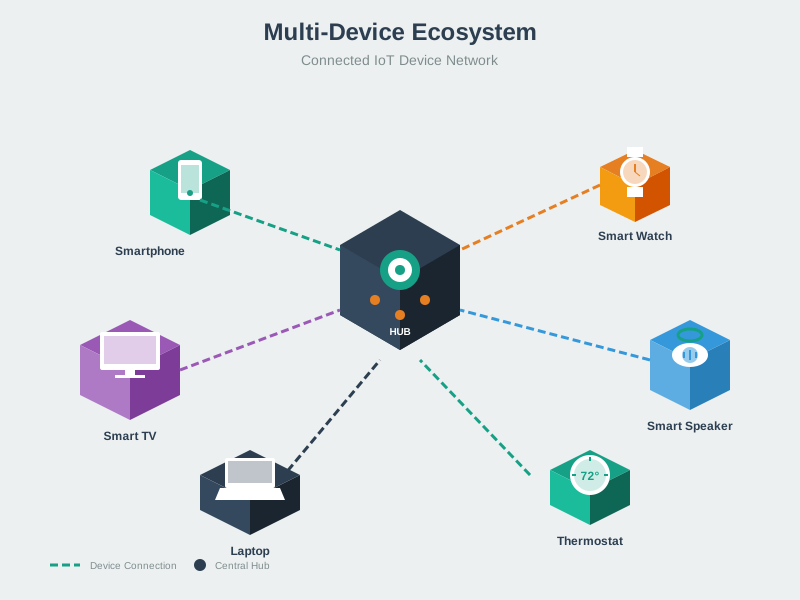
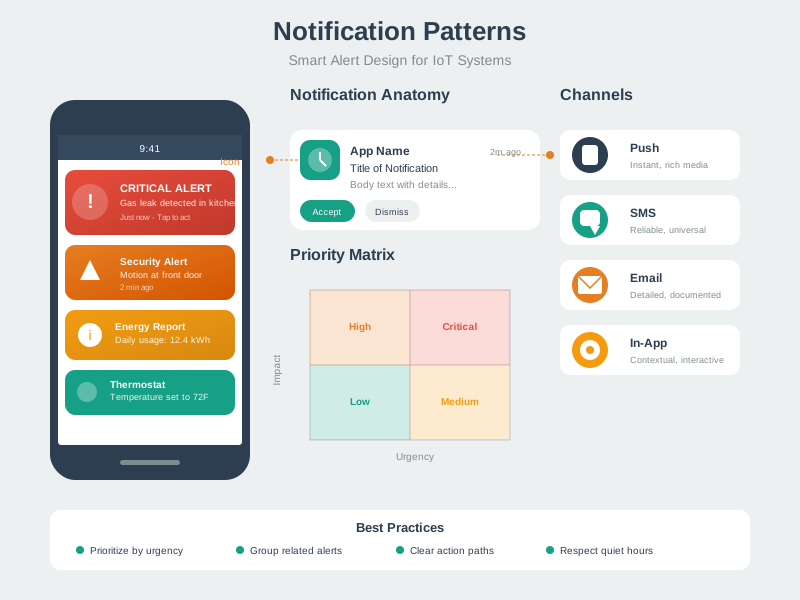
NoteAI-Generated Visual References for Connected IoT Systems
These AI-generated illustrations provide alternative visual perspectives on key device connectivity concepts covered in this chapter.
1501.9.1 Device Ecosystem Architecture

1501.9.2 Smart Home Interface Design
1501.9.3 Notification and Feedback Patterns
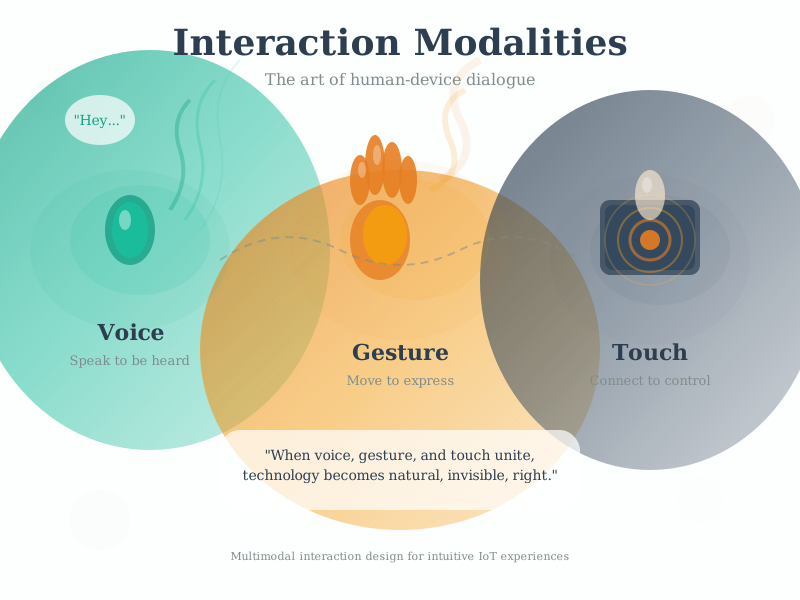
1501.9.4 Multi-Modal Interaction
1501.10 Summary
This chapter explored ecosystem integration and interoperability:
Key Takeaways:
- Multi-Device UIs: Organize devices by rooms, support scenes, provide appropriate controls for each device type
- Cross-Platform Development: React Native enables unified mobile apps across iOS and Android
- Matter Standard: Universal protocol enabling cross-vendor device compatibility across Apple, Google, and Amazon ecosystems
- HomeKit Integration: Service-characteristic model with permissions and Siri voice control
- Protocol Selection: Choose protocols based on power, bandwidth, and interoperability requirements
When designing connected IoT systems, prioritize interoperability standards like Matter to ensure devices work together regardless of manufacturer.
NoteRelated Chapters & Resources
System Integration: - Interoperability - Making systems work together - IoT Protocols - Communication standards - Edge/Fog/Cloud - Computing tiers
Product Integration Examples: - Amazon Echo - Ecosystem integration
Technical Foundation: - MQTT - Messaging protocol - CoAP - Constrained application protocol
1501.11 What’s Next
The next chapter examines Location Awareness, exploring how IoT systems determine and utilize the physical position of devices, users, and objects for location-based services and applications.
1501.12 Resources
Standards and Protocols: - Matter (formerly CHIP) - Multi-vendor smart home standard - Apple HomeKit - Smart home framework - Google Home / Weave - Google’s IoT ecosystem - Amazon Alexa Smart Home - Voice-controlled devices
Development Resources: - React Native - Cross-platform mobile development - Home Assistant - Open source home automation - OpenHAB - Vendor-neutral home automation - Node-RED - Visual programming for IoT flows