%%{init: {'theme': 'base', 'themeVariables': { 'primaryColor': '#2C3E50', 'primaryTextColor': '#fff', 'primaryBorderColor': '#16A085', 'lineColor': '#16A085', 'secondaryColor': '#E67E22', 'tertiaryColor': '#7F8C8D'}}}%%
sequenceDiagram
    participant S as OpenFlow Switch
    participant C1 as Controller 1<br/>(Primary)
    participant C2 as Controller 2<br/>(Standby)
    participant C3 as Controller 3<br/>(Standby)

    rect rgb(44, 62, 80, 0.1)
        Note over S,C3: Normal Operation
        S->>C1: Heartbeat (every 5s)
        C1->>S: Echo Reply
        C1->>C2: State Sync
        C1->>C3: State Sync
    end

    rect rgb(230, 126, 34, 0.1)
        Note over S,C3: Controller 1 Failure
        S->>C1: Heartbeat
        Note over C1: No Response (15s timeout)
        S->>C2: Connect to Standby
        C2->>S: Echo Reply
        Note over C2: Promoted to Primary
        C2->>C3: State Sync
    end

    rect rgb(22, 160, 133, 0.1)
        Note over S,C3: Recovery Complete
        S->>C2: Flow Mods Continue
        C2->>S: Flow Rules Installed
        Note over S,C2: Sub-second Failover<br/>Existing Flows Unaffected
    end
301 SDN Production Best Practices
301.1 Learning Objectives
By the end of this chapter, you will be able to:
- Design controller high availability with active-standby and distributed clustering
- Optimize flow tables using wildcard aggregation and multi-table pipelines
- Implement security hardening with TLS, RBAC, and rate limiting
- Deploy comprehensive monitoring using Prometheus, Grafana, and alerting
- Conduct pre-production testing with failover drills and scale validation
301.2 Prerequisites
Required Chapters: - SDN Production Framework - Controller platforms and deployment checklist - SDN Case Studies - Real-world deployment examples
Technical Background: - OpenFlow flow tables - Controller clustering concepts - Basic network security
Estimated Time: 25 minutes
NoteCross-Hub Connections
Interactive Learning: - Simulations Hub - Practice with SDN flow rule simulators - Videos Hub - Watch security hardening and monitoring tutorials
Knowledge Assessment: - Quizzes Hub - Test your understanding of TCAM optimization and failover - Knowledge Gaps Hub - Review common TCAM limitation misconceptions
TipFor Beginners: Production Readiness
Production SDN requires addressing these key areas:
- High Availability: What happens when a controller fails?
- Flow Table Limits: TCAM memory is expensive and limited
- Security: Protecting the control plane from attacks
- Monitoring: Knowing when something goes wrong
- Testing: Validating the system works under stress
This chapter provides practical guidance for each area with implementation examples.
301.3 Controller High Availability
Problem: Single controller is a single point of failure.
Solutions: - Active-Standby: One primary controller, N backups. Failover in 2-5 seconds. - Active-Active: Distributed controller cluster (ONOS). Sub-second failover. - Out-of-Band Management: Separate network for controller-switch communication (survives data plane failures).
Controller Failover Process:
Implementation Example (ONOS):
# Deploy 3-node ONOS cluster across different racks
onos-1: 192.168.1.101 (Rack A)
onos-2: 192.168.1.102 (Rack B)
onos-3: 192.168.1.103 (Rack C)

# Configure switches to try controllers in order
ovs-vsctl set-controller br0 \
  tcp:192.168.1.101:6653 \
  tcp:192.168.1.102:6653 \
  tcp:192.168.1.103:6653

# Test failover
systemctl stop onos@1  # Simulate primary failure
# Switches reconnect to onos-2 in <1 second
TipUnderstanding Check: SDN Controller High Availability Design
Scenario: Smart factory deploys 3-node ONOS controller cluster managing 200 switches and 10,000 IoT devices. Controllers use Raft consensus requiring majority quorum. During maintenance, IT team needs to upgrade controller software.
Think about: 1. Calculate fault tolerance: how many controller failures can cluster survive? 2. Why can’t you perform rolling upgrades on 2-node clusters safely? 3. What happens during network partition [Controller1] vs [Controller2, Controller3]?
Key Insight: 3-node quorum = ceiling(3/2) + 1 = 2 nodes minimum. Tolerate 1 failure. Scenarios: 1 node down -> 2 nodes maintain quorum -> cluster operates normally. 2 nodes down -> 1 node remaining -> NO quorum -> cluster read-only (can’t install new flows). Split-brain prevention: Partition creates [C1] vs [C2, C3]. Quorum rule: [C2, C3] has 2/3 majority -> continues. [C1] has 1/3 minority -> steps down. Prevents conflicting flow rules. Production sizing: 5-node cluster tolerates 2 failures (3/5 quorum), 7-node tolerates 3 failures. Always use odd numbers for clear majorities.
301.4 Flow Table Optimization
Problem: TCAM memory is expensive and limited (typically 1K-4K rules per switch).
Solutions: - Wildcard rules: Use prefix matching instead of exact match - Flow aggregation: Single rule covers multiple endpoints - Flow eviction: Remove idle flows after timeout - Multi-table pipeline: Distribute rules across tables by function
TCAM Optimization Strategies:
%%{init: {'theme': 'base', 'themeVariables': { 'primaryColor': '#2C3E50', 'primaryTextColor': '#fff', 'primaryBorderColor': '#16A085', 'lineColor': '#16A085', 'secondaryColor': '#E67E22', 'tertiaryColor': '#7F8C8D'}}}%%
graph LR
    subgraph Problem[Naive Approach - TCAM Overflow]
        N1[Sensor 1<br/>10.0.0.1]
        N2[Sensor 2<br/>10.0.0.2]
        N3[Sensor 3<br/>10.0.0.3]
        Ndot[...]
        N5000[Sensor 5000<br/>10.0.19.232]
        Rules1[5,000 Exact<br/>Match Rules]
    end

    subgraph Solution[Optimized - Wildcard Aggregation]
        S1[All Sensors<br/>10.0.0.0/16]
        Rules2[1 Wildcard<br/>Rule]
        G[Gateway]
    end

    N1 --> Rules1
    N2 --> Rules1
    N3 --> Rules1
    Ndot --> Rules1
    N5000 --> Rules1
    Rules1 -.->|TCAM<br/>Exhausted| X[Table Full]

    S1 --> Rules2
    Rules2 -->|97% TCAM<br/>Savings| G

    style Problem fill:#E67E22,color:#fff
    style Solution fill:#16A085,color:#fff
    style X fill:#c0392b,color:#fff
    style Rules1 fill:#7F8C8D,color:#fff
    style Rules2 fill:#2C3E50,color:#fff
Alternative View - Multi-Table Pipeline:
%%{init: {'theme': 'base', 'themeVariables': { 'primaryColor': '#2C3E50', 'primaryTextColor': '#fff', 'primaryBorderColor': '#16A085', 'lineColor': '#16A085', 'secondaryColor': '#E67E22', 'tertiaryColor': '#7F8C8D'}}}%%
graph TB
    subgraph Packet["Incoming Packet"]
        PKT["Src: 10.0.5.100<br/>Dst: 192.168.1.50<br/>Protocol: TCP/8883"]
    end

    subgraph Pipeline["Multi-Table Pipeline"]
        T0["Table 0: Source Check<br/>10.0.0.0/16 -> Table 1<br/>(1 rule)"]
        T1["Table 1: Destination<br/>192.168.0.0/16 -> Table 2<br/>(5 rules)"]
        T2["Table 2: Application<br/>TCP/8883 -> MQTT Queue<br/>(10 rules)"]
    end

    subgraph Action["Final Action"]
        OUT["Output: Port 3<br/>Set QoS: IoT Priority"]
    end

    PKT --> T0
    T0 -->|Match| T1
    T1 -->|Match| T2
    T2 -->|Match| OUT

    style Packet fill:#7F8C8D,color:#fff
    style T0 fill:#16A085,color:#fff
    style T1 fill:#E67E22,color:#fff
    style T2 fill:#2C3E50,color:#fff
    style OUT fill:#16A085,color:#fff
Example - Aggregated Rules:
# BAD: One rule per sensor (3000 rules for 3000 sensors)
for sensor_ip in sensor_ips:
    install_flow(match="src_ip={}".format(sensor_ip),
                 actions="output:gateway_port")

# GOOD: One wildcard rule covers all sensors (1 rule)
install_flow(match="src_ip=10.0.0.0/16",  # All sensors in subnet
             actions="output:gateway_port")
TipUnderstanding Check: TCAM-Efficient Flow Rule Design
Scenario: IoT deployment: 5,000 sensors (10.0.0.0/16 subnet) send data to 10 gateways. 50 switches, each with 2,000 TCAM entries (expensive ternary content-addressable memory). Need to minimize flow rules while maintaining functionality.
Think about: 1. Calculate rules per switch: exact-match (5,000) vs wildcard subnet (11 rules) 2. Why does reactive PACKET_IN approach fail for real-time IoT? 3. How does prefix aggregation enable scalability?
Key Insight: Exact-match per sensor: 5,000 rules/switch x 50 switches = 250,000 rules. Each switch has 2,000 TCAM -> exceeds capacity 2.5x -> impossible. Wildcard aggregation: 1 rule covers all sensors: match: src_ip=10.0.0.0/16 -> output: toward_gateway. Plus 10 gateway-specific rules: match: dst_ip=gateway_X -> output: port_X. Total: 11 rules/switch x 50 switches = 550 rules -> well within capacity. Reactive approach: Install rules on-demand (PACKET_IN) -> 10-100ms first-packet latency, controller CPU overload with 5,000 flows. Unsuitable for real-time. Key lesson: Use prefix matching (subnets) not exact match (individual IPs). SDN scalability depends on rule aggregation.
301.5 Security Hardening
Critical SDN Security Measures:
| Threat | Mitigation | Implementation |
|---|---|---|
| Controller compromise | TLS encryption, certificate auth | ovs-vsctl set-ssl /etc/ssl/private/switch-key.pem |
| Flow rule injection | Role-based access control (RBAC) | Controller app permissions, API authentication |
| Topology poisoning | Topology validation | Verify LLDP messages, authenticate switches |
| DDoS against controller | Rate limiting PACKET_IN | Limit per-switch PACKET_IN rate (e.g., 100/sec) |
| Lateral movement | Network slicing, micro-segmentation | Isolate IoT traffic from enterprise network |
SDN Security Threat Model:
%%{init: {'theme': 'base', 'themeVariables': { 'primaryColor': '#2C3E50', 'primaryTextColor': '#fff', 'primaryBorderColor': '#16A085', 'lineColor': '#16A085', 'secondaryColor': '#E67E22', 'tertiaryColor': '#7F8C8D'}}}%%
graph TB
    subgraph Threats[Attack Vectors]
        T1[Controller<br/>Compromise]
        T2[Flow Rule<br/>Injection]
        T3[Topology<br/>Poisoning]
        T4[DDoS on<br/>Controller]
        T5[Man-in-the-Middle<br/>Attacks]
    end

    subgraph Controller[SDN Controller - Critical Asset]
        Core[Control Logic]
        Apps[SDN Apps]
        API[Northbound API]
    end

    subgraph Mitigation[Defense Layers]
        M1[TLS Encryption<br/>+ Certificates]
        M2[RBAC + API<br/>Authentication]
        M3[LLDP Validation<br/>+ Switch Auth]
        M4[Rate Limiting<br/>100 PACKET_IN/sec]
        M5[Network Slicing<br/>+ Micro-segmentation]
    end

    subgraph DataPlane[Data Plane - OpenFlow Switches]
        SW1[Switch 1]
        SW2[Switch 2]
        SW3[Switch 3]
    end

    T1 -.->|Attack| Controller
    T2 -.->|Attack| Controller
    T3 -.->|Attack| DataPlane
    T4 -.->|Attack| Controller
    T5 -.->|Attack| DataPlane

    M1 -->|Protects| Controller
    M2 -->|Protects| Controller
    M3 -->|Protects| DataPlane
    M4 -->|Protects| Controller
    M5 -->|Protects| DataPlane

    Controller <-->|Secured<br/>OpenFlow| DataPlane

    style Threats fill:#c0392b,color:#fff
    style Controller fill:#2C3E50,color:#fff
    style Mitigation fill:#16A085,color:#fff
    style DataPlane fill:#7F8C8D,color:#fff
Example - TLS Configuration:
# Generate switch certificate
openssl req -newkey rsa:2048 -nodes -keyout switch-key.pem \
  -x509 -days 365 -out switch-cert.pem

# Configure switch to require TLS
ovs-vsctl set-ssl /etc/ssl/private/switch-key.pem \
                  /etc/ssl/certs/switch-cert.pem \
                  /etc/ssl/certs/controller-ca.pem

# Controller rejects non-TLS connections
301.6 Monitoring and Telemetry
Essential SDN Metrics: - Flow statistics: Packet/byte counts per rule (identify heavy flows) - Controller CPU/memory: Detect resource exhaustion - Southbound API latency: Time from flow_mod to flow_stats_reply - Switch TCAM utilization: Prevent table overflow
SDN Monitoring Architecture:
%%{init: {'theme': 'base', 'themeVariables': { 'primaryColor': '#2C3E50', 'primaryTextColor': '#fff', 'primaryBorderColor': '#16A085', 'lineColor': '#16A085', 'secondaryColor': '#E67E22', 'tertiaryColor': '#7F8C8D'}}}%%
graph TB
    subgraph DataPlane[Data Plane Metrics]
        SW1[Switch 1<br/>Flow Stats]
        SW2[Switch 2<br/>TCAM Usage]
        SW3[Switch 3<br/>Port Stats]
    end

    subgraph Controller[Controller Metrics]
        CPU[CPU: 45%]
        MEM[Memory: 8.2GB]
        LAT[API Latency: 12ms]
        FPS[Flows/sec: 15,000]
    end

    subgraph Collectors[Metrics Collection]
        Prom[Prometheus<br/>Time-Series DB]
        Exp[ONOS Exporter<br/>:8181/metrics]
    end

    subgraph Visualization[Monitoring Dashboard]
        Graf[Grafana Dashboard]
        Alert[Alert Manager]
    end

    subgraph Alerts[Alert Rules]
        A1[Controller CPU > 80%]
        A2[TCAM > 90% Full]
        A3[Failover Detected]
        A4[Flow Setup Latency > 50ms]
    end

    SW1 -->|OpenFlow Stats| Controller
    SW2 -->|OpenFlow Stats| Controller
    SW3 -->|OpenFlow Stats| Controller

    Controller --> Exp
    DataPlane --> Exp
    Exp -->|Scrape Every 15s| Prom
    Prom --> Graf
    Prom --> Alert

    Alert --> A1
    Alert --> A2
    Alert --> A3
    Alert --> A4

    style DataPlane fill:#7F8C8D,color:#fff
    style Controller fill:#2C3E50,color:#fff
    style Collectors fill:#16A085,color:#fff
    style Visualization fill:#E67E22,color:#fff
    style Alerts fill:#c0392b,color:#fff
Prometheus-based Monitoring:
# ONOS metrics export
scrape_configs:
  - job_name: 'onos'
    static_configs:
      - targets: ['192.168.1.101:8181']
    metrics_path: '/onos/v1/metrics'

# Alert on controller failover
- alert: ONOSControllerDown
  expr: up{job="onos"} == 0
  for: 30s
  annotations:
    summary: "ONOS controller {{ $labels.instance }} is down"
301.7 Testing and Validation
Pre-Production Testing Checklist:
[ ] Controller failover test (kill primary, verify backup takes over)
[ ] Link failure test (disconnect switch port, verify rerouting)
[ ] Scale test (install 10K flows, measure convergence time)
[ ] Security test (attempt unauthorized flow_mod, verify rejection)
[ ] Performance test (measure flow setup latency under load)
[ ] Upgrade test (rolling controller upgrade without downtime)
Mininet Testing Example:
# Test SDN controller with simulated 100-node IoT network
from mininet.net import Mininet
from mininet.node import RemoteController

net = Mininet(controller=RemoteController)
net.addController('c0', ip='192.168.1.101', port=6653)

# Create 100 IoT device hosts
for i in range(100):
    net.addHost(f'sensor{i}')
    net.addLink(f'sensor{i}', 's1')

net.start()
# Run traffic tests, measure flow setup latency
net.stop()
301.8 Visual Reference Gallery
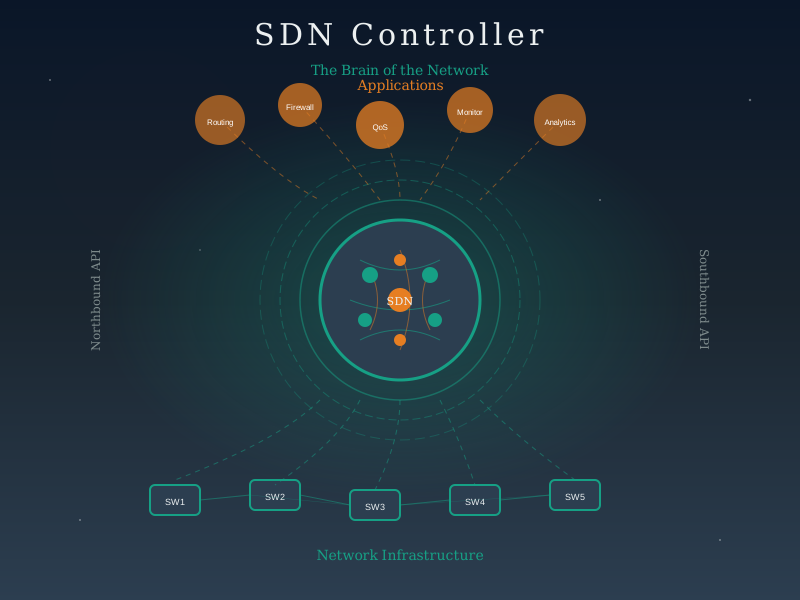
NoteVisual: SDN Controller Architecture
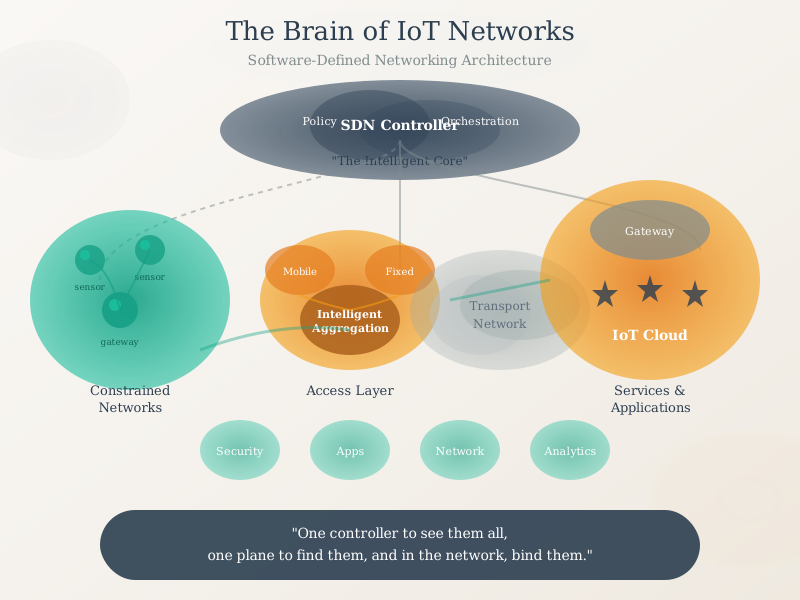
NoteVisual: SDN in IoT Networks
NoteVisual: OpenFlow Switch Operation

301.9 Knowledge Check
301.10 Summary
This chapter covered essential best practices for production SDN deployments:
Key Takeaways:
High Availability: Deploy 3+ node controller clusters with automatic failover; use odd numbers for clear quorum majorities
Flow Table Optimization: Use wildcard aggregation and multi-table pipelines to reduce TCAM usage by 97%+
Security Hardening: Implement TLS for all control channels, RBAC for API access, and rate limiting for PACKET_IN
Monitoring: Deploy Prometheus/Grafana stack with alerts for CPU, TCAM, failover, and latency thresholds
Testing: Conduct failover drills, scale tests, and security audits before production deployment
ImportantChapter Summary
This chapter introduced Software-Defined Networking (SDN) production best practices for IoT architectures.
SDN Production Paradigm: Moving from development to production requires addressing high availability through controller clustering, flow table efficiency through wildcard aggregation, security through TLS and RBAC, and observability through comprehensive monitoring.
IoT-SDN Integration: Production SDN addresses IoT-specific challenges including massive device counts (requiring TCAM optimization), diverse QoS requirements (network slicing), and reliability needs (controller HA). The centralized controller provides global visibility while proactive flow installation ensures continued operation during controller maintenance.
Benefits and Challenges: Production SDN provides simplified management, programmable policies, improved security, and better resource utilization. Challenges include controller scalability, potential single points of failure, increased latency for new flows, and security risks if controllers are compromised.
Understanding these production practices prepares you to design flexible, manageable IoT networks that can adapt to changing requirements and scale efficiently.
301.11 Further Reading
Kreutz, D., et al. (2015). “Software-defined networking: A comprehensive survey.” Proceedings of the IEEE, 103(1), 14-76.
McKeown, N., et al. (2008). “OpenFlow: enabling innovation in campus networks.” ACM SIGCOMM Computer Communication Review, 38(2), 69-74.
Hakiri, A., et al. (2014). “Leveraging SDN for the 5G networks: Trends, prospects and challenges.” arXiv preprint arXiv:1506.02876.
Galluccio, L., et al. (2015). “SDN-WISE: Design, prototyping and experimentation of a stateful SDN solution for WIreless SEnsor networks.” IEEE INFOCOM, 513-521.
NoteRelated Chapters
Deep Dives: - SDN Fundamentals and OpenFlow - Control/data plane separation - SDN Analytics and Implementations - Traffic engineering applications
Comparisons: - Traditional vs SDN Networking - Architecture evolution - Edge Computing - Distributed vs centralized control
Learning: - Quizzes Hub - Test your SDN knowledge - Videos Hub - SDN deployment tutorials
301.12 What’s Next?
Building on these architectural concepts, the next section examines Sensor Node Behaviors.