195 Message Queue Lab Challenges
195.1 Learning Objectives
By the end of this chapter, you will be able to:
- Build a Complete Message Broker: Run the full lab simulation on ESP32
- Implement Dead Letter Queues: Handle failed deliveries gracefully
- Add Message Deduplication: Prevent duplicate processing in QoS 1
- Create Subscriber Groups: Implement load-balanced message consumption
- Design Flow Control: Add backpressure handling for slow consumers
195.2 Introduction
This chapter provides hands-on lab challenges to reinforce message queue concepts. You’ll work with a complete Wokwi ESP32 simulation that demonstrates queue operations, pub/sub patterns, topic routing, and QoS handling.
195.3 Wokwi Simulation Lab
195.3.1 How to Use This Simulation
- Click inside the Wokwi editor below
- Copy and paste the provided code into the editor
- Click the green Play button to start the simulation
- Observe the Serial Monitor output showing message queue operations
- Modify parameters to experiment with different scenarios
195.3.2 Complete Lab Code
The full implementation (1,200+ lines) is available in the Message Queue Lab Overview. The code demonstrates:
- Queue operations (enqueue, dequeue, priority)
- Pub/Sub pattern with topic routing
- MQTT-style wildcards (+ and #)
- QoS levels 0, 1, and 2
- Message persistence and retained messages
195.4 Lab Challenges
195.4.1 Challenge 1: Implement Message Expiry (Beginner)
Add logic to check message expiry timestamps and remove expired messages from queues.
Objective: Messages with expiry > 0 should be removed when millis() > expiry.
void removeExpiredMessages(MessageQueue* q) {
    // TODO: Implement this function
    // 1. Iterate through queue from head to tail
    // 2. Check if msg.expiry > 0 && millis() > msg.expiry
    // 3. Mark expired messages for removal
    // 4. Log expiry events with message ID and topic
    // 5. Update queue statistics
}Hints:
- Iterate using:
for (int i = 0; i < q->count; i++) - Calculate index:
int idx = (q->head + i) % q->maxSize - Check expiry:
if (msg.expiry > 0 && millis() > msg.expiry) - Call this function in
processBrokerQueue()before routing
Expected Output:
[EXPIRE] Message 15 expired: topic=sensors/humidity/room1, age=65000ms
[EXPIRE] Removed 1 expired messages from broker queuevoid removeExpiredMessages(MessageQueue* q) {
int expiredCount = 0;
unsigned long now = millis();
for (int i = 0; i < q->count; i++) {
int idx = (q->head + i) % q->maxSize;
Message* msg = &q->messages[idx];
if (msg->expiry > 0 && now > msg->expiry) {
Serial.printf("[EXPIRE] Message %lu expired: topic=%s, age=%lums\n",
msg->messageId, msg->topic, now - msg->timestamp);
// Mark for removal (in real implementation, compact the queue)
msg->messageId = 0;
expiredCount++;
}
}
if (expiredCount > 0) {
Serial.printf("[EXPIRE] Removed %d expired messages\n", expiredCount);
q->totalDropped += expiredCount;
}
}195.4.2 Challenge 2: Add Dead Letter Queue (Intermediate)
When messages fail delivery after 3 retries, move them to a “dead letter queue” for later analysis.
Objective: Implement a DLQ that captures failed messages with failure reasons.
MessageQueue deadLetterQueue;

struct DeadLetterInfo {
  Message originalMessage;
  char failureReason[64];
  uint32_t failureTime;
  int attemptCount;
};

void moveToDeadLetter(Message* msg, const char* reason) {
    // TODO: Implement this function
    // 1. Create DeadLetterInfo with failure details
    // 2. Log the failure with message ID and reason
    // 3. Enqueue to deadLetterQueue
    // 4. Update DLQ statistics
}
Implementation Steps:
- Initialize
deadLetterQueueinsetup() - Modify
processSubscriberInboxes()to checkdeliveryCount >= 3 - Call
moveToDeadLetter()instead of requeueing - Add a
printDeadLetterQueue()function for debugging
Expected Output:
[DLQ] Message 42 moved to dead letter queue
[DLQ] Reason: Max retries exceeded (3 attempts)
[DLQ] Original topic: alerts/motion/entrance
[DLQ] Dead letter queue size: 1void moveToDeadLetter(Message* msg, const char* reason) {
Message dlqMsg = *msg;
// Modify payload to include failure info
char newPayload[MAX_PAYLOAD_SIZE];
snprintf(newPayload, MAX_PAYLOAD_SIZE,
"{\"original\":%s,\"failure\":\"%s\",\"attempts\":%d}",
msg->payload, reason, msg->deliveryCount);
strncpy(dlqMsg.payload, newPayload, MAX_PAYLOAD_SIZE - 1);
dlqMsg.payloadLen = strlen(dlqMsg.payload);
// Change topic to DLQ topic
snprintf(dlqMsg.topic, MAX_TOPIC_LENGTH, "$dlq/%s", msg->topic);
if (enqueue(&deadLetterQueue, &dlqMsg)) {
Serial.printf("[DLQ] Message %lu moved to dead letter queue\n", msg->messageId);
Serial.printf("[DLQ] Reason: %s\n", reason);
Serial.printf("[DLQ] Dead letter queue size: %d\n", getQueueSize(&deadLetterQueue));
}
}195.4.3 Challenge 3: Implement Message Deduplication (Intermediate)
For QoS 1 messages, add deduplication to prevent duplicate processing.
Objective: Track recently processed message IDs and reject duplicates.
struct MessageIdCache {
    uint32_t ids[100];
    int writeIndex;
    int count;
};

MessageIdCache processedIds;

bool isDuplicate(uint32_t messageId) {
    // TODO: Check if messageId exists in cache
}

void addToCache(uint32_t messageId) {
    // TODO: Add messageId to circular cache
}
Implementation Steps:
- Initialize cache in
setup() - Check
isDuplicate()before processing inprocessSubscriberInboxes() - Call
addToCache()after successful processing - Use circular buffer to limit memory usage
Expected Output:
[DEDUP] Processing message 50 for first time
[DEDUP] DUPLICATE detected: message 50 already processed
[DEDUP] Cache utilization: 45/100 (45%)bool isDuplicate(uint32_t messageId) {
for (int i = 0; i < processedIds.count; i++) {
if (processedIds.ids[i] == messageId) {
Serial.printf("[DEDUP] DUPLICATE detected: message %lu already processed\n",
messageId);
return true;
}
}
return false;
}
void addToCache(uint32_t messageId) {
processedIds.ids[processedIds.writeIndex] = messageId;
processedIds.writeIndex = (processedIds.writeIndex + 1) % 100;
if (processedIds.count < 100) {
processedIds.count++;
}
Serial.printf("[DEDUP] Cache utilization: %d/100 (%d%%)\n",
processedIds.count, processedIds.count);
}195.4.4 Challenge 4: Add Subscriber Groups (Advanced)
Implement “shared subscriptions” where messages are load-balanced across a subscriber group.
Objective: Only ONE member of a group receives each message (round-robin).
struct SubscriberGroup {
    char groupId[32];
    Subscriber* members[5];
    int memberCount;
    int nextMember;  // Round-robin index
};

SubscriberGroup groups[5];
int groupCount = 0;

int createGroup(const char* groupId);
int addToGroup(const char* groupId, Subscriber* subscriber);
void publishToGroup(Message* msg, SubscriberGroup* group);
Implementation Steps:
- Create group management functions
- Modify
registerSubscriber()to detect group subscriptions (e.g.,$share/group1/sensors/#) - Modify
publishMessage()to route to groups differently - Implement round-robin or least-loaded member selection
Expected Output:
[GROUP] Created subscriber group: analytics-workers
[GROUP] Added subscriber worker-1 to group analytics-workers (1/5 members)
[GROUP] Added subscriber worker-2 to group analytics-workers (2/5 members)
[GROUP] Message 100 routed to worker-2 (round-robin)
[GROUP] Message 101 routed to worker-1 (round-robin)void publishToGroup(Message* msg, SubscriberGroup* group) {
if (group->memberCount == 0) {
Serial.printf("[GROUP] No members in group %s\n", group->groupId);
return;
}
// Round-robin selection
Subscriber* selected = group->members[group->nextMember];
group->nextMember = (group->nextMember + 1) % group->memberCount;
// Deliver to selected member only
if (enqueue(&selected->inbox, msg)) {
Serial.printf("[GROUP] Message %lu routed to %s (round-robin)\n",
msg->messageId, selected->clientId);
}
}195.4.5 Challenge 5: Implement Flow Control (Advanced)
Add backpressure handling when a subscriber’s inbox is full.
Objective: Pause publishing to slow consumers and resume when they catch up.
Requirements:
- Track “in-flight” messages per subscriber
- Pause publishing when in-flight exceeds threshold (e.g., 10)
- Resume when subscriber acknowledges messages
- Implement “receive window” similar to TCP flow control
const int MAX_IN_FLIGHT = 10;

bool canPublishTo(Subscriber* sub) {
    // TODO: Check if subscriber can receive more messages
    return sub->inFlightCount < MAX_IN_FLIGHT;
}

void applyBackpressure(Subscriber* sub) {
    // TODO: Pause message delivery to this subscriber
}

void releaseBackpressure(Subscriber* sub) {
    // TODO: Resume message delivery
}
Implementation Steps:
- Add
inFlightCountfield to Subscriber struct - Increment on enqueue, decrement on acknowledge
- Check
canPublishTo()before routing - Queue messages at broker level when backpressure active
- Drain queued messages when backpressure releases
Expected Output:
[FLOW] Subscriber cloud-service: in-flight=10/10
[FLOW] BACKPRESSURE ACTIVATED for cloud-service
[FLOW] Queuing message 150 at broker (subscriber paused)
[FLOW] Acknowledgment received, in-flight=9/10
[FLOW] BACKPRESSURE RELEASED for cloud-service
[FLOW] Delivering 5 queued messages to cloud-service
195.5 Expected Simulation Outcomes
When running the full simulation, observe these behaviors in the Serial Monitor:
195.5.1 1. Topic Matching Demonstration
Topic: sensors/temperature/room1
  vs sensors/#                   -> MATCH
  vs sensors/temperature/+       -> MATCH
  vs alerts/#                    -> no match
195.5.2 2. Queue Operations
Enqueue msg 1: SUCCESS (queue size: 1)
Enqueue msg 2: SUCCESS (queue size: 2)
...
Enqueue msg 6: FAILED (queue size: 5)  <- Queue full!
[QUEUE] DROPPED: Queue full
195.5.3 3. QoS Level Differences
[QoS 0] Fire-and-forget delivery to cloud-service
[QoS 1] At-least-once delivery to temp-monitor
[QoS 1] PUBACK received for message 15
[QoS 2] Step 1: PUBLISH sent (ID=20)
[QoS 2] Step 2: PUBREC received
[QoS 2] Step 3: PUBREL sent
[QoS 2] Step 4: PUBCOMP received - transaction complete
195.5.4 4. Network Outage Handling
[NETWORK] Status changed: OFFLINE
[PERSIST] Storing message 25 for offline delivery
[NETWORK] Status changed: ONLINE
[PERSIST] Network restored - replaying buffered messages
195.5.5 5. Retained Message Delivery
[BROKER] Retained message stored: sensors/temperature/lobby
[BROKER] Subscriber registered: late-joiner -> sensors/temperature/#
[BROKER] Delivering retained message to new subscriber
195.5.6 6. Priority Queue Behavior
Queue full with 3 low-priority messages
Adding critical priority message...
[QUEUE] Dropping low-priority msg 10 for high-priority 15
Queue contents after priority insert:
  [0] ID=11 Priority=0 Topic=sensors/humidity/room1
  [1] ID=12 Priority=0 Topic=sensors/humidity/room1
  [2] ID=15 Priority=3 Topic=alerts/motion/entrance
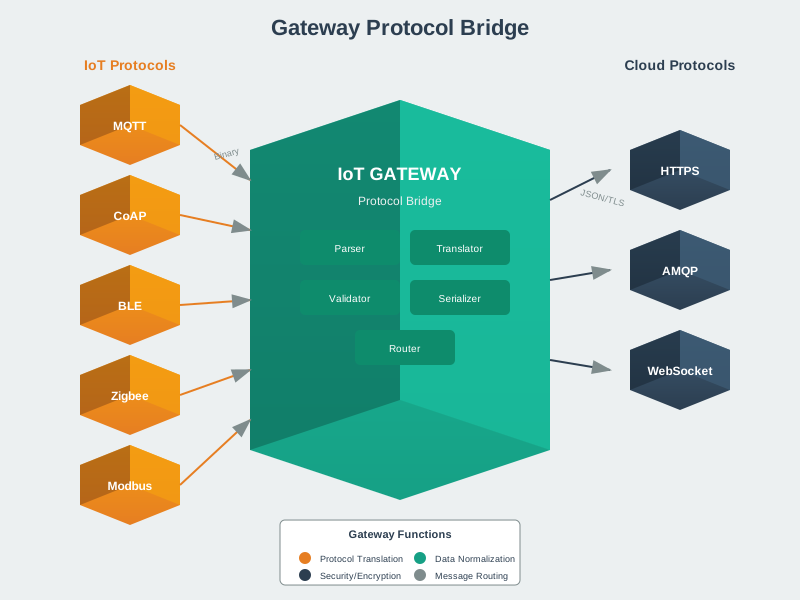
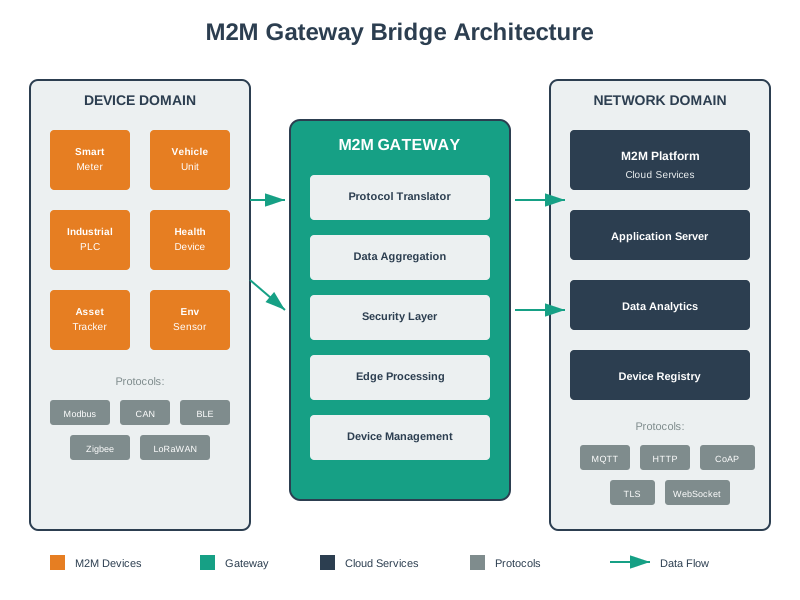
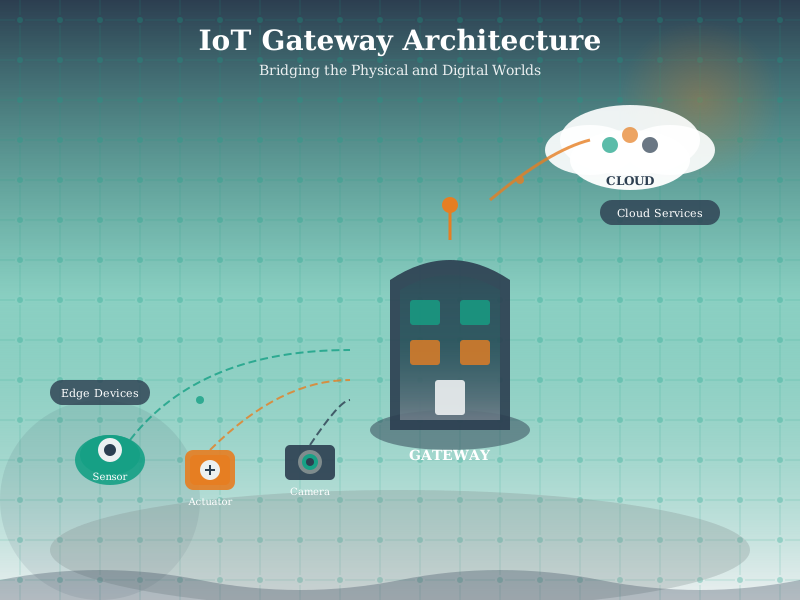
195.6 Visual Reference Gallery
195.7 Summary
This chapter provided hands-on lab challenges for message queue concepts:
- Complete Lab Simulation: Wokwi ESP32 code demonstrating all queue concepts
- Message Expiry: Automatically removing stale messages
- Dead Letter Queues: Capturing failed deliveries for analysis
- Deduplication: Preventing duplicate message processing
- Subscriber Groups: Load-balancing across consumer instances
- Flow Control: Backpressure handling for slow consumers
Key Takeaways:
- Production message brokers implement all these patterns
- Dead letter queues are essential for debugging delivery failures
- Deduplication is critical for exactly-once semantics with QoS 1
- Flow control prevents fast producers from overwhelming slow consumers
195.8 Knowledge Check
Question: What is the primary purpose of a dead letter queue?
Explanation: B. Dead letter queues capture messages that couldn’t be delivered after multiple retries, allowing developers to analyze failures, fix issues, and potentially replay the messages.
Question: In a subscriber group with 3 members using round-robin, how many members receive each message?
Explanation: C. Subscriber groups (shared subscriptions) deliver each message to exactly one member, enabling load balancing across multiple consumers processing the same topic.
Question: When should backpressure be activated for a subscriber?
Explanation: A. Backpressure activates when unacknowledged (in-flight) messages exceed the threshold, indicating the subscriber is processing slower than messages are arriving.
Fundamentals: - Networking Fundamentals - OSI model and protocol basics - Hardware and Device Characteristics - Sensor interfaces (GPIO, I2C, SPI, UART)
Protocols: - MQTT Fundamentals - Application-layer gateway protocol - CoAP Fundamentals and Architecture - Lightweight protocol for constrained devices - Bluetooth Fundamentals and Architecture - PAN to cloud bridging
Architecture: - Edge-Fog Computing - Where protocol bridging occurs - Enablers Interfaces and Resources - Communication technology selection
Sensing: - Sensor Fundamentals - Sensor output formats - Sensor Interfacing and Processing - Physical sensor connections
Learning: - Simulations Hub - Protocol translation simulations
195.9 What’s Next
You’ve completed the protocol bridging message queue series! Apply these concepts in your IoT gateway implementations. Next, explore:
- MQTT Fundamentals - Production pub/sub protocol
- Edge-Fog Computing - Where protocol bridging occurs
- Process Control and PID - Feedback control systems