%%{init: {
'theme': 'base',
'themeVariables': {
'primaryColor': '#2C3E50',
'primaryTextColor': '#FFFFFF',
'primaryBorderColor': '#1A252F',
'lineColor': '#7F8C8D',
'secondaryColor': '#16A085',
'tertiaryColor': '#E8F6F3'
}
}}%%
flowchart LR
A[Sensor] --> B{Gateway}
B --> C[Edge Processing]
B --> D[Cloud]
C --> D
D --> E[Application]
style A fill:#7B8A8B,stroke:#707B7C,color:#FFFFFF
style B fill:#27AE60,stroke:#229954,color:#FFFFFF
style C fill:#27AE60,stroke:#229954,color:#FFFFFF
style D fill:#3498DB,stroke:#2E86C1,color:#FFFFFF
style E fill:#16A085,stroke:#138D75,color:#FFFFFF
1647 Visual Style Guide
Standards for Diagrams, Colors, and Formatting
NoteKey Takeaway
In one sentence: Consistent visual styling using the IEEE color palette and standardized Mermaid themes creates a professional, accessible learning experience that helps students recognize patterns across chapters.
Remember this rule: Copy the Mermaid theme initialization template from the Quick Reference Card section when creating new diagrams to ensure automatic compliance with project standards.
1647.1 Overview
This guide documents the visual standards for IoTClass content, ensuring consistency across all chapters, diagrams, and interactive tools. Following these standards creates a cohesive learning experience and maintains accessibility compliance (WCAG 2.1).
Why consistency matters:
- Recognition: Students learn visual patterns, making navigation intuitive
- Accessibility: Consistent color usage supports readers with color vision differences
- Professionalism: Unified styling reflects academic quality
- Maintainability: Standards make content updates predictable
1647.2 IEEE Base Colors
The foundational color palette follows IEEE standards for technical documentation.
| Color | Hex Code | RGB | Usage |
|---|---|---|---|
| Navy | #2C3E50 |
rgb(44, 62, 80) | Primary text, headers, main diagram elements |
| Teal | #16A085 |
rgb(22, 160, 133) | Secondary elements, accents, success states |
| Orange | #E67E22 |
rgb(230, 126, 34) | Highlights, warnings, attention elements |
| Gray | #7F8C8D |
rgb(127, 140, 141) | Neutral elements, borders, disabled states |
1647.2.1 Color Swatches
Navy
#2C3E50
Teal
#16A085
Orange
#E67E22
Gray
#7F8C8D
1647.3 Concept Type Colors
Each concept type has a dedicated color scheme for visual consistency across diagrams, callouts, and interactive tools.
1647.3.1 Color Reference Table
| Concept Type | Primary | Secondary | Border | Light Background | Use For |
|---|---|---|---|---|---|
| Protocol | #1B4F72 |
#2874A6 |
#1A5276 |
#D4E6F1 |
MQTT, CoAP, HTTP, LoRaWAN, Zigbee |
| Hardware | #7B8A8B |
#95A5A6 |
#707B7C |
#E5E8E8 |
Sensors, microcontrollers, actuators |
| Data | #16A085 |
#1ABC9C |
#138D75 |
#D1F2EB |
JSON, CBOR, payloads, schemas |
| Reliability | #E67E22 |
#F39C12 |
#CA6F1E |
#FDEBD0 |
QoS, retries, buffering, guarantees |
| Security | #6B2D5B |
#8E44AD |
#5B2C6F |
#E8DAEF |
TLS, authentication, encryption |
| Edge | #27AE60 |
#2ECC71 |
#229954 |
#D5F5E3 |
Edge computing, gateways, fog |
| Cloud | #3498DB |
#5DADE2 |
#2E86C1 |
#D6EAF8 |
Cloud services, backend, storage |
| Time | #D4A500 |
#F1C40F |
#B7950B |
#FCF3CF |
Timestamps, sync, NTP |
1647.3.2 Concept Color Swatches
Protocol
#1B4F72
Hardware
#7B8A8B
Data
#16A085
Reliability
#E67E22
Security
#6B2D5B
Edge
#27AE60
Cloud
#3498DB
Time
#D4A500
1647.4 Mermaid Diagram Standards
1647.4.1 Base Theme Configuration
Always include theme initialization for Mermaid diagrams to ensure consistent styling:
%%{init: {
  'theme': 'base',
  'themeVariables': {
    'primaryColor': '#2C3E50',
    'primaryTextColor': '#FFFFFF',
    'primaryBorderColor': '#1A252F',
    'lineColor': '#7F8C8D',
    'secondaryColor': '#16A085',
    'tertiaryColor': '#E8F6F3',
    'background': '#FFFFFF',
    'mainBkg': '#FFFFFF',
    'nodeBorder': '#2C3E50',
    'clusterBkg': '#F8F9FA',
    'clusterBorder': '#DEE2E6',
    'titleColor': '#2C3E50'
  }
}}%%
1647.4.2 Flowchart Example
1647.4.3 Sequence Diagram Example
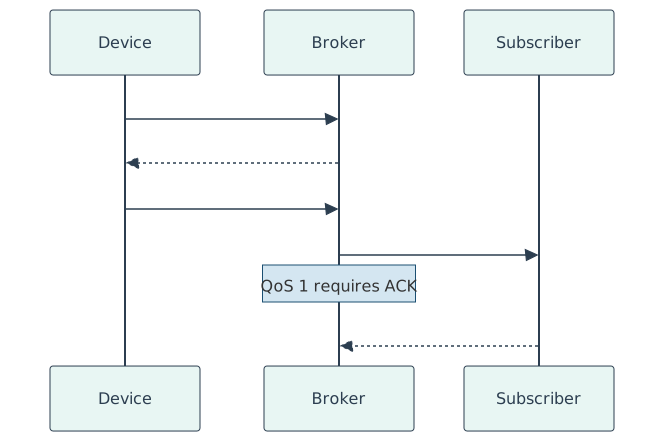
1647.4.4 State Diagram Example

1647.4.5 Concept-Specific Themes
When a diagram focuses on a single concept type, use the concept-specific theme:
Protocol Theme Example:
%%{init: {
  'theme': 'base',
  'themeVariables': {
    'primaryColor': '#1B4F72',
    'primaryTextColor': '#FFFFFF',
    'primaryBorderColor': '#1A5276',
    'lineColor': '#2874A6',
    'secondaryColor': '#D4E6F1',
    'noteBkgColor': '#D4E6F1',
    'noteBorderColor': '#1B4F72'
  }
}}%%
flowchart TB
    subgraph Application Layer
        MQTT[MQTT]
        CoAP[CoAP]
        HTTP[HTTP/REST]
    end

    subgraph Transport Layer
        TCP[TCP]
        UDP[UDP]
    end

    MQTT --> TCP
    HTTP --> TCP
    CoAP --> UDP
Security Theme Example:

1647.5 Callout Standards
Callouts provide contextual information with consistent visual styling.
1647.5.1 Types and Usage
| Callout Type | Icon | Use For | Color Accent |
|---|---|---|---|
note |
Info circle | Key information, clarifications | Blue |
tip |
Lightbulb | Best practices, recommendations | Green |
warning |
Triangle | Pitfalls, cautions, common mistakes | Orange |
important |
Exclamation | Critical information, must-know | Red |
caution |
Shield | Security concerns, data safety | Yellow |
1647.5.2 Formatted Examples
NoteKey Concept
This is a note callout used for important information that students should pay attention to. Use notes to highlight key concepts, definitions, or essential context.
TipBest Practice
This is a tip callout for recommendations and best practices. Use tips to share practical advice, shortcuts, or optimal approaches that help students succeed.
WarningCommon Mistake
This is a warning callout for pitfalls and cautions. Use warnings to prevent common errors, highlight potential issues, or flag deprecated approaches.
ImportantCritical Information
This is an important callout for must-know information. Use this sparingly for critical facts that students absolutely must understand.
1647.5.3 Collapsible Callouts
Use collapsible callouts for supplementary content that should not interrupt the main flow:
TipFor Beginners: Understanding Protocols
A protocol is simply an agreed-upon way for devices to communicate. Think of it like a language - if two people speak the same language, they can understand each other. If two devices use the same protocol, they can exchange information.
Common IoT protocols include:
- MQTT: Lightweight messaging for constrained devices
- HTTP: The same protocol web browsers use
- CoAP: Like HTTP but optimized for small devices
1647.5.4 Callout Do’s and Don’ts
Do:
- Use appropriate callout type for the content
- Keep callout titles concise (3-5 words)
- Use collapsible callouts for optional deep dives
- Include actionable information
Don’t:
- Overuse callouts (max 2-3 per section)
- Put essential content only in callouts
- Use warning for non-critical information
- Nest callouts within callouts
1647.6 Image Standards
1647.6.1 Alt Text Requirements (WCAG 2.1)
Every image must include descriptive alt text for accessibility:
{fig-alt="Three-tier IoT architecture diagram: Bottom layer shows IoT devices and sensors connected to edge gateways. Middle layer depicts fog computing nodes for local processing. Top layer represents cloud services for storage, analytics, and applications. Arrows show bidirectional data flow between all layers."}Alt text guidelines:
- Describe what the image shows, not just what it is
- Include key information conveyed by the image
- Keep descriptions concise but complete (50-150 words)
- Don’t start with “Image of” or “Picture showing”
1647.6.2 Image Format Selection
| Format | Use For | Advantages |
|---|---|---|
| SVG | Diagrams, icons, logos | Scalable, small size, editable |
| PNG | Screenshots, diagrams with text | Lossless, transparency support |
| JPEG | Photographs, complex images | Small file size for photos |
| WebP | Web-optimized versions | Best compression, wide support |
1647.6.3 Image Sizing
- Full-width diagrams: Use default (100% container width)
- Inline figures: Specify width as percentage (e.g.,
width="60%") - Side-by-side images: Use grid layout with columns
Example grid layout:
::: {.grid}
::: {.g-col-6}

:::
::: {.g-col-6}

:::
:::1647.7 Code Block Standards
1647.7.1 Language Highlighting
Always specify the language for syntax highlighting:
```python
# Python code with proper highlighting
def read_sensor():
    return sensor.get_value()
```
Supported languages: python, javascript, bash, json, yaml, c, cpp, java, sql, html, css, markdown
1647.7.2 Code Block Best Practices
Good Example:
# Read temperature from DHT22 sensor
import board
import adafruit_dht

# Initialize sensor on GPIO pin 4
dht = adafruit_dht.DHT22(board.D4)

def read_temperature():
    """Read temperature in Celsius."""
    try:
        return dht.temperature
    except RuntimeError as e:
        # Sensor occasionally fails, retry
        print(f"Sensor error: {e}")
        return None
Avoid:
# Missing language specification
def bad_example():
    pass
1647.7.3 Showing Wrong vs. Correct Code
Use callouts to contrast incorrect and correct approaches:
WarningWrong Approach
# Don't store credentials in code
password = "my_secret_password"
TipCorrect Approach
# Load credentials from environment
import os
password = os.environ.get("DEVICE_PASSWORD")
1647.8 Table Standards
1647.8.1 Basic Table Format
| Column 1 | Column 2 | Column 3 |
|---|---|---|
| Data 1 | Data 2 | Data 3 |
| Data 4 | Data 5 | Data 6 |
1647.8.2 Table Guidelines
- Use consistent column alignment
- Keep table width readable (max 5-6 columns)
- Include header row with bold formatting
- Use code formatting for technical values (
value)
1647.8.3 Comparison Table Example
| Feature | MQTT | CoAP | HTTP |
|---|---|---|---|
| Transport | TCP | UDP | TCP |
| Message Size | Small | Very Small | Large |
| Power Usage | Low | Very Low | High |
| Use Case | Pub/Sub | Request/Response | Web APIs |
1647.9 Interactive Tool Standards
1647.9.1 Input Layout Consistency
All interactive tools should follow consistent input patterns:
- Labels above inputs (not inline)
- Help text below inputs in smaller font
- Logical grouping of related inputs
- Clear action buttons with descriptive labels
1647.9.2 Responsive Design Requirements
- Mobile-first: Design for 320px width minimum
- Touch targets: Minimum 44x44px for buttons/controls
- Readable text: Minimum 16px font for inputs
- Scrollable results: Long outputs should scroll, not overflow
1647.9.3 Results Display
- Use consistent formatting for calculated values
- Show units clearly (e.g., “Power: 3.2 mW”)
- Provide visual feedback for valid/invalid states
- Include “Reset” functionality for complex tools
1647.9.4 Example Tool Structure (OJS)
```{ojs}
//| echo: false

viewof parameter = Inputs.range([0, 100], {
  label: "Parameter Name",
  value: 50,
  step: 1
})

result = {
  // Calculation logic
  return parameter * 2;
}
Result: units
---

## Typography Standards

### Heading Hierarchy

- **H1 (`#`)**: Page title only (one per page)
- **H2 (`##`)**: Major sections
- **H3 (`###`)**: Subsections
- **H4 (`####`)**: Minor subsections (use sparingly)

### Text Formatting

| Format | Markdown | Use For |
|--------|----------|---------|
| **Bold** | `**text**` | Key terms, emphasis |
| *Italic* | `*text*` | Definitions, foreign terms |
| `Code` | `` `code` `` | Technical terms, commands, values |
| [Example link](#) | `[text](url)` | Cross-references, external resources |

### Lists

**Bullet lists** for unordered items:

- First item
- Second item
- Third item

**Numbered lists** for sequential steps:

1. First step
2. Second step
3. Third step

**Definition lists** for term-definition pairs:

Term
: Definition of the term

Another Term
: Definition of another term

---

## Accessibility Checklist

Before publishing content, verify:

- [ ] All images have descriptive `fig-alt` text
- [ ] Color is not the only means of conveying information
- [ ] Tables have header rows defined
- [ ] Links have descriptive text (not "click here")
- [ ] Headings follow logical hierarchy
- [ ] Code blocks specify language for screen readers
- [ ] Interactive tools are keyboard accessible
- [ ] Contrast ratios meet WCAG 2.1 AA standards (4.5:1 for text)

---

## Quick Reference Card

### Mermaid Theme Initialization

Copy this template for standard diagrams:
%%{init: {‘theme’: ‘base’, ‘themeVariables’: {‘primaryColor’: ‘#2C3E50’, ‘primaryTextColor’: ‘#FFFFFF’, ‘lineColor’: ‘#7F8C8D’, ‘secondaryColor’: ‘#16A085’}}}%%
### Color Quick Reference

| Purpose | Hex Code |
|---------|----------|
| Primary/Navy | `#2C3E50` |
| Accent/Teal | `#16A085` |
| Warning/Orange | `#E67E22` |
| Neutral/Gray | `#7F8C8D` |
| Protocol/Blue | `#1B4F72` |
| Security/Purple | `#6B2D5B` |
| Edge/Green | `#27AE60` |
| Cloud/Sky | `#3498DB` |

### Callout Quick Reference

```markdown
::: {.callout-note}
## Title
Content
:::

::: {.callout-tip collapse="true"}
## Collapsible Title
Hidden content
:::