23 NFC Introduction and Operating Modes
Sammy the Sensor discovered NFC for the first time: “What is this magical technology that lets you tap and things happen?” Max the Microcontroller explained, “NFC stands for Near Field Communication. It is a special version of RFID that works at very short distances – about the width of your thumb. When your phone gets that close to an NFC tag or another phone, they can exchange information instantly!” Bella the Battery was impressed: “The really clever part is that NFC tags do not need batteries. They get their power from the phone’s energy field, just like how a wireless phone charger works. That means they can last forever!” Lila the LED summarized the three modes: “Think of it like this – reading mode is like checking a library book, peer-to-peer mode is like trading baseball cards, and card emulation mode is like showing your ID badge at the door.”
23.2 Learning Objectives
By the end of this chapter, you will be able to:
- Contrast NFC with RFID: Distinguish NFC from general HF RFID by comparing range, operating modes, and smartphone integration
- Classify NFC Operating Modes: Categorize peer-to-peer, read/write, and card emulation modes and map each to real-world IoT applications
- Analyze NFC Communication Principles: Explain how near-field inductive coupling at 13.56 MHz powers passive tags and enables bidirectional data exchange
- Evaluate NFC Mode Selection: Justify which NFC operating mode best fits a given use case such as payments, device pairing, or tag reading
- Design NFC-based Solutions: Propose an NFC architecture (tag type, mode, data format) for a specified IoT scenario
23.3 Prerequisites
Before diving into this chapter, you should be familiar with:
- Network Access and Physical Layer Protocols: Understanding physical layer concepts and short-range wireless technologies provides context for NFC’s operating principles and 13.56 MHz frequency band
- Networking Basics: Basic knowledge of communication protocols and data exchange helps you understand NFC’s peer-to-peer and reader/writer modes
- RFID Fundamentals: Understanding the parent technology helps you grasp NFC’s relationship to RFID
This Series:
- NFC Introduction and Operating Modes - This chapter
- NFC Tags and NDEF Format - Tag types and data structure
- NFC Programming and Applications - Hands-on tag programming
- NFC Implementation and Best Practices - IoT integration and Python examples
Comparisons:
- NFC Security and Comparisons - NFC vs RFID vs BLE vs QR codes
- RFID Fundamentals - Understanding the parent technology
- Bluetooth Fundamentals - Alternative short-range protocol
Related Protocols:
- RFID Hands-on - Related contactless technology
- Bluetooth Applications - BLE pairing and beacons
Security:
- IoT Security Overview - Broader security context
- Device Security - Securing IoT endpoints
Learning:
- Quizzes Hub - Test your NFC knowledge
- Videos Hub - Visual learning resources
Have you ever tapped your phone to pay at a store, or touched your phone to a poster to get more information? That’s Near Field Communication (NFC) in action. NFC is a wireless technology that works over very short distances—typically just a few centimeters (about 1-2 inches).
Think of NFC as a “digital handshake” between two devices when they touch or get very close. Unlike Wi-Fi or Bluetooth that can work across a room, NFC requires devices to be almost touching. This short range helps reduce risk and makes the tap interaction intentional (though attacks like relays are still possible in some threat models).
How is NFC used in IoT?
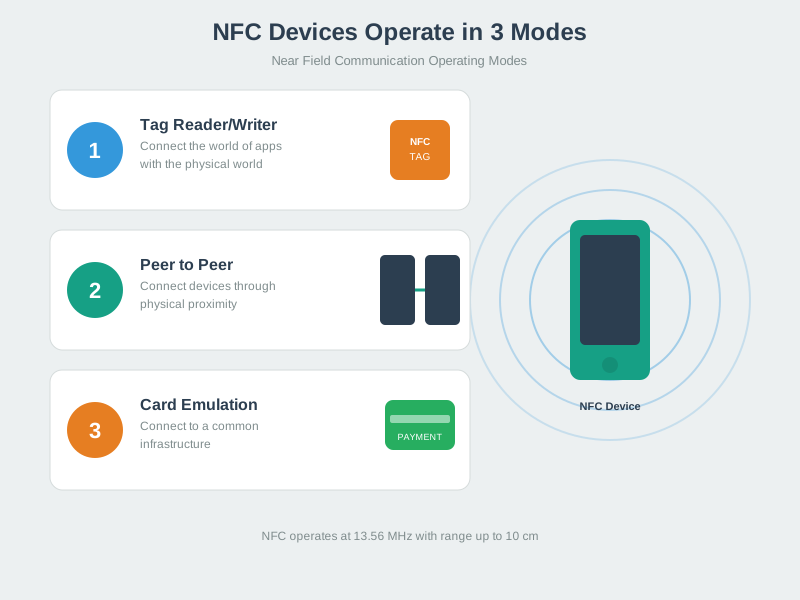
NFC has three main modes: reading tags (like scanning a smart poster), card emulation (your phone pretending to be a credit card), and peer-to-peer (two phones sharing data by tapping). In IoT, NFC is perfect for configuration (tap phone to sensor to set it up), identification (tap badge to unlock door), and quick data exchange (tap phone to smart home device to control it).
The beauty of NFC is that simple NFC tags need no battery—they’re powered by the radio waves from your phone when you bring it close. This makes NFC tags incredibly cheap (10-50 cents each) and they last forever since there’s no battery to die.
| Term | Simple Explanation |
|---|---|
| NFC (Near Field Communication) | Wireless technology for very short-range communication (1-10 cm) |
| Tag | Passive device (no battery) that stores data readable by NFC phones |
| Reader | Active device (like smartphone) that powers and reads NFC tags |
| 13.56 MHz | Radio frequency NFC uses—part of High Frequency (HF) RFID band |
| Passive Tag | Tag with no battery—powered by reader’s radio waves |
| Active Device | Device with battery that can generate its own radio field |
| NDEF | NFC Data Exchange Format—standard way to structure data on tags |
| Peer-to-Peer Mode | Two active devices exchanging data (phone-to-phone) |
This chapter connects to multiple learning resources across the module:
Interactive Learning:
- Simulations Hub: Try the NFC Reader/Writer simulator to experiment with tag programming and different operating modes without hardware
- Quizzes Hub: Test your NFC knowledge with scenario-based questions covering payments, security, and tag types
- Videos Hub: Watch the NFC Introduction video (Lesson 4) for visual demonstrations of passive vs active devices
Knowledge Resources:
- Knowledge Map: See how NFC fits into the broader RFID and short-range wireless technology ecosystem
- Knowledge Gaps: Address common NFC misconceptions like “NFC is just RFID” or “NFC payments are insecure”
Related Technologies:
NFC data rate at 424 Kbps means transferring a 4 KB NDEF message takes: \(\frac{4 \times 1024 \times 8 \text{ bits}}{424,000 \text{ bps}} = 0.077 \text{ s} = 77 \text{ ms}\). Worked example: A mobile payment token (500 bytes) transfers in \(\frac{500 \times 8}{424,000} \approx 9.4 \text{ ms}\), plus ~10-20 ms protocol overhead = ~20-30 ms total. This is why NFC payments feel instant (well under the 100 ms human perception threshold). Contrast with Bluetooth pairing: 2-5 seconds for initial connection, making NFC 100× faster for simple tap-and-go interactions.
23.4 What is NFC?
Test your understanding of these NFC concepts.
23.5 Definition
NFC (Near Field Communication) is a short-range wireless technology based on HF RFID that enables two devices to communicate when brought within 4-10 cm of each other. Operating at 13.56 MHz, NFC provides secure, intuitive touch-to-connect interactions for payments, access control, data transfer, and device pairing.
Key Characteristics:
- Range: 4-10 cm (intentionally short for security)
- Frequency: 13.56 MHz (HF)
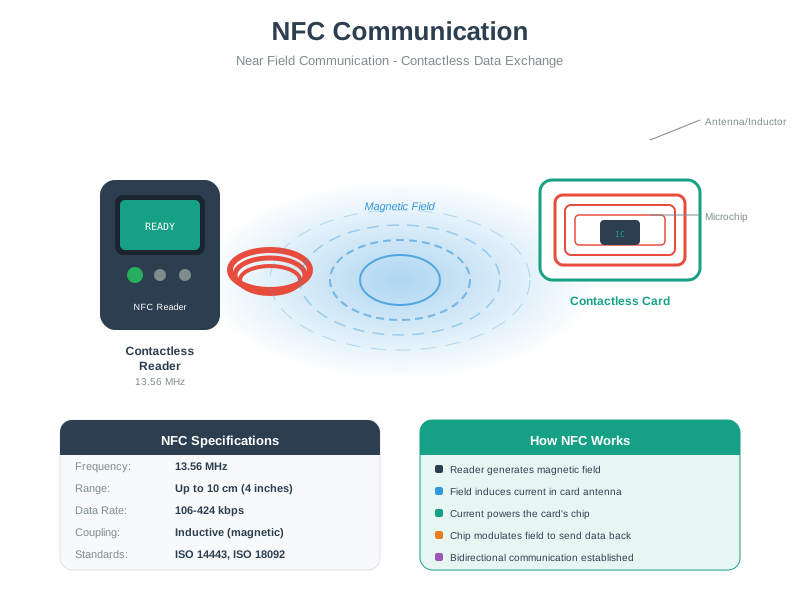
 - Data Rate: 106, 212, 424, or 848 Kbps - Power: Passive tags powered by reader field - Bi-directional: Can both send and receive data - Ubiquitous: Built into 2+ billion smartphones globally
23.6 NFC vs RFID: Understanding the Relationship
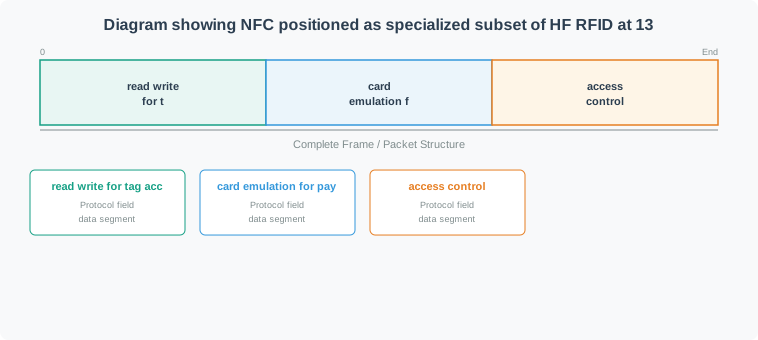
NFC is a subset of HF RFID (13.56 MHz) with added capabilities:
What makes NFC different:
- ✅ Peer-to-peer mode: Two active devices can exchange data
- ✅ Card emulation: Phone can act like contactless card
- ✅ Built into smartphones: Billions of NFC-enabled devices
- ✅ User-initiated: Intentional touch-to-connect experience
- ✅ Standardized protocols: NDEF data format for interoperability
| Feature | RFID (General) | NFC |
|---|---|---|
| Frequency | LF, HF, UHF, Microwave | HF only (13.56 MHz) |
| Range | cm to 10m+ | 4-10 cm (intentionally short) |
| Modes | Read-only typically | Peer-to-peer, read/write, emulation |
| Devices | Specialized readers | Smartphones, tablets, wearables |
| Use Cases | Inventory, logistics, access | Payments, pairing, smart marketing |
| Standards | ISO 14443, 15693, 18000 | ISO 14443, ISO 18092, NFC Forum |
23.7 How NFC Works
23.7.1 Basic Operating Principle
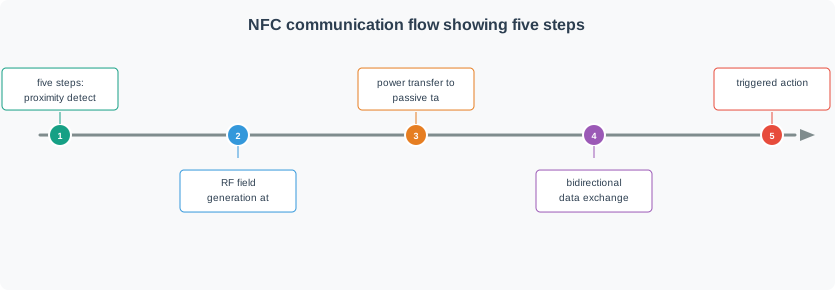
NFC Communication:
- Proximity detection: Devices come within 4-10 cm
- Field generation: Active device creates 13.56 MHz field
- Power transfer: Passive tag harvests energy from field
- Data exchange: Bi-directional communication via load modulation
- Action: Payment, data transfer, or configuration triggered
23.8 NFC Operating Modes
NFC supports three distinct operating modes, making it more versatile than traditional RFID:
23.8.1 Peer-to-Peer Mode
Two active NFC devices exchange data
Use Cases:
- File sharing: Photos, contacts, documents between phones
- Bluetooth pairing: Touch phones to pair speakers/headphones
- Gaming: Transfer game data between devices
- Business cards: Exchange contact info
Protocol: ISO 18092 (NFCIP-1)
Example: Android Beam (deprecated but illustrative)
// Share data via NFC P2P
NfcAdapter nfcAdapter = NfcAdapter.getDefaultAdapter(this);
nfcAdapter.setNdefPushMessage(message, this);
23.8.2 Read/Write Mode
Active device reads from or writes to passive NFC tag
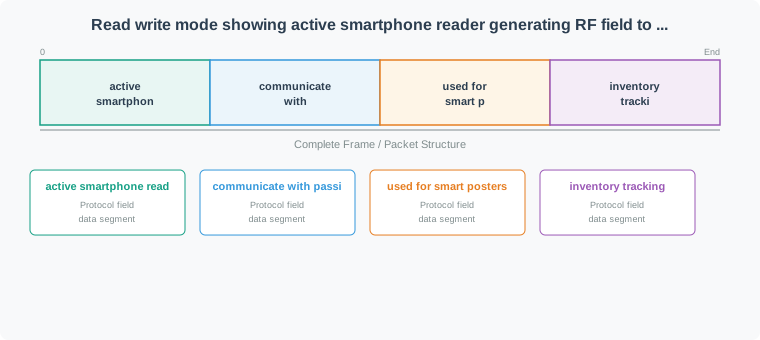
Use Cases:
- Smart posters: Tap tag to open URL, download app
- Product information: Get details, reviews, instructions
- Home automation: Tap tag to trigger IoT scene
- Museum exhibits: Interactive information displays
- Inventory: Track and update asset information
Tag Types:
- Type 1-5 (different memory sizes and capabilities)
- Writable (can update content)
- Read-only (locked after writing)
23.8.3 Card Emulation Mode
Active device emulates a contactless smart card
Use Cases:
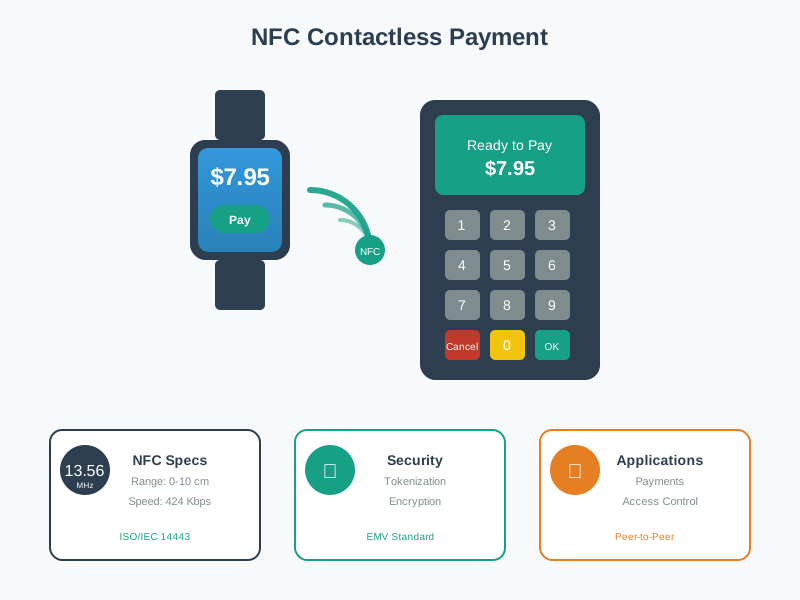
- Mobile payments: Apple Pay, Google Pay, Samsung Pay
- Transit ticketing: Subway/bus tap-to-pay
- Access control: Phone as building/hotel key
- Loyalty cards: Digital membership cards
Technologies:
- HCE (Host Card Emulation): Software-based, uses phone CPU
- SIM-based: Secure element in SIM card
- Embedded SE: Dedicated secure chip in phone
Scenario: You’re designing an NFC-based smart home control system for a 2,500 sq ft house. Homeowners want to tap NFC tags to trigger scenes (Movie Mode, Goodnight, Wake Up, Party Mode, etc.).
Requirements:
- 15 total scenes across 8 rooms
- Each scene controls 3-7 devices (lights, thermostats, locks, shades)
- Response time < 500 ms from tap to first device action
- Work offline during internet outages
- Budget: $500 for NFC components
Step 1: Choose NFC Architecture
Option A: Cloud-First (Raspberry Pi Gateway)
- Tags contain static URLs:
https://home.server.local/scene/bedroom-sleep - Pi server validates and executes scenes
- All logic centralized
Option B: Local-First (ESP32 at Each Tag Location)
- Each ESP32 has NFC reader
- Scene logic stored on each ESP32
- No central server required
Analysis:
| Factor | Cloud-First (Option A) | Local-First (Option B) |
|---|---|---|
| Hardware cost | $55 (1× Pi + 1× PN532) | $200 (8× ESP32 + 8× PN532 @ $25/pair) |
| Latency | 300-500 ms (Wi-Fi + MQTT) | 50-100 ms (local I/O) |
| Offline capable | Yes (cache scenes on Pi) | Yes (no network needed) |
| Easy updates | Yes (edit one server) | No (reflash 8 ESP32s) |
| Single point failure | Yes (Pi down = all fail) | No (each ESP32 independent) |
Decision: Option A (Cloud-First) wins
- $55 vs $200 cost (saves $145)
- Easy scene updates (change one config file)
- 300 ms latency acceptable (not noticeable to humans)
Step 2: Tag Placement Design
8 NFC tag locations:
- Master bedroom nightstand (Goodnight, Wake Up)
- Kitchen counter (Morning Routine, Cooking Mode)
- Living room coffee table (Movie Mode, Reading Mode)
- Home office desk (Focus Mode, Meeting Mode)
- Front door entrance (Welcome Home, Leaving Home)
- Dining room table (Dinner Party, Romantic Dinner)
- Kids’ room (Bedtime, Play Mode)
- Garage entry (Arriving, Departing)
Tag selection:
- Content per tag: URL only (~30 bytes)
- NTAG213: 144 bytes = overkill
- Choice: NTAG213 ($0.50 each × 8 = $4)
Step 3: Scene Definition Example
Goodnight Scene (Master Bedroom Tag):
scene_id: bedroom-goodnight
trigger_tag: 04a3b2c1d45e80  # NFC UID
actions:
  - device: living_room_lights
    command: turn_off
  - device: kitchen_lights
    command: turn_off
  - device: bedroom_lights
    command: dim
    value: 10  # 10% brightness
  - device: thermostat
    command: set_temperature
    value: 68  # 68°F
  - device: front_door_lock
    command: lock
  - device: security_system
    command: arm_stay
estimated_time: 2.3 seconds  # Total execution
Step 4: Response Time Breakdown
Tap to first device action:
1. NFC tag detection:           50 ms
2. UID read:                    30 ms
3. Pi receives NFC event:       20 ms
4. Database lookup (scene):     15 ms
5. MQTT publish (first cmd):    40 ms
6. Device receives MQTT:        25 ms
7. Device executes (light off): 80 ms
━━━━━━━━━━━━━━━━━━━━━━━━━━━━━━━━━━━━━
Total latency:                 260 ms
✅ Well under 500 ms requirement!
Step 5: Cost Breakdown
Hardware:
- Raspberry Pi 4 (4GB): $45
- PN532 NFC module: $10
- 8× NTAG213 tags: $4
- Power supply: $8
- SD card: $8
- Total hardware: $75
Software (Free):
- Raspberry Pi OS: Free
- Python + nfcpy: Free
- Mosquitto MQTT: Free
- Node-RED (optional UI): Free
Total project cost: $75 (well under $500 budget, saves $425!)
Step 6: Implementation
Tag NDEF content: Each tag stores single URL record:
Tag 1 (Bedroom): https://192.168.1.100:5000/scene/bedroom-goodnight
Tag 2 (Kitchen): https://192.168.1.100:5000/scene/kitchen-morning
...
Python server snippet:
from flask import Flask, request, jsonify
import paho.mqtt.client as mqtt

app = Flask(__name__)
mqtt_client = mqtt.Client()
mqtt_client.connect("localhost", 1883)

@app.route('/scene/<scene_id>')
def trigger_scene(scene_id):
    # Load scene definition
    scene = load_scene_from_db(scene_id)

    # Execute all actions via MQTT
    for action in scene['actions']:
        topic = f"home/{action['device']}/command"
        payload = json.dumps({
            'command': action['command'],
            'value': action.get('value')
        })
        mqtt_client.publish(topic, payload)

    return jsonify({'status': 'success', 'scene': scene_id})
Step 7: Offline Capability
During internet outage:
- Pi still runs locally (no cloud dependency)
- mDNS resolves
home.localto Pi’s IP - NFC tags point to local IP (192.168.1.100)
- MQTT broker runs locally
- System fully functional offline
Only loses: remote access from outside home
Step 8: Scaling Analysis
Current: 8 tags, 15 scenes
- Server load: Negligible (<1% CPU)
- Can easily handle: 50 tags, 100 scenes
- Bottleneck: Physical NFC reader location (need to walk to each tag)
To scale to 50 tags:
- Add 42 more NTAG213 tags: 42 × $0.50 = $21
- No additional hardware needed
- Still under $100 total cost
Step 9: User Experience
Typical interaction:
1. Homeowner taps "Goodnight" tag on nightstand
2. Phone vibrates (NFC detected)
3. Lights begin dimming (260 ms after tap)
4. Over next 2 seconds:
   - All downstairs lights turn off
   - Bedroom dims to 10%
   - Thermostat lowers to 68°F
   - Front door locks
   - Security arms

Total time: 2.3 seconds tap to complete
User perception: "Instant and magical"
Step 10: ROI Comparison
Commercial smart home hub (Samsung SmartThings):
- Hub: $70
- No NFC support (use phone app instead)
- App requires: Unlock phone → Open app → Select scene → Confirm
- Time per scene trigger: 8-12 seconds
NFC solution (this design):
- Hardware: $75
- Native NFC support
- Interaction: Just tap
- Time per scene trigger: <1 second
User experience improvement: 10× faster scene activation
Key Insights:
- Cloud-first architecture ($55) beats distributed ESP32s ($200) for this use case
- 260 ms latency invisible to users (humans can’t perceive < 300 ms)
- NTAG213 overkill for URLs but still cheapest practical choice
- Offline capability critical (don’t depend on internet for home automation)
- 10× faster than app-based control (1 sec vs 10 sec) drives adoption
- Scales easily to 50+ tags with zero additional infrastructure
- Total cost $75 = 7.5% of $1,000 typical “smart home” installation
23.9 Concept Relationships
The three NFC modes serve complementary roles: Peer-to-Peer (LLCP protocol, both devices active) enables phone-to-phone file sharing and Bluetooth pairing handshakes. Read/Write (phone active, tag passive) accesses smart posters, inventory tags, and IoT configuration stickers. Card Emulation (phone passive, terminal active) powers mobile payments via Secure Element or HCE.
NDEF (NFC Data Exchange Format) unifies all modes with standardized message structure: TLV containers hold typed records (URI, Text, Smart Poster, MIME). This ensures cross-platform interoperability—Android writes URL record, iPhone reads it identically.
NFC’s relationship to HF RFID is evolutionary: same 13.56 MHz frequency, same ISO 14443 anti-collision, but NFC adds bidirectional LLCP protocol and smartphone integration. Every NFC phone is an RFID reader; not every RFID reader supports NFC’s peer-to-peer mode.
23.10 See Also
This Chapter Series:
- NFC Tags and NDEF Format - Tag types and data structure
- NFC Programming and Applications - Implementation guide
- NFC Implementation Best Practices - Production patterns
Foundational:
- RFID Fundamentals - Parent technology
- Network Access Layer - Physical layer concepts
Advanced:
- NFC Security and Comparisons - Threat models and alternatives
Common Pitfalls
NFC is used in payments but is equally important for access control, asset tracking, device configuration, and data logging in IoT. Fix: review all three NFC operating modes and identify non-payment use cases when introducing NFC in any context.
Short range is a feature for security-sensitive applications (payments, access control), not a limitation. Fix: match the technology to the use case: NFC’s short range is ideal where intentional proximity is required; use BLE or Wi-Fi where longer range is needed.
ISO 14443 defines the proximity card (passive tag to reader) interface. ISO 18092 defines NFC peer-to-peer communication. They operate at the same frequency but use different protocols. Fix: identify which ISO standard is relevant to the specific NFC use case before designing a system.
:
23.11 What’s Next
Now that you can distinguish NFC operating modes and analyze how inductive coupling enables short-range communication, the next chapter explores NFC tag types and the NDEF data format that ensures cross-platform interoperability.
| Direction | Chapter | Focus |
|---|---|---|
| Current | NFC Introduction and Operating Modes | NFC fundamentals, three operating modes, NFC vs RFID |
| Next | NFC Tags and NDEF Format | Tag types 1-5, NDEF message structure, TLV encoding |
| Related | NFC Security and Comparisons | Threat models, relay attacks, NFC vs BLE vs QR |
| Hands-on | NFC Hands-On and Applications | Practical NFC programming with Python and Arduino |
| Parent | RFID Fundamentals and Standards | HF/UHF RFID foundations that NFC extends |