28  NFC Implementation and Applications

Key Concepts
  • NFC Controller IC: A dedicated chip (e.g., NXP PN532, ST CR95HF) that implements NFC/RFID reader or card emulation functions and interfaces with a host microcontroller via SPI/I²C/UART
  • HCI (Host Controller Interface): The communication protocol between an NFC controller IC and its host processor; defines how the host sends commands and receives events
  • ISO 7816-4 APDU: Application Protocol Data Unit; the command-response pair format used for smart card communication; used in NFC card emulation
  • HCE (Host Card Emulation): An Android feature that allows an app to handle NFC card emulation requests in software, without a hardware secure element
  • Secure Element (SE): A tamper-resistant hardware component that stores cryptographic keys and processes sensitive NFC transactions (used in contactless payment)
  • LLCP (Logical Link Control Protocol): The NFC Forum protocol enabling peer-to-peer data exchange with connection-oriented and connectionless services
  • SNEP (Simple NDEF Exchange Protocol): An NFC Forum protocol for pushing NDEF messages between peer NFC devices; used by Android Beam

28.1 In 60 Seconds

This chapter provides hands-on NFC programming across three platforms: Android Java for writing NDEF URLs and text, Python with nfcpy on Raspberry Pi for tag reading/writing, and Arduino with PN532 for embedded readers. It also covers real-world applications including mobile payments with tokenization, smart home automation via Home Assistant, product authentication, and security best practices.

Sammy the Sensor was excited: “We get to actually build things with NFC!” Max the Microcontroller nodded and said, “That is right! We can program NFC tags using a phone, a Raspberry Pi, or an Arduino. Each one is like a different tool in a toolbox – pick the right one for the job.” Bella the Battery shared a tip: “The coolest part is making smart home tags. You write a special code on a sticker, put it on your nightstand, and when you tap your phone at bedtime, your whole house knows it is time to sleep. Lights off, doors locked, alarm set!” Lila the LED warned, “But remember to lock your tags after writing them, or someone could change what they do. It is like putting a padlock on your diary!”

28.2 Learning Objectives

By the end of this chapter, you will be able to:

  • Compose NDEF Messages: Construct URL, text, and multi-record NDEF payloads and write them to NFC tags using Android, Python, and Arduino platforms
  • Develop Cross-Platform NFC Applications: Build functional tag reading and writing applications across Android Java, Python nfcpy, and Arduino PN532 environments
  • Design NFC-Enabled IoT Workflows: Architect smart home automation scenes and access control systems that integrate NFC triggers with backend services
  • Evaluate Security Trade-offs: Assess tokenization, tag locking, encryption levels, and input validation strategies for NFC deployment scenarios

28.3 Prerequisites

Before diving into this chapter, you should be familiar with:

NFC Deep Dives:

Related Technologies:

Programming an NFC tag is like writing a note that anyone can read by touching it with their phone. The simplest thing you can put on a tag is a URL - when someone taps the tag, their phone opens that webpage automatically.

What you need:

  • An NFC tag ($0.20-$2.00 each)
  • A smartphone with NFC
  • An NFC writing app (free: NFC Tools, TagWriter)

Simple steps:

  1. Open NFC writing app
  2. Choose “Write” then “URL”
  3. Enter your website address
  4. Hold tag near phone’s NFC antenna
  5. Done! Anyone can now tap to visit your site

28.4 Hands-On: Programming NFC Tags

28.4.1 Example 1: Write URL to NFC Tag (Android)

Java Code:

import android.nfc.NdefMessage;
import android.nfc.NdefRecord;
import android.nfc.NfcAdapter;
import android.nfc.Tag;
import android.nfc.tech.Ndef;

public void writeUrlToTag(Tag tag, String url) throws Exception {
    // Create NDEF message with URL
    NdefRecord uriRecord = NdefRecord.createUri(url);
    NdefMessage message = new NdefMessage(new NdefRecord[]{uriRecord});

    // Write to tag
    Ndef ndef = Ndef.get(tag);
    ndef.connect();
    ndef.writeNdefMessage(message);
    ndef.close();

    Log.d("NFC", "URL written: " + url);
}

Usage:

// In your Activity
@Override
protected void onNewIntent(Intent intent) {
    Tag tag = intent.getParcelableExtra(NfcAdapter.EXTRA_TAG);
    writeUrlToTag(tag, "https://iotclass.example.com");
}
Try It: NDEF Message Size Calculator

28.4.2 Example 2: Read NFC Tag (Python with PN532)

Hardware:

  • Raspberry Pi
  • PN532 NFC module
  • NFC tags

Python Code:

import nfc

# Connect to NFC reader
clf = nfc.ContactlessFrontend('tty:USB0:pn532')

def on_tag_discovered(tag):
    """Callback when tag is detected"""
    print(f"Tag detected: {tag}")

    # Read NDEF message
    if tag.ndef:
        for record in tag.ndef.records:
            print(f"Type: {record.type}")
            print(f"Data: {record.text if hasattr(record, 'text') else record.uri}")
    else:
        print("No NDEF data found")

    return True  # Keep tag connected

# Listen for tags
print("Waiting for NFC tag...")
clf.connect(rdwr={'on-connect': on_tag_discovered})

Write to Tag:

import ndef

# Create NDEF message
uri_record = ndef.UriRecord("https://iotclass.example.com")
text_record = ndef.TextRecord("Welcome to IoT Class!")

message = [uri_record, text_record]

# Write to tag
def write_tag(tag):
    if tag.ndef:
        tag.ndef.records = message
        print("Written successfully!")
    return False

clf.connect(rdwr={'on-connect': write_tag})

28.4.3 Example 3: Arduino NFC (PN532)

#include <Wire.h>
#include <PN532_I2C.h>
#include <PN532.h>
#include <NfcAdapter.h>

PN532_I2C pn532_i2c(Wire);
NfcAdapter nfc = NfcAdapter(pn532_i2c);

void setup() {
    Serial.begin(9600);
    nfc.begin();
    Serial.println("NFC Reader Ready!");
}

void loop() {
    if (nfc.tagPresent()) {
        NfcTag tag = nfc.read();

        Serial.println("Tag detected!");
        Serial.print("UID: ");
        Serial.println(tag.getUidString());

        // Read NDEF message
        if (tag.hasNdefMessage()) {
            NdefMessage message = tag.getNdefMessage();
            int recordCount = message.getRecordCount();

            for (int i = 0; i < recordCount; i++) {
                NdefRecord record = message.getRecord(i);

                // Print record type and payload
                Serial.print("Record ");
                Serial.print(i);
                Serial.print(": ");

                int payloadLength = record.getPayloadLength();
                byte payload[payloadLength];
                record.getPayload(payload);

                // Print as string (if text/URI)
                for (int j = 0; j < payloadLength; j++) {
                    Serial.print((char)payload[j]);
                }
                Serial.println();
            }
        }
    }

    delay(1000);
}

Objective: Simulate the NFC tag reading workflow on ESP32. Since Wokwi does not include a virtual PN532, this code simulates the tag detection and NDEF parsing logic so you can understand the data flow.

Code to Try:

#include <Arduino.h>

// Simulated NFC Tag data
struct NFCTag {
  uint8_t uid[7];
  uint8_t uidLen;
  const char* type;
  const char* payload;
};

// Simulated tag database (like tags you might encounter)
NFCTag tagDB[] = {
  {{0x04, 0xA2, 0x3B, 0x1C, 0x5E, 0x00, 0x00}, 4, "URL", "https://iotclass.org"},
  {{0x04, 0xB7, 0x22, 0x8A, 0x41, 0x00, 0x00}, 4, "TEXT", "Room 302 - IoT Lab"},
  {{0x04, 0xC1, 0x5F, 0x7D, 0x33, 0x00, 0x00}, 4, "WIFI", "SSID:IoTLab,PASS:secure123"},
  {{0x04, 0xD8, 0x44, 0x9E, 0x2B, 0x00, 0x00}, 4, "VCARD", "John Doe;IoT Engineer;+1234567890"},
};
int numTags = 4;
int scanCount = 0;

void printUID(uint8_t* uid, uint8_t len) {
  for (int i = 0; i < len; i++) {
    if (i > 0) Serial.print(":");
    Serial.printf("%02X", uid[i]);
  }
}

void processTag(NFCTag& tag) {
  Serial.println("\n--- NFC Tag Detected! ---");
  Serial.print("UID: ");
  printUID(tag.uid, tag.uidLen);
  Serial.printf(" (%d bytes)\n", tag.uidLen);
  Serial.printf("NDEF Record Type: %s\n", tag.type);
  Serial.printf("Payload: %s\n", tag.payload);
  Serial.printf("Payload Size: %d bytes\n", strlen(tag.payload));

  // Simulate action based on tag type
  if (strcmp(tag.type, "URL") == 0) {
    Serial.println("Action: Opening URL in browser");
  } else if (strcmp(tag.type, "WIFI") == 0) {
    Serial.println("Action: Connecting to Wi-Fi network");
  } else if (strcmp(tag.type, "TEXT") == 0) {
    Serial.println("Action: Displaying text notification");
  }
}

void setup() {
  Serial.begin(115200);
  Serial.println("=== ESP32 NFC Reader Simulator ===");
  Serial.println("Simulating PN532 tag detection cycle...");
  Serial.println("In real hardware: connect PN532 via I2C (SDA=21, SCL=22)\n");
}

void loop() {
  // Simulate periodic tag scanning
  Serial.printf("Scanning... (cycle %d)\n", ++scanCount);

  // Randomly "detect" a tag (simulates physical tap)
  if (random(100) < 40) {  // 40% chance of detection
    int tagIndex = random(numTags);
    processTag(tagDB[tagIndex]);
  } else {
    Serial.println("No tag present");
  }

  delay(2000);  // Scan every 2 seconds
}

What to Observe:

  1. Each detected tag has a unique UID (7-byte identifier) – real NFC tags work the same way
  2. NDEF records can contain URLs, text, Wi-Fi credentials, or contact cards
  3. The reader performs actions based on record type – URL tags open browsers, Wi-Fi tags auto-connect
  4. Try adding a new tag type to tagDB (e.g., a “MQTT” type that contains a topic name)

Museum example:

Dynamic approach (URL):

Tag content (30 bytes):
https://museum.com/e/mona-lisa

Server response:
- High-res images
- Audio guide (20 languages)
- Video documentary
- Related works
- Visitor reviews

Content updates without touching physical tag!

For museum use case: Dynamic tags are almost always better due to updateability and analytics!

28.5 Real-World NFC Applications

28.5.1 Mobile Payments

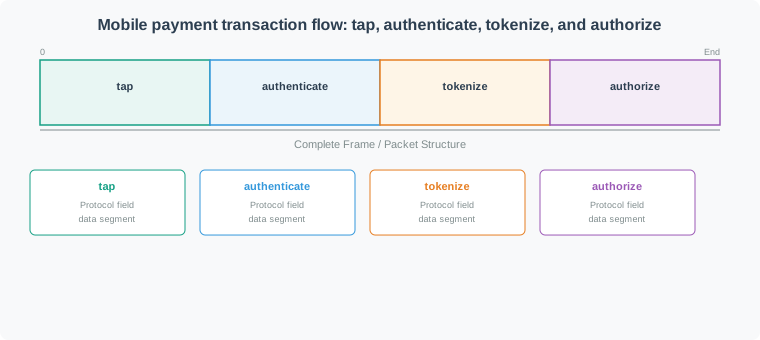
Mobile payment NFC transaction flow showing four stages: customer taps phone to terminal, phone authenticates via biometric, payment token replaces real card number, and bank authorizes the transaction in under 1 second
Figure 28.1: Mobile payment transaction flow: tap, authenticate, tokenize, and authorize

How It Works:

  1. Customer taps phone to terminal
  2. Phone emulates credit card via NFC
  3. Terminal sends encrypted transaction to bank
  4. Bank authorizes payment
  5. Transaction complete (< 1 second)

Security Features:

  • Tokenization: Real card number never shared
  • Biometric auth: Fingerprint/face required
  • Secure element: Encrypted storage of payment credentials
  • Device-specific: Token tied to specific phone

Market Leaders:

  • Apple Pay (iPhone, Apple Watch)
  • Google Pay (Android)
  • Samsung Pay (Samsung devices)
Try It: NFC Payment Tokenization Simulator

28.5.2 Smart Home Automation

NFC Tags for IoT Control:

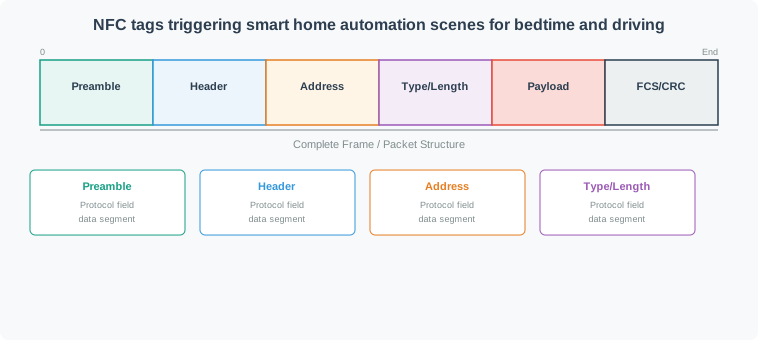
NFC smart home automation diagram showing bedtime and leaving home scenes triggered by tapping NFC tags, with actions including light control, thermostat adjustment, security arming, and Do Not Disturb activation
Figure 28.2: NFC tags triggering smart home automation scenes for bedtime and driving

Example Scenarios:

“Goodnight” Tag (bedside table): - Tap → Turn off all lights - Set thermostat to 68°F - Arm security system - Set phone to Do Not Disturb

“Welcome Home” Tag (front door): - Disarm security - Turn on entry lights - Adjust temperature - Start favorite playlist

Implementation with Home Assistant:

# automations.yaml
- id: nfc_bedtime_routine
  alias: "NFC: Bedtime Routine"
  trigger:
    platform: tag
    tag_id: "04:A3:B2:C1:D4:5E:80"  # NFC tag UID
  action:
    - service: light.turn_off
      entity_id: all
    - service: climate.set_temperature
      data:
        temperature: 68
    - service: alarm_control_panel.alarm_arm_night
Try It: NFC Smart Home Scene Builder

28.5.3 Product Authentication

Anti-Counterfeiting:

  • Luxury goods: Verify authentic Louis Vuitton, Rolex
  • Pharmaceuticals: Ensure medicine is genuine
  • Electronics: Confirm legitimate Apple, Samsung products
  • Wine/Spirits: Authenticate bottles, track provenance

How It Works:

  1. Manufacturer embeds NFC tag with unique encrypted ID
  2. Tag registered in blockchain or secure database
  3. Customer taps tag with phone
  4. App verifies authenticity via cloud lookup
  5. Displays product history, warranty info

28.5.4 Smart Posters & Marketing

Interactive Advertising:

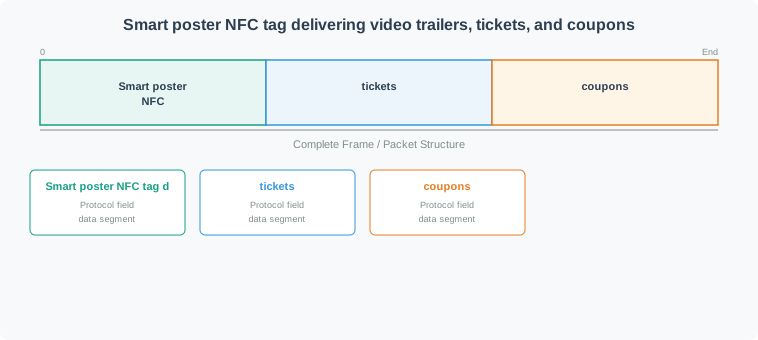
Smart poster NFC interaction showing user tapping a movie poster to receive video trailer, purchase tickets, and download discount coupons directly to their smartphone
Figure 28.3: Smart poster NFC tag delivering video trailers, tickets, and coupons

Use Cases:

  • Movie posters: Tap to watch trailer, buy tickets
  • Restaurant menus: Nutrition info, allergens, reviews
  • Museum exhibits: Audio guides, detailed information
  • Real estate: Virtual tours, floor plans, contact agent
  • Bus stops: Tap for real-time arrival information

28.5.5 Access Control

Physical Security:

  • Hotel room keys: Smartphone as room key (Hilton, Marriott)
  • Office buildings: NFC badges or phone-based access
  • Parking garages: Tap to enter/exit
  • Gym membership: NFC wristband or phone check-in

Advantages:

  • No physical key cards to lose
  • Remote access granting/revocation
  • Audit trail of entry/exit
  • Integration with mobile apps

28.6 Security Considerations

NFC Security Risks

While NFC’s short range provides inherent security, risks exist:

  • Eavesdropping: Attackers capture communication (requires proximity)
  • Data corruption: Intentional or accidental tag modification
  • Relay attacks: Extend NFC range using relay devices
  • Cloning: Copy tag data to create duplicate
  • Malicious tags: Tags programmed to exploit vulnerabilities

28.6.1 Security Best Practices

For Payment Systems:

Tokenization: Never transmit actual card numbers ✅ EMV standards: Follow EMVCo specifications ✅ User authentication: Require biometric or PIN ✅ Transaction limits: Cap contactless payment amounts ✅ Secure element: Use hardware-based key storage

For Access Control:

Encryption: AES-128 minimum for sensitive data ✅ Mutual authentication: Reader and tag both verify identity ✅ Unique keys: Per-tag encryption keys ✅ Audit logging: Track all access attempts ✅ Expiration: Time-limited access credentials

For Smart Tags:

Lock tags: Make read-only after deployment ✅ Signature verification: Cryptographically sign critical data ✅ HTTPS only: Use secure URLs in NDEF records ✅ Sanitize input: Validate data read from unknown tags ✅ User confirmation: Require user approval for sensitive actions

Example: Secure NDEF Signature

// Sign NDEF message
NdefRecord signature = NdefRecord.createMime(
    "application/vnd.bluetooth.signature",
    signData(payload, privateKey)
);

NdefMessage secureMessage = new NdefMessage(
    new NdefRecord[] {dataRecord, signature}
);
Try It: NFC Deployment Security Assessment

28.7 Best Practices

Test Across Devices: iPhones, Android phones behave differently ✅ Optimize Tag Placement: Avoid metal surfaces, test read range ✅ Use NDEF Standard: Ensures compatibility across platforms ✅ Provide Visual Cues: Show users where to tap ✅ Handle Read Failures: Network issues, tag damage, distance ✅ Secure Sensitive Actions: Require user confirmation for payments, access ✅ Monitor Tag Health: Check for corruption, physical damage

28.8 Videos

NFC Introduction
NFC Introduction
From Lesson 4 — NFC basics, passive vs active devices, and IoT use cases.

When deploying NFC tags for an IoT project, use this systematic framework to select the optimal tag type and memory capacity.

Step 1: Calculate Required Memory

Base NDEF overhead:

TLV header:           2 bytes
NDEF record header:   3-6 bytes (depends on payload size)
Type field:          1-3 bytes
Terminator TLV:      1 byte
-----------------------------------
Minimum overhead:    7-12 bytes

Common payload sizes:

Content Type Typical Size Example
Short URL 20-40 bytes https://iot.co/a (prefix-compressed)
Full URL 40-80 bytes https://company.com/product/12345
Text (short) 20-50 bytes “Tap to connect to Wi-Fi”
vCard contact 80-150 bytes Name, phone, email, company
Wi-Fi credentials 50-100 bytes SSID, password, security type
Smart Poster 100-200 bytes URL + title + icon reference
JSON payload 100-500 bytes Structured device configuration

Formula:

Required memory = Overhead (12 bytes) + Payload size + Safety margin (20%)

Step 2: Memory Selection Matrix

Tag Type Memory Write Cycles Cost Best For
NTAG210 48 bytes 100,000 $0.15 Ultra-short URLs only (e.g., iot.co/x)
NTAG213 144 bytes 100,000 $0.20 Short URLs, simple text
NTAG215 504 bytes 100,000 $0.35 Smart posters, contacts, Wi-Fi
NTAG216 888 bytes 100,000 $0.50 JSON config, multiple records
NTAG424 DNA 416 bytes 200,000 $0.60 Secure applications (auth)
MIFARE DESFire 2-8 KB 500,000 $1.50 Complex applications, encryption

Step 3: Application-Specific Selection

Use Case 1: Smart Poster at Bus Stop

Requirements: - URL to real-time bus schedule: https://transit.gov/stop/12345 (32 bytes) - Title text: “Bus 42 Schedule” (17 bytes) - Overhead: 12 bytes - Total: 61 bytes

Decision: NTAG213 (144 bytes) - Provides 2.4× margin, adequate for future URL changes Cost at scale (1000 stops): 1000 × $0.20 = $200

Use Case 2: Home Automation Scene Trigger

Requirements: - Trigger Home Assistant webhook: http://192.168.1.5:8123/api/webhook/abc123 (48 bytes) - No updates needed (one-time write) - Total: 60 bytes

Decision: NTAG213 (144 bytes) - Cheapest option that fits Recommendation: Lock tag after writing to prevent accidental overwrites Cost (10 tags around home): 10 × $0.20 = $2.00

Use Case 3: Product Authentication (Luxury Watches)

Requirements: - Product serial number: 16 bytes - Cryptographic signature verification - Anti-cloning essential - Read by mobile app for authenticity check

Decision: NTAG424 DNA (416 bytes) - Only option with cryptographic authentication Why not NTAG213? Can be trivially cloned, worthless for authentication Cost (10,000 watches/year): 10,000 × $0.60 = $6,000 Value protected: $50M in inventory

Use Case 4: Conference Badge with Multiple Records

Requirements: - Attendee URL: https://conf.io/a/8472 (25 bytes) - Attendee name + company: “Jane Smith, Acme Corp” (25 bytes) - Session schedule JSON: 150 bytes - VIP access flag: 20 bytes - Total: 220 bytes

Decision: NTAG215 (504 bytes) - Provides 2.3× margin for adding sessions during conference Alternative: NTAG216 if multiple sessions need embedding (888 bytes) Cost (2,000 attendees): 2,000 × $0.35 = $700

Use Case 5: Industrial Equipment Maintenance Log

Requirements: - Equipment ID: 20 bytes - Maintenance history (append-only log): 500-800 bytes - Update 50-100 times over 10-year lifespan

Decision: MIFARE DESFire 2K (2048 bytes) Why not NTAG216? Write cycle limit (100,000) OK, but 888 bytes insufficient for 10-year log Cost (500 machines): 500 × $1.50 = $750 Benefit: Eliminates paper logs, integrates with CMMS

Step 4: Write Cycle Considerations

Write cycle limits:

Tag Cycles Daily Writes Lifespan
NTAG213 100,000 1/day 274 years
NTAG213 100,000 10/day 27 years
NTAG213 100,000 100/day 2.7 years
DESFire 500,000 100/day 13.7 years

Decision rule:

  • Read-mostly (updated <1/month): NTAG213-216 fine
  • Occasional updates (1-10/day): NTAG213-216 fine
  • Frequent updates (>50/day): Use DESFire or dynamic URL approach

Dynamic URL approach (recommended for frequently changing data):

Instead of updating tag content:
  Tag contains: https://api.io/t/8472
  Server provides: Real-time data at that URL

Benefits:
  - Zero write cycles consumed
  - Unlimited updates
  - Analytics (track taps)
  - Personalization (different data per user)

Tradeoff:
  - Requires network connection
  - Server dependency

Step 5: Security-Driven Selection

Security Need Minimum Tag Type Why
None (public info) NTAG210/213 Cost-optimized
Write-protect NTAG213 with lock Prevent tampering
Password-protect NTAG213/215/216 Basic access control
Anti-cloning NTAG424 DNA Cryptographic auth
Encryption MIFARE DESFire AES-128 encrypted storage
High-security DESFire EV3 AES-256, FIPS 140-2

Cost vs Security Matrix:

Security Level →
  Low    Medium    High    Military
  |        |        |         |
$0.20   $0.35    $0.60     $2.50
NTAG213 NTAG216  NTAG424   DESFire EV3

Step 6: Final Checklist

Before purchasing tags, verify:

Common Mistakes to Avoid:

Buying smallest tag to save $0.05 - Then data doesn’t fit ❌ Buying largest tag “just in case” - Wasting 2× on cost for unused memory ❌ Using NTAG213 for access control - Trivially cloneable ❌ Forgetting NDEF overhead - 70-byte payload needs 88-byte tag minimum ❌ Not testing iOS compatibility - Some tags work on Android but not iPhone ❌ Ordering from AliExpress without testing - 30% counterfeit rate for DESFire

Sample Order Strategy:

1. Order 10 samples of your chosen tag type
2. Program with actual NDEF data structure
3. Test on iOS and Android devices
4. Verify memory usage in deployed format
5. Test read range on target surfaces (wood, plastic, glass)
6. If successful, order full quantity

This approach saves money by catching issues before bulk purchase.
28.9 How It Works

NFC Tag Programming Flow

When you write an NDEF message to an NFC tag, the process follows these steps:

  1. Tag Detection: Reader detects tag via anti-collision protocol (REQA/ATQA exchange)
  2. UID Read: Unique 4- or 7-byte identifier confirms tag presence
  3. Tag Type Identification: Reader checks SAK (Select Acknowledge) byte to determine tag type (NTAG213/215/216, DESFire, etc.)
  4. Memory Access: Reader authenticates (if password-protected) and writes to user memory pages
  5. NDEF Construction: Message structured as TLV (Type-Length-Value): 0x03 (NDEF TLV) + length + NDEF records + 0xFE (terminator)
  6. Verification: Reader reads back written data to confirm integrity

Mobile Payments extend this with additional security layers: - Tokenization: Real card number (PAN) replaced with device-specific token - Dynamic Cryptogram: Each transaction generates unique, unreplayable code using AES-128 - Secure Element: Cryptographic keys stored in tamper-resistant hardware, isolated from main OS

The “tap and go” experience (< 500 ms) hides this complexity—NFC field powers tag, exchanges data, and completes transaction faster than a chip card insertion.

28.10 Concept Check

28.11 Concept Relationships

Connecting NFC Implementation Concepts

Tag programming spans three platforms (Android/Python/Arduino) but uses identical NDEF structure—the same URL record written on Android can be read on any NFC phone. This interoperability is NDEF’s core value.

Mobile payments demonstrate security layering: tag-level (NFC’s 4 cm range), transport-level (tokenization + cryptograms), and application-level (biometric auth + Secure Element). No single layer is sufficient—security requires all three.

Smart home automation uses NFC as a trigger, not a controller. The tag stores a webhook URL or scene identifier; the actual automation logic runs server-side. This keeps tags simple (read-only, no battery) while maintaining flexibility (scenes can be updated without reprogramming tags).

Product authentication distinguishes NTAG213 (basic password protection, easily cloned) from NTAG424 DNA (AES-128 + Secure Dynamic Messaging, cryptographically unforgeable). For anti-counterfeiting, the 60-cent price difference between tags can protect thousands of dollars in brand value.

28.12 See Also

Implementation Guides:

Security Deep Dives:

Development Tools:

28.13 Try It Yourself

Hands-On Tag Programming

Exercise 1: Multi-Record NDEF Message

Program an NTAG216 tag with a Smart Poster containing: - URL: https://example.com/product/123 - Title: “Product XYZ - Tap for Details” - Action: Open browser

Calculate NDEF size before writing: - URL record: ~35 bytes - Text record (title): ~32 bytes - Action hint: ~5 bytes - TLV overhead: ~8 bytes - Total: ~80 bytes (fits in NTAG216’s 888 bytes)

What to observe: Some phones auto-select the title text, others show “Open in Browser” button.

Exercise 2: Password-Protected Tag

Write a URL to NTAG213, then lock with password: - Set 32-bit password: 0x12345678 - Set PACK (acknowledge): 0xABCD - Configure AUTH0 (first protected page): 0x10 - Test: Reading still works, writing requires password

What to observe: The tag is now read-only to unauthorized users, but data remains visible.

Exercise 3: Dynamic URL for Analytics

Instead of static URL, use server-tracked shortlink: - Static: https://longdomain.com/products/category/item123 - Dynamic: https://short.link/p/A7X

Server logs each tap (timestamp, IP, tag ID) and redirects to product page. Tracks which products get the most taps in-store.

Tip: Use URL shorteners that provide analytics (Bitly, TinyURL with stats).

Common Pitfalls

Some NFC reader implementations poll continuously for tags, consuming significant power. Fix: implement adaptive polling that reduces frequency when no tags are detected and increases frequency only when user interaction is expected.

If a user removes an NFC tag mid-transaction, the reader’s RF field drops and the transaction fails. Fix: implement timeout and retry logic for multi-step NFC transactions and inform the user to keep the tag in range until the operation completes.

HCE stores card credentials in software, which is more vulnerable to extraction than a hardware Secure Element. Fix: use HCE only for non-payment NFC applications or where the card scheme (e.g., Visa/Mastercard) specifically certifies the HCE implementation for payment.

28.14 Summary

This chapter covered NFC implementation and applications:

  • Tag Programming: Write URLs, text, and custom data using Android, Python, and Arduino
  • Mobile Payments: Tokenization and secure element architecture for Apple Pay and Google Pay
  • Smart Home: NFC tags triggering IoT automation scenes
  • Product Authentication: Anti-counterfeiting with encrypted NFC tags
  • Security Best Practices: Encryption, authentication, and input validation

28.15 What’s Next

Chapter Description
NFC IoT Integration Gateway patterns, MQTT bridging, and hands-on ESP32/Raspberry Pi labs for NFC in IoT ecosystems
NFC Security and Comparisons EMV payment security deep dive, relay attack analysis, and NFC vs BLE vs RFID comparison
NFC Communication Fundamentals Review operating modes, tag types, and NDEF format foundations covered in the prerequisite chapter
RFID Hands-on and Applications Related contactless technology programming and real-world RFID deployment patterns