25 NFC Communication Fundamentals
Sammy the Sensor asked, “How does my phone talk to that tiny sticker?” Max the Microcontroller explained, “NFC is like a whispered conversation. Your phone creates an invisible energy field, and when a tag gets close enough – about the width of your thumb – the field wakes up the tag and they start chatting at 13.56 million times per second!” Bella the Battery was amazed: “The tag does not even need a battery! It gets all its power from the phone’s energy field, like a solar panel gets power from the sun.” Lila the LED added, “And there are three ways NFC devices can talk: phone-to-sticker for reading info, phone-to-phone for sharing, and phone-pretending-to-be-a-card for payments. It is like having three different languages!”
25.2 Learning Objectives
By the end of this chapter, you will be able to:
- Differentiate NFC from RFID: Contrast NFC’s 13.56 MHz near-field architecture with general RFID systems and justify why NFC uses intentionally short range
- Classify Operating Modes: Categorize peer-to-peer, read/write, and card emulation modes by their communication topology and typical IoT use cases
- Select Appropriate Tag Types: Evaluate NFC tag types (1-5) based on memory capacity, data rate, and security requirements for a given application
- Construct NDEF Messages: Assemble valid NFC Data Exchange Format records including URI, text, and smart poster types for cross-platform interoperability
25.3 Prerequisites
Before diving into this chapter, you should be familiar with:
- Network Access and Physical Layer Protocols: Understanding physical layer concepts and short-range wireless technologies provides context for NFC’s operating principles and 13.56 MHz frequency band
- Networking Basics: Basic knowledge of communication protocols and data exchange helps you understand NFC’s peer-to-peer and reader/writer modes
NFC Deep Dives:
- NFC Implementation and Applications - Hands-on tag programming
- NFC IoT Integration - IoT ecosystems and labs
- NFC Security and Comparisons - Security and technology comparisons
Related Protocols:
- RFID Fundamentals - Understanding the parent technology
- Bluetooth Fundamentals - Alternative short-range protocol
Have you ever tapped your phone to pay at a store, or touched your phone to a poster to get more information? That’s Near Field Communication (NFC) in action. NFC is a wireless technology that works over very short distances—typically just a few centimeters (about 1-2 inches).
Think of NFC as a “digital handshake” between two devices when they touch or get very close. Unlike Wi-Fi or Bluetooth that can work across a room, NFC requires devices to be almost touching. This short range helps reduce risk and makes the tap interaction intentional (though attacks like relays are still possible in some threat models).
How is NFC used in IoT?
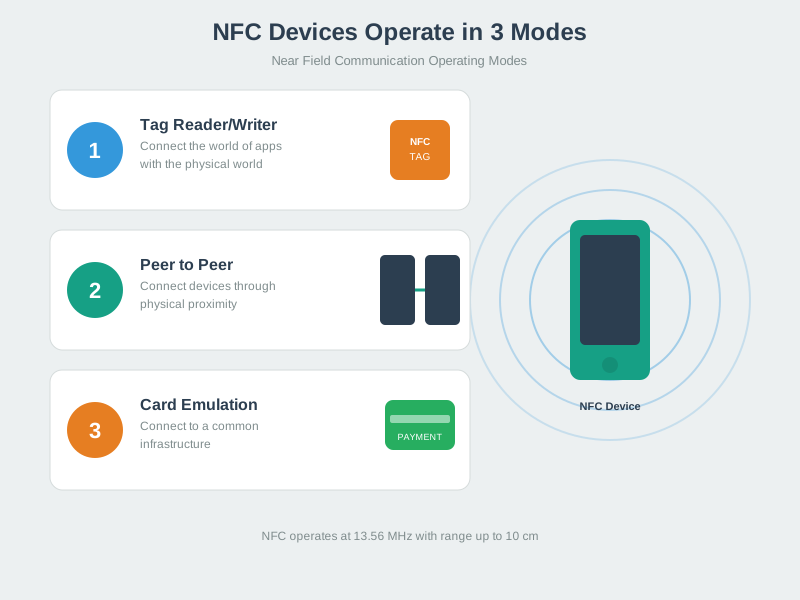
NFC has three main modes: reading tags (like scanning a smart poster), card emulation (your phone pretending to be a credit card), and peer-to-peer (two phones sharing data by tapping). In IoT, NFC is perfect for configuration (tap phone to sensor to set it up), identification (tap badge to unlock door), and quick data exchange (tap phone to smart home device to control it).
The beauty of NFC is that simple NFC tags need no battery—they’re powered by the radio waves from your phone when you bring it close. This makes NFC tags incredibly cheap (10-50 cents each) and they last forever since there’s no battery to die.
| Term | Simple Explanation |
|---|---|
| NFC (Near Field Communication) | Wireless technology for very short-range communication (1-10 cm) |
| Tag | Passive device (no battery) that stores data readable by NFC phones |
| Reader | Active device (like smartphone) that powers and reads NFC tags |
| 13.56 MHz | Radio frequency NFC uses—part of High Frequency (HF) RFID band |
| Passive Tag | Tag with no battery—powered by reader’s radio waves |
| Active Device | Device with battery that can generate its own radio field |
| NDEF | NFC Data Exchange Format—standard way to structure data on tags |
| Peer-to-Peer Mode | Two active devices exchanging data (phone-to-phone) |
25.4 What is NFC?
Test your understanding of these NFC concepts.
25.5 Definition
NFC (Near Field Communication) is a short-range wireless technology based on HF RFID that enables two devices to communicate when brought within 4-10 cm of each other. Operating at 13.56 MHz, NFC provides secure, intuitive touch-to-connect interactions for payments, access control, data transfer, and device pairing.
Key Characteristics:
- Range: 4-10 cm (intentionally short for security)
- Frequency: 13.56 MHz (HF)
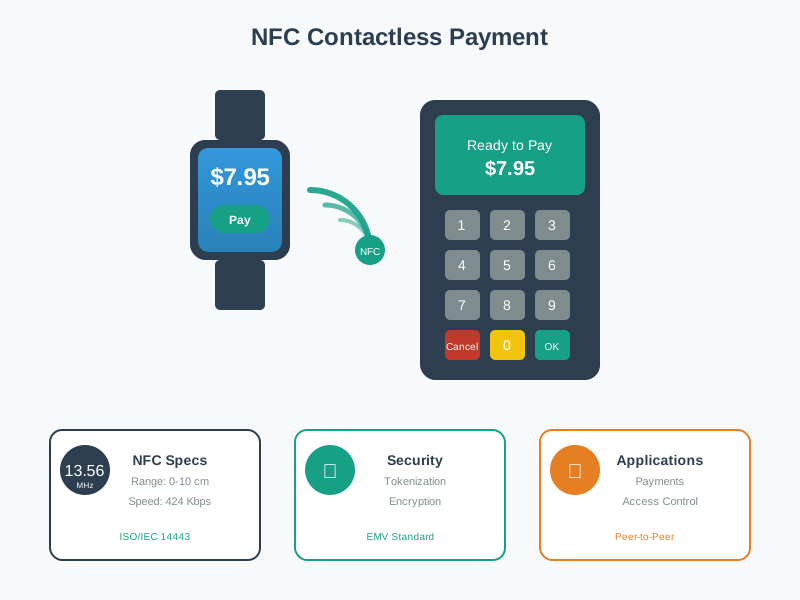
 - Data Rate: 106, 212, 424, or 848 Kbps - Power: Passive tags powered by reader field - Bi-directional: Can both send and receive data - Ubiquitous: Built into 2+ billion smartphones globally
25.6 NFC vs RFID: Understanding the Relationship
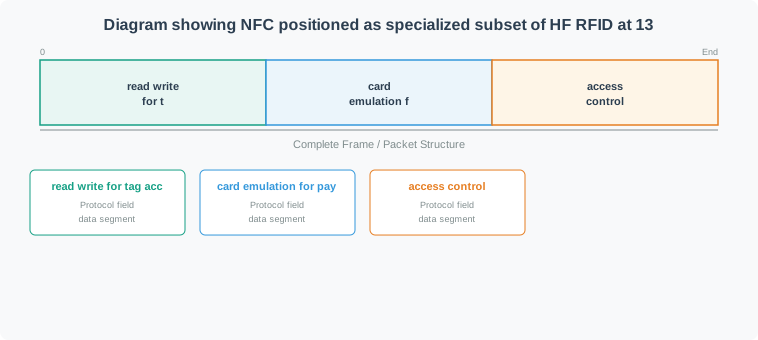
NFC is a subset of HF RFID (13.56 MHz) with added capabilities:
What makes NFC different:
- ✅ Peer-to-peer mode: Two active devices can exchange data
- ✅ Card emulation: Phone can act like contactless card
- ✅ Built into smartphones: Billions of NFC-enabled devices
- ✅ User-initiated: Intentional touch-to-connect experience
- ✅ Standardized protocols: NDEF data format for interoperability
| Feature | RFID (General) | NFC |
|---|---|---|
| Frequency | LF, HF, UHF, Microwave | HF only (13.56 MHz) |
| Range | cm to 10m+ | 4-10 cm (intentionally short) |
| Modes | Read-only typically | Peer-to-peer, read/write, emulation |
| Devices | Specialized readers | Smartphones, tablets, wearables |
| Use Cases | Inventory, logistics, access | Payments, pairing, smart marketing |
| Standards | ISO 14443, 15693, 18000 | ISO 14443, ISO 18092, NFC Forum |
25.7 How NFC Works
25.7.1 Basic Operating Principle
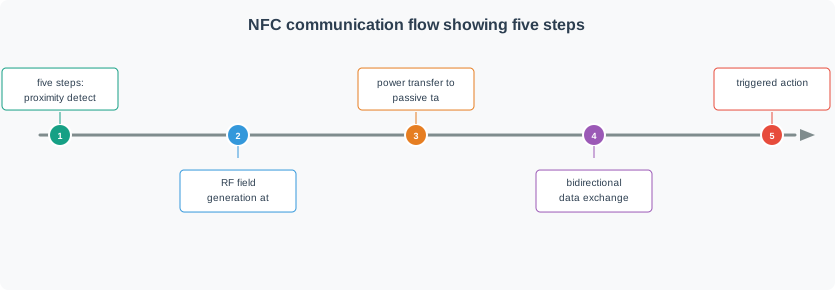
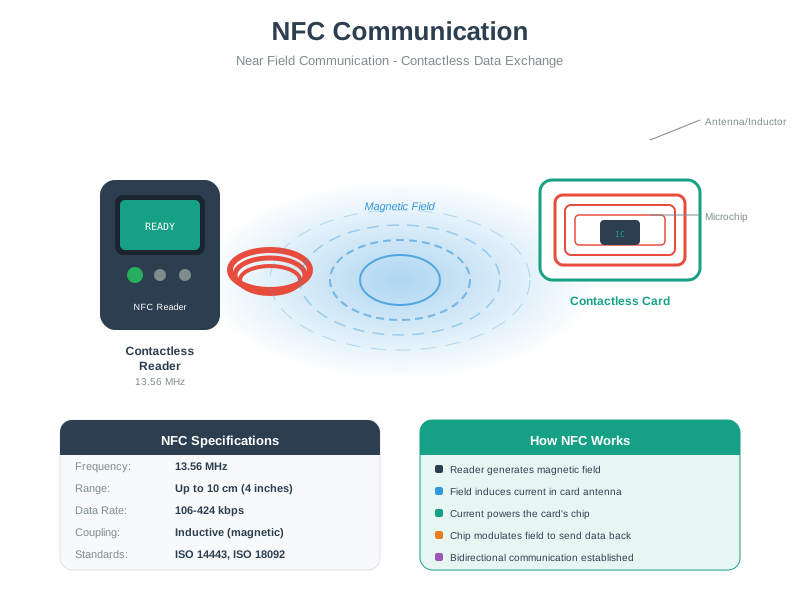
NFC Communication:
- Proximity detection: Devices come within 4-10 cm
- Field generation: Active device creates 13.56 MHz field
- Power transfer: Passive tag harvests energy from field
- Data exchange: Bi-directional communication via load modulation
- Action: Payment, data transfer, or configuration triggered
25.8 NFC Operating Modes
NFC supports three distinct operating modes, making it more versatile than traditional RFID:
25.8.1 Peer-to-Peer Mode
Two active NFC devices exchange data
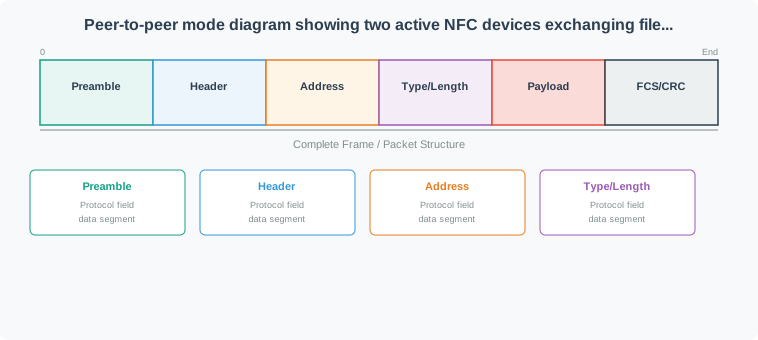
Use Cases:
- File sharing: Photos, contacts, documents between phones
- Bluetooth pairing: Touch phones to pair speakers/headphones
- Gaming: Transfer game data between devices
- Business cards: Exchange contact info
Protocol: ISO 18092 (NFCIP-1)
Example: Android Beam (deprecated but illustrative)
// Share data via NFC P2P
NfcAdapter nfcAdapter = NfcAdapter.getDefaultAdapter(this);
nfcAdapter.setNdefPushMessage(message, this);
25.8.2 Read/Write Mode
Active device reads from or writes to passive NFC tag
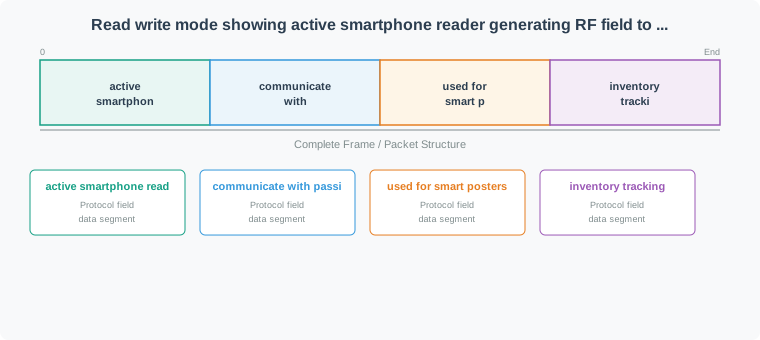
Use Cases:
- Smart posters: Tap tag to open URL, download app
- Product information: Get details, reviews, instructions
- Home automation: Tap tag to trigger IoT scene
- Museum exhibits: Interactive information displays
- Inventory: Track and update asset information
Tag Types:
- Type 1-5 (different memory sizes and capabilities)
- Writable (can update content)
- Read-only (locked after writing)
25.8.3 Card Emulation Mode
Active device emulates a contactless smart card
Use Cases:
- Mobile payments: Apple Pay, Google Pay, Samsung Pay
- Transit ticketing: Subway/bus tap-to-pay
- Access control: Phone as building/hotel key
- Loyalty cards: Digital membership cards
Technologies:
- HCE (Host Card Emulation): Software-based, uses phone CPU
- SIM-based: Secure element in SIM card
- Embedded SE: Dedicated secure chip in phone
25.9 NFC Tag Types
NFC tags come in different types with varying memory and capabilities:
| Type | Memory | Speed | Rewritable | Use Case | Example |
|---|---|---|---|---|---|
| Type 1 | 96 bytes - 2 KB | 106 Kbps | Yes | Simple marketing | Topaz |
| Type 2 | 48 bytes - 2 KB | 106 Kbps | Yes | Smart posters | MIFARE Ultralight |
| Type 3 | Variable | 212 Kbps | Yes/No | Transit, eSIM | Sony FeliCa |
| Type 4 | 4 KB - 32 KB | 424 Kbps | Yes | High-security | MIFARE DESFire |
| Type 5 | 256 bytes - 8 KB | 106 Kbps | Yes | IoT sensors | ISO 15693 |
For simple tasks (URL, text): Type 2 (cheap, ~$0.20) For payments, access: Type 4 (secure, encrypted) For IoT sensors: Type 5 (longer range within NFC spec) For read-only: Lock Type 2 after writing
25.10 NDEF (NFC Data Exchange Format)
NDEF is the standard data format for NFC, ensuring interoperability between devices.
25.10.1 NDEF Message Structure
25.10.2 Common NDEF Record Types
URI Record (open URL):
Type: U (URI)
Payload: https://example.com/product/123
Text Record:
Type: T (Text)
Payload: "Tap to connect to Wi-Fi"
Smart Poster:
Wi-Fi Configuration (Android):
Type: application/vnd.wfa.wsc
Payload: [Wi-Fi credentials encrypted]A dangerous mistake in physical security deployments is choosing inexpensive NFC Type 2 tags (NTAG213/215/216) for access control, door locks, or high-value asset tracking. This error creates a trivially exploitable security vulnerability.
The Mistake: Security team deploys 500 employee access badges using NTAG213 tags ($0.20 each) containing employee ID numbers. Badge readers authenticate by checking the UID and reading an NDEF text record with employee number.
Why It’s Catastrophic:
Problem 1: UID is not cryptographically secured
NTAG213 UID: 04:A3:B2:C1:D4:5E:80 (7 bytes)
  - Factory programmed (non-writable)
  - BUT: Can be cloned to "magic" Chinese tags
  - Cost: $0.30 per magic UID-writable tag
  - Time to clone: 2 seconds with NFC-enabled phone
Problem 2: NDEF data is readable and writable by anyone
Original badge NDEF:
  Text Record: "Employee ID: 8472"

Attacker with NFC phone:
  1. Read victim's badge (bump in hallway)
  2. Copy UID + NDEF to blank tag
  3. Clone works identically to original
  Total time: 5 seconds
  Total cost: $0.30
Problem 3: No cryptographic authentication Type 2 tags have optional password protection (32-bit), but: - Passwords can be brute-forced (4.3 billion combinations) - At 100 attempts/sec: Cracked in 12 hours - No anti-brute-force protection (unlimited retries)
Real Attack Demo:
Step 1: Passive read (no touching victim’s badge)
// Attacker's Android phone with NFC app
void cloneAccessBadge() {
  // Approach victim in crowded area
  // Hold phone near victim's pocket/purse (within 10 cm)

  NfcTag victimTag = nfcAdapter.readTag();  // Silent read

  byte[] uid = victimTag.getId();
  NdefMessage data = victimTag.getNdefMessage();

  // Store for cloning
  saveToFile("victim_badge.bin", uid, data);

  // Victim never knows they were attacked!
}
Step 2: Clone to magic tag
void writeClonedBadge() {
  MagicTag blankTag = getMagicTag();

  // Write victim's UID (normally read-only, but "magic" tags allow UID writes)
  blankTag.setUid(storedUid);

  // Write victim's NDEF data
  blankTag.writeNdefMessage(storedData);

  // Badge reader cannot distinguish clone from original
}
Impact:
- Attacker gains building access
- Audit logs show “legitimate” employee badge
- No evidence of intrusion
- Victim’s badge still works (they don’t know they were cloned)
How Should Access Control Be Implemented?
Option 1: NFC Type 4 Tags with Cryptographic Authentication (CORRECT)
Use NTAG424 DNA or MIFARE DESFire EV3:
Authentication flow:
1. Reader generates random challenge: 0x4A3B9C2D
2. Tag computes response: HMAC-SHA256(challenge, secret_key)
3. Reader verifies response against stored key

Cloning defense:
  - Secret key never leaves secure element in tag
  - Cannot be extracted even with physical access
  - Challenge-response prevents replay attacks
  - Each authentication uses unique challenge
Cost comparison:
- NTAG213 (insecure): $0.20
- NTAG424 DNA (secure): $0.60
- Security improvement: Infinite (unbreakable vs trivially cloneable)
Option 2: Backend Validation
Even with Type 2 tags, don’t trust the tag alone:
// WRONG: Trust tag data
void grantAccess(NfcTag tag) {
  String employeeId = tag.readNdefText();
  if (employeeId != null) {
    unlockDoor();  // INSECURE!
  }
}

// RIGHT: Validate with backend
void grantAccessSecure(NfcTag tag) {
  byte[] uid = tag.getId();

  // Server checks:
  // 1. Is this UID registered?
  // 2. Is employee still active?
  // 3. Has badge been reported stolen?
  // 4. Is access time within allowed hours?
  // 5. Is this UID currently in use at another door? (detect cloning)

  AccessDecision decision = server.validate(uid);

  if (decision.isAuthorized()) {
    unlockDoor();
    logAccess(uid, timestamp, location);
  } else {
    triggerAlert("Unauthorized badge attempt");
  }
}
Option 3: Multi-Factor Authentication
Badge + PIN + Biometric:
Badge (something you have) - NFC tag
  +
PIN (something you know) - 4-digit code
  +
Fingerprint (something you are) - biometric scanner
  =
Secure access control
Even if attacker clones badge, they still need PIN and fingerprint.
When Type 2 Tags Are Acceptable:
✅ Low-security applications: - Marketing posters (tap to visit website) - Product information labels - Smart home automation triggers (low value) - Museum exhibit information
❌ NEVER use for: - Building access control - Payment systems - High-value asset tracking - Authentication credentials - Anything requiring non-repudiation
Security Tag Selection Matrix:
| Application | Minimum Tag Type | Why |
|---|---|---|
| Posters, marketing | Type 2 (NTAG213) | Low security risk, cost matters |
| Home automation | Type 2 with lock | Prevent accidental overwrites |
| Parking passes | Type 3 or Type 4 | Moderate security, anti-cloning |
| Building access | Type 4 (NTAG424 DNA) | Crypto authentication required |
| Payments | Type 4 (DESFire EV3) | Highest security, regulations |
Real-World Consequence (True Story):
Company: Tech startup, 150 employees Implementation: NTAG213 badges for door access Incident: Laid-off employee cloned CFO’s badge before leaving Result: Returned after hours, accessed server room, stole laptop with customer data Cost: $2.3M GDPR fine, 40% customer churn, company shutdown within 18 months
Total security system cost: $3,000 (500 × $0.20 NTAG213 tags + readers) Cost to fix after breach: $50,000 (replace with NTAG424 + new readers + audit) Actual cost: $2.3M + company reputation destroyed
The $0.40 mistake (choosing $0.20 insecure tags instead of $0.60 secure tags) cost $2.3 million.
Bottom Line: Type 2 tags are fine for convenience applications but are cryptographically equivalent to printing passwords on a sticker. For any security application, pay the extra $0.40 per tag for real cryptographic protection. Your company’s future may depend on it.
25.11 Concept Relationships
NFC builds on HF RFID technology but adds bidirectional communication and smartphone integration. The three operating modes serve distinct purposes: Read/Write for accessing passive tags (smart posters, inventory), Peer-to-Peer for device-to-device exchange (contact sharing, Bluetooth pairing), and Card Emulation for payments/access (Apple Pay, transit cards).
NDEF provides the universal data format that makes all modes interoperable across devices. Tag type selection balances memory capacity (48 bytes to 32 KB), security features (password protection vs AES-128), and cost ($0.10 to $2.00 per tag). The 4-10 cm range is not a limitation but a deliberate security feature—preventing accidental or remote access while ensuring intentional user interaction.
25.12 See Also
Foundational Concepts:
- RFID Fundamentals - Parent technology for NFC
- Bluetooth Fundamentals - Alternative short-range protocol
- Network Access and Physical Layer - Physical layer principles
NFC Deep Dives:
- NFC Implementation and Applications - Hands-on tag programming
- NFC IoT Integration - IoT ecosystems and labs
- NFC Security and Comparisons - Security analysis
Standards and Specifications:
- NFC Forum Standards - Official NFC specifications
- ISO 14443 - Proximity cards standard
- ISO 18092 - NFCIP-1 standard
25.13 Try It Yourself
Experiment 1: Discover NFC Tags Around You
Many everyday items contain NFC tags. Use an NFC reader app (like “NFC Tools” for Android or iPhone’s built-in NFC reader) to scan: - Public transit cards (read the UID, but don’t modify) - Hotel room keycards (some use NFC) - Product packaging with “tap to learn more” symbols - Business cards with NFC chips
What to observe: Note the tag type, UID length, and NDEF message content (if readable).
Experiment 2: Test NFC Range Limits
Write a simple URL to an NTAG213 tag (use NFC Tools app). Gradually increase distance from your phone while attempting to read: - 1 cm: Should work perfectly - 5 cm: May work depending on phone antenna - 10 cm: Usually fails - Through materials: Test reading through paper (works), plastic (works), wood (maybe), metal (fails completely)
What to observe: The inverse-cube relationship means signal strength drops dramatically with distance. Metal completely blocks the magnetic field.
Experiment 3: Compare Tag Types
Acquire three tag types: NTAG213 (144 bytes), NTAG216 (888 bytes), and NTAG424 DNA (if budget allows). Write the same URL to each and measure: - Read speed (should be similar for NTAG213/216) - Maximum data capacity (try writing increasingly long URLs) - Password protection behavior (NTAG213/216 vs NTAG424 cryptographic auth)
Safety note: Never test tags on metal surfaces without ferrite backing—this can permanently damage the tag antenna.
Common Pitfalls
NFC tag range varies significantly with tag orientation relative to the reader antenna. A tag that reads reliably at 5 cm face-on may fail at 2 cm when tilted 45°. Fix: design tag placement and reader orientation to maintain the optimal antenna alignment for the expected use case.
Reading a single tag takes ~5 ms; resolving anti-collision among 10 tags in the field can take 50–200 ms. Fix: design throughput expectations around the worst-case anti-collision resolution time, not single-tag read time.
Water and human tissue are good absorbers at 13.56 MHz. An NFC tag inside a water-filled container or held against a wet hand loses 50–80% of effective range. Fix: test NFC read range in the actual operating environment (e.g., on a filled bottle, held in a gloved hand) rather than in air.
25.14 Summary
This chapter covered NFC fundamentals:
- Technical Foundation: NFC operates at 13.56 MHz (HF RFID subset) with 4-10 cm range
- Three Operating Modes: Peer-to-peer, Read/Write, and Card Emulation
- NDEF Standard: Provides interoperable message structure for URLs, text, and custom data
- Tag Types: Five tag types with varying memory, speed, and security capabilities
25.15 What’s Next
| Chapter | Description |
|---|---|
| NFC Implementation and Applications | Hands-on tag programming with Android, Python, and Arduino plus real-world payment and smart home applications |
| NFC IoT Integration | Gateway patterns, MQTT bridging, and ESP32 labs for connecting NFC into IoT ecosystems |
| NFC Security and Comparisons | EMV payment security analysis, relay attack mitigation, and NFC vs BLE vs RFID comparison |
| RFID Fundamentals and Standards | The parent HF/UHF RFID technology that NFC builds upon |