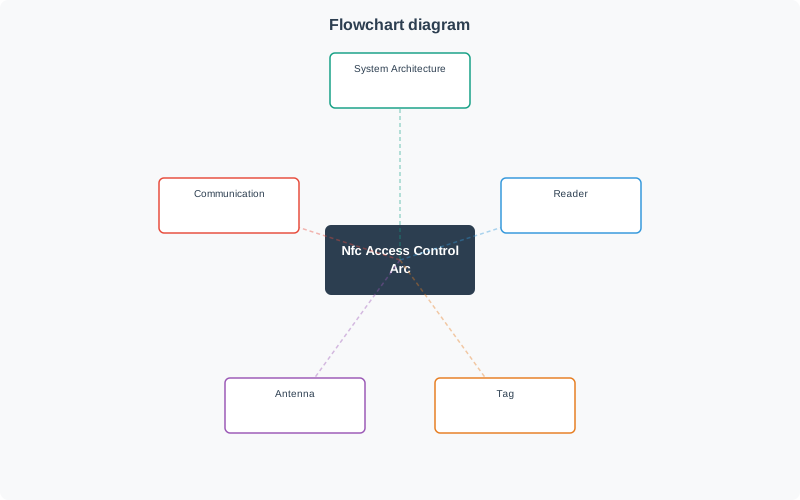
NFC Access Control: Using NFC credentials (smart card, smartphone) to authenticate and authorise physical access to secured areas
Credential: The digital identity stored on an NFC card or device that uniquely identifies the holder to an access control system
Reader: The fixed NFC device at a door or gate that reads credentials and communicates with the access control system
Access Control System (ACS): The back-end system that stores user permissions and makes pass/fail decisions based on credential data
Card Cloning: Copying an NFC card’s data to a blank card; a significant security threat to access control systems using non-authenticated tags
MIFARE Classic Vulnerability: The MIFARE Classic tag uses a proprietary Crypto-1 cipher that has been broken; cards using it can be cloned inexpensively
Anti-Passback: An access control policy preventing a credential from being used to enter a door twice without first exiting; prevents credential sharing
39.1 In 60 Seconds
Build a complete ESP32-based NFC door lock system using PN532 over I2C. The system reads 7-byte tag UIDs, checks them against an authorized database, controls a servo motor for lock/unlock, provides LED and buzzer feedback, and maintains a circular buffer access log for security auditing. Includes complete wiring diagrams, Arduino code, and troubleshooting guides.
Sensor Squad: Building a Door Lock
Sammy the Sensor was thrilled: “We are building a real security system!” Max the Microcontroller outlined the plan: “We connect an NFC reader to an ESP32 and add a motor to control the lock. When someone taps their badge, the reader checks if they are on the approved list. If yes, the motor turns and the green light goes on. If not, the red light flashes and the buzzer sounds an alarm!” Bella the Battery noted, “Every tap gets recorded in a log, so the building manager can see who came in and when. It is like a guest book that fills itself automatically.” Lila the LED added, “And if you lose your badge, the manager can just remove it from the approved list. No need to change the locks like you would with a physical key!”
39.2 Learning Objectives
By the end of this chapter, you will be able to:
Construct NFC Access Control: Assemble and program a complete door lock system using ESP32 and PN532 modules with I2C communication
Configure I2C Communication: Set up and verify reliable NFC tag reading by mapping GPIO pins, validating pull-up resistors, and testing signal integrity
Evaluate Authorization Logic: Compare UID-only matching against challenge-response authentication and justify when each approach is appropriate
Calculate System Latency: Determine end-to-end access response time by analyzing detection, authorization, and actuation timing for ADA compliance
Demonstrate Access Logging: Implement and verify circular buffer storage that records UID, status, and timestamp for security auditing
Diagnose NFC Issues: Systematically troubleshoot communication failures, range limitations, and electromagnetic interference using structured debugging procedures
For Beginners: What You’ll Build
This chapter guides you through building a complete NFC-based door lock system. When someone taps an authorized NFC tag (like an employee badge), the system:
Reads the tag’s unique ID
Checks if the ID is in the authorized list
Unlocks the door (servo motor)
Provides visual feedback (green LED = granted, red LED = denied)
Logs the access attempt for security auditing
Think of it like the key card systems in hotels or offices, but one you build yourself!
Understanding of NFC operating modes (Reader/Writer, Peer-to-Peer, Card Emulation)
Basic Arduino/ESP32 programming experience
Familiarity with I2C communication protocol
Required Hardware:
ESP32 Development Board
PN532 NFC Reader Module (I2C)
Servo motor (SG90) for lock mechanism
NFC tags (Type 2 recommended)
LED (Green for granted, Red for denied)
Buzzer (optional)
Jumper wires and breadboard
Estimated Time: 45 minutes
39.4 System Architecture
The NFC access control system follows a straightforward flow: tag detection, authorization check, and hardware response.
NFC access control system architecture
Figure 39.1: NFC access control system architecture showing tag reading, authorization checking, and hardware feedback mechanisms including servo lock, LEDs, and buzzer.
Alternative View: NFC Operating Mode Selection
This decision tree helps select the appropriate NFC operating mode based on application requirements.
39.5 Hardware Wiring
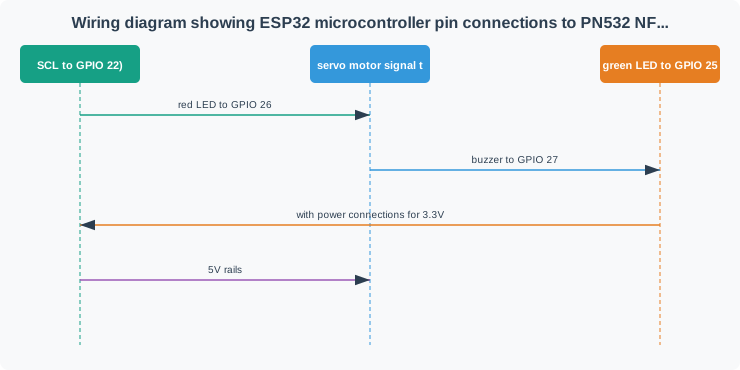
Connect the ESP32 to the PN532 NFC module and output devices as shown:
Figure 39.2: ESP32 NFC access control system wiring showing I2C communication with PN532 reader, servo motor control, and LED/buzzer feedback indicators.
Scan the new tag to get its UID from Serial Monitor
Add the UID to the authorizedUIDs array:
String authorizedUIDs[]={"04 A3 B2 C1 D4 5E 80","08 F7 E2 9A 3B 1C 4D","YOUR NEW UID HERE"// Add new tag};
Update the count: Change numAuthorizedUIDs to match
Re-upload the code to ESP32
Pro Tip: Dynamic Tag Management
For production systems, consider storing authorized UIDs in EEPROM or SPIFFS (ESP32’s flash filesystem) so you can add/remove tags without re-uploading code. You could also implement a web interface for remote management.
39.9 Knowledge Check
Quiz: NFC Access Control
Question 1: In the ESP32 NFC access control system, why does the servo motor use a separate 5V power supply instead of the ESP32’s 3.3V pin?
Question 2: The system uses UID matching for authorization. What is the main security limitation of this approach in a production environment?
Match Access Control Components to Their Functions
Order: NFC Access Control Authentication Sequence
39.10 Troubleshooting
Common issues and solutions:
Problem
Cause
Solution
NFC not initializing
I2C wiring issue
Check SDA/SCL connections, verify 3.3V power
Tag not detected
Range too far
Hold tag within 2-3cm of reader
Wrong UID format
Tag type mismatch
Use Type 2 tags (NTAG213/215/216)
Servo jittering
Power issue
Use separate 5V supply for servo
Intermittent reads
Interference
Keep away from metal surfaces
39.11 Security Considerations
This basic implementation demonstrates NFC access control concepts. For production use, consider:
Encrypted UIDs: Use tag types with encryption (NTAG 424 DNA)
Challenge-Response: Implement mutual authentication between reader and tag
Audit Logging: Store logs to external database with timestamps
Anti-Passback: Prevent same tag from entering twice without exit
Tamper Detection: Add sensors to detect physical attacks on reader
39.12 Real-World NFC Access Control Deployments
39.12.1 Hilton Hotels: 6,200 Properties, Digital Key
Hilton’s Digital Key rollout deployed NFC-based room access across 6,200 properties worldwide, allowing guests to unlock rooms by tapping their smartphone against the door reader. The system uses HCE (Host Card Emulation) mode rather than the UID-matching approach shown in this lab – a critical distinction for production security.
Why UID matching fails at scale:
In this lab, the system matches the tag’s static UID against an authorized list. Hilton’s security team evaluated this approach during their 2014 pilot at 10 properties and rejected it for three reasons:
Vulnerability
Impact
Hilton’s mitigation
UID cloning
MIFARE Classic UIDs cloneable with $30 Proxmark device
Moved to MIFARE DESFire EV2 with AES-128 challenge-response
Static credentials
Stolen UID works forever until manually revoked
Time-limited session keys with 24-hour expiration tied to reservation dates
No mutual authentication
Rogue reader could harvest UIDs from guests’ phones
DESFire mutual authentication – both reader and card prove identity
Deployment numbers:
6,200 properties, approximately 950,000 door locks upgraded
140 million+ room entries via NFC/BLE Digital Key as of 2023
Lock battery life: 24 months on 4 AA lithium batteries (approximately 80 NFC authentications per day per lock)
Authentication latency: 340 ms average (vs. 50 ms for the lab’s simple UID check), dominated by the 3-pass DESFire mutual authentication handshake
False rejection rate: 0.3% (mostly caused by phone NFC antenna misalignment with lock reader)
Putting Numbers to It
Battery capacity determines lock lifespan: \(N_{\text{auths}} = \frac{C_{\text{battery}} \times V}{E_{\text{auth}}}\) authentications. Worked example: 4× AA lithium = 3000 mAh at 1.5V each = 18 Wh total. DESFire auth consumes ~15 mA for 340 ms = 15 mA × 0.34 s = 5.1 mAs = 1.42 mWh at 3V. \(N_{\text{auths}} = \frac{18000}{1.42} = 12,676\) authentications. At 80 auths/day: \(\frac{12,676}{80} = 158\) days, but real locks achieve 24 months due to deep sleep (0.01 mA standby) between auths.
Cost comparison:
Approach
Per-door hardware cost
Per-door annual operating cost
Security level
Physical key
$15 lock + $2/key
$180 (rekeying, lost keys)
Low
Magnetic stripe card
$250 lock + $0.50/card
$85 (card replacement, encoder)
Medium
UID-only NFC (this lab)
$45 reader + $0.30/tag
$12 (tag replacement)
Low – cloneable
DESFire challenge-response
$180 lock + $1.50/card
$35 (card + key management)
High
HCE smartphone (Hilton)
$180 lock + $0/phone
$8 (server infrastructure)
High
Hilton’s ROI: eliminated $142M/year in physical key card costs across the portfolio, with a 3.1-year payback on the $520M lock upgrade investment.
Try It: NFC Deployment Cost Calculator
Show code
viewof numDoors = Inputs.range([1,500], {value:20,step:1,label:"Number of doors"})viewof numEmployees = Inputs.range([10,2000], {value:100,step:10,label:"Number of employees"})viewof deployYears = Inputs.range([1,10], {value:5,step:1,label:"Deployment period (years)"})viewof lostCardRate = Inputs.range([0,50], {value:20,step:1,label:"Lost cards per year (%)"})viewof selectedApproach = Inputs.radio( ["Physical Key","Magnetic Stripe","UID-Only NFC","DESFire Challenge-Response","HCE Smartphone"], {value:"DESFire Challenge-Response",label:"Access approach"})
39.12.2 Lesson for Lab Builders: Upgrading from UID to Challenge-Response
The ESP32 lab in this chapter uses UID matching, which is appropriate for learning and prototyping. For any production deployment beyond a hobby project, replace UID matching with MIFARE DESFire EV2 or NTAG 424 DNA tags. The PN532 reader used in the lab supports DESFire commands via the Adafruit_PN532 library’s InDataExchange function, allowing you to send ISO 7816-4 APDUs for 3DES or AES authentication without changing hardware.
Worked Example: Calculating System Response Time for NFC Door Access
An office building deploys the ESP32 NFC access control system for 20 doors. The security manager needs to document the complete access latency from badge tap to door unlock for compliance with ADA accessibility requirements (maximum 5 seconds for powered doors).
System components and timing:
1. NFC tag detection (PN532 reader):
Polling interval: The code calls nfc.tagPresent(1000) with 1-second timeout
Tag detection when present: 50-150 ms (typical NFC Type 2 tag)
Average: 100 ms
2. UID reading (NFC communication):
ISO 14443A REQA/ATQA exchange: 1-2 ms
SELECT cascade (UID retrieval): 2-4 ms per cascade level
7-byte UID (2 cascade levels): ~6 ms total
Total: 8 ms
3. Authorization check (microcontroller):
bool isAuthorized(String uid){for(int i =0; i < numAuthorizedUIDs; i++){if(uid == authorizedUIDs[i]){returntrue;}}returnfalse;}
String comparison: ~20 μs per UID (ESP32 @ 240 MHz)
With 100 authorized UIDs: 100 × 20 μs = 2 ms
Array iteration overhead: <1 ms
Total: 3 ms
4. Servo motor actuation:
Code: lockServo.write(UNLOCKED_ANGLE);
ESP32 PWM signal generation: <1 ms
SG90 servo physical movement (0° to 90°):
Speed: 0.1 sec/60° (datasheet specification)
For 90° rotation: 90/60 × 0.1 = 0.15 seconds = 150 ms
5. Feedback (LED/Buzzer):
These occur in parallel with servo, so don’t add to critical path
digitalWrite(GREEN_LED, HIGH): <0.1 ms
beep(50): Runs concurrently during door opening
6. Serial logging:
Serial.println() calls: 5-10 ms each (9600 baud = slow)
But occurs AFTER decision made, doesn’t block door opening
Not in critical path
Total critical path latency:
Step
Latency
Notes
Tag detection
100 ms
Polling loop waiting for tag presence
UID reading
8 ms
NFC communication
Authorization check
3 ms
Array linear search
Servo actuation
150 ms
Physical motor movement
Total
261 ms
0.261 seconds ✅
Compliance verification:
ADA requirement: <5 seconds for powered door operation Measured system: 0.261 secondsMargin: 5 / 0.261 = 19× faster than requirement ✅
Worst-case scenario analysis:
Scenario: Denied access with buzzer warning
Step
Latency
Tag detection
100 ms
UID reading
8 ms
Authorization check (not found)
5 ms (checks all 100 UIDs)
Red LED blink loop (3 blinks)
3 × (100 on + 100 off) = 600 ms
Error beep
500 ms
Total
1,213 ms (1.2 seconds)
Still well within 5-second requirement.
Optimization opportunities:
1. Faster authorization lookup (hash map):
// Replace linear array search with hash mapstd::unordered_set<String> authorizedUIDs ={"04 A3 B2 C1 D4 5E 80","08 F7 E2 9A 3B 1C 4D",// ... rest};bool isAuthorized(String uid){return authorizedUIDs.count(uid)>0;// O(1) lookup}
Hash lookup: 0.1 ms (constant time regardless of database size)
Improvement: 3 ms → 0.1 ms (30× faster for 100 UIDs)
Matters more at scale (1,000+ users: 50 ms → 0.1 ms = 500× faster)
2. Faster servo (optional):
SG90 servo: 0.1 sec/60° = 150 ms for 90°
Digital servo (e.g., MG90S): 0.08 sec/60° = 120 ms
Improvement: 150 ms → 120 ms (20% faster)
3. Reduce polling timeout:
// Change from 1000 ms to 100 msif(nfc.tagPresent(100)){// Was: nfc.tagPresent(1000)
Tag detection: 100 ms → 20-50 ms average
Improvement: 100 ms → 35 ms (3× faster response)
Trade-off: Higher CPU usage (polls 10× more frequently)
Optimized total latency:
Component
Original
Optimized
Tag detection
100 ms
35 ms
UID reading
8 ms
8 ms
Authorization
3 ms
0.1 ms
Servo
150 ms
120 ms
Total
261 ms
163 ms
Improvement: 37% faster (261 ms → 163 ms)
Conclusion: The basic implementation achieves 261 ms access latency, already 19× faster than ADA requirements. Optimizations can reduce this to 163 ms but provide diminishing returns for this application—human perception doesn’t distinguish between 0.26 sec and 0.16 sec. Optimization effort better spent on security hardening (challenge-response authentication) than speed.
Try It: Authentication Latency Calculator
Show code
viewof pollingTimeout = Inputs.range([50,2000], {value:1000,step:50,label:"Polling timeout (ms)"})viewof numAuthorized = Inputs.range([1,5000], {value:100,step:10,label:"Authorized UIDs in database"})viewof authMethod = Inputs.select( ["UID-Only (Linear Search)","UID-Only (Hash Map)","DESFire EV2 (AES-128)","NTAG 424 DNA (AES-128 + SUN)"], {value:"UID-Only (Linear Search)",label:"Authentication method"})viewof servoType = Inputs.select( ["SG90 Standard (0.1s/60 deg)","MG90S Digital (0.08s/60 deg)","High-Speed (0.05s/60 deg)"], {value:"SG90 Standard (0.1s/60 deg)",label:"Servo motor type"})
Paradox: Cheaper tags (NTAG213) cost MORE long-term due to security incidents (cloning → unauthorized access → theft/data breach).
Recommendation for NEW deployments in 2024:
Best choice:NTAG 424 DNA - Highest security (AES-128 + SUN rolling codes) - Industry standard (NFC Forum Type 4, no vendor lock-in) - Future-proof (resistant to known attacks) - Reasonable cost ($3-4 per badge)
Budget alternative:MIFARE DESFire EV2 - Good security (AES-128 mutual auth) - Slightly cheaper ($1.50-2.00) - Lacks built-in rolling codes (must implement in application)
NEVER use in NEW deployments:
❌ NTAG213/215/216 for anything beyond prototyping (UID cloneable in 5 minutes)
❌ MIFARE Classic (completely broken crypto since 2008, deprecated)
Common Mistake: Using UID-Only Authentication in Production Access Control
What they did wrong: An apartment building deployed 250 NTAG213 tags for resident access, checking only the 7-byte UID against an authorized database (exactly like the ESP32 lab code in this chapter). Within 3 months, 8 cloned badges were discovered being used by unauthorized individuals.
Why UID-only authentication fails in production:
The ESP32 lab code uses this approach:
bool isAuthorized(String uid){for(int i =0; i < numAuthorizedUIDs; i++){if(uid == authorizedUIDs[i]){// Static UID comparisonreturntrue;}}returnfalse;}
Problem: NTAG213/215/216 UIDs are NOT cryptographically protected. Anyone with a $30 Proxmark3 or $10 PN532 reader can: 1. Read the UID in <100 ms 2. Clone it to a “magic” NTAG213 (UID-writeable variant) in 30 seconds 3. Use cloned badge indefinitely (static UID never changes)
The attack in practice:
Day 1: Attacker stands near building entrance with PN532 reader hidden in bag - Logs UID of 5 residents tapping badges: 04 3A B2 C1 D4 5E 80, 08 F7 E2 9A..., etc.
Day 2: Attacker buys 5 “magic” NTAG213 tags ($2 each) from AliExpress
Day 3: Attacker writes stolen UIDs to magic tags using free software (NFC Tools, Mifare Classic Tool)
Original badge UID: 04 3A B2 C1 D4 5E 80
Clone badge UID: 04 3A B2 C1 D4 5E 80  ← Identical!
Day 4: Attacker uses cloned badge to enter building, steal packages from mailroom
Why traditional security measures fail:
Defense
Effectiveness Against UID Cloning
“Check UID length”
❌ Useless (cloned UID has same length)
“Store UID in database”
❌ Useless (clone has identical UID)
“Use HTTPS to cloud”
❌ Useless (UID still static)
“Encrypt database”
❌ Useless (doesn’t protect UID itself)
“Add timestamp check”
❌ Useless (clone works anytime)
The ONLY effective fix: Challenge-response authentication
MIFARE DESFire EV2 / NTAG 424 DNA approach:
Instead of checking UID, the system performs a cryptographic challenge:
Reader → Tag: "Prove you hold secret key K"
         (sends random challenge: 0x3A7F9C2D)

Tag → Reader: HMAC-SHA256(challenge, K) = 0x8F3D2A...
         (computes response using key stored in tag)

Reader: Verify response matches expected value
         (only genuine tag with correct key produces correct response)
Why this prevents cloning:
Secret key K never transmitted: Attacker can’t intercept it
Challenge changes every auth: Replaying previous response fails (challenge is different)
Key extraction requires chip-off attack: Physical destruction of tag + electron microscope probing (cost: $5,000+, success rate <5%)
Upgrading the ESP32 lab for production:
Replace NTAG213 with NTAG 424 DNA tags:
#include <NTAG424DNA.h>NTAG424DNA tag(pn532);// Stored in tag's secure memory (inaccessible via NFC)byte tagKey[16]={0x00,0x01,0x02,...};// AES-128 keybool isAuthorizedSecure(){ byte challenge[16]; randomSeed(analogRead(0));for(int i =0; i <16; i++){ challenge[i]= random(256);// Generate random challenge} byte response[16];if(!tag.authenticate(challenge, response)){returnfalse;// Tag didn't respond or response invalid}// Verify CMAC response (tag computed CMAC using its internal key) byte expectedResponse[16]; aes128_cmac(tagKey, challenge, expectedResponse);return memcmp(response, expectedResponse,16)==0;}
Cost comparison:
Approach
Tag Cost
Security
Cloning Resistance
UID-only (NTAG213)
$0.30
⭐ Low
❌ Cloneable in 5 min
Challenge-response (NTAG 424)
$3.00
⭐⭐⭐⭐⭐ High
✅ Immune (key extraction requires $5k equipment)
Per-door TCO (5 years, 100 residents):
Cost Component
UID-Only
Challenge-Response
Initial badges
$30 (NTAG213)
$300 (NTAG 424)
Security incidents (cloning)
8 breaches × $5,000 = $40,000
$0 (immune to cloning)
Lost badge replacement
$0.30 × 100 = $30
$3.00 × 100 = $300
5-year total
$40,060
$600
Conclusion:
UID-only authentication is acceptable ONLY for: - ✅ Prototyping / learning (this ESP32 lab’s purpose) - ✅ Low-value applications (gym lockers, parking gates where loss <$100) - ✅ Non-security use cases (NFC business cards, smart posters)
UID-only is NEVER acceptable for: - ❌ Building access (apartment, office, university) - ❌ Payment systems - ❌ Vehicle access - ❌ Any application where unauthorized access causes >$500 damage
Lesson: This lab teaches NFC fundamentals using UID matching for simplicity. Production systems MUST use challenge-response authentication with cryptographic tags (MIFARE DESFire EV2 or NTAG 424 DNA). The $2.70 price difference per tag ($0.30 → $3.00) is negligible compared to the cost of a single security breach.
Common Pitfalls
1. Deploying MIFARE Classic Cards for Access Control
MIFARE Classic uses the broken Crypto-1 cipher. Cards can be cloned in seconds using a $30 device. Fix: migrate to MIFARE DESFire EV2/EV3 (AES-128 based) or NTAG 424 DNA for any access control application.
2. Using UID as the Sole Access Credential
NFC UIDs are not secret and can be read by any NFC reader. Systems that grant access based on UID alone are trivially bypassed with a cloned tag. Fix: require cryptographic authentication (mutual authentication with a secret key) in addition to or instead of UID matching.
3. Not Implementing an Emergency Override Procedure
A purely NFC-based access control system becomes inaccessible during NFC reader failure or power outage. Fix: include a backup access method (PIN pad, mechanical key override) for every secured door.
🏷️ Label the Diagram
💻 Code Challenge
39.13 Summary
This chapter covered building an ESP32-based NFC access control system:
Beginner Challenge: Build the basic ESP32 + PN532 circuit on a breadboard. Upload the code and verify you can read your phone’s NFC UID when it’s tapped near the reader. Add your phone’s UID to the authorized list and test access granted/denied feedback.
Intermediate Challenge: Add a relay module to GPIO 14 to control an actual door lock (12V solenoid). Ensure the relay is activated only when access is granted, with a 5-second unlock window. Add a manual override button (GPIO 32) that grants temporary access for 30 seconds.
Advanced Challenge: Upgrade from UID matching to NTAG 424 DNA authentication. Use the PN532’s InDataExchange function to send ISO 7816-4 APDUs for challenge-response. Compare the authentication latency (UID: <100ms vs NTAG 424: ~300ms).
Production Enhancement: Replace the circular buffer access log with an SD card logger (SPI interface). Write each access event as a CSV line with timestamp (use an RTC module for accurate time). Implement a web server (ESP32 AsyncWebServer) to display the last 100 access attempts via HTTP.
39.17 What’s Next
Chapter
Focus
Link
NFC Smart Home Automation
Build a Raspberry Pi-based smart home controller that triggers scenes when users tap NFC tags placed around the house