33 NFC Hands-On Lab
Sammy the Sensor clapped his hands: “Finally, we get to do a real lab!” Max the Microcontroller explained, “Even though we do not have the special NFC hardware, our ESP32 simulation shows exactly how it works. Each button simulates a different type of NFC tag being tapped.” Bella the Battery loved the security part: “The coolest demo is the malicious tag detection! The system checks if a tag is cloned by looking at its counter. If the number is lower than expected, it knows someone copied the tag. It is like catching a cheater who resets the score!” Lila the LED added, “And the DESFire tag demo shows real encryption – AES-128, which even supercomputers cannot crack. That is what protects your building access badge!”
33.2 Learning Objectives
By completing this lab, you will be able to:
- Analyze NFC tag memory structures by examining how NTAG213, NTAG216, and DESFire tags organize data in memory blocks and capability containers
- Decode NDEF messages by parsing TLV containers, record headers, URI prefix codes, and Smart Poster payloads from raw tag memory
- Differentiate NFC tag types (Type 1–5) based on memory capacity, counter support, cryptographic capabilities, and security features
- Validate tag authenticity by implementing counter-based anti-cloning checks, CMAC verification, and phishing URL detection
- Construct P2P handshake simulations demonstrating LLCP connection setup and SNEP data exchange patterns
In this lab, you will program NFC tags and read them with a smartphone or microcontroller. Think of NFC tags as tiny, battery-free stickers that store information – a URL, a Wi-Fi password, or a device ID. You will learn to write data to tags and build simple NFC-enabled IoT interactions.
33.3 Prerequisites
Before starting this lab, you should have completed:
- NFC Introduction and Basics: Understanding of NFC fundamentals
- NFC Modes and Protocols: Knowledge of operating modes, tag types, and NDEF
- NFC Security and Best Practices: Security considerations and common pitfalls
33.4 NFC Communication Lab
This hands-on lab demonstrates NFC communication concepts using an ESP32-based simulation. Since actual NFC hardware requires specialized modules (like the PN532 or RC522), this lab simulates NFC tag reading, NDEF message parsing, and security concepts to help you understand the underlying principles before working with real hardware.
Real NFC communication requires specialized hardware (PN532, RC522, or smartphone NFC chip). This Wokwi simulation demonstrates the software concepts behind NFC: tag memory structure, NDEF parsing, security validation, and protocol state machines. The same code patterns apply when you transition to real NFC hardware.
33.4.1 Lab Components
| Component | Purpose | Simulation Role |
|---|---|---|
| ESP32 DevKit | Main controller | Simulates NFC reader/writer logic |
| Push Buttons | Tag simulation triggers | Simulate different tag types being “tapped” |
| LEDs | Status indicators | Show read/write/error states |
| Serial Monitor | Output display | Shows NDEF parsing and security analysis |
33.4.2 Wokwi Simulator Environment
Wokwi is a free online simulator for Arduino, ESP32, and other microcontrollers. While it does not simulate actual NFC hardware, we use it to demonstrate the software logic that processes NFC data. The code patterns you learn here directly apply to real NFC development with modules like PN532 or RC522.
Launch the simulator below and copy the provided code to explore NFC concepts interactively.
- Click the + button to add components (search for “Push Button” and “LED”)
- Use the Serial Monitor to see NFC simulation output (115200 baud)
- Press buttons to simulate different NFC tag types being tapped
- The code demonstrates real NDEF parsing logic used in actual NFC applications
33.4.3 Step-by-Step Instructions
33.4.3.1 Step 1: Set Up the Circuit
- Add 4 Push Buttons: Click + and search for “Push Button” - add 4 buttons
- Add 3 LEDs: Click + and search for “LED” - add Red, Green, and Blue LEDs
- Wire the components to ESP32:
- Button 1 (NTAG213 sim) -> GPIO 12
- Button 2 (NTAG216 sim) -> GPIO 13
- Button 3 (DESFire sim) -> GPIO 14
- Button 4 (Malicious tag sim) -> GPIO 15
- Green LED (Success) -> GPIO 25
- Red LED (Error/Security) -> GPIO 26
- Blue LED (Processing) -> GPIO 27
- All button other pins -> GND
- All LED cathodes -> GND (with appropriate resistors)
LED current limiting prevents damage: \(R = \frac{V_{\text{supply}} - V_{\text{LED}}}{I_{\text{LED}}}\). Worked example: ESP32 GPIO outputs 3.3V, green LED drops 2.0V, target current 10 mA. \(R = \frac{3.3 - 2.0}{0.010} = \frac{1.3}{0.010} = 130 \, \Omega\). Using standard 220Ω resistor: actual current \(= \frac{1.3}{220} = 5.9 \, \text{mA}\) (safe, slightly dimmer). Power dissipated: \(P = I^2 R = (0.0059)^2 \times 220 = 7.7 \, \text{mW}\) (well within 1/4W resistor rating).
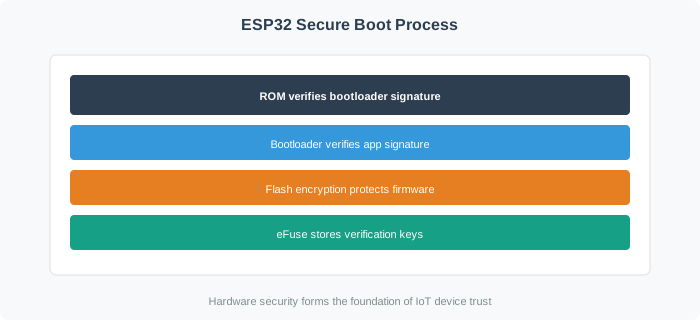
33.4.3.2 Step 2: Understanding the NFC Simulation Architecture
This lab simulates the key NFC concepts through software:
33.4.3.3 Step 3: Copy the NFC Communication Lab Code
Copy the following code into the Wokwi code editor. This comprehensive simulation demonstrates NFC tag reading, NDEF parsing, tag type identification, and security validation.
/*
 * NFC Communication Lab - ESP32 Simulation
 *
 * This code demonstrates NFC concepts without requiring actual NFC hardware:
 * - NFC tag memory structure and organization
 * - NDEF (NFC Data Exchange Format) message parsing
 * - Tag type identification (Type 1-5, NTAG, DESFire)
 * - Security validation and tamper detection
 * - Peer-to-peer communication concepts
 *
 * Hardware: ESP32 DevKit with buttons and LEDs
 * Purpose: Educational simulation of NFC protocols
 *
 * Button 1 (GPIO 12): Simulate NTAG213 tag (144 bytes, basic)
 * Button 2 (GPIO 13): Simulate NTAG216 tag (888 bytes, Smart Poster)
 * Button 3 (GPIO 14): Simulate DESFire tag (secure, encrypted)
 * Button 4 (GPIO 15): Simulate malicious/tampered tag (security demo)
 *
 * LEDs:
 * - Green (GPIO 25): Successful read/valid tag
 * - Red (GPIO 26): Security alert/invalid tag
 * - Blue (GPIO 27): Processing/reading
 */

#include <Arduino.h>

// ========== PIN DEFINITIONS ==========
#define BTN_NTAG213   12    // Simulate NTAG213 tag
#define BTN_NTAG216   13    // Simulate NTAG216 tag
#define BTN_DESFIRE   14    // Simulate DESFire secure tag
#define BTN_MALICIOUS 15    // Simulate malicious tag

#define LED_SUCCESS   25    // Green LED - successful operation
#define LED_SECURITY  26    // Red LED - security alert
#define LED_PROCESSING 27   // Blue LED - reading/processing

// ========== NFC TAG TYPE DEFINITIONS ==========
enum NFCTagType {
    TAG_TYPE_UNKNOWN = 0,
    TAG_TYPE_1,         // Topaz (Broadcom) - 96 bytes to 2KB
    TAG_TYPE_2,         // NTAG/Ultralight - 48 bytes to 2KB
    TAG_TYPE_3,         // FeliCa - variable, 212/424 Kbps
    TAG_TYPE_4,         // DESFire, ISO-DEP - 4KB to 32KB
    TAG_TYPE_5          // ISO 15693 (ICODE) - 256 bytes to 8KB
};

// ========== NDEF RECORD TYPE DEFINITIONS ==========
#define TNF_EMPTY           0x00
#define TNF_WELL_KNOWN      0x01    // NFC Forum well-known type
#define TNF_MEDIA           0x02    // RFC 2046 media type
#define TNF_ABSOLUTE_URI    0x03    // Absolute URI
#define TNF_EXTERNAL        0x04    // NFC Forum external type
#define TNF_UNKNOWN         0x05
#define TNF_UNCHANGED       0x06
#define TNF_RESERVED        0x07

// URI identifier codes (first byte of URI payload)
const char* URI_PREFIXES[] = {
    "",                     // 0x00 - no prepending
    "http://www.",          // 0x01
    "https://www.",         // 0x02
    "http://",              // 0x03
    "https://",             // 0x04
    "tel:",                 // 0x05
    "mailto:",              // 0x06
};

// ========== SIMULATED TAG DATA STRUCTURES ==========

// NTAG213 simulated memory (144 bytes user memory)
struct NTAG213_Simulated {
    uint8_t uid[7];
    uint8_t capability_container[4];
    uint8_t user_memory[144];
} ntag213_tag;

// NTAG216 simulated memory (888 bytes user memory)
struct NTAG216_Simulated {
    uint8_t uid[7];
    uint8_t capability_container[4];
    uint8_t user_memory[888];
    uint32_t counter;
} ntag216_tag;

// DESFire simulated structure
struct DESFire_Simulated {
    uint8_t uid[7];
    uint8_t sak;
    bool authenticated;
    uint32_t counter;
    uint8_t cmac[8];
} desfire_tag;

// ========== GLOBAL VARIABLES ==========
unsigned long lastButtonPress = 0;
const unsigned long DEBOUNCE_DELAY = 300;
int tagsRead = 0;
int securityAlerts = 0;

// ========== HELPER FUNCTIONS ==========

void printHex(const uint8_t* data, size_t len) {
    for (size_t i = 0; i < len; i++) {
        if (data[i] < 0x10) Serial.print("0");
        Serial.print(data[i], HEX);
        if (i < len - 1) Serial.print(" ");
    }
}

void setLEDs(bool success, bool security, bool processing) {
    digitalWrite(LED_SUCCESS, success ? HIGH : LOW);
    digitalWrite(LED_SECURITY, security ? HIGH : LOW);
    digitalWrite(LED_PROCESSING, processing ? HIGH : LOW);
}

void blinkLED(int pin, int count, int delayMs) {
    for (int i = 0; i < count; i++) {
        digitalWrite(pin, HIGH);
        delay(delayMs);
        digitalWrite(pin, LOW);
        delay(delayMs);
    }
}

void simulateCMAC(const uint8_t* data, size_t len, uint8_t* cmac) {
    for (int i = 0; i < 8; i++) {
        cmac[i] = 0;
        for (size_t j = i; j < len; j += 8) {
            cmac[i] ^= data[j];
        }
        cmac[i] ^= 0xA5;
    }
}

const char* getTNFName(uint8_t tnf) {
    switch (tnf) {
        case TNF_EMPTY: return "Empty";
        case TNF_WELL_KNOWN: return "NFC Forum Well-Known";
        case TNF_MEDIA: return "Media Type (RFC 2046)";
        case TNF_ABSOLUTE_URI: return "Absolute URI";
        case TNF_EXTERNAL: return "NFC Forum External";
        case TNF_UNKNOWN: return "Unknown";
        default: return "Reserved";
    }
}

// ========== TAG INITIALIZATION FUNCTIONS ==========

void initNTAG213() {
    ntag213_tag.uid[0] = 0x04;
    ntag213_tag.uid[1] = 0xA1;
    ntag213_tag.uid[2] = 0xB2;
    ntag213_tag.uid[3] = 0xC3;
    ntag213_tag.uid[4] = 0xD4;
    ntag213_tag.uid[5] = 0xE5;
    ntag213_tag.uid[6] = 0xF6;

    ntag213_tag.capability_container[0] = 0xE1;  // NDEF magic
    ntag213_tag.capability_container[1] = 0x10;  // Version 1.0
    ntag213_tag.capability_container[2] = 0x12;  // Size: 144 bytes
    ntag213_tag.capability_container[3] = 0x00;  // Read/write

    memset(ntag213_tag.user_memory, 0, sizeof(ntag213_tag.user_memory));

    // Write NDEF URL record
    int idx = 0;
    ntag213_tag.user_memory[idx++] = 0x03;  // NDEF TLV
    ntag213_tag.user_memory[idx++] = 24;    // Length
    ntag213_tag.user_memory[idx++] = 0xD1;  // MB=1, ME=1, SR=1, TNF=well-known
    ntag213_tag.user_memory[idx++] = 0x01;  // Type length
    ntag213_tag.user_memory[idx++] = 20;    // Payload length
    ntag213_tag.user_memory[idx++] = 'U';   // Type: URI
    ntag213_tag.user_memory[idx++] = 0x04;  // https://
    const char* url = "example.com/iot";
    memcpy(&ntag213_tag.user_memory[idx], url, strlen(url));
    idx += strlen(url);
    ntag213_tag.user_memory[idx++] = 0xFE;  // Terminator

    Serial.println("NTAG213 initialized with URL: https://example.com/iot");
}

void initNTAG216() {
    ntag216_tag.uid[0] = 0x04;
    ntag216_tag.uid[1] = 0x12;
    ntag216_tag.uid[2] = 0x34;
    ntag216_tag.uid[3] = 0x56;
    ntag216_tag.uid[4] = 0x78;
    ntag216_tag.uid[5] = 0x9A;
    ntag216_tag.uid[6] = 0xBC;

    ntag216_tag.capability_container[0] = 0xE1;
    ntag216_tag.capability_container[1] = 0x10;
    ntag216_tag.capability_container[2] = 0x6D;  // ~888 bytes
    ntag216_tag.capability_container[3] = 0x00;

    ntag216_tag.counter = 42;
    memset(ntag216_tag.user_memory, 0, sizeof(ntag216_tag.user_memory));

    // Smart Poster NDEF
    int idx = 0;
    ntag216_tag.user_memory[idx++] = 0x03;  // NDEF TLV
    ntag216_tag.user_memory[idx++] = 50;    // Length
    ntag216_tag.user_memory[idx++] = 0xD1;  // Header
    ntag216_tag.user_memory[idx++] = 0x02;  // Type length
    ntag216_tag.user_memory[idx++] = 46;    // Payload length
    ntag216_tag.user_memory[idx++] = 'S';   // Smart Poster
    ntag216_tag.user_memory[idx++] = 'p';

    // Nested URI
    ntag216_tag.user_memory[idx++] = 0x91;  // MB=1, ME=0
    ntag216_tag.user_memory[idx++] = 0x01;
    ntag216_tag.user_memory[idx++] = 20;
    ntag216_tag.user_memory[idx++] = 'U';
    ntag216_tag.user_memory[idx++] = 0x04;
    const char* sp_url = "github.com/iot-lab";
    memcpy(&ntag216_tag.user_memory[idx], sp_url, strlen(sp_url));
    idx += strlen(sp_url);

    ntag216_tag.user_memory[idx++] = 0xFE;

    Serial.println("NTAG216 initialized with Smart Poster");
}

void initDESFire() {
    desfire_tag.uid[0] = 0x04;
    desfire_tag.uid[1] = 0xDE;
    desfire_tag.uid[2] = 0x5F;
    desfire_tag.uid[3] = 0x1E;
    desfire_tag.uid[4] = 0xE0;
    desfire_tag.uid[5] = 0x01;
    desfire_tag.uid[6] = 0x23;

    desfire_tag.sak = 0x20;
    desfire_tag.authenticated = true;
    desfire_tag.counter = 157;

    simulateCMAC(desfire_tag.uid, 7, desfire_tag.cmac);

    Serial.println("DESFire EV2 initialized (secure tag simulation)");
}

// ========== TAG READING SIMULATION FUNCTIONS ==========

void simulateReadNTAG213() {
    Serial.println("\n========================================");
    Serial.println("  NFC TAG DETECTED: NTAG213");
    Serial.println("========================================\n");

    setLEDs(false, false, true);
    delay(200);

    Serial.println("--- TAG IDENTIFICATION ---");
    Serial.print("Tag Type: NFC Forum Type 2 Tag\n");
    Serial.print("IC: NTAG213 (NXP)\n");
    Serial.print("UID (7 bytes): ");
    printHex(ntag213_tag.uid, 7);
    Serial.println();

    Serial.println("\n--- MEMORY INFORMATION ---");
    Serial.println("Total memory: 180 bytes");
    Serial.println("User memory: 144 bytes");

    Serial.println("\n--- CAPABILITY CONTAINER ---");
    Serial.print("CC Bytes: ");
    printHex(ntag213_tag.capability_container, 4);
    Serial.println();
    Serial.print("NDEF Magic: 0x");
    Serial.print(ntag213_tag.capability_container[0], HEX);
    Serial.println(ntag213_tag.capability_container[0] == 0xE1 ? " (valid)" : " (invalid!)");

    Serial.println("\n--- NDEF MESSAGE ---");
    Serial.println("Record Type: URI");
    Serial.println("URI: https://example.com/iot");

    Serial.println("\n--- SECURITY ANALYSIS ---");
    Serial.println("UID Validation: PASS");
    Serial.println("Note: NTAG213 has basic security (password protection only)");

    setLEDs(true, false, false);
    tagsRead++;

    Serial.println("\n========================================\n");
}

void simulateReadNTAG216() {
    Serial.println("\n========================================");
    Serial.println("  NFC TAG DETECTED: NTAG216");
    Serial.println("========================================\n");

    setLEDs(false, false, true);
    delay(250);

    ntag216_tag.counter++;

    Serial.println("--- TAG IDENTIFICATION ---");
    Serial.print("Tag Type: NFC Forum Type 2 Tag (Extended)\n");
    Serial.print("IC: NTAG216 (NXP)\n");
    Serial.print("UID: ");
    printHex(ntag216_tag.uid, 7);
    Serial.println();

    Serial.println("\n--- MEMORY INFORMATION ---");
    Serial.println("User memory: 888 bytes");

    Serial.println("\n--- NFC COUNTER ---");
    Serial.print("Read counter: ");
    Serial.println(ntag216_tag.counter);
    Serial.println("Counter increments on each read - helps detect cloning");

    Serial.println("\n--- NDEF MESSAGE ---");
    Serial.println("Smart Poster detected:");
    Serial.println("  URI: https://github.com/iot-lab");

    Serial.println("\n--- SECURITY FEATURES ---");
    Serial.println("  + NFC counter (anti-clone)");
    Serial.println("  + Password protection available");
    Serial.println("  - No cryptographic authentication");

    setLEDs(true, false, false);
    tagsRead++;

    Serial.println("\n========================================\n");
}

void simulateReadDESFire() {
    Serial.println("\n========================================");
    Serial.println("  NFC TAG DETECTED: MIFARE DESFire EV2");
    Serial.println("========================================\n");

    setLEDs(false, false, true);
    delay(300);

    desfire_tag.counter++;
    simulateCMAC(desfire_tag.uid, 7, desfire_tag.cmac);

    Serial.println("--- TAG IDENTIFICATION ---");
    Serial.println("Tag Type: NFC Forum Type 4 Tag");
    Serial.println("IC: MIFARE DESFire EV2 (NXP)");
    Serial.print("UID: ");
    printHex(desfire_tag.uid, 7);
    Serial.println();
    Serial.print("SAK: 0x");
    Serial.print(desfire_tag.sak, HEX);
    Serial.println(" (ISO 14443-4 compliant)");

    Serial.println("\n--- CRYPTOGRAPHIC SECURITY ---");
    Serial.println("Encryption: AES-128 CBC");
    Serial.println("Authentication: 3-pass mutual authentication");
    Serial.print("Session authenticated: ");
    Serial.println(desfire_tag.authenticated ? "YES" : "NO");
    Serial.print("Transaction counter: ");
    Serial.println(desfire_tag.counter);

    Serial.print("CMAC: ");
    printHex(desfire_tag.cmac, 8);
    Serial.println();

    Serial.println("\n--- SECURITY FEATURES ---");
    Serial.println("  [+] AES-128 encryption");
    Serial.println("  [+] Cryptographic authentication");
    Serial.println("  [+] Transaction counter");
    Serial.println("  [+] CMAC message authentication");
    Serial.println("  [+] Anti-cloning protection");

    Serial.println("\n--- RECOMMENDED APPLICATIONS ---");
    Serial.println("  * Access control badges");
    Serial.println("  * Transit ticketing");
    Serial.println("  * Product authentication");

    setLEDs(true, false, false);
    tagsRead++;

    Serial.println("\n========================================\n");
}

void simulateMaliciousTag() {
    Serial.println("\n========================================");
    Serial.println("  !! SECURITY ALERT: SUSPICIOUS TAG !!");
    Serial.println("========================================\n");

    setLEDs(false, true, true);
    delay(100);

    int attackType = random(1, 5);

    switch (attackType) {
        case 1:
            Serial.println("ATTACK TYPE: Cloned Tag Detected");
            Serial.println("-----------------------------------");
            Serial.println("Indicators:");
            Serial.println("  [!] Counter value is LOWER than expected");
            Serial.println("      Expected: >= 158, Received: 42");
            Serial.println("  [!] This suggests tag was cloned");
            Serial.println("\nMitigation:");
            Serial.println("  - Reject this tag");
            Serial.println("  - Investigate security breach");
            break;

        case 2:
            Serial.println("ATTACK TYPE: Malicious URL Injection");
            Serial.println("--------------------------------------");
            Serial.println("NDEF payload contains suspicious URL:");
            Serial.println("  URL: https://secure-bank-login.tk/verify");
            Serial.println("\nRed Flags:");
            Serial.println("  [!] .tk domain (commonly used for phishing)");
            Serial.println("  [!] Contains 'login', 'bank', 'verify' keywords");
            Serial.println("\nMitigation:");
            Serial.println("  - Block URL from opening");
            Serial.println("  - Warn user about phishing attempt");
            break;

        case 3:
            Serial.println("ATTACK TYPE: CMAC Validation Failed");
            Serial.println("-------------------------------------");
            Serial.println("Cryptographic authentication failed:");
            Serial.println("  Expected CMAC: A5 B7 C9 D1 E3 F5 07 19");
            Serial.println("  Received CMAC: 00 00 00 00 00 00 00 00");
            Serial.println("\nPossible causes:");
            Serial.println("  [!] Tag may be counterfeit");
            Serial.println("  [!] Replay attack attempted");
            Serial.println("\nMitigation:");
            Serial.println("  - Reject authentication");
            Serial.println("  - Log incident for review");
            break;

        case 4:
            Serial.println("ATTACK TYPE: Invalid UID Format");
            Serial.println("---------------------------------");
            Serial.println("UID anomalies detected:");
            Serial.println("  Received UID: FF FF FF FF FF FF FF");
            Serial.println("\nIssues:");
            Serial.println("  [!] All bytes are 0xFF (factory default)");
            Serial.println("  [!] Likely an emulated/spoofed tag");
            Serial.println("\nMitigation:");
            Serial.println("  - Reject tag immediately");
            Serial.println("  - Use cryptographic challenge-response");
            break;
    }

    Serial.println("\n--- SECURITY RECOMMENDATIONS ---");
    Serial.println("1. Never trust NFC tags blindly");
    Serial.println("2. Validate URLs before opening");
    Serial.println("3. Use cryptographic authentication");
    Serial.println("4. Monitor for counter anomalies");

    blinkLED(LED_SECURITY, 5, 100);
    setLEDs(false, true, false);
    securityAlerts++;

    Serial.println("\n========================================");
    Serial.print("Security alerts this session: ");
    Serial.println(securityAlerts);
    Serial.println("========================================\n");
}

// ========== MAIN SETUP AND LOOP ==========

void setup() {
    Serial.begin(115200);
    delay(1000);

    Serial.println("\n");
    Serial.println("========================================");
    Serial.println("     NFC COMMUNICATION LAB");
    Serial.println("     ESP32 Simulation");
    Serial.println("========================================");
    Serial.println("\nThis lab demonstrates NFC concepts:");
    Serial.println("  - Tag types and memory structure");
    Serial.println("  - NDEF message format parsing");
    Serial.println("  - Security validation techniques");
    Serial.println("\n----------------------------------------");
    Serial.println("CONTROLS:");
    Serial.println("  Button 1 (GPIO 12): Read NTAG213");
    Serial.println("  Button 2 (GPIO 13): Read NTAG216 (Smart Poster)");
    Serial.println("  Button 3 (GPIO 14): Read DESFire (secure)");
    Serial.println("  Button 4 (GPIO 15): Malicious tag demo");
    Serial.println("----------------------------------------\n");

    pinMode(BTN_NTAG213, INPUT_PULLUP);
    pinMode(BTN_NTAG216, INPUT_PULLUP);
    pinMode(BTN_DESFIRE, INPUT_PULLUP);
    pinMode(BTN_MALICIOUS, INPUT_PULLUP);

    pinMode(LED_SUCCESS, OUTPUT);
    pinMode(LED_SECURITY, OUTPUT);
    pinMode(LED_PROCESSING, OUTPUT);

    // Startup sequence
    for (int i = 0; i < 3; i++) {
        setLEDs(true, false, false);
        delay(150);
        setLEDs(false, true, false);
        delay(150);
        setLEDs(false, false, true);
        delay(150);
    }
    setLEDs(false, false, false);

    initNTAG213();
    initNTAG216();
    initDESFire();

    Serial.println("\nReady! Press a button to simulate NFC tag reading.\n");
}

void loop() {
    unsigned long currentTime = millis();

    if (currentTime - lastButtonPress < DEBOUNCE_DELAY) {
        return;
    }

    if (digitalRead(BTN_NTAG213) == LOW) {
        lastButtonPress = currentTime;
        simulateReadNTAG213();
    }
    else if (digitalRead(BTN_NTAG216) == LOW) {
        lastButtonPress = currentTime;
        simulateReadNTAG216();
    }
    else if (digitalRead(BTN_DESFIRE) == LOW) {
        lastButtonPress = currentTime;
        simulateReadDESFire();
    }
    else if (digitalRead(BTN_MALICIOUS) == LOW) {
        lastButtonPress = currentTime;
        simulateMaliciousTag();
    }

    // Idle LED pulse
    static unsigned long lastPulse = 0;
    static bool pulseState = false;
    if (currentTime - lastPulse > 2000) {
        pulseState = !pulseState;
        digitalWrite(LED_PROCESSING, pulseState ? HIGH : LOW);
        lastPulse = currentTime;
    }
}
33.4.4 Challenge Exercises
After completing the basic lab, try these advanced challenges:
Modify the NTAG216 initialization to include a Wi-Fi configuration record. The NDEF message should contain: - Network SSID: “IoT-Lab-Network” - Security type: WPA2 - Password: (simulated, not stored in plain text)
Hint: Use the application/vnd.wfa.wsc MIME type for Wi-Fi configuration records.
Add a function that tracks expected counter values for known tags. When a tag is read: 1. Look up the tag’s UID in a stored database 2. Check if the counter value is higher than the last recorded value 3. If the counter is lower or equal, flag as a potential clone 4. Update the stored counter value after successful validation
Real-world application: This technique is used by NTAG424 DNA for product authentication.
Design and implement a simulated NFC application for one of these scenarios: - Museum Guide: Store exhibit information with multiple language support - Business Card: Create a vCard record with contact details - IoT Device Pairing: Implement Bluetooth handover record
Expected output: Parse and display all record fields in a user-friendly format.
Enhance the malicious tag detection to check for: 1. URL shorteners: Detect and expand shortened URLs 2. Domain reputation: Check against a whitelist of trusted domains 3. NDEF format validation: Ensure all records follow proper structure 4. Payload size validation: Detect buffer overflow attempts
Security principle: Never trust user-provided data without validation.
33.4.5 Expected Outcomes
After completing this lab, you should be able to:
| Skill | Demonstration |
|---|---|
| Tag Type Recognition | Identify NTAG213, NTAG216, DESFire by their characteristics |
| NDEF Parsing | Decode URI, Text, and Smart Poster records |
| Security Analysis | Recognize cloned tags, suspicious URLs, and CMAC failures |
| Memory Calculation | Determine if NDEF payload fits in tag memory |
| Protocol Understanding | Explain P2P handshake and handover concepts |
The concepts demonstrated in this simulation directly apply to real NFC development:
| Simulation Component | Real Hardware Equivalent |
|---|---|
| Button triggers | PN532/RC522 tag detection interrupt |
| Simulated tag structs | Actual tag memory read via SPI/I2C |
| NDEF parsing functions | Libraries like NDEF_MFRC522 or ndef-js |
| Security validation | Server-side CMAC verification |
| Serial output | Mobile app or web dashboard |
Recommended hardware for next steps:
- PN532 module: Full NFC support (all modes, all tag types)
- RC522 module: MIFARE tags only, lower cost
- ESP32 + PN532: Complete IoT NFC solution
33.4.6 Knowledge Check
After completing the Wokwi simulation, you’ll want to work with physical NFC hardware. This framework guides your hardware selection and implementation path.
Step 1: Choose Your NFC Reader Module
| Module | Interface | Speed | Tag Support | Cost | Best For |
|---|---|---|---|---|---|
| PN532 | I2C/SPI/UART | Fast | All types 1-5 | $8-12 | Production systems |
| RC522 | SPI | Fast | MIFARE only | $3-5 | Budget prototypes |
| PN5180 | SPI | Very fast | All + ISO 15693 | $15-20 | Industrial |
Recommendation: PN532 for learning (best documentation, widest support)
Step 2: Select Development Platform
ESP32 (Recommended for IoT):
- ✅ Built-in Wi-Fi/BLE for cloud integration
- ✅ Low cost ($5-8)
- ✅ Arduino + MicroPython support
- ✅ Perfect for this lab’s code (minimal porting)
- Example: ESP32 + PN532 = $15 total
Raspberry Pi (Recommended for server apps):
- ✅ Full Linux (can run Python nfcpy)
- ✅ Easy web server hosting
- ✅ Great for smart home hub projects
- ❌ Higher cost ($35+)
- Example: Pi Zero W + PN532 = $20 total
Arduino Uno/Nano:
- ✅ Simplest to learn
- ❌ No Wi-Fi (need separate module)
- ❌ Limited memory for large projects
- Better for: First-time embedded developers
Step 3: Wiring PN532 to ESP32
I2C interface (simplest):
PN532 → ESP32
VCC   → 3.3V
GND   → GND
SDA   → GPIO 21 (I2C SDA)
SCL   → GPIO 22 (I2C SCL)
Important: Set PN532 mode switch to I2C: - Switch 1: ON - Switch 2: OFF
Step 4: Install Libraries
For ESP32 (Arduino IDE):
// Library Manager → Install:
// 1. Adafruit PN532 by Adafruit
// 2. Adafruit BusIO by Adafruit
For Raspberry Pi (Python):
pip3 install nfcpy paho-mqttStep 5: Port Simulation Code to Real Hardware
Simulation code (from this lab):
// Simulated tag detection
if (digitalRead(BTN_NTAG213) == LOW) {
    simulateReadNTAG213();
}
Real hardware equivalent:
#include <Wire.h>
#include <Adafruit_PN532.h>

// I2C setup
Adafruit_PN532 nfc(PN532_I2C);

void setup() {
    nfc.begin();
    nfc.SAMConfig();  // Configure for tag reading
}

void loop() {
    uint8_t uid[7];
    uint8_t uidLength;

    // Wait for tag (non-blocking with timeout)
    if (nfc.readPassiveTargetID(PN532_MIFARE_ISO14443A, uid, &uidLength, 100)) {
        // Tag detected! (equivalent to button press in simulation)
        readNTAG213(uid, uidLength);
    }

    delay(100);
}
Step 6: Debug Common Hardware Issues
Problem: “No NFC reader detected”
- Check wiring (especially SDA/SCL not swapped)
- Verify PN532 mode switch in I2C position
- Try
i2cdetect -y 1on Pi to see if device visible at 0x24
Problem: “Tag detected but read fails”
- Tag too far (keep < 3 cm from reader)
- Metal nearby? (blocks RF field)
- Wrong tag type? (RC522 only reads MIFARE, not NTAG)
Problem: “UID reads correctly but NDEF parsing fails”
- Tag might be blank/unformatted
- Use NFC Tools app to write test NDEF first
- Check NDEF TLV format (simulation assumed valid NDEF)
Step 7: Test Incrementally
Test 1: UID Read (5 minutes)
void loop() {
    uint8_t uid[7];
    uint8_t uidLength;

    if (nfc.readPassiveTargetID(PN532_MIFARE_ISO14443A, uid, &uidLength)) {
        Serial.print("UID: ");
        for (int i = 0; i < uidLength; i++) {
            Serial.print(uid[i], HEX);
            Serial.print(" ");
        }
        Serial.println();
        delay(1000);  // Prevent spam
    }
}
Test 2: Tag Type Detection (10 minutes) Use ATQA and SAK bytes to identify tag type:
if (uidLength == 7 && uid[0] == 0x04) {
    Serial.println("NTAG detected");
    // Read capability container page 3
}
Test 3: NDEF Read (20 minutes) Read page 4 onward, parse TLV structure (use simulation code patterns)
Step 8: Graduate to Advanced Projects
Once you can read UIDs and NDEF reliably:
Beginner Projects:
- Smart Attendance System: Scan employee badges, log to SD card
- Product Info Kiosk: Read product tags, display details on OLED
- Access Control: Grant/deny based on authorized UID list
Intermediate Projects:
- IoT Door Lock: ESP32 + PN532 + MQTT (from Chapter 1)
- Smart Home Scenes: Raspberry Pi server (from Chapter 2)
- Inventory Tracker: Log tag scans with timestamps to cloud
Advanced Projects:
- NTAG424 Authentication: Verify cryptographic signatures
- DESFire Mutual Auth: Implement 3-pass authentication
- Multi-tag Collision Handling: Detect and read multiple tags
Cost Breakdown (Complete Starter Kit):
Hardware: - ESP32: $7 - PN532 module: $9 - 10× NTAG213 tags: $5 - Breadboard + wires: $3 - Total: $24
Optional upgrades: - 5× NTAG216 (more memory): +$8 - 2× DESFire EV2 (secure): +$20 - USB-C cable + power: +$5
Learning Path Timeline:
Week 1: Wokwi simulation (this lab) - 2 hours Week 2: Hardware setup + UID reading - 3 hours Week 3: NDEF parsing + real projects - 5 hours Week 4: IoT integration (MQTT/cloud) - 5 hours Total: ~15 hours to production-ready NFC skills
When to Use Real Hardware vs Simulation:
Stay in simulation if:
- Learning NFC concepts (modes, tag types, NDEF structure)
- Prototyping NDEF message formats
- Testing security logic (cloning detection, CMAC validation)
- No budget for hardware yet
Move to hardware when:
- Need realistic read range/timing
- Testing antenna placement
- Integrating with physical IoT devices
- Preparing for production deployment
Pro tip: Develop logic in simulation (fast iteration), then port to hardware once validated.
33.5 Concept Relationships
This simulation demonstrates NFC software layers without requiring PN532 hardware. Button presses simulate tag detection events; simulated tag structs (NTAG213, NTAG216, DESFire) mirror real memory layouts; NDEF parsing logic matches production code.
Tag type differences emerge through memory capacity (144 vs 888 bytes), counter presence (NTAG216 anti-cloning), and authentication (DESFire CMAC). Security validation demonstrates practical attacks: counter anomalies detect cloned tags, CMAC verification prevents forgery, phishing URL detection blocks malicious NDEF.
Transitioning to real hardware (PN532 + ESP32) requires only swapping button triggers for actual tag detection interrupts. The NDEF parsing, security checks, and protocol state machines transfer directly—this simulation teaches production-ready patterns.
33.6 See Also
Prerequisites:
- NFC Introduction and Basics - Foundational concepts
- NFC Modes and Protocols - NDEF format details
Next Steps:
- NFC Tag Programming - Real hardware implementation
- NFC IoT Integration - Production gateway patterns
Hardware Guides:
- PN532 Datasheet - Official NXP specs
- Adafruit PN532 Tutorial - Arduino wiring guide
33.7 Summary
This hands-on lab covered:
- Tag Simulation: NTAG213, NTAG216, and DESFire tag characteristics
- NDEF Parsing: Decoding URI, Text, and Smart Poster records
- Security Validation: UID verification, counter checks, CMAC authentication
- Attack Detection: Cloning, phishing URLs, spoofed UIDs
- Real Hardware Transition: Mapping simulation concepts to PN532/RC522 development
33.8 What’s Next
| Topic | Chapter | Focus |
|---|---|---|
| NFC applications overview | NFC Hands-on and Applications | Tag selection, architecture, and real-world deployments |
| Tag programming | NFC Tag Programming | Android, Python, and Arduino NFC code |
| Security deep dive | NFC Security and Comparisons | EMV security, relay attacks, SE vs HCE |
| IoT integration | NFC IoT Integration | MQTT gateways and production patterns |
| RFID foundations | RFID Fundamentals | NFC’s parent technology and standards |