42 Near Field Communication (NFC)
42.2 Learning Objectives
By the end of this chapter, you will be able to:
- Analyse how NFC evolved from HF RFID at 13.56 MHz and justify why the added peer-to-peer and card-emulation capabilities matter for IoT
- Contrast the three NFC operating modes (peer-to-peer, read/write, and card emulation) and select the appropriate mode for a given scenario
- Construct valid NDEF messages using URI, Text, and MIME record types to enable interoperable data exchange across NFC devices
- Evaluate NFC tag types (Type 1 through Type 5) by comparing memory, security, data rate, and cost tradeoffs for a target application
- Critique NFC against Bluetooth LE and QR codes using a structured decision framework for range, security, cost, and deployment scale
- Design an NFC-based IoT solution integrating payments, access control, smart home automation, or product authentication with appropriate security layers
If you take away only three things from this chapter:
- NFC is touch-range wireless communication (4-10 cm) at 13.56 MHz – it evolved from HF RFID and adds peer-to-peer capability, card emulation, and a standardized data format (NDEF), making it the foundation for contactless payments, transit cards, and tap-to-pair IoT device setup.
- Three operating modes serve different use cases – Reader/Writer mode lets a phone read passive tags (smart posters, inventory); Peer-to-Peer mode enables two active devices to exchange data (Android Beam, device pairing); Card Emulation mode turns a phone into a contactless card (Apple Pay, transit passes).
- Security comes from short range plus cryptographic layers – the 4-10 cm range makes eavesdropping difficult but not impossible, so real-world deployments add tokenization (replacing card numbers with one-time tokens), dynamic cryptograms (unique codes per transaction), and secure elements (tamper-resistant hardware) to protect sensitive operations like payments.
Hey Sensor Squad! Imagine you and your friends have magic trading cards that can talk to each other – but ONLY when you hold them really, really close together!
Sammy says: “NFC is like whispering! You have to be super close – closer than your hand can stretch – for the cards to hear each other. That is only 4 to 10 centimeters!”
How the magic works – Lila explains:
- Reading Mode: Lila holds her magic phone near a poster at the zoo. The poster has a tiny invisible tag inside it, and – tap! – her phone shows a video of penguins! The phone sent energy to wake up the tag (it has no battery!), and the tag whispered back a web link. That is Reader/Writer mode.
- Sharing Mode: Max and Sammy hold their phones back-to-back. Max’s photo flies over to Sammy’s phone! Both phones are awake and talking to each other. That is Peer-to-Peer mode.
- Pretend-to-be-a-Card Mode: Bella holds her phone near the school lunch register. Her phone pretends to BE her lunch card! The machine cannot tell the difference. That is Card Emulation mode.
Why it is safe – Max explains: “Because you have to be SO close, nobody across the room can steal your secrets. It is like passing a note directly into someone’s hand instead of shouting across the playground!”
Real-world version: When your parents tap their phone to pay at a store, NFC sends a special one-time secret code (not the real card number!) in a whisper that only the payment machine can hear. Even if someone was listening, the code only works once!
42.3 Overview
Near Field Communication (NFC) is a short-range wireless technology based on HF RFID that enables two devices to communicate when brought within 4-10 cm of each other. Operating at 13.56 MHz, NFC provides secure, intuitive touch-to-connect interactions for payments, access control, data transfer, and device pairing.
The simple explanation: NFC lets two devices talk wirelessly when you hold them very close together – typically by tapping a phone against a tag, terminal, or another phone. It is the technology behind contactless payments, transit cards, and tap-to-pair Bluetooth speakers.
An analogy: Think of NFC like a secret handshake. Two people must be right next to each other (within about 4 inches) to do it. This closeness IS the security – nobody across the room can fake the handshake. Once the handshake happens, information passes instantly.
How is it different from Bluetooth or Wi-Fi?
| Feature | NFC | Bluetooth LE | Wi-Fi |
|---|---|---|---|
| Range | 4-10 cm | 10-100 m | 30-100 m |
| Setup time | < 0.1 s (instant tap) | 1-6 s (pairing) | Seconds (connect) |
| Power | Tags need NO battery | Low power | Higher power |
| Best for | Payments, access, pairing | Wearables, audio | Data transfer |
Key terms to know:
| Term | Meaning |
|---|---|
| NFC | Near Field Communication – short-range (4-10 cm) wireless at 13.56 MHz |
| NDEF | NFC Data Exchange Format – standard way to package data on NFC tags |
| Tag | A small, often battery-free chip that stores data readable by NFC devices |
| Card Emulation | Making a phone behave like a contactless smart card |
| Secure Element | Tamper-resistant hardware chip that stores payment credentials |
| Tokenization | Replacing real card numbers with one-time codes for security |
Where is NFC used in IoT? Contactless payments (Apple Pay, Google Pay), building access cards, smart home tag triggers (tap a tag to set a scene), product authentication (anti-counterfeiting), device pairing (tap to connect Bluetooth speakers), and healthcare patient identification.
This comprehensive guide is organized into four focused chapters:
42.3.1 NFC Communication Architecture
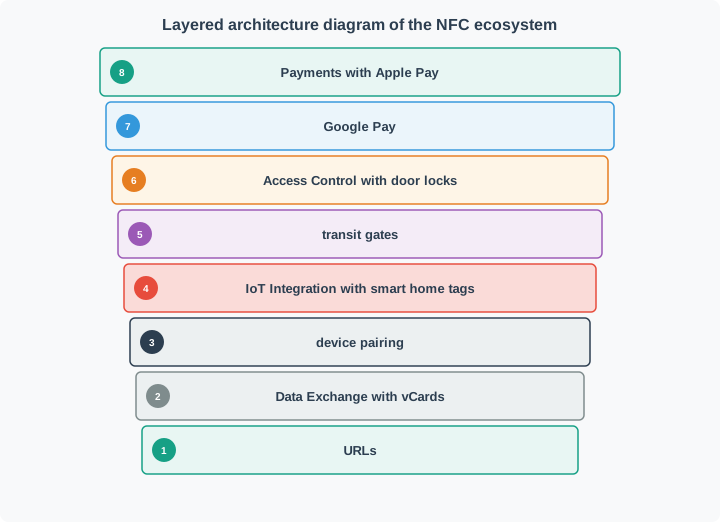
The following diagram shows the full NFC ecosystem, from the physical radio layer through operating modes to real-world applications.
42.3.2 NFC Tag Types Comparison
NFC defines five tag types with different memory sizes, data rates, and security features. The right choice depends on your application requirements.
42.4 Chapter Guide
42.4.1 NFC Communication Fundamentals
Learn the core concepts of NFC technology:
- What is NFC: Definition, key characteristics, and relationship to RFID
- Operating Modes: Peer-to-peer, read/write, and card emulation modes
- Tag Types: Type 1-5 tags with varying memory and security capabilities
- NDEF Format: NFC Data Exchange Format for interoperability
42.4.2 NFC Implementation and Applications
Hands-on tag programming and real-world applications:
- Programming NFC Tags: Android, Python, and Arduino code examples
- Mobile Payments: Apple Pay, Google Pay security architecture
- Smart Home Automation: NFC tags triggering IoT scenes
- Product Authentication: Anti-counterfeiting with encrypted tags
- Security Best Practices: Encryption, authentication, and input validation
42.4.3 NFC IoT Integration and Labs
Build NFC-enabled IoT systems:
- Gateway Pattern: NFC-to-cloud pipelines with MQTT
- Lab 1: ESP32 Access Control: Door lock system with PN532 reader
- Lab 2: Smart Home Server: Raspberry Pi automation with scene triggers
- Python Implementations: Tag simulator and payment system examples
42.4.4 NFC Security and Technology Comparisons
Security analysis and technology selection:
- Payment Security: Tokenization, dynamic cryptograms, secure elements
- HCE vs SE: Host-based vs hardware card emulation tradeoffs
- NFC vs Bluetooth LE vs QR Codes: Decision matrix for different use cases
- Comprehensive Quiz Questions: Test your NFC knowledge
42.5 Key Characteristics
| Feature | Value |
|---|---|
| Frequency | 13.56 MHz (HF) |
| Range | 4-10 cm (intentionally short for security) |
| Data Rate | 106, 212, 424, or 848 Kbps |
| Power | Passive tags powered by reader field |
| Bi-directional | Can both send and receive data |
| Ubiquitous | Built into 2+ billion smartphones globally |
42.6 Operating Modes at a Glance
42.6.1 NFC Communication Sequence
The following diagram shows the step-by-step interaction when a smartphone reads an NFC tag, from field activation through NDEF data delivery.
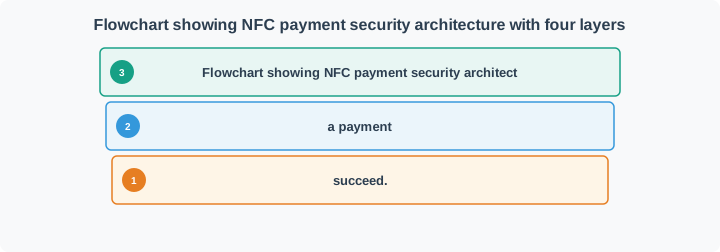
42.6.2 NFC Payment Security Layers
Contactless payments use multiple security layers beyond just the short communication range.
42.7 Common Pitfalls
1. Assuming short range equals complete security. NFC’s 4-10 cm range makes casual eavesdropping difficult, but a determined attacker with a high-gain antenna can capture NFC signals from up to 1 meter away. Always add cryptographic layers (tokenization, encryption) for sensitive data – never rely on range alone.
2. Using NFC for bulk data transfer. NFC data rates (106-424 kbps) and the need to maintain close proximity make it unsuitable for transferring files larger than a few kilobytes. For bulk transfer, use NFC to initiate a Bluetooth or Wi-Fi handoff (the “tap-to-pair” pattern).
3. Confusing NFC tag types and choosing the wrong one. Selecting a Type 1 tag (96 bytes, no security) for a payment application, or a Type 4 tag (hardware encryption, higher cost) for a simple URL poster, wastes money or compromises security. Match tag type to your security and storage requirements.
4. Ignoring NDEF format and writing raw data. Skipping the NDEF (NFC Data Exchange Format) standard means your tags will not be readable by most smartphones without a custom app. Always use NDEF records for interoperability – URI records for URLs, Text records for plain text, MIME records for custom data.
5. Not handling the “tag removed too soon” scenario. NFC writes can fail silently if the user pulls the phone away before the write operation completes. Always implement write verification (read-back after write) and provide clear UI feedback (“Hold still… Done!”) to prevent corrupted tags.
6. Deploying passive tags in metal environments without testing. Metal surfaces detune the NFC antenna and can reduce range to zero. Use ferrite shielding layers between the tag and metal surface, or choose on-metal tag variants designed for industrial environments.
42.8 Worked Example: Designing an NFC-Based Conference Badge System
A tech conference with 2,000 attendees wants to replace paper badges with NFC-enabled badges. Requirements:
- Attendees tap their badge at session doors for attendance tracking
- Exhibitors tap attendee badges to collect contact information (with consent)
- VIP attendees get access to restricted lounges
- The system must work with existing smartphone apps (no custom hardware at every door)
Design the NFC badge system, including tag type selection, data format, security approach, and system architecture.
42.8.1 Step 1: Tag Type Selection
| Requirement | Implication | Tag Choice |
|---|---|---|
| Store name, email, company, VIP status | ~200-500 bytes | Minimum Type 2 (up to 2 KB) |
| Exhibitor reads via smartphone | Must use NDEF format | Standard NDEF compatible |
| VIP access control | Need unique ID + access level | UID-based + NDEF data |
| Cost for 2,000 badges | Budget sensitive | Type 2 (cheapest with adequate storage) |
Decision: NFC Type 2 tags (NTAG216 with 888 bytes usable memory) at approximately $0.15-0.30 per tag.
NFC read/write time directly impacts user experience. For a Type 2 tag at 106 kbps:
\[ T_{\text{read}} = \frac{L_{\text{data}}}{R_{\text{data}}} = \frac{500 \text{ bytes} \times 8 \text{ bits/byte}}{106{,}000 \text{ bps}} = 37.7 \text{ ms} \]
Adding protocol overhead (NDEF header parsing, anti-collision, select command): ~50-80 ms total.
Conference scenario: With 300 attendees entering a 500-person auditorium over 10 minutes, peak rate = 30 scans/minute = 1 scan every 2 seconds. At 80 ms read time, each reader is idle 96% of the time (2000 ms - 80 ms = 1920 ms idle). Single reader sufficient for each entrance. If using Type 4 tags at 424 kbps (4× faster), could handle 4× throughput with the same reader.
42.8.2 Step 2: NDEF Data Structure
NDEF Message (badge):
├── Record 1: URI Record
│   └── "https://conf.example.com/attendee/A1234"
│   └── (Encodes attendee ID in URL for smartphone scanning)
├── Record 2: Text Record
│   └── "Jane Smith | Acme Corp | jane@acme.com"
│   └── (Human-readable for exhibitor collection)
├── Record 3: MIME Record (application/vnd.conf.badge)
│   └── {"id":"A1234","vip":true,"sessions":["S01","S05","S12"]}
│   └── (Machine-readable for door access system)
42.8.3 Step 3: Security Design
- Attendance tracking: Badge UID (hardware-burned, unforgeable) + NDEF attendee ID verified against server database.
- Contact sharing: Exhibitor app reads NDEF text record only after attendee taps (physical consent). Badge does NOT contain sensitive data like payment info.
- VIP access: Door reader checks UID against server whitelist. NDEF VIP field is a convenience flag only – the authoritative check is server-side.
- Anti-cloning: NTAG216 has a 7-byte UID and optional password protection. For this conference (3-day event, low threat), UID verification is sufficient. For higher security, use tag signature verification (NTAG 424 DNA with asymmetric authentication).
42.8.4 Step 4: System Architecture
The door readers are smartphones running a custom app. When an attendee taps their badge:
- Phone reads NFC tag UID and NDEF data (< 100 ms)
- App sends
{uid, attendee_id, door_id, timestamp}to cloud API via HTTPS - Server validates UID matches attendee_id in database
- Server checks session access permissions
- Server returns
{granted: true/false}(< 200 ms typical) - Phone displays green checkmark or red X with audio feedback
Total tap-to-response time: < 500 ms (acceptable for foot traffic flow).
42.8.5 Key Design Decisions Summary
| Decision | Rationale |
|---|---|
| Type 2 tag (NTAG216) | Best cost/storage tradeoff for 2,000 badges |
| NDEF format | Ensures any NFC smartphone can read badges |
| Server-side VIP check | Prevents access via cloned NDEF data |
| UID + server verification | Two-factor validation without expensive crypto tags |
| HTTPS cloud API | Real-time validation with audit trail |
42.9 Knowledge Check
When implementing a “tap-to-interact” or device identification system, choose the optimal technology based on these systematic criteria.
Step 1: Interaction Model Requirements
| Requirement | NFC | BLE | QR Code |
|---|---|---|---|
| Touch-to-trigger (intentional proximity) | ✓ Best | Limited | Manual |
| Background detection (no user action) | No | ✓ Best | No |
| Works with camera-only devices | No | No | ✓ Best |
| Range 0-5 cm | ✓ | Possible | N/A |
| Range 5-50 cm | No | ✓ | ✓ |
| Range >50 cm | No | ✓ | No |
Decision Point 1: If you need “tap-to-trigger” intentionality, NFC is best. If you need “walk-by” detection, choose BLE. If zero hardware cost is critical, choose QR.
Step 2: Data Transfer Needs
| Need | NFC | BLE | QR Code |
|---|---|---|---|
| Static data (URL, ID) | ✓ | ✓ | ✓ Best (free) |
| Dynamic data updates | Limited (write cycle life) | ✓ Best (wireless update) | No (print new) |
| <1 KB payload | ✓ | ✓ | ✓ |
| 1-10 KB payload | Slow (400 Kbps) | ✓ Best (1 Mbps+) | No |
| Real-time streaming | No | ✓ Best | No |
| Bidirectional exchange | ✓ P2P mode | ✓ Best | No |
Decision Point 2: For static identifiers, any option works. For real-time data or large payloads, BLE wins. For one-way static data with zero cost, QR wins.
Step 3: Device Compatibility
| Platform | NFC | BLE | QR Code |
|---|---|---|---|
| iPhone (all models) | iOS 13+ (background read) | ✓ All | ✓ All |
| Android (all models) | ✓ 85%+ | ✓ 95%+ | ✓ 100% |
| Tablets | Some | ✓ Most | ✓ All |
| Smartwatches | Apple Watch (card emulation) | ✓ Most | Limited |
| Legacy devices (pre-2015) | No | Limited | ✓ |
Decision Point 3: If you must support 100% of devices (including old smartphones), QR codes are safest. If targeting modern devices, NFC and BLE both work.
Step 4: Infrastructure and Cost
| Factor | NFC | BLE | QR Code |
|---|---|---|---|
| Tag/beacon hardware cost | $0.15-$2.00 | $5-$25 | $0.00 (print) |
| Requires battery | No (passive tags) | Yes (1-5 years) | No |
| Deployment density | 1 per item | 1 per zone | 1 per item |
| Installation complexity | Stick-on | Mount + battery | Print + stick |
| Maintenance | None (no battery) | Battery replacement | None |
| Scale to 10,000 units | $1,500-$20,000 | $50,000-$250,000 | $0 |
Decision Point 4: If you need to tag 1000s of items, NFC tags ($0.20 each) or QR codes (free) are practical. BLE beacons ($15 each + batteries) only make sense for zone-level positioning.
Step 5: Security Requirements
| Security Need | NFC | BLE | QR Code |
|---|---|---|---|
| Read authentication | NTAG424 (AES-128) | ✓ Best (encrypted link) | None |
| Anti-cloning | NTAG424 DNA | ✓ BLE encryption | Impossible (trivial to copy) |
| Offline verification | ✓ Best (crypto signatures) | Requires network | None |
| Encrypted payload | NTAG424, Type 4 | ✓ All | None (visible plaintext) |
| Relay attack resistance | Distance bounding | Limited | N/A |
Decision Point 5: For secure applications (payments, access control, anti-counterfeiting), NFC with crypto tags or BLE with pairing are required. QR codes offer zero security.
Example 1: Museum Exhibit Labels
Requirements:
- Tap exhibit label to get audio guide, related content, multimedia
- 500 exhibits
- Content updates quarterly
- Budget: $5K for entire system
Analysis:
- Interaction: Tap-to-trigger (NFC: +1)
- Data: Point to URL (NFC/BLE/QR: all OK)
- Compatibility: Must work with all visitors’ phones (QR: +1)
- Cost: 500 labels at scale (NFC: $100, QR: $0)
- Updates: Change URL quarterly (NFC: rewrite tags, QR: reprint)
- Security: None required
Decision: NFC tags with URLs
- Cost: $100 for Type 2 tags + $200 labor = $300 total
- Visitor experience: Tap to trigger (better than QR scan)
- Updates: Use dynamic URLs (
museum.com/ex/501) so server content changes without rewriting tags - Fallback: Print QR codes on same labels for devices without NFC
Example 2: Smart Home Scene Triggers
Requirements:
- Tap tag at bedside → trigger “Goodnight” scene
- Tap tag at front door → trigger “Welcome Home” scene
- 10 tags around home
- Must work offline (no internet required)
Analysis:
- Interaction: Tap-to-trigger (NFC: +2)
- Offline: Must work without network (NFC: +2, BLE: +1)
- Cost: 10 tags (NFC: $3, BLE: $150)
- Battery: BLE needs 10 batteries, 2-year replacement (NFC: +1)
- Integration: Home Assistant native NFC support
Decision: NFC tags (NTAG216)
- Cost: $3 for tags, free NFC app on phone
- Home Assistant automation triggers directly from NFC tag UID
- No batteries, no maintenance
- Works offline (phone → tag → local automation)
Example 3: Retail Store Product Authentication
Requirements:
- Customers tap product to verify authenticity
- 50,000 products annually
- Anti-counterfeiting critical (luxury goods)
- Global deployment
Analysis:
- Security: Anti-cloning essential (NFC crypto: +3, BLE: +2, QR: 0)
- Scale: 50K products (NFC: $10K-$20K, BLE: $750K, QR: free but insecure)
- Offline: Must work without network in remote areas (NFC crypto signatures: +2)
- Cost per unit: At scale, cost matters
Decision: NFC NTAG424 DNA
- Cost: $0.40 per tag × 50,000 = $20,000
- Each tag has unique cryptographic identity (AES-128)
- Generates unique URL per tap (SUN - Secure Unique NFC)
- Server validates signature without storing secrets on tag
- Works offline with delayed verification
- Impossible to clone without breaking AES-128
Example 4: Warehouse Asset Tracking
Requirements:
- Track 5,000 pallets across 200,000 sq ft warehouse
- Must detect “walk-by” (no manual scanning)
- Real-time location updates
- 10-year deployment
Analysis:
- Interaction: Background detection (BLE: +3)
- Range: Need 20-30m read range (BLE: +2)
- Real-time: Continuous updates (BLE: +2)
- Scale: 5,000 beacons (BLE: $75K + $15K batteries)
Decision: BLE beacons
- NFC cannot meet “walk-by” requirement (requires 4 cm proximity)
- BLE provides zone-level positioning as forklifts pass by
- Gateways installed every 30m to triangulate positions
- 5-year battery life with 1 Hz broadcast rate
Final Decision Matrix:
| Use Case | Best Choice | Why |
|---|---|---|
| Tap-to-get-info (posters, exhibits) | NFC or QR | NFC better UX, QR universal compatibility |
| Smart home triggers | NFC | Offline, no batteries, cheap |
| Anti-counterfeiting | NFC crypto tags | Unforgeable, offline verification |
| Walk-by tracking | BLE beacons | Only option with range |
| Real-time data streaming | BLE | Bidirectional, continuous connection |
| Absolute zero cost | QR codes | Free to print, no hardware |
When to combine technologies:
- Museum: NFC tags + QR codes (NFC for modern phones, QR for old devices)
- Retail: NFC for authentication + QR for marketing (one label, both technologies)
- Smart home: NFC for triggers + BLE for sensors (complementary roles)
Builds on:
- RFID Fundamentals - NFC evolved from HF RFID at 13.56 MHz
- Network Access and Physical Layer - Short-range wireless fundamentals
Key Differentiators:
- NFC vs RFID: Adds peer-to-peer mode and card emulation beyond simple tag reading
- NFC vs Bluetooth: Touch-range (4-10 cm) for intentional interaction vs 10-100m for background
- NFC vs QR codes: Electronic tags with cryptographic security vs printed visual codes
Three Operating Modes:
- Reader/Writer - Phone reads passive tags (smart posters, inventory)
- Peer-to-Peer - Two active devices exchange data (Android Beam, pairing)
- Card Emulation - Phone acts as contactless card (Apple Pay, transit)
Extends to:
- Mobile payments (tokenization, secure elements)
- Smart home automation (tap-to-trigger scenes)
- Product authentication (anti-counterfeiting with encrypted tags)
NFC Deep Dives:
- NFC Communication Fundamentals - Core concepts and NDEF format
- NFC Implementation and Applications - Hands-on tag programming
- NFC IoT Integration and Labs - Gateway patterns and ESP32 labs
- NFC Security and Comparisons - Payment security and technology selection
Related Technologies:
- Bluetooth LE Fundamentals - Alternative short-range protocol
- RFID Applications - Longer-range contactless identification
- UWB Positioning - Precise ranging vs NFC touch-range
Standards and Specifications:
- NFC Forum - Tag types, NDEF specification, certification
- ISO/IEC 14443 - Contactless card standard (Type A/B)
- ISO/IEC 18092 - NFC peer-to-peer standard (NFCIP-1)
42.10 Summary
42.10.1 Key Takeaways
| Concept | Key Point |
|---|---|
| What NFC Is | Short-range (4-10 cm) wireless at 13.56 MHz, evolved from HF RFID with added P2P and card emulation |
| Three Modes | Reader/Writer (read tags), Peer-to-Peer (exchange data), Card Emulation (act as contactless card) |
| Five Tag Types | Type 1-2 (simple, cheap), Type 3 (FeliCa/transit), Type 4 (secure/payments), Type 5 (industrial/long range) |
| NDEF | Standardized data format enabling any NFC device to read tags without custom apps |
| Payment Security | Four layers: physical range + tokenization + dynamic cryptograms + network verification |
| IoT Applications | Payments, access control, smart home triggers, device pairing, product authentication, asset tracking |
| Key Limitation | Very short range and low data rate – use NFC to initiate, then hand off to BLE/Wi-Fi for sustained communication |
42.10.2 NFC vs Alternatives Quick Decision Guide
| Use Case | Best Choice | Why |
|---|---|---|
| Contactless payment | NFC | Established ecosystem (Apple/Google Pay), hardware security |
| File transfer between phones | Bluetooth/Wi-Fi Direct | NFC too slow for large files |
| Smart poster with URL | NFC tag | Instant tap, no app needed, cheaper than BLE beacon |
| Continuous sensor data | BLE | NFC requires constant proximity, BLE works at distance |
| Offline product authentication | NFC (NTAG 424 DNA) | Cryptographic verification without network |
| Simple info sharing | QR Code | Zero hardware cost, works with any camera |
42.10.3 Chapter Roadmap
Start with the fundamentals, then progress through implementation and integration:
- NFC Communication Fundamentals – Core concepts, modes, tag types, NDEF format
- NFC Implementation and Applications – Programming tags, payments, smart home, authentication
- NFC IoT Integration and Labs – Gateway patterns, ESP32 labs, Python implementations
- NFC Security and Technology Comparisons – Payment security deep dive, HCE vs SE, technology selection
42.11 Prerequisites
Before diving into NFC, you should be familiar with:
- Network Access and Physical Layer Protocols: Physical layer concepts and short-range wireless technologies
- Networking Basics: Communication protocols and data exchange fundamentals
42.13 What’s Next
| Next Chapter | Description |
|---|---|
| NFC Communication Fundamentals | Core concepts including operating modes, NDEF format, and tag type specifications |
| NFC Implementation and Applications | Hands-on tag programming with Android, Python, and Arduino plus payment and smart home use cases |
| NFC IoT Integration and Labs | Gateway patterns, ESP32 access-control lab, and Raspberry Pi automation server |
| NFC Security and Comparisons | Payment security deep dive, HCE vs SE tradeoffs, and NFC vs BLE vs QR decision matrix |