11 Zigbee Fundamentals and Architecture
More
Depth: Practitioner
Progress saves as you read. Mark sections complete as you go; your progress appears in the sidebar.
11.1 Start With the Mesh Job
This section: Start With the Mesh Job — Zigbee is a set of rules for low-power devices that exchange small messages.
Zigbee is a set of rules for low-power devices that exchange small messages. A Zigbee mesh lets some devices pass messages for others. Its job is to help devices find the network, join it, send reports, and recover from a broken path. A reviewer needs evidence for each step.
Follow one device from setup to an ordinary message before comparing options. Give each technical idea a job in that story. A role says what the device may do. A profile describes a shared type of product behaviour. A cluster groups related commands and data. A binding links a source action to a destination. Security controls who may join and send commands.
-
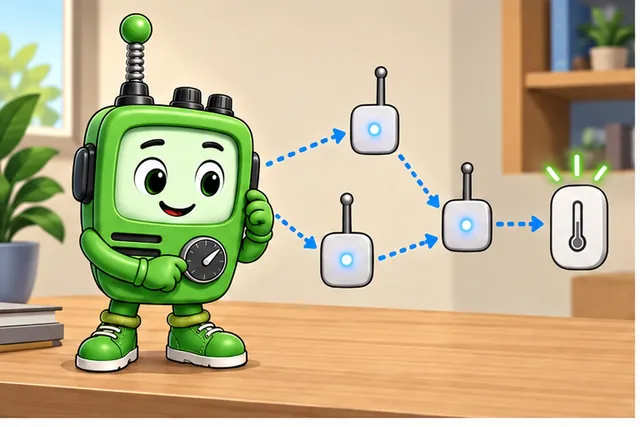
One Zigbee device must join a mesh and send a normal report.
-
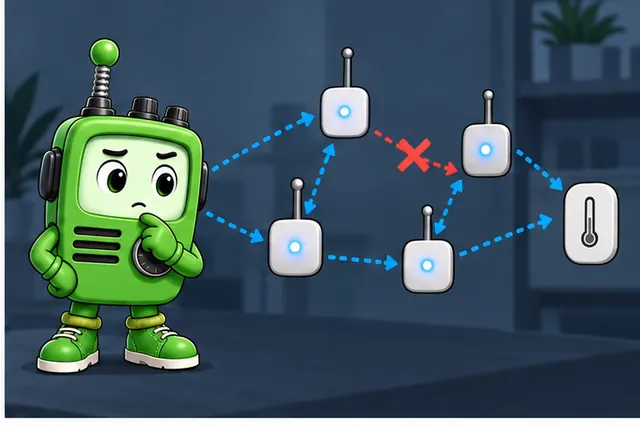
Names for roles and features do not prove that message path.
-
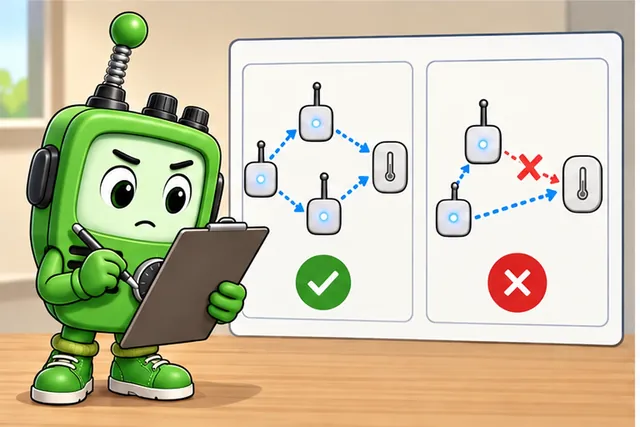
Trace setup, join, command groups, links, security, and one broken route.
-
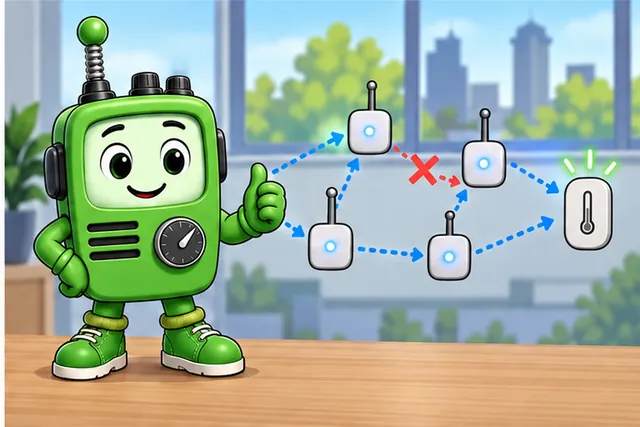
Compare products only after the full device story works.
Overview: What a Zigbee Architecture Claim Means
IEEE 802.15.4 is a standard for low-rate wireless links used by small devices. It defines the radio and Media Access Control (MAC) rules beneath Zigbee. The MAC rules control how devices share the radio channel. Zigbee adds network setup, device roles, routing, application services, joining control, and operations records. The name Zigbee alone does not prove low power, security, compatibility, or recovery.
First ask what exact behaviour is being approved. A device joining a network is one claim. A sleeping sensor reporting through a parent is another. A controller sending a cluster command is a third. A hub translating that command for another system is a fourth. Each claim needs its own evidence.
Zigbee is a low-rate wireless personal area network (WPAN) for small, infrequent messages. Sensors, meters, switches, and lamps are common examples. For these tiny reports, Zigbee is usually cheaper and uses less power than Wi-Fi. Most phones do not speak Zigbee directly. A coordinator or hub therefore links the local Zigbee network to Ethernet, Wi-Fi, cellular service, or another Internet path. Test the local Zigbee path separately from that outside path.

Radio Remi
“Range, power, and data-rate is a triangle — pick two honestly, then measure the third in the real room.”
Through this chapter, Remi checks each architecture claim for its radio evidence, its trade, and what the site must show.
11.2 Layer, Radio, and Topology Decisions
Inspect Figure 11.1 before treating “Zigbee” as a single radio-layer capability; the diagram separates the claims that belong to each layer.

Read APPLICATION and ZIGBEE NWK separately from IEEE 802.15.4 MAC and PHY in Figure 11.1. The button → Zigbee hub → IP app path makes the bridge boundary concrete and prevents mesh or interoperability claims from being assigned to the radio alone.
When comparing bands, inspect Figure 11.2 for both the rate difference and the unit-qualified loss equation that anchors the range inference.

Read Figure 11.2 by holding the 0.10 km path constant: 868 MHz and 2.4 GHz produce 71.2 dB and 80.1 dB free-space losses. The 8.8 dB result is one input; antenna, regulation, sensitivity, and fade margin still decide installed range.
Then inspect Figure 11.3 to connect topology words to actual node duties and relay constraints.

Compare STAR with MESH in Figure 11.3. The Coordinator, Router, and End device legend shows why powered routers create reach and alternate paths while sleepy end devices remain leaves.
If you only need the intuition, this layer is enough: approve a Zigbee design from observed boundaries, not from the word "mesh." Name the role, path, application behavior, security custody, owner, and retest trigger before treating the architecture as ready.
The Five Evidence Boundaries
Radio and MAC
IEEE 802.15.4 evidence covers channel behavior, link quality, retries, acknowledgements, and local interference symptoms.
Network and roles
Zigbee network evidence covers formation, coordinator custody, routers, end devices, parent selection, route repair, and rejoin behavior.
Application meaning
Endpoint, cluster, command, attribute, group, binding, reporting, gateway, and bridge evidence explain what the device actually does.
Security and operations
Joining control, Trust Center or coordinator custody, backup, replacement, monitoring, owner, and retest triggers keep the approval bounded.
Remi’s Signal Check
- Band: IEEE 802.15.4 radio and MAC underneath — a low-rate WPAN for small, infrequent reports.
- Trade: lower power and cost than Wi-Fi for tiny messages, but not phone-native — a hub bridges to IP.
- Room test: channel behavior, link quality, retries, and interference — observed on site, not assumed.
The IEEE 802.15.4 Foundation Underneath
Zigbee's PHY and MAC layers are not Zigbee inventions, and the standard beneath them fixes real trade-offs before any Zigbee-specific behavior begins. IEEE 802.15.4 offers three regional radio bands, and the bands trade data rate for reach:
- 868 MHz in Europe, at roughly 20 kbps.
- 915 MHz in the Americas and Australia, at roughly 40 kbps.
- 2.4 GHz worldwide, at roughly 250 kbps — the band most deployments use because it is available everywhere and fastest, at the cost of shorter range and Wi-Fi coexistence planning.
Path loss grows with frequency, so that trade is not marketing language: a sub-GHz band buys longer reach at a lower data rate, while 2.4 GHz buys speed and universal channel availability at a shorter reach. That is the same range/power/data-rate triangle Remi keeps checking, now with the band evidence behind it.
IEEE 802.15.4 also defines two device classes beneath Zigbee's own coordinator, router, and end-device roles. A Full Function Device (FFD) can communicate with any device type and take on network responsibility; a Reduced Function Device (RFD) can only talk to a single FFD. Zigbee's routing roles need FFD capability, because a coordinator or router relays traffic to more than one neighbor — an RFD's single-FFD limit is why an end device's one-parent relationship is exactly the constrained shape the review record should expect, not an implementation shortcut.
At the MAC layer, IEEE 802.15.4 defines two channel-access modes. A non-beacon network uses CSMA/CA: a device waits a random backoff, senses the channel, transmits if it is idle, and backs off again if it is busy, with acknowledgements optional. A beacon-enabled network instead divides time into a superframe of sixteen equal slots: a contention access period where devices still contend as in CSMA/CA, and an optional contention-free period offering up to seven guaranteed time slots for traffic that cannot tolerate contention delay. Neither mode proves anything about a specific deployment by itself; they are the vocabulary a retry, latency, or beacon-timing observation should be written against.
Beginner Examples
- A clean join proves that a device joined under the tested conditions. It does not prove every application command, route recovery, or future replacement.
- A powered device may be able to route, but the review still needs role readback or observed mesh behavior.
- A hub can expose useful behavior outside the Zigbee network, but bridge behavior is part of the architecture claim and must be named.
Overview Knowledge Check
Practitioner: Build the Architecture Review Record
A practical Zigbee review record should let another engineer repeat the reasoning. It names the behavior in scope, the layer responsible for that behavior, the evidence collected, the owner of the evidence, and the change that reopens the decision.
Use the same record for commissioning, pilot review, and incident analysis. Early design may record assumptions and required tests. A release review should record observed joins, roles, paths, commands, security custody, and recovery behavior from representative conditions.
Worked Review: Sleepy Sensor Report
A sleepy sensor joins a Zigbee network and sends temperature reports during commissioning. The architecture record should approve only that observed path until more evidence is collected: the end-device role, selected parent, reporting cluster and attribute, controller rule, recovery after parent restart, and retest trigger for movement, firmware, battery behavior, RF changes, or coordinator replacement.
The safe approval statement is narrow: under the reviewed conditions, this sensor joined through this parent and produced this report path. Long-term reliability still depends on parent availability, polling behavior, route recovery, application interpretation, and operations ownership.
Worked Review: Mesh Resilience Claim
A deployment has several powered Zigbee devices and is described as self-healing. That phrase needs evidence. Confirm which devices actually operate as routers, whether critical end devices have acceptable parent and path behavior, whether a controlled router or parent change was observed, and whether the application still works after the route changes.
The approval should say which path and failure condition were reviewed. It should not claim that every powered device, room, endpoint, or bridge behavior is automatically resilient.
Practitioner Knowledge Check
Under the Hood: Layer Handoffs and Failure Boundaries
Most Zigbee architecture mistakes come from assigning a symptom to the wrong layer. A device can have a healthy radio link and still fail at endpoint selection. A device can join correctly and still lose reports because its parent path changed. A bridge can show a friendly app workflow while hiding where the native Zigbee behavior ends.
The review should preserve enough handoff evidence to locate the first unproven boundary. That does not require every packet detail. It does require separating lower-layer delivery from network state, application meaning, security custody, and translated controller behavior.
Remi’s Signal Check
- Band: the 802.15.4 handoff proves frames moved under the tested channel and MAC conditions.
- Trade: a healthy link buys frame delivery only — not formation, routing, custody, or endpoint mapping.
- Room test: retest after channel, antenna, placement, interference, or site-layout changes — the room is evidence.
Diagnosis Pattern
- Capture the symptom boundary. Record whether the issue is join, route, parent, endpoint, command, report, bridge, or app behavior.
- Check the closest lower proof. If application behavior is wrong, confirm delivery before rewriting cluster logic; if delivery is missing, confirm role and path before blaming RF.
- Preserve one change at a time. Changing coordinator, router position, firmware, application mapping, and credentials together destroys the evidence trail.
- Write the unsupported claim. If only one path was tested, say so. If bridge behavior was not reviewed, keep it outside the approval.
Under-the-Hood Knowledge Check
11.3 Band and Rate Evidence: Work the Path-Loss Trade-off
This section: Band and Rate Evidence: Work the Path-Loss Trade-off — Zigbee supplies the network and application behavior above an IEEE 802.15.4 PHY and MAC.
Zigbee supplies the network and application behavior above an IEEE 802.15.4 PHY and MAC. Keep that boundary visible: channel frequency, modulation, raw bit rate, clear-channel assessment, and frame acknowledgement belong to 802.15.4; joining policy, mesh routing, application support, device objects, clusters, and attributes belong to the Zigbee layers above it.
Frequency changes propagation before any routing decision is made. For an unobstructed far-field path with matched polarization and antenna gains accounted for separately, free-space path loss is
The constant is valid only for distance in kilometres and frequency in gigahertz. If metres and megahertz are used instead, the numerical constant changes. This equation describes geometric spreading in free space; walls, ground, foliage, enclosure loss, antenna mismatch, fading margin, and interference belong elsewhere in the link budget.
Compare 868 MHz and 2.4 GHz over the same 100 m free-space path. Since :
At equal distance, antenna gain, transmit power, and receiver threshold, 2.4 GHz therefore incurs
more free-space loss. That is a substantial link-margin difference, but not a universal range ratio: regional power limits, antenna size and efficiency, channel bandwidth, receiver sensitivity, obstacles, and multipath also change.
The rate choice has a separate standards basis. Legacy 802.15.4 operation in the European 868 MHz band offers a lower basic rate, while the worldwide 2.4 GHz O-QPSK PHY provides 250 kbit/s. A higher raw rate shortens airtime for a fixed frame, which can save energy and reduce collision exposure, but it does not cancel the frequency term or crowded-band interference. Record band, exact PHY, permitted channels, data rate, receiver sensitivity, antenna, installation loss, fade margin, and regulatory domain together; “Zigbee range” alone is not an engineering specification.
11.5 Summary
This section: Summary
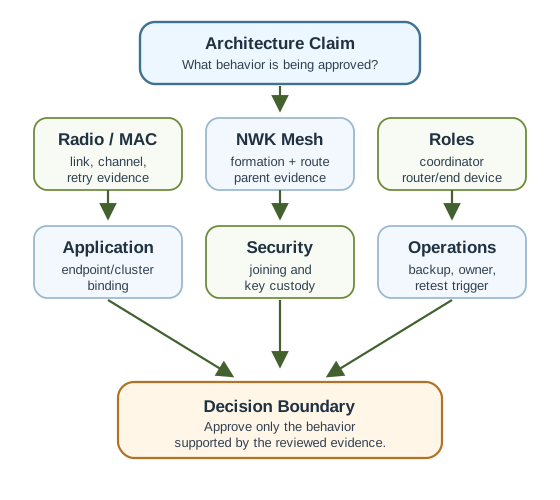
- Zigbee architecture review starts with a bounded claim, not with the protocol label.
- IEEE 802.15.4 evidence supports radio and MAC claims, but it does not prove Zigbee network or application behavior.
- Coordinator, router, end-device, parent, route, bridge, and controller evidence should be recorded separately.
- Application approval depends on endpoint, cluster, attribute, command, reporting, group, binding, and translation evidence.
- Security approval needs joining and custody records, not only an encryption label.
- Operations evidence names the owner, backup path, replacement path, monitoring signal, and retest trigger.
Approve Zigbee architecture only when the reviewed behavior is tied to layer, role, path, application, security custody, owner, and retest evidence.
11.6 See Also
This section: See Also
Zigbee Network Formation
Review coordinator formation, Trust Center custody, permit-join evidence, association, and parent selection.
Zigbee Protocol Stack
Separate PHY/MAC, NWK, APS, ZDO, ZCL, and operations evidence when diagnosing stack behavior.
Zigbee Network Topologies
Connect coordinator, router, end-device, parent, and route-diversity evidence to topology claims.
Zigbee Security
Review joining control, key custody, Trust Center behavior, and security retest boundaries.
Find help
3 reviewed answers.
Where should I start in a module?
Open the module page from the sidebar to see its chapters in order. Use the module map to return to a topic you need.
Modules and pathsReviewed
What can I try when a project does not work?
Check the symptom, then work through the diagnostic steps. Keep the error message and the smallest example that reproduces it.
When you are stuckReviewed
How do interactive examples work?
Use the interactive guide to check how examples and simulations work before changing your project.
Interactive examples guideReviewed