38 Zigbee Wokwi Simulation Lab
38.1 Learning Objectives
By the end of this series, you will be able to:
- Construct Zigbee Mesh Networks: Implement coordinator, router, and end device roles in simulation
- Trace AODV Routing Paths: Diagram route discovery sequences and multi-hop message delivery through mesh nodes
- Evaluate Network Topology: Experiment with node placement and justify network density decisions based on coverage requirements
- Diagnose Fault Tolerance: Simulate node failures and predict self-healing rerouting behavior
- Calculate Power Consumption: Compare battery life strategies for end devices using poll interval trade-offs
- Assess Network Health: Interpret device status, battery levels, and connectivity metrics to identify degraded links
What is this chapter series? Browser-based Wokwi simulation labs and Python tools for hands-on Zigbee mesh network experimentation.
When to use:
- To visualize Zigbee routing and mesh behavior
- For experimenting without physical hardware
- To test network topology designs before deployment
Key Topics:
| Lab | Focus |
|---|---|
| Temperature Network | Hardware setup with XBee modules |
| Network Analyzer | Python monitoring with Zigbee2MQTT |
| Mesh Simulator | Wokwi-based routing and self-healing |
Prerequisites:
- Zigbee Fundamentals
- Basic understanding of mesh routing
- No physical hardware required for simulator
38.2 Lab Series Overview
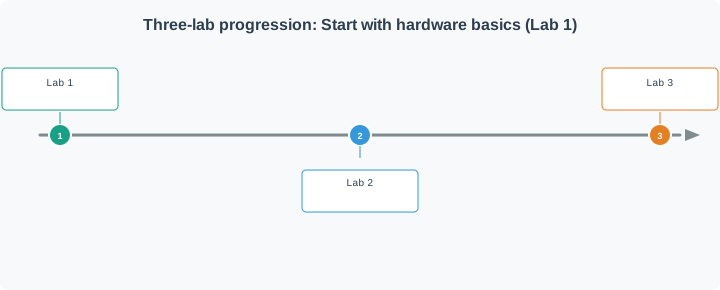
This chapter series provides three complementary hands-on labs for learning Zigbee mesh networking:
38.3 Lab Chapters
38.3.1 Lab 1: ESP32 Temperature Monitoring Network
Read the full lab: Zigbee Lab: Temperature Network
Build a real Zigbee sensor network with ESP32 as coordinator and XBee modules as end devices. This lab covers:
- XBee module configuration with XCTU software
- ESP32 coordinator receiving and aggregating sensor data
- Arduino end devices with DHT22 temperature/humidity sensors
- API mode communication and frame parsing
- Network health monitoring with RSSI tracking
Hardware Required: ESP32, XBee S2C modules, Arduino Uno boards, DHT22 sensors
Difficulty: Intermediate | Duration: 2-3 hours
38.3.2 Lab 2: Python Network Analyzer with Zigbee2MQTT
Read the full lab: Zigbee Lab: Network Analyzer
Create a network monitoring tool that visualizes Zigbee mesh topology and device health:
- Connect Python to Zigbee2MQTT via MQTT broker
- Track battery levels, link quality, and online status
- Implement automated health alerts
- Extend with Slack notifications and InfluxDB logging
Prerequisites: Raspberry Pi with Zigbee2MQTT installed, MQTT broker running
Difficulty: Intermediate | Duration: 1-2 hours
38.3.3 Lab 3: Zigbee Mesh Network Simulator (Wokwi Interactive Lab)
Read the full lab: Zigbee Lab: Mesh Simulator
Interactive browser-based simulation demonstrating core Zigbee mesh concepts:
- Device Roles: Coordinator, Router, and End Device interactions
- Network Formation: PAN creation and device joining phases
- Message Routing: Multi-hop message delivery with route tracing
- Self-Healing: Automatic rerouting when nodes fail
- Power Management: Sleep modes and battery optimization
No hardware required - runs entirely in browser via Wokwi
Difficulty: Intermediate | Duration: 1-2 hours
38.4 Recommended Learning Path
With hardware: Follow Labs 1 -> 2 -> 3 for progressive complexity.
Without hardware: Start with Lab 3 (simulation) to understand concepts, then try Lab 2 if you have Zigbee2MQTT access.
38.5 Key Concepts Covered
| Concept | Lab 1 | Lab 2 | Lab 3 |
|---|---|---|---|
| Device Roles (Coordinator/Router/EndDevice) | X | X | X |
| Network Formation | X | X | |
| Multi-Hop Routing | X | ||
| Self-Healing Mesh | X | ||
| Battery/Power Management | X | X | |
| Health Monitoring | X | X | |
| Real Hardware | X | X | |
| Browser Simulation | X |
Sammy the Sensor is thrilled: “Three whole labs to explore! And I don’t even need real hardware for Lab 3!”
Max the Microcontroller explains: “Lab 1 uses real XBee modules and ESP32 boards to build a temperature monitoring network. You configure the Coordinator and End Devices, set up matching PAN IDs, and watch sensor data flow. Lab 2 adds Python monitoring with Zigbee2MQTT – tracking battery levels, signal strength, and device health.”
Lila the LED lights up: “Lab 3 is my favorite – the Wokwi simulator! You run four ESP32s in your browser, each playing a different Zigbee role. You can watch messages hop through Routers, then unplug one to see the mesh self-heal. It’s like having a whole Zigbee network on your screen!”
Bella the Battery recommends: “If you’re just starting, begin with Lab 3 (simulation) to understand concepts visually. Then try Lab 2 if you have Zigbee2MQTT access. Save Lab 1 for when you have actual XBee hardware. Each lab builds on the previous one!”
Key ideas for kids:
- Temperature network = Real sensors sending temperature readings wirelessly
- Network analyzer = A Python program that monitors device health
- Wokwi simulator = A virtual electronics lab in your web browser
- Progressive labs = Starting simple and building up to more complex experiments
Context: You want to learn Zigbee hands-on, but you’re not sure which lab to start with or whether you need physical hardware. Use this decision framework to pick the best path.
Decision Questions:
Q1: Do you have access to Zigbee hardware?
- YES → Start with Lab 1 (Temperature Network)
- Rationale: Real hardware teaches you production challenges (wiring, configuration, debugging RF issues)
- Time: 2-3 hours initial setup + ongoing experiments
- NO → Start with Lab 3 (Mesh Simulator)
- Rationale: Zero setup time, immediate hands-on learning
- Time: 1-2 hours
Q2: What’s your primary learning objective?
| Goal | Best Lab | Why |
|---|---|---|
| Understand mesh routing | Lab 3 (Simulator) | Visualize multi-hop paths, self-healing |
| Learn hardware integration | Lab 1 (Temperature) | XBee configuration, UART, API frames |
| Master network monitoring | Lab 2 (Analyzer) | MQTT, health alerts, production ops |
| Build complete project | All three in order | Progressive complexity |
Q3: What’s your experience level?
- Beginner (new to IoT):
- Lab 3 → Lab 1 → Lab 2
- Start with simulation (concepts), then hardware (hands-on), then monitoring (production)
- Intermediate (familiar with IoT):
- Lab 1 → Lab 2 → Lab 3
- Hardware first (practical), monitoring second (ops), simulation last (deep dive)
- Advanced (deploying production):
- Lab 2 → Lab 1 → Lab 3
- Monitoring first (critical for deployments), hardware for validation, simulation for optimization
Q4: What’s your time availability?
| Available Time | Recommended Path |
|---|---|
| 1-2 hours | Lab 3 only (complete simulation experience) |
| 2-4 hours | Lab 3 + Lab 2 (simulation + monitoring) |
| 4-6 hours | Lab 1 + Lab 3 (hardware + simulation) |
| 6-8 hours | All three labs (complete learning path) |
Real Student Examples:
Student A: Computer Science Major, No Hardware
- Goal: Learn mesh networking concepts for coursework
- Path: Lab 3 (Simulator)
- Outcome: Completed in 90 minutes, understood AODV routing, passed exam
- Next Step: Lab 2 when Raspberry Pi available
Student B: Electronics Hobbyist, Has XBee Modules
- Goal: Build home automation system
- Path: Lab 1 (Temperature) → Lab 2 (Analyzer)
- Outcome: Built 8-sensor network, added Python monitoring, deployed in home
- Next Step: Lab 3 for optimization insights
Student C: IoT Engineer, Deploying 100+ Devices
- Goal: Production deployment planning
- Path: Lab 2 (Analyzer) → Lab 1 (Validation) → Lab 3 (Optimization)
- Outcome: Detected 12 failing sensors before deployment, optimized router placement
- Next Step: Applied simulation insights to reduce router count by 30%
Quick Decision Tree:
Do you have XBee/ESP32 hardware?
├─ YES → What's your primary goal?
│   ├─ Learn hardware setup → Lab 1
│   ├─ Build production system → Lab 1 + Lab 2
│   └─ Understand routing deeply → Lab 3
│
└─ NO → What's your learning style?
    ├─ Prefer simulation → Lab 3
    ├─ Have Raspberry Pi + Zigbee2MQTT → Lab 2
    └─ Want complete theory → Lab 3 + Read chapters
Key Insight: There’s no wrong lab to start with – each teaches different aspects of Zigbee. If you’re uncertain, start with Lab 3 (browser simulation) because it requires zero setup and gives you immediate hands-on experience. Once you understand the concepts, adding hardware (Lab 1) or monitoring (Lab 2) makes much more sense.
38.6 Knowledge Check
Q1: What is the recommended starting point for students without physical Zigbee hardware?
- Lab 1 (Temperature Network) – requires XBee modules
- Lab 2 (Network Analyzer) – requires Zigbee2MQTT
- Lab 3 (Mesh Simulator) – runs entirely in the browser via Wokwi
- Skip all labs and read theory only
C) Lab 3 (Mesh Simulator) – runs entirely in the browser via Wokwi – The Wokwi simulator allows students to build and experiment with a complete Zigbee mesh network using ESP32 virtual boards without any physical hardware. It covers device roles, multi-hop routing, self-healing, and power management, providing hands-on experience with the concepts learned in theory chapters.
Common Pitfalls
Wokwi simulation projects are accessible via URL; unsaved or unshared projects may be difficult to recover. Always save project URLs and share them in lab documentation before closing the browser tab.
Wokwi simulates ESP32 peripheral behavior including I2C, SPI, and UART but uses software timing models that may not match real hardware precisely for timing-sensitive Zigbee behaviors. Use physical hardware for final validation.
Wokwi simulations for Zigbee concepts have specific starting configurations and measurement steps. Jumping directly to the simulation without reading instructions leads to missing the pedagogical objectives of the exercise.
:
38.7 Concept Relationships
| Concept | Related To | How They Connect |
|---|---|---|
| Lab 1 (Hardware) | XBee Configuration | Real hardware teaches production deployment challenges |
| Lab 2 (Monitoring) | Zigbee2MQTT Bridge | Python analyzer tracks device health via MQTT topics |
| Lab 3 (Simulation) | Browser-Based Learning | Wokwi enables hands-on experience without physical hardware |
| Temperature Sensing | Sensor Integration | DHT22 provides real-world data for network testing |
| Network Analyzer | Predictive Maintenance | LQI trends predict failures before devices go offline |
| Mesh Simulator | Routing Visualization | See AODV route discovery and self-healing in action |
38.8 What’s Next
After completing these labs, continue your Zigbee and mesh networking journey:
| Next Topic | Description |
|---|---|
| Zigbee Comprehensive Review | Protocol deep dive consolidating all Zigbee concepts with knowledge checks |
| Zigbee Routing Protocols | Detailed coverage of AODV, tree routing, and many-to-one route optimization |
| Thread Introduction | Compare Zigbee with Thread’s IPv6-based mesh networking approach |
| Matter Overview | Smart home protocol unification bridging Zigbee, Thread, and Wi-Fi |
| Network Topologies Fundamentals | Broader mesh, star, and tree topology analysis beyond Zigbee |
Lab Chapters (this series):
- Lab 1: Temperature Network - Hardware-based sensor network
- Lab 2: Network Analyzer - Python monitoring tool
- Lab 3: Mesh Simulator - Wokwi interactive simulation
Prerequisites:
- Zigbee Fundamentals and Architecture - Device roles, AODV routing, mesh formation
- Zigbee Routing Protocols - Route discovery concepts
- Network Topologies Fundamentals - Mesh topology basics
Comparisons:
- Thread vs Zigbee - IPv6-based mesh comparison
- Bluetooth Mesh - Alternative mesh approach
- Matter Integration - Smart home protocol evolution
Learning Resources:
- Quizzes Hub - Test your Zigbee knowledge
- Simulations Hub - More Zigbee network simulators