2  6LoWPAN Overview

In 60 Seconds

6LoWPAN is the adaptation layer that lets tiny, battery-powered IoT sensors speak IPv6 by compressing 40-byte headers to 2-7 bytes and fragmenting large packets to fit through 127-byte IEEE 802.15.4 radio frames. Without it, constrained devices cannot have their own internet address.

Most Valuable Understanding (MVU)

The one thing to remember: 6LoWPAN is the “translator” that makes tiny, battery-powered sensors speak IPv6—the language of the internet—by compressing 40-byte headers down to just 2-7 bytes and fragmenting large packets to fit through 127-byte radio frames.

Why it matters: Without 6LoWPAN, your smart thermostat, industrial sensor, or wearable device couldn’t have its own internet address. With it, billions of constrained devices become first-class citizens on the global internet, each with a unique IPv6 address.

2.1 Learning Objectives

By the end of this chapter, you will be able to:

  • Analyse 6LoWPAN’s Purpose: Explain how 6LoWPAN bridges the gap between IPv6 and IEEE 802.15.4 networks, and why an adaptation layer is necessary
  • Calculate the Size Mismatch: Quantify the overhead imposed by IPv6 and UDP headers relative to the 802.15.4 frame payload, and determine the resulting efficiency loss
  • Compare Key Solutions: Contrast header compression (IPHC) and fragmentation mechanisms, evaluating how each addresses the constraints of 802.15.4 frames
  • Evaluate Use Cases: Justify when 6LoWPAN is the optimal protocol choice versus alternatives such as Zigbee, BLE, or Wi-Fi based on deployment requirements
The Challenge: IPv6 Headers Don’t Fit in 802.15.4 Frames

The Problem: There’s a fundamental mismatch between Internet and IoT radio standards:

  • IPv6 header: 40 bytes minimum (fixed by standard)
  • UDP header: 8 bytes
  • 802.15.4 frame: 127 bytes maximum (only ~102 bytes after MAC headers)
  • Available for payload: 102 - 40 - 8 = 54 bytes (barely enough for sensor data!)

Why This Is Hard:

  • Can’t change IPv6—it’s a global Internet standard
  • Can’t change 802.15.4—it’s a hardware limitation
  • Fragmentation wastes bandwidth and drains batteries
  • Need end-to-end IP addressing for seamless IoT integration

The Solution: 6LoWPAN provides an adaptation layer with intelligent header compression (IPHC) that reduces 40-byte IPv6 headers to just 2-7 bytes, plus fragmentation support for larger payloads.

2.2 Prerequisites

Before diving into this chapter, you should be familiar with:

2.3 Getting Started: For Beginners

New to 6LoWPAN? Start Here!

The name “6LoWPAN” might seem intimidating, but the concept is straightforward once you understand the problem it solves.

Simple Analogy: 6LoWPAN is like a translator that fits full IPv6 internet messages into tiny wireless packets.

Think of it this way: You want to send a detailed letter (IPv6 packet) through a very small mail slot (802.15.4 radio). 6LoWPAN is the smart postal service that:

  • Removes unnecessary words from your letter (header compression: 40 bytes to 2-6 bytes)
  • Splits long letters into smaller envelopes if needed (fragmentation)
  • Reassembles everything perfectly at the destination
  • Makes it possible to connect billions of sensors directly to the internet!

Why this matters: Without 6LoWPAN, your tiny sensor couldn’t speak internet language. With it, every sensor gets its own IPv6 address and can talk directly to cloud servers anywhere in the world.

Key Terms You’ll Learn:

  • IPHC Compression: Intelligent compression that reduces 40-byte IPv6 headers to 2-6 bytes (85-95% reduction)
  • Fragmentation: Splitting large IPv6 packets (up to 1280 bytes) into tiny 102-byte radio frames
  • Mesh Addressing: How sensors find routes through multi-hop networks
  • Border Router: The gateway that connects your sensor network to the internet

2.3.1 Breaking Down the Name

6LoWPAN = IPv6 over Low-Power Wireless Personal Area Networks

Let’s decode each part:

Part Meaning Why It Matters
IPv6 Internet Protocol version 6 The language of the internet
Low-Power Battery-operated devices Sensors, wearables, monitors
Wireless No cables Radio communication
PAN Personal Area Network Short-range network (~10-100m)

In simple terms: 6LoWPAN lets tiny, battery-powered sensors speak the same language as the internet.

Hey Sensor Squad! Meet the 6LoWPAN Translator Team—they help tiny sensors talk to the BIG internet!

Sammy the Sensor explains: “Imagine you speak a language with really, REALLY long words. But your walkie-talkie can only send tiny messages. What do you do?”

Lila the Light Bulb answers: “You need a translator who makes words shorter!”

Max the Motion Detector jumps in: “That’s exactly what 6LoWPAN does! The internet uses super long addresses (like saying ‘The house with the red door on the corner of Maple Street and Oak Avenue in Springfield’)…”

Bella the Button continues: “But our tiny radios can only fit short messages (like just saying ‘Red house’)!”

How the 6LoWPAN Team Works:

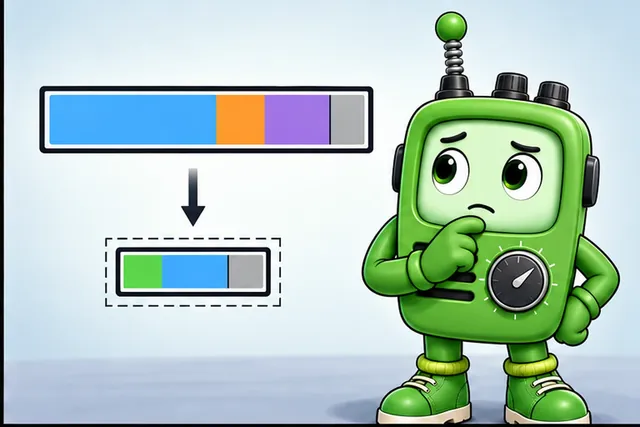
  1. Header Squisher: Takes 40-byte addresses and squishes them to just 2-7 bytes (like turning ‘The house with the red door on Maple Street’ into just ‘Red house’)
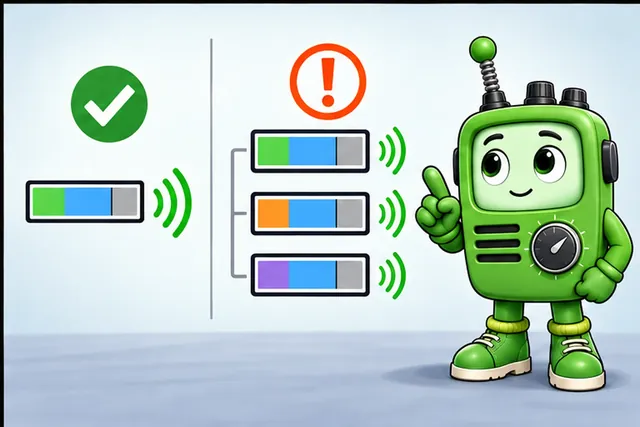
  2. Message Splitter: If a message is still too big, splits it into smaller pieces (like sending a long letter on multiple postcards)
  3. Puzzle Rebuilder: Puts all the pieces back together at the destination!

Fun Fact: Without 6LoWPAN, your smart night light would need to send messages 7 times longer! That would drain the battery super fast and make the radio really slow.

Sensor Squad Mission: Look around your home for devices with small batteries that connect to the internet (like door sensors or smart thermostats). They might be using 6LoWPAN to talk!

2.4 What is 6LoWPAN?

Definition

6LoWPAN (IPv6 over Low-Power Wireless Personal Area Networks) is an adaptation layer that enables IPv6 packets to be carried over IEEE 802.15.4 networks. It provides header compression, fragmentation, and forwarding to make the full internet protocol stack work on constrained devices with limited memory, processing power, and battery life.

Key Characteristics:

  • Standard: RFC 6282, RFC 4944, RFC 6775
  • Physical Layer: IEEE 802.15.4 (Zigbee, Thread use this too)
  • IP Support: Full IPv6 (not IPv4)
  • Header Compression: Up to 95% reduction in overhead
  • MTU: 1280 bytes (IPv6 minimum) over 127-byte 802.15.4 frames
  • Addressing: Global IPv6 addresses for every sensor
Table 2.1: 6LoWPAN technology characteristics and capabilities

2.5 6LoWPAN Technology Summary

Property Details
Name 6LoWPAN
Standard protocol is based on IEEE802.15.4
Designed for Extends the use of Internet Protocol for low power devices with limited processing capabilities in a Personal Area Network (PAN)
Connection range 10s (tens) of metres
Data rate Maximum data rate of 250kbps
Example Smart meters in a small network

2.6 The Problem 6LoWPAN Solves

6LoWPAN protocol architecture showing the adaptation layer that bridges IPv6 networking with IEEE 802.15.4 low-power wireless networks, enabling header compression and fragmentation for constrained IoT devices.

6LoWPAN Protocol Overview
Figure 2.1: Source: CP IoT System Design Guide, Chapter 4 - Networking Protocols

Without 6LoWPAN:

  • IPv6 header: 40 bytes
  • UDP header: 8 bytes
  • Total overhead: 48 bytes
  • 802.15.4 payload: ~102 bytes
  • Usable data: Only 54 bytes! (53% overhead!)

The efficiency gain from 6LoWPAN IPHC compression is quantified by comparing payload utilization:

\[\text{Efficiency} = \frac{\text{Usable Payload}}{\text{Total Payload}} \times 100\%\]

Without 6LoWPAN: \(\frac{54}{102} \times 100\% = 52.9\%\) — more than half the frame is header overhead.

With 6LoWPAN (best case): Compressed headers = 2 (IPHC) + 4 (NHC-UDP) = 6 bytes → Usable = \(102 - 6 = 96\) bytes.

\[\frac{96}{102} \times 100\% = 94.1\%\]

Result: 6LoWPAN increases payload efficiency from 53% to 94%, reclaiming 42 bytes per packet (a 77.8% increase in usable space). For a sensor sending 10 packets per day, that’s 420 bytes saved daily, reducing airtime and extending battery life proportionally.

With 6LoWPAN:

  • Compressed IPv6 header: 2-7 bytes (typical)
  • Compressed UDP header: 4 bytes
  • Total overhead: 6-11 bytes
  • Usable data: 91-96 bytes (94% efficient!)
Why IPv6, Not IPv4?

IPv6 is essential for IoT because:

  • Abundant addresses: 340 undecillion (enough for every sensor)
  • No NAT: Direct end-to-end connectivity
  • Auto-configuration: Stateless address autoconfiguration (SLAAC)
  • Built-in security: IPsec mandatory in IPv6
  • Future-proof: IPv4 exhausted, IPv6 is the future

6LoWPAN doesn’t support IPv4—it’s IPv6-only by design.

2.6.1 Header Compression Visualization

The following diagram illustrates how 6LoWPAN’s IPHC compression dramatically reduces header overhead:

Side-by-side comparison showing original IPv6 plus UDP headers totaling 48 bytes on the left, and compressed 6LoWPAN headers totaling only 6-11 bytes on the right. Shows 85-88% reduction in overhead, enabling efficient transmission over constrained 802.15.4 networks.

6LoWPAN Header Compression: Before and After

Key Compression Techniques:

Field Original Size Compressed Size How It’s Compressed
Version 4 bits 0 bits Always 6, elided
Traffic Class 8 bits 0-8 bits Usually 0, can be elided
Flow Label 20 bits 0-20 bits Usually 0, can be elided
Payload Length 16 bits 0 bits Derived from link layer
Next Header 8 bits 0 bits Encoded in NHC
Hop Limit 8 bits 2 bits Common values: 1, 64, 255
Source Address 128 bits 0-128 bits Context + link-local derivation
Destination Address 128 bits 0-128 bits Context + link-local derivation

2.7 6LoWPAN Architecture Overview

2.7.1 Protocol Stack

The 6LoWPAN protocol stack sits as an adaptation layer between IPv6 and the IEEE 802.15.4 physical/MAC layers:

Layered protocol stack diagram showing Application layer at top in navy, followed by UDP/ICMP transport in teal, IPv6 network layer in navy, 6LoWPAN adaptation layer highlighted in orange, and IEEE 802.15.4 MAC and PHY layers at bottom in gray. Arrows show data flow down through the stack.

6LoWPAN Protocol Stack showing the adaptation layer position

6LoWPAN header formats showing dispatch byte patterns, mesh addressing header, fragmentation header, and IPHC compressed header structures

6LoWPAN header formats
Figure 2.2: 6LoWPAN encapsulation header formats for adaptation layer

6LoWPAN sits between IPv6 and IEEE 802.15.4:

  • Above: Standard IPv6 stack (applications don’t know about 6LoWPAN)
  • Below: IEEE 802.15.4 radio (PHY/MAC layers)
  • Transparent: Appears as regular IPv6 to upper layers

2.7.2 Network Topology

Device Roles:

  1. Border Router: Gateway between 6LoWPAN and regular IPv6 internet
  2. Router: Forwards packets, extends range (similar to Zigbee routers)
  3. Host: End device (sensor/actuator), may sleep to save power

Network diagram showing a 6LoWPAN mesh network topology. At the top, the IPv6 Internet cloud connects to a Border Router in navy color. The Border Router connects to multiple 6LoWPAN Routers in teal, which form a mesh network. End devices including sensors and actuators in orange connect to the routers. Arrows show bidirectional communication paths through the mesh.

6LoWPAN Network Topology with Device Roles

2.7.3 Two Key Techniques

1. Header Compression (IPHC)

6LoWPAN uses IP Header Compression to reduce the 40-byte IPv6 header to as little as 2 bytes:

  • Version, Traffic Class, Flow Label: Often elided (always 6, usually 0)
  • Payload Length: Derived from 802.15.4 frame size
  • Hop Limit: Compressed to 2 bits for common values (1, 64, 255)
  • Addresses: Context-based compression using link-layer addresses

2. Fragmentation and Reassembly

When packets exceed 102 bytes:

  • Split into multiple 802.15.4 frames
  • Each fragment carries a tag for reassembly
  • Receiver buffers fragments until complete

Geometric diagram of 6LoWPAN fragmentation header structure showing dispatch type, datagram size, tag, and offset fields

6LoWPAN Fragment Header
Figure 2.3: 6LoWPAN fragmentation headers track datagram size, unique tag for reassembly, and offset for each fragment’s position in the original IPv6 packet.

Check Your Understanding: Compression vs Fragmentation

2.8 Real-World Examples

Thread Smart Home Protocol uses 6LoWPAN:

The smart light has its own IPv6 address and can be controlled from anywhere in the world!

Industrial Sensors:

  • Factory sensors sending data to cloud
  • Each sensor directly addressable via IPv6
  • No proprietary gateways needed

2.8.1 6LoWPAN Use Case Decision Tree

Decision flowchart for selecting 6LoWPAN. Starts with asking if IPv6 end-to-end connectivity is needed. If yes, asks about battery power constraints. If battery-powered, asks about range requirements. For short range (under 100m), 6LoWPAN over 802.15.4 is recommended. For longer range, suggests LoRaWAN or NB-IoT. If not battery constrained, suggests standard Wi-Fi or Ethernet.

When to Choose 6LoWPAN: Decision Tree

2.8.2 Common 6LoWPAN Applications

Application Why 6LoWPAN? Example Products
Smart Home IPv6 enables cloud control without proprietary hubs Thread-based lights, thermostats
Industrial Monitoring Direct sensor-to-cloud connectivity Vibration sensors, temperature monitors
Smart Buildings Mesh extends range through concrete HVAC sensors, occupancy detectors
Healthcare Low power for wearable devices Patient monitors, asset trackers
Smart Agriculture Battery operation in remote areas Soil moisture sensors, weather stations

2.9 Knowledge Check

The Problem (2005): The IEEE 802.15.4 standard provided an excellent low-power radio layer for wireless sensor networks, but there was a fundamental mismatch with Internet protocols. IPv6 headers are 40 bytes fixed, but 802.15.4 frames max out at 127 bytes. Running native IP over WSN radios seemed impossible.

The 6LoWPAN Solution (2007): RFC 4944 introduced the adaptation layer concept with three key innovations: (1) header compression, (2) fragmentation/reassembly, and (3) mesh addressing. RFC 6282 (2011) improved compression with IPHC, achieving 2-byte headers in the best case.

The Routing Layer (2012): RFC 6550 defined RPL (Routing Protocol for Low-Power and Lossy Networks), purpose-built for constrained devices.

Today’s Stack: 802.15.4 (physical/MAC) -> 6LoWPAN (adaptation) -> RPL (routing) -> UDP (transport) -> CoAP (application). Thread and Matter build on this foundation.

2.10 Common Pitfalls and Best Practices

Common 6LoWPAN Implementation Mistakes

1. Ignoring Fragment Buffer Limits

  • Mistake: Sending large payloads without considering reassembly buffer constraints
  • Impact: Fragments get dropped, entire packets lost
  • Best Practice: Keep payloads under 102 bytes when possible; use CoAP block transfer for larger data

2. Underestimating Context Configuration

  • Mistake: Not configuring compression contexts properly on all nodes
  • Impact: Headers cannot be compressed, defeating 6LoWPAN’s purpose
  • Best Practice: Ensure border router distributes context information via Router Advertisements

3. Forgetting About Duty Cycling

  • Mistake: Assuming all nodes are always awake to receive fragments
  • Impact: Fragment timeout, reassembly failures, wasted energy on retransmissions
  • Best Practice: Coordinate fragment transmission with MAC-layer duty cycles

4. Misunderstanding MTU Requirements

  • Mistake: Configuring upper layers to expect 1500-byte MTU (Ethernet default)
  • Impact: Excessive fragmentation, poor performance
  • Best Practice: Configure IPv6 MTU to 1280 bytes (minimum) for 6LoWPAN networks

2.10.1 6LoWPAN vs. Alternatives Comparison

Comparison chart showing 6LoWPAN positioned against other IoT protocols. 6LoWPAN offers native IPv6 with low power over short range using 802.15.4. BLE provides similar power but limited IP support. Wi-Fi offers high bandwidth but high power. LoRaWAN/NB-IoT provide long range but no native IPv6. Zigbee is similar physical layer but uses proprietary networking.

6LoWPAN Compared to Alternative IoT Connectivity Options
Protocol Native IPv6 Power Range Data Rate Mesh Best For
6LoWPAN ✓ Full Low 10-100m 250 kbps Smart home, industrial sensors
BLE ○ Via GATT Ultra-low 10-100m 1-2 Mbps Wearables, beacons
Zigbee Low 10-100m 250 kbps Legacy home automation
Wi-Fi ✓ Full High 50-100m 1+ Gbps High-bandwidth devices
LoRaWAN Ultra-low 2-15 km 0.3-50 kbps Remote monitoring
NB-IoT ○ Optional Medium Cellular 26-127 kbps Wide-area tracking
When to Choose 6LoWPAN

Choose 6LoWPAN when you need ALL of these:

  1. Native IPv6 addressing (no translation gateways)
  2. Low power operation (battery-powered devices)
  3. Short-range mesh networking (100m or less per hop)
  4. Standards-based interoperability (Thread, Matter compatibility)

Consider alternatives if:

  • You need very long range → LoRaWAN, NB-IoT
  • You need high bandwidth → Wi-Fi
  • You need ultra-low power without IP → Zigbee, BLE

2.11 Real-World Deployment Costs: 6LoWPAN vs Direct Wi-Fi

A common question is whether the complexity of 6LoWPAN is worth it compared to simply using Wi-Fi for IoT sensors. The answer depends on scale and battery requirements.

Scenario: 500 temperature sensors across a 4-story office building, reporting every 5 minutes for 5 years.

Factor 6LoWPAN/Thread Wi-Fi
Sensor hardware cost $8-12/unit (802.15.4 radio) $3-5/unit (ESP32)
Battery per sensor (5 years) 1 x CR2032 ($0.50) Not feasible on battery
Power source Coin cell battery Mains adapter ($5-8/unit)
Installation labor Peel-and-stick ($2/unit) Electrician wiring ($25-50/unit)
Gateway/border router 2-4 units at $30 each ($120) Existing Wi-Fi APs ($0)
Total for 500 sensors $5,370-$7,370 $16,500-$31,500

The hardware cost difference (802.15.4 is more expensive per chip) is overwhelmed by the installation cost difference. Battery-powered peel-and-stick sensors avoid the single largest expense in any building IoT deployment: running power cables to each sensor location.

Decision Rule

If sensors can be plugged into existing outlets, Wi-Fi may be simpler. If sensors go on walls, ceilings, or inside equipment where no outlet exists, 6LoWPAN/Thread wins on total deployment cost despite higher per-unit hardware price.

Scenario: A battery-powered temperature sensor sends 4 bytes of data (2-byte temperature + 2-byte humidity) every 10 minutes over 802.15.4 using 6LoWPAN. Calculate the energy savings from header compression.

Step 1: Calculate frame size WITHOUT compression (native IPv6)

IPv6 header:     40 bytes (fixed)
UDP header:       8 bytes
Payload:          4 bytes (sensor data)
───────────────────────
Total IP packet: 52 bytes

802.15.4 frame overhead:
  Preamble + SFD:  6 bytes
  Frame Control:   2 bytes
  Sequence:        1 byte
  Addressing:      6 bytes (short addresses, PAN compression)
  FCS:             2 bytes
  ──────────────────────
  MAC overhead:   17 bytes

Total frame size: 52 + 17 = 69 bytes

Step 2: Calculate frame size WITH 6LoWPAN compression

6LoWPAN IPHC header: 2 bytes (best case: link-local addresses, UDP NHC)
Compressed UDP header: 4 bytes (NHC compression)
Payload:          4 bytes
MAC overhead:    17 bytes
───────────────────────
Total frame size: 27 bytes (61% smaller)

Step 3: Calculate transmission time and energy

At 250 kbps (802.15.4):
  Without compression: (69 × 8) / 250,000 = 2.21 ms transmission
  With compression:    (27 × 8) / 250,000 = 0.86 ms transmission

Radio current: 22 mA at +0 dBm

Energy per transmission:
  Without compression: 22 mA × 2.21 ms = 48.6 µJ
  With compression:    22 mA × 0.86 ms = 18.9 µJ
  Savings:            61% reduction per transmission

Result: Header compression enables 2.4× more transmissions from the same battery or allows using a smaller battery (CR2025 instead of CR2032, saving $0.30 × 1,000 sensors = $300 BOM cost reduction).

Criterion 6LoWPAN (standalone) Thread (6LoWPAN + Matter) Zigbee Wi-Fi
Native IPv6 end-to-end ✓ Yes ✓ Yes ✗ No (needs gateway) ✓ Yes
Power consumption Ultra-low (<1 µA sleep) Ultra-low (<1 µA sleep) Ultra-low (<1 µA sleep) High (15-80 mA idle)
Battery life (coin cell) 5-10 years 5-10 years 5-10 years Weeks (impractical)
Ecosystem maturity Low (niche) High (Apple/Google/Matter) Very high (1,000+ products) Very high
Cloud integration Direct CoAP/MQTT Direct via border router Requires hub Direct
Interoperability Custom (no profiles) Matter standard ZCL profiles Standard IP
Commissioning complexity High (manual config) Low (Matter QR code) Moderate Moderate

Choose 6LoWPAN (standalone) when:

  • Custom industrial IoT with non-standard application protocol
  • Research projects requiring full protocol flexibility
  • Direct cloud integration via CoAP without vendor lock-in

Choose Thread (6LoWPAN + Matter) when:

  • Smart home deployment requiring Apple/Google/Amazon compatibility
  • Need IPv6 AND cross-vendor interoperability
  • Want commercial SDKs and certification programs

Choose Zigbee when:

  • Integrating into existing Zigbee ecosystem (Philips Hue, IKEA)
  • No IPv6 requirement (hub-to-cloud is acceptable)
Common Mistake: Deploying 6LoWPAN Without Configuring Compression Contexts

The Error: A developer deploys 50 sensors but forgets to configure compression contexts on the border router. Battery life drops from 5+ years to 6-8 months.

Why context configuration matters:

WITHOUT context compression:
  Full IPv6 addresses: 32 bytes (source + dest)
  Total IPHC header:   40 bytes (no compression)

WITH proper context (context 0 = 2001:0db8:85a3::/64):
  Addresses derived from link-local: 0 bytes
  Total IPHC header:                 2 bytes (95% compression!)

Real deployment impact:

50 sensors × 4-byte payload every 10 minutes

Without context:
  Frame size: 69 bytes → 2.21 ms TX → 48.6 µJ per transmission
  Battery life: 9 months

With context:
  Frame size: 27 bytes → 0.86 ms TX → 18.9 µJ per transmission
  Battery life: 5.8 years (6.4× longer)

The fix: Configure border router to broadcast context in Router Advertisements:

// Set network prefix: 2001:db8::/64
prefix = uip_ds6_prefix_add(&ipaddr, 64, 0,
                             UIP_ND6_RA_FLAG_AUTONOMOUS,
                             1800, 1800);
prefix->advertise = 1;  // Enable context in RA

Lesson: 6LoWPAN compression requires active context distribution. Without it, you lose 95% of compression benefits and get 6× worse battery life.

2.12 Summary

Mind map summarizing 6LoWPAN key concepts. Central node shows 6LoWPAN connecting to four main branches: The Problem (40-byte IPv6 headers vs 127-byte frames), The Solution (IPHC compression to 2-7 bytes, fragmentation for large packets), Architecture (adaptation layer, border router, mesh topology), and Use Cases (Thread smart home, industrial sensors, building automation).

6LoWPAN Key Concepts Summary

2.12.1 Key Takeaways

This chapter introduced 6LoWPAN (IPv6 over Low-Power Wireless Personal Area Networks):

  • 6LoWPAN bridges IPv6 and constrained networks by providing an adaptation layer over IEEE 802.15.4
  • The core challenge is the size mismatch: IPv6 requires 40-byte headers, but 802.15.4 frames only have ~102 bytes of usable payload
  • Header compression (IPHC) reduces IPv6 headers from 40 bytes to 2-7 bytes by eliding predictable fields
  • Fragmentation allows IPv6’s 1280-byte minimum MTU to work over tiny 802.15.4 frames
  • End-to-end IP connectivity means every sensor gets a globally routable IPv6 address
Related Topics

Explore these related chapters to deepen your understanding:

2.13 What’s Next

Now that you understand the 6LoWPAN overview, explore these topics to deepen your knowledge:

Chapter Focus Area Why Read It
6LoWPAN Header Compression IPHC mechanics Understand exactly how 40-byte headers shrink to 2-7 bytes
6LoWPAN Fragmentation Fragment handling Learn how large IPv6 packets are split across 802.15.4 frames
6LoWPAN Routing with RPL Mesh routing Discover how packets find multi-hop paths through the mesh
Thread Introduction Commercial protocol See how Thread builds a production-ready stack on 6LoWPAN
IEEE 802.15.4 Fundamentals Physical layer Review the radio foundation that 6LoWPAN operates over