32 What Matter Is and Isn't

More
Depth: Practitioner
Progress saves as you read. Mark sections complete as you go; your progress appears in the sidebar.
32.1 Start With the Device Experience
This section: Start With the Device Experience — Imagine buying a smart bulb and choosing which home app will control it.
Imagine buying a smart bulb and choosing which home app will control it. Matter gives supported devices a shared way to describe features, join a trusted home, and exchange commands. Internet Protocol is the common addressing and delivery system beneath Matter.
-
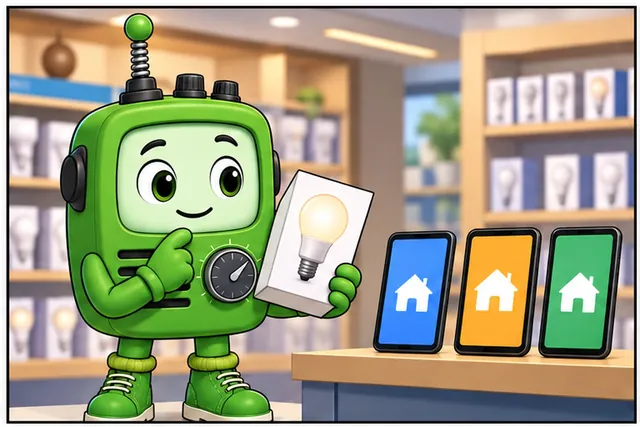
A buyer wants one home app to dim a smart bulb.
-
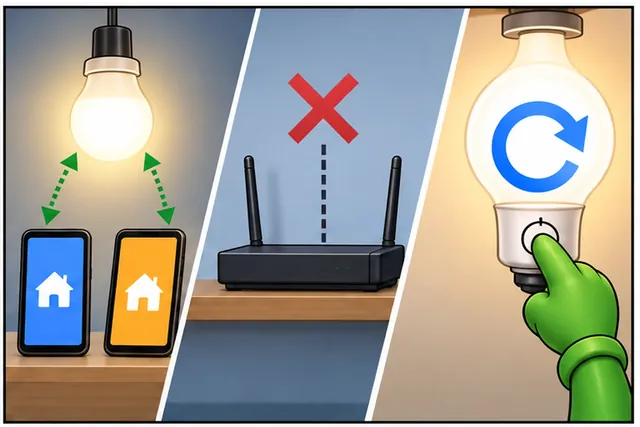
Joining Matter does not prove every network or feature will work.
-
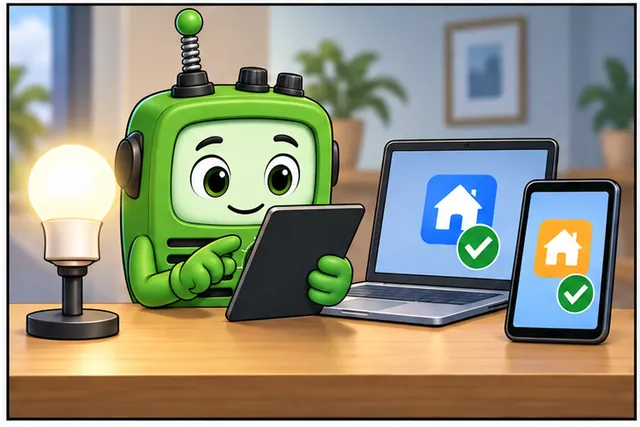
Test brightness, a second controller, lost network, and reset.
-
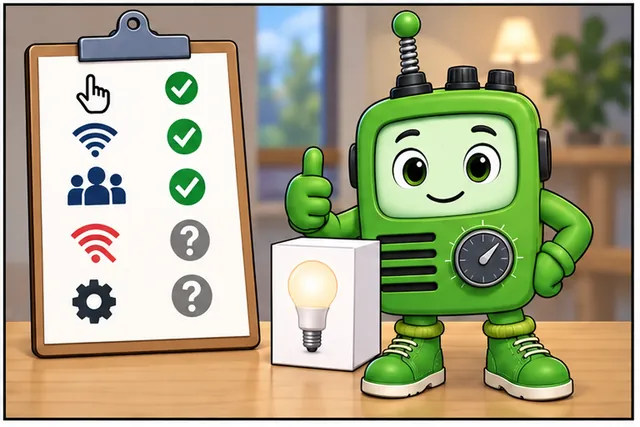
State who may act, what works offline, and what still needs a product test.
Start with one device feature, such as changing brightness. Check how the device joins, which controller may act, and what result the user sees. Then test a second controller, a lost network, and a device reset. Keep the network path separate from the shared device behavior. Matter does not replace the radio or prove that every product supports every feature.
End the fit check in plain words. Say which user action works. Say which network it needs. Say who may control it. Say what happens offline. Say what remains a product test. Keep these answers with the device choice.
Use one user promise as the start. Write what the device should do. Write which app starts the action. Write which local network carries it. Add another approved app. Remove outside internet access. Reset the device. Record which promises still hold. This keeps the shared device behavior separate from product claims and network limits.
Use a plain fit check. Name the device type. List the features the user needs. Check that the data model supports them. Choose the real network path. Name each controller. Decide who may add or remove a controller. Record how the device is reset and sold. Check what still works without the outside internet. Keep product approval separate from basic standard support.
Try the full user path on real products. A shared logo or message format does not prove a smooth setup. Keep failures and missing features visible in the fit decision.
This bulb story leaves out many device types and trust steps. The Practitioner section builds the fit and boundary record. Under the Hood follows fabrics, messages, and security in detail.
Start with a user expecting a Matter device to join, advertise, and respond through a controller without caring which vendor built each piece. What Matter Is and Isn’t is the evidence route for deciding whether that expectation is realistic.
Keep one device story in view: commissioning, fabric membership, interaction model, transport, and certification all have to line up. The advanced details are useful when they explain where that story can break.
32.2 Matter Protocol Overview Evidence
This section: Matter Protocol Overview Evidence — Matter is an IP-based smart-home application layer.
Matter is an IP-based smart-home application layer. It defines how a device describes its capabilities, joins a secure fabric, exchanges commands and attributes, and can be administered by more than one controller ecosystem. It does not replace Thread, Wi-Fi, or Ethernet. It uses those network paths to carry a common application model.
This overview is not a version-history page, product catalog, or vendor recommendation. It is a durable review guide: when a project claims “Matter support,” what evidence should a learner, reviewer, or implementation team expect to see?
32.3 In 60 Seconds
This section: In 60 Seconds
- Matter is a smart-home application layer built around a shared data model, interaction model, commissioning process, and security fabric.
- Matter runs over IP networks such as Thread, Wi-Fi, and Ethernet; Bluetooth Low Energy can assist onboarding but is not the normal operational transport.
- A Matter device is reviewed by its device type, endpoints, clusters, attributes, commands, events, fabrics, commissioning path, and operational behavior.
- Multi-admin means a device can be commissioned into more than one fabric, with each fabric holding its own trust relationship.
- Matter support is not proven by a radio choice, a mobile-app screenshot, or a renamed sample. It needs bounded protocol, data-model, security, and interaction evidence.
- A strong overview record states what Matter claim is in scope, what is excluded, and which focused chapter supplies the detailed evidence.
32.4 Learning Objectives
This section: Learning Objectives
By the end of this chapter, you will be able to:
- Explain Matter as an application layer rather than a radio technology.
- Separate Matter evidence from Thread, Wi-Fi, Ethernet, BLE, Zigbee, bridge, cloud, and controller claims.
- Review how device type, endpoints, clusters, attributes, commands, and events support a Matter product claim.
- Describe fabrics, multi-admin, PASE, CASE, and commissioning at an overview level without turning them into a tool manual.
- Identify when a Matter claim is ready for deeper architecture, device-type, transport, implementation, or testing review.
- Write a bounded Matter overview record that avoids broad interoperability overclaims.
32.5 Quick Check: Matter Boundary
This section: Quick Check: Matter Boundary
32.6 Prerequisites
This section: Prerequisites
This chapter assumes you have reviewed:
- Thread Network Architecture Evidence, for low-power IPv6 mesh context.
- Thread Security and Matter, for the Thread and Matter relationship.
- 6LoWPAN Overview Evidence, for IPv6 adaptation over constrained links.
- Matter Fragmentation Evidence, for the problem Matter is meant to reduce.
32.7 Overview Review Claim
This section: Overview Review Claim — This claim prevents two common mistakes.
Use a claim that can be checked:
Matter overview review claim: A Matter claim is credible only when the product scope, IP transport boundary, data-model claim, fabric and commissioning evidence, controller interaction evidence, bridge limits, and excluded features all support the same bounded smart-home interoperability statement.
This claim prevents two common mistakes. One mistake is treating Matter as only a logo or ecosystem promise. The other is treating every smart-home, Thread, Wi-Fi, cloud, or bridge feature as automatically part of Matter.
32.8 Matter Evidence Map
This section: Matter Evidence Map — The first figure shows the minimum evidence streams behind a Matter overview claim.
The first figure shows the minimum evidence streams behind a Matter overview claim.
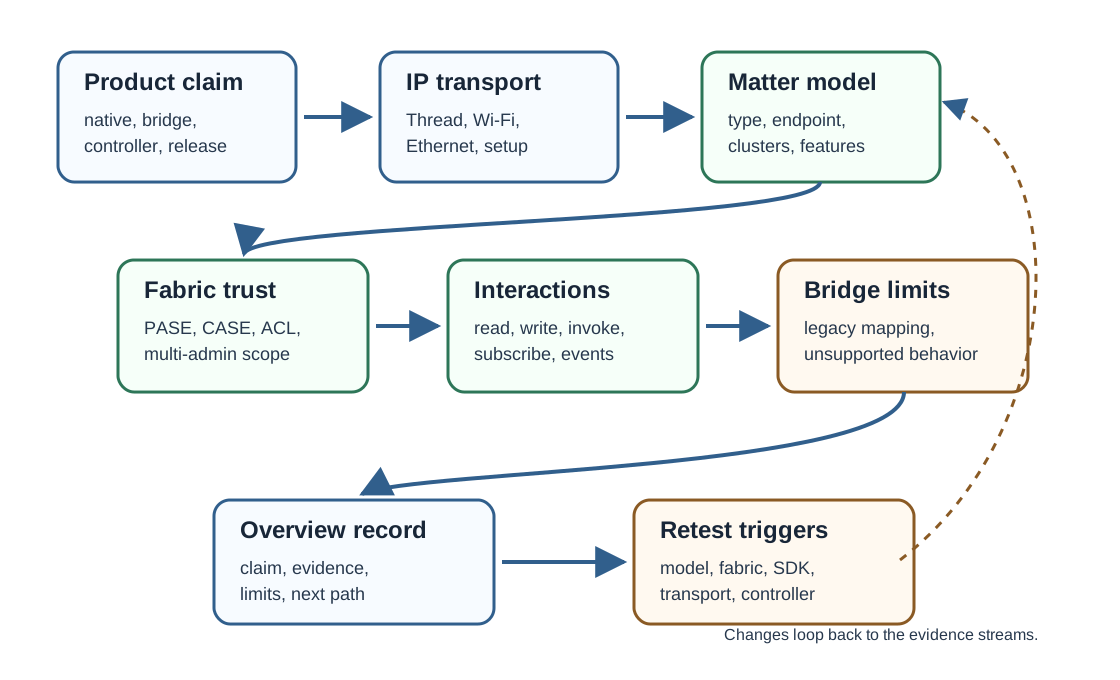
The map is intentionally broad. Later chapters inspect each stream in more detail, but the overview should already make the boundaries visible.
32.9 Architecture Evidence Boundary
This section: Architecture Evidence Boundary — Matter, standardized by the Connectivity Standards Alliance, is reviewed at the application and trust layer, not at the radio layer.
Matter, standardized by the Connectivity Standards Alliance, is reviewed at the application and trust layer, not at the radio layer. A useful architecture record names the Matter node identity, fabric boundary, IP network path, data model, interaction result, and bounded decision evidence for the same product claim.
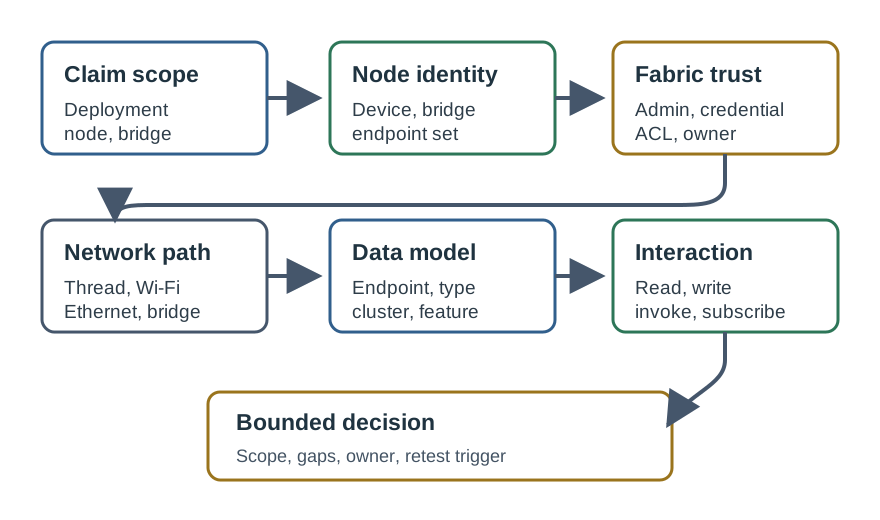
This boundary prevents a common overclaim. A product can use Thread, Wi-Fi, Ethernet, BLE setup, a vendor cloud, or a bridge and still need separate Matter evidence. The Matter claim is the shared data model, secure fabric membership, and local controller interaction carried over the chosen IP path.
32.10 What Matter Is
This section: What Matter Is — Matter defines a common smart-home application model over IP.
Matter defines a common smart-home application model over IP. A reviewer should expect evidence for these areas:
Matter is therefore reviewed as a product behavior contract, not just as a network connection.
32.11 What Matter Is Not
This section: What Matter Is Not
Matter evidence should not be confused with adjacent claims:
- Matter is not a radio. Thread, Wi-Fi, and Ethernet are transport paths.
- Matter is not Bluetooth LE operational networking. BLE may support setup, but operational Matter traffic runs over IP.
- Matter is not a cloud integration promise. Cloud services can exist around a product, but Matter’s core local interaction path should be reviewable.
- Matter is not a guarantee that every controller exposes every optional feature in the same user interface.
- Matter is not the same as Zigbee or Z-Wave. Bridges can expose some legacy devices through Matter, but a bridge claim is different from a native Matter endpoint claim.
- Matter is not proven by a certification logo alone in a design review. The implementation still needs product-scoped evidence.
32.12 Scope Ledger
This section: Scope Ledger — Use a scope ledger when a review starts to mix Matter with surrounding smart-home infrastructure.
Use a scope ledger when a review starts to mix Matter with surrounding smart-home infrastructure.
32.13 Boundary Check
This section: Boundary Check
32.14 Transport Boundary
This section: Transport Boundary — Matter uses IP.
Matter uses IP. The transport question is therefore not “Which ecosystem owns this device?” but “Which IP path carries the Matter interaction for this product claim?”
Review the transport boundary as:
Avoid brittle speed, range, and battery promises in the overview. Those are design-specific engineering claims and should be verified in transport and implementation records.
32.15 IP Reuse and Transport Inheritance
This section: IP Reuse and Transport Inheritance — Matter deliberately reuses IP instead of defining another network.
Matter deliberately reuses IP instead of defining another network. That choice is why the same application model can run over Thread for low-power mesh devices, Wi-Fi for higher-power devices, and Ethernet for fixed infrastructure. Bluetooth Low Energy appears during commissioning as a short-range setup channel, then the device operates over its real IP network.
The benefit is shared tooling and mixed-network interoperability under the same controller and fabric model. The cost is inherited transport evidence. A Matter-over-Thread product still needs Thread network and border-router evidence. A Matter-over-Wi-Fi product still needs access-point and IP reachability evidence. Matter does not erase the operational dependencies underneath it.
32.16 Check: Matter Over IP
This section: Check: Matter Over IP
32.17 Data Model Boundary
This section: Data Model Boundary — A Matter device presents a structured data model.
A Matter device presents a structured data model. The overview should name the shape of the claim before deeper device-type review begins.
Check:
- Is the device claiming a native Matter endpoint, a bridge endpoint, or a controller role?
- Which device type is claimed for each endpoint?
- Which required clusters must be present for that claim?
- Which optional clusters and feature bits are included or excluded?
- Which attributes represent real device state?
- Which commands change behavior, and which errors are expected?
- Which events or subscriptions should be observable?
- Which controller-visible behavior is outside the approval?
The focused chapter Matter Device Types and Clusters Evidence reviews these details. The overview should route learners there instead of duplicating a device-type catalog.
32.18 Fabrics and Multi-Admin
This section: Fabrics and Multi-Admin — A fabric is a Matter trust domain.
A fabric is a Matter trust domain. A commissioned device can be part of a fabric, receive operational credentials, and interact with authorized controllers inside that trust boundary.
Multi-admin matters because a device may be shared with another fabric without changing the basic product identity. That does not mean every controller gets identical user-interface behavior or that access control can be ignored. The review should ask:
- Which fabric owns the first operational approval?
- How is an additional fabric added?
- Which controller subject is allowed to perform which operation?
- What access-control entries are expected?
- What happens when a fabric is removed?
- What device state remains after fabric removal or factory reset?
- Which screenshots or logs must be redacted before being used as evidence?
This is where an overview connects to Matter Fabric Security Evidence.
32.19 Commissioning Boundary
This section: Commissioning Boundary — Commissioning is the handoff from an uncommissioned product to an operational Matter node.
Commissioning is the handoff from an uncommissioned product to an operational Matter node. At overview level, do not memorize a vendor flow. Review the evidence checkpoints.
Minimum overview checkpoints:
The detailed flow belongs in Matter Device Commissioning Evidence.
32.20 Overview Gate Check
This section: Overview Gate Check
32.21 Native Device, Bridge, and Controller Claims
This section: Native Device, Bridge, and Controller Claims — Matter overview records should distinguish roles.
Matter overview records should distinguish roles.
This distinction matters because a bridge can improve interoperability without making every legacy device a native Matter implementation.
32.22 Fit Decision Record
This section: Fit Decision Record — The second figure shows how to turn an overview into a decision record.
The second figure shows how to turn an overview into a decision record.
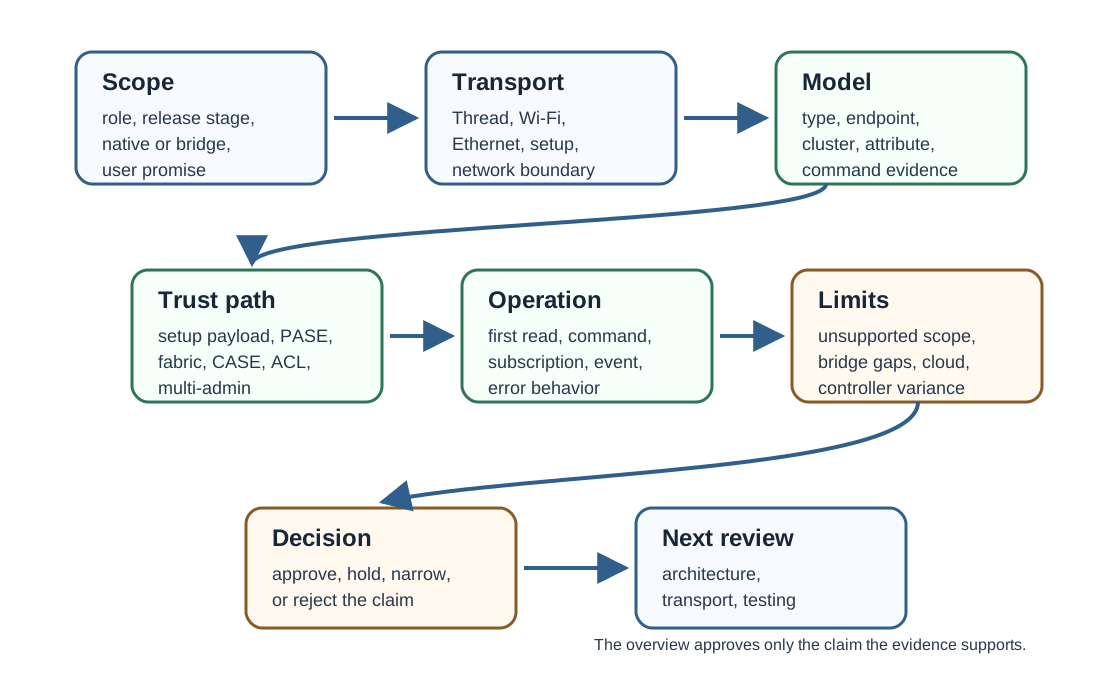
The decision record should be short enough to maintain, but specific enough to prevent broad claims from drifting across chapters.
32.23 When Matter Fits
This section: When Matter Fits
Matter is a strong candidate when the product claim needs:
- Consumer smart-home interoperability across supported controllers.
- Local IP-based control with a standardized application model.
- Common device-type behavior that can be represented through Matter endpoints and clusters.
- Multi-admin support or a clear fabric-sharing story.
- A bridge strategy for exposing selected legacy devices through a bounded Matter interface.
- A certification and conformance path that matches the release claim.
Matter may need careful scoping when:
- The use case is industrial, safety-critical, medical, or fleet-operational rather than consumer smart home.
- The required behavior is not represented well by available device types or clusters.
- The product depends on cloud-only behavior and cannot provide local operational evidence.
- A legacy protocol bridge would hide too much device behavior or fault state.
- The team cannot maintain provisioning, credential, update, and retest evidence.
32.24 Worked Overview Records
This section: Worked Overview Records
32.25 Record 1: Battery Contact Sensor
This section: Record 1: Battery Contact Sensor
Scenario: A battery contact sensor claims Matter support over a low-power mesh transport.
Evidence found: The record names the endpoint device type, required clusters, setup payload handling, commissioning path, first operational read, fabric ownership, battery-state reporting boundary, and excluded optional behavior.
Decision: Approve the overview claim for deeper transport, device-type, commissioning, and test review. Do not approve final release readiness from the overview alone.
32.26 Record 2: Cloud-Only Plug
This section: Record 2: Cloud-Only Plug
Scenario: A smart plug works through a vendor cloud app and uses Wi-Fi.
Evidence found: There is no Matter endpoint model, no local controller interaction, no commissioning record, and no fabric credential evidence.
Decision: Hold the Matter claim. Wi-Fi and cloud control are adjacent smart-home facts, not Matter evidence.
32.27 Record 3: Legacy Bridge
This section: Record 3: Legacy Bridge
Scenario: A hub exposes selected legacy lights through Matter bridge endpoints.
Evidence found: The record identifies bridge endpoints, mapped clusters, unsupported legacy features, fabric behavior, fault visibility, and the difference between bridge behavior and native legacy behavior.
Decision: Approve a bounded bridge overview claim. Do not describe the legacy devices as native Matter products.
32.28 Common Mistakes
This section: Common Mistakes
- Calling Matter a radio technology instead of an application layer over IP.
- Treating Thread support as automatic proof of Matter support.
- Treating a cloud integration or controller screenshot as proof of local Matter behavior.
- Ignoring device-type, endpoint, cluster, and PICS evidence.
- Claiming multi-admin without fabric, ACL, and removal behavior records.
- Treating bridge exposure as equivalent to native Matter implementation.
- Listing current product categories, vendors, or version timelines without maintenance ownership.
- Publishing setup codes, private keys, operational datasets, or account identifiers in review evidence.
- Approving certification, release, or interoperability claims from overview-level evidence alone.
32.29 Match the Matter Overview Evidence
This section: Match the Matter Overview Evidence
32.30 Order the Matter Overview Review
This section: Order the Matter Overview Review
32.31 Overview Record Template
This section: Overview Record Template
A concise Matter overview record should include:
32.32 Summary
This section: Summary — Matter should be introduced as a bounded evidence claim.
Matter should be introduced as a bounded evidence claim. It is an IP-based smart-home application layer with a shared data model, interaction model, commissioning process, fabric security, and multi-admin capabilities. It uses transports such as Thread, Wi-Fi, and Ethernet, but it is not the same thing as those transports.
The most useful overview does not overpromise. It separates native device, bridge, and controller roles; identifies transport and data-model boundaries; names commissioning and fabric evidence; and routes deeper questions to the focused Matter chapters. That keeps the platform understandable without drifting into vendor lists, stale version timelines, or unsupported interoperability guarantees.
32.33 Key Takeaway
This section: Key Takeaway — Matter Protocol Overview Evidence should align Matter protocol stack, fabrics, commissioning, clusters, transports, interoperability, certification, and deployment evidence.
Matter Protocol Overview Evidence should align Matter protocol stack, fabrics, commissioning, clusters, transports, interoperability, certification, and deployment evidence.
32.34 Concept Relationships
This section: Concept Relationships
- Matter Fragmentation Evidence: explains the smart-home fragmentation problem that Matter addresses.
- Matter Architecture Evidence: expands the protocol stack, node, fabric, controller, and bridge architecture.
- Matter Protocol Stack Evidence: reviews the application, security, transport, and data-model layers in detail.
- Matter Device Types and Clusters Evidence: reviews endpoint and cluster evidence for product claims.
- Matter Fabric Security Evidence: reviews fabrics, ACLs, credentials, CASE, and multi-admin boundaries.
32.35 What’s Next
This section: What’s Next
- Matter Architecture Evidence deepens the architectural view.
- Matter Transport Options and Platforms reviews the transport selection boundary.
- Matter Device Types and Clusters Evidence reviews endpoint and cluster claims.
- Matter Implementation Evidence reviews SDK, data-model, commissioning, testing, and release evidence.
- Matter Device Commissioning Evidence reviews onboarding and operational trust in detail.
Find help
3 reviewed answers.
Where should I start in a module?
Open the module page from the sidebar to see its chapters in order. Use the module map to return to a topic you need.
Modules and pathsReviewed
What can I try when a project does not work?
Check the symptom, then work through the diagnostic steps. Keep the error message and the smallest example that reproduces it.
When you are stuckReviewed
How do interactive examples work?
Use the interactive guide to check how examples and simulations work before changing your project.
Interactive examples guideReviewed