23 Data Preprocessing Workflow
More
Depth: Practitioner
Progress saves as you read. Mark sections complete as you go; your progress appears in the sidebar.
23.1 Start With the Story
This section: Start With the Story
23.1.1 Preserve the Reading Before Cleaning It
-
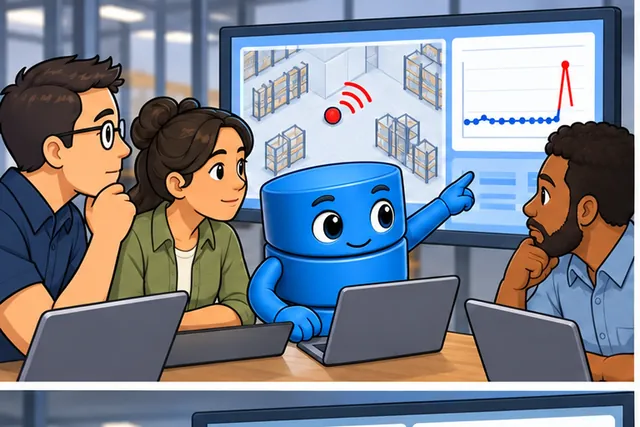
A warehouse sensor reports a sudden jump in temperature.
-
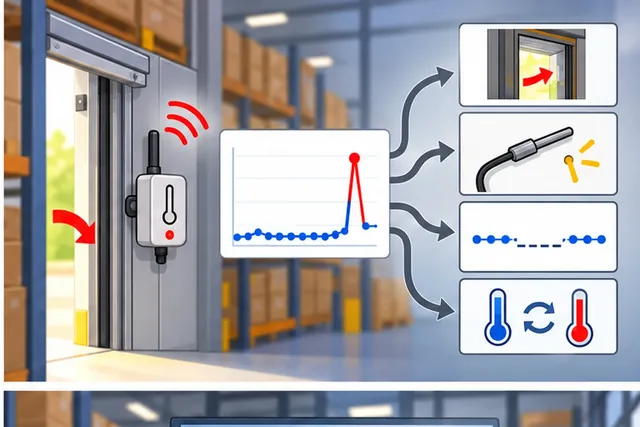
Silent smoothing may erase a real door opening or sensor fault.
-
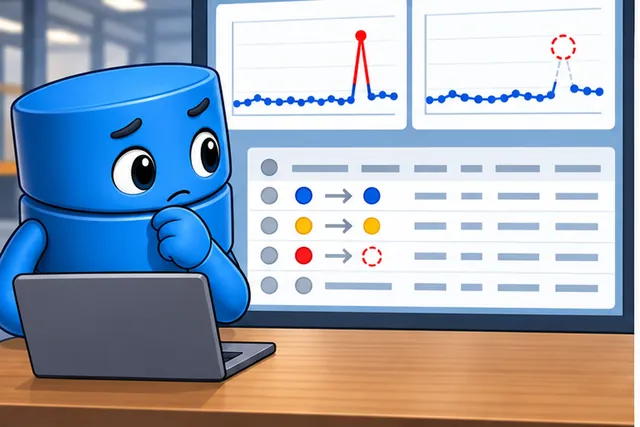
Keep the raw value, then mark each rule and every changed result.
-
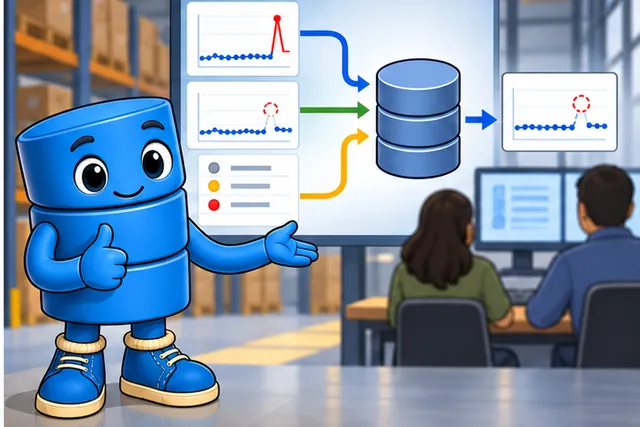
Leave an honest gap when no safe repair can be proved.
A warehouse sensor reports a sudden temperature jump. It may be a real door opening, a loose probe, a missing sample, or a unit change. A cleaning step that silently smooths the jump can erase the very event the operator needs.
Keep an unchanged copy of every input. Add time, device identity, unit, quality mark, and processing version. Then apply one rule at a time. Mark values that are rejected, filled, clipped, or changed. Never let a repaired value look like a direct measurement.
Use a small audit row for each step. Show the value before the rule. Show the value after it. Name the rule and its version. Add a reason and an owner. If no safe repair exists, keep the gap. A clear gap is better than a neat value with no honest source.
Test the path with a gap, a stuck value, a unit swap, a late record, and a real fast change. Check whether the operator can recover the original evidence and explain why the final value is fit for its next use.
Preprocessing can make data easier to use. It cannot prove that the sensor was correct or that a later model is safe. The deeper sections explain validation, outliers, missing values, scaling, and the review records that keep each change honest.
A cleaned value still needs its raw source and transformation record before it can support a decision.
This is a long overview, so keep the flow visible:
- First you learn why raw IoT readings are noisy, incomplete, and sometimes impossible.
- Then you walk the validate-clean-transform pipeline and see why validation must come first.
- Next you price bad data with the 1-10-100 rule and a smart-building example.
- Finally you compare imputation, filtering, and normalization choices before using the quizzes to check the full workflow.
Checkpoints recap the main decisions as you go, and “Deep dive” sections are optional detail on a first read.
23.2 Learning Objectives
This section: Learning Objectives
By the end of this chapter series, you will be able to:
- Design a Data Quality Pipeline: Architect a validate-clean-transform workflow for IoT sensor streams
- Compare Preprocessing Techniques: Evaluate validation, imputation, and normalization methods based on sensor type and data characteristics
- Implement Edge-Side Preprocessing: Build and test resource-efficient data quality checks that run on constrained devices
- Calculate Data Quality Impact: Quantify the cost of poor data quality versus the investment in preprocessing using the 1-10-100 rule
- Diagnose Common Pitfalls: Identify and prevent the most frequent data quality mistakes in IoT systems
23.3 Data Quality Preprocessing Check
This section: Data Quality Preprocessing Check
Key Concepts
This section: Key Concepts
- Data preprocessing pipeline: A sequenced set of transformations applied to raw sensor data: validation → imputation → filtering → normalisation → feature extraction → aggregation, each step feeding the next.
- Outlier detection and treatment: The process of identifying readings that lie far outside the expected range and deciding whether to remove, cap, or flag them before analysis.
- Feature extraction: The transformation of raw sensor time series into informative features (mean, variance, FFT components, zero-crossing rate) that capture the patterns relevant to the downstream task.
- Data windowing: Dividing a continuous sensor stream into fixed-length or event-triggered windows for batch feature extraction and ML model input.
- Schema-on-read vs schema-on-write: Two approaches to data structure enforcement: schema-on-write validates structure at ingestion (preferred for quality), schema-on-read allows raw storage and validates at query time (flexible but risky).
23.4 In 60 Seconds
This section: In 60 Seconds
23.5 Minimum Viable Understanding
This section: Minimum Viable Understanding
- Data quality preprocessing is a three-stage pipeline — validate (reject impossible values), clean (fill gaps and remove noise), transform (normalize for analysis) — applied at the edge before data reaches the cloud.
- Bad data is costlier to fix downstream — a corrupt sensor reading can trigger false alarms, shut down equipment, or poison ML models, so catching issues at the source is critical.
- Every sensor type needs tailored quality rules — temperature cannot exceed physical bounds, humidity cannot go above 100%, and rate-of-change limits must match the physical process being measured.
23.6 Overview
This section: Overview — Data quality preprocessing is the foundation of trustworthy IoT analytics.
Data quality preprocessing is the foundation of trustworthy IoT analytics. Raw sensor data is inherently noisy, incomplete, and sometimes outright wrong. This series explores practical techniques for detecting and correcting data quality issues in real-time on resource-constrained edge devices.
23.7 Data Quality Preprocessing Basics
This section: Data Quality Preprocessing Basics — The basic idea is simple: do not ask analytics to make sense of readings you would not trust in the field.
Imagine you are baking a cake. Before you start mixing, you check your ingredients: Is the flour fresh or expired? Is there enough sugar? Did someone accidentally put salt in the sugar jar?
Data quality preprocessing works the same way. Before IoT data is analyzed or used to make decisions, it must be checked and cleaned:
- Validate — Is this sensor reading even physically possible? (A room temperature of 500 degrees is not.)
- Clean — Are there gaps or noise in the data? Fill the gaps and smooth out the noise.
- Transform — Are all the readings on the same scale? Convert them so different sensors can be compared.
Why does this matter?
- A smart thermostat that trusts a faulty temperature reading might blast the AC on a cold day
- A factory monitoring system that ignores data quality might miss a real equipment failure hidden in noisy data
- A health monitor that does not validate readings might send a false emergency alert
Key concept: It is much cheaper and faster to catch data problems at the edge (right where the sensor is) than to fix them later in the cloud. Think of it as proofreading your essay before submitting it, not after the teacher has graded it.
The basic idea is simple: do not ask analytics to make sense of readings you would not trust in the field. The next sections turn that idea into a concrete pipeline order.
23.8 The Data Quality Problem in IoT
This section: The Data Quality Problem in IoT — IoT systems generate massive volumes of sensor data, but raw readings are rarely analysis-ready.
IoT systems generate massive volumes of sensor data, but raw readings are rarely analysis-ready. Studies consistently show that data scientists spend 60-80% of their time on data preparation, and in IoT contexts the challenges are amplified by:
- Harsh environments: Sensors deployed outdoors, in factories, or underwater face temperature extremes, vibration, and electromagnetic interference
- Resource constraints: Edge devices have limited CPU, memory, and power for sophisticated processing
- Real-time requirements: Many IoT applications need clean data in milliseconds, not hours
- Scale: Thousands of sensors producing readings every second create a firehose of potentially dirty data
The overview diagram in Figure 23.1 shows why those field problems must be handled as an ordered evidence path rather than a collection of independent fixes.
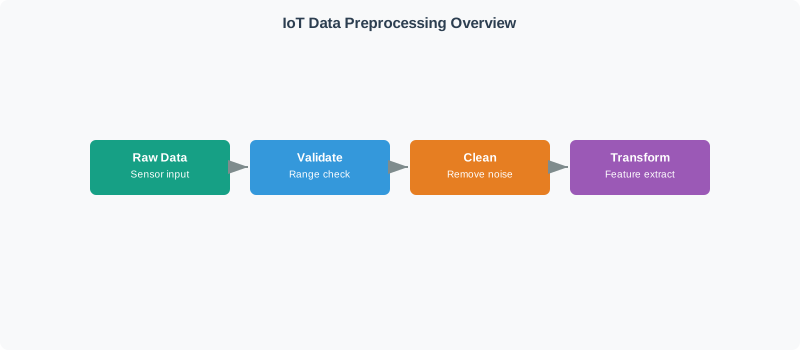
Read Figure 23.1 from raw sensor data through validation, cleaning, and transformation. Validation marks impossible or malformed evidence before it is rewritten; cleaning applies recorded rules to gaps, duplicates, or noise; transformation prepares consistent units, windows, and features for a named consumer. Each stage can change what later analytics see. The sequence connects the IoT failure sources to the chapter’s running contract: preserve provenance and quality flags so analysis-ready data never masquerades as untouched measurement.
23.9 The Three-Stage Pipeline
This section: The Three-Stage Pipeline — The data quality pipeline follows a strict validate-clean-transform sequence.
The data quality pipeline follows a strict validate-clean-transform sequence. Each stage builds on the previous one, and skipping a stage leads to compounding errors downstream.
Preprocessing decisions are easier to audit when validation, repair, and feature preparation remain separate. The pipeline diagram in Figure 23.2 supplies that compact stage boundary before the chapter expands each contract.
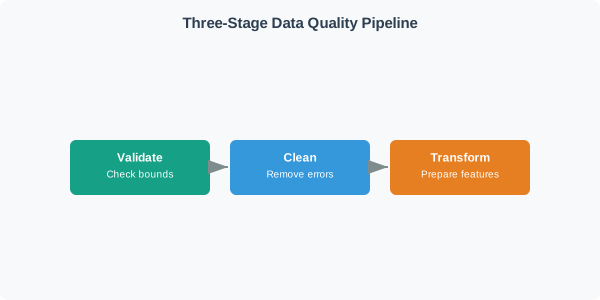
The three boxes in the diagram Figure 23.2 deliberately assign different responsibilities. Validate asks the physical-bounds question before any value changes; Clean can remove proven errors or fill bounded gaps; Transform prepares features only after accepted and repaired states are known. A failed bounds check should not be hidden inside feature scaling, and an imputed value should not masquerade as an observation. The running data-quality record carries the validation result, cleaning provenance, and transform version separately so a downstream model can be replayed against the same evidence.
| Stage | Purpose | Key Techniques | Typical Edge Cost |
|---|---|---|---|
| 1. Validate | Reject impossible readings | Range checks, rate-of-change limits, cross-sensor plausibility | Very low (simple comparisons) |
| 2. Clean | Fill gaps, remove noise | Forward fill, interpolation, moving average, median filter | Low to moderate |
| 3. Transform | Prepare for analysis | Min-max scaling, z-score normalization, robust scaling | Low |
23.10 Try It: Three-Stage Pipeline Simulator
This section: Try It: Three-Stage Pipeline Simulator
23.11 Chapter Series
This section: Chapter Series
This topic is covered in three focused chapters:
23.12 Validation and Outliers
This section: Validation and Outliers
The first stage of the data quality pipeline focuses on detecting invalid and anomalous readings:
- Range Validation: Check values against physical bounds
- Rate-of-Change Validation: Detect impossible sensor jumps
- Multi-Sensor Plausibility: Cross-validate related measurements
- Z-Score Detection: Identify outliers in Gaussian distributions
- IQR and MAD Detection: Robust outlier detection for skewed data
23.13 Imputation and Noise Filtering
This section: Imputation and Noise Filtering
The second stage handles gaps in data and removes noise while preserving the underlying signal:
- Forward Fill: Simple imputation for slowly-changing values
- Linear Interpolation: Fill gaps in trending data
- Seasonal Decomposition: Use periodic patterns for imputation
- Sensor-Specific Strategies: Match imputation to sensor semantics
- Moving Average and Median Filters: Smooth steady-state noise and remove spikes
- Exponential Smoothing: Real-time filtering with tunable responsiveness
23.14 Normalization Lab
This section: Normalization Lab
The final stage prepares data for analysis and provides hands-on practice:
- Min-Max Scaling: Transform data to bounded ranges for neural networks
- Z-Score Normalization: Center data for clustering and SVM
- Robust Scaling: Outlier-resistant normalization
- ESP32 Wokwi Lab: Complete data quality pipeline implementation
- Challenge Exercises: Extend the pipeline with advanced techniques
 Checkpoint: Pipeline Map
You now know:
- Validation rejects readings that violate physical bounds, rate limits, or multi-sensor plausibility.
- Cleaning handles missing readings and noise only after invalid readings are removed.
- Transformation makes cleaned data comparable for analytics, feature extraction, and ML input.
23.15 Cost of Poor Data Quality
This section: Cost of Poor Data Quality — Understanding why data quality matters requires quantifying the cost of getting it wrong.
Understanding why data quality matters requires quantifying the cost of getting it wrong. The 1-10-100 rule is well-established in data engineering:
Inspect the cost progression in Figure 23.3 before the scenarios; it explains why an inexpensive source check can prevent a much larger downstream incident.
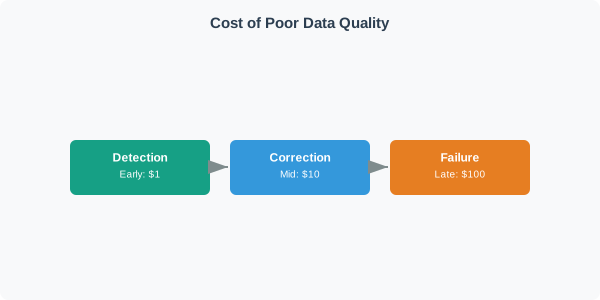
Read Figure 23.3 from early detection to mid-pipeline correction and finally operational failure. The 1-10-100 labels are a relative heuristic, not a universal invoice: they show how contaminated evidence accumulates reprocessing, diagnosis, and decision costs as it travels. The meaning is the direction and compounding effect. This connects the quality pipeline to the running narrative by making validation placement an economic and safety decision, while the following cases supply the deployment-specific numbers needed for a real estimate.
Real-world examples with quantified costs:
23.16 Smart HVAC
Failure scenario: Stuck sensor reads 15C in summer, heater runs 8 hours.
Root cause: No staleness check.
Cost of failure: $4.80/day energy + $200 investigation.
Cost of prevention: $0 (one timestamp comparison).
Ratio: Infinite
23.17 Predictive Maintenance
Failure scenario: EMI noise triggers false “bearing failure” alert.
Root cause: No noise filter.
Cost of failure: $45,000 (4-hour shutdown of production line).
Cost of prevention: $0.02 (median filter CPU time per day).
Ratio: 2,250,000:1
23.18 Agricultural IoT
Failure scenario: Moisture sensors drift 5% over 6 months.
Root cause: No drift detection.
Cost of failure: $12,000/season (30% water overuse on a 50-hectare farm).
Cost of prevention: $50 (quarterly calibration check).
Ratio: 240:1
23.19 Cold Chain
Failure scenario: Sensor gap during transport is not flagged.
Root cause: No gap detection.
Cost of failure: $500,000 (rejected pharmaceutical shipment).
Cost of prevention: $0 (missing-reading counter).
Ratio: Infinite
23.20 Smart Grid
Failure scenario: CT sensor phase error corrupts power readings.
Root cause: No cross-sensor validation.
Cost of failure: $8,000/month (billing errors for 200 units).
Cost of prevention: $0 (compare with utility meter).
Ratio: Infinite
The pattern is consistent: prevention costs are negligible (simple comparisons, a few CPU cycles) while failure costs range from hundreds to hundreds of thousands of dollars. This is why data quality should be the first thing you implement, not the last.
23.21 Try It: Data Quality Cost Calculator
This section: Try It: Data Quality Cost Calculator — Use this interactive calculator to explore the 1-10-100 rule with your own failure scenario.
Use this interactive calculator to explore the 1-10-100 rule with your own failure scenario. Adjust the costs to see how the prevention-to-failure ratio changes.
23.22 Putting Numbers to It
This section: Putting Numbers to It
Quantifying the 1-10-100 Rule for IoT Data Quality
Treat the arithmetic below as a deep dive: useful when you need to audit the cost logic, but not required before continuing to the smart-building pipeline.
The classic 1-10-100 quality-cost rule of thumb illustrates $1 to prevent, $10 to correct, and $100 when a problem causes failure. ASQ
Example: Smart HVAC with stuck sensor reading 15°C in summer
Prevention Cost ($1 equivalent - timestamp staleness check):
Correction Cost ($10 equivalent - retrospective data repair):
Failure Cost ($100 equivalent - heater ran 8 hours unnecessarily):
Actual Ratio:
The prevention step is inexpensive in this example, but a ratio requires a nonzero, consistently measured prevention cost; choose edge validation based on the measured cost and risk of failures.
This section:
Checkpoint: Cost Evidence
You now know:
- The 1-10-100 rule compares prevention, correction, and failure costs.
- In the examples above, simple edge checks prevent failures ranging from wasted energy to rejected shipments.
- When prevention is a timestamp comparison, range check, or median filter, the cost can be effectively negligible.
This section:
23.23 Smart Building Temperature Pipeline
This section: Smart Building Temperature Pipeline — Scenario: You are deploying 200 temperature sensors across a commercial building for HVAC optimization.
Scenario: You are deploying 200 temperature sensors across a commercial building for HVAC optimization. Each sensor reports every 30 seconds. You need clean, analysis-ready data for the building management system.
Step 1 — Define Validation Rules
First, establish what constitutes valid data for your specific deployment:
| Rule | Threshold | Rationale |
|---|---|---|
| Physical range | -10 to 60 degrees Celsius | Building is climate-controlled but accounts for loading docks |
| Rate of change | Max 2 degrees Celsius per minute | Physical thermal mass prevents faster changes |
| Cross-sensor | Max 8 degrees Celsius difference from nearest neighbor | Adjacent zones should not differ drastically |
| Staleness | Max 5 minutes between readings | Sensor or network failure if gap exceeds this |
Step 2 — Design Cleaning Strategy
For readings that pass validation but have quality issues:
- If a reading is missing for less than 5 minutes: Use linear interpolation from neighbouring readings.
- If a reading is missing for 5 minutes or more: Keep the interval missing, flag the sensor as stale, and resume only after a fresh valid reading.
- If high-frequency noise exceeds 0.5C: Apply an exponential moving average with
alpha = 0.3.
That gives the building team a contract: every later interpolation, filter, and feature sees data that has already survived the deployment-specific rules.
23.24 Imputation and Filtering Explorer
This section: Imputation and Filtering Explorer
Step 3 — Apply Normalization
For the ML-based HVAC optimization model:
Normalized Temp = (Raw Temp - Zone Min) / (Zone Max - Zone Min)
Where:
Zone_Minis the historical minimum for the zone (for example, 18C for an office).Zone_Maxis the historical maximum for the zone (for example, 28C for an office).- The result should stay in the
[0, 1]range for neural-network input.
23.25 Normalization Throughput Calculator
This section: Normalization Throughput Calculator — Experiment with different temperature readings, zone bounds, and sensor configurations to see how min-max normalization works and how pipeline throughput scales.
Experiment with different temperature readings, zone bounds, and sensor configurations to see how min-max normalization works and how pipeline throughput scales.
Result: With the default settings, the pipeline processes 24,000 readings per hour (200 sensors x 2 readings/min x 60 min). With edge-side validation, assume roughly 0.1-0.5% of readings are flagged or rejected in this smart-building example, preventing those errors from reaching the HVAC control algorithm. The cleaning stage interpolates only bounded short gaps; longer gaps remain flagged as missing.
This section:
Checkpoint: Cleaning and Scaling
You now know:
- A 5 minute gap is handled differently from a short missing-reading blip.
- Exponential smoothing with
alpha = 0.3trades responsiveness against noise reduction. - Min-max normalization depends on the chosen zone bounds, so outliers must be cleaned before scaling.
This section:
23.26 Common Pitfalls in IoT Data Quality
This section: Common Pitfalls in IoT Data Quality
1. Skipping validation because “the sensor is reliable” Even high-quality sensors fail. A $500 industrial temperature sensor can still produce garbage readings when its wiring corrodes, its power supply fluctuates, or firmware bugs cause buffer overflows. Always validate.
2. Using the same thresholds for all environments A valid temperature range for an indoor office (15-30 degrees Celsius) is completely wrong for a cold storage facility (-25 to -15 degrees Celsius) or a server room (18-27 degrees Celsius). Validation rules must be context-specific.
3. Over-smoothing the signal Aggressive noise filtering (large window moving averages, very low alpha in EMA) removes real events along with noise. A sudden temperature spike might be a genuine HVAC failure, not noise. Balance smoothness with responsiveness.
4. Ignoring sensor drift A sensor that reads 0.5 degrees Celsius too high on day 1 might read 3 degrees too high by month 6. Without periodic recalibration or drift detection, your “clean” data slowly becomes systematically wrong.
5. Normalizing before cleaning If you normalize data that contains outliers, the outliers distort the scaling parameters (min, max, mean, standard deviation), making all your normalized values wrong. Always clean first, then normalize.
6. Treating all missing data the same A 30-second gap (one missed reading) is very different from a 2-hour gap (network outage). Simple forward fill works for the former but introduces dangerous stale data for the latter. Match your imputation strategy to the gap duration and sensor type.
23.27 Try It: Normalization Methods Comparison
This section: Try It: Normalization Methods Comparison
This section:
Checkpoint: Implementation Readiness
You now know:
- The safe order is validate first, clean second, transform third.
- Imputed values should be flagged so downstream analysis can distinguish estimated data from measured data.
- Robust scaling is useful when outliers cannot be removed before normalization.
This section:
23.28 Knowledge Check
This section: Knowledge Check
Test your understanding of data quality preprocessing concepts:
23.29 Interactive Quiz: Match Concepts
This section: Interactive Quiz: Match Concepts
23.30 Interactive Quiz: Sequence the Steps
This section: Interactive Quiz: Sequence the Steps
23.31 Label the Diagram
This section: Label the Diagram
23.32 Code Challenge
This section: Code Challenge
23.33 Preprocessing Signal Contracts
This section: Preprocessing Signal Contracts — For the deeper implementation contract behind alignment, smoothing, resampling, causal filtering, aliasing, and preprocessing provenance, continue to Preprocessing Sequence and Signal Contracts.
For the deeper implementation contract behind alignment, smoothing, resampling, causal filtering, aliasing, and preprocessing provenance, continue to Preprocessing Sequence and Signal Contracts.
Audit the transformation from a syntactically valid record to a trustworthy analytic input in Figure 23.4.

In the diagram Figure 23.4, parse and identify accepts 480 as numeric but still asks which unit; Validate the domain rejects it against −35…+15 °C; Repair with provenance keeps quarantine or imputation visible. The output remains value + quality + freshness + lineage.
23.34 Summary and Key Takeaways
This section: Summary and Key Takeaways — Data quality preprocessing is not optional in IoT systems — it is the critical foundation that determines whether your analytics, ML models, and automated decisions can be trusted.
Data quality preprocessing is not optional in IoT systems — it is the critical foundation that determines whether your analytics, ML models, and automated decisions can be trusted.
Core principles to remember:
- Follow the pipeline order: Validate first, clean second, transform third. Skipping or reordering stages causes compounding errors.
- Catch issues at the edge: The 1-10-100 quality-cost rule of thumb illustrates why prevention at the source can be much cheaper than fixing downstream failures. ASQ
- Customize for context: Validation thresholds, imputation strategies, and normalization methods must match the specific sensor type, deployment environment, and downstream use case.
- Always flag imputed data: Downstream analysis needs to know which values are measured versus estimated. Never silently replace data.
- Balance filtering with responsiveness: Over-smoothing removes real events. Under-smoothing leaves noise that corrupts analysis. Tune your filters to the specific signal characteristics.
23.35 Learning Path
This section: Learning Path
Recommended order:
- Start with Data Validation and Outlier Detection to understand how to catch invalid data at the source
- Continue with Missing Value Imputation and Noise Filtering to learn gap handling and signal smoothing
- Complete with Data Normalization and Preprocessing Lab for scaling techniques and hands-on practice
Prerequisites:
- Edge Data Acquisition - Where raw data originates
- Sensor Fundamentals - Understanding sensor characteristics
- Signal Processing Essentials - Basic filtering concepts
23.36 Concept Relationships
This section: Concept Relationships — This overview chapter introduces the three-stage data quality pipeline that underpins all IoT analytics.
This overview chapter introduces the three-stage data quality pipeline that underpins all IoT analytics. The validate-clean-transform sequence is critical because each stage builds on the previous one — skipping or reordering stages causes compounding errors.
Critical Dependencies:
- Edge Data Acquisition — Where raw data originates; edge preprocessing catches issues at source (negligible cost vs. expensive cloud fixes)
- Sensor Fundamentals — Understanding sensor drift, noise, and failure modes informs validation thresholds
Downstream Applications (Require clean data):
- Multi-Sensor Data Fusion — Combining sensors; garbage data in one sensor poisons the entire fused output
- Anomaly Detection — Finding meaningful outliers; poor quality data creates false positives that drown real anomalies
- Modeling and Inferencing — ML models can amplify data quality issues; training-data errors can reduce model accuracy.
23.37 What’s Next
This section: What’s Next
| If you want to… | Read this |
|---|---|
| Learn imputation and filtering in detail | Data Quality Imputation and Filtering |
| Practise normalisation in a hands-on lab | Data Quality Normalisation Lab |
| Understand data quality validation | Data Quality Validation |
| Control preprocessing sequence and signal provenance | Preprocessing Sequence and Signal Contracts |
| Apply preprocessed data to ML pipelines | Modeling and Inferencing |
| Return to the module overview | Big Data Overview |
23.38 See Also
This section: See Also
Data Quality Deep Dives:
- Data Validation and Outlier Detection - Range checks, rate-of-change, Z-score, IQR
- Missing Value Imputation and Noise Filtering - Forward fill, interpolation, median filter
- Data Normalization and Preprocessing Lab - Min-max, Z-score, ESP32 implementation
Foundational Context:
- Edge Data Acquisition - Data collection at source
- Sensor Fundamentals - Sensor characteristics and failure modes
Applications:
- Multi-Sensor Data Fusion - Combining quality-checked sensor data
- Anomaly Detection - Detecting meaningful outliers in clean data
- Stream Processing - Real-time quality pipelines
Find help
3 reviewed answers.
Where should I start in a module?
Open the module page from the sidebar to see its chapters in order. Use the module map to return to a topic you need.
Modules and pathsReviewed
What can I try when a project does not work?
Check the symptom, then work through the diagnostic steps. Keep the error message and the smallest example that reproduces it.
When you are stuckReviewed
How do interactive examples work?
Use the interactive guide to check how examples and simulations work before changing your project.
Interactive examples guideReviewed