26 LoRaWAN Security & Activation
The single most important concept: LoRaWAN security depends on OTAA activation and frame counters. ABP activation creates a critical vulnerability where power outages cause devices to reset their frame counter, leading to packet rejection. Always use OTAA for production deployments - it generates fresh session keys after each rejoin, eliminating frame counter reset issues and preventing replay attacks.
Interview-ready statement: “LoRaWAN uses AES-128 encryption with separate network and application session keys. OTAA is essential for production because it regenerates keys after device reboots, while ABP’s static keys make frame counter resets a security and reliability disaster.”
Hey kids! Let’s learn about LoRaWAN security with the Sensor Squad!
Sammy the Sensor says: “Imagine you’re sending secret messages to your friend across a big field. You need THREE things to stay safe!”
The Three Security Secrets:
- A Special Codebook (AppKey) - Only you and your friend know the secret code
- A Counting Number (Frame Counter) - Like numbering your messages: “This is message #5, #6, #7…”
- A Magic Stamp (MIC) - Proves the message really came from you
Lila the LED explains OTAA vs ABP:
- OTAA (Over-The-Air Activation) = Like getting a NEW codebook every time you start playing
- “Hey friend, let’s make up NEW secret codes today!”
- Super safe because old codes don’t work anymore
- ABP (Activation By Personalization) = Like using the SAME codebook forever
- If you forget what number you were on, your friend ignores your messages!
- Not as safe for important stuff
Max the Motor asks: “What happens if the power goes out?” - With OTAA: You get new codes, start fresh at message #1 - all good! - With ABP: You forget your message number, friend says “You already sent #1!” - messages rejected!
Remember: Always use OTAA for real projects - it’s like getting a fresh codebook every day!
This section covers LoRaWAN security mechanisms and activation methods:
Two Activation Methods:
| Method | Keys | Security | Best For |
|---|---|---|---|
| OTAA | Generated per session | Dynamic, more secure | Production deployments |
| ABP | Pre-configured | Static, simpler | Testing only |
Key Security Concepts:
- Frame Counter: Prevents replay attacks
- MIC (Message Integrity Code): Validates packet authenticity
- AES-128 Encryption: Protects payload data
26.1 Learning Objectives
By the end of this section, you will be able to:
- Contrast Activation Methods: Evaluate OTAA vs ABP trade-offs in terms of security, reliability, and operational cost
- Diagnose Frame Counter Issues: Identify and resolve ABP frame counter reset vulnerabilities after power outages
- Design Secure Deployments: Select and justify appropriate key management and activation configurations for production
- Analyze MIC Errors: Explain why FCnt mismatches produce “invalid MIC” errors and trace the root cause
26.2 Prerequisites
Before this section, complete:
- LoRaWAN Review: Architecture - Network topology and device classes
- LoRaWAN Review: Configuration - Configuration best practices
26.3 OTAA vs ABP: Activation Method Comparison
26.3.1 Over-The-Air Activation (OTAA)
OTAA is the recommended activation method for production deployments:
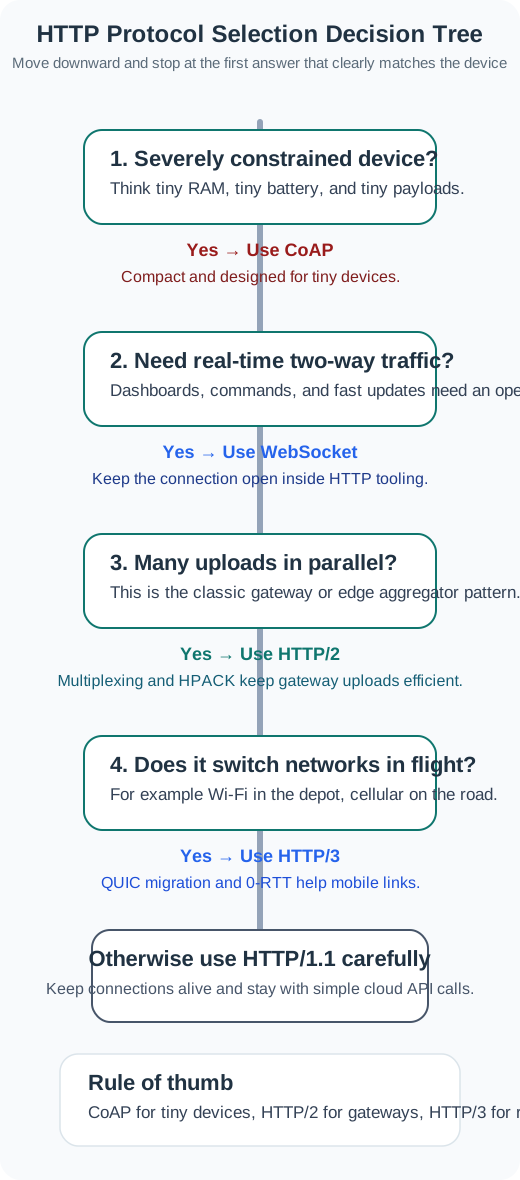
OTAA Parameters:
- DevEUI: 64-bit unique device identifier
- AppEUI (JoinEUI): 64-bit application identifier
- AppKey: 128-bit AES root key (never transmitted)
Derived Session Keys:
- AppSKey: Application session key (encrypts payload)
- NwkSKey: Network session key (validates MIC)
OTAA Join Procedure:
26.3.2 Activation By Personalization (ABP)
ABP uses pre-configured keys - simpler but less secure:
ABP Configuration:
- DevAddr: 32-bit device address (hardcoded)
- NwkSKey: Network session key (hardcoded)
- AppSKey: Application session key (hardcoded)
ABP Limitation: Keys never change unless manually reprogrammed.
26.3.3 OTAA vs ABP Comparison
| Aspect | OTAA | ABP |
|---|---|---|
| Keys | Generated per session | Pre-configured, static |
| Security | Dynamic, more secure | Static, vulnerable |
| Power Outage | Auto-rejoin, fresh keys | FCnt reset, packets rejected |
| Setup | Requires join procedure | Immediate, no join |
| Use Case | Production deployments | Lab testing only |
26.3.4 Quick Check: OTAA vs ABP
26.4 Quiz: ABP Frame Counter Vulnerability
Why OTAA Solves the Problem:
After power outage with OTAA:
1. Device reboots (power restored)
2. Device doesn't have session keys (lost in RAM)
3. Device sends Join Request
4. Network server generates NEW session keys:
   - New AppSKey (different from previous)
   - New NwkSKey (different from previous)
5. Network server resets expected FCnt to 0 (legitimate new session)
6. Device starts with FCnt=0 using NEW keys
7. All packets accepted (new session, new keys, FCnt=0 is expected)
Security with OTAA:
Old captured packets (before power outage):
- Encrypted with old AppSKey
- MIC calculated with old NwkSKey
- Device now uses NEW AppSKey and NEW NwkSKey

Attacker tries to replay old packet:
- Packet MIC calculated with old NwkSKey
- Network server validates with NEW NwkSKey
- received_mic (old key) != expected_mic (new key)
- Packet rejected (invalid MIC)

Result: Replay attack prevented
Old packets useless after device rejoins
Why Other Options Are Wrong:
B: Add Battery Backup
- Partial solution, doesn’t address root cause
- Cost: $5-12 per device x 10,000 = $50,000-$120,000
- Doesn’t help with long outages or firmware resets
- Still vulnerable to replay attacks
C: Reconfigure with Correct NwkSKey
- Problem is NOT wrong key - problem is frame counter
- Same key, different FCnt -> different MIC -> validation fails
D: Synchronize Network Server Time with NTP
- MIC calculation doesn’t use timestamps
- Only uses: keys, frame counter, payload
- Time synchronization completely irrelevant to MIC validation
OTAA Migration Plan:
Step 1: Update device firmware
// Old ABP configuration (remove):
// static const u4_t DEVADDR = 0x260B1234;
// static const u1_t NWKSKEY[16] = { ... };
// static const u1_t APPSKEY[16] = { ... };

// New OTAA configuration (add):
static const u1_t PROGMEM APPEUI[8] = { 0x00, 0x00, ... };
static const u1_t PROGMEM DEVEUI[8] = { 0x01, 0x23, ... };
static const u1_t PROGMEM APPKEY[16] = { 0x00, 0x11, ... };
Step 2: Register devices on network server
Step 3: Deploy updated firmware
Expected Results:
Before (ABP):
Total devices: 10,000
Devices affected by power outages: 15-20% (1,500-2,000)
Packet loss: 15-20%
Manual intervention: 167 hours after each outage
Security: Vulnerable to replay attacks
After (OTAA):
Total devices: 10,000
Devices affected by power outages: 15-20% (1,500-2,000)
Packet loss: <1% (automatic rejoin after power restoration)
Manual intervention: None (automatic)
Security: Protected against replay attacks (new keys after each join)
Real-world case study: Smart water metering deployment in Madrid: - Initial: 50,000 meters using ABP - Problem: 10-15% packet loss after storms (power outages) - Solution: Firmware update to OTAA over 6 months - Result: Packet loss reduced from 15% to 0.8% - Operational cost: Reduced by $500,000/year (eliminated manual frame counter resets)
26.5 LoRaWAN Security Architecture
The LoRaWAN security model uses a two-layer key hierarchy:
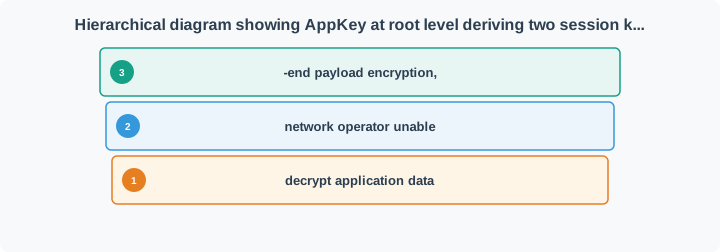
Key Separation Principle:
- NwkSKey: Used by network server for MAC layer validation (MIC, MAC commands)
- AppSKey: Used by application server for payload decryption (end-to-end encryption)
- Network operator cannot read application data (only holds NwkSKey)
26.6 Knowledge Check: Key Hierarchy
## Knowledge Check: Replay Attack Prevention {#net-lora-security-replay-quiz}
## Security Best Practices
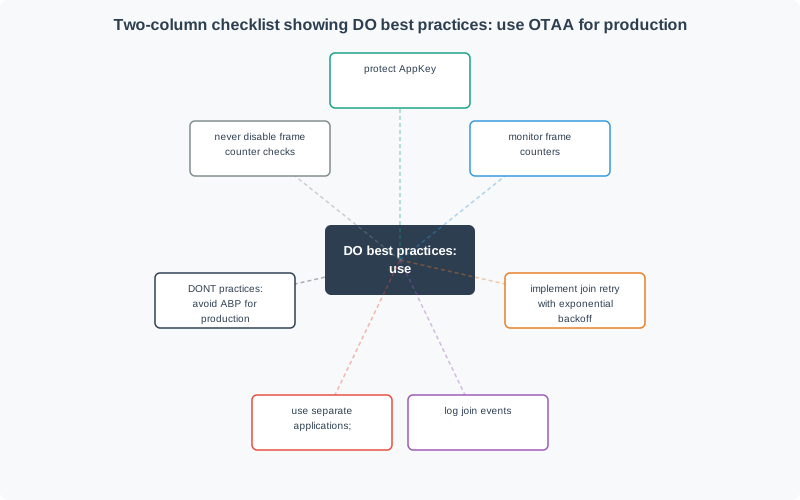
DO:
- Always use OTAA for production (not ABP)
- Protect AppKey - never hardcode in public repositories
- Monitor frame counters - investigate large jumps or resets
- Implement join retry logic with exponential backoff
- Log join events - track device lifecycle
- Use separate applications for different security contexts
DON’T:
- Use ABP for production deployments
- Disable frame counter checks (security vulnerability)
- Hardcode session keys in firmware
- Assume devices never reset
- Share AppKey across multiple devices
26.7 Frame Counter Security
The frame counter (FCnt) is critical for LoRaWAN security:
Purpose:
- Prevents replay attacks
- Ensures packet freshness
- Detects out-of-order delivery
Behavior:
- Increments with each uplink/downlink
- Network server rejects packets with FCnt <= last received
- 16-bit counter (0-65535) with optional 32-bit extension
Key Concepts
- End-to-End Encryption: LoRaWAN AppSKey ensures only the application server can read payload content; intermediate components (gateways, network server) cannot decrypt application data.
- Network Authentication: NwkSKey authenticates device-to-network communication; prevents rogue device injection and ensures frame integrity.
- Key Security: Root keys (AppKey) must be stored in secure hardware (TPM, secure element); compromise enables device impersonation and traffic decryption.
- OTAA Advantages: Over-the-air activation provides session key freshness on each join, DevNonce prevents replay of join requests, and join server can be separate from network server.
- ABP Risks: Activation by personalization hardcodes session keys; non-persistent frame counters allow replay attacks after device reset; avoid for security-sensitive deployments.
- LoRaWAN 1.1 Improvements: Enhanced security in spec 1.1 including separate Forwarding Network Session Integrity Key (FNwkSIntKey), improved key hierarchy, and join server abstraction.
- Security Monitoring: Detecting anomalies including unusual join requests, unexpected frame counter resets, abnormal traffic patterns, and unauthorized gateway connections.
Common Issues:
| Symptom | Cause | Solution |
|---|---|---|
| All packets rejected after reboot | ABP frame counter reset | Use OTAA |
| Intermittent rejections | Frame counter rollover | Enable 32-bit FCnt |
| “Invalid MIC” errors | FCnt mismatch | Check device/server sync |
26.8 Knowledge Check: Security Best Practices
## MIC Calculation Process
The Message Integrity Code (MIC) is calculated using AES-128 CMAC and includes the frame counter:
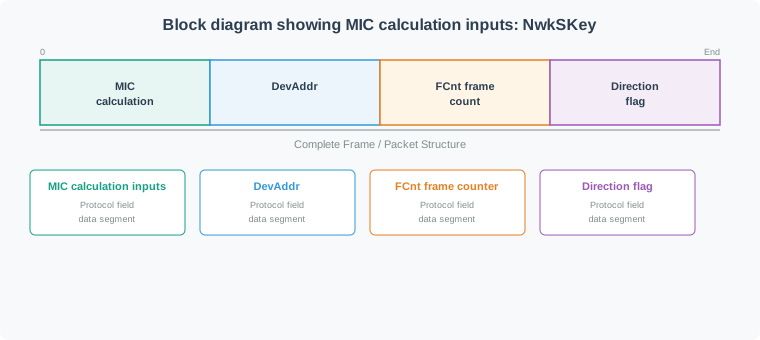
Why FCnt mismatch causes “Invalid MIC”:
When the device sends a packet with FCnt=0 but the server expects FCnt=100:
- Device calculates MIC with FCnt=0 in the input
- Server calculates expected MIC with FCnt=100 in the input
- MICs don’t match → Server rejects packet as “Invalid MIC”
This is why the error log shows “invalid MIC” even though the real problem is the frame counter reset.
26.9 Visual Reference Gallery
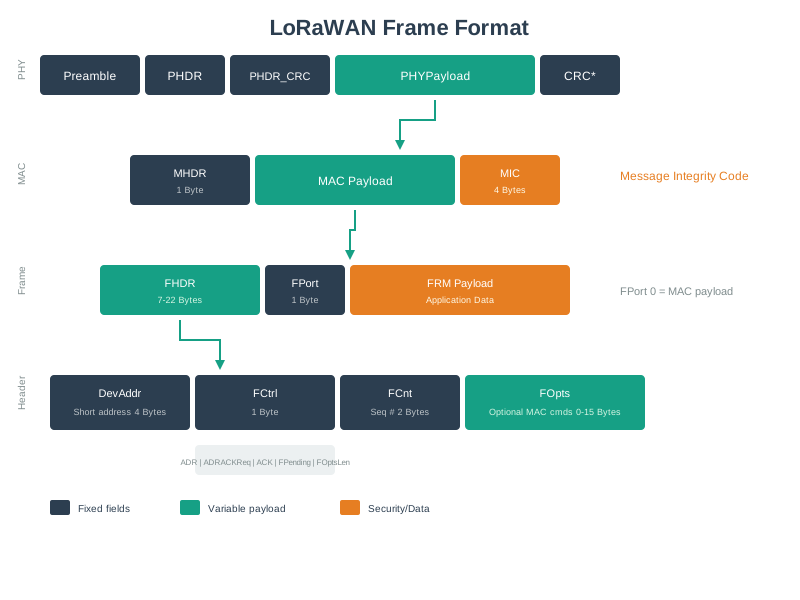
Understanding the frame format is essential for calculating airtime, optimizing payload sizes, and troubleshooting network issues where frame counter or MIC validation failures occur.
The following diagram summarizes the key security differences between OTAA and ABP:
| Security Aspect | OTAA | ABP |
|---|---|---|
| Key Generation | Dynamic per session | Static (pre-configured) |
| Replay Protection | Fresh keys invalidate old captures | Same keys forever - vulnerable |
| Power Outage Recovery | Auto-rejoin with new session | FCnt reset = packet rejection |
| Key Compromise Impact | Limited to one session | Compromised forever |
| Recommended Use | Production deployments | Lab testing only |
Scenario: A water utility deploys 10,000 smart meters using ABP activation (against best practice recommendations). After 18 months, 22% of devices have experienced at least one power outage causing frame counter reset. What is the total operational cost impact?
Given Data:
Total meters: 10,000
Activation method: ABP (static keys)
Deployment period: 18 months
Devices affected by power outage: 22% (2,200 devices)
Average outages per affected device: 1.4 over 18 months
Location: Urban area, meters inside building basements
Frame Counter Reset Impact:
When ABP device loses power:
1. Device reboots, frame counter (FCnt) resets to 0
2. Network server expects FCnt >= last_received (e.g., 5,432)
3. Device sends message with FCnt = 0
4. Network server rejects: "Frame counter went backwards"
5. All subsequent messages rejected until manual intervention

Symptoms observed:
- Device shows "TX complete" (message sent successfully)
- Network server logs show "invalid MIC" errors
- No data appears in application (all packets rejected)
- Device continues draining battery sending rejected packets
Manual Recovery Process Per Device:
Step 1: Identify affected device (helpdesk ticket + log analysis): 15 min
Step 2: Lookup device credentials in database: 5 min
Step 3: Access network server admin panel: 3 min
Step 4: Reset frame counter for device to 0: 2 min
Step 5: Verify next uplink is accepted: 10 min
Step 6: Document in ticketing system: 5 min

Total labor per device: 40 minutes
Technician hourly rate: $45/hour
Cost per reset: 40 min x ($45/60 min) = $30 per device
Total Cost Calculation:
Devices affected: 2,200
Average resets per device: 1.4
Total reset incidents: 2,200 x 1.4 = 3,080 incidents

Direct labor cost: 3,080 x $30 = $92,400 over 18 months

Additional indirect costs:
- Helpdesk tickets (customer complaints): $15 per ticket x 3,080 = $46,200
- Lost revenue (data gaps during outage): Avg 8 hours per incident
  - 3,080 incidents x 8 hours x $0.02/hour data value = $4,928
- Battery drain from rejected packets: 15% of affected devices need early replacement
  - 2,200 x 0.15 x $75 (truck roll + battery) = $24,750

Total 18-month cost: $92,400 + $46,200 + $4,928 + $24,750 = $168,278
Alternative: OTAA Activation Cost:
OTAA firmware development (one-time):
- Engineer time: 40 hours x $85/hour = $3,400
- Testing and validation: 20 hours x $85/hour = $1,700
- Total development: $5,100

OTAA deployment overhead:
- Slightly longer provisioning (join procedure): +30 sec per device
- Initial deployment: 10,000 x 30 sec x ($45/3600) = $3,750
- Zero ongoing frame counter reset costs

Total 18-month cost with OTAA: $5,100 + $3,750 = $8,850

Savings vs ABP: $168,278 - $8,850 = $159,428 (95% cost reduction)
Extrapolated 10-Year Total Cost of Ownership:
ABP (static keys):
- Initial incidents (18 months): $168,278
- Years 2-10: Same 22% outage rate per 18 months
- Number of 18-month periods in 10 years: 6.67
- Total 10-year cost: $168,278 x 6.67 = $1,122,614

OTAA (dynamic keys):
- Initial development + deployment: $8,850
- Ongoing cost for power outages: $0 (auto-rejoin with fresh keys)
- Total 10-year cost: $8,850

Total savings over 10 years: $1,113,764 (99.2% cost reduction)
Additional Security Cost - Replay Attack Risk:
ABP vulnerability:
- Captured packets remain valid until manual key rotation
- Attacker captures 1 year of packets (before utility notices)
- Attacker can replay old "meter reading" packets to mask water theft
- Estimated theft value: $200-500 per meter per year for 0.1% of meters
- 10,000 x 0.001 x $350 x 10 years = $35,000 potential fraud loss

OTAA protection:
- Session keys regenerate after each power cycle
- Captured packets become invalid after device rejoins (new keys)
- Replay attacks prevented by frame counter + fresh keys
- Fraud risk: Near zero

Security value of OTAA: $35,000 prevented fraud over 10 years
Total Economic Impact:
| Cost Category | ABP (18 months) | OTAA (18 months) | Savings |
|---|---|---|---|
| Development | $0 | $5,100 | -$5,100 |
| Initial Deployment | $0 | $3,750 | -$3,750 |
| Frame Counter Resets | $92,400 | $0 | $92,400 |
| Helpdesk Support | $46,200 | $0 | $46,200 |
| Lost Revenue | $4,928 | $0 | $4,928 |
| Battery Replacements | $24,750 | $0 | $24,750 |
| 18-Month Total | $168,278 | $8,850 | $159,428 |
| 10-Year Projection | $1,122,614 | $8,850 | $1,113,764 |
| Security Fraud Risk | $35,000 | $0 | $35,000 |
ROI Analysis:
OTAA investment: $8,850
First 18-month savings: $159,428
ROI: (159,428 - 8,850) / 8,850 = 1,701% return

Payback period: 4 weeks (time to prevent first 5 frame counter reset incidents)
Key Insight: ABP’s “simplicity” (no join procedure) creates massive hidden operational costs. A $9,000 investment in OTAA firmware saves over $1.1 million in a 10-year deployment. This analysis doesn’t even include reputation damage from service interruptions or regulatory fines for data gaps in utility reporting. Always use OTAA for production deployments - the business case is overwhelming.
Decision Rule for Engineering Teams:
Use ABP only if ALL of these conditions are met:
[ ] Lab/test environment (not production)
[ ] Devices have battery backup preventing power loss
[ ] Deployment lifetime < 6 months
[ ] Team willing to accept manual frame counter reset procedures
[ ] Security review approves static key usage

If ANY checkbox is unchecked → Use OTAA26.10 Summary
This section covered LoRaWAN security fundamentals essential for production deployments:
Key Concepts:
| Topic | Key Takeaway |
|---|---|
| OTAA vs ABP | Always use OTAA for production – dynamic keys, automatic rejoin after power outages |
| Frame Counter | Critical for replay attack prevention; ABP vulnerability causes 15-20% packet loss after outages |
| Key Hierarchy | NwkSKey (network validation) vs AppSKey (payload encryption) provides end-to-end security |
| MIC Calculation | Includes FCnt – why FCnt mismatch shows as “Invalid MIC” error |
| Security Best Practices | OTAA + 32-bit FCnt + protected AppKey + monitoring |
Production Checklist:
Common Pitfalls
LoRaWAN provides data confidentiality and integrity but doesn’t prevent DoS attacks (jamming), traffic analysis (metadata visibility), or application server compromises. Security architecture must address threats beyond the radio layer.
If a device is physically stolen or lost and later recovered, the AppKey may have been compromised. Failing to provision new unique keys on recovered devices allows potential attackers who extracted keys to continue accessing the network.
Network server logs provide visibility into protocol events but are not tamper-evident security audit trails. For security-sensitive deployments, implement application-layer logging with cryptographic timestamps independent of the network server.
LoRaWAN gateways installed in publicly accessible locations (rooftops, utility poles) can be physically accessed and modified. Secure gateway enclosures, tamper detection, and remote attestation protect against hardware-level attacks on the LoRaWAN infrastructure.
26.11 What’s Next
You have completed the LoRaWAN Comprehensive Review. Continue your learning:
| Direction | Chapter | Focus |
|---|---|---|
| Overview | LoRaWAN Comprehensive Review | Main index page |
| Compare | LPWAN Comparison | LoRaWAN vs Sigfox vs NB-IoT |
| Next Protocol | Sigfox | Ultra-narrow-band LPWAN |
| Cellular | NB-IoT | Cellular LPWAN option |