20 LoRaWAN Security & ADR
20.1 Learning Objectives
By the end of this chapter, you will be able to:
- Differentiate LoRaWAN Security Layers: Classify the roles of application, network, and physical layer protection in end-to-end data integrity
- Evaluate OTAA and ABP Activation: Justify the selection of an appropriate activation method for production deployments based on security and scalability requirements
- Implement Security Best Practices: Apply key management strategies and frame counter protection to harden LoRaWAN deployments
- Configure ADR Settings: Optimize spreading factor and transmit power parameters based on link quality metrics
- Diagnose Security and ADR Issues: Troubleshoot common authentication failures, encryption misconfigurations, and ADR convergence problems
20.2 Prerequisites
Required Chapters:
- LoRaWAN Overview - Core concepts
- Architecture & Classes Review - Network topology
Key Concepts
- Security Review: Key LoRaWAN security concepts including AES-128 encryption, dual-key architecture (NwkSKey + AppSKey), OTAA preferred over ABP, and frame counter management.
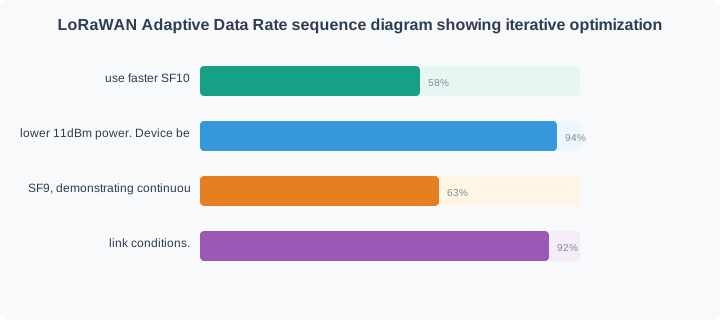
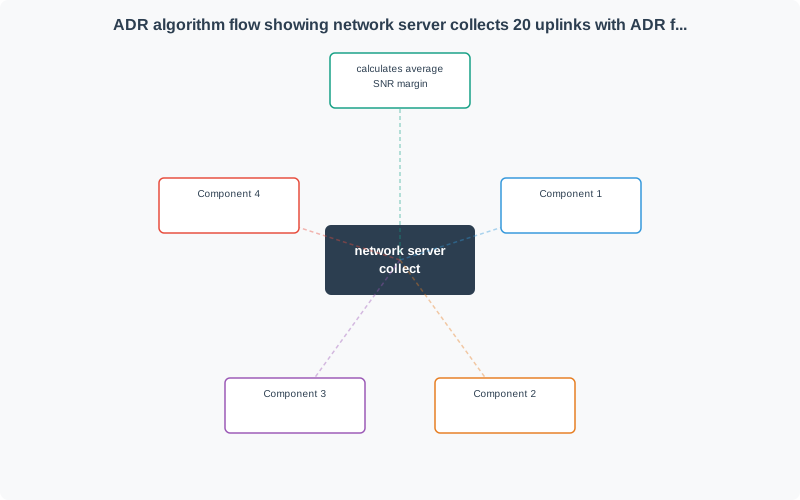
- ADR Review: Adaptive Data Rate algorithm using uplink SNR history to optimize SF; convergence requires stable position and adequate signal history (typically 20 uplinks).
- Replay Attack Prevention: Frame counters (FCntUp, FCntDown) in every LoRaWAN frame prevent replay attacks; network server rejects frames with counter not exceeding previous value.
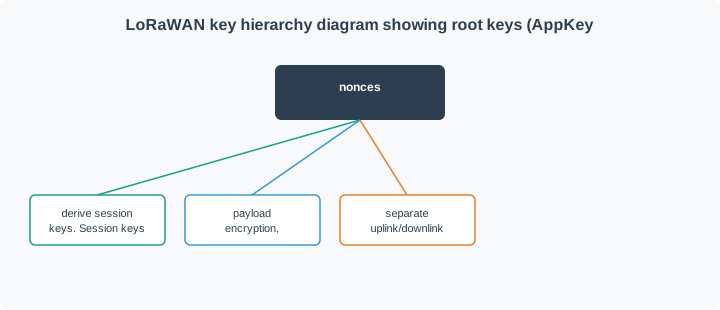
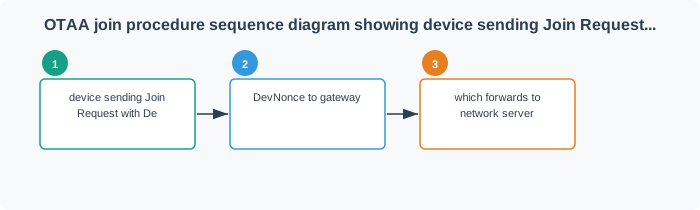
- Key Derivation: OTAA session keys derived from AppKey using JOIN_ACCEPT payload values (AppNonce, NetID, DevNonce); ensures session keys are unique per activation.
- ADR Hysteresis: ADR algorithm uses hysteresis to prevent rapid oscillation between spreading factors when SNR fluctuates near threshold values.
- Security Audit: Regular review of key storage, OTAA vs. ABP usage, frame counter persistence, and network server access controls to maintain LoRaWAN security posture.
- Joint Security-ADR: Well-configured ADR reduces airtime, decreasing the window for jamming attacks while improving battery life and network capacity simultaneously.
Related Review Chapters:
| Chapter | Focus |
|---|---|
| Physical Layer Review | Spreading factors, modulation |
| Deployment Review | Regional parameters, TTN, troubleshooting |
Estimated Time: 15 minutes
The Challenge: LoRaWAN devices often operate unattended for years in public spaces. They transmit over radio waves that anyone can receive. How do we keep data safe?
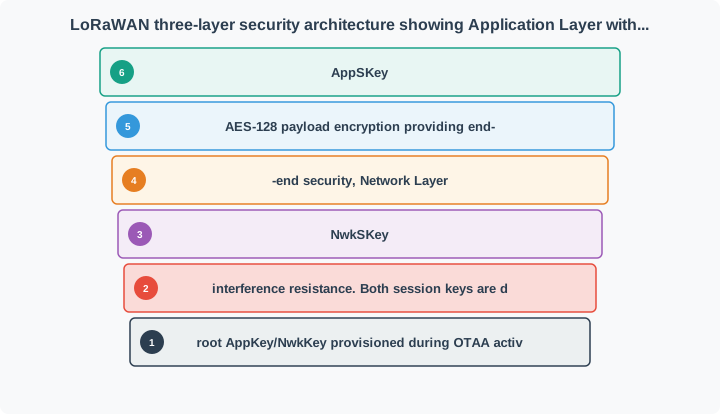
The Solution: LoRaWAN uses multiple layers of encryption, like having: 1. A locked box (application encryption) - only you and the app can open it 2. A sealed envelope (network encryption) - proves message wasn’t tampered with 3. A secret language (CSS modulation) - hard to intercept in the first place
Simple Analogy: Think of mailing a valuable item. You lock it in a box (encryption), put it in a tamper-evident envelope (integrity check), and use a courier service that speaks a language only you understand (physical layer security).
“LoRaWAN security and ADR go hand in hand,” Sammy the Sensor said. “Security protects my data with two AES-128 encryption layers. ADR optimizes my transmission settings to save battery. Together, they make LoRaWAN both secure and efficient!”
“For security, always remember OTAA over ABP,” Lila the LED emphasized. “OTAA generates fresh session keys every time a device joins the network. ABP uses static keys that never change. If someone captures ABP keys, they can eavesdrop forever. OTAA is like changing your password regularly – much safer!”
Max the Microcontroller explained, “ADR is the automatic tuner. The network server watches my signal quality over the last 20 messages and adjusts my spreading factor and transmit power. If I am too close to the gateway wasting energy on SF12, ADR drops me to SF7. If I am too far and packets are getting lost, ADR bumps me up. It is continuous optimization.”
“The combined effect is powerful,” Bella the Battery said. “Secure encryption means nobody can tamper with or read my data. ADR optimization means I use the minimum energy needed for reliable communication. Together, they let LoRaWAN devices operate safely and efficiently for years in the field without any human intervention.”
20.3 Security Architecture
20.3.1 Three-Layer Security Model
20.3.2 Key Hierarchy
20.3.3 Security Functions by Key
| Key | Purpose | Scope | Who Has It |
|---|---|---|---|
| AppKey | Root key for OTAA | Permanent | Device + Join Server |
| NwkKey | Root network key (1.1) | Permanent | Device + Join Server |
| AppSKey | Payload encryption | Per-session | Device + App Server |
| NwkSKey | MAC integrity (MIC) | Per-session | Device + Network Server |
| DevAddr | Device address | Per-session | Assigned during join |
20.4 Activation Methods
20.4.1 OTAA vs ABP Comparison
| Feature | OTAA (Recommended) | ABP (Legacy) |
|---|---|---|
| Security | Dynamic session keys | Static pre-provisioned keys |
| Scalability | Excellent | Poor (manual provisioning) |
| Frame Counter | Reset on rejoin | Must never reset |
| Complexity | Higher (join procedure) | Lower (no join) |
| Use Case | Production deployments | Testing, debugging |
| Key Rotation | Automatic on rejoin | Manual reconfiguration |
| Best Practice | Always use OTAA | Avoid in production |
20.4.2 OTAA Join Procedure
20.4.3 Security Best Practices
- NEVER reuse frame counters - Leads to replay attacks and data decryption
- Always use OTAA in production - ABP is only for testing
- Protect AppKey/NwkKey - Never hardcode in source code or transmit unencrypted
- Monitor for anomalies - Unexpected join requests, frame counter resets
- Secure key storage - Use hardware secure elements when available
- Regular key rotation - Force rejoin periodically for long-lived devices
20.4.4 Frame Counter Protection
20.5 Adaptive Data Rate (ADR)
20.5.1 ADR Operation
20.5.2 ADR Algorithm Logic
20.5.3 ADR Benefits and Considerations
| Aspect | Benefit | Consideration |
|---|---|---|
| Battery Life | Optimize for minimum airtime | Requires stable RF conditions |
| Network Capacity | More devices per gateway | Not suitable for mobile devices |
| Data Rate | Maximize when possible | May degrade with interference |
| Coverage | Adapt to changing conditions | Requires downlink reception |
| Deployment | Automatic optimization | Manual override for special cases |
20.5.4 When to Disable ADR
Disable ADR for: - Mobile devices - Link conditions change faster than ADR can adapt - Unstable RF environments - Interference causes rapid fluctuations - Critical applications - Need guaranteed delivery, not optimization - Devices without downlink - Cannot receive ADR commands
For these cases, manually configure a conservative SF/power setting.
20.6 Knowledge Check: Security and ADR
20.7 Worked Example: ADR Optimization Impact
20.8 Concept Relationships
| Concept | Relates To | Relationship Type | Significance |
|---|---|---|---|
| OTAA | Session Keys | Dynamic key generation | Fresh keys on every join prevents key compromise |
| AppSKey | Payload Encryption | End-to-end security | Network server cannot decrypt application data |
| NwkSKey | Message Integrity Check (MIC) | Tamper detection | Prevents replay and modification attacks |
| Frame Counter | Replay Protection | Monotonically increasing | Reset requires rejoin to prevent attack |
| ADR | Spreading Factor | Automatic optimization | Reduces SF when link margin allows |
| Link Margin | Battery Life | Determines SF reduction | Excess margin enables lower SF for power savings |
| ADR | Network Capacity | Optimizes airtime usage | Prevents unnecessary SF12 that saturates gateway |
20.9 See Also
Explore these related topics to deepen your understanding:
- LoRaWAN Deployment Review - Regional parameters and troubleshooting
- Architecture & Classes Review - Network topology and device classes
- LoRaWAN Comprehensive Review - Full technical review
- ADR Optimization - Deep dive into ADR algorithm details
- LoRaWAN Quiz Bank - Practice questions on security and ADR
20.10 Summary
This chapter reviewed LoRaWAN security architecture and Adaptive Data Rate:
- Three Security Layers: Application (AppSKey encrypts payload), Network (NwkSKey for integrity), Physical (CSS for interference resistance)
- Key Hierarchy: Root keys (AppKey/NwkKey) derive session keys (AppSKey/NwkSKey) during OTAA join
- OTAA vs ABP: OTAA provides dynamic keys and scalable provisioning; ABP uses static keys and is only for testing
- Frame Counters: Monotonically increasing counters prevent replay attacks; resets cause packet rejection
- ADR Operation: Network server analyzes link quality and commands devices to optimize SF and TX power
- ADR Limitations: Not suitable for mobile devices or unstable RF conditions
Common Pitfalls
Many LoRaWAN development tools use known test keys (all zeros, or published example keys). Deploying production devices with these keys provides zero security. Every production device must have unique, randomly generated AppKey provisioned securely.
ADR is sometimes disabled after experiencing reliability problems, but the root cause is often incorrect ADR configuration rather than ADR itself. Investigate convergence issues, check SNR margins, and configure appropriate ADR parameters rather than disabling ADR entirely.
Some developers implement application-layer encryption and disable LoRaWAN network authentication (NwkSKey). This leaves the network vulnerable to rogue device injection and replay attacks at the MAC layer. Always maintain both network authentication and application encryption.
ADR continuously adjusts SF based on recent packet history. If environmental conditions change (new building, gateway failure, seasonal foliage), ADR will re-optimize. Monitor ADR-assigned SFs over time to verify devices are maintaining appropriate link quality.
20.11 What’s Next
Continue your LoRaWAN review:
| Direction | Chapter | Focus |
|---|---|---|
| Next | Deployment Review | Regional parameters, TTN, and troubleshooting |
| Back | Architecture & Classes Review | Network topology and device classes |
| Deep Dive | LoRaWAN Comprehensive Review | Full technical review |
| Practice | LoRaWAN Quiz Bank | Practice questions on security and ADR |
| Overview | LoRaWAN Overview | Core concepts and introduction |