26  Wi-Fi for IoT Overview

In 60 Seconds

Wi-Fi (IEEE 802.11) provides high-bandwidth wireless connectivity using 2.4/5/6 GHz bands. It excels for IoT devices needing significant throughput (cameras, audio, displays) with mains power, leveraging existing infrastructure at zero additional gateway cost. However, Wi-Fi consumes 10-100x more power than BLE or Zigbee, making it unsuitable for battery-powered sensors expected to last months.

Key Concepts

  • Wi-Fi for IoT: Using IEEE 802.11 wireless LAN for IoT devices; advantages include IP compatibility, high throughput, and ubiquitous infrastructure
  • Wi-Fi IoT Trade-offs: High power consumption (50-300 mA TX) vs rich connectivity; suitable for mains-powered devices, challenging for battery sensors
  • Wi-Fi Generations: 802.11b/g/n/ac/ax progressively increasing throughput and efficiency; Wi-Fi 6 adds IoT-specific features (TWT, OFDMA)
  • TCP/IP Stack: Wi-Fi devices use standard IP networking; enables direct cloud connectivity without protocol translation gateways
  • Security: WPA2/WPA3 for network access; TLS for data encryption; 802.1X for enterprise certificate-based authentication
  • IoT Use Cases for Wi-Fi: IP cameras, smart displays, media players, building controllers — applications needing high throughput or existing infrastructure
  • Wi-Fi vs Alternatives: Wi-Fi power vs Zigbee/BLE tradeoff; Wi-Fi throughput vs LoRaWAN range tradeoff; Wi-Fi infrastructure vs cellular coverage tradeoff
  • Module Integration: ESP32, ESP8266, and commercial Wi-Fi modules providing integrated MCU + Wi-Fi for IoT product development

26.1 Learning Objectives

By the end of this chapter series, you should be able to:

  • Distinguish among Wi-Fi standards (802.11 b/g/n/ac/ax) and evaluate their suitability for specific IoT applications
  • Configure ESP32 and Raspberry Pi for Wi-Fi connectivity using CLI and firmware APIs
  • Implement Wi-Fi security protocols (WPA2/WPA3) to harden IoT device communications
  • Design Wi-Fi mesh networks that extend coverage while maintaining throughput requirements
  • Optimise Wi-Fi power management for battery-constrained IoT deployments using TWT and deep-sleep scheduling
  • Diagnose common Wi-Fi connectivity failures and apply systematic troubleshooting strategies
  • Justify protocol selection by comparing Wi-Fi trade-offs against BLE, Zigbee, Thread, and LoRaWAN
  • Implement Wi-Fi provisioning and device onboarding flows suitable for consumer and enterprise environments
MVU: Wi-Fi for IoT - High Bandwidth, High Power

Core Concept: Wi-Fi (IEEE 802.11) provides high-bandwidth wireless connectivity (up to 9.6 Gbps in Wi-Fi 6) using 2.4 GHz, 5 GHz, and 6 GHz frequency bands. For IoT, Wi-Fi excels when devices need significant data throughput (cameras, audio, displays) and have access to mains power, but it consumes 10-100x more power than low-power alternatives like Zigbee or BLE.

Why It Matters: Wi-Fi is ubiquitous - nearly every home and office has Wi-Fi infrastructure already deployed. This means zero additional gateway costs for IoT devices that can leverage existing networks. However, the power consumption (200-500 mW during transmission) makes Wi-Fi unsuitable for battery-powered sensors expected to last months or years. Wi-Fi 6’s Target Wake Time (TWT) feature reduces but doesn’t eliminate this limitation.

Key Takeaway: Choose Wi-Fi when your IoT device needs >100 kbps throughput, requires direct internet access, or operates in an environment with existing Wi-Fi infrastructure and mains power. For battery-powered sensors sending small payloads infrequently, consider BLE, Zigbee, Thread, or LoRaWAN instead - they can achieve 10-100x better battery life for low-bandwidth applications.

26.2 Wi-Fi for IoT

In Plain English

Wi-Fi is the wireless technology you use every day for internet. For IoT, it offers high bandwidth and easy integration - but uses more power than protocols like Zigbee or BLE. Best for devices that are plugged in or need to send lots of data.

Everyday Analogy: Wi-Fi is like a highway - fast and carries lots of traffic, but takes more fuel (power) than a small country road (BLE).

When to use Wi-Fi for IoT:

  • Device needs video/audio streaming (security cameras, smart displays)
  • You already have Wi-Fi infrastructure at home/office
  • Device is plugged into wall power (not battery)
  • Needs direct internet access without a hub

When NOT to use Wi-Fi:

  • Battery-powered sensor that needs to last years
  • Tiny amounts of data (like temperature readings)
  • Very long range (kilometers, not meters)
  • High-density deployments without careful planning (e.g., hundreds of devices on a consumer router/AP)

26.3 What is Wi-Fi?

Wi-Fi is a family of wireless networking standards (IEEE 802.11). It enables devices to exchange data wirelessly over radio waves, typically in the 2.4 GHz and 5 GHz frequency bands (and 6 GHz for Wi-Fi 6E/7).

Wi-Fi Characteristics for IoT
  • Standards: IEEE 802.11 b/g/n/ac/ax (Wi-Fi 4/5/6)
  • Frequency: 2.4 GHz (longer range) and 5 GHz (higher speed)
  • Range: 30-50 meters indoors, up to 100 meters outdoors
  • Data Rate: 1 Mbps to 9.6 Gbps (depending on standard)
  • Power: Medium to high (10-500 mW transmit power)
  • Topology: Star (infrastructure mode) or mesh

26.3.1 Wi-Fi Standards Evolution Timeline

The following timeline shows how Wi-Fi has evolved from its origins in 1997 to the modern Wi-Fi 7 standard, with key IoT-relevant features highlighted:

Timeline showing Wi-Fi standards evolution from 802.11 in 1997 through 802.11b, 802.11g, 802.11n (Wi-Fi 4), 802.11ac (Wi-Fi 5), 802.11ax (Wi-Fi 6), and Wi-Fi 7, with key IoT features highlighted at each generation

Wi-Fi standards evolution timeline from 802.11 (1997) to Wi-Fi 7 (2024)

This timeline highlights that Wi-Fi 6 (802.11ax) introduced the first significant IoT-focused features: Target Wake Time (TWT) for power savings and OFDMA for efficient handling of many small packets. Wi-Fi HaLow (802.11ah) was specifically designed for IoT with sub-1 GHz operation offering kilometer-range coverage.

26.4 Wi-Fi Chapter Series

This comprehensive guide to Wi-Fi for IoT is organized into focused chapters:

Chapter Topic Key Content
1. Wi-Fi Overview This chapter Introduction, basics, when to use Wi-Fi
2. Wi-Fi Standards Evolution Standards 802.11 b/g/n/ac/ax, Wi-Fi 6 features, HaLow
3. Wi-Fi Frequency Bands Spectrum 2.4/5/6 GHz, channel planning, interference
4. Wi-Fi Power Consumption Battery life TWT, power optimization, protocol comparison
5. Wi-Fi Deployment Planning Implementation Capacity planning, common mistakes, case studies
6. Wi-Fi Certification Reference Compliance Standards, regional requirements, testing
7. Wi-Fi Hands-On Labs Practice Exercises, Wokwi simulator, weather station

26.5 For Kids: Wi-Fi is Like Magic Invisible Roads!

Have you ever wondered how your tablet gets the internet without any wires?

26.5.1 The Invisible Highway

Wi-Fi is like an invisible highway in the air! Just like cars drive on roads to get places, information travels through the air on invisible Wi-Fi signals.

Imagine this: > Your house has invisible roads made of radio waves. When you watch a video on your tablet, tiny packets of information drive super fast on these invisible roads from your router (like a gas station) to your device!

26.5.2 The Wi-Fi Story

Once upon a time, computers needed long cables to talk to each other. It was like having to hold hands with everyone you wanted to talk to - very inconvenient!

Then some smart engineers invented Wi-Fi - magic invisible signals that carry information through the air, just like how voices carry through the air when you talk. Now devices can “talk” without touching!

26.5.3 How Wi-Fi Works (The Singing Analogy)

Think of Wi-Fi like singing:

  1. Your router sings a special song (broadcasts its signal)
  2. Your phone hears the song and knows where to connect
  3. They start talking by taking turns “singing” information back and forth
  4. Really really fast! Millions of “words” per second!

26.5.4 Key Words for Kids

Word What It Means
Wi-Fi Invisible signals that carry internet through the air
Router The box that creates Wi-Fi in your house
Signal The invisible “road” that carries information
Connected When your device can “hear” the Wi-Fi
Password The secret code to use someone’s Wi-Fi

26.5.5 Try This!

Look at the Wi-Fi symbol on your phone or tablet (it looks like curved lines spreading out). The more curved lines you see, the stronger the signal - like being closer to someone who’s singing so you can hear them better!

26.5.6 Signal Sam Says:

“Wi-Fi is my favorite way to send big messages! It’s super fast - like a rocket ship compared to my slow postal service. But remember, it needs a lot of power, so it’s best for devices that are plugged in!”

26.6 Getting Started (For Beginners)

What is Wi-Fi? (Simple Explanation)

Wi-Fi is a family of wireless networking standards (IEEE 802.11) that uses radio waves to provide high-speed network connectivity without physical cables. Originally designed for laptops and computers, Wi-Fi has become the backbone of smart home connectivity.

The Problem Wi-Fi Solves:

Before Wi-Fi, connecting devices to a network required running Ethernet cables through walls. Wi-Fi eliminates this by using radio frequencies (2.4 GHz and 5 GHz) to transmit data through the air, allowing any device within range to connect wirelessly.

Analogy: Wi-Fi is like wireless ethernet - same high speed as wired connections, but more convenient. However, for IoT sensors, it’s like using a fire hose to fill a teacup - powerful but power-hungry!

26.6.1 Key Wi-Fi Terms Explained

Term What It Means Everyday Example
SSID Network name “Home_Wi-Fi” or “Coffee_Shop_Guest”
AP (Access Point) The “hub” all devices connect to Your Wi-Fi router
Station Any device connecting to Wi-Fi Your phone, laptop, smart bulb
Channel Radio “lane” (like highway lanes) Channel 1, 6, or 11 on 2.4 GHz
Band Frequency range (2.4 GHz or 5 GHz) 2.4 = slower/longer range, 5 = faster/shorter

26.6.2 Hands-on: Connect a Raspberry Pi to Wi-Fi (CLI)

Raspberry Pi OS commonly uses either NetworkManager (newer releases) or wpa_supplicant + dhcpcd (older/minimal images).

Option A: NetworkManager (nmcli)

sudo nmcli dev wifi list
sudo nmcli dev wifi connect "<SSID>" password "<PASSWORD>" ifname wlan0
ip -br a show wlan0
ping -c 3 1.1.1.1

Option B: wpa_supplicant (legacy / minimal installs)

Edit /etc/wpa_supplicant/wpa_supplicant.conf:

country=US
ctrl_interface=DIR=/var/run/wpa_supplicant GROUP=netdev
update_config=1

network={
  ssid="YOUR_SSID"
  psk="YOUR_PASSWORD"
}

Then apply and verify:

sudo wpa_cli -i wlan0 reconfigure
sudo systemctl restart dhcpcd || true
ip -br a show wlan0
iw dev wlan0 link

26.6.3 Hands-on: Connect an ESP32 to Wi-Fi (Arduino)

#include <WiFi.h>

const char* ssid = "YOUR_SSID";
const char* password = "YOUR_PASSWORD";

void setup() {
  Serial.begin(115200);
  WiFi.mode(WIFI_STA);
  WiFi.begin(ssid, password);

  while (WiFi.status() != WL_CONNECTED) {
    delay(500);
    Serial.print(".");
  }

  Serial.println();
  Serial.print("IP address: ");
  Serial.println(WiFi.localIP());
}

void loop() {}

For production devices, avoid hardcoding secrets and use provisioning/onboarding flows (see Wi-Fi Security).

26.7 Why This Matters for IoT

Wi-Fi powers 18+ billion devices worldwide (2025): - High bandwidth: Perfect for cameras (need 5-10 Mbps each) - Ubiquitous: Already in every home and office - Easy setup: Just enter password and connect - Power hungry: 200-300 mA transmit (vs BLE 15 mA) - Battery unfriendly: Most Wi-Fi IoT devices need wall power

26.7.1 Wi-Fi Power States

Understanding Wi-Fi power consumption is critical for IoT device design. The following diagram shows the typical power states of a Wi-Fi radio and their current draw:

Diagram showing Wi-Fi radio power states: Deep Sleep at 10 uA, Light Sleep at 0.8 mA, Modem Sleep at 20 mA, Active RX at 100-150 mA, and Active TX at 200-500 mA, illustrating the 50000x difference between lowest and highest power states

Wi-Fi power states and current draw from deep sleep to active transmission

As shown, the difference between deep sleep (10 µA) and active transmission (500 mA) is 50,000x! This is why Wi-Fi power management is critical for battery-powered IoT devices. Wi-Fi 6’s Target Wake Time (TWT) feature allows devices to negotiate precise wake schedules with the access point, reducing time spent in high-power states.

The power state difference is dramatic. Deep sleep: \(I_{sleep} = 10 \text{ µA} = 0.01 \text{ mA}\). Active TX: \(I_{tx} = 500 \text{ mA}\). Ratio: \(\frac{500}{0.01} = 50{,}000\). Worked example: A device sleeping 99% of the time at 10 µA and transmitting 1% at 500 mA has average current: \(I_{avg} = 0.99 \times 0.01 + 0.01 \times 500 = 0.0099 + 5 = 5.01 \text{ mA}\). With a 1000 mAh battery: \(\frac{1000}{5.01} \approx 200 \text{ hours} \approx 8.3 \text{ days}\). If sleep current rises to 20 mA (modem sleep): \(I_{avg} = 0.99 \times 20 + 0.01 \times 500 = 19.8 + 5 = 24.8 \text{ mA}\) → battery lasts only \(\frac{1000}{24.8} \approx 40 \text{ hours} \approx 1.7 \text{ days}\).

26.7.2 Wi-Fi Network Architecture

The following diagram illustrates a typical Wi-Fi infrastructure mode network where multiple IoT devices connect to a central access point, which then provides connectivity to the cloud.

Network architecture diagram showing Wi-Fi infrastructure mode where multiple IoT devices including sensors, cameras, and smart home devices connect to a central access point, which provides connectivity to cloud services via an internet uplink

Wi-Fi infrastructure mode network architecture with IoT devices connecting through an access point to the cloud

As shown above, Wi-Fi operates in a star topology where all devices communicate through the central access point (AP). This architecture is simple to deploy but creates a single point of failure - if the AP goes down, all devices lose connectivity. For IoT applications requiring high availability, consider mesh topologies covered in Wi-Fi Architecture and Mesh.

26.8 When to Choose Wi-Fi for IoT

Wi-Fi is ideal when:

  • High bandwidth needed (cameras, audio, video)
  • Existing Wi-Fi infrastructure available
  • Devices are mains-powered or frequently charged
  • Internet connectivity required
  • Low latency critical
  • Easy user setup (familiar to users)

Consider alternatives when:

  • Ultra-low power required (years on battery)
  • Very long range needed (>100m)
  • Very dense networks (hundreds of devices)
  • Low data rate sensors (<1 kbps)
Scenario Better Choice Why
Battery-powered sensor Zigbee, BLE 10x better battery life
1000+ devices LoRaWAN, Zigbee Wi-Fi routers can’t handle it
Very long range (km) LoRaWAN, Sigfox Wi-Fi only reaches ~100m
Ultra-low latency Thread, Zigbee Mesh networks are faster for local

26.9 Wi-Fi vs Other IoT Protocols

Understanding when to choose Wi-Fi versus other wireless protocols is critical for IoT system design. The following diagram compares key characteristics across common IoT protocols:

Quadrant chart comparing IoT wireless protocols including Wi-Fi, BLE, Zigbee, Thread, LoRaWAN, and Wi-Fi HaLow across dimensions of bandwidth, range, power consumption, and device density, showing Wi-Fi in the high-bandwidth high-power quadrant and LPWAN protocols in the low-power long-range quadrant

Wi-Fi vs other IoT protocols comparison across bandwidth, range, and power consumption

This quadrant chart reveals why Wi-Fi dominates for high-bandwidth applications like cameras and displays, while protocols like Zigbee, Thread, and LoRaWAN serve battery-powered sensors. Wi-Fi HaLow (802.11ah) attempts to bridge the gap with longer range and lower power than standard Wi-Fi, but at reduced bandwidth.

26.10 Knowledge Check

Test your understanding of Wi-Fi fundamentals for IoT applications.

26.11 Interactive: Wi-Fi vs BLE Battery Life Calculator

Adjust the parameters below to compare Wi-Fi and BLE battery life for your IoT sensor scenario.

26.12 Worked Example: Wi-Fi vs BLE Battery Life Calculation

Worked Example: Smart Home Door/Window Sensor – Wi-Fi vs BLE

Scenario: A smart home company is designing a door/window sensor that detects open/close events and reports status to a cloud dashboard. The device uses a CR2032 coin cell battery (225 mAh at 3V = 0.675 Wh). The sensor reports its state approximately 20 times per day (10 open + 10 close events).

Question: How long will the battery last with Wi-Fi vs BLE?


Wi-Fi approach (ESP8266/ESP32, 802.11n):

Phase Current Duration Energy per event
Wake from deep sleep 20 mA 5 ms 0.3 uAh
Wi-Fi radio init 70 mA 100 ms 1.9 uAh
Wi-Fi association + DHCP 150 mA 2,000 ms 83.3 uAh
TLS handshake (HTTPS) 120 mA 800 ms 26.7 uAh
Send data (200 bytes) 170 mA 50 ms 2.4 uAh
Receive ACK 60 mA 100 ms 1.7 uAh
Return to deep sleep 10 uA continuous
Total per event ~3.1 seconds active ~116.3 uAh

Daily consumption: 20 events x 116.3 uAh = 2,326 uAh/day

Deep sleep current: 10 uA x 24h = 240 uAh/day

Total daily: 2,566 uAh/day

Battery life: 225,000 / 2,566 = 87 days (~3 months)


BLE approach (nRF52832, BLE 5.0 advertising):

Phase Current Duration Energy per event
Wake from sleep 3 mA 1 ms 0.001 uAh
BLE advertisement (3 channels) 8 mA 3 ms 0.007 uAh
Connection event 6 mA 5 ms 0.008 uAh
Send notification (20 bytes) 6 mA 2 ms 0.003 uAh
Return to sleep 1.5 uA continuous
Total per event ~11 ms active ~0.019 uAh

Daily consumption: 20 events x 0.019 uAh = 0.38 uAh/day

Sleep current: 1.5 uA x 24h = 36 uAh/day

Total daily: 36.4 uAh/day

Battery life: 225,000 / 36.4 = 6,181 days (~17 years)


Comparison:

Metric Wi-Fi BLE Ratio
Active time per event 3.1 sec 11 ms 282x
Energy per event 116.3 uAh 0.019 uAh 6,121x
Daily consumption 2,566 uAh 36.4 uAh 70x
Battery life (CR2032) 87 days 17 years 70x

The bottleneck: Wi-Fi’s association and DHCP process takes ~2 seconds at 150 mA. This single phase consumes 83 uAh – more than BLE’s entire daily budget. Even with Wi-Fi 6 TWT (skipping association by maintaining state), the radio init alone exceeds BLE’s total energy.

Conclusion: For a door sensor reporting 20 events/day, Wi-Fi is fundamentally unsuitable on a coin cell battery. BLE (or Zigbee/Thread) should be used, with a BLE-to-Wi-Fi bridge hub providing cloud connectivity.

Connection: Wi-Fi Power States meet Edge Computing Offloading

Wi-Fi’s high power consumption during transmission creates an interesting design trade-off with edge computing. A Wi-Fi-connected camera streaming 1080p video to the cloud consumes ~300 mW for Wi-Fi alone, plus bandwidth costs. By adding a $50 edge processor (Raspberry Pi, Jetson Nano) that performs motion detection locally, the camera only needs to transmit when something happens – reducing Wi-Fi active time by 90%+ in a typical office environment. The edge processor costs more upfront but saves both power and bandwidth. See Edge Computing Architecture for implementation patterns.

26.13 Common Wi-Fi Pitfalls for IoT

Avoid These Common Mistakes

1. Using Wi-Fi for battery-powered sensors

  • Mistake: Choosing Wi-Fi because “it’s already there”
  • Reality: A CR2032 coin cell powering a Wi-Fi sensor might last hours, not years
  • Fix: Use BLE, Zigbee, or LoRaWAN for battery sensors; reserve Wi-Fi for mains-powered devices

2. Overloading consumer access points

  • Mistake: Connecting 50+ IoT devices to a $50 consumer router
  • Reality: Consumer APs struggle with 20-30 concurrent connections
  • Fix: Use enterprise APs, separate IoT VLAN, or protocols designed for density (Thread, Zigbee)

3. Ignoring channel congestion on 2.4 GHz

  • Mistake: Deploying on default channel (often channel 6) in a dense apartment building
  • Reality: Neighboring networks cause interference, packet loss, and retransmissions
  • Fix: Use a Wi-Fi analyzer app to find the least congested channel (1, 6, or 11 for 20 MHz)

4. Hardcoding Wi-Fi credentials

  • Mistake: Embedding SSID/password in firmware source code
  • Reality: Credentials leak via source control, binaries can be extracted, no way to change networks
  • Fix: Implement proper provisioning (SmartConfig, SoftAP, BLE provisioning) - see Wi-Fi Security

5. No reconnection strategy

  • Mistake: Device fails silently when Wi-Fi connection drops
  • Reality: Wi-Fi connections drop due to AP reboots, interference, roaming
  • Fix: Implement exponential backoff reconnection, local data buffering, and watchdog timers

26.14 Sensor Squad: The Wi-Fi Adventure

Join Sammy Sensor and friends as they learn about Wi-Fi networks!

26.14.1 The Cast

  • Sammy Sensor - A curious temperature sensor who loves learning
  • Lila the Light Sensor - Bright and cheerful, always measuring brightness
  • Max the Microcontroller - The brains of the operation, coordinates everything
  • Power Pete - The battery expert who watches energy levels
  • Router Rita - The Wi-Fi access point who connects everyone to the internet

26.14.2 The Story: Why Router Rita is So Popular

One day, Sammy Sensor had an important temperature reading to share with the cloud. But how would it get there?

“I need to talk to the internet!” said Sammy. “How do I do that?”

Max the Microcontroller pointed to Router Rita in the corner of the room. “Rita is our connection to the world! She speaks to the internet through the phone line.”

Sammy noticed LOTS of devices were already talking to Rita: - The security camera was sending video (LOTS of data!) - The smart TV was streaming a movie - Lila the Light Sensor was reporting brightness levels - Even the refrigerator was checking for updates!

“Wow, Rita must be really busy!” said Sammy.

“I am!” laughed Router Rita. “I can handle about 20-30 friends at once. But if too many devices try to talk at the same time, we all have to take turns - like raising your hand in class!”

Power Pete looked worried. “The problem is, Sammy, every time you wake up to send data through Wi-Fi, you use a LOT of battery. Wi-Fi is like shouting really loud - it reaches far but tires you out fast!”

“So what should I do?” asked Sammy.

Max had an idea: “Only wake up to send data when it’s really important. The rest of the time, you can sleep and save energy. It’s called ‘power management’!”

26.14.3 What Sammy Learned

  1. Wi-Fi is fast but power-hungry - Great for devices plugged into the wall, but tiring for battery sensors
  2. The router is the center - Everyone talks through Router Rita to reach the internet
  3. Too many devices = traffic jam - Like too many cars on a road, things slow down
  4. Choose wisely - Small sensors might be happier using BLE or Zigbee instead!

26.14.4 Sensor Squad Fun Fact

“Did you know? A Wi-Fi router is like a traffic controller at a busy intersection. It decides who gets to talk and when, making sure everyone’s messages get through without crashing into each other!” - Router Rita

26.15 Concept Relationships

Understanding how Wi-Fi concepts relate to each other:

Concept Depends On Enables Trade-off
Infrastructure Mode Access point, DHCP server Internet connectivity Single point of failure vs simplicity
2.4 GHz Band 802.11b/g/n support Better wall penetration Interference vs range
5 GHz Band 802.11ac/ax support Higher bandwidth Speed vs range limitation
Deep Sleep Timer/GPIO wake Battery savings Latency vs power consumption
Mesh Topology Multiple APs, routing Extended coverage Cost vs single-AP simplicity

Common Pitfalls

Wi-Fi transmit current (150-300 mA) consumes a 2000 mAh battery in 7-13 hours of continuous operation. Even with power saving mode and infrequent transmission, Wi-Fi-connected sensors typically last weeks rather than the years achieved with BLE or Zigbee. Use Wi-Fi only for mains-powered IoT devices.

Adding 50 IoT sensors to an existing corporate Wi-Fi network may overload APs, exhaust DHCP pools, or expose security vulnerabilities. Always audit existing infrastructure for IoT readiness: client capacity, IP address space, VLAN isolation capability, and security configuration.

Factory-default APs often choose channel 6 (2.4 GHz) automatically. In an office building where every neighbor also defaults to channel 6, co-channel interference severely degrades performance. Always survey the RF environment and manually select the least congested channel.

Standard Wi-Fi APs cover 30-50m in typical indoor environments. Large warehouses, parking garages, or outdoor areas require additional APs or specialized long-range antennas. Assuming a single AP covers a 5000 m² warehouse leads to dead zones discovered only after deployment.

26.16 Summary

This chapter introduced Wi-Fi as a wireless technology for IoT applications, highlighting both its strengths and limitations.

26.16.1 Key Takeaways

  1. Wi-Fi excels at high-bandwidth IoT: Security cameras, smart displays, and audio devices benefit from Wi-Fi’s throughput (up to 9.6 Gbps in Wi-Fi 6). If your device needs more than 100 kbps sustained bandwidth, Wi-Fi is often the right choice.

  2. Power consumption is Wi-Fi’s main weakness for IoT: At 200-500 mW during transmission, Wi-Fi consumes 10-100x more power than protocols like Zigbee (50 mW) or BLE (15 mW). Battery-powered sensors should consider alternatives.

  3. Infrastructure already exists: Unlike Zigbee or Thread which require dedicated hubs, Wi-Fi infrastructure is ubiquitous in homes and offices. This reduces deployment costs but introduces dependency on existing network infrastructure.

  4. Frequency band selection matters:

    • 2.4 GHz: Better range through walls, more interference, lower bandwidth
    • 5 GHz: Higher bandwidth, shorter range, less interference
    • 6 GHz (Wi-Fi 6E/7): Fastest speeds, shortest range, requires newer hardware
  5. Scalability requires planning: Consumer APs handle 20-30 devices well; enterprise deployments need proper capacity planning, VLANs, and potentially multiple APs.

26.16.2 Decision Framework

If your IoT device needs… Use Wi-Fi? Alternative
Video streaming (>1 Mbps) Yes Cellular for mobile
Direct internet access Yes LoRaWAN + gateway
Battery life >6 months No Zigbee, BLE, Thread, LoRaWAN
Range >100m No LoRaWAN, Cellular
>50 devices per location Maybe Thread, Zigbee mesh
Easy user onboarding Yes -

26.17 See Also

For deeper exploration of related topics:

26.18 Knowledge Check

26.19 What’s Next

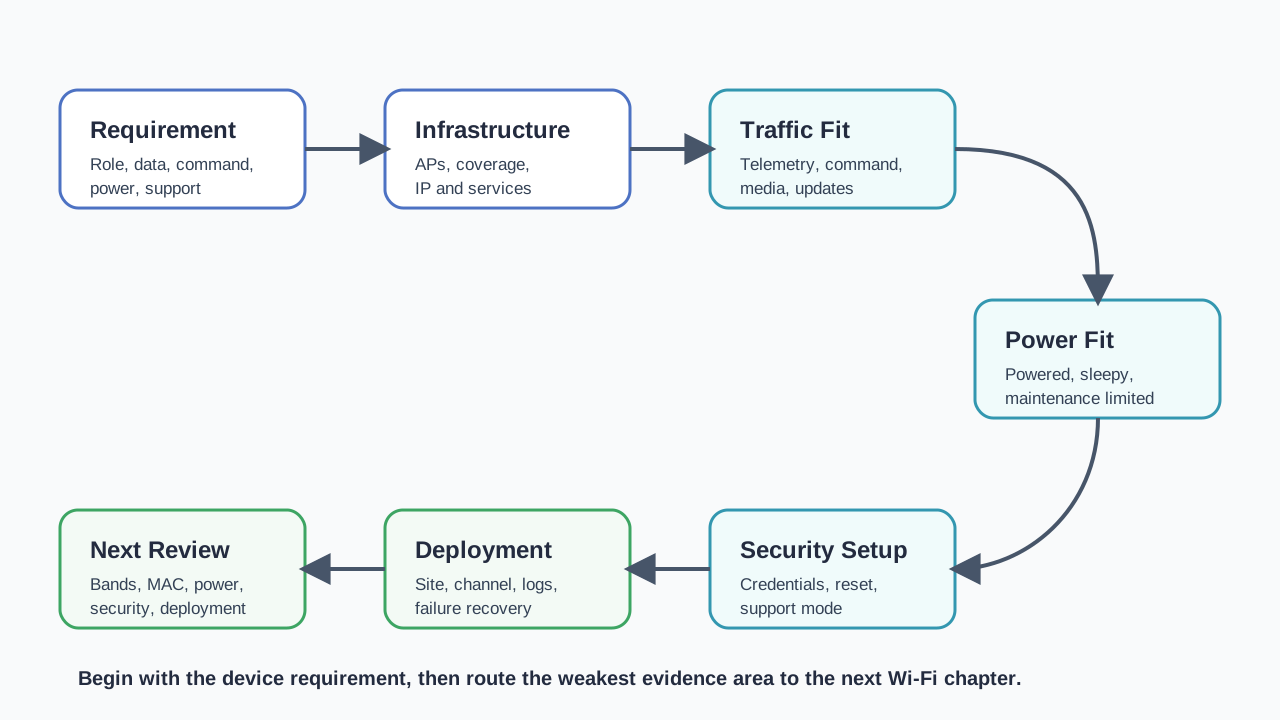
If you want to… Read this
Learn Wi-Fi standards and generations Wi-Fi Standards Index
Understand Wi-Fi frequency bands Wi-Fi Bands & Channels
Explore Wi-Fi architecture Wi-Fi Architecture Fundamentals
Implement Wi-Fi with ESP32 Wi-Fi Implementation: ESP32 Basics
Compare with other wireless for IoT Mobile Wireless Technologies Basics