23 ESP32 Wi-Fi: Provisioning and Recovery Workflows

More
Depth: Practitioner
Progress saves as you read. Mark sections complete as you go; your progress appears in the sidebar.
23.1 Start With the Decision
This section: Start With the Decision — A field device needs a safe path when its saved network no longer exists.
A field device needs a safe path when its saved network no longer exists. Setup mode lets a user give it a new network. Scanning looks for networks in reach; a timeout stops a wait that lasts too long; a retry tries a failed step again. Test these as one recovery flow.
23.2 Route Overview
This section: Route Overview — This is part 2 of 2.
This is part 2 of 2. Review ESP32 Wi-Fi: Connection and Service Checks for the preceding evidence.
23.3 Learning Objectives
This section: Learning Objectives
- Explain the ESP32 setup access-point flow and when a device falls back to it.
- Handle scans, timeouts, retries, and credential recovery.
23.4 Chapter Roadmap
This section: Chapter Roadmap
- Setup Access Point And Provisioning
- Network Scanning
- Failure And Recovery
- Power And Radio Behavior
- Security And Support Boundaries
- Worked Review: Room Sensor
- Worked Review: Setup Access Point Device
- Worked Review: Maintenance Tool
- Knowledge Check: Join Versus Service
- Knowledge Check: Setup Mode
- Match Evidence To ESP32 Wi-Fi Review Area
- Order The Basic ESP32 Wi-Fi Review
- Common Mistakes
- Final Checklist
- The ESP32 Wi-Fi Radio and Its Modes
- The Event-Driven Connection Flow
- The 802.11 Association Sequence Beneath the Events
- Summary
- Key Takeaway
- What’s Next
23.5 Setup Access Point And Provisioning
This section: Setup Access Point And Provisioning — A setup access point is useful when a device has no screen, keyboard, or wired management path.
A setup access point is useful when a device has no screen, keyboard, or wired management path. It is a setup tool, not a permanent network design.
Review these points:
- the setup access point starts only when credentials are missing, reset, or explicitly requested
- the setup window has a defined timeout or physical trigger
- setup traffic is limited to credential entry, diagnostics, or local configuration needed for onboarding
- credentials are not embedded in source code, documentation examples, or shared builds
- stored credentials can be replaced or cleared without reflashing the device
- a failed setup leaves the device in a clear support state
- setup mode cannot be confused with normal connected operation
Other provisioning paths can also be valid. The reviewer should focus on the evidence: how credentials enter the device, how they are stored, how they are cleared, and how failures are visible.
23.6 Network Scanning
This section: Network Scanning — Scanning can help a device choose or diagnose an access point, but it should not become the whole implementation.
Scanning can help a device choose or diagnose an access point, but it should not become the whole implementation.
Use scan evidence to answer focused questions:
- Is the expected network profile visible at the test location?
- Is the signal clearly weak, unstable, or crowded enough to explain a failure?
- Did the device choose the intended profile rather than a misleading nearby profile?
- Does scanning happen at a reasonable time instead of disrupting normal service?
- Is scan output recorded in a way that protects private network names when evidence is shared?
Avoid building a decision only on one scan. A scan is an observation from one place and time, not a site approval.
23.7 Failure And Recovery
This section: Failure And Recovery — Review recovery before calling the implementation ready.
Review recovery before calling the implementation ready.
Test at least these paths:
- wrong or expired credentials
- expected access point unavailable
- weak or obstructed signal
- address assignment failure
- service endpoint unavailable
- device restart during an outage
- support reset followed by reprovisioning
Strong recovery behavior includes:
- bounded retry and backoff
- visible state for the user or support workflow
- clear separation between network connected and service usable
- buffering or dropping policy for data created during an outage
- a safe way to return to setup or support mode
- records that show what failed, what recovered, and what still needs manual action
23.8 Power And Radio Behavior
This section: Power And Radio Behavior — Wi-Fi power behavior is dominated by transitions, not only by idle state.
Wi-Fi power behavior is dominated by transitions, not only by idle state. Even a basic review should observe the phases that matter for the device.
Record:
- boot and radio start
- scan and join
- service check
- normal traffic
- retry during outage
- command or receive window
- setup mode
- update or maintenance transfer if supported
- idle or sleep behavior
Do not turn this into a battery-life claim unless the chapter has the hardware and time evidence to support it. The useful output here is a power behavior record that can be carried into Wi-Fi Power Consumption.
23.9 Security And Support Boundaries
This section: Security And Support Boundaries — The basic implementation should not weaken the network or make support impossible.
The basic implementation should not weaken the network or make support impossible.
Check:
- credentials are not stored in source code
- reset and reprovisioning are intentional, observable, and documented
- setup mode is bounded and not left open after normal onboarding
- service credentials or device identity are scoped to the device role
- retired, lost, or replaced devices can be denied service
- logs expose state without exposing secrets
- firmware update or maintenance access is considered before pilot testing
This is not the full security chapter, but it should prevent the most obvious implementation drift.
23.10 Worked Review: Room Sensor
This section: Worked Review: Room Sensor
Scenario:
- A room sensor wakes, joins Wi-Fi, sends telemetry, receives occasional configuration, and returns to a lower-power state.
Evidence route:
- Scope: sensor role, telemetry service, configuration path, power pattern, and reset workflow.
- Station: join the intended profile and record address assignment.
- Service: show telemetry acceptance and one configuration exchange.
- Recovery: repeat after access point restart and after a wrong credential test.
- Power: record wake, join, service, retry, and idle phases.
- Security: verify credentials are provisioned rather than embedded in the firmware source.
Review decision:
- Ready for the next lab only if service reachability, recovery, and credential handling are recorded with limits.
23.11 Worked Review: Setup Access Point Device
This section: Worked Review: Setup Access Point Device
Scenario:
- A device starts a temporary setup network when no credentials are stored, accepts new credentials, then joins the normal network.
Evidence route:
- Scope: setup window, setup trigger, allowed setup actions, and failure state.
- Setup: verify the setup network appears only when intended.
- Credential: record how credentials are received, saved, replaced, and cleared.
- Transition: prove the device leaves setup mode and enters station mode after successful onboarding.
- Recovery: repeat with wrong credentials and support reset.
- Support: record the visible state for setup success and setup failure.
Review decision:
- Ready only if setup mode is bounded, credential handling is clear, and failed onboarding does not leave the device in an ambiguous state.
23.12 Worked Review: Maintenance Tool
This section: Worked Review: Maintenance Tool
Scenario:
- A handheld maintenance tool joins site Wi-Fi and communicates with a local controller during service visits.
Evidence route:
- Scope: mobile area, controller service, command path, and support owner.
- Station: record join and usable service at representative locations.
- Service: test diagnostics and commands separately.
- Recovery: observe movement through weak areas and service outage behavior.
- Security: confirm replacement or revocation can be handled.
- Support: show what the technician sees when network join works but service is unavailable.
Review decision:
- Ready for pilot only if the record separates movement limits, service limits, and support actions.
23.13 Knowledge Check: Join Versus Service
This section: Knowledge Check: Join Versus Service
23.14 Knowledge Check: Setup Mode
This section: Knowledge Check: Setup Mode
23.15 Match Evidence To ESP32 Wi-Fi Review Area
This section: Match Evidence To ESP32 Wi-Fi Review Area
23.16 Order The Basic ESP32 Wi-Fi Review
This section: Order The Basic ESP32 Wi-Fi Review
23.17 Common Mistakes
This section: Common Mistakes
Stopping at connected:
- Problem: the firmware reports a connected station state, but the required service was never tested.
- Repair: record both station evidence and usable-service evidence.
Using a forever loop:
- Problem: the device waits indefinitely for Wi-Fi and stops doing other useful work.
- Repair: use bounded connection attempts, visible state, and recovery policy.
Leaving setup mode open:
- Problem: a setup network or setup page remains available during normal operation.
- Repair: start setup only under defined conditions and close it after onboarding.
Embedding credentials:
- Problem: credentials are placed in source code or a shared firmware build.
- Repair: use a provisioning path, stored credentials, replacement, and reset workflow.
Overusing scan results:
- Problem: one scan is treated as proof that the site has good Wi-Fi.
- Repair: use scans as observations and carry coverage questions into deployment validation.
Ignoring service-specific failures:
- Problem: the device can reach the network but cannot reach the application service.
- Repair: test the service path that matches the device role.
23.18 Final Checklist
This section: Final Checklist
Before accepting a basic ESP32 Wi-Fi implementation, confirm that the record includes:
- device role and service requirement
- intended network profile
- station join evidence
- address assignment or configured addressing evidence
- usable-service evidence
- setup or provisioning path
- credential replacement and reset behavior
- failure and recovery behavior
- user or support-visible state
- power behavior observations for the main operating phases
- security and support limits
- readiness decision, owner, and next action
23.19 The ESP32 Wi-Fi Radio and Its Modes
This section: The ESP32 Wi-Fi Radio and Its Modes — The ESP32 is a low-cost microcontroller family with integrated Wi-Fi.
The ESP32 is a low-cost microcontroller family with integrated Wi-Fi. A classic ESP32 design uses an 802.11 b/g/n radio on the 2.4 GHz band, a single spatial stream, and 20/40 MHz channels. Its rate ceiling is far below a laptop’s, but that is normally acceptable for telemetry, commands, setup pages, and small maintenance transfers. The reviewer should still confirm the exact module or variant, because security modes, coexistence behavior, antenna layout, and SDK support can differ across boards.

It can run in three roles: station (STA), joining an existing AP; SoftAP, hosting its own network for other devices or for onboarding; or STA+AP simultaneously. Choosing the mode is the first decision in any ESP32 Wi-Fi project, but the mode choice is only the start. A usable implementation also needs a state model for scanning, joining, address assignment, service readiness, outage, retry, setup, reset, and stopped behavior.
For review purposes, do not treat an example sketch as the implementation. The basic question is whether the firmware can prove the specific service path it claims to support. A sensor may need one acknowledged MQTT publish, a maintenance tool may need a local controller command, and a setup page may need a bounded onboarding window. In each case the evidence should separate radio join, network address, application reachability, credential handling, and recovery. That separation keeps a serial log that says “connected” from being mistaken for a release decision. The record should name the firmware build, SDK path, board, antenna, test access point, and service endpoint.
Baseline facts: ESP32 Wi-Fi is a small state machine around a 2.4 GHz radio. The implementation is ready only when station/setup mode, service readiness, recovery, credentials, and support visibility are all bounded.
23.19.1 Overview Knowledge Check
23.20 The Event-Driven Connection Flow
This section: The Event-Driven Connection Flow — ESP-IDF drives Wi-Fi through an event loop, not blocking calls.
ESP-IDF drives Wi-Fi through an event loop, not blocking calls. A station bring-up initialises non-volatile storage and the network interface, then: esp_wifi_init() → set mode STA → load SSID/password → esp_wifi_start() → esp_wifi_connect(). Progress arrives as events:
| Event | Meaning | Typical action |
|---|---|---|
WIFI_EVENT_STA_START | Radio ready | Call esp_wifi_connect() |
WIFI_EVENT_STA_CONNECTED | Associated at layer 2 | Wait for IP |
IP_EVENT_STA_GOT_IP | IP address assigned (by DHCP or static configuration) | Start app/sockets |
WIFI_EVENT_STA_DISCONNECTED | Link lost/failed | Retry with backoff |
The critical subtlety: STA_CONNECTED means the radio associated, but the device has no usable IP yet. Application sockets must wait for IP_EVENT_STA_GOT_IP. Opening a socket on connection rather than on got-IP is a classic beginner bug.
A practitioner implementation should also put policy around those events. Use a connection timeout rather than an endless wait, retry with backoff rather than a tight reconnect loop, and publish a visible state that support can read without exposing the SSID or password. Keep application work behind a service_usable state that is set only after the actual broker, controller, or update endpoint responds. If data is created during an outage, record whether it is buffered, summarized, dropped, or marked stale.
Provisioning needs the same discipline. A setup access point should start only under a defined condition such as missing credentials, a physical reset gesture, or an explicit support command. It should close after onboarding or timeout, and it should leave a clear failure state when credentials are wrong. A reviewer should be able to reproduce replacement, credential rotation, support reset, and firmware update access without editing source code or reflashing a shared secret into every device.
Worked example. A firmware opens an MQTT socket inside the STA_CONNECTED handler and it fails intermittently. The reason: the IP address is not ready yet. Moving the socket open into the IP_EVENT_STA_GOT_IP handler fixes the immediate bug. Adding a bounded reconnect in the DISCONNECTED handler, a service-specific publish acknowledgment, and a support-visible degraded state makes the device robust to AP restarts, broker outages, and wrong-credential recovery.
23.20.1 Practitioner Knowledge Check
23.21 The 802.11 Association Sequence Beneath the Events
This section: The 802.11 Association Sequence Beneath the Events — Those tidy ESP-IDF events wrap a standard 802.11 exchange.
Those tidy ESP-IDF events wrap a standard 802.11 exchange. Inspect Figure 23.1 while following how the ESP32 scans, performs authentication, associates, completes the secured network’s 4-way handshake, and only then allows address setup and application data to flow.
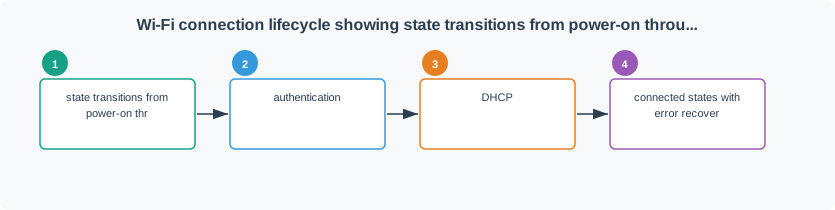
Read Figure 23.1 from scan through authentication, association, DHCP, and usable service to map failures to stages. A wrong password fails at the 4-way handshake, a hidden SSID needs an active probe, and weak signal can produce repeated association timeouts. The disconnect reason therefore points toward the failing boundary.
The state machine also protects the rest of the firmware. Sensors, actuators, watchdogs, local storage, and user feedback should not freeze while Wi-Fi retries. A clean implementation records the last network stage, the disconnect reason, retry count, next retry time, and whether application traffic is allowed. That evidence lets a reviewer distinguish a radio problem from a DHCP problem, a DNS problem, an authorization problem, or a broker outage.
Worked example. A device associates but immediately disconnects with reason code 15, a 4-way handshake timeout. That identifies the failed stage, not its root cause: check the PSK and WPA mode, but also investigate weak or interfered RF and the AP’s handshake logs. Reading the reason code instead of blindly retrying narrows “Wi-Fi will not connect” to a testable stage. The release record should show the failed stage, the measured cause, the retest result, and whether the support state changed from retrying to usable service.
23.21.1 Under-the-Hood Knowledge Check
23.22 Summary
This section: Summary — ESP32 Wi-Fi basics are not just API calls.
ESP32 Wi-Fi basics are not just API calls. A useful implementation proves the whole connection path from scoped requirement to station join, usable service, recovery, provisioning, support state, and bounded readiness decision.
Keep the evidence modest and specific. This chapter can show that a basic ESP32 Wi-Fi implementation is ready for the next focused review, but it should not claim installed coverage, long-term power behavior, or full security approval by itself.
23.23 Key Takeaway
This section: Key Takeaway — Wi-Fi Implementation: ESP32 Basics should leave deployment evidence for association, throughput, latency, security setup, power behavior, failure recovery, and tested device constraints.
Wi-Fi Implementation: ESP32 Basics should leave deployment evidence for association, throughput, latency, security setup, power behavior, failure recovery, and tested device constraints.
23.24 What’s Next
This section: What’s Next — Use Wi-Fi HTTP & WebSocket when the weak point is application communication over Wi-Fi.
Use Wi-Fi HTTP & WebSocket when the weak point is application communication over Wi-Fi.
Use Wi-Fi Power Consumption when the device’s operating cycle needs deeper power work.
Use Wi-Fi Security and Provisioning when onboarding, credentials, reset, revocation, or update access is the main risk.
Use Wi-Fi Comprehensive Lab when the implementation is ready for a broader release-evidence review.
Use Wi-Fi for IoT: Implementations to compare this ESP32 path with other Wi-Fi implementation patterns.
23.25 Continue Your Route
This section: Continue Your Route — This is the last part of this chapter.
This is the last part of this chapter. Return to ESP32 Wi-Fi: Connection and Service Checks or continue from the wifi-mobile module index.
Find help
3 reviewed answers.
Where should I start in a module?
Open the module page from the sidebar to see its chapters in order. Use the module map to return to a topic you need.
Modules and pathsReviewed
What can I try when a project does not work?
Check the symptom, then work through the diagnostic steps. Keep the error message and the smallest example that reproduces it.
When you are stuckReviewed
How do interactive examples work?
Use the interactive guide to check how examples and simulations work before changing your project.
Interactive examples guideReviewed