15 What Software Prototypes Prove
More
Depth: Practitioner
Progress saves as you read. Mark sections complete as you go; your progress appears in the sidebar.
15.1 Start With the Story
This section: Start With the Story — A leak monitor can publish one good MQTT message and still be a weak software prototype.
A leak monitor can publish one good MQTT message and still be a weak software prototype. The real story begins when the team asks what happens when Wi-Fi drops, the sensor disconnects, flash fills, the gateway reboots, or the payload becomes stale. A useful firmware slice does not prove everything. It proves the one behavior that could break the next decision.
Follow the leak monitor past its first successful message.
-
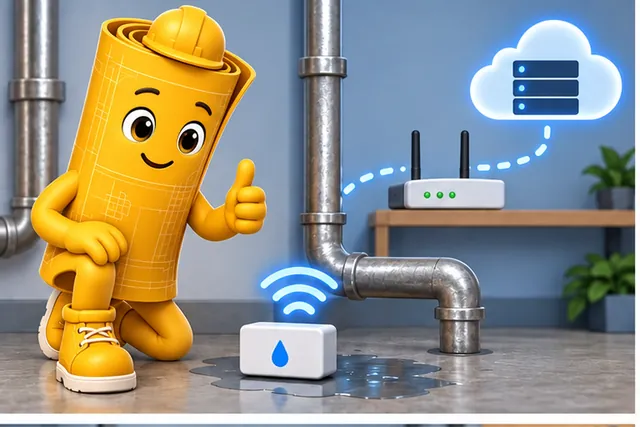
A leak monitor sends one good message over the wireless network.
-
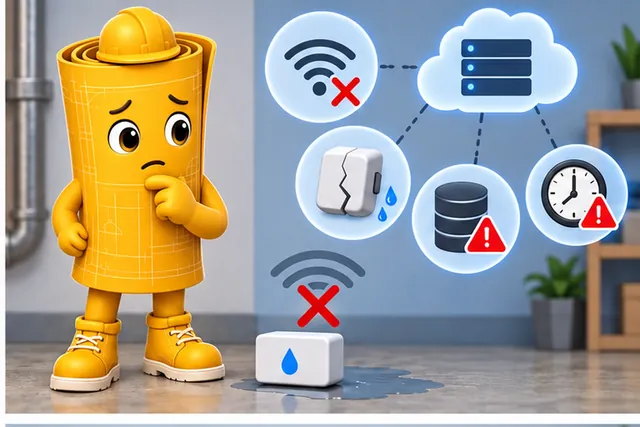
A lost link, sensor fault, full memory, or old reading may still break it.
-
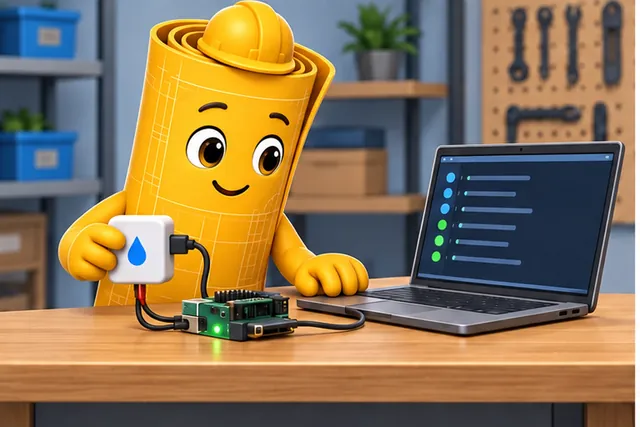
Build the smallest logged slice that exposes one runtime risk.
-
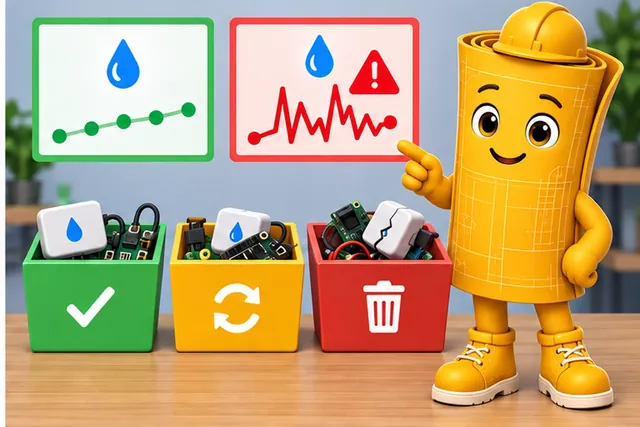
Normal and fault runs show what to reuse, retest, or discard.
Use this chapter to keep software prototypes narrow and reviewable. Name the runtime risk, build the smallest slice that exposes it, instrument normal and fault paths, and record what should be reused or thrown away.
15.2 Prototype the Software Risk
This section: Prototype the Software Risk — A software prototype is useful when it isolates the behavior that could invalidate the design.
A software prototype is useful when it isolates the behavior that could invalidate the design. It may prove that an I2C sensor can be read without blocking the loop, that an MQTT publish path keeps enough status for recovery, or that a gateway contract survives a network outage. It should not try to become the production firmware on day one.
Figure 15.1 moves a software risk from a small code slice to a reuse decision.
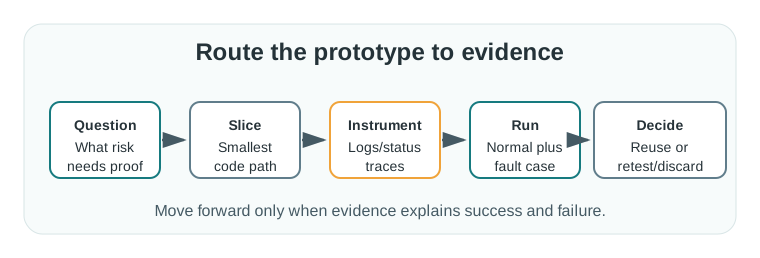
Begin with the risk that needs proof, then write the smallest code path that includes the real boundary. A driver plus one state transition may be enough to expose stale data or a timeout; a polished application screen is not required. Instrument the slice with logs or status traces and run both the normal case and a fault case. The decision records what can be reused, what needs retest on integrated hardware, and what should be discarded. The route makes a software prototype valuable when its evidence explains success and failure, not merely when the code runs once.
The smallest useful slice includes the real boundary that creates the risk. For firmware, that might be a driver plus a state machine. For integration, it might be a device simulator plus broker payloads. For operations, it might be a firmware version, log format, and fault state that support can interpret.
For example, a pump-room leak monitor can start with one ESP32-C3 firmware slice that reads a leak strip through a GPIO input, samples a SHT31 temperature sensor over I2C, and publishes a compact MQTT status document. That slice should prove whether the loop can read the sensors, mark stale values, keep the local alarm state, and publish a payload with fields such as device_id, firmware_version, leak_state, temperature_c, stale, and last_fault. It does not need a final enclosure menu, full cloud dashboard, or polished mobile app to answer that software question.
Name the software stack by responsibility, not by job title. The front end is the client-facing part: screens, controls, workflow, and the user experience that lets a person interact with the system. The back end is the server-side part: data storage, APIs, authentication, algorithms, and services the user normally does not see directly. Full-stack work connects those two sides and proves the contract between them. For an IoT prototype, that contract might be a web button that sends a command, a gateway API that validates it, a device state machine that applies it, and a sensor reading that confirms the outcome.
The exit decision is easier when the prototype states what it has not proved. A successful publish through Mosquitto or AWS IoT Core may prove the payload and retry behavior, but not OTA rollback, certificate rotation, fleet provisioning, or long-term flash wear. A reviewer should be able to look at the slice and say which evidence belongs to the current prototype and which later chapter must still test architecture, libraries, update flow, and operations.
- Question: State the runtime behavior or integration boundary the prototype must make visible.
- Slice: Include only the code, board, harness, or service stub needed to expose that boundary.
- Exit: Decide what can be reused, what is throwaway, and what must be checked again when the board, SDK, gateway, or payload changes.
15.3 Pick Runtime Deliberately
This section: Pick Runtime Deliberately — Choose the software environment that matches the risk.
Choose the software environment that matches the risk. An Arduino sketch can answer a quick sensor-read question, but it may hide memory, interrupt, and scheduling behavior. ESP-IDF, Zephyr, or FreeRTOS can expose task timing, watchdog behavior, queues, and driver boundaries. A Python or Node.js harness can test a cloud contract, but it does not prove the microcontroller timing path.
Record the versioned parts that affect repeatability: board revision, SDK or framework version, compiler, build flags, pin mapping, calibration constants, broker endpoint, topic naming, payload schema, and firmware version string. For a hardware-in-loop run, include the fixture, power supply, serial log, and fault injected.
Match the tool to the evidence question. If the team only needs to compare SHT31 and BME280 library behavior, an Arduino or PlatformIO sketch with Serial Monitor output may be enough. If the question is whether a valve controller can keep sampling while MQTT reconnects, use ESP-IDF, Zephyr, or FreeRTOS so tasks, queues, watchdogs, and timer callbacks are visible. If the question is the cloud contract, a Python simulator can publish representative JSON to Mosquitto, EMQX, AWS IoT Core, or Azure IoT Hub before the real device firmware is complete.
Keep the record operationally useful. Store the board profile, SDK commit or package version, compiler target, serial baud rate, MQTT broker address, topic pattern, TLS mode, payload schema version, and log excerpt. Capture one normal run and one deliberately broken run: disconnected I2C sensor, wrong topic permission, broker outage, corrupt configuration value, or watchdog reset during a publish. That evidence lets another engineer repeat the same risk test without guessing which laptop, board variant, or temporary script produced the result.
- Start with the failure. Choose the missing-sensor, lost-Wi-Fi, full-storage, brownout, malformed-payload, or interrupted-update case that would make the design risky.
- Instrument before the demo. Add timestamps, counters, state labels, watchdog resets, serial output, or trace pins before a successful dashboard update hides the behavior.
- Keep secrets out of records. Store credential shape, source, and rotation expectation without committing API keys, Wi-Fi passwords, certificates, or tokens.
15.4 Firmware Timing Shapes Results
This section: Firmware Timing Shapes Results — Two prototypes can show the same dashboard value while proving different things.
Two prototypes can show the same dashboard value while proving different things. A blocking delay() loop, a cooperative superloop, and a FreeRTOS task model create different timing, power, and recovery behavior. The prototype has to expose which model it uses because later architecture, testing, and OTA decisions depend on it.
Pay attention to boundaries that disappear in a polished demo: ISR-to-task handoff, I2C or SPI bus timeouts, UART framing errors, MQTT reconnect backoff, nonvolatile configuration writes, watchdog policy, heap growth, and sleep/wake transitions. These details decide whether the prototype is a throwaway sketch, a reusable driver experiment, or a candidate production slice.
Timing evidence should name the owner of each wait. An I2C read can block behind clock stretching, a TLS handshake can hold a network task, a filesystem write can stall while flash erases, and a sensor interrupt can arrive while the application is already processing an alarm. In a bare superloop, the evidence may be maximum loop time, retry counters, and watchdog reset reason. In FreeRTOS or Zephyr, it may be task priority, queue depth, stack high-water mark, timer jitter, and whether a work queue can starve a lower-priority sampling task.
Power and update behavior also depend on the software structure. A battery prototype that sleeps between samples should record wake reason, radio association time, publish duration, and current spikes measured with a power profiler or shunt fixture. An OTA prototype should record image slot, bootloader result, rollback condition, and what local state survives a failed update. These details are not paperwork; they decide whether later software architecture can trust the prototype or must repeat the experiment with the final runtime model.
- State ownership: Identify which code owns device state, stale data, fault reason, and local override.
- Time ownership: Bound sensor reads, network retries, storage writes, update checks, and alarm actions.
- Failure ownership: Make recovery behavior visible before handing the slice to cloud, app, or operations work.
15.5 Learning Objectives
This section: Learning Objectives
By the end of this chapter, you will be able to:
- Frame an IoT software prototype around a specific evidence question.
- Select the smallest firmware slice that can expose the current risk.
- Separate device behavior, communication, data, update, and operations evidence.
- Review failure handling before a demo hides timeout, retry, or recovery gaps.
- Write a software prototype record that supports later environment, language, architecture, library, testing, OTA, and best-practice decisions.
15.6 What Software Prototyping Proves
This section: What Software Prototyping Proves — An IoT software prototype proves behavior under constraint.
An IoT software prototype proves behavior under constraint. It should not be judged only by whether a demo screen updates. The important question is what the code makes visible about timing, state, faults, data shape, and handoff risk.
Start by naming the evidence question:
A demo that works once can still hide blocking calls, stale readings, unbounded retries, missing status flags, and configuration assumptions. Review the evidence path before treating the demo as a software decision.
15.7 Evidence Layers
This section: Evidence Layers — Software prototypes touch several layers.
Software prototypes touch several layers. The chapter should identify which layer is being tested so later work does not confuse a working sketch with a production-ready subsystem.
Figure 15.2 distinguishes runtime, state, communication, update, and review evidence.
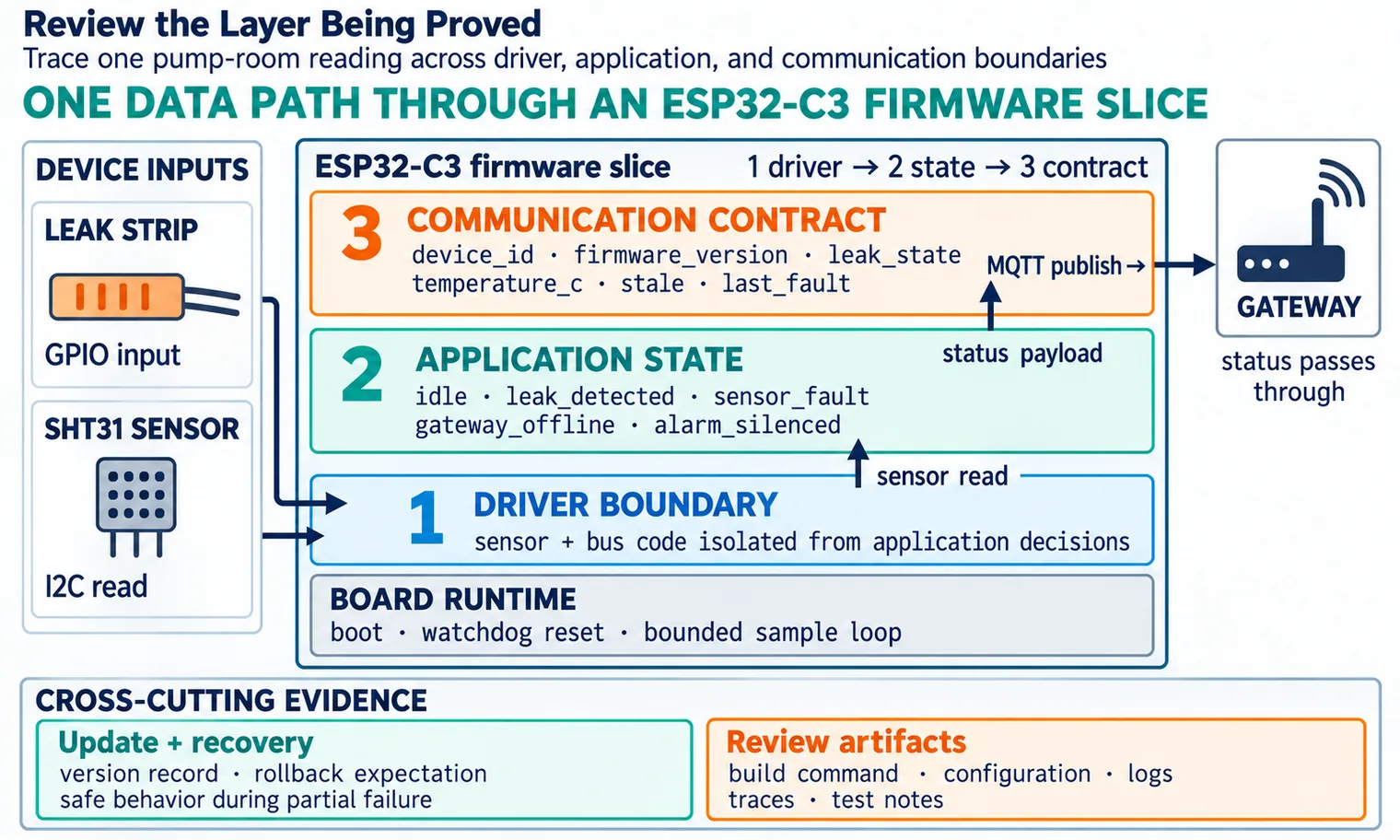
The layers in Figure 15.2 separate a running sketch from a tested subsystem. Runtime and drivers expose boot, sleep, watchdog, and I/O behavior. Application state names transitions, stale readings, and recovery, while the communication contract records payload shape, retries, and offline queue behavior. Update and recovery adds version, rollback, and safe failure. Review artifacts keep builds, logs, and test notes with the claim. A working publish message therefore cannot prove reset behavior or an interrupted update. State which layer each run reaches and keep the untested layers in the handoff record.
Use these layer checks:
15.8 Prototype Forms
This section: Prototype Forms — Choose the smallest software form that can answer the question.
Choose the smallest software form that can answer the question. A prototype can be throwaway, reusable, or a candidate for production, but the team must say which one it is.
Figure 15.3 orders software forms by the uncertainty they can expose.
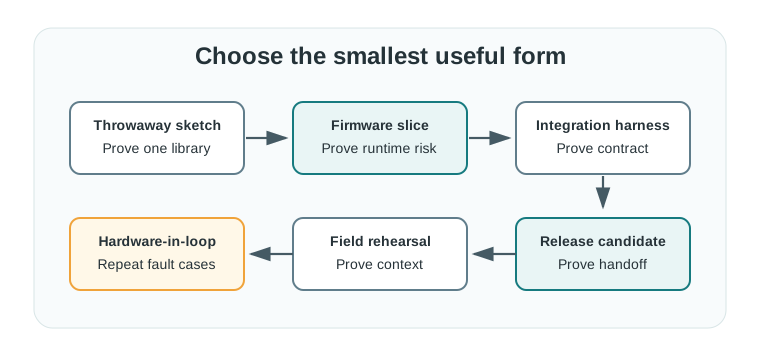
A throwaway sketch can check one library or pin behavior, while a firmware slice can exercise boot, watchdog, or driver risk. An integration harness checks the payload and retry contract without needing every device, and hardware-in-loop repeats fault cases on the real board. A field rehearsal adds placement, service, and network conditions; a release candidate needs a handoff record others can rerun. The form should follow the current question. Reusing a sketch as a release candidate would leave fault recovery, update behavior, and ownership untested even if its first normal run succeeded.
15.9 Risk Review
This section: Risk Review — Most software prototype failures come from treating “it ran once” as enough evidence.
Most software prototype failures come from treating “it ran once” as enough evidence. Review runtime and integration risks deliberately.
Figure 15.4 makes blocking, stale-state, and recovery risks visible.
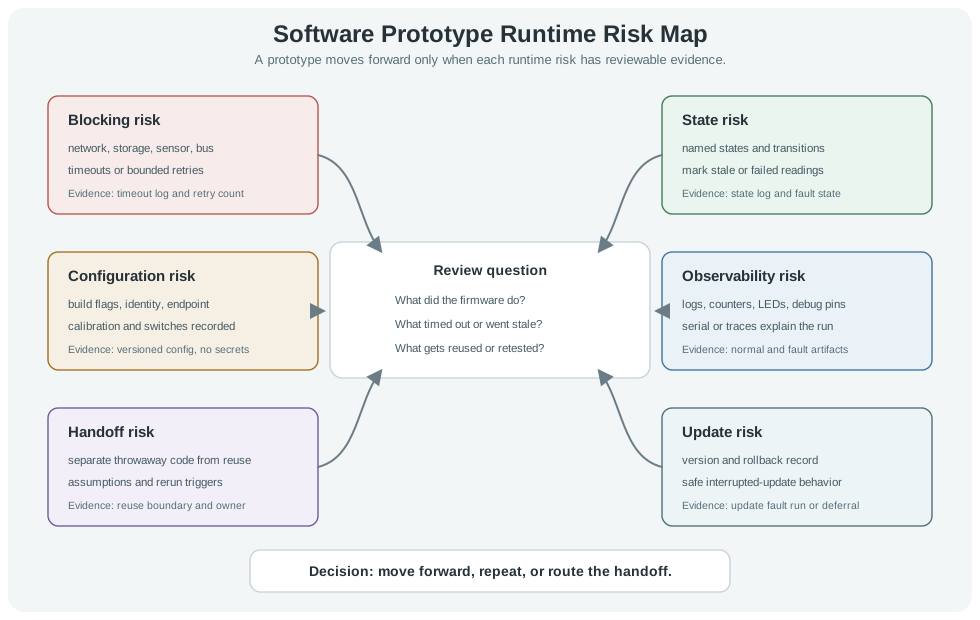
The risk map in Figure 15.4 asks what the firmware did when work blocked or data went stale. Timeout logs and retry counts support the blocking check; state logs show named transitions and a fault state. Versioned configuration records calibration and switches without exposing secrets. Normal and fault artifacts make the run observable. The handoff row separates reusable code from throwaway demo work, and the update row asks for an interrupted-update test or a clear deferral. These rows matter together: a normal run may look sound while an unbounded network call or stale status still breaks the prototype. Decide whether to advance, repeat, or hand off from the recorded evidence.
Use this checklist before moving the prototype forward:
Small prototypes are easier to challenge. A useful firmware slice may contain only one driver, one state machine, one payload, and one failure case if that is enough to answer the current question.
15.10 Worked Scenario: Pump Room Leak Monitor
This section: Worked Scenario: Pump Room Leak Monitor — A team is prototyping firmware for a pump room leak monitor.
A team is prototyping firmware for a pump room leak monitor. The device reads a leak strip, reports room temperature, sounds a local alarm, and sends status through a gateway. The team avoids building the whole product at once.
15.10.1 Stage 1: Board Runtime
Start with a firmware slice that exercises boot, sensor reading, alarm output, the status LED, watchdog reset, and a bounded sample loop. These checks establish the board behavior needed before adding named application states or a gateway contract. Keep the slice small enough that its timing and reset behavior remain visible in the run evidence.
Record the build command, board revision, firmware version, and a clean log together. The log links observed behavior to a specific build and board, giving another reviewer a basis for repeating the run. Timing evidence should identify waits within the sample loop and show their bounds. Treat this as board-runtime evidence; state recovery, communication behavior, and the later reuse decision still require their own tests.
15.10.2 Stage 2: State and Fault Handling
Add the named states idle, leak_detected, sensor_fault, gateway_offline, and alarm_silenced to make application behavior visible beyond the initial board checks. Identify which code owns device state, stale data, fault reasons, and alarm behavior. State logs should show transitions and recovery so that a successful sensor read or status publication does not hide a fault.
Exercise sensor disconnect, stuck input, gateway loss, and restart during an alarm. Keep the observed states and fault evidence with the firmware build record, including stale status and the last fault where relevant. Compare these runs with the normal idle path. The result should explain how the slice responds under the tested conditions and provide reviewed state information for the next communication step.
15.10.3 Stage 3: Communication Contract
Send only the reviewed status fields: device id, firmware version, leak state, temperature value, stale flag, battery or supply state, alarm state, and last fault. Together, these fields carry the reading and the device context needed to interpret it. The stale flag and last fault make uncertainty visible alongside the reported value, while leak and alarm state preserve the distinction between detection and alarm behavior.
Review the payload at the gateway boundary before dashboard work begins. Keep payload samples, schema version, and normal and fault run evidence with the prototype record so the contract can be replayed or challenged. A successful message supports the tested communication claim; retry behavior, outages, and later payload changes need corresponding evidence before the schema becomes a reuse candidate.
15.10.4 Stage 4: Handoff Decision
The team marks the sensor driver and payload schema as candidates for reuse. The alarm timing, enclosure assumptions, configuration storage, and OTA path remain prototype-only until later software chapters test them directly.
prototype=pump-room-leak-monitor
current_question=can firmware expose leak, fault, and gateway-offline states safely?
firmware_slice=driver boundary, state machine, status payload, local alarm
normal_run=boot, read, alarm clear, publish status, sleep or idle
fault_run=sensor missing, gateway unavailable, restart during alarm, stale reading
evidence=build command, firmware version, logs, payload samples, reviewer notes
reuse_candidate=sensor driver and payload schema after review
throwaway=alarm timing constants, temporary debug output, fixed test credentials
rerun_condition=repeat when board, gateway, enclosure, update path, or payload contract changes
15.11 Integration Boundary
This section: Integration Boundary — The software prototype proves a slice of behavior.
The software prototype proves a slice of behavior. It does not automatically prove final firmware architecture, production security, OTA reliability, cloud scaling, support workflow, or regulatory readiness.
15.12 Software Prototype Review Record
This section: Software Prototype Review Record — Leave a record that another engineer can replay or challenge.
Leave a record that another engineer can replay or challenge. The record matters more than the amount of code written.
Figure 15.5 keeps the pump-room firmware claim narrow enough to replay.
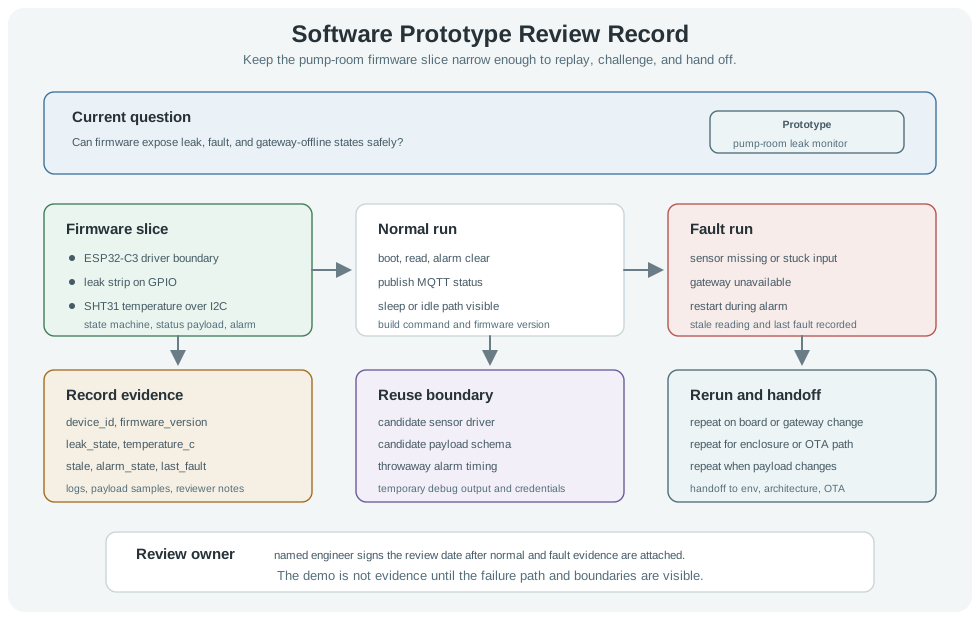
The pump-room example in Figure 15.5 keeps a narrow firmware question in view: can leak, fault, and gateway-offline states be exposed safely? A normal run records boot, sensor read, alarm clear, status publish, and the idle path with its build version. Fault runs add missing or stuck input, gateway loss, and restart during alarm; the status fields show stale data and the last fault. The record marks a sensor driver and payload schema as candidates for reuse, while alarm timing and debug output remain temporary. Board, gateway, enclosure, OTA, or payload changes trigger another run. A named reviewer signs only after both normal and fault evidence is attached.
Use this template:
prototype=
current_question=
board_or_harness=
firmware_version=
build_command=
configuration_record=
normal_run_evidence=
fault_run_evidence=
data_contract_evidence=
observability_evidence=
reuse_candidate=
throwaway_code=
integration_boundary=
rerun_condition=
next_chapter_handoff=
review_owner=
review_date=
15.13 Knowledge Check
This section: Knowledge Check
15.14 Common Failure Patterns
This section: Common Failure Patterns
15.15 Summary
This section: Summary — First, Software prototypes should answer one evidence question at a time.
First, Software prototypes should answer one evidence question at a time. Next, The useful output is not only code; it is behavior, logs, payload samples, fault runs, and review records. Then, Keep throwaway code, reusable code, and production candidates clearly separated. After that, Do not let a dashboard, app, or cloud integration hide weak firmware evidence. Finally, Route the next decision to the right follow-on chapter after the current prototype evidence is explicit.
15.16 Key Takeaway
This section: Key Takeaway — Software prototypes should prove architecture and operations assumptions early: data flow, state, failure recovery, updates, observability, and integration boundaries.
Software prototypes should prove architecture and operations assumptions early: data flow, state, failure recovery, updates, observability, and integration boundaries.
15.17 What’s Next
This section: What’s Next
Find help
3 reviewed answers.
Where should I start in a module?
Open the module page from the sidebar to see its chapters in order. Use the module map to return to a topic you need.
Modules and pathsReviewed
What can I try when a project does not work?
Check the symptom, then work through the diagnostic steps. Keep the error message and the smallest example that reproduces it.
When you are stuckReviewed
How do interactive examples work?
Use the interactive guide to check how examples and simulations work before changing your project.
Interactive examples guideReviewed