2 The Testing Pyramid
More
Depth: Practitioner
Progress saves as you read. Mark sections complete as you go; your progress appears in the sidebar.
2.1 Start With the Story: A Slow Test Suite Gets Skipped
This section: Start With the Story: A Slow Test Suite Gets Skipped — A test is a repeatable check of a claim about a product.
A test is a repeatable check of a claim about a product. Firmware is software stored inside a device. A small firmware test can run without the real sensor, radio, or cloud. It gives fast feedback when one rule breaks.
Follow the test that became too slow to run after every change.
-
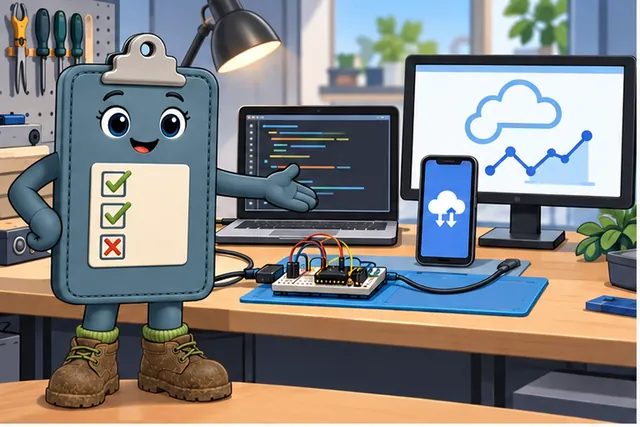
A full device test needs a bench, fresh code, a phone, cloud data, and a screen.
-

It is too slow after every small change, so the team starts skipping it.
-
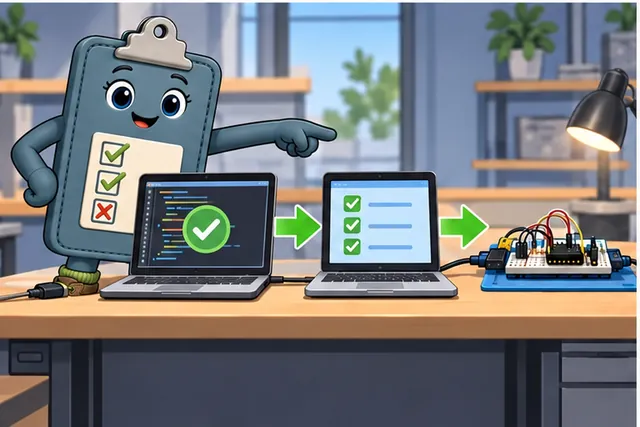
Put cheap code checks first and save hardware tests for physical claims.
-
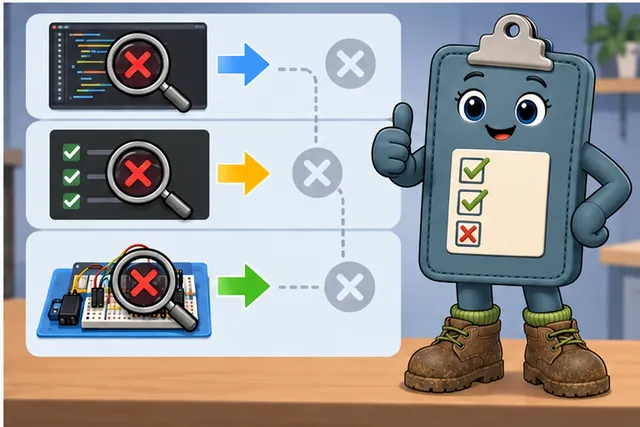
Each fault is caught at the earliest test layer that can truly see it.
Imagine a team that can only test the full IoT system by walking to a lab bench, flashing a device, pairing a phone, waiting for cloud messages, and reading a dashboard. That test is valuable, but it is too slow to run after every small firmware change. So people stop running it, and the first real signal arrives late, when the bug is expensive.
The pyramid is the antidote. Put the cheap checks where engineers will actually use them, then reserve slower integration, hardware, system, and field evidence for the claims that genuinely need those boundaries. The goal is not a pretty triangle; it is a feedback loop that catches the right defect at the cheapest layer that can see it.
2.2 Overview: A Pyramid for Hardware You Cannot Reach
This section: Overview: A Pyramid for Hardware You Cannot Reach — The testing pyramid puts many small checks at its wide base.
The testing pyramid puts many small checks at its wide base. A unit test checks one small piece of code by itself. These tests are fast and cheap, so teams can run them after every change. Higher layers join more parts and take more time. An integration test checks that parts work together. A system test checks the full path from start to finish. Keep only a few slow system tests at the narrow top.
IoT adds checks that ordinary software may not need. A hardware-aware test uses a real or simulated device. Other tests add heat, cold, weak links, attacks, and field conditions. These checks cost more because timing, sensors, radios, and a physical device cannot be copied perfectly on a laptop. Verification asks whether the team built the design correctly. Validation asks whether that design solves the real problem. Fast tests support verification, while the upper layers add real-world validation.
If you only need the intuition, this layer is enough: build many fast checks at the base and few slow ones at the top, because the tests that run often are the ones that protect you. IoT stacks hardware, environment, security, and field layers above that, and the engineering judgment is keeping the fast base wide enough that the expensive top stays small. Read Figure 2.1 in that order.
Before distributing test effort, inspect Figure 2.1 to connect feedback speed and cost to the kind of evidence each layer can actually supply.
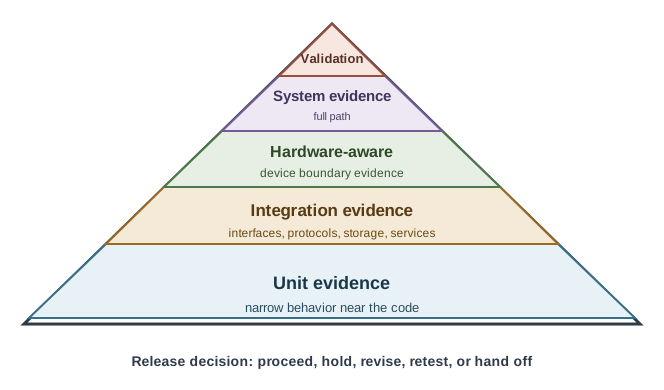
Read Figure 2.1 upward from many fast unit checks through integration and hardware-aware evidence to system validation and release. The narrowing shape preserves rapid feedback at the base while reserving scarce physical and field capacity for claims the lower layers cannot close.
The One-Minute View
Effort by feedback speed
Most tests at the base where they run in seconds; few at the top where a single run is slow and costly. Read Figure 2.1 in that order.
IoT adds layers
Hardware-aware, environmental, security, and field testing sit above the classic unit, integration, and system levels.
Verify and validate
The pyramid organizes verification against the spec; the upper IoT layers are where real-world validation happens.
Beginner Examples
Read these examples as a progression from the simplest observation to the boundary that still needs evidence. Begin with this case: a suite of thousands of unit tests finishes in seconds and runs on every commit, while a handful of end-to-end tests run nightly because each takes minutes. Then examine how a firmware function passes every unit test on a laptop, but only a hardware-aware test catches that it misreads a real sensor at start-up. Finish with "All tests pass" is a verification claim about the base of the pyramid; "it worked at a real site" is a validation claim from the very top. Together, the examples connect an intuitive result to a bounded engineering claim.
Overview Knowledge Check
If you can explain why the base is wide, you have the core idea. Continue to Practitioner for the levels in detail and the anti-patterns that flip the pyramid over.
2.3 Practitioner: The Levels, the Anti-Patterns, and the IoT Challenges
This section: Practitioner: The Levels, the Anti-Patterns, and the IoT Challenges — A real strategy names its levels.
A real strategy names its levels. Unit tests check a single function or module in isolation with hardware mocked. Integration tests check that two components agree across an interface — firmware to cloud, device to app, service to service. System (end-to-end) tests exercise the whole path from sensor to dashboard. Acceptance tests confirm user-facing requirements. Above these, IoT adds hardware-in-the-loop and hardware-aware tests, environmental and physical stress, security testing, and field validation, each answering a question the level below cannot.
When the Pyramid Flips Over
The most common failure is an inverted pyramid, sometimes called the ice-cream cone: many slow end-to-end tests, few unit tests, and a thin middle. It feels thorough because the tests resemble the real system, but the suite becomes slow, flaky, and expensive, so it runs less often and is trusted less. The fix is not to delete end-to-end tests; it is to push each check down to the lowest level that can still answer it, so the fast base catches most defects and the slow top is reserved for behaviors only a full path can show. Treat target percentages as a direction, not a rule — some teams reasonably run an integration-heavy shape — but a base narrower than the top is a warning sign. Read Figure 2.2 in that order.
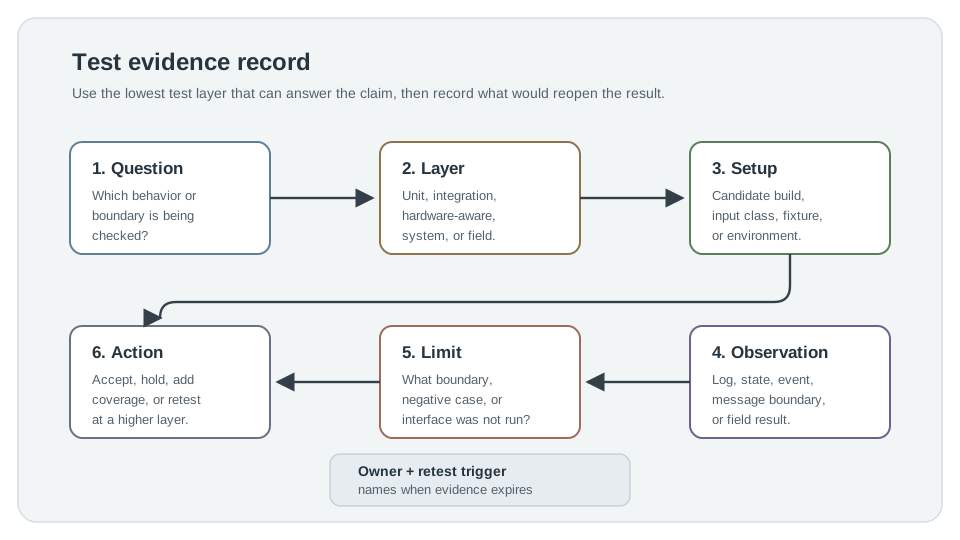
Read Figure 2.2 from the review question to the selected test layer and setup, then compare the observation with its evidence limit. Choosing the lowest layer able to answer the question keeps the suite fast without overstating what a unit, integration, HIL, or end-to-end result proves. The action, owner, and retest trigger turn that bounded result into follow-through. This record is the corrective connection between an inverted pyramid and a balanced evidence strategy.
The IoT Challenges That Distort the Shape
IoT introduces failure modes that tempt teams away from a balanced pyramid. Each challenge has a layer where its evidence actually belongs.
Practitioner Knowledge Check
If you can name the levels, spot an inverted pyramid, and route each challenge to its layer, you can stop here. Continue to Under the Hood for why a green suite can still mislead.
2.4 Under the Hood: Why a Green Suite Can Still Lie
This section: Under the Hood: Why a Green Suite Can Still Lie — A passing suite is necessary, not sufficient.
A passing suite is necessary, not sufficient. Three gaps separate a green dashboard from a trustworthy one: coverage that measures the wrong thing, evidence that has quietly gone stale, and a test level that does not match the claim it is used to support.
Coverage Is Quantity, Not Quality
A suite can execute most of the lines while proving little, if it runs the same happy-path inputs repeatedly. Coverage tells you which code ran, not whether the cases that matter were tried. Quality comes from deliberate design: boundary-value cases (minimum, maximum, just inside and just outside a limit), equivalence partitioning (one representative from each input class), and negative and error-path cases (missing, malformed, stale, and out-of-range inputs). A high coverage number with no boundary or failure cases is a confidence illusion, especially for firmware that must survive bad sensor data.
Match the Level to the Claim
The pyramid only helps if each result answers the question it is used for. A unit test proves a function's logic, not that two services agree on a message field. A system smoke test proves the path starts, not that a storage migration preserved retained state. When a change crosses an interface, the evidence has to come from that interface — which is why a firmware change that alters a consumer-facing message needs integration evidence, not just a passing parser unit test.
Common Pitfalls
Review these failure modes in the order they can weaken or invalidate the result. Begin with Confusing coverage with quality. Line coverage with no boundary or negative cases proves little; design the cases instead of chasing the number. Then examine Matching the wrong level to the claim. A unit pass cannot close a hardware-interface or message-contract question. Then examine Hiding a skipped boundary in the logs. A skipped storage-migration or interface check belongs in the record, not buried in output. Then examine Overstating a result. A scenario that passed is not proof that every related scenario will. Finish with Reusing stale evidence. Without a retest trigger, a green result outlives the assumptions that made it true. This sequence connects each warning to the evidence a reviewer should demand before accepting the claim.
Under-the-Hood Knowledge Check
At this depth, testing fundamentals is a discipline of matching evidence to questions: keep the pyramid's base wide, choose the level that answers the claim, design cases for the inputs that break things, and record what reopens each result. A green suite earns trust only when it shows what it did not test.
2.5 Summary
This section: Summary — The testing pyramid distributes effort by feedback speed: many fast unit tests at the base, fewer slow end-to-end tests at the top, because tests that run often are the ones that protect the product.
The testing pyramid distributes effort by feedback speed: many fast unit tests at the base, fewer slow end-to-end tests at the top, because tests that run often are the ones that protect the product. IoT adds layers above the classic pyramid — hardware-aware/HIL, environmental, security, and field testing — and raises the cost of every level above unit. Verification (built to spec) is organized by the pyramid; validation (solves the real problem) lives in the upper IoT and field layers. The inverted pyramid (ice-cream cone) — many slow end-to-end tests, few unit tests — is slow and flaky, runs rarely, and catches defects late; push each check to the lowest level that can answer it. Treat target percentages as direction, not law; a base narrower than the top is a warning sign. IoT challenges — layer coupling, hardware assumptions, connectivity, physical conditions, security, and evidence drift — each route to a specific layer and into records. Coverage measures quantity, not quality; design boundary, equivalence, and negative cases, match the level to the claim, and record a retest trigger so stale evidence is not reused.
A balanced pyramid is what lets you trust a green suite: keep the fast base wide, reserve the slow top for what only a full path can show, add the IoT layers where hardware, environment, security, and the field demand them, and never let a coverage number stand in for cases you never tried. The strongest test strategy is the one whose every result names the level that produced it and the change that reopens it.
2.6 See Also
This section: See Also
Testing and Validation for IoT Systems
The module overview: verification versus validation, test levels, and field evidence.
Unit Testing for IoT Firmware
Build the wide base of the pyramid with fast, isolated firmware tests.
Integration Testing for IoT Systems
Test the interface contracts where layer-coupling defects hide.
HIL Testing for IoT
Add the hardware-aware layer that host-based unit tests cannot reach.
Find help
3 reviewed answers.
Where should I start in a module?
Open the module page from the sidebar to see its chapters in order. Use the module map to return to a topic you need.
Modules and pathsReviewed
What can I try when a project does not work?
Check the symptom, then work through the diagnostic steps. Keep the error message and the smallest example that reproduces it.
When you are stuckReviewed
How do interactive examples work?
Use the interactive guide to check how examples and simulations work before changing your project.
Interactive examples guideReviewed