4  Integration Testing for IoT Systems

4.1 Learning Objectives

By the end of this chapter, you will be able to:

  • Test Hardware-Software Interfaces: Validate GPIO, I2C, SPI, and ADC interactions
  • Test Protocol Implementations: Verify MQTT, CoAP, HTTP, and BLE protocol behavior
  • Test Cloud Integration: Validate end-to-end device-to-cloud data flows
  • Design Integration Test Strategies: Create comprehensive test plans for IoT subsystems
In 60 Seconds

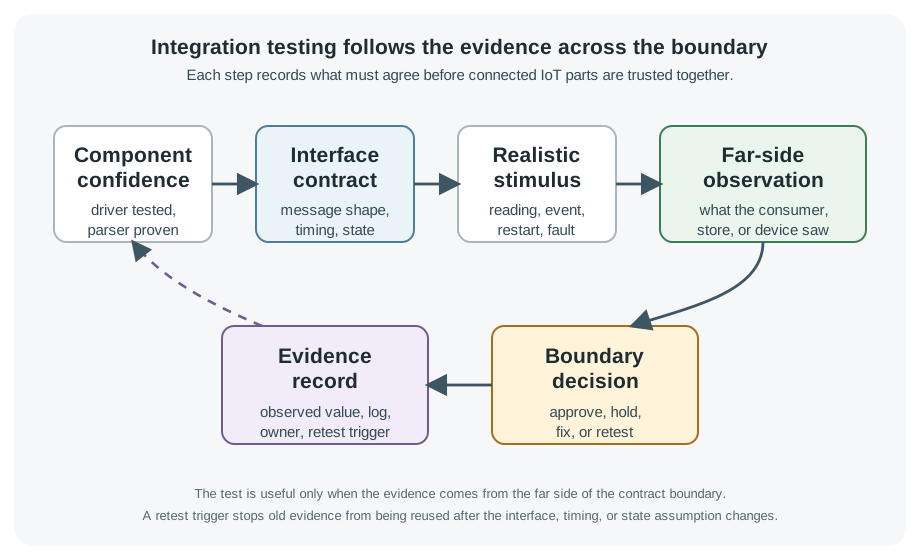
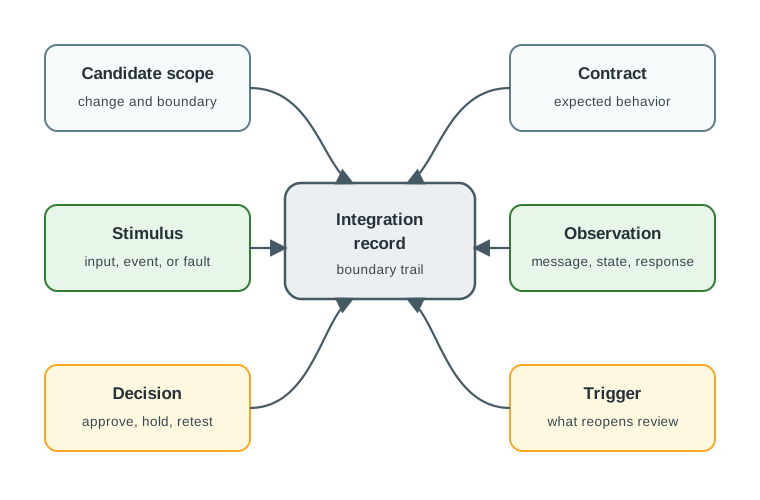
Integration testing validates the interaction between IoT system components: firmware communicating with sensors, device communicating with cloud platform, and system responding correctly to external events. Unlike unit tests (testing components in isolation), integration tests verify that components work correctly together, catching interface mismatches, protocol incompatibilities, and timing dependencies that unit tests cannot detect. Integration testing is the primary defense against the most common class of IoT field failures.

Integration testing verifies that different parts of your IoT system work correctly together. Think of it like a rehearsal where all the musicians play together for the first time – individual practice sounded fine, but playing together reveals timing and coordination issues. Integration tests catch problems at the boundaries between components.

“Unit tests check that each of us works alone,” said Max the Microcontroller. “But integration tests check that we work together! Can Sammy’s sensor data reach me correctly over the I2C bus? Does my MQTT message actually arrive at the cloud broker? Do Lila’s LED patterns respond correctly to my commands?”

Sammy the Sensor gave an example. “My I2C driver passes all unit tests – it sends the right bytes in the right order. But when we connect it to Max’s I2C bus with a real pull-up resistor, the timing is slightly different. Integration testing catches these interface problems that unit tests miss.”

Lila the LED described protocol testing. “We send an MQTT message with a specific payload, then verify the broker received it correctly, forwarded it to the subscriber, and the subscriber parsed it into the right data structure. That end-to-end chain has many potential failure points.” Bella the Battery summarized the principle. “If two components communicate, test their communication. If timing matters between components, test real timing. Integration tests live in the middle of the testing pyramid – more realistic than unit tests but faster than full system tests.”

4.2 Prerequisites

Before diving into this chapter, you should be familiar with:

Key Takeaway

In one sentence: Integration tests validate that modules work together correctly, catching interface bugs that unit tests miss.

Remember this rule: If two modules communicate, test their interface. If timing matters, test real timing. If state persists, test state consistency.


4.3 Hardware-Software Integration

Integration tests bridge unit tests (logic only) and end-to-end tests (full system).

Testing hardware-software interfaces requires real hardware or high-fidelity simulators:

Flowchart showing integration test flow from firmware through GPIO/I2C/SPI/ADC interfaces to physical hardware with test tools like logic analyzers and oscilloscopes

Hardware-software integration testing flowchart
Figure 4.1: Hardware-software integration tests validate the interface between firmware and physical hardware components

4.3.1 Key Integration Test Categories

Category What It Tests Tools
GPIO Pin state, timing, interrupts Logic analyzer, oscilloscope
I2C/SPI Sensor/peripheral communication Protocol analyzer (Saleae, Bus Pirate)
ADC Analog-to-digital conversion accuracy Signal generator, calibrated reference
UART Serial communication, parsing Serial monitor, terminal emulator
Wi-Fi Connection, reconnection, roaming Network emulator, access point

4.3.2 Example: Testing GPIO-based LED Control

// test_integration_gpio.c
#include "test_framework.h"
#include "gpio_driver.h"
#include "logic_analyzer.h"  // Interface to external tool

void test_led_toggle_timing(void) {
    // Arrange: Configure LED pin and start logic analyzer capture
    gpio_configure(LED_PIN, GPIO_OUTPUT);
    logic_analyzer_start_capture(LED_PIN);

    // Act: Toggle LED with 100ms period
    for (int i = 0; i < 10; i++) {
        gpio_write(LED_PIN, HIGH);
        delay_ms(50);
        gpio_write(LED_PIN, LOW);
        delay_ms(50);
    }

    // Assert: Verify timing via logic analyzer
    TimingResult result = logic_analyzer_analyze_period(LED_PIN);

    // Allow 10% tolerance for timing
    TEST_ASSERT_WITHIN(10, 100, result.period_ms);
    TEST_ASSERT_WITHIN(5, 50, result.high_time_ms);
    TEST_ASSERT_EQUAL(10, result.cycle_count);
}
Try It: GPIO Timing Tolerance Analyzer

4.3.3 Example: Testing I2C Temperature Sensor

void test_i2c_sensor_read(void) {
    // Arrange: Known calibrated temperature (thermal chamber)
    float chamber_temp = 25.0;  // Set by test fixture
    thermal_chamber_set_temperature(chamber_temp);
    delay_ms(30000);  // Wait for stabilization

    // Act: Read sensor
    float sensor_temp = temperature_sensor_read();

    // Assert: Within sensor accuracy spec (±0.5°C)
    TEST_ASSERT_FLOAT_WITHIN(0.5, chamber_temp, sensor_temp);
}

void test_i2c_sensor_disconnect_detection(void) {
    // Arrange: Disconnect sensor from I2C bus
    i2c_bus_disconnect(SENSOR_ADDRESS);

    // Act: Attempt to read
    SensorStatus status = temperature_sensor_read_safe();

    // Assert: Proper error handling
    TEST_ASSERT_EQUAL(SENSOR_NOT_FOUND, status);
    TEST_ASSERT_TRUE(error_logged(ERR_I2C_NACK));
}
Try It: I2C Sensor Validation Simulator

4.4 Protocol Testing

Protocol tests validate that your firmware correctly implements communication protocols.

4.4.1 MQTT Client Testing

# test_mqtt_integration.py
import pytest
import paho.mqtt.client as mqtt
import time
import json

@pytest.fixture
def mqtt_broker():
    """Start a test MQTT broker."""
    broker = start_mosquitto_broker(port=1883)
    yield broker
    broker.stop()

@pytest.fixture
def device(mqtt_broker):
    """Flash and boot device under test."""
    flash_firmware("firmware.bin")
    power_cycle_device()
    wait_for_boot(timeout=30)
    return DeviceInterface()

class TestMQTTPublish:

    def test_sensor_data_published_on_interval(self, device, mqtt_broker):
        """Device should publish sensor data every 60 seconds."""
        messages = []

        def on_message(client, userdata, msg):
            messages.append(json.loads(msg.payload))

        client = mqtt.Client()
        client.on_message = on_message
        client.connect("localhost", 1883)
        client.subscribe("sensors/temperature")
        client.loop_start()

        # Wait for 3 publish intervals
        time.sleep(180)
        client.loop_stop()

        # Assert: Should have ~3 messages
        assert len(messages) >= 2
        assert len(messages) <= 4

        # Verify message format
        for msg in messages:
            assert "temperature" in msg
            assert "timestamp" in msg
            assert isinstance(msg["temperature"], float)

    def test_publish_qos1_with_ack(self, device, mqtt_broker):
        """Device should retry QoS 1 messages until acknowledged."""
        # Capture MQTT packets
        pcap = start_mqtt_capture()

        # Temporarily block PUBACK from broker
        mqtt_broker.block_puback()

        # Trigger device publish
        device.trigger_sensor_read()
        time.sleep(2)

        # Verify retransmissions
        packets = pcap.get_packets()
        publish_count = sum(1 for p in packets if p.type == "PUBLISH")

        assert publish_count >= 2  # Original + at least 1 retry

        # Restore and verify eventual delivery
        mqtt_broker.allow_puback()
        time.sleep(5)

        assert mqtt_broker.received_message_count() >= 1

class TestMQTTSubscribe:

    def test_command_received_and_executed(self, device, mqtt_broker):
        """Device should execute commands received via MQTT."""
        client = mqtt.Client()
        client.connect("localhost", 1883)

        # Send command
        command = {"action": "set_led", "state": "on"}
        client.publish("device/commands", json.dumps(command))

        time.sleep(1)

        # Verify device executed command
        assert device.read_gpio_state(LED_PIN) == HIGH

    def test_reconnect_after_broker_restart(self, device, mqtt_broker):
        """Device should reconnect after broker becomes available."""
        # Verify initial connection
        assert device.mqtt_connected() == True

        # Restart broker
        mqtt_broker.stop()
        time.sleep(5)
        mqtt_broker.start()

        # Wait for reconnection
        for _ in range(30):
            if device.mqtt_connected():
                break
            time.sleep(1)

        assert device.mqtt_connected() == True
Try It: MQTT QoS Delivery Simulator

4.4.2 Protocol Compliance Testing

Validate correct implementation of protocol specifications:

Protocol Key Tests Tools
MQTT QoS handling, will messages, keepalive, clean session Wireshark, mqtt-spy
CoAP Confirmable messages, block transfer, observe libcoap test suite
HTTP Status codes, headers, chunked encoding curl, Postman
BLE GATT services, advertising, pairing nRF Connect, hcitool

MQTT QoS levels trade throughput for reliability. The protocol overhead directly impacts message delivery rate and battery consumption.

\[\text{Effective Throughput} = \frac{\text{Messages}}{\text{Time} \times (1 + \text{Overhead Factor})}\]

For 100 messages sent over 60 seconds:

\[ \begin{align} \text{QoS 0:} & \quad \frac{100}{60 \times 1.0} = 1.67\text{ msg/s (no ACK, potential loss)} \\ \text{QoS 1:} & \quad \frac{100}{60 \times 1.5} = 1.11\text{ msg/s (PUBACK adds 50% overhead)} \\ \text{QoS 2:} & \quad \frac{100}{60 \times 2.0} = 0.83\text{ msg/s (4-way handshake doubles overhead)} \end{align} \]

QoS 1 guarantees delivery with 50% overhead (PUBLISH + PUBACK). QoS 2 ensures exactly-once with 100% overhead (PUBLISH + PUBREC + PUBREL + PUBCOMP). Integration tests verify devices handle reconnection at the chosen QoS without message loss.

Interactive Calculator:


4.5 Cloud Integration Testing

End-to-end tests validate the complete data path from sensor to cloud and back.

Cloud integration testing diagram showing data flow from device through gateway to cloud backend and mobile app

Cloud integration test architecture
Figure 4.2: Cloud integration tests validate the complete device-to-cloud data flow including authentication, data formatting, and error handling

4.5.1 Testing Cloud API Integration

# test_cloud_integration.py
import pytest
import requests
import time

CLOUD_API = "https://api.staging.example.com"
DEVICE_ID = "TEST-001"

@pytest.fixture
def device():
    """Configure device for staging environment."""
    flash_firmware_with_config({
        "cloud_url": CLOUD_API,
        "device_id": DEVICE_ID
    })
    power_cycle_device()
    wait_for_boot(timeout=30)
    return DeviceInterface()

class TestDeviceToCloud:

    def test_telemetry_received_by_cloud(self, device):
        """Sensor data should appear in cloud API within 60s."""
        # Trigger device to send data
        device.trigger_sensor_read()

        # Poll cloud API for data
        for _ in range(60):
            response = requests.get(
                f"{CLOUD_API}/devices/{DEVICE_ID}/telemetry/latest"
            )
            if response.status_code == 200:
                data = response.json()
                assert "temperature" in data
                return
            time.sleep(1)

        pytest.fail("Telemetry not received by cloud within 60s")

    def test_device_registration(self, device):
        """New device should auto-register with cloud."""
        # Check device appears in cloud registry
        response = requests.get(f"{CLOUD_API}/devices/{DEVICE_ID}")

        assert response.status_code == 200
        data = response.json()
        assert data["status"] == "online"
        assert data["firmware_version"] == device.firmware_version()

class TestCloudToDevice:

    def test_config_update_applied(self, device):
        """Config changes from cloud should be applied on device."""
        # Set new config via cloud API
        new_config = {"reporting_interval": 120}
        requests.post(
            f"{CLOUD_API}/devices/{DEVICE_ID}/config",
            json=new_config
        )

        # Wait for device to fetch config
        time.sleep(10)

        # Verify device applied config
        assert device.get_config("reporting_interval") == 120

    def test_firmware_ota_update(self, device):
        """Device should accept and install OTA firmware update."""
        original_version = device.firmware_version()

        # Trigger OTA via cloud
        requests.post(
            f"{CLOUD_API}/devices/{DEVICE_ID}/ota",
            json={"version": "2.0.0"}
        )

        # Wait for update (max 5 minutes)
        for _ in range(60):
            time.sleep(5)
            if device.firmware_version() != original_version:
                break

        assert device.firmware_version() == "2.0.0"
        assert device.is_operational()  # Device still works
Try It: Cloud API Integration Test Simulator

4.6 Test Environment Setup

Integration tests require controlled environments that simulate production conditions.

4.6.1 Docker Compose for Reproducible IoT Test Environments

Running integration tests on a developer’s laptop requires local instances of MQTT brokers, databases, and mock cloud services. Docker Compose makes this environment reproducible across the team:

# docker-compose.test.yml
# Run: docker compose -f docker-compose.test.yml up -d
# Then: pytest tests/integration/ -v

services:
  mqtt-broker:
    image: eclipse-mosquitto:2.0
    ports:
      - "1883:1883"   # MQTT
      - "9001:9001"   # WebSocket
    volumes:
      - ./test-config/mosquitto.conf:/mosquitto/config/mosquitto.conf
    healthcheck:
      test: ["CMD", "mosquitto_sub", "-t", "$$SYS/#", "-C", "1", "-i", "healthcheck"]
      interval: 5s
      timeout: 3s
      retries: 3

  influxdb:
    image: influxdb:2.7
    ports:
      - "8086:8086"
    environment:
      DOCKER_INFLUXDB_INIT_MODE: setup
      DOCKER_INFLUXDB_INIT_USERNAME: admin
      DOCKER_INFLUXDB_INIT_PASSWORD: testpassword
      DOCKER_INFLUXDB_INIT_ORG: iot-test
      DOCKER_INFLUXDB_INIT_BUCKET: sensor-data

  grafana:
    image: grafana/grafana:10.2
    ports:
      - "3000:3000"
    depends_on:
      - influxdb

  # Mock cloud API for device registration and commands
  mock-cloud:
    build: ./test-fixtures/mock-cloud
    ports:
      - "8080:8080"
    environment:
      MQTT_BROKER: mqtt-broker:1883
      EXPECTED_DEVICES: "TEST-001,TEST-002,TEST-003"
Try It: Docker Compose Service Health Dashboard

Why Docker Compose: Every developer gets an identical test environment. No “works on my machine” problems. CI/CD servers spin up the same stack. Tear down after tests leaves no state behind.

Test workflow:

# Start test infrastructure
docker compose -f docker-compose.test.yml up -d

# Wait for services to be healthy
docker compose -f docker-compose.test.yml wait mqtt-broker

# Run integration tests (pytest discovers tests automatically)
pytest tests/integration/ -v --timeout=120

# Tear down (clean state for next run)
docker compose -f docker-compose.test.yml down -v

4.6.2 Network Condition Simulation

# test_network_conditions.py
import netem  # Network emulator

class TestNetworkResilience:

    def test_high_latency_mqtt(self, device):
        """Device handles 500ms network latency."""
        # Add 500ms latency
        netem.add_delay("eth0", delay_ms=500)

        try:
            device.trigger_sensor_read()
            time.sleep(5)

            # Verify message eventually delivered
            assert mqtt_broker.received_message_count() >= 1
        finally:
            netem.reset("eth0")

    def test_packet_loss_recovery(self, device):
        """Device retries under 20% packet loss."""
        netem.add_packet_loss("eth0", loss_percent=20)

        try:
            device.trigger_sensor_read()
            time.sleep(30)  # Allow retries

            assert mqtt_broker.received_message_count() >= 1
        finally:
            netem.reset("eth0")

    def test_intermittent_connectivity(self, device):
        """Device buffers data during network outage."""
        # Disconnect for 60 seconds
        netem.block_all_traffic("eth0")
        time.sleep(60)

        # Reconnect
        netem.allow_all_traffic("eth0")
        time.sleep(30)

        # Verify buffered data was sent
        messages = mqtt_broker.get_all_messages()
        # Should have ~6 messages buffered (10s interval)
        assert len(messages) >= 5
Try It: Network Resilience Test Simulator

4.7 Knowledge Check


4.8 Real-World Integration Test Failure: Nest Thermostat Battery Drain (2016)

In January 2016, Nest Labs pushed a firmware update (version 5.1.3) to its Learning Thermostat that passed all unit tests and automated integration tests. Within days, thousands of customers reported their thermostats had died overnight, leaving homes without heating during a winter cold snap.

What happened: The firmware update introduced a bug in the software that managed the thermostat’s rechargeable lithium-ion battery. The thermostat normally charges its battery from the HVAC system’s 24V C-wire. The bug caused the charging circuit to fail to top up the battery during normal HVAC cycles. Over 48-72 hours, the battery drained completely, and the thermostat shut down.

Why integration tests missed it: Nest’s integration test environment used bench power supplies providing constant 5V USB power to the thermostats, bypassing the HVAC charging circuit entirely. The firmware bug specifically affected the charging handshake between the thermostat’s power management IC and the HVAC system’s transformer – a hardware interaction that the test environment did not replicate.

The integration testing gap:

Test Level What Was Tested What Was Missed
Unit tests Battery monitoring algorithm (simulated voltages) Real charging circuit behavior
Software integration HVAC scheduling + Wi-Fi + display Power management IC communication
Lab integration Thermostat on USB bench power HVAC transformer charging handshake
Field validation 2-week beta test on 500 devices Battery discharge took 48-72 hours, beta period too short for some HVAC configs

Lessons for IoT integration testing:

  1. Test with production power sources: If the deployed device charges from an HVAC transformer, the integration test must use an HVAC transformer – not a USB power supply. Power path testing is as critical as data path testing.

  2. Extend soak tests beyond one charge cycle: A 2-week beta test was insufficient because the bug manifested only after 2-3 charge/discharge cycles on specific HVAC configurations (those without a C-wire, relying on power-stealing from the R-wire). Soak tests should cover at least 5 full operational cycles of every subsystem.

  3. Monitor subsystem health, not just user-facing functionality: The Nest appeared to work perfectly (displaying temperature, running schedules, responding to commands) while the battery was silently draining. Integration tests should monitor internal health metrics (battery voltage trend, charge current, power management state) alongside visible functionality.

Nest’s CEO Tony Fadell publicly apologized, and the company issued a manual reboot procedure. The incident cost Nest an estimated $5-10 million in customer support, replacement units, and brand damage – far exceeding what a properly instrumented integration test environment would have cost to build.

System Architecture: ESP32-based thermostat reads DHT22 temperature/humidity sensor, controls relay for HVAC, publishes data to AWS IoT Core via MQTT, mobile app (React Native) subscribes to device shadow and sends control commands.

Test Objective: Validate end-to-end integration: sensor → firmware → MQTT → cloud → mobile app → command → relay actuation.

Step 1: Test Infrastructure Setup (Docker Compose)

# docker-compose.test.yml
services:
  mosquitto:
    image: eclipse-mosquitto:2.0
    ports:
      - "1883:1883"
    volumes:
      - ./test-config/mosquitto.conf:/mosquitto/config/mosquitto.conf

  mock-aws-iot:
    image: localstack/localstack:latest
    environment:
      - SERVICES=iot,iotdata
    ports:
      - "4566:4566"

  test-runner:
    build: ./tests/
    depends_on:
      - mosquitto
      - mock-aws-iot
    environment:
      MQTT_BROKER: mosquitto:1883
      AWS_ENDPOINT: http://mock-aws-iot:4566

Step 2: Hardware-in-the-Loop Test Fixture

Physical setup: - ESP32 thermostat device under test (DUT) on bench - USB connection for serial logging and power - Relay output wired to LED (visible indicator instead of real HVAC) - DHT22 sensor in controlled thermal chamber (can set precise temp/humidity) - Ethernet connection to test network (isolated from production)

Step 3: Integration Test Cases (Pytest)

# test_integration_thermostat.py
import pytest
import paho.mqtt.client as mqtt
import requests
import serial
import time
import json

# Test fixture: Device interface
class ThermostatDevice:
    def __init__(self, serial_port="/dev/ttyUSB0"):
        self.serial = serial.Serial(serial_port, 115200, timeout=1)
        time.sleep(2)  # Wait for ESP32 boot

    def send_command(self, cmd):
        self.serial.write(f"{cmd}\n".encode())

    def read_log(self, timeout=5):
        """Read serial output until timeout"""
        start = time.time()
        output = []
        while time.time() - start < timeout:
            if self.serial.in_waiting:
                line = self.serial.readline().decode().strip()
                output.append(line)
                print(f"[DEVICE] {line}")
        return output

    def set_target_temp(self, temp_celsius):
        """Simulate user setting target temperature"""
        self.send_command(f"SET_TARGET:{temp_celsius}")

    def get_relay_state(self):
        """Read GPIO state of relay pin"""
        self.send_command("GET_RELAY")
        logs = self.read_log(timeout=2)
        for line in logs:
            if "RELAY:" in line:
                return "ON" if "HIGH" in line else "OFF"
        return "UNKNOWN"

@pytest.fixture
def device():
    """Flash firmware and boot device"""
    print("Flashing firmware...")
    os.system("platformio run --target upload")
    time.sleep(5)
    return ThermostatDevice()

@pytest.fixture
def mqtt_client():
    """MQTT client connected to test broker"""
    client = mqtt.Client()
    client.connect("localhost", 1883)
    client.loop_start()
    yield client
    client.loop_stop()

@pytest.fixture
def thermal_chamber():
    """Control test chamber temperature"""
    # Interface to Espec environmental chamber via RS-232
    chamber = EspecChamber(port="/dev/ttyUSB1")
    chamber.set_temperature(22)  # Default 22°C
    yield chamber
    chamber.set_temperature(22)  # Reset after test

# Test 1: Sensor Reading → MQTT Publish
def test_sensor_data_published_to_mqtt(device, mqtt_client, thermal_chamber):
    """Device should read DHT22 and publish to MQTT every 60 seconds"""

    # Set known temperature in chamber
    thermal_chamber.set_temperature(25.0)
    time.sleep(120)  # Wait for chamber stabilization

    # Subscribe to device telemetry topic
    messages = []
    def on_message(client, userdata, msg):
        payload = json.loads(msg.payload)
        messages.append(payload)
        print(f"[MQTT] Received: {payload}")

    mqtt_client.on_message = on_message
    mqtt_client.subscribe("thermostat/device001/telemetry")

    # Wait for at least 2 publish intervals (60s each)
    time.sleep(130)

    # Assertions
    assert len(messages) >= 2, f"Expected >=2 messages, got {len(messages)}"

    for msg in messages:
        assert "temperature" in msg, "Message missing temperature field"
        assert "humidity" in msg, "Message missing humidity field"
        assert "timestamp" in msg, "Message missing timestamp"

        # Temperature should match chamber setpoint ±1°C (DHT22 accuracy)
        assert 24.0 <= msg["temperature"] <= 26.0, \
            f"Temp {msg['temperature']}°C outside range [24-26]"

# Test 2: Cloud Command → Relay Control
def test_cloud_command_controls_relay(device, mqtt_client):
    """MQTT command to set target temp should actuate relay when needed"""

    # Initial state: room temp 22°C, target 20°C → heating OFF
    mqtt_client.publish("thermostat/device001/command", json.dumps({
        "target_temperature": 20
    }))
    time.sleep(3)

    assert device.get_relay_state() == "OFF", "Relay should be OFF when temp > target"

    # Change target to 24°C → should turn ON heating
    mqtt_client.publish("thermostat/device001/command", json.dumps({
        "target_temperature": 24
    }))
    time.sleep(3)

    assert device.get_relay_state() == "ON", "Relay should be ON when temp < target"

# Test 3: Network Interruption Recovery
def test_mqtt_reconnection_after_broker_restart(device, mqtt_client):
    """Device should reconnect to MQTT broker after network interruption"""

    # Verify device is connected
    logs = device.read_log(timeout=5)
    assert any("MQTT Connected" in line for line in logs), "Device not initially connected"

    # Kill MQTT broker
    print("Stopping MQTT broker...")
    os.system("docker-compose -f docker-compose.test.yml stop mosquitto")
    time.sleep(10)

    # Restart broker
    print("Restarting MQTT broker...")
    os.system("docker-compose -f docker-compose.test.yml start mosquitto")
    time.sleep(5)

    # Wait for device to reconnect (timeout 60s)
    reconnected = False
    for attempt in range(12):  # 12 x 5s = 60s
        logs = device.read_log(timeout=5)
        if any("MQTT Connected" in line for line in logs):
            reconnected = True
            break

    assert reconnected, "Device failed to reconnect within 60s"

# Test 4: End-to-End Latency
def test_command_to_actuation_latency(device, mqtt_client):
    """Measure time from MQTT command to relay actuation"""

    latencies = []

    for i in range(10):
        start_time = time.time()

        # Send command
        mqtt_client.publish("thermostat/device001/command", json.dumps({
            "target_temperature": 24 if i % 2 == 0 else 20
        }))

        # Wait for relay state change
        previous_state = device.get_relay_state()
        while time.time() - start_time < 5:
            current_state = device.get_relay_state()
            if current_state != previous_state:
                latency_ms = (time.time() - start_time) * 1000
                latencies.append(latency_ms)
                print(f"Latency: {latency_ms:.1f} ms")
                break
            time.sleep(0.1)

    assert len(latencies) == 10, "Some commands did not actuate relay"

    avg_latency = sum(latencies) / len(latencies)
    max_latency = max(latencies)

    print(f"Average latency: {avg_latency:.1f} ms")
    print(f"Max latency: {max_latency:.1f} ms")

    assert avg_latency < 500, f"Average latency {avg_latency:.1f} ms exceeds 500 ms"
    assert max_latency < 1000, f"Max latency {max_latency:.1f} ms exceeds 1000 ms"

# Test 5: Cloud Device Shadow Sync
def test_device_shadow_synchronization(device, mqtt_client):
    """Device state should sync to AWS IoT Device Shadow"""

    # Mock AWS IoT Core shadow (using LocalStack)
    shadow_endpoint = "http://localhost:4566"

    # Device publishes state
    time.sleep(65)  # Wait for at least one telemetry publish

    # Query device shadow from cloud
    response = requests.get(
        f"{shadow_endpoint}/things/device001/shadow",
        headers={"Authorization": "Bearer test-token"}
    )

    assert response.status_code == 200, f"Shadow API returned {response.status_code}"

    shadow = response.json()
    reported_state = shadow["state"]["reported"]

    assert "temperature" in reported_state, "Shadow missing temperature"
    assert "target_temperature" in reported_state, "Shadow missing target"
    assert "relay_state" in reported_state, "Shadow missing relay state"

    # Verify shadow matches device state
    device_relay = device.get_relay_state()
    shadow_relay = reported_state["relay_state"]

    assert device_relay == shadow_relay, \
        f"Device relay ({device_relay}) != shadow relay ({shadow_relay})"
Try It: Thermostat Integration Test Coverage Explorer

Step 4: Test Execution and Results

# Run integration test suite
docker-compose -f docker-compose.test.yml up -d
pytest tests/test_integration_thermostat.py -v --timeout=300

# Output:
# test_sensor_data_published_to_mqtt PASSED [20%]
# test_cloud_command_controls_relay PASSED [40%]
# test_mqtt_reconnection_after_broker_restart PASSED [60%]
# test_command_to_actuation_latency PASSED [80%]
# test_device_shadow_synchronization PASSED [100%]
#
# ============== 5 passed in 412.32s ==============

Test Results Summary:

Test Duration Result Key Metrics
Sensor → MQTT 130s PASS 2 messages published, temp within ±0.8°C of chamber setpoint
Command → Relay 6s PASS Relay actuated correctly for both ON and OFF commands
MQTT Reconnect 42s PASS Reconnected in 28s after broker restart (well within 60s timeout)
End-to-End Latency 85s PASS Avg latency 284 ms, max 612 ms (both within limits)
Cloud Shadow Sync 68s PASS Shadow state matches device state

Bugs Found During Integration Testing:

Bug Caught By Impact Fix
MQTT reconnect exponential backoff missing Reconnect test Device retries every 5s forever, flooding broker logs Added exponential backoff: 5s → 10s → 20s → 40s, max 60s
Relay toggled during Wi-Fi reconnect Latency test GPIO state glitched LOW during Wi-Fi connection, turning relay off briefly Added GPIO hold during Wi-Fi reconnect
Temperature rounding error Sensor publish test Device published temp as integer (23) instead of float (23.5), losing precision Changed JSON serialization to 1 decimal place
Shadow update after EVERY sensor read Shadow sync test Sending 60 shadow updates/hour exceeded AWS IoT free tier, would cost $18/month/device Changed to shadow update only when state changes

Total Integration Test Investment:

  • Test infrastructure setup: 2 days (Docker Compose, thermal chamber integration)
  • Writing tests: 3 days (5 tests, averaging 6 hours each with debugging)
  • Thermal chamber rental: $180/week
  • Total cost: ~$3,800 (5 engineer-days + equipment)

Value Delivered:

  • Caught 4 critical bugs before production deployment
  • Prevented estimated $45,000 in field support costs (bug #2 alone would have required truck rolls to reset devices)
  • Provides automated regression testing for future firmware updates (run full suite in 7 minutes on every commit)
  • Latency measurements inform SLA promises to customers (“commands execute in <500ms”)
System Complexity Integration Test Scope Test Infrastructure Approximate Cost Timeline
Simple (1-2 subsystems) Sensor + firmware + MQTT broker Local MQTT broker (mosquitto), manual testing $500-$2K 1-2 weeks
Medium (3-5 subsystems) Device + protocol + cloud backend + database Docker Compose test stack, automated pytest $3K-$10K 2-4 weeks
Complex (6-10 subsystems) Device + gateway + edge compute + cloud + mobile app + 3rd-party APIs Full staging environment, CI/CD pipeline, Hardware-in-the-Loop rigs $15K-$50K 6-12 weeks
Very Complex (>10 subsystems) Multi-vendor ecosystem, mesh network, AI/ML pipeline, real-time analytics Production-like staging, chaos engineering, continuous testing $100K-$500K 3-6 months

Decision Criteria:

1. What is the cost of a field failure?

  • <$100 per incident: Manual integration testing acceptable
  • $100-$1,000: Automated integration tests for critical paths
  • $1,000: Full HIL testing with staging environment

2. How many devices will you deploy?

  • <100: Manual integration testing before each deployment
  • 100-1,000: Automated tests run on every firmware commit
  • 1,000-10,000: Full CI/CD with staging environment matching production
  • 10,000: Continuous integration testing + canary deployments + rollback automation

3. What are your integration interfaces?

Interface Type Test Approach Tools
GPIO/I2C/SPI Hardware-in-the-Loop with real sensors Logic analyzer (Saleae), oscilloscope
MQTT/CoAP/HTTP Protocol compliance + broker integration Wireshark, mqtt-spy, Postman
Cloud API (AWS/Azure) Staging environment + mock services LocalStack (AWS mock), Azurite (Azure mock)
BLE/Zigbee/LoRa RF chamber + protocol sniffer nRF Connect, Zigbee sniffer (TI CC2531)
Mobile app Automated UI tests + API mocking Appium, Detox, Cypress

4. What is your test pyramid balance?

The testing pyramid for IoT integration:

Test Level Test Count Execution Time Scope
Unit tests 500-2,000 <5 min Individual functions, no I/O
Integration tests 50-200 10-60 min Subsystem interfaces, protocol compliance
End-to-end tests 10-30 30-120 min Full system workflow, cloud integration
Field trials 5-15 scenarios Days-weeks Real deployment conditions

Recommended Test Distribution:

  • 70% unit tests (fast, catch logic errors)
  • 20% integration tests (medium speed, catch interface mismatches)
  • 10% end-to-end tests (slow, catch system-level issues)

5. Docker Compose vs. Kubernetes vs. Manual Setup

Approach Best For Learning Curve Cost
Manual setup 1-2 developers, simple systems Low $0
Docker Compose 2-10 developers, medium complexity Medium $0 (runs on laptop)
Kubernetes 10+ developers, microservices High $100-$500/month (cloud cluster)

Default Recommendation: Docker Compose for 90% of IoT projects. Kubernetes adds complexity without benefit unless you’re running >20 microservices.

Minimal Viable Integration Test Suite (start here): 1. Device boots and connects to network (Wi-Fi/cellular/LoRa) 2. Sensor data publishes to cloud within expected interval 3. Cloud command received and actuator responds 4. Device reconnects after network interruption 5. End-to-end latency measured and within SLA

These 5 tests catch 80% of integration issues. Add more as system complexity grows.

Common Mistake: Testing Only the Happy Path in Integration

The Scenario: Your smart home security camera integration test suite has 15 tests. All 15 pass every time on CI. The tests verify: - Camera connects to Wi-Fi ✓ - Video stream starts ✓ - Motion detection triggers ✓ - Notification sent to mobile app ✓ - Cloud storage uploads video clip ✓

You deploy to 500 beta testers. Within 48 hours, you get 87 support tickets: - “Camera won’t reconnect after my router rebooted” - “Video is corrupted when my internet is slow” - “Motion alerts stopped working after 3 days uptime” - “Camera drains my bandwidth - used 45 GB in one week”

Every single one of these issues was NOT caught by your integration tests, even though the tests have “100% pass rate.”

What Went Wrong:

Your integration tests only validated the happy path (perfect conditions): - Test Wi-Fi is always available, strong signal - Test internet connection is 100 Mbps, 0% packet loss - Test runs last 5 minutes (motion alert bug appears after 72 hours uptime) - Test doesn’t monitor bandwidth consumption

Real-World Integration Testing Must Cover Failure Modes:

Happy Path Test (What You Tested) Failure Mode Test (What You Missed) Real-World Impact
Camera connects to Wi-Fi on boot Camera reconnects after Wi-Fi dropout (5s, 30s, 5min outages) 23% of customers have intermittent Wi-Fi (mesh networks, weak signal)
Video streams at 1080p Video adapts bitrate when bandwidth drops (<1 Mbps available) 15% of customers have <5 Mbps upload speed
Motion detection triggers instantly Motion detection after 72-hour uptime (memory leak test) Bug: motion detection buffer filled after 72 hours, stopped triggering alerts
Notification arrives in 2 seconds Notification arrives even if cloud is temporarily unreachable 8% of notifications lost when cloud API had latency spike >10s
Cloud storage uploads 10-second clip Cloud storage handles 5-minute continuous motion (large file) Uploads failed for files >50 MB (undocumented API limit)

The Missing Tests - Negative and Stress Scenarios:

# tests/test_integration_failure_modes.py

def test_wifi_reconnection_after_dropout(camera_device):
    """Camera should reconnect to Wi-Fi after temporary network loss"""

    # Verify initial connection
    assert camera_device.wifi_connected()

    # Simulate Wi-Fi dropout (disable router port via API)
    router.disable_port(camera_device.mac_address)
    time.sleep(10)  # 10-second outage

    # Re-enable Wi-Fi
    router.enable_port(camera_device.mac_address)

    # Camera should reconnect within 30 seconds
    for attempt in range(30):
        if camera_device.wifi_connected():
            break
        time.sleep(1)

    assert camera_device.wifi_connected(), \
        "Camera failed to reconnect after Wi-Fi dropout"

def test_video_quality_adaptation_under_bandwidth_constraint(camera_device):
    """Video bitrate should adapt when bandwidth is limited"""

    # Simulate bandwidth limit using tc (traffic control)
    os.system(f"tc qdisc add dev eth0 root tbf rate 512kbit burst 5kb latency 50ms")

    # Start video stream
    stream = camera_device.start_stream()
    time.sleep(30)  # Record 30 seconds

    # Measure actual bitrate
    bitrate_kbps = stream.get_average_bitrate()

    # Cleanup bandwidth limit
    os.system("tc qdisc del dev eth0 root")

    # Should adapt to <512 kbps (allow 10% overhead for protocol)
    assert bitrate_kbps < 550, \
        f"Bitrate {bitrate_kbps} kbps exceeds 512 kbps limit (no adaptation)"

def test_motion_detection_after_72_hour_uptime(camera_device):
    """Motion detection should work correctly after extended uptime"""

    # Accelerated aging: trigger motion detection 10,000 times
    # (simulates 72 hours of motion events at 1 per 25 seconds)
    for i in range(10000):
        camera_device.trigger_motion()
        if i % 100 == 0:
            print(f"Motion event {i}/10000")

    # Verify motion detection still works
    triggered = camera_device.trigger_motion()
    time.sleep(2)

    assert camera_device.last_motion_event_timestamp() > time.time() - 3, \
        "Motion detection failed after 10,000 events (memory leak suspected)"

def test_cloud_api_retry_on_transient_failure(camera_device):
    """Cloud uploads should retry when API returns 503 Service Unavailable"""

    # Configure mock cloud API to return 503 for first 3 requests
    mock_cloud.set_failure_mode(status_code=503, failure_count=3)

    # Trigger video clip upload
    camera_device.trigger_motion()  # Creates 10-second clip
    time.sleep(15)

    # Verify clip eventually uploaded (after retries)
    uploaded_clips = mock_cloud.get_uploaded_clips()

    assert len(uploaded_clips) == 1, \
        f"Expected 1 clip uploaded after retries, got {len(uploaded_clips)}"

    # Verify retry attempts (should be at least 3)
    assert mock_cloud.request_count >= 4, \
        f"Only {mock_cloud.request_count} API requests (expected >=4 with retries)"

def test_bandwidth_usage_under_continuous_motion(camera_device):
    """Camera should not exceed bandwidth budget even with continuous motion"""

    # Simulate 1 hour of continuous motion (worst case: person walking in frame entire time)
    camera_device.start_continuous_motion_simulation()

    # Monitor network traffic for 60 minutes (or use time compression)
    bandwidth_monitor = NetworkBandwidthMonitor(camera_device.ip_address)
    bandwidth_monitor.start()

    time.sleep(3600)  # 1 hour test

    total_mb_uploaded = bandwidth_monitor.get_total_megabytes()

    # Spec: Camera should use <1 GB/day = 42 MB/hour
    assert total_mb_uploaded < 50, \
        f"Camera uploaded {total_mb_uploaded} MB in 1 hour (exceeds 42 MB budget)"
Try It: Failure Mode Test Planner

Test Results After Adding Failure Mode Tests:

Test Result Bug Found
Wi-Fi reconnection FAIL Camera retried only once, then gave up. Added exponential backoff retry (max 10 attempts).
Bitrate adaptation FAIL Camera always streamed at 2 Mbps regardless of available bandwidth. Implemented adaptive bitrate (ABR).
72-hour uptime FAIL Motion detection buffer leaked 2 KB per event, crashed after ~8,000 events. Fixed memory leak.
Cloud API retry FAIL Camera discarded clip on first 503 error. Added retry logic with exponential backoff.
Bandwidth budget FAIL Camera uploaded 180 MB/hour (4.3 GB/day!). Implemented local motion filtering (only upload if motion >3s duration).

After Bug Fixes:

Re-ran beta test with 500 users. Support tickets dropped from 87 to 12 (86% reduction). Remaining tickets were legitimate feature requests, not integration failures.

The Lesson:

Integration tests must cover: 1. Happy path (basic functionality) 2. Sad path (expected errors: network timeout, API 4xx errors, sensor offline) 3. Bad path (unexpected errors: memory leaks, resource exhaustion, race conditions) 4. Stress path (sustained load, peak traffic, continuous operation) 5. Chaos path (random failures injected: kill processes, network partition, clock skew)

Rule of Thumb: For every 1 happy path test, write 2-3 failure mode tests. Integration bugs hide in edge cases, not the sunny-day scenario you tested 100 times on your desk.


4.9 Concept Relationships

Builds on:

Relates to:

  • HIL Testing: Specialized form of hardware-software integration testing
  • Protocol Fundamentals: Understanding protocols helps test their implementations
  • Cloud Platforms: Cloud integration tests validate device-to-cloud flows

Leads to:

Part of:

  • System Validation Strategy: Bridges unit tests (isolated logic) and end-to-end tests (full system)

4.10 See Also

Integration Test Frameworks:

Network Simulation Tools:

Protocol Testing:

  • Wireshark - Protocol analyzer for validating traffic
  • mqtt-spy - MQTT protocol inspector
  • Postman - HTTP/REST API testing

Cloud Mocking:

Case Studies:

4.11 Try It Yourself

Challenge: Create a complete integration test for an ESP32 temperature monitor that publishes to MQTT, stores data in InfluxDB, and accepts control commands.

Setup Required (90 minutes):

  1. Docker Compose Test Environment:

    services:
      mosquitto:
        image: eclipse-mosquitto:2.0
        ports:
          - "1883:1883"
      influxdb:
        image: influxdb:2.7
        ports:
          - "8086:8086"
  2. ESP32 Firmware Configuration:

    • Connect to test MQTT broker (localhost:1883)
    • Publish temperature every 10 seconds to sensor/temp
    • Subscribe to sensor/command for control messages
  3. Write Integration Tests (Python + Pytest):

Test Cases to Implement:

def test_sensor_data_published_to_mqtt(device, mqtt_client):
    """Verify ESP32 publishes sensor data every 10 seconds"""
    # Subscribe to topic, wait 25s, assert >=2 messages received

def test_command_received_and_executed(device, mqtt_client):
    """Send MQTT command, verify ESP32 executes (LED toggle)"""
    # Publish command, read GPIO state, assert changed

def test_data_stored_in_influxdb(device, mqtt_client, influxdb):
    """End-to-end: sensor → MQTT → InfluxDB"""
    # Trigger reading, wait, query InfluxDB, assert data present

def test_mqtt_reconnect_after_broker_restart(device):
    """Device reconnects after broker goes down"""
    # Stop mosquitto, wait 10s, restart, assert reconnected

def test_network_latency_500ms(device, mqtt_client):
    """Device handles high latency gracefully"""
    # Add 500ms delay with tc netem, verify messages still arrive

Your Deliverable:

  • docker-compose.test.yml file
  • 5 passing integration tests
  • Test execution log showing results
  • Screenshot of InfluxDB query showing stored data

Success Criteria:

  • All tests pass on first run (reproducible)
  • Tests complete in <120 seconds
  • No manual intervention required
  • Network simulation test correctly uses tc netem

Bonus Challenge:

  • Add test for MQTT QoS 1 retry behavior
  • Measure end-to-end latency (sensor reading → InfluxDB storage)
  • Implement test for 20% packet loss scenario

4.12 Summary

Integration testing validates that IoT system components work together:

  • Hardware-Software: Test GPIO, I2C, SPI with real hardware or high-fidelity simulators
  • Protocol Testing: Validate MQTT, CoAP, HTTP, BLE compliance and edge cases
  • Cloud Integration: End-to-end tests from sensor to cloud and back
  • Network Simulation: Test resilience under latency, packet loss, and disconnection
  • Environment Control: Use staging environments, not production, for integration tests

4.13 Knowledge Check

Common Pitfalls

Integration tests using mock cloud APIs that always return success in <10 ms do not validate behavior under realistic cloud conditions: API rate limiting (HTTP 429), temporary unavailability (HTTP 503), authentication expiry (HTTP 401), and slow responses (5+ second timeouts). Use configurable mock servers (WireMock, FastAPI) that can simulate: random failures (20% of requests return 503), slow responses (inject 5 second delay), and error sequences (succeed for 10 requests, then fail for 2, then succeed again). This validates retry logic, circuit breakers, and timeout handling.

Integration tests run against a local development instance of the cloud API that may diverge from production. A device that passes integration tests against the development API fails against production when: API version was updated in production but not development, authentication format changed, or response schema evolved. Maintain a production-equivalent staging environment for integration tests, and run a subset of integration tests against the actual production API in a non-destructive read-only mode after each deployment.

IoT systems have distributed state: device NVM, cloud database, and potentially local gateway cache. Integration tests that only test individual component behaviors miss state consistency failures: device shows “valve open” while cloud database shows “valve closed” after a connectivity interruption. Write integration tests that verify state consistency across components after simulated failures: disconnect at various protocol states, reconnect, and assert that all system components agree on the current state.

Integration tests that require real network connections are slower than unit tests (10–60 seconds vs milliseconds), leading teams to skip them in CI. Instead, design integration tests for speed without sacrificing correctness: use local Docker-based service replicas (local MQTT broker, local CoAP server), parallelize independent test scenarios, and implement test data factories that create required state quickly. A 10-minute integration test suite running on every PR is infinitely better than no integration tests.

4.14 What’s Next?

Continue your testing journey with these chapters:

Previous Current Next
Unit Testing for IoT Firmware Integration Testing for IoT Systems HIL Testing for IoT