29  Security-by-Design Principles

29.1 Learning Objectives

By the end of this chapter, you should be able to:

  • Apply security-by-design principles to IoT development projects
  • Identify and refute common security misconceptions using real-world evidence
  • Evaluate minimum viable security requirements for IoT products
  • Diagnose security failures in real-world case studies and propose remediation
  • Construct security architectures that integrate best practices from project inception
In 60 Seconds

IoT security design principles — least privilege, fail-secure, separation of duties, defence-in-depth, and economy of mechanism — are the timeless guidelines that distinguish secure IoT architectures from insecure ones. Applying these principles consistently during design prevents the entire categories of vulnerabilities that post-deployment patches struggle to fix.

Security-by-design means building protection into your IoT system from the very start, not adding it later. Think of it like building a house with strong walls from the beginning, rather than trying to add walls after everything is already built. This chapter shows you how real-world IoT security failures happened and how successful projects got security right from day one.

“Here is a question,” Max the Microcontroller posed to the team. “Would you rather build a house with strong walls from the beginning, or try to add walls after everything else is already built?”

“From the beginning, obviously!” Sammy the Sensor replied. “Adding security after the fact is like trying to add a basement to a house that is already standing. It is ten times harder and ten times more expensive. That is why security-by-design means thinking about protection from the very first sketch of your IoT project.”

“There are some common myths that get people in trouble,” Lila the LED warned. “Like ‘my device is too small to hack’ – wrong! The Mirai botnet proved that tiny devices are prime targets. Or ‘security through obscurity works’ – also wrong! Just because attackers do not know how your system works does not mean they will not figure it out.”

“The minimum viable security checklist is actually pretty simple,” Bella the Battery said. “Every device needs: unique passwords that must be changed on first use, encrypted communications so no one can eavesdrop, a secure update mechanism so you can patch bugs, and no unnecessary services running. These four things stop the vast majority of attacks. You do not need to be a security genius – you just need to follow the checklist from the start!”

29.2 Introduction

Security-by-design principles are fundamental guidelines for building secure IoT systems from inception. Rather than treating security as an afterthought or add-on feature, these principles integrate protection into every phase of development, from architecture to deployment. This chapter examines real-world case studies that demonstrate both catastrophic security failures and successful implementations, extracting actionable lessons for your own IoT projects.

29.3 Real-World Case Studies: Detailed Analysis

⏱️ ~20 min | ⭐⭐ Intermediate | 📋 P11.C01.U08

Key Concepts

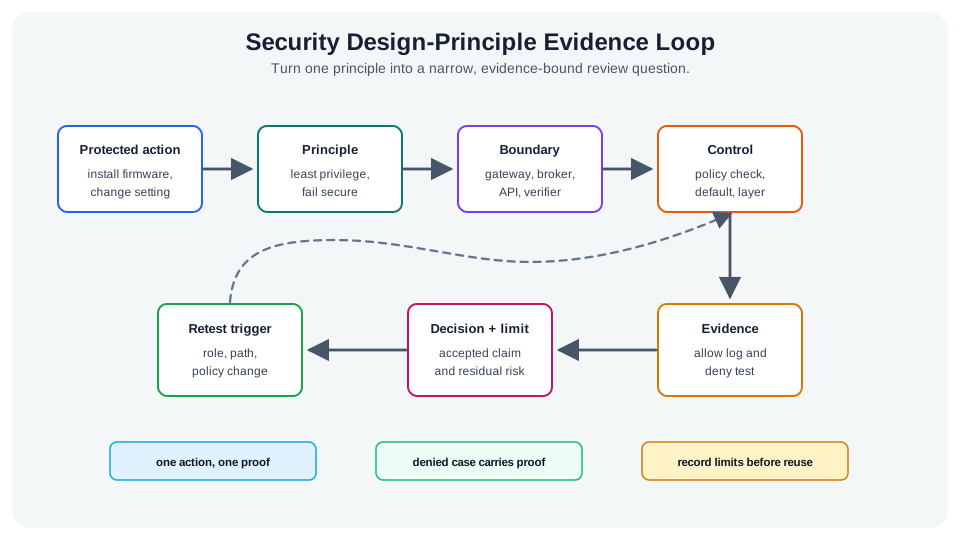
  • Principle of least privilege: Each component, device, and user should have access only to the resources and capabilities strictly required for its legitimate function — limiting the damage from any single compromise.
  • Fail-secure (fail-safe): Designing systems to enter a safe, low-risk state when a failure occurs rather than failing open — a compromised authentication system should deny all access, not grant it.
  • Economy of mechanism: Security controls should be simple and small rather than complex — complex security mechanisms have more attack surface, are harder to verify, and are more likely to contain implementation errors.
  • Open design: Security should not depend on keeping the design secret (security by obscurity is not security) — the system should remain secure even if the attacker knows the algorithm, relying on secret keys rather than secret designs.
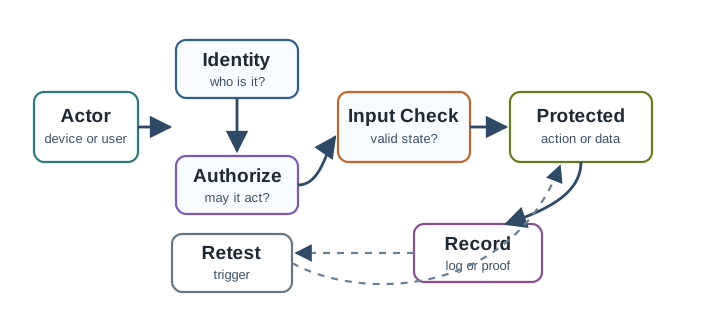
  • Complete mediation: Every access to every resource must be checked against the access control policy, with no cached or bypassed authorisation decisions — preventing attackers from exploiting stale permissions.
  • Separation of privilege: Requiring multiple independent conditions to be satisfied before granting access or performing a sensitive action — for example, requiring both a valid certificate and a management VLAN IP for firmware updates.

The following case studies provide in-depth analysis of actual IoT security incidents and successful implementations, with timelines, technical details, and actionable lessons.

29.4 Case Study 1: Mirai Botnet Attack (2016) - What Went Wrong

29.4.1 Background and Timeline

The Mirai botnet represents one of the most significant IoT security failures, demonstrating how poor security practices can create devastating consequences at internet scale.

Timeline of Events:

August 2016: Initial Mirai malware development begins - 16-year-old Paras Jha creates prototype botnet for Minecraft server attacks - Discovers vast numbers of IoT devices with default credentials - Malware designed to spread autonomously through internet scanning

September 20, 2016: Major attack on security blogger Brian Krebs - 620 Gbps DDoS attack, largest recorded at the time - Akamai forced to drop Krebs as customer due to attack volume - Attack demonstrated Mirai’s capability

September 30, 2016: Mirai source code released publicly - Posted to Hackforums under “Anna-senpai” pseudonym - Enabled anyone to launch Mirai variants - Triggered exponential growth in botnets

October 21, 2016: Dyn DNS attack - Multiple waves of attacks starting 7:00 AM ET - 100,000+ compromised IoT devices participating - 1.2 Tbps peak traffic (unprecedented scale) - Major websites affected: Twitter, Netflix, Reddit, GitHub, PayPal, Airbnb - East Coast USA primarily affected, 3 waves over 12 hours - Estimated $110 million in damages

December 2016-January 2017: Arrests and aftermath - FBI identifies and arrests Paras Jha and accomplices - Convictions lead to plea deals and community service (surprisingly lenient)

29.4.2 Attack Vector Analysis

Diagram showing Mirai botnet attack flow with stages: IP scanning discovers vulnerable devices, default credential authentication compromises devices, botnet command and control coordinates attacks, and distributed denial of service overwhelms targets
Figure 29.1: Mirai Botnet Attack Flow: From IP Scanning to DDoS Launch

29.4.3 Technical Details: How Mirai Worked

1. Scanning and Discovery:

# Pseudo-code of Mirai scanning logic
while(true) {
    random_ip = generate_random_ip()
    if (can_connect(random_ip, port=23)) {  # Telnet
        try_default_credentials(random_ip)
    }
    if (can_connect(random_ip, port=2323)) {  # Alternative Telnet
        try_default_credentials(random_ip)
    }
}

2. Default Credentials Used: Mirai contained hardcoded list of 62 default username/password combinations:

root/root
admin/admin
root/pass
admin/password
root/12345
admin/1234
user/user
# ... 55 more variations

3. Compromised Device Types: | Device Category | Examples | Estimated Infections | |—————–|———-|———————| | IP Cameras | DVR, NVR, CCTV systems | 120,000+ | | Home Routers | Various ISP-provided routers | 80,000+ | | DVR/NVR | Dahua, Hikvision (vulnerabilities) | 65,000+ | | Network Devices | Switches, modems, access points | 35,000+ | | Total | Diverse IoT ecosystem | 300,000+ peak |

4. Attack Methods Employed:

  • GRE IP Flood: Generic Routing Encapsulation packets overwhelming routers
  • GRE Ethernet Flood: Layer 2 GRE flooding
  • UDP Flood: Volumetric attack saturating bandwidth
  • TCP SYN Flood: Exhaust connection tables
  • HTTP Flood: Application-layer attacks overwhelming web servers

29.4.4 Root Causes and Vulnerabilities

Critical Security Failures

1. Default Credentials (OWASP IoT Top 10: I1)

  • Manufacturers shipped devices with admin/admin, root/root
  • No forced password change on first setup
  • Same credentials across thousands or millions of units
  • Lesson: Unique per-device credentials or forced password change are essential

2. Unnecessary Services Exposed (I2)

  • Telnet enabled by default on WAN interface
  • No need for remote Telnet access in consumer devices
  • Should use SSH if remote access required, or disable entirely
  • Lesson: Disable unnecessary services; follow least-privilege principle

3. No Security Updates (I4)

  • Devices had no automatic update mechanism
  • Many devices never received firmware updates
  • Users unaware of security risks
  • Lesson: Build automated, signed update mechanisms from day one

4. Inadequate Access Controls (I3)

  • No rate limiting on login attempts
  • No account lockout after failed logins
  • No geographic restrictions on administrative access
  • Lesson: Implement brute-force protection and access controls

5. Lack of Monitoring (I8)

  • Devices provided no visibility into compromise
  • No alerting when device behavior changed
  • No centralized device management
  • Lesson: Include logging, alerting, and remote management capabilities

29.4.5 Results and Impact

Quantified Damage:

Financial Impact:

  • Direct Damages: $110 million estimated (business losses during outages)
  • Dyn Revenue Loss: $300K+ in lost customers
  • Remediation Costs: Millions spent by ISPs, manufacturers
  • Legal Costs: Settlements and lawsuits from affected businesses

Infrastructure Impact:

  • 1.2 Tbps peak attack traffic – largest recorded DDoS at the time
  • 100,000+ devices attacking simultaneously
  • 3 attack waves over 12 hours
  • Millions of users unable to access major internet services

Long-Term Consequences:

  • California SB-327 (2018): First state law banning default passwords
  • UK PSTI Bill (2022): Comprehensive IoT security regulation
  • EU Cyber Resilience Act: Mandatory security requirements for connected devices
  • Industry Wake-Up: Major manufacturers finally prioritized IoT security

29.4.6 Lessons Learned and Remediation

29.4.7 Key Takeaways from Mirai Case Study

1. Security Cannot Be an Afterthought

  • Mirai exploited well-known vulnerabilities that were trivial to fix
  • Manufacturers prioritized cost and time-to-market over security
  • Lesson: Security must be designed-in from initial architecture, not bolted on later

2. Default Credentials Are Unacceptable

  • 62 default password combinations compromised 300,000 devices
  • California SB-327 now bans default passwords in IoT devices
  • Implementation: Use per-device unique passwords or force password setup
// Proper implementation
void firstBoot() {
    if (!hasCustomPassword()) {
        displayMessage("SETUP REQUIRED: Create admin password");
        String newPassword = getUserInput();
        if (validatePasswordStrength(newPassword)) {
            saveEncryptedPassword(newPassword);
        } else {
            displayMessage("Password too weak. Minimum 12 characters, mixed case, numbers");
            ESP.restart();  // Force retry
        }
    }
}

3. Disable Unnecessary Services

  • Telnet should never be exposed on consumer IoT devices
  • If remote access is required, use SSH with certificate authentication
  • Most devices don’t need any remote administrative access
// Secure configuration
void setup() {
    disableTelnet();           // Never enable Telnet
    disableSSH();              // Disable unless explicitly needed
    enableHTTPS();             // Local web interface only via HTTPS
    enableFirewall();          // Block all WAN admin access
}

4. Implement Brute-Force Protection

// Rate limiting and account lockout
int failedAttempts = 0;
unsigned long lockoutUntil = 0;

bool authenticate(String username, String password) {
    if (millis() < lockoutUntil) {
        return false;  // Account locked out
    }

    if (verifyCredentials(username, password)) {
        failedAttempts = 0;
        return true;
    } else {
        failedAttempts++;
        if (failedAttempts >= 3) {
            lockoutUntil = millis() + 300000;  // 5 minute lockout
            sendAlert("Multiple failed login attempts");
        }
        return false;
    }
}

5. Automated Security Updates Are Essential

  • Mirai variants continued to emerge after initial outbreak
  • Manual updates are ineffective for millions of deployed devices
  • Implementation: Signed automatic updates with rollback capability

6. Network Segmentation for IoT Devices

  • IoT devices should be on separate VLAN from trusted networks
  • Limit or block IoT device internet access unless required
  • Use firewall rules to restrict IoT device communication

7. Manufacturer Responsibility

  • Device makers must prioritize long-term security support
  • Publish security vulnerability disclosure policies
  • Provide security updates for device lifetime (or at least 5 years)
  • Include “security by design” in product development lifecycle

29.4.8 Regulatory Response

California SB-327 (Effective January 2020):

Requires manufacturers of connected devices to equip them with "reasonable
security features" including:
1. Unique preprogrammed password for each device, OR
2. Force user to generate new password on first use

UK Product Security and Telecommunications Infrastructure (PSTI) Bill:

  • Bans default passwords
  • Requires vulnerability disclosure program
  • Mandates minimum security update periods
  • Penalties up to £10M or 4% of global turnover

29.4.9 References

  • FBI Criminal Complaint: United States v. Paras Jha, Josiah White, Dalton Norman (2017)
  • Cloudflare: “Inside the Infamous Mirai IoT Botnet” technical analysis (2017)
  • Akamai Security Intelligence: “Mirai Botnet Attack Reports” (2016-2017)
  • California Legislative Information: SB-327 Internet of Things Security Law
  • OWASP: IoT Top 10 2018 - Updated based on Mirai lessons

29.5 Case Study 2: Successful IoT Security Implementation - Smart Grid Deployment

29.5.1 Background and Challenge

A major European utility company (10 million customers) embarked on a smart meter rollout replacing 8.5 million traditional meters with smart meters over 4 years. Learning from previous IoT security failures (including Mirai), the company designed security into the system from inception, treating it as a critical infrastructure project requiring military-grade security.

Project Scope:

  • 8.5 million smart meters across residential and commercial customers
  • 850 data concentrator gateways (fog nodes) aggregating neighborhood data
  • Bidirectional communication: Utility to meter (commands, firmware) and meter to utility (consumption data)
  • 15-year operational lifespan: Devices must remain secure for 15+ years
  • Regulatory requirements: GDPR compliance, energy regulations, critical infrastructure protection

Security Requirements:

  • Prevent unauthorized access to meter data (privacy violation)
  • Prevent tampering with consumption readings (fraud)
  • Prevent remote disconnection attacks (safety and availability)
  • Ensure firmware update authenticity (integrity)
  • Detect and respond to cyber attacks in real-time
  • Comply with GDPR, NIS Directive, and national regulations

29.5.2 Solution Architecture

The utility implemented a defense-in-depth architecture with security at every layer, including hardware security modules, end-to-end encryption, and continuous monitoring.

Layered security architecture diagram showing smart meter network with hardware security modules in meters, encrypted mesh communication to gateways, certificate-based mutual TLS authentication, SIEM monitoring at backend, and machine learning anomaly detection protecting against tampering, data breaches, and command injection attacks
Figure 29.2: Smart Grid Security Architecture: Backend, Gateway, and Meter Security Layers

29.5.3 Technologies Used

Component Technology Security Function
Smart Meter Security ARM TrustZone + Secure Enclave Hardware-isolated secure execution environment
Device Certificates X.509 certificates (unique per device) Device authentication, mutual TLS
Encryption AES-256 (data at rest), TLS 1.3 (in transit) Confidentiality of consumption data
Secure Boot UEFI Secure Boot + signed firmware Prevent unauthorized firmware execution
Key Management Thales HSM (Hardware Security Module) Cryptographic key storage and operations
PKI Internal Certificate Authority Issue, manage, revoke device certificates
Mesh Networking IEEE 802.15.4g (RF mesh) + AES-128 Low-power encrypted communication
Gateway Security Firewall, IDS/IPS, hardened Linux Protect concentrator gateways
SIEM Splunk Enterprise Security Real-time threat detection and response
Anomaly Detection Machine Learning (TensorFlow) Detect unusual meter behavior
OTA Updates Signed firmware + delta updates Secure, bandwidth-efficient updates

29.5.4 Implementation Details

1. Hardware Security Module (HSM) in Every Meter:

  • Secure enclave stores private key (never exposed to main CPU)
  • Cryptographic operations performed in secure element
  • Tamper detection triggers key erasure
  • Cost: +$3 per meter (total $25.5M investment)

2. Unique Device Certificates:

Certificate Chain:
Root CA (offline, air-gapped)
  └── Intermediate CA (online, HSM-protected)
      └── Device Certificate (unique per meter)
          - Serial Number: Meter ID
          - Public Key: Unique ECC-256 key pair
          - Validity: 15 years
          - Extensions: Key Usage, Extended Key Usage

3. Mutual TLS Authentication:

  • Meter authenticates gateway (prevents rogue gateways)
  • Gateway authenticates meter (prevents rogue meters)
  • Both parties verify certificate chain to trusted root CA

4. Defense-in-Depth Encryption:

Layer 1: RF Mesh (802.15.4g) - AES-128 link encryption
Layer 2: Application Layer - TLS 1.3 end-to-end encryption
Layer 3: Data at Rest - AES-256 encrypted storage in backend

5. Secure Firmware Update Process:

1. Firmware Build:
   - Build firmware binary
   - Sign with private key (offline signing server)
   - Encrypt with firmware encryption key

2. Distribution:
   - Upload to update server
   - Distribute to gateways (TLS-protected)
   - Gateways cache locally

3. Meter Update:
   - Gateway pushes update to meters (encrypted channel)
   - Meter verifies signature (using public key in secure boot)
   - If valid, decrypt and install
   - If invalid, reject and log security event

4. Verification:
   - Meter reports installed firmware version
   - Backend verifies successful update
   - Automatic rollback if meter becomes unreachable

6. Anomaly Detection and Intrusion Detection:

Data flow diagram showing smart meter anomaly detection pipeline with stages: meter data ingestion, feature extraction, machine learning models detecting anomalies, alert generation, and security operations center response including investigation and automated remediation
Figure 29.3: Smart Meter Anomaly Detection Pipeline: From Data Ingestion to Security Response

Anomaly Types Detected:

  • Unusual consumption patterns: Possible tampering or fraud
  • Abnormal communication frequency: Possible command & control (C&C) activity
  • Unexpected firmware version: Possible device compromise
  • Certificate validation failures: Possible man-in-the-middle attack

29.5.5 Results and Impact

Quantified Security Outcomes:

Zero Major Breaches in 6 Years:

  • 0 successful cyber attacks resulting in data breach or service disruption
  • 0 unauthorized access to customer consumption data
  • 0 fraudulent meter tampering via remote attacks
  • 99.997% availability (only 15 minutes downtime per year, mostly planned maintenance)

Threat Detection and Response:

  • 12,400 security events detected over 6 years
  • 238 actual threats identified and mitigated (vs. false positives)
    • 145 malware attempts blocked at gateway level
    • 58 brute-force attacks stopped (certificate-based auth prevented)
    • 35 DDoS attempts absorbed (rate limiting + redundancy)
  • Average detection time: 4.2 minutes
  • Average response time: 18 minutes

Privacy and Compliance:

  • 100% GDPR compliance throughout deployment
  • Zero customer data breaches or privacy violations
  • 15-minute data granularity vs. historical monthly billing
  • Customer data anonymization for analytics (k-anonymity k=1000)
  • Right to erasure: Automated data deletion within 24 hours of request

Operational Benefits:

  • $420M savings over 6 years from reduced meter reading costs
  • 87% reduction in estimated billing (more accurate consumption data)
  • 42% faster outage detection and response
  • Theft detection: 15,000 cases of energy theft identified ($23M recovered)

Cost Analysis:

  • Total security investment: $180 million over 6 years
    • HSM in meters: $25.5M
    • PKI infrastructure: $12M
    • SIEM and monitoring: $18M per year = $108M
    • Security operations center: $6M per year = $36M
  • Breach cost avoidance: Estimated $500M+ (based on comparable incidents)
  • ROI calculation: ($500M + $420M - $180M) / $180M = 411% net ROI

29.5.6 Lessons Learned from Smart Grid Success

1. Security Investment Pays Off

  • $180M security investment prevented $500M+ in breach costs
  • 411% ROI demonstrates business case for security-by-design
  • Lesson: Security is cost-effective when designed-in, expensive when retrofitted

2. Defense-in-Depth Works

  • Multiple security layers (HSM, encryption, certificates, monitoring) created resilience
  • No single point of failure in security architecture
  • Lesson: Layer independent security controls for maximum protection

3. Hardware Security Foundations

  • $3/meter HSM investment ($25.5M total) provided strongest protection
  • Secure enclaves prevented key extraction even with physical access
  • Lesson: Hardware security roots of trust are essential for long-lived IoT devices

4. Automation Is Essential at Scale

  • 8.5 million meters impossible to manage manually
  • Automated certificate management, updates, and monitoring were critical
  • Lesson: Security must be automated for large-scale IoT deployments

5. Compliance and Security Align

  • GDPR privacy requirements drove security enhancements
  • Regulatory compliance created security benefits
  • Lesson: Treat compliance as minimum security baseline, not maximum effort

29.6 Security-by-Design Principles in Action

Scenario: A smart building has 200 IoT sensors (temperature, occupancy, air quality). Design least-privilege access control where each sensor can only write its own data, not read others or modify configuration.

Traditional Approach (overprivileged):

All sensors share API key: "building_master_key_2024"
Permissions: READ/WRITE all endpoints
Risk: Compromised thermostat can:
- Read security camera data
- Modify HVAC setpoints
- Delete historical data

Least Privilege Design:

Per-Sensor Credentials:
- Sensor ID: temp-sensor-floor3-room301
- Unique API token: JWT with claims:
  {
    "sensor_id": "temp-sensor-floor3-room301",
    "allowed_operations": ["POST"],
    "allowed_endpoints": ["/api/v1/sensors/temp-sensor-floor3-room301/data"],
    "denied_endpoints": ["/api/v1/sensors/*/data", "/api/v1/config/*"]
  }

Enforcement: API gateway validates JWT claims before routing
Result: Compromised sensor limited to posting its own data only

Impact Calculation:

Risk Reduction:
- Without least privilege: 1 compromised sensor = 200 sensors exposed
- With least privilege: 1 compromised sensor = 1 sensor exposed
- Risk reduction: 99.5% (199/200)

Implementation Cost:
- Token generation service: 2 days dev × $150/hr = $2,400
- API gateway claim validation: 1 day = $1,200
- Per-sensor provisioning automation: 1 day = $1,200
Total: $4,800 one-time

Annual Benefit:
- Breach probability reduced: 15% → 0.075% (per-sensor isolation)
- Average breach cost: $500,000
- Expected savings: 0.1425 × $500,000 = $71,250/year
Payback: 0.067 years = 24 days
Setting Secure Default Insecure Convenience When to Allow Insecure
Authentication Required, no default credentials Optional, admin/admin NEVER in production
Encryption TLS 1.3 enabled HTTP allowed Local development only
Services Only essential enabled All features on Explicitly opt-in
Updates Automatic, signed Manual, unsigned Air-gapped systems
Logging Enabled, immutable Disabled Never (compliance requires logs)
Common Mistake: Adding Security Features as Opt-In

Mistake: Making TLS encryption, MFA, or logging “optional features” that users must enable.

Why It Fails: <3% of users change default settings. If security is opt-in, 97% remain vulnerable.

Correct: Security ON by default. Performance/features are opt-in tradeoffs, not security.

Example: Windows Firewall (pre-XP SP2 opt-in = Blaster worm. Post-SP2 on-by-default = worm contained)

Breach containment with privilege isolation

\[P_{\text{lateral}} = P_{\text{initial}} \times \prod_{i=1}^{n} P_{\text{escalate}_i}\]

Where \(P_{\text{lateral}}\) is probability of reaching target, \(P_{\text{escalate}_i}\) is privilege escalation success per hop

Interactive Calculator: Lateral Movement Risk Analysis

Working through the static example:

Given: Smart building with 200 sensors, traditional approach vs least privilege

Step 1: Traditional (shared credentials) - single compromise exposes all \(P_{\text{initial}} = 0.05\) (5% device compromise rate) \(P_{\text{escalate}} = 1.0\) (shared API key grants full access) \(P_{\text{lateral}} = 0.05 \times 1.0 = 0.05\) (5% chance attacker reaches all 200 sensors)

Step 2: Least privilege (per-sensor tokens) - compartmentalization \(P_{\text{initial}} = 0.05\) (same compromise rate) \(P_{\text{escalate}_1} = 0.001\) (must find separate credential for each sensor) \(P_{\text{lateral}} = 0.05 \times (0.001)^{199} \approx 0\) (effectively impossible)

Step 3: Expected compromised sensors Traditional: \(200 \times 0.05 \times 1.0 = 10\) sensors on average Least privilege: \(200 \times 0.05 \times 1.0 = 10\) initial, but \(200 \times 0.05 \times 0.001 = 0.01\) lateral spread

Step 4: Risk reduction calculation Breach scope reduction: \(\frac{10 - 0.01}{10} = 99.9\%\) containment Cost per sensor: \(\frac{\$4,800}{200} = \$24\) per sensor for token infrastructure Breach cost avoided: \(199 \text{ sensors} \times \$2,500 = \$497,500\)

Result: Least privilege reduces lateral movement from 100% (all sensors exposed) to 0.1% (isolated to compromised sensor). $4,800 implementation cost prevents $497,500 breach scope expansion, 104× ROI.

In practice: Single shared credentials create “skeleton key” vulnerability. Per-device isolation costs <$25/device but prevents cascading compromise. Always design authentication with blast radius containment—assume breach will occur, limit its spread.

29.7 Concept Relationships

How Security-by-Design Principles Connect
Design Principle Implements Prevents Example Implementation
Security-by-Default Secure baseline configuration Common misconfiguration attacks Force password change on first boot
Least Privilege Minimal necessary permissions Lateral movement after breach Per-sensor API tokens with limited scope
Defense-in-Depth Multiple independent controls Single point of failure Encryption + authentication + monitoring
Fail Securely Secure failure modes Error-based bypasses Door locks stay locked on auth errors
Privacy-by-Design Minimal data collection Privacy violations, GDPR fines Only collect necessary data, anonymize

Implementation Order: Start with security-by-default (prevents 80% of attacks), add least privilege (limits breach impact), layer defense-in-depth (no single failure), verify fail-secure (error handling), integrate privacy-by-design (regulatory compliance).

Common Pitfalls

Checking boxes for each design principle without understanding how they interact produces superficial compliance. Each principle must be genuinely embedded in design decisions — for example, least privilege requires defining what each device’s ‘least privilege’ actually means for its specific function.

The argument ‘we need to fail open so the system stays available’ is often used to justify removing fail-secure behaviour. The correct resolution is to design for high availability within the fail-secure constraint, not to remove the constraint.

Each new security mechanism adds attack surface, maintenance burden, and potential interaction effects. Prefer simple, well-understood controls over complex novel ones even when the complex option appears more sophisticated.

29.8 Summary

Security-by-design principles are not theoretical ideals but practical necessities proven by real-world outcomes. The Mirai botnet demonstrated how ignoring basic security principles (default credentials, unnecessary services, no updates) can create internet-scale disasters affecting millions. In contrast, the smart grid deployment showed that comprehensive security-by-design—despite $180M investment—delivers 411% ROI through breach prevention and operational benefits.

Key principles validated by these case studies:

  1. Security-by-default: Making security the baseline, not opt-in (prevents 80% of attacks)
  2. Least privilege: Limiting permissions to minimum necessary (contains breach impact)
  3. Defense-in-depth: Layering independent controls (eliminates single points of failure)
  4. Fail securely: Designing safe failure modes (prevents error-based bypasses)
  5. Privacy-by-design: Minimizing data collection (achieves compliance, reduces risk)

The business case is clear: security-by-design costs more upfront but prevents catastrophic losses. A $4,800 least-privilege implementation can prevent $497,500 in breach costs (104× ROI). At enterprise scale, the smart grid’s $180M investment prevented $500M+ in breaches while enabling $420M in operational savings.

29.9 See Also

Related Security Topics:

Industry Standards:

  • OWASP Security by Design Principles
  • NIST Cybersecurity Framework
  • Microsoft Security Development Lifecycle (SDL)
  • ISO/IEC 27034: Application security guidelines

Regulatory Drivers:

  • California SB-327 (secure-by-default mandate)
  • GDPR Article 25 (privacy-by-design requirement)
  • EU Cyber Resilience Act (security-by-design for IoT)

29.10 What’s Next

If you want to… Read this
See these principles implemented in a concrete security architecture Security Architecture Overview
Understand the frameworks built from these principles Security Frameworks Overview
Apply principles to threat modelling and mitigation Threat Modelling and Mitigation
Study the foundational security concepts underpinning the principles Security Foundations
Return to the security module overview IoT Security Fundamentals