21 Reading a Datasheet
More
Depth: Practitioner
Progress saves as you read. Mark sections complete as you go; your progress appears in the sidebar.
21.1 Worked Example: The Row That Can Disqualify the Part
This section: Worked Example: The Row That Can Disqualify the Part — Imagine a sensor that looks perfect on the feature list but fails the supply rail, temperature range, timing, pinout, package, or interface requirement.
Imagine a sensor that looks perfect on the feature list but fails the supply rail, temperature range, timing, pinout, package, or interface requirement. Reading a datasheet starts with the rows that can make the part unusable. The useful evidence is not the marketing summary; it is the condition, limit, tolerance, and test you can attach to a design decision.
Read the sensor sheet from the first row that can rule the part out.
-
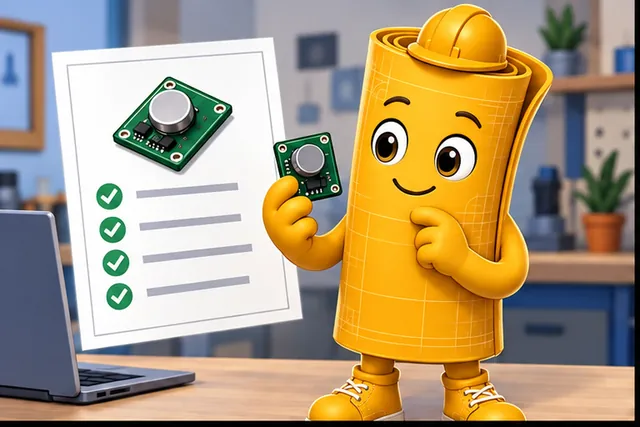
A sensor looks perfect on its feature list.
-
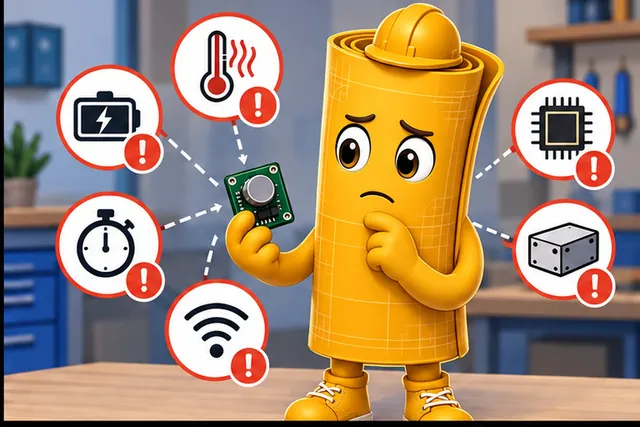
Its power, heat, timing, pins, case, or link may still fail the design.
-
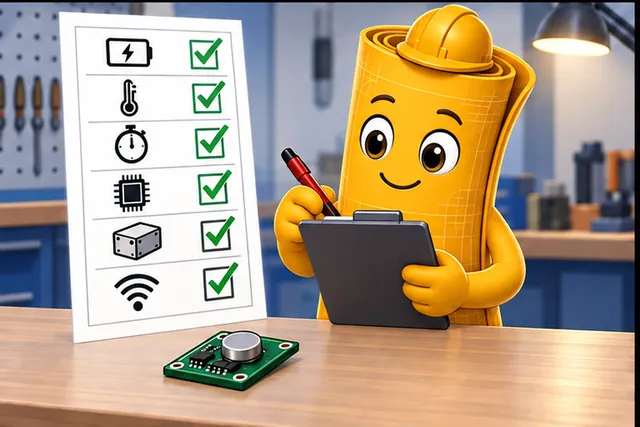
Check each hard condition, limit, tolerance, and test first.
-
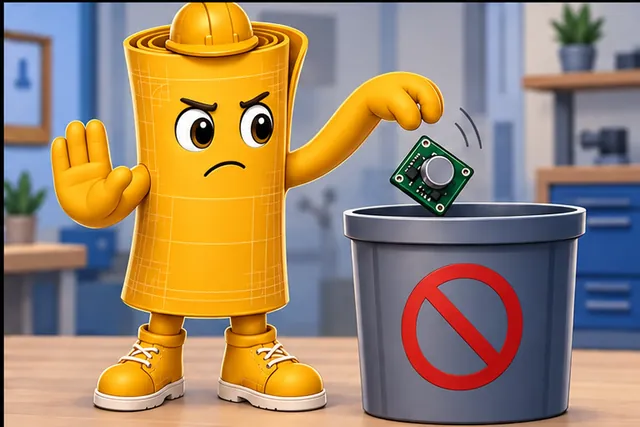
Reject an unusable part before its features shape the design.
Read the four story panels from the attractive feature list to an early rejection decision. The first panel represents the easy but weak selection method: choosing by headline capability. The second introduces the conditions that can disqualify the part, including power, temperature, timing, pins, package, and interface. The third requires each limit and tolerance to be read with its test condition rather than copied as an isolated number. The final panel rejects an unusable candidate before its features shape the board and firmware. This order supports the chapter’s practical method: check damage and operating boundaries first, then evaluate performance only for parts that can survive, connect, and behave in the intended design.
21.2 Learning Objectives
This section: Learning Objectives
By the end of this chapter, you will be able to:
- Explain what a component specification sheet, or datasheet, is for.
- Find the rows that matter first: absolute maximum ratings, recommended operating conditions, electrical characteristics, timing, pinout, package, and interface.
- Distinguish typical values from guaranteed minimum and maximum values.
- Read test conditions and footnotes before copying a number into a design.
- Create a short datasheet evidence record that supports a component decision.

21.3 Overview: Read for the Decision
This section: Overview: Read for the Decision — A datasheet is useful only when it answers a design question.
A datasheet is useful only when it answers a design question. Start with the job the component must do, then read the rows that can make the part unsuitable: damage limits, operating range, electrical behavior, timing, pinout, package, and interface obligations. A beginner mistake is opening the PDF at the feature summary and choosing the part from the most attractive headline. A better first pass asks whether the part can survive the circuit, operate inside the board envelope, communicate with the host, fit the PCB, and leave a testable evidence trail.
The route in Figure 21.1 starts with need and part limits; keep the proof before part choice.
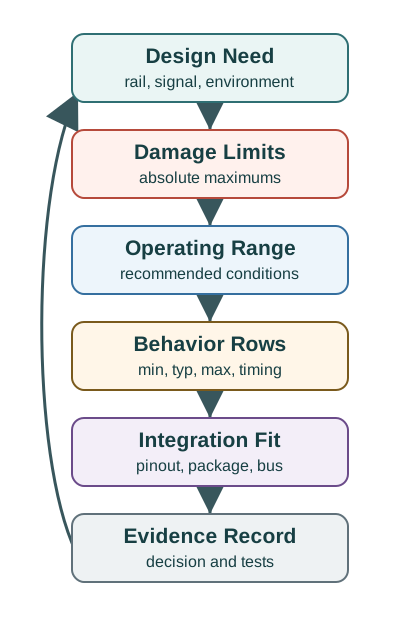
Start at design need in Figure 21.1, which identifies the rail, signal, and environment. Move through damage limits and operating range before checking behavior rows and integration fit. The evidence record ties the part choice to decisions and tests.
Read every number with its condition. A BME280 humidity-current value, an ADXL345 output-data-rate setting, a logic-input threshold on a 3.3 V MCU, or an I2C timing row only means what the condition column says it means: supply voltage, temperature, mode, load, bus speed, sample rate, calibration state, and package variant. The output of the first pass is not "the part is good." It is a short claim: which row supports which design decision, which assumption is still open, and which bench measurement will confirm it on the real board.
- Absolute maximum means do not cross this stress limit.
- Recommended operating conditions means the normal design envelope.
- Typical value means an example, not a guarantee.
21.4 Build Datasheet Evidence Records
This section: Build Datasheet Evidence Records — When a component choice matters, write a short evidence record.
When a component choice matters, write a short evidence record. Include the use case, required range, selected part, manufacturer datasheet revision, orderable part number, package option, critical rows, test conditions, unresolved assumptions, bench checks, and the owner for repeating checks if the design changes. The record should be small enough to review, but precise enough that another engineer can repeat the decision without reopening every page of the PDF.
Start with the design need in measurable language. "Outdoor node reads humidity every five minutes from a 3.3 V rail over I2C" is better than "low-power humidity sensor." That statement tells you which rows to find: recommended supply range, I/O voltage compatibility, sleep current, measurement current, measurement time, accuracy across temperature and humidity, startup behavior, I2C address options, pullup guidance, package exposure notes, and handling restrictions. Copy the row with the condition, not just the number.
Then attach the row to a decision. A maximum active current supports regulator and battery budgeting. An input-high threshold supports GPIO voltage compatibility. A timing diagram supports firmware delay and bus-speed choices. A package drawing supports footprint, orientation, and assembly review. A revision-history note or product-status page supports lifecycle risk. If the row is typical, graph-only, or measured under a different condition, write that limitation beside the decision and name the bench check that will close it.
Keep the record tied to change. If the board rail, firmware sampling rate, package option, enclosure, supplier part number, or operating temperature changes, the affected datasheet rows must be rechecked. That retest trigger keeps the record useful after the first prototype instead of freezing an early assumption into production.
- Power: Record supply voltage, active current, sleep current, startup behavior, and measurement conditions.
- Signals: Record logic levels, input thresholds, output drive, ADC range, and timing margins.
- Physical design: Record package, pinout, thermal constraints, orientation, mounting, and layout notes.
- Interface: Record bus mode, pull-ups, address options, command timing, and any reset or calibration sequence.
21.5 Why Typical Numbers Mislead
This section: Why Typical Numbers Mislead — Datasheet tables are conditional.
Datasheet tables are conditional. A current, timing, accuracy, or noise value may depend on supply voltage, temperature, load, clock rate, sample rate, gain, calibration state, package, or communication mode. Copying a typical number without its condition can make the design appear safer than it is. The table is often written for a controlled test setup, while an IoT product adds regulator tolerance, battery sag, radio bursts, sleep transitions, shared buses, enclosure temperature, contamination, and firmware error handling.
Typical values are especially tempting because they are easy to compare across parts. They can be useful for early estimates, but they do not define the worst unit, worst temperature, worst supply, or worst firmware state. Release margins should use guaranteed minimum or maximum values when failure matters. If only typical or graph data exists, the evidence record should say so, then add bench measurement, environmental testing, or a larger margin rather than silently treating the value as guaranteed.
Footnotes and diagrams carry design obligations that are easy to miss. A timing table may assume a specific bus capacitance or load. An I2C row may assume pullups and bus speed that differ from the final board. An ADC accuracy row may exclude reference error, source impedance, or calibration. A package note may require an exposed pad, keepout, airflow, or moisture handling step. An application circuit may show required decoupling or filtering that the schematic must preserve before the row is meaningful.
- Margins should use guaranteed min/max values when failure matters.
- Footnotes often define modes, exclusions, or test setups that change the interpretation.
- Graphs show trends but may not replace guaranteed table rows.
- Errata and revisions can change what the original datasheet seemed to promise.
The deeper skill is translating datasheet conditions into design assumptions that can be measured and challenged on real hardware. A good review keeps the chain visible: row, condition, interpretation, design margin, bench check, owner, and retest trigger. That chain is what prevents a copied number from becoming an unsupported product claim.
21.6 Prerequisites
This section: Prerequisites
You should already be comfortable with:
- Electronics Basics: voltage, current, resistance, and power.
- Analog and Digital Electronics: signal types, logic levels, ADCs, and DACs.
- Network Traffic Analysis: keeping evidence, limits, and validation records tied to real behavior.
21.7 What This Chapter Adds
This section: What This Chapter Adds — The goal here is not to memorize every symbol in every manufacturer’s datasheet.
The goal here is not to memorize every symbol in every manufacturer’s datasheet. The goal is to learn a repeatable first pass. In the first pass, you decide whether a component is obviously unsuitable, probably usable, or worth deeper analysis.
Damage limits
Absolute maximum ratings tell you what not to exceed. They are stress limits, not normal operating targets.
Recommended range
Recommended operating conditions define where the manufacturer expects the part to meet stated specifications.
Measured behavior
Electrical and performance tables give min, typical, and max values under specific test conditions.
Design obligations
Pinout, timing, layout, package, ESD, and application circuits show what the surrounding design must provide.
If a supply pin has an absolute maximum of 6 V, that does not mean 6 V is a valid supply. It means stress above that value can permanently damage the component. Use the recommended operating conditions for normal design.
21.8 The First-Pass Datasheet Route
This section: The First-Pass Datasheet Route — Use the first-pass route introduced in the overview as the chapter’s evidence spine: design need, damage limits, operating range, behavior rows, integration fit, and evidence record.
Use the first-pass route introduced in the overview as the chapter’s evidence spine: design need, damage limits, operating range, behavior rows, integration fit, and evidence record.
21.9 Datasheet Row to Design Claim
This section: Datasheet Row to Design Claim — Use this route whenever a datasheet number will influence a component choice, schematic, firmware setting, or release claim.
Use this route whenever a datasheet number will influence a component choice, schematic, firmware setting, or release claim.
First: Start with the product need. Name the rail voltage, signal type, measurement range, timing need, environment, package constraint, and firmware state that matter.
Next: Find the correct table row. Separate absolute maximum ratings, recommended operating conditions, electrical characteristics, timing, package, pinout, and application notes.
Then: Copy the full condition. Record supply voltage, temperature, load, mode, frequency, sample rate, pullup value, bus speed, package variant, and whether the value is minimum, typical, or maximum.
After that: Decide the claim boundary. State what the datasheet proves, what it does not prove, and which bench check must confirm the assumption on the actual board.
21.10 The Datasheet Vocabulary You Need First
This section: The Datasheet Vocabulary You Need First
21.11 Specification Value Types
This section: Specification Value Types — Challenge Specification Value Types with the visual in Figure 21.2: Typical names one checkpoint and Min / Max names another.
Challenge Specification Value Types with the visual in Figure 21.2: Typical names one checkpoint and Min / Max names another. Their relationship frames Datasheet values have different meanings; a typical value is not the same kind of evidence as a guaranteed limit or a stress rating.
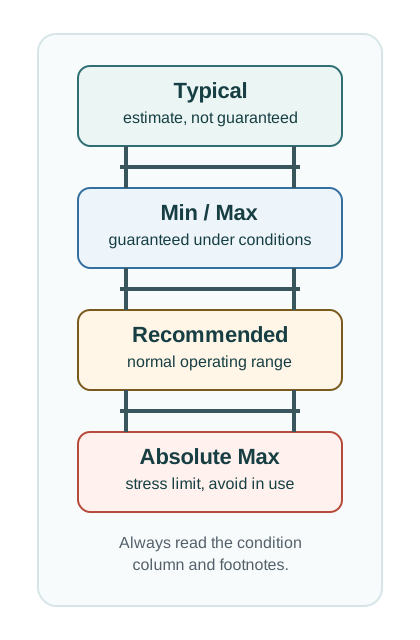
Read Figure 21.2 downward: typical values are estimates, while min / max values are guaranteed under stated conditions. Recommended values define the normal operating range; absolute max values mark stress limits to avoid in use. Check the condition column and footnotes before applying any value.
Do not write “current is 50 uA” in a design record. Write the mode, supply, temperature, sample rate, interface state, and whether the number is typical or maximum. Without the condition, the value is easy to misuse.
21.12 A Beginner’s First Evidence Table
This section: A Beginner’s First Evidence Table — When you review a candidate part, create a small evidence table instead of copying the whole datasheet.
When you review a candidate part, create a small evidence table instead of copying the whole datasheet. The table below is the minimum useful record for a first pass.
Inspect Figure 21.3 and ask which datasheet condition could make an otherwise accurate sensor unusable in the field.
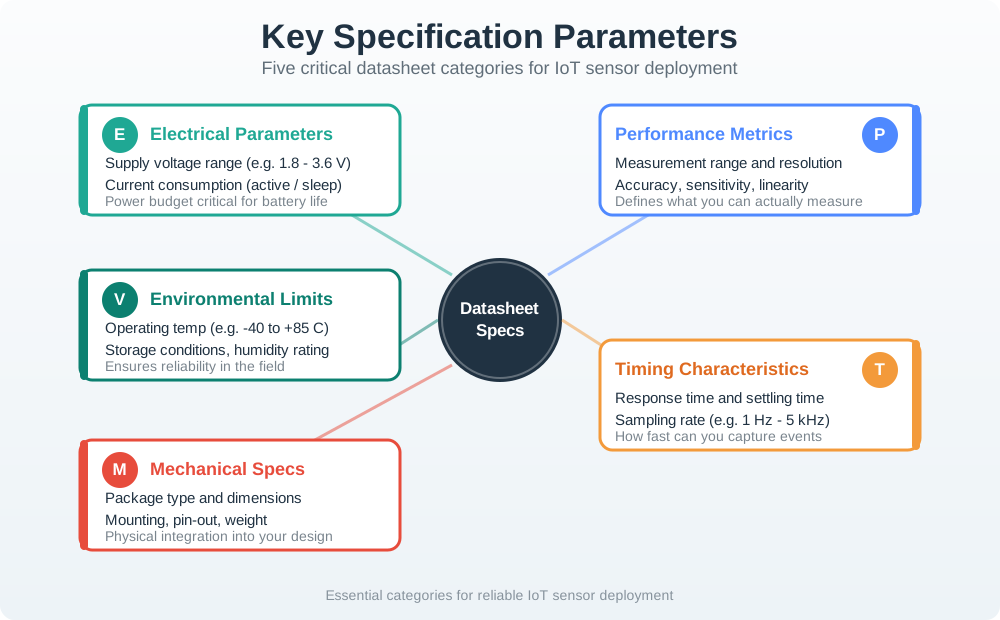
Read Figure 21.3 from power limits to speed and fit. A supply range of 1.8–3.6 V proves only that the part can share the rail. Active and sleep current are also needed for the cell plan. Keep range, resolution, error, response, and straight-line behavior as separate claims. Response and settle time show if the part can catch the event at the planned sample rate. Size and pins test board and case fit. Heat, moisture, and exposure limits test the site. Accept the part only when its power, physical fit, and sensing claim all match the planned use.
21.13 Candidate Environmental Sensor
This section: Candidate Environmental Sensor — This example uses simplified values so the reading method is clear.
This example uses simplified values so the reading method is clear. In real work, copy the exact values, units, and conditions from the manufacturer’s current datasheet.
If the datasheet says a sensor can measure humidity, the final product still needs enclosure airflow, contamination control, calibration decisions, firmware error handling, and field validation. The datasheet starts the evidence record; it does not finish it.
21.14 Incremental Examples
This section: Incremental Examples — Beginner Example: A 3.3 V MCU reads a pushbutton through a GPIO input.
Beginner Example: A 3.3 V MCU reads a pushbutton through a GPIO input. Do not use an absolute maximum pin-voltage row as the operating rule. Check the input-high and input-low thresholds at the MCU supply voltage, then confirm the pullup or pulldown value gives a stable logic level on the real board.
Intermediate Example: An ESP32-class battery node reads a BME280 over I2C. The datasheet review must separate sensor supply range, I/O voltage compatibility, address options, I2C timing, forced-mode current, standby current, measurement time, and humidity exposure notes. A battery estimate that uses only standby current is incomplete.
Advanced Example: A production accelerometer design compares LIS3DH and ADXL345-style parts for vibration sensing. The evidence table should include range setting, output data rate, bandwidth, interrupt behavior, FIFO depth, noise, current by mode, SPI/I2C timing, package orientation, board-axis mapping, and the bench traces that prove the configured firmware matches the datasheet mode.
21.15 Try It Now: Fix a Weak Datasheet Claim
This section: Try It Now: Fix a Weak Datasheet Claim
Rewrite this claim: “The sensor works at 3.3 V and has low power.” Your rewrite should name the exact datasheet section or row, whether the value is minimum, typical, or maximum, the test condition, the firmware state, and the bench check that still needs to happen.
21.16 Micro-Exercise: Pick the Risky Row
This section: Micro-Exercise: Pick the Risky Row — For a battery-powered outdoor temperature sensor, choose the first three datasheet rows you would inspect before approving the part.
For a battery-powered outdoor temperature sensor, choose the first three datasheet rows you would inspect before approving the part. For each row, state whether it protects survival, valid operation, measurement quality, firmware integration, or manufacturability.
21.17 How to Read a Table Row
This section: How to Read a Table Row — Datasheet tables are dense because every column matters.
Datasheet tables are dense because every column matters. Read a row from left to right, then read the notes below the table.
21.18 Practice Checks
This section: Practice Checks
21.19 Common Pitfalls
This section: Common Pitfalls
A feature list is not a requirements check. Start by writing the rail voltage, environment, accuracy need, interface, package constraints, duty cycle, and test plan.
Typical values are useful for early estimates. Release decisions need guaranteed min or max values, stated conditions, project margin, and bench evidence.
A current value at one supply, temperature, mode, or clock speed may not apply to your design. Copy the condition with the number.
Absolute maximum ratings tell you what can damage the part. They do not guarantee correct function.
Electrical compatibility is not enough. Package, footprint, orientation, soldering, layout, thermal path, cleaning, and enclosure assumptions can still block a part.
21.20 Summary
This section: Summary — Datasheet reading is a design-evidence process.
Datasheet reading is a design-evidence process. Begin with the system need, check damage limits, check recommended operating conditions, read behavior rows with their test conditions, confirm interface and physical integration, and record what the datasheet proves versus what the bench still needs to verify. This approach keeps beginner datasheet reading practical without turning typical values or feature lists into unsupported release claims.
21.21 See Also
This section: See Also — First: Network Traffic Analysis shows how evidence records stay tied to measured behavior.
First: Network Traffic Analysis shows how evidence records stay tied to measured behavior.
Next: Sensor Selection Process applies datasheet evidence when comparing candidate parts.
Then: Accelerometer Datasheet Case Study walks through a real sensor-style datasheet decision.
After that: Simulation-Driven Testing and Validation explains how bench, simulation, and release evidence confirm datasheet assumptions.
21.22 References
This section: References — First: Texas Instruments, Understanding and Interpreting Standard-Logic Data Sheets - official TI application report explaining common datasheet sections and parameter interpretation.
First: Texas Instruments, Understanding and Interpreting Standard-Logic Data Sheets - official TI application report explaining common datasheet sections and parameter interpretation.
Next: Bosch Sensortec BME280 Data Sheet - official manufacturer datasheet used as an example of a real sensor document structure.
Then: Microchip Online Documentation: Absolute Maximum Ratings - official Microchip documentation page showing stress-rating language.
21.23 What’s Next
This section: What’s Next
| If you want to… | Read this |
|---|---|
| Tie datasheet assumptions to measured behavior | Network Traffic Analysis |
| Compare multiple candidate sensors | Sensor Selection Process |
| Walk through a real accelerometer datasheet | Accelerometer Datasheet Case Study |
| Apply datasheet evidence to automotive constraints | Automotive Datasheet Qualification |
| Verify selected parts before hardware release | Simulation-Driven Testing and Validation |
| Previous | Current | Next |
|---|---|---|
| Network Traffic Analysis | Specification Sheet Fundamentals | Sensor Selection Process |
21.24 Key Takeaway
This section: Key Takeaway — Spec-sheet fundamentals are design inputs, not marketing copy.
Spec-sheet fundamentals are design inputs, not marketing copy. Convert each relevant specification into a requirement, margin, test condition, or risk before selecting a component.
Find help
3 reviewed answers.
Where should I start in a module?
Open the module page from the sidebar to see its chapters in order. Use the module map to return to a topic you need.
Modules and pathsReviewed
What can I try when a project does not work?
Check the symptom, then work through the diagnostic steps. Keep the error message and the smallest example that reproduces it.
When you are stuckReviewed
How do interactive examples work?
Use the interactive guide to check how examples and simulations work before changing your project.
Interactive examples guideReviewed