8 Edge, Fog, and Cloud: Device Integration

More
Depth: Practitioner
Progress saves as you read. Mark sections complete as you go; your progress appears in the sidebar.
A freezer probe is replaced with a newer board that reports temperature in hundredths of a degree. The old board used tenths. If the cloud treats the raw integer as unchanged, the dashboard can show a believable but wrong value. The adapter boundary exists to prevent that mistake.
8.1 Start Simple
This section: Start Simple — Imagine replacing one sensor board without breaking the dashboard, the gateway queue, or the command safety rules.
Imagine replacing one sensor board without breaking the dashboard, the gateway queue, or the command safety rules. The core idea is to hide device-specific details behind stable contracts while keeping identity, buffering, updates, and evidence explicit. Everyday IoT integration starts with one device type and one message path, then proves that enrollment, translation, command validation, and retry behavior survive a realistic failure. Start by writing the contract before choosing more hardware.
Trace a replacement sensor board through the dashboard, gateway, cloud service, and safe command path. Notice where a device swap might change the service.
-
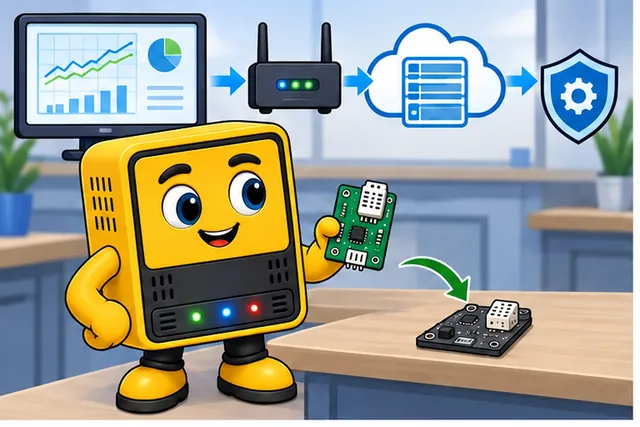
A team replaces one sensor board without changing the service.
-
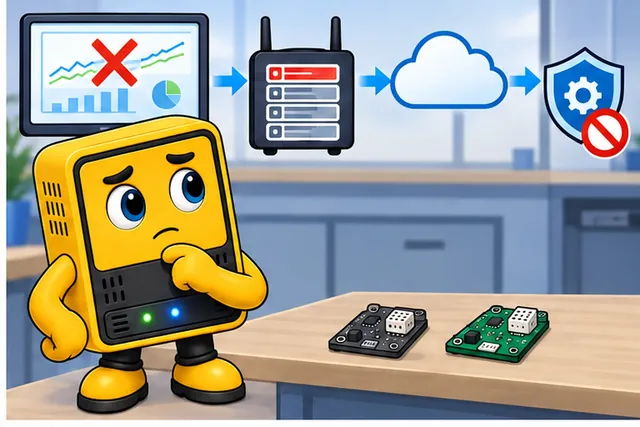
Device details can break the dashboard, queue, or safe commands.
-
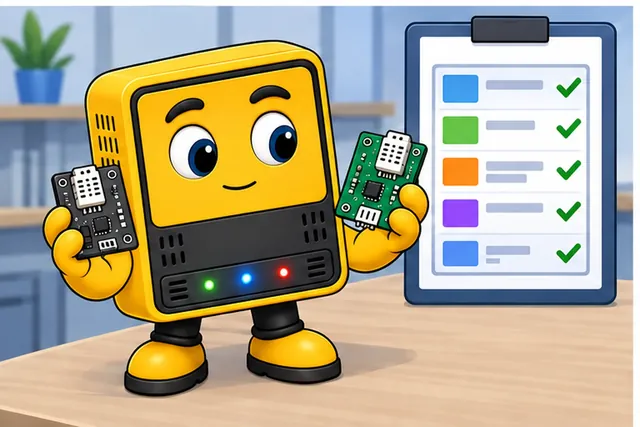
Write one stable contract, then test joining, messages, and retries.
-
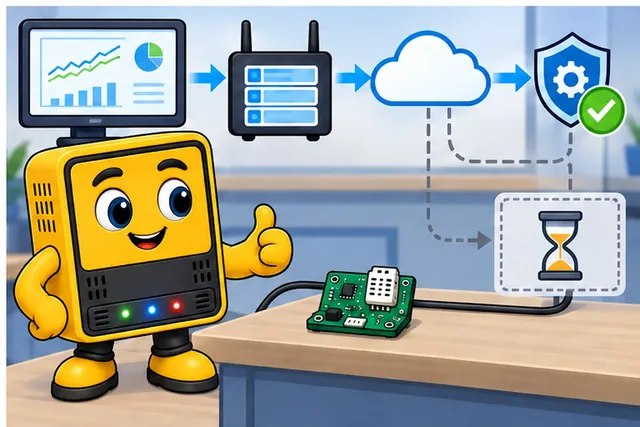
Accept the swap only when the service survives a real fault.
The first panel changes the board while leaving the wider path in view. The second marks broken dashboard and gateway checks; the third compares the old and new boards against a written checklist. The last reconnects the path and shows a fault route to test. That sequence is why the contract below must cover joining, messages, commands, and retries.
8.2 Learning Objectives
This section: Learning Objectives
By the end of this chapter, you will be able to:
- Select device classes based on task ownership, power source, runtime needs, interfaces, and lifecycle support.
- Draw an integration path from sensor or actuator interface through fog adapter to cloud service.
- Define gateway contracts for protocol translation, record normalization, command validation, buffering, and replay.
- Explain how identity, provisioning, certificates, updates, and health reporting cross edge, fog, and cloud tiers.
- Compare gateway aggregation, edge-first processing, fog intelligence, and cloud-managed device patterns.
- Review device integration designs for maintainability, upgrade safety, observability, and degraded operation.
A device is not integrated when it can send one test message. It is integrated when it can be provisioned, identified, updated, monitored, quarantined, replayed, retired, and replaced without rewriting the rest of the system.
8.3 Prerequisites
This section: Prerequisites
- Edge-Fog-Cloud Architecture: Review tier roles and path ownership.
- Edge Bandwidth Optimization: Review filtering, aggregation, buffering, and replay.
- Edge-Fog-Cloud Advanced Topics: Review production concerns such as state authority and trust boundaries.
8.4 Device Integration Map
This section: Device Integration Map — Start with the interface and work upward.
Start with the interface and work upward. A device integration plan should show what happens before the cloud sees a record and what happens before a device obeys a command.
Inspect Figure 8.1 before continuing. Device integration is easiest to review when the traffic directions and time scales are visible together. Figure 8.1 uses an autonomous-vehicle deployment to distinguish immediate vehicle work, neighbourhood coordination, and fleet-wide cloud work.
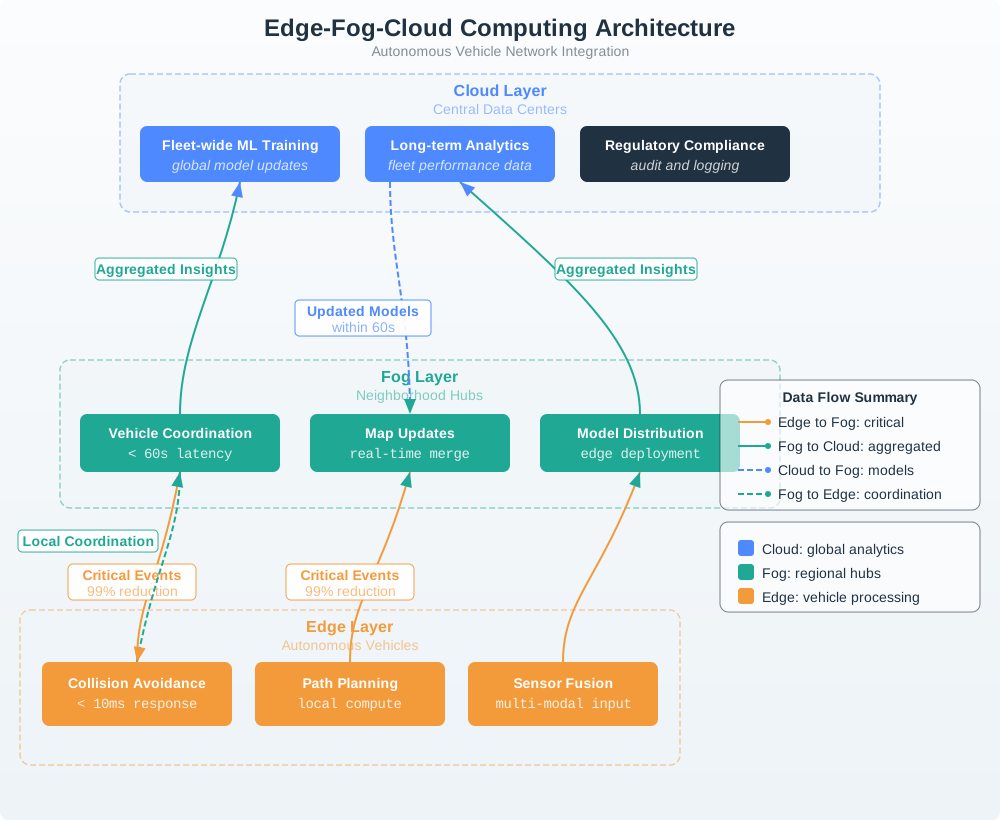
In the diagram Figure 8.1, at the Edge Layer, Collision Avoidance carries a < 10ms response label beside local path planning and sensor fusion. The Fog Layer moves to Vehicle Coordination, map merging, and model distribution within 60 seconds, while the Cloud Layer owns fleet-wide training, long-term analytics, and regulatory logs. Follow Critical Events upward and Updated Models downward: the two directions show why integration contracts must separate urgent evidence from slower aggregation and controlled rollout.
8.4.1 Edge Device
Owns physical sensing or actuation, local validation, calibration state, short-term evidence, and minimum safe behavior.
8.4.2 Fog Adapter
Owns protocol translation, local registry lookup, schema normalization, queueing, command checks, and site health.
8.4.3 Cloud Service
Owns fleet identity, long-term records, dashboards, analytics, rollout policy, audit trails, and cross-site coordination.
8.5 Knowledge Check: Integration Boundary
This section: Knowledge Check: Integration Boundary
8.6 Device Class Selection
This section: Device Class Selection — Select the smallest class that can satisfy the responsibility, not the largest class that is familiar.
Select the smallest class that can satisfy the responsibility, not the largest class that is familiar. Device class is a lifecycle decision: firmware, operating system, diagnostics, replacement process, and security maintenance all follow from it.
8.6.1 Constrained Device
Use when the node mostly senses, actuates, filters, sleeps, or follows a simple local rule. Typical constraints are small memory, limited storage, tight power budget, and simple network stacks.
8.6.2 Gateway-Class Node
Use when the node must run multiple adapters, maintain local queues, host a policy engine, bridge networks, or coordinate a site. It usually has persistent storage and a managed runtime.
8.6.3 Fleet Service
Use when the function needs cross-site history, user access, large-scale analytics, central policy, or coordinated rollout. It should not own time-critical physical safety decisions.
8.7 Knowledge Check: Device Class
This section: Knowledge Check: Device Class
8.8 Interfaces and Drivers
This section: Interfaces and Drivers — Before selecting cloud APIs, describe the physical and local interfaces.
Before selecting cloud APIs, describe the physical and local interfaces. Drivers are part of the integration boundary because they decide how raw signals become trusted records.
8.8.1 Signal Interface
Record the sensor or actuator type, measurement unit, sampling trigger, calibration source, acceptable range, and failure indication. An impossible reading should be rejected or flagged before it becomes operational evidence.
8.8.2 Local Link
Record whether the device uses a wired bus, short-range radio, local IP, or a vendor protocol. The link choice defines pairing, addressing, retries, security, and diagnostics.
8.8.3 Driver Boundary
Define what the driver emits: raw samples, filtered values, events, alarms, or command acknowledgements. Do not let cloud code depend on register maps or vendor frame layouts.
8.8.4 Actuator Safety
Commands need validation at the tier closest to the physical effect. Include range limits, stale-command rejection, local interlocks, manual override, and failure state.
8.9 Gateway Contract
This section: Gateway Contract — The gateway contract is the most important maintainability boundary in many edge-fog-cloud systems.
The gateway contract is the most important maintainability boundary in many edge-fog-cloud systems. It lets device protocols change without forcing cloud applications to change.
Inspect Figure 8.2 before continuing. The gateway is maintainable only if both sides of its translation boundary have an explicit contract. Use Figure 8.2 to see which fields must survive the move from a device-specific signal to a cloud-facing record and back to a validated command.
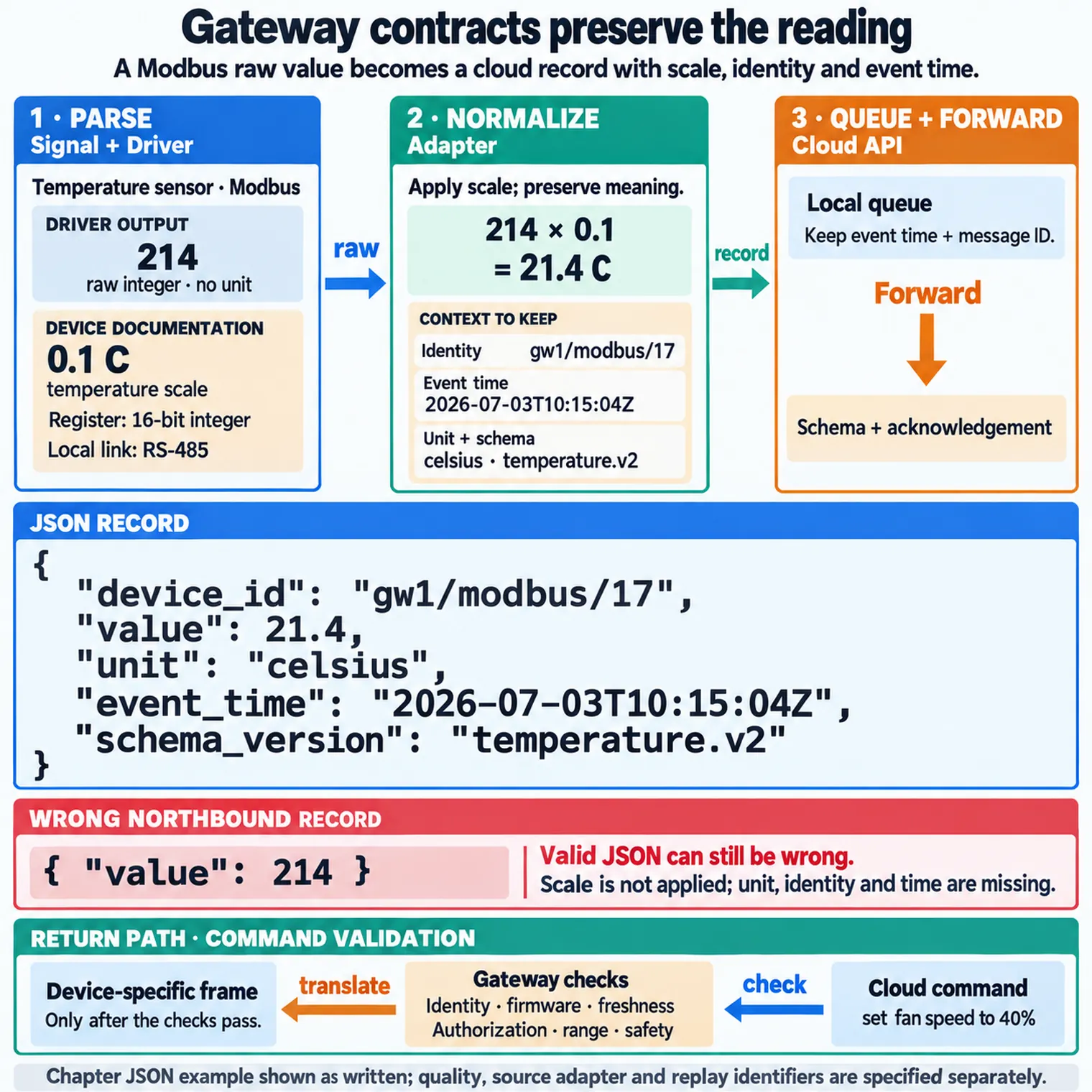
At the left of Figure 8.2, Signal reaches the Driver and Adapter; normalization adds the named unit, quality fields rather than forwarding an unexplained raw value. The Local queue then preserves event time and message ID before the Cloud API applies its schema and acknowledgement. On the return path, Command validation checks authorization, freshness, range, and safety. Those labelled hand-offs define exactly what a gateway implementation and its tests must own. For each hand-off, retain the source device and firmware version, calibration and unit mapping, event and receipt times, deduplication key, queue or drop outcome, cloud acknowledgement, command identity, and actuator result. That record lets a reviewer distinguish a sensor fault from an adapter, queue, API, or command-validation failure.
Parse Decode device-specific frames, validate checksums or signatures, and reject malformed records.
Normalize Map payloads into a stable record with device identity, timestamp, schema version, value, unit, quality, and source adapter.
Queue Persist accepted records locally with message identifiers so retry and replay do not create duplicates.
Forward Publish to the cloud-facing API or broker using the agreed topic, endpoint, schema, and acknowledgement behavior.
Validate Commands Check authorization, target version, freshness, range, and local safety rules before passing a command toward a device.
A useful gateway contract is bidirectional. Southbound, record the device address, driver, register or frame definition, sampling rule, command surface, and error codes. Northbound, record the topic or endpoint, schema, identity format, event-time rule, acknowledgement behavior, and replay policy. The contract should also state which fields are mandatory before forwarding and which failures quarantine a record instead of silently publishing it.
| Function | Southbound device side | Northbound platform result |
|---|---|---|
| Protocol translation | Read a Modbus holding register over RS-485. | Publish an MQTT message on a device topic. |
| Normalization | Raw integer with an implied scale and no units. | Canonical value with unit, scale applied, and timestamp. |
| Identity and provisioning | A bus address or radio MAC with no trust. | A provisioned device identity bound to credentials. |
| Buffer and filter | Bursty or noisy device readings. | Store-and-forward during outages; only meaningful changes sent. |
During review, walk one normal reading, one rejected reading, one queued reading, and one command through the contract. That small exercise exposes missing identifiers, ambiguous timestamps, unsafe retries, and unclear ownership much faster than a static architecture label.
8.10 Knowledge Check: Adapter Contract
This section: Knowledge Check: Adapter Contract
8.11 Translation Preserves Meaning
This section: Translation Preserves Meaning — Protocol translation silently corrupts data when it drops metadata.
Protocol translation silently corrupts data when it drops metadata. A Modbus holding register is just a 16-bit integer with an implied scale defined by the device documentation. If a temperature sensor reports tenths of a degree Celsius, the gateway must apply the scale before publishing northbound:
Modbus holding register 0x00D2 = 214
device documentation: temperature scale is 0.1 C
214 x 0.1 = 21.4 C

wrong northbound record:
{ "value": 214 }

correct northbound record:
{
  "device_id": "gw1/modbus/17",
  "value": 21.4,
  "unit": "celsius",
  "event_time": "2026-07-03T10:15:04Z",
  "schema_version": "temperature.v2"
}
The wrong record can pass a schema check while still being wrong: it means 214, not 21.4 C, and it has no device identity or measurement time. The gateway preserves meaning by applying scale, attaching units, binding the reading to a provisioned identity, and stamping the event time before the cloud stores it.
The same rule applies to commands. A northbound command such as “set fan speed to 40%” becomes a device-specific frame only after the gateway checks target identity, firmware compatibility, command freshness, permitted range, and local safety state. Translation is a meaning-preservation problem in both directions, not only a format conversion.
8.12 Knowledge Check: Translation Meaning
This section: Knowledge Check: Translation Meaning
8.13 Identity and Provisioning
This section: Identity and Provisioning — Every integrated device needs a trustworthy lifecycle record.
Every integrated device needs a trustworthy lifecycle record. The record should connect a physical asset to credentials, firmware, calibration, adapter compatibility, ownership, and retirement status.
8.13.1 Enrollment
Decide how new devices are admitted: factory identity, installer claim, local gateway approval, cloud registry entry, or a staged process using more than one check.
8.13.2 Credential Scope
Use credentials that match the role. A field device should not hold cloud-wide privileges. A gateway should not accept commands for devices outside its assigned scope.
8.13.3 Version Evidence
Track firmware, hardware revision, protocol version, adapter version, schema version, and configuration bundle. These fields turn failures into diagnosable events.
8.13.4 Retirement
Define how devices are disabled, credentials revoked, queued data handled, audit records retained, and replacements linked to the old asset history.
8.14 Store-and-Forward
This section: Store-and-Forward — Outages are normal in edge deployments.
Outages are normal in edge deployments. Store-and-forward is not only a cache; it is a contract for preserving evidence while avoiding duplicates and stale commands.
8.14.1 Edge Buffer
Keep recent critical readings or events when a gateway is unavailable. Include timestamp, sequence, quality, and retry state.
8.14.2 Fog Queue
Persist normalized records during WAN outage, apply backpressure, preserve ordering where required, and resume with deduplication.
8.14.3 Cloud Replay
Accept late records with event time, detect duplicates, mark delayed evidence, and avoid treating replayed history as a fresh real-time alarm.
Sizing turns the replay contract into an engineering check. If a site has 80 Modbus sensors sampled every 15 seconds, the gateway accepts 320 records per minute. At 220 bytes per normalized record, that is 70,400 bytes, or about 70.4 kB, per minute. A 45-minute WAN outage therefore needs about 3,168,000 bytes, or 3.2 MB, before queue indexes and signatures. A command with a 30-second freshness limit must be rejected if it reaches the gateway 12 minutes later during replay.
8.15 Knowledge Check: Store-and-Forward
This section: Knowledge Check: Store-and-Forward
8.16 Integration Patterns
This section: Integration Patterns — Most deployments combine patterns.
Most deployments combine patterns. Choose the primary pattern for each data path, then document where it changes.
8.16.1 Gateway Aggregation
Many simple devices send regular readings to a local gateway. The gateway validates, normalizes, summarizes, and forwards records. Use when edge devices are constrained and local group context matters.
8.16.2 Edge-First Processing
The device performs local detection, filtering, or control and sends events or compact evidence. Use when the local device has enough capability and the raw stream is too large or too sensitive to forward.
8.16.3 Fog Intelligence
A local gateway or site server runs models, rules, or correlation across several devices. Use when inference needs local context, privacy, or resilience but model governance belongs in the cloud.
8.16.4 Cloud-Managed Edge
Cloud services manage identity, configuration, rollout, and dashboards while edge and fog tiers keep local operation running. Use when fleet consistency and auditability matter.
8.17 Update and Management Paths
This section: Update and Management Paths — Treat updates as a first-class integration flow.
Treat updates as a first-class integration flow. A system that can send telemetry but cannot safely update firmware, adapters, schemas, or models is not maintainable.
Plan Define target group, compatibility constraints, rollback trigger, and evidence required before promotion.
Stage Place packages where the target tier can retrieve them, verify signatures, and check available storage.
Apply Use a rollout method appropriate to the tier. Avoid updating all redundant nodes in a site at once.
Observe Watch health, error rate, command acknowledgements, queue depth, and version reports after rollout.
Rollback Return to the last known-good firmware, adapter, schema mapping, model, or configuration bundle when gates fail.
8.18 Knowledge Check: Update Path
This section: Knowledge Check: Update Path
8.19 Integration Review Checklist
This section: Integration Review Checklist
Device owner: Who owns firmware, calibration, physical replacement, and local safety behavior?
Adapter owner: Who owns protocol parsing, schema mapping, queues, and command validation?
Identity owner: Where are devices enrolled, credentialed, authorized, quarantined, and retired?
Version owner: Which tier reports firmware, adapter, schema, model, and configuration versions?
Replay owner: How are message identifiers, event time, ordering, late arrival, and duplicates handled?
Update owner: How are packages staged, verified, rolled out, observed, and rolled back?
Command owner: Which tier checks authorization, freshness, range, target state, and safety interlocks?
Replacement owner: How does a new physical unit inherit asset history without inheriting stale credentials?
8.20 Decision Record
This section: Decision Record
Record the device class, physical interface, local link, driver boundary, gateway adapter, normalized record schema, command path, credential scope, enrollment method, queue behavior, replay rules, version fields, update method, rollback trigger, health signals, quarantine rule, and replacement process. Include the field tests that prove the design survives device replacement, gateway outage, WAN outage, adapter update, and cloud recovery.
8.21 Label the Diagram: Device Integration
This section: Label the Diagram: Device Integration
8.22 Code Challenge: Message Gate
This section: Code Challenge: Message Gate
8.23 Match Concepts
This section: Match Concepts
8.24 Order the Integration Review
This section: Order the Integration Review
8.25 Common Pitfalls
This section: Common Pitfalls
8.26 Reference Path
This section: Reference Path
Use official specifications and platform documentation after the integration responsibilities are clear:
- OASIS MQTT Version 5.0 specification: publish/subscribe, session, acknowledgement, retained message, and reliability behavior.
- OPC UA Online Reference: industrial information modeling, address spaces, security, and interoperability concepts.
- Zephyr Project documentation: RTOS, device drivers, networking, and embedded application structure.
- FreeRTOS documentation: embedded RTOS concepts, connectivity libraries, and device software patterns.
- AWS IoT Greengrass documentation: local components, deployment, device communication, and cloud-managed edge runtime patterns.
- Azure IoT Edge documentation: edge modules, deployment, offline behavior, and cloud-managed edge workloads.
- EdgeX Foundry documentation: open edge middleware, device services, message bus, and local processing patterns.
8.27 Replace the Freezer Probe without Rewriting the Fleet Service
This section: Replace the Freezer Probe without Rewriting the Fleet Service — Assume the old device reports raw value 42 with scale 0.1 °C per count.
Assume the old device reports raw value 42 with scale 0.1 °C per count. Its normalized reading is 42 × 0.1 °C = 4.2 °C. The replacement reports 420 with scale 0.01 °C per count, which also gives 4.2 °C. The driver identifies the hardware and payload version; the gateway adapter applies the matching scale. The cloud consumes the stable value and unit while retaining enough version evidence to explain the conversion.
Now disconnect the internet for 15 minutes while the device records once a minute. With one record at each minute’s end, the queue receives 15 records. At an illustrative 96 bytes per normalized record, this is 1,440 bytes before filesystem overhead. A local alarm still acts on current readings. Queueing preserves history for later replay; it must not become a dependency of the immediate alarm path.
Follow Figure 8.1 through its edge, neighbourhood fog and cloud tiers. The figure’s vehicle example separates immediate local action from coordination and fleet analysis. The freezer uses the same responsibility split, with a different time requirement. The adapter and queue serve the integration path without granting the remote service control over every urgent decision.
Predict what happens when the replacement sends an unknown schema version. The adapter should flag or quarantine it instead of applying the old scale by default. Next, replay the outage queue twice. Stable message identities should let the receiving service avoid duplicate history while preserving the original event times.
Commands need the reverse discipline. A cloud request expressed in degrees must pass through the adapter’s versioned conversion and the device’s local range checks. Reject a stale command after replacement if its identity or assumptions no longer match. This module treats integration as a lifecycle task because boards, schemas and credentials change independently. A stable contract lets the freezer keep its meaning through those changes, while the raw evidence still allows engineers to diagnose a mistake.
8.28 Summary
This section: Summary
- Device integration connects physical interfaces, gateway adapters, and cloud services through explicit contracts.
- Select device class from responsibility, runtime, interfaces, power source, lifecycle support, and maintenance model.
- Gateways usually own protocol translation, normalization, local queues, command checks, and site health.
- Identity, provisioning, version evidence, updates, rollback, quarantine, and retirement are part of the integration design.
- Store-and-forward needs event time, message identifiers, schema versions, quality state, and deduplication rules.
- The safest integration boundary hides device-specific details from cloud applications while preserving enough evidence to diagnose field behavior.
8.29 What’s Next
This section: What’s Next
- Edge-Fog-Cloud Interactive Tools: Practice placement and integration decisions with interactive exercises.
- Edge-Fog-Cloud Introduction: Revisit the series entry point after seeing the implementation details.
- Edge-Fog Decision Framework: Apply the same reasoning to broader edge/fog placement decisions.
8.30 Key Takeaway
This section: Key Takeaway — Device integration succeeds when identity, protocol translation, schemas, command paths, updates, and telemetry are designed together.
Device integration succeeds when identity, protocol translation, schemas, command paths, updates, and telemetry are designed together. A working data path is not enough without secure management and observable failure handling.
Find help
3 reviewed answers.
Where should I start in a module?
Open the module page from the sidebar to see its chapters in order. Use the module map to return to a topic you need.
Modules and pathsReviewed
What can I try when a project does not work?
Check the symptom, then work through the diagnostic steps. Keep the error message and the smallest example that reproduces it.
When you are stuckReviewed
How do interactive examples work?
Use the interactive guide to check how examples and simulations work before changing your project.
Interactive examples guideReviewed