OPC-UA (Open Platform Communications Unified Architecture) is the leading industrial interoperability standard that provides a platform-independent, service-oriented architecture with a rich information model, built-in security (certificates + encryption), and pub/sub capability, enabling seamless communication between PLCs, SCADA systems, MES, and cloud platforms from different vendors.
48.1 OPC-UA: The Industrial Interoperability Standard
Learning Objectives
By the end of this section, you will be able to:
Explain OPC-UA architecture and its role in industrial interoperability
Analyze the OPC-UA information model and distinguish between node classes in the address space
Implement OPC-UA clients and servers using modern SDKs (asyncua)
Configure OPC-UA security policies and select the appropriate mode for a given deployment
Design OPC-UA pub/sub architectures for scalable one-to-many data distribution
Compare OPC-UA and MQTT to justify which protocol to select for a given industrial IoT scenario
Construct an OPC-UA session establishment sequence and diagnose connection failures
48.2 Prerequisites
Before diving into this chapter, you should be familiar with:
OPC-UA (OPC Unified Architecture): A platform-independent, service-oriented industrial communication standard providing information modeling, security, and transport-agnostic data exchange.
Information Model: OPC-UA’s hierarchical object model defining nodes (objects, variables, methods, views) and their relationships in a namespace; enables self-describing data structures.
Node: The basic element of the OPC-UA address space; nodes have NodeIds, BrowseNames, and attributes; connected by References to form the information model.
Session: An OPC-UA application layer connection between client and server with authentication and message security; separate from the underlying transport connection.
Subscription / MonitoredItem: An OPC-UA mechanism where the client creates a Subscription and MonitoredItems; the server sends periodic Notifications when monitored values change.
Security Mode: OPC-UA communication modes: None (no security), Sign (message signing only), SignAndEncrypt (full message security); production deployments should use SignAndEncrypt.
The Problem: In a typical factory, you might have: - PLCs from Siemens, Rockwell, Mitsubishi - Sensors from 10 different manufacturers - SCADA software from one vendor - MES software from another - Cloud analytics from yet another
Each speaks a different “language” (protocol). Getting them to talk to each other traditionally required custom integration for every pair—expensive and fragile.
OPC-UA’s Solution: One universal language that everyone speaks.
Analogy: OPC-UA is like English in international business: - Everyone agrees to communicate in English (OPC-UA) - Each company still has their native language internally (Modbus, PROFINET, etc.) - But when they need to share information, they use English (OPC-UA)
Key Benefits:
Platform-independent: Windows, Linux, embedded systems
Secure by design: Built-in encryption and authentication
Rich data model: Not just values, but context and relationships
Scalable: From tiny sensors to enterprise systems
Sensor Squad: The Universal Translator
“Every factory machine speaks a different language!” complained Sammy the Sensor. “The PLC speaks Modbus, the robot speaks PROFINET, and the quality system speaks HTTP. How do they communicate?”
Max the Microcontroller introduced OPC-UA: “That’s exactly the problem OPC-UA solves! It’s like a universal translator that every device can speak. Instead of building custom adapters between each pair of systems, everything connects through OPC-UA. It defines a standard way to describe data – not just the value, but its type, unit, timestamp, and quality.”
“The cool part is the information model,” said Lila the LED. “OPC-UA doesn’t just say ‘temperature is 25.’ It says ‘this is a temperature measurement, in Celsius, from sensor #3, on production line 2, taken at 10:30 AM, with good quality.’ All that context is built into the protocol.”
Bella the Battery appreciated the security: “OPC-UA has built-in encryption and authentication from the ground up. Unlike Modbus, which was designed in 1979 with zero security, OPC-UA was built for the modern connected factory where cyber-attacks are a real threat. It’s the future of industrial IoT communication!”
48.4 OPC-UA Architecture
48.4.1 Protocol Stack
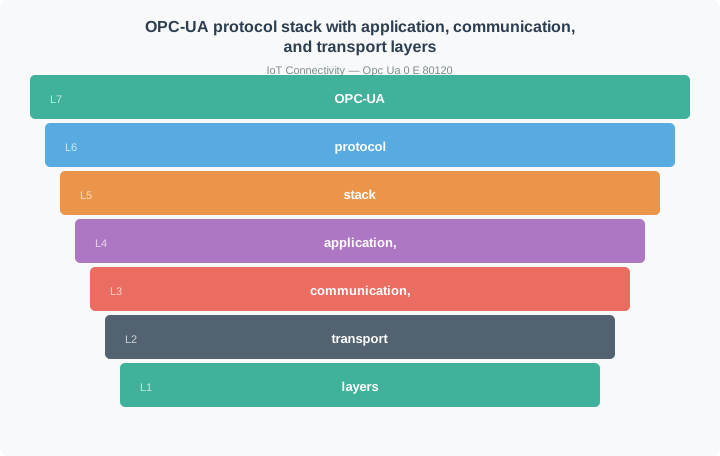
Figure 48.1: OPC-UA protocol stack with application, communication, and transport layers
Alternative View: Information Model Structure
This diagram shows OPC-UA’s information model structure: Objects contain Variables (data) and Methods (actions), connected by typed References that define relationships.
48.4.2 Client-Server Model
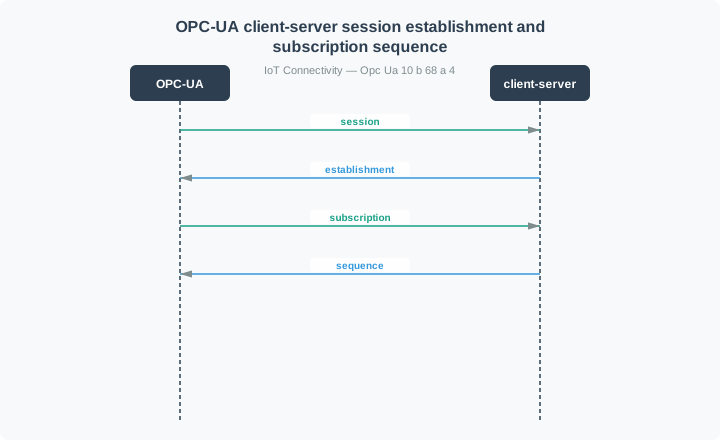
The traditional OPC-UA communication pattern:
Figure 48.2: OPC-UA client-server session establishment and subscription sequence
48.5 Information Model
Understanding OPC-UA Information Model
Core Concept: The OPC-UA information model is a structured address space where all data is represented as typed nodes connected by semantic references, enabling machines to understand not just values but their meaning and relationships.
Why It Matters: Unlike flat register-based protocols (Modbus), OPC-UA’s information model allows devices to describe themselves. A client connecting to an unknown server can browse its address space, discover what data is available, understand data types and units, and call methods—all without prior configuration or documentation.
Key Takeaway: Think of nodes as objects in object-oriented programming: they have properties (attributes), can contain other nodes (composition), inherit from types (polymorphism), and expose callable functions (methods).
48.5.1 Node Classes
Everything in OPC-UA is a Node. There are eight node classes:
Node Class
Purpose
Example
Object
Container for other nodes
Device, Folder
Variable
Data value with type
Temperature, Status
Method
Callable function
Calibrate(), Start()
ObjectType
Template for objects
DeviceType, SensorType
VariableType
Template for variables
AnalogItemType
ReferenceType
Relationship definition
HasComponent, Organizes
DataType
Data type definition
Int32, String, custom
View
Subset of address space
Production view
48.5.2 Address Space Structure
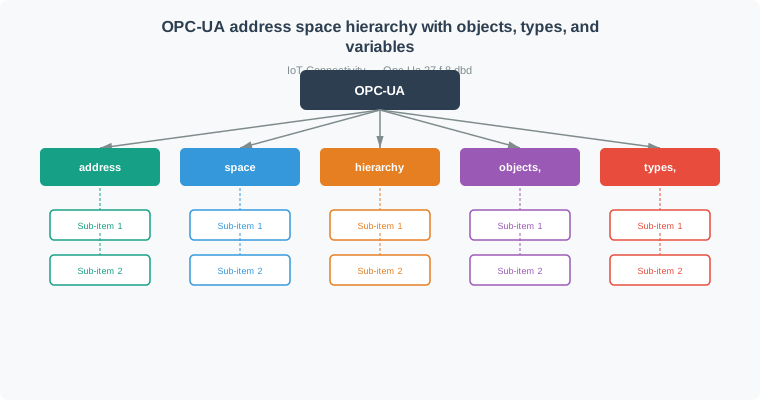
Figure 48.3: OPC-UA address space hierarchy with objects, types, and variables
48.5.3 Node Identifiers
Every node has a unique identifier (NodeId):
Format
Example
Use Case
Numeric
i=2253
Standard OPC-UA nodes
String
s=MyDevice.Temperature
Application nodes
GUID
g=09087e75-8e5e-499b-954f-...
Unique identifiers
Opaque
b=M/RbKBsRVk...
Binary data
Namespace Index:
ns=0: OPC-UA standard namespace
ns=1: Server-specific
ns=2+: Application namespaces
Try It: OPC-UA Node ID Builder
Build and parse OPC-UA Node Identifiers. Select the format, namespace index, and identifier value to see the full NodeId string — matching the format conventions used in the code examples throughout this chapter.
# Python example using asyncua libraryfrom asyncua import Clientasyncdef discover_server():# Get endpoints from discovery URL client = Client("opc.tcp://localhost:4840") endpoints =await client.get_endpoints()for ep in endpoints:print(f"Endpoint: {ep.EndpointUrl}")print(f"Security: {ep.SecurityPolicyUri}")print(f"Mode: {ep.SecurityMode}")
48.6.2 Attribute Services (Read/Write)
asyncdef read_write_example(): client = Client("opc.tcp://localhost:4840")await client.connect()# Read a variable node = client.get_node("ns=2;s=Temperature") value =await node.read_value()print(f"Temperature: {value}")# Read multiple attributes attrs =await node.read_attributes([ ua.AttributeIds.Value, ua.AttributeIds.DataType, ua.AttributeIds.DisplayName ])# Write a value setpoint = client.get_node("ns=2;s=Setpoint")await setpoint.write_value(75.0)await client.disconnect()
asyncdef call_method(): client = Client("opc.tcp://localhost:4840")await client.connect()# Find the method device = client.get_node("ns=2;s=Device1") calibrate = client.get_node("ns=2;s=Device1.Calibrate")# Call with arguments result =await device.call_method(calibrate, 25.0, "high")print(f"Calibration result: {result}")
Quick Check: OPC-UA Service Sets
48.7 Worked Examples: OPC-UA Real-Time System Design
These worked examples demonstrate practical OPC-UA implementation decisions for real-world industrial scenarios.
Putting Numbers to It
How does OPC-UA’s security overhead affect message throughput? Consider a factory monitoring system polling 100 sensors every 100 ms with different security policies.
Scenario: Each sensor reading is 8 bytes (float32 + timestamp). OPC-UA wraps this in protocol headers and encryption.
No Security (Sign=None, Encrypt=None): - OPC-UA binary header: 24 bytes - Service header: 16 bytes - Total per reading: \(8 + 24 + 16 = 48\text{ bytes}\)
On 100 Mbps Ethernet: 96 kB/s is only 0.077% utilization - negligible! But on Zigbee (250 kbps): 96 kB/s = 3,072 kbps needed = 12× over capacity. This is why lightweight protocols (MQTT, CoAP) dominate battery/wireless IoT while OPC-UA dominates wired industrial automation!
Worked Example: Designing a Real-Time Production Line Monitor
Scenario: A beverage bottling line has 20 machines (fillers, cappers, labelers, packers) that must be monitored with sub-second latency. The production manager needs a real-time dashboard showing machine states, current speeds, and fault conditions. Historical data must be logged for quality audits.
Given:
20 machines, each with 15-30 data points (speeds, counts, temperatures, states)
Dashboard update requirement: 200ms maximum latency
Fault notifications: < 500ms from occurrence to operator alert
Data retention: 90 days for regulatory compliance
Existing infrastructure: Siemens PLCs with OPC-UA server capability
Steps:
Design the OPC-UA address space hierarchy:
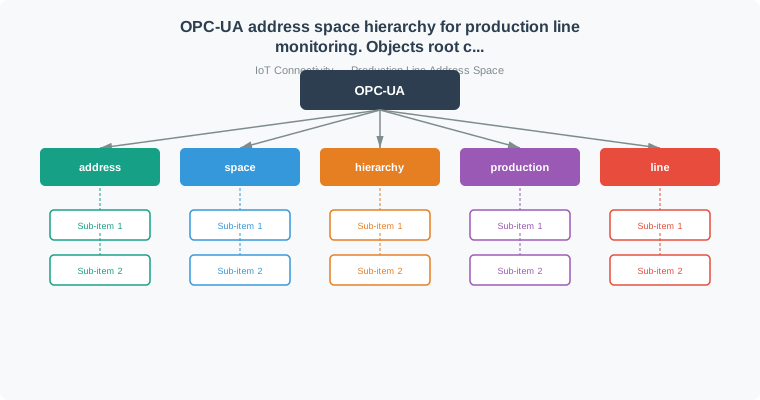
Figure 48.4: OPC-UA address space hierarchy for production line monitoring. Objects root contains ProductionLine1, which contains machine nodes (Filler01, Capper01, Labeler01). Each machine exposes Variable nodes for Speed, Temperature, State, FaultCode, TotalCount, and Method nodes like Start. Node IDs follow pattern: ns=2;s=Line1.Filler01.Speed
Configure subscriptions for real-time monitoring:
from asyncua import Client, uaasyncdef setup_monitoring(): client = Client("opc.tcp://plc.factory.local:4840")await client.connect()# Create subscription with 100ms publishing interval# This gives us 200ms worst-case latency (100ms sampling + 100ms publish) subscription =await client.create_subscription( period=100, # 100ms publishing interval handler=DashboardHandler() )# Monitor all critical variables machines = ['Filler01', 'Capper01', 'Labeler01', 'Packer01'] monitored_items = []for machine in machines:for var in ['Speed', 'State', 'FaultCode', 'TotalCount']: node = client.get_node(f"ns=2;s=Line1.{machine}.{var}") handle =await subscription.subscribe_data_change( node, queuesize=1, # Only keep latest value sampling_interval=100# 100ms at server ) monitored_items.append(handle)print(f"Monitoring {len(monitored_items)} variables at 100ms intervals")return subscriptionclass DashboardHandler:def datachange_notification(self, node, val, data):# Called automatically when any monitored value changes node_id = node.nodeid.Identifier timestamp = data.monitored_item.Value.SourceTimestamp# Update dashboard widget dashboard.update(node_id, val, timestamp)# Check for faultsif'FaultCode'in node_id and val !=0: send_operator_alert(node_id, val)
Result: The dashboard receives updates within 200ms (100ms server sampling + 100ms publish interval). Fault codes trigger immediate operator alerts. Historical data is buffered and batch-written to TimescaleDB every 5 seconds or 100 records, ensuring efficient database writes without blocking real-time updates.
Key Insight: Separate real-time monitoring from historical logging using different handlers on the same subscription. Real-time dashboards need immediate processing with minimal buffering (queuesize=1), while historians should batch writes to avoid overwhelming the database. OPC-UA subscriptions handle both patterns elegantly by pushing data changes to registered handlers.
Worked Example: OPC-UA to Cloud Bridge with Store-and-Forward
Scenario: A pharmaceutical manufacturing plant must send batch records to a cloud-based quality management system. The cloud connection is unreliable (occasional 5-minute outages). Regulatory requirements (FDA 21 CFR Part 11) mandate that no batch data is ever lost, and all data must include tamper-proof timestamps.
Given:
5 batch reactors with OPC-UA servers
Batch completion events: ~20 per day per reactor
Each batch record: ~50KB of process data (temperatures, pressures, pH levels over time)
Compliance: FDA 21 CFR Part 11 (electronic records, audit trails)
Data integrity: No lost records, original timestamps preserved
Steps:
Design edge gateway with local persistence:
from asyncua import Clientimport sqlite3import jsonclass PharmaBridge:def__init__(self):# Local SQLite for store-and-forwardself.db = sqlite3.connect('batch_buffer.db')self.db.execute(''' CREATE TABLE IF NOT EXISTS pending_batches ( id INTEGER PRIMARY KEY, reactor_id TEXT, batch_id TEXT UNIQUE, data JSON, source_timestamp TEXT, received_timestamp TEXT, signature TEXT, upload_status TEXT DEFAULT 'pending' ) ''')asyncdef on_batch_complete(self, node, val, data):"""Called when BatchComplete event fires on any reactor""" reactor_id = extract_reactor_id(node.nodeid) batch_id = val['BatchID']# Read complete batch record from OPC-UA server batch_data =awaitself.read_batch_record(reactor_id, batch_id)# Preserve original OPC-UA timestamps (FDA requirement) source_timestamp = data.monitored_item.Value.SourceTimestamp# Sign the record for tamper detection signature =self.sign_record(batch_data, source_timestamp)# Store locally first (guaranteed persistence)self.db.execute(''' INSERT INTO pending_batches (reactor_id, batch_id, data, source_timestamp, received_timestamp, signature) VALUES (?, ?, ?, ?, ?, ?) ''', ( reactor_id, batch_id, json.dumps(batch_data), source_timestamp.isoformat(), datetime.utcnow().isoformat(), signature ))self.db.commit()# Attempt immediate uploadawaitself.upload_pending()
Implement reliable cloud upload with retry:
asyncdef upload_pending(self):"""Upload pending batches to cloud QMS""" pending =self.db.execute(''' SELECT id, reactor_id, batch_id, data, source_timestamp, signature FROM pending_batches WHERE upload_status = 'pending' ORDER BY source_timestamp ''').fetchall()for record in pending:try:# Upload to cloud with original timestamps response =await cloud_qms.upload_batch({'reactor_id': record[1],'batch_id': record[2],'data': json.loads(record[3]),'source_timestamp': record[4], # Original OPC-UA time'signature': record[5] })if response.status ==200:# Mark as uploaded, keep for audit trailself.db.execute(''' UPDATE pending_batches SET upload_status = 'uploaded', upload_timestamp = ? WHERE id = ? ''', (datetime.utcnow().isoformat(), record[0]))self.db.commit() log.info(f"Batch {record[2]} uploaded successfully")exceptConnectionError: log.warning(f"Cloud unavailable, batch {record[2]} queued")# Will retry on next cyclebreak# Stop trying others until connection restoredasyncdef retry_loop(self):"""Background task: retry pending uploads every 30 seconds"""whileTrue:await asyncio.sleep(30)awaitself.upload_pending()
Configure OPC-UA subscription for batch events:
asyncdef connect_reactors(self):for reactor in ['Reactor1', 'Reactor2', 'Reactor3', 'Reactor4', 'Reactor5']: client = Client(f"opc.tcp://{reactor}.pharma.local:4840")# Use SignAndEncrypt for FDA complianceawait client.set_security( security_policy=SecurityPolicy.Basic256Sha256, mode=MessageSecurityMode.SignAndEncrypt, certificate="gateway.der", private_key="gateway.pem" )await client.connect()# Subscribe to BatchComplete events subscription =await client.create_subscription( period=1000, # 1 second is fine for batch events handler=self ) event_node = client.get_node(f"ns=2;s={reactor}.BatchCompleteEvent")await subscription.subscribe_events(event_node)
Result: Batch records are stored locally immediately upon completion with cryptographic signatures preserving data integrity. The background retry loop uploads to cloud every 30 seconds. During a 5-minute cloud outage, up to 10 batch completions are buffered locally and uploaded automatically when connectivity resumes. Original OPC-UA timestamps are preserved for FDA audit trail requirements.
Key Insight: Store-and-forward is essential for reliable cloud connectivity. Always persist data locally before attempting cloud upload, especially for compliance-critical applications. OPC-UA’s built-in timestamps (SourceTimestamp) provide the authoritative record time for audit trails - preserve these rather than using gateway arrival time. The edge gateway acts as a reliability buffer between deterministic OT systems and best-effort IT networks.
Try It: OPC-UA Security Overhead Calculator
Compare the bandwidth impact of different OPC-UA security policies. Adjust sensor count and polling rate to see how encryption overhead scales — based on the “Putting Numbers to It” calculations above.
Show code
viewof soSensors = Inputs.range([1,1000], {value:100,step:1,label:"Number of sensors"})viewof soRate = Inputs.range([1,100], {value:10,step:1,label:"Readings per second per sensor"})viewof soPayload = Inputs.range([4,256], {value:8,step:4,label:"Payload per reading (bytes)"})viewof soNetwork = Inputs.select(["100 Mbps Ethernet","10 Mbps Ethernet","1 Mbps Wi-Fi","250 kbps Zigbee","26 kbps NB-IoT"], {label:"Network type:"})
Figure 48.5: OPC-UA certificate-based PKI with mutual trust stores
48.9 OPC-UA Pub/Sub
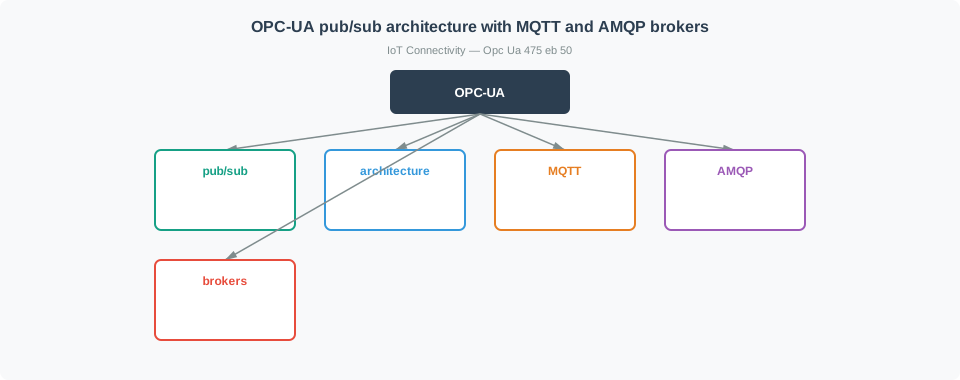
48.9.1 Pub/Sub Architecture
For scalable, one-to-many communication:
Figure 48.6: OPC-UA pub/sub architecture with MQTT and AMQP brokers
48.9.2 Pub/Sub vs Client-Server
Aspect
Client-Server
Pub/Sub
Connection
Direct, stateful
Indirect via broker
Scaling
1:1 connections
1:N distribution
Latency
Lower
Higher (broker hop)
Reliability
Session-based
Message-based QoS
Firewall
Requires inbound
Outbound only
Use Case
Configuration, methods
Data distribution
48.10 Companion Specifications
OPC-UA is extended through standardized companion specifications:
Specification
Domain
Key Features
OPC 40001
Devices (DI)
Device identification, diagnostics
OPC 40010
Robotics
Robot programs, motion control
OPC 40100
Injection Molding
Machine cycles, parameters
OPC 40083
Weighing
Weighing instruments
OPC 30000
ISA-95
Manufacturing operations
OPC 40223
Pumps
Pump monitoring, control
48.10.1 Example: DI (Devices) Model
Figure 48.7: OPC-UA Device Information (DI) companion specification model
48.11 OPC-UA Server Implementation
48.11.1 Basic Server Structure (Python)
from asyncua import Server, uaimport asyncioasyncdef main(): server = Server()await server.init() server.set_endpoint("opc.tcp://0.0.0.0:4840/freeopcua/server/") idx =await server.register_namespace("http://example.org/sensor") objects = server.get_objects_node() device =await objects.add_object(idx, "TemperatureSensor")# Add variables and methods to the address space temperature =await device.add_variable(idx, "Temperature", 25.0)await temperature.set_writable() status =await device.add_variable(idx, "Status", "Running")asyncdef calibrate(parent, offset): current =await temperature.read_value()await temperature.write_value(current + offset)returnf"Calibrated with offset {offset}"await device.add_method(idx, "Calibrate", calibrate, [ua.VariantType.Float], [ua.VariantType.String])asyncwith server: # Start server and simulate readingswhileTrue:await asyncio.sleep(1) current =await temperature.read_value()await temperature.write_value(current +0.1)asyncio.run(main())
Try It: Subscription Latency Estimator
Configure OPC-UA subscription parameters to see the worst-case latency from a data change on the server to notification delivery at the client — matching the create_subscription() and subscribe_data_change() patterns from the code examples.
Show code
viewof slSampling = Inputs.range([10,5000], {value:100,step:10,label:"Sampling interval at server (ms)"})viewof slPublishing = Inputs.range([50,10000], {value:500,step:50,label:"Publishing interval (ms)"})viewof slNetwork = Inputs.range([1,200], {value:5,step:1,label:"Network round-trip (ms)"})viewof slQueueSize = Inputs.range([1,100], {value:1,step:1,label:"Queue size per monitored item"})
Figure 48.8: OPC-UA to MQTT edge gateway bridge architecture
48.13 Common Implementation Pitfalls
Pitfall: OPC-UA WebSocket Transport Session Timeout Mismanagement
The Mistake: Using default browser WebSocket timeouts (30-60 seconds) for OPC-UA WebSocket transport, causing sessions to drop unexpectedly when operators leave dashboards open during shift breaks.
Why It Happens: OPC-UA over WebSocket (for browser-based HMI/SCADA) inherits HTTP/WebSocket timeout behavior. Developers assume the OPC-UA session keep-alive handles everything, but proxy servers, load balancers, and browser idle detection can close the underlying WebSocket independently of OPC-UA session state.
The Fix: Configure timeouts at all layers to match OPC-UA session lifetime:
The Mistake: Exposing OPC-UA subscriptions through an HTTP REST gateway without rate limiting, allowing a single high-frequency subscription (e.g., 100ms updates) to overwhelm the REST API and block other clients.
Why It Happens: OPC-UA subscriptions can push updates at 10-100Hz for real-time monitoring. When bridged to REST (for mobile apps or web dashboards), each OPC-UA notification becomes an HTTP response. Without buffering, 100 updates/second from one PLC floods the gateway, exhausting connection pools and starving other API consumers.
The Fix: Implement subscription aggregation and rate limiting at the gateway:
# BAD: Direct 1:1 OPC-UA notification to HTTP responsedef on_datachange(node, value):# Called 100 times/second - floods HTTP clients! broadcast_to_all_http_clients(node, value)# GOOD: Aggregate and throttle with configurable intervalsclass SubscriptionAggregator:def__init__(self, min_interval_ms=100):self.buffer= {}self.min_interval = min_interval_ms /1000self.last_send = {}def on_datachange(self, node, value): node_id =str(node.nodeid)self.buffer[node_id] = value # Always keep latestasyncdef publish_loop(self):whileTrue:await asyncio.sleep(self.min_interval)ifself.buffer:# Send batch update to HTTP clients batch =dict(self.buffer)self.buffer.clear()await broadcast_batch(batch) # One HTTP response with all changes# Also configure OPC-UA subscription parameterssubscription =await client.create_subscription( period=500, # 500ms publishing interval (not faster) handler=aggregator, sampling_interval=100# 100ms sampling, but batched publishes)
This reduces HTTP traffic by 5-10x while maintaining data freshness. Configure the minimum interval based on dashboard refresh requirements (typically 100-500ms is sufficient for human viewing).
48.14 Understanding Check
Knowledge Check
Scenario: You’re implementing an OPC-UA solution for a pharmaceutical manufacturing line with: - 5 mixing tanks with temperature, pressure, level sensors - 2 packaging machines with speed, count, status - Requirement: All data must be encrypted - Cloud analytics needs access for batch reporting
Questions:
How would you structure the OPC-UA address space?
What security policy would you use and why?
How would you efficiently get data to cloud analytics?
What companion specification might be relevant?
:
🏷️ Label the Diagram
💻 Code Challenge
48.15 Summary
OPC-UA is the industrial interoperability standard—platform-independent, secure, extensible
Information Model: Everything is a Node with typed references forming an address space tree
Security is built-in: Certificates, encryption, authentication at protocol level
Pub/Sub enables scaling: MQTT/AMQP for one-to-many data distribution
OPC-UA and MQTT are complementary: OPC-UA for factory-floor depth, MQTT for cloud-scale breadth
Use OPC-UA as the IT/OT bridge—connect legacy protocols to modern cloud systems
48.16 Concept Relationships
OPC-UA represents the intersection of industrial control, IT/OT convergence, and semantic interoperability:
Information Model is the Foundation:
Everything in OPC-UA is a Node (Object, Variable, Method, Type). Understanding “Nodes connected by typed References” is PREREQUISITE for all other concepts. Unlike Modbus (flat register map), OPC-UA models devices as hierarchical object graphs - temperature sensor isn’t “register 40001,” it’s Objects/DeviceSet/TemperatureSensor1/Temperature with type AnalogItemType, engineering units metadata, and quality flags.
Service Sets Build on Information Model:
Browse service traverses Node References. Read service accesses Variable values. Call service invokes Methods. All services operate on NodeIds derived from information model structure. You CANNOT use OPC-UA services without understanding the address space they operate on.
Client-Server vs Pub/Sub Trade-off:
Traditional OPC-UA (client-server) requires direct connection + session management. Pub/Sub (over MQTT/AMQP) adds scalability but loses synchronous method calls. Worked example (pharmaceutical batch records) uses client-server for critical batch events (need synchronous ACK), pub/sub for routine telemetry (fire-and-forget). Choosing the wrong pattern creates brittleness.
OPC-UA + MQTT Bridge Pattern:
Factory-floor machines speak OPC-UA (rich information model, method calls, alarms). Cloud platforms expect MQTT (efficient pub/sub, JSON payloads). Gateway bridges both: subscribes to OPC-UA nodes, transforms to MQTT topics with Sparkplug B metadata. This is NOT redundant - it’s protocol translation for IT/OT convergence. MQTT Fundamentals explains MQTT side; OPC-UA chapter explains information model side.
Companion Specifications Extend Base Model:
Base OPC-UA defines generic ObjectType/VariableType. Companion specs (PackML, ISA-95, Euromap) define domain-specific types. Example: OPC 40100 (Injection Molding) defines InjectionMoldingMachineType with standardized Variables (cycle time, cavity pressure) and Methods (StartProduction, Abort). All vendors implement same semantic model - plug-and-play interoperability.
Security Architecture Differences:
Modbus has ZERO native security (must use VPN). OPC-UA has application-level security (certificates per connection, SignAndEncrypt mode at protocol layer). This fundamentally changes deployment - OPC-UA can run over untrusted networks (e.g., remote SCADA over Internet with X.509 certs), Modbus cannot. Modbus Protocol comparison shows this gap.
TSN Convergence (Future):
Time-Sensitive Networking (TSN) adds deterministic transport to Ethernet. OPC-UA over TSN (IEC 62541-100) replaces proprietary protocols (PROFINET IRT, EtherCAT) with standard OPC-UA + standard TSN. This eliminates protocol silos - one information model (OPC-UA) from sensor to cloud, with deterministic real-time where needed (TSN switches).
Key Insight: OPC-UA is NOT just “another protocol” - it’s an integration framework. The information model provides semantic interoperability (what does “temperature” mean?), services provide access patterns (browse/read/subscribe/call), security provides trust, and pub/sub provides scalability. Choosing OPC-UA means choosing standardized integration over custom parsers and proprietary APIs.
48.17 See Also
Protocol Comparisons:
Modbus Protocol - OPC-UA’s predecessor. Modbus = simple register access (read holding register 40001). OPC-UA = object-oriented model (browse Objects.Devices.Sensor1, discover types, read Variables with metadata). When to use each: Modbus for simple PLCs, OPC-UA for multi-vendor integration.
MQTT Fundamentals - OPC-UA Pub/Sub uses MQTT as transport (publishes OPC-UA NetworkMessages to MQTT topics). Topic structure: spBv1.0/group_id/DDATA/edge_node_id/device_id (Sparkplug B convention). OPC-UA adds semantic model; MQTT adds pub/sub scalability.
PROFINET and Industrial Ethernet - PROFINET/EtherCAT provide real-time control (<1 ms cycles). OPC-UA provides integration layer (read PROFINET device status via OPC-UA server, configure via OPC-UA method calls). TSN enables both on same network.
Information Modeling:
Companion Specifications Overview - Domain-specific models (PackML for packaging, Weihenstephan for plastics, Euromap for injection molding, AutoID for RFID). Without companion specs, vendors define custom models - defeating interoperability goal.
Semantic Interoperability - OPC-UA NodeIds provide syntax (ns=2;s=TemperatureSensor1). Companion specs provide semantics (this is a PackMLBaseStateType with specific state machine). Both needed for plug-and-play.
Security Deep Dive:
OPC-UA Security - Certificate management (trust lists, CRLs, renewal), security policies (Basic256Sha256 vs Aes256_Sha256_RsaPss), user authentication (X.509 vs username/password vs Kerberos).
Industrial Control System Security - OPC-UA security in context of ICS threats (Stuxnet used Siemens proprietary protocol vulnerabilities; OPC-UA’s SignAndEncrypt prevents similar attacks).
Real-World Deployments:
Automotive Assembly Line Case Study - BMW Dingolfing uses OPC-UA for MES integration (production tracking), Modbus for legacy I/O, PROFINET for motion control. Three protocols, one factory - OPC-UA bridges them.
Pharmaceutical Manufacturing - FDA 21 CFR Part 11 compliance requires audit trails. OPC-UA HistoryRead provides native audit capability; Modbus requires custom logging. Worked example (batch records with signatures) shows compliance architecture.
Hands-On Exploration:
Try OPC-UA Client Simulator (Simulations Hub) to browse address space, call methods, subscribe to data changes on demo OPC-UA server (opcua-server.com:4840).
Use OPC-UA Information Model Designer to create custom ObjectTypes, export as XML NodeSet2, import into server.
Advanced Topics:
OPC-UA Field Level Communication (FLC) - Extends OPC-UA to device level (sensors/actuators), competing with IO-Link. FLC uses binary encoding + UDP for efficiency.
IT/OT Convergence - OPC-UA is THE convergence protocol. OT devices expose OPC-UA servers, IT systems consume via OPC-UA clients. Worked example (OPC-UA to MQTT gateway) demonstrates protocol translation layer.
Edge Computing Architectures - OPC-UA servers often run at edge (factory-floor industrial PCs). Edge devices aggregate data from Modbus/PROFINET, normalize to OPC-UA information model, expose to cloud.