37 Sensing with Existing Infrastructure
More
Depth: Practitioner
Progress saves as you read. Mark sections complete as you go; your progress appears in the sidebar.
Imagine a school wants a rough room count without fitting a new sensor above each door. The team must decide whether signs from its Wi-Fi system are good enough for that job. The school’s Wi-Fi system may provide a clue about room use without a new door counter. That clue is a proxy: a measured sign that may move with occupancy but does not directly count people. Compare it with a trusted room count at this school before using it for a decision.
37.0.1 Compare the Clue with a Count
- Which Wi-Fi signal changes when the room is used?
- What trusted count will check that signal?
- Could network traffic rise while the room stays empty?
- How much error can the school’s intended use tolerate?
Keep the proxy signal, place, time, reference count, and observed error together. If software traffic or a device change breaks the relationship, mark the estimate uncertain and return to a direct check.
37.0.2 When the Proxy Changes Cause
A correlation at one site may not survive a new router layout or usage pattern. The Practitioner depth examines infrastructure sensing and its validation boundary.
37.0.3 Retell the Proxy CheckCheck your understanding: Retell the Proxy Check
Name the real state first. Name the old signal next. Explain why the signal might track the state. Then list another cause that can change the same signal. Test both causes at the site. Compare the result with a trusted count. Mark the range of error. Keep a rule for stale or missing data. Add a direct sensor when the risk needs firmer proof.
37.1 Start With the Measurement Story
This section: Start With the Measurement Story — Sometimes the best sensor is infrastructure that already exists: Wi-Fi, cameras, traffic loops, phones, meters, or building systems.
Sometimes the best sensor is infrastructure that already exists: Wi-Fi, cameras, traffic loops, phones, meters, or building systems. The story begins by asking what proxy signal can be trusted and where it can mislead.
-
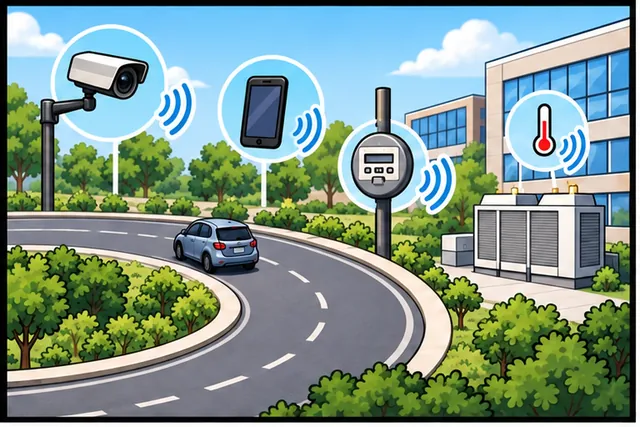
A road loop, camera, phone, meter, or building system already senses clues.
-

An old signal may stand in for the event without seeing it directly.
-
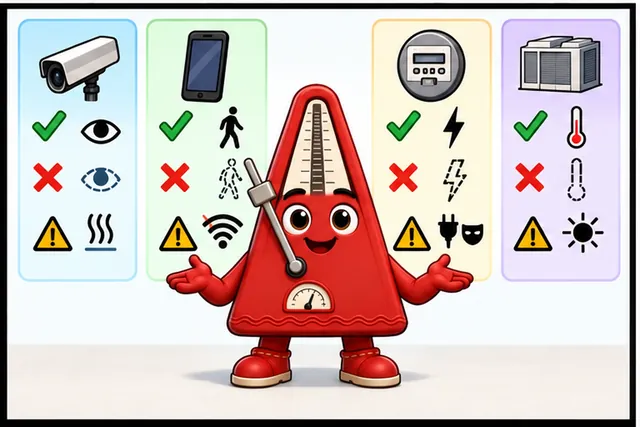
Name what the clue observes, what it misses, and what can fool it.
-
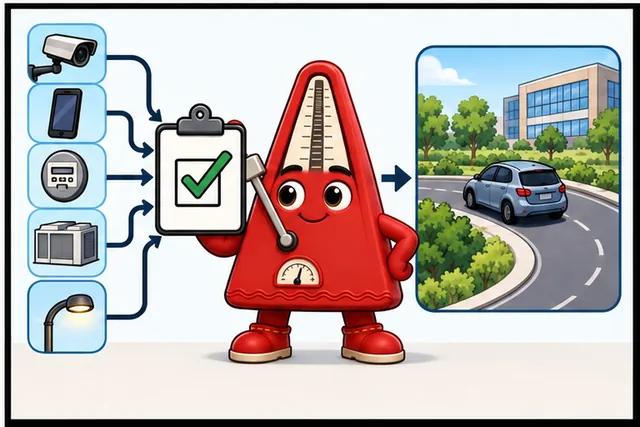
Reuse it only where a direct check keeps the claim honest.
Illustrated scene: A road loop, camera, phone, meter, or building system already senses clues.
In 60 Seconds
This section: In 60 Seconds
Instead of deploying new sensors, you can extract sensing data from existing infrastructure: Wi-Fi routers detect presence, gestures, and even breathing via channel state information; smart electricity meters identify individual appliances through power signature analysis (NILM); and cell towers estimate crowd density from device counts. This approach can reduce deployment costs by reusing existing infrastructure while providing area-wide coverage.
The mathematical gist. With distance in metres and frequency in MHz, ideal free-space loss is . Only if transmit power is 0 dBm, antenna gains are 0 dBi, and other losses are zero can that loss be set equal to , giving . At 2,400 MHz and −65 dBm this illustrative model gives 17.7 m; replacing the logarithm with gives 169 m, a 9.55-fold arithmetic error even before walls and multipath.

- Structural Health Monitoring (SHM): Continuous or periodic measurement of structural response — strain, vibration, displacement, crack propagation — to detect damage, assess remaining service life, and prevent catastrophic failure.
- Fiber Bragg Grating (FBG) Sensor: An optical fiber sensor where periodic refractive index variations reflect specific wavelengths proportional to strain and temperature; immune to electromagnetic interference, suitable for embedded concrete installations.
- Acoustic Emission (AE) Sensor: Detects high-frequency stress waves (100 kHz - 1 MHz) generated when cracks form or grow in materials; provides early warning of fatigue crack initiation before visible damage appears.
- Tiltmeter: A precision inclinometer measuring angular deviation from vertical; MEMS tiltmeters achieve sub-millidegree resolution; used for monitoring slope stability, building settlement, and dam deformation.
- Corrosion Sensor: Electrochemical probes measuring instantaneous corrosion rate of metal structures; deployed in bridges, offshore platforms, and pipelines to schedule maintenance before structural compromise.
- Distributed Sensing: Fiber optic sensing systems measuring temperature or strain continuously along the entire cable length — thousands of virtual sensors in a single optical fiber installation.
- Wireless Sensor Node for Infrastructure: Battery or energy-harvesting powered nodes with sensing, processing, and wireless communication; must operate 5-10 years with minimal maintenance in outdoor temperature extremes and moisture.
- Infrastructure Sensing: The use of sensors to monitor physical infrastructure condition — bridges, roads, buildings, pipelines, power grids — enabling predictive maintenance and safety monitoring at scale.
Learning Objectives
This section: Learning Objectives
- Evaluate existing infrastructure for repurposing as sensing platforms
- Apply Wi-Fi CSI sensing techniques for presence and gesture detection
- Analyze power meter waveforms to identify individual appliances via NILM
- Design hybrid sensing systems that combine infrastructure signals with targeted dedicated sensors
37.2 Prerequisites
This section: Prerequisites
- Sensor Classification: Types of sensors
- Braitenberg Model: Sensor-behavior relationships
37.3 Use Existing Infrastructure
This section: Use Existing Infrastructure
37.3.1 Use Existing Sensors First
Traditional IoT thinking: “We need temperature data -> Deploy temperature sensors.”
Infrastructure-leveraging thinking: “We need occupancy data -> Use existing Wi-Fi routers.”
This paradigm shift—leveraging existing infrastructure instead of deploying dedicated sensors—can reduce costs while providing area-wide coverage instead of point measurements.
Imagine you want to detect if someone is in a room. Traditional approach:
Deploy Dedicated Sensors ($$$):
Start by Buy PIR motion sensors ($15-150 each depending on installation and housing). Then Install wiring and power. Next Calibrate and maintain batteries. Finally Get point measurements (one spot per sensor).
Leverage Infrastructure ($0):
Start by Use existing Wi-Fi router (already there!). Then Detect phone/device connections. Next Get room-wide coverage. Finally No installation, no batteries, no maintenance.
The Wi-Fi router becomes a “free” presence sensor. This is infrastructure-leveraging sensing—using existing devices as sensors.
37.4 Indirect Infrastructure Sensing
This section: Indirect Infrastructure Sensing — Key Insight: Every piece of infrastructure emits signals.
Instead of deploying new sensors, extract sensing information from infrastructure already in place:
| Infrastructure | Traditional Use | Sensing Capability | What It Measures |
|---|---|---|---|
| Wi-Fi Router | Internet connectivity | RSSI, CSI, device count | Presence, gestures, breathing, occupancy |
| Power Meter | Energy billing | Current waveform analysis | Appliance identification (NILM) |
| Cell Tower | Mobile calls/data | Handoff patterns, signal strength | Traffic density, crowd size, movement |
| Street Light | Illumination | Current draw, vibration | Pedestrian count, vehicle detection |
| Water Pipe | Water delivery | Acoustic vibrations | Leak detection, flow rate |
| HVAC Ducts | Climate control | Airflow patterns | Occupancy, room-level activity |
Key Insight: Every piece of infrastructure emits signals. We can sense the world by observing how the environment disturbs these signals.
37.5 Comparison: Deploy vs Leverage
This section: Comparison: Deploy vs Leverage
| Dimension | Deploy Dedicated Sensors | Infrastructure-Leveraging |
|---|---|---|
| Upfront Cost | $10-100 per sensor point | $0 marginal cost (already installed) |
| Installation | Drilling, wiring, positioning | Software-only deployment |
| Coverage | Point measurements (discrete) | Area-wide coverage (continuous) |
| Maintenance | Battery replacement, calibration | Minimal (infrastructure already maintained) |
| Privacy | Obvious sensors (cameras visible) | Less intrusive (passive RF sensing) |
| Accuracy | High (purpose-built) | Moderate (indirect inference) |
| Latency | Immediate (direct sensing) | May require processing (feature extraction) |
When to Choose What:
- Deploy sensors when: Accuracy critical, point measurement needed, safety-critical
- Leverage infrastructure when: Large-scale deployment, cost-sensitive, retrofit scenario, quick pilot
37.6 Wi-Fi Breathing/Gestures
This section: Wi-Fi Breathing/Gestures — Sensing Capability: Channel State Information (CSI) captures how Wi-Fi signals propagate through space.
Infrastructure: Standard Wi-Fi router (802.11n/ac/ax)
Sensing Capability: Channel State Information (CSI) captures how Wi-Fi signals propagate through space. Human movement, breathing, even heartbeat disturbs these signals.
What It Measures:
- Occupancy estimation: Device count gives zone-level headcount estimates when checked against a local devices-per-person divisor.
- Presence detection: CSI-based binary detection (occupied vs. empty room, no device needed).
- Gesture recognition: Hand waves and swipes can be classified from Wi-Fi signal changes, with accuracy depending on the environment and test set.
- Breathing rate: Chest movement modulates signal (+/-2 breaths/min under controlled single-occupant, line-of-sight conditions; accuracy degrades with multiple occupants or movement).
- Fall detection: Sudden signal disruption pattern.
Real Deployment:
- University dorms: Detect occupancy without cameras (privacy-preserving).
- Elderly care: Fall detection without wearables.
- Smart homes: Gesture control of lights and appliances.
37.7 Non-Intrusive Load Monitoring
This section: Non-Intrusive Load Monitoring — Sensing Capability: Analyze current and voltage waveforms to identify unique “signatures” of individual appliances.
Infrastructure: Smart electricity meter (already installed for billing)
Sensing Capability: Analyze current and voltage waveforms to identify unique “signatures” of individual appliances.
What It Measures:
- Appliance state: On/off, standby, active.
- Energy breakdown: Per-appliance consumption.
- Usage patterns: When devices are used.
How It Works:
A NILM algorithm watches changes in total home power:
- 150 W baseline: Only always-on devices are active.
- 1,650 W: A +1,500 W jump strongly suggests a hair dryer or heater.
- 1,750 W: A further +100 W step suggests a refrigerator compressor.
- 250 W: A -1,500 W drop suggests the hair dryer turned off.
Each appliance has unique electrical signatures:
- Resistive loads (heaters, toasters): Clean on/off transitions.
- Motors (refrigerators, fans): Inrush current spike, steady-state hum.
- Switched-mode power supplies (computers, chargers): High-frequency harmonics.
37.8 Example 3: Cellular Signal Analysis
This section: Example 3: Cellular Signal Analysis — Sensing Capability: Analyze signal strength patterns and handoff events to infer crowd density and movement.
Infrastructure: Cell towers (already everywhere)
Sensing Capability: Analyze signal strength patterns and handoff events to infer crowd density and movement.
What It Measures:
- Crowd density: Number of active devices in area
- Traffic flow: Movement patterns between cell zones
- Event detection: Large gatherings, unusual patterns
37.9 The Three-Layer Model
This section: The Three-Layer Model
- Infrastructure Layer: Existing devices emitting signals (Wi-Fi, power, cellular).
- Disturbance Layer: Environment modulates these signals (human movement, appliance usage).
- Analytics Layer: Software extracts sensing information from signal perturbations.
37.10 Design Guidelines
This section: Design Guidelines
Good candidates for infrastructure sensing:
Start by Large buildings (retrofit without new wiring). Then Privacy-sensitive environments (no cameras needed). Next Budget-constrained projects. After that Quick proof-of-concept deployments. Finally Aggregate measurements (counts, not identity).
Still need dedicated sensors for:
Start by Safety-critical applications (fire, gas). Then High-precision measurements (temperature +/-0.1C). Next Point-specific data (this exact location). After that Real-time response (<100 ms). Finally Regulatory compliance (certified sensors).
the microcontroller had a brilliant idea: “What if we do not need to BUILD new sensors? What if sensors are already ALL AROUND US?”
“What do you mean?” asked Temperature Terry.
“Think about your Wi-Fi router at home,” Max explained. “It sends out radio waves all the time. When a person walks through the room, they disturb those radio waves — like making ripples in a pond. A smart computer can analyze those ripples and figure out that someone walked by, WITHOUT any cameras or motion sensors!”
the LED was amazed: “So the Wi-Fi router IS a sensor?”
“Exactly! And your electricity meter is a sensor too,” Max continued. “Every appliance in your house uses electricity differently. A hair dryer uses 1500 watts, a fridge uses 100 watts, a phone charger uses 5-25 watts. By watching the power meter, a computer can figure out which devices are turned on — like identifying people by their footsteps!”
the battery loved this: “No new sensors to install, no batteries to replace, no wires to run. The infrastructure does double duty!”
“But,” Sammy reminded everyone, “for really important measurements — like fire detection or medical monitoring — you still need dedicated sensors. Infrastructure sensing is clever but not as precise.”
37.11 Campus Occupancy Monitoring
This section: Campus Occupancy Monitoring
Scenario: The University of Southern California (USC) wants to monitor real-time occupancy across 12 campus buildings to optimize HVAC scheduling. Installing dedicated occupancy sensors in every room (2,400 rooms) would cost over $360,000. Instead, they propose leveraging 480 existing Cisco Aironet Wi-Fi access points.
Given:
Start by 12 buildings, 200 rooms average per building = 2,400 rooms. Then 480 Wi-Fi APs already deployed (Cisco Aironet 3802i), 40 per building. Next Average 18,000 daily connected devices across campus (phones, laptops, tablets). After that Each device associates with one AP at a time; AP coverage radius ~25m indoors. Finally Current HVAC bill: $2.8 million/year across all 12 buildings.
Step 1 — Extract occupancy signal from AP data:
Each Cisco AP reports associated client count every 60 seconds via SNMP. We map AP location to room/zone:
| Building Zone | APs in Zone | Avg Devices (9am) | Avg Devices (3am) | Occupancy Estimate |
|---|---|---|---|---|
| Engineering Lecture Halls | 8 | 340 | 2 | ~227 students + staff (340 ÷ 1.5) |
| Library Main Floor | 6 | 280 | 5 | ~187 occupants (280 ÷ 1.5) |
| Admin Offices | 12 | 95 | 0 | ~63 staff (95 ÷ 1.5) |
| Gym / Recreation | 4 | 120 | 0 | ~80 people (1.5 devices/person) |
Key correction factor: Students carry 1.2-1.8 devices on average (phone + laptop). Apply divisor of 1.5 for headcount estimate.
Step 2 — Compare costs: Dedicated sensors vs. Wi-Fi infrastructure:
| Approach | Hardware Cost | Installation | Annual Maintenance | Accuracy |
|---|---|---|---|---|
| PIR sensors (2,400 rooms) | $360,000 | $120,000 | $48,000/year | +/-1 person per room |
| CO2-based (2,400 rooms) | $840,000 | $200,000 | $96,000/year | +/-3 people per room |
| Wi-Fi AP analysis (existing) | $0 | $12,000 (software) | $3,600/year | +/-15% per zone |
| Wi-Fi + 50 PIR (high-traffic) | $7,500 | $14,000 | $4,200/year | +/-10% per zone |
Step 3 — Calculate HVAC savings:
Start by Baseline: HVAC runs fixed schedule (6am-10pm) regardless of occupancy. Then With occupancy-responsive HVAC: Reduce conditioning in unoccupied zones. Next, assume a two-building pilot would show a 22% relative energy reduction over six months. After that Projected annual savings: $2.8M x 22% = $616,000/year. Continue by Implementation cost: $33,500 (software $12,000 + 50 PIR sensors $7,500 + installation $14,000). Finally Payback period: ~20 days.
ROI for infrastructure-based sensing is compelling. The hybrid Wi-Fi + PIR approach costs:
- Software: $12,000
- 50 supplementary PIR sensors: $7,500
- Installation: $14,000
- Total implementation cost: $33,500
Annual savings from the assumed 22% relative HVAC reduction:
- Annual HVAC bill: $2,800,000/year
- Assumed relative reduction: 22%
- Annual savings: $616,000/year
Payback period: about 20 days. Compare that with a dedicated PIR deployment costing $480,000 ($360,000 sensors + $120,000 installation), which takes about 284 days to pay back. In this model, the infrastructure approach delivers the same assumed HVAC savings at about 93% lower capital cost ($33,500 versus $480,000).
Illustrative result: Assume existing Wi-Fi infrastructure plus 50 supplementary PIR sensors could achieve ±10% zone-level occupancy error; validate that target on site. The assumed capital cost is $33,500 versus $480,000 for dedicated PIR sensors, about 93% less. $480,000). In this model, assume that 35% of HVAC runtime occurs in empty zones; a 22% relative reduction against the $2.8 million annual bill would save $616,000/year.
Key Insight: Infrastructure-leveraging sensing excels for “good enough” aggregate measurements. Zone-level accuracy may be sufficient for HVAC optimization when the control system has been validated against occupancy and comfort requirements; exact room identities are not always needed. The hybrid approach (Wi-Fi infrastructure + targeted dedicated sensors) gives the best cost-accuracy tradeoff.
37.12 Wi-Fi Occupancy Estimator
This section: Wi-Fi Occupancy Estimator — Use this calculator to estimate room occupancy from Wi-Fi access point device counts.
Use this calculator to estimate room occupancy from Wi-Fi access point device counts. Adjust the number of connected devices and the average devices per person to see the estimated headcount range.
37.13 Infrastructure Sensing ROI
This section: Infrastructure Sensing ROI — Estimate the payback period and cost savings when using infrastructure-based sensing instead of dedicated sensors for building occupancy monitoring.
Estimate the payback period and cost savings when using infrastructure-based sensing instead of dedicated sensors for building occupancy monitoring.
37.14 Activity: Wi-Fi CSI Presence Detection
This section: Activity: Wi-Fi CSI Presence Detection — This compact example demonstrates the core idea behind Wi-Fi Channel State Information (CSI) occupancy sensing.
This compact example demonstrates the core idea behind Wi-Fi Channel State Information (CSI) occupancy sensing. When a person moves through a Wi-Fi signal path, the CSI amplitude fluctuates more than in an empty room. Real deployments process many subcarriers over time, but the student-facing decision is simple:
Start by Observe CSI amplitude for an empty room and treat it as the baseline. Then Observe CSI amplitude while a person walks through the signal path. Next Compare how much the values fluctuate in each case. Finally Mark the room as occupied only when the current fluctuation is much larger than the empty-room baseline.
def variance(values):
    mean = sum(values) / len(values)
    errors = [
        (x - mean) ** 2
        for x in values
    ]
    return sum(errors) / len(values)

empty_room = [
    0.50, 0.51,
    0.49, 0.50,
]

person_moving = [
    0.20, 0.82,
    0.35, 0.75,
]

baseline = variance(empty_room)
current = variance(person_moving)
ratio = current / baseline

occupied = ratio > 2.0
print(f"variance ratio = {ratio:.1f}")
print(f"occupied = {occupied}")
Key design decisions:
| Decision | Choice | Rationale |
|---|---|---|
| Window size | 5 seconds | Smooths transient noise while detecting walking pace movement |
| Assumed variance-ratio threshold | 2.0× baseline | Illustrative design target; compare with 1.5× under actual HVAC airflow |
| Subcarrier count | 52 | Standard for 802.11n 20 MHz channels |
| Calibration | Empty-room baseline | Accounts for room geometry and furniture reflections |
37.15 Concept Relationships
This section: Concept Relationships
| Concept | Related To | Connection Type |
|---|---|---|
| Wi-Fi CSI | Signal Variance | Human movement increases channel state variance |
| NILM | Power Signatures | Each appliance has unique current draw pattern |
| Cell Tower Density | Crowd Estimation | Device count per tower estimates population |
| Infrastructure Cost | Marginal vs Fixed | Leveraging existing = $0 marginal cost |
| Privacy | RF Sensing | Wi-Fi CSI preserves privacy better than cameras |
37.16 Label the Diagram
This section: Label the Diagram
37.17 Code Challenge
This section: Code Challenge
37.18 Proxy Sensing and Loop Limits
This section: Proxy Sensing and Loop Limits — The body above explains how existing Wi-Fi, power, cellular, and building infrastructure can act as indirect sensors.
The body above explains how existing Wi-Fi, power, cellular, and building infrastructure can act as indirect sensors. Continue to Infrastructure Proxy Sensing and Inductive Loop Limits when you need the deeper physics and evidence boundaries behind those proxies. That page separates the L2 material: Wi-Fi fingerprint reuse, inductive-loop oscillator shifts, eddy-current blind spots, threshold trade-offs, auto-baselining, and proxy drift.
37.19 Summary
This section: Summary — Infrastructure-leveraging sensing turns existing equipment into sensors through software analysis, providing area-wide coverage at near-zero marginal cost while trading some accuracy for convenience.
Infrastructure-leveraging sensing turns existing equipment into sensors through software analysis, providing area-wide coverage at near-zero marginal cost while trading some accuracy for convenience. Key takeaways:
- Existing infrastructure can serve as sensors — Wi-Fi routers (CSI for presence/gestures), power meters (NILM for appliance identification), and cell towers (crowd density estimation).
- Software deployment replaces hardware installation — Faster, cheaper, and easier to maintain.
- Area-wide vs point measurements — In the illustrative campus model, ±10–15% zone error is an assumed HVAC-design target.
- Privacy-preserving options — RF sensing avoids cameras while still detecting presence and activity.
- Combine approaches for best results — Hybrid deployments (infrastructure + targeted dedicated sensors) deliver the best cost-accuracy tradeoff.
- Reserve dedicated sensors for safety-critical, high-precision, or real-time applications.
37.20 See Also
This section: See Also
- Sensor Classification - Active vs passive sensing principles apply to infrastructure.
- Signal Processing - CSI data requires filtering and feature extraction.
- Common Mistakes - Infrastructure sensing still needs validation logic.
- Selection Guide - When to leverage infrastructure vs deploy dedicated sensors.
37.21 Try It Yourself
This section: Try It Yourself
Challenge: Estimate room occupancy from Wi-Fi access point data.
Given data: A conference room’s access point reports these device counts over 1 hour:
09:00 → 2 devices
09:30 → 8 devices
10:00 → 8 devices
10:30 → 12 devices
11:00 → 3 devices
Your task:
Start by estimate occupancy at 10:30. Then account for the fact that people carry 1.2-1.8 devices on average. Finally determine when the meeting likely started and ended.
Click for solution
1. Occupancy at 10:30:
Use the average device ratio: 12 devices ÷ 1.5 devices/person = 8 people.
2. Accounting for device ratio:
Start by conservative (1.8 devices/person): 12 ÷ 1.8 = 6.67 ≈ 7 people. Then liberal (1.2 devices/person): 12 ÷ 1.2 = 10 people. Finally Best estimate: 7-10 people at 10:30.
3. Meeting timeline:
- Started: Between 09:00 and 09:30 (jump from 2 → 8 devices).
- Ended: Between 10:30 and 11:00 (drop from 12 → 3 devices).
- Duration: Approximately 1-1.5 hours.
Key insight: This ±2-person accuracy is sufficient for HVAC optimization but inadequate for safety-critical occupancy limits (fire code compliance).
Common Pitfalls
This section: Common Pitfalls
A single strain gauge only measures strain at its exact location. A fatigue crack forming 20 cm away produces no signal. Infrastructure monitoring requires sensor arrays with spacing matched to the expected damage scale. Work with structural engineers to determine appropriate sensor placement density.
Infrastructure sensors are often installed for 10-20 year lifespans. If a selected strain gauge drifts by 0.01% of full scale annually, that would accumulate to about 0.1–0.2% over 10–20 years if linear; compare it with the structural-change threshold. Select sensors with certified long-term stability or include redundant sensors to detect drift through comparison.
High-frequency vibration monitoring (1 kHz sampling on 10 channels) generates 1.4 GB per day. Design the processing pipeline to extract features (RMS, spectral peaks, damping ratios) at the node and transmit only compressed summaries, not raw time series.
IP67 ratings are tested in clean water but real deployments involve condensation cycles and chemical exposure. Use hermetically sealed enclosures with desiccant for sensors in harsh environments. Specify higher IP ratings (IP68, IP69K) for washdown applications.
37.22 What’s Next
This section: What’s Next
Find help
3 reviewed answers.
Where should I start in a module?
Open the module page from the sidebar to see its chapters in order. Use the module map to return to a topic you need.
Modules and pathsReviewed
What can I try when a project does not work?
Check the symptom, then work through the diagnostic steps. Keep the error message and the smallest example that reproduces it.
When you are stuckReviewed
How do interactive examples work?
Use the interactive guide to check how examples and simulations work before changing your project.
Interactive examples guideReviewed