4 Sensor Classifications
More
Depth: Practitioner
Progress saves as you read. Mark sections complete as you go; your progress appears in the sidebar.
4.1 Classify the Sensor by Its Job
This section: Classify the Sensor by Its Job — Imagine a team must sort light, strain, gas, and motion sensors before it compares parts.
Imagine a team must sort light, strain, gas, and motion sensors before it compares parts. The team needs a map that rules out weak choices early. Inter Integrated Circuit (I2C) is a short wired link that lets chips share data on a board.
Sorting sensors begins with the physical change: light level, strain, gas, or motion. Then ask how each candidate converts that change into an electrical signal the circuit can read. One part can belong to several categories, so classification narrows choices but does not replace a range and failure test.
4.1.1 Trace the Physical Change
- Which physical change matters for this device?
- What signal does each sensor family produce from that change?
- Will its range, power, and output fit the circuit?
- How will drift or a failed reading appear during a test?
For each candidate, keep the measured quantity, conversion method, output type, operating range, and known weak state. Compare those facts with the device job before choosing a part.
4.1.2 Where Classification Stops
Category names do not establish accuracy or fit at the final site. The Practitioner depth checks the conversion and component evidence.
4.1.3 Before Trusting the Sensor Number
When a candidate reports a number, trace it back to the physical quantity and conversion circuit. A capacitive reading, for example, depends on the sensing geometry and the timer path. If those conditions change, retest rather than trusting the family label.
4.2 Start With the Measurement Story
This section: Start With the Measurement Story — A team choosing between optical, mechanical, chemical, and inertial sensing needs a sorting rule before it needs a shopping list.
A team choosing between optical, mechanical, chemical, and inertial sensing needs a sorting rule before it needs a shopping list. Classification helps match the measurement principle to the physical signal, environment, and failure mode.
-
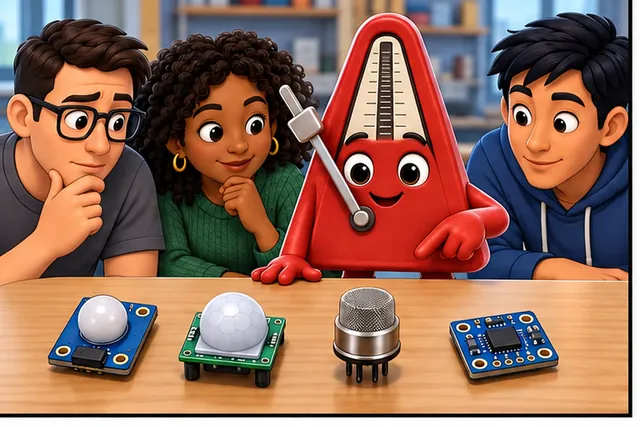
A team compares light, motion, chemical, and movement sensors.
-
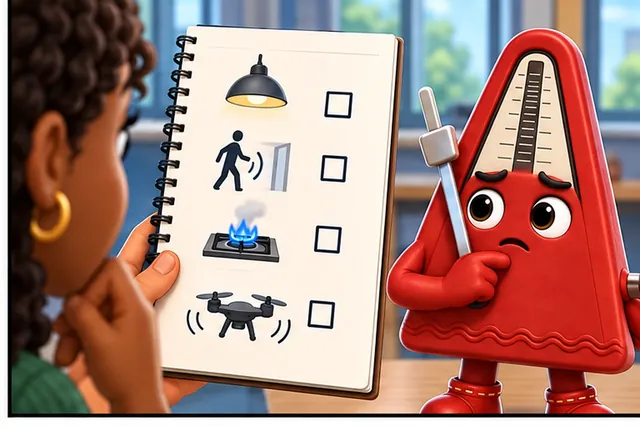
A shopping list alone does not say which physical signal fits.
-
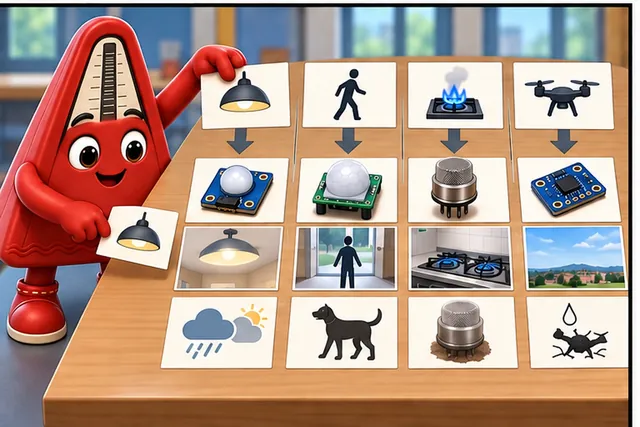
Sort each choice by its signal, site, and likely way to fail.
-
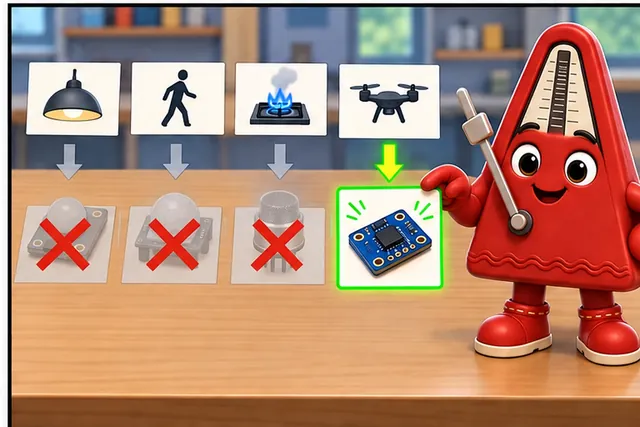
Keep only the sensor type that can support the real measurement.
Illustrated scene: A team compares light, motion, chemical, and movement sensors.

4.3 Classification Narrows the Search
This section: Classification Narrows the Search — Sensor classification is a practical map for choosing measurement evidence.
Sensor classification is a practical map for choosing measurement evidence. A sensor can be grouped by what it measures, how it converts that condition into a signal, how the signal reaches a controller, how much energy it uses, and what limits its field evidence. The goal is not to memorize every part family. The goal is to rule out weak candidates before the design depends on them.
A good classification starts with the measurement decision. Temperature, pressure, motion, light, gas concentration, distance, position, touch, current, and vibration each place different demands on range, accuracy, response time, calibration, mounting, and interface. A sensor category only becomes useful when those demands are tied to an application claim.
Classification is useful only when it removes unsuitable measurement paths. Inspect Figure 4.1 for four independent questions to apply before a shortlist becomes a parts comparison.
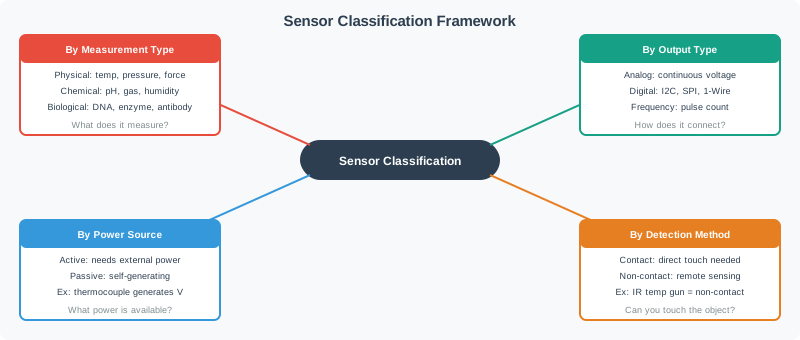
Four independent sensor questions cover measurement, output, power and contact, illustrated by a tap-water alarm. A candidate can fit one axis and fail another.
Begin Figure 4.1 with By Measurement Type: physical, chemical, and biological categories answer “What does it measure?” Next, By Output Type distinguishes continuous analogue voltage from I2C, SPI, 1-Wire, or pulse count, which determines the interface burden. By Power Source separates an active device needing external power from a passive, self-generating example such as a thermocouple. Finally, By Detection Method asks whether contact is allowed or a non-contact method such as an IR temperature gun is required. A candidate can fit one axis and fail another, so the elimination examples below deliberately carry measurement, signal, energy, and physical coupling together.
Those axes often overlap in one part. A temperature probe might be classified by measured quantity as temperature, by operating principle as resistive or thermoelectric, by output as analog voltage or a digital bus value, and by evidence limits as calibrated for a specific enclosure and airflow. Each label answers a different review question, so dropping one can hide a design risk.
Use classification as an elimination tool before comparing part numbers. If the target must detect motion through a sealed case, contact-only choices fall away. If a sleeping battery node cannot spare heater current, some gas sensors fall away. If firmware has no spare ADC channel, an analog output may be a system cost rather than a simple option.
If you only need the intuition, use this rule: classify a sensor by the evidence path from physical condition to decision, not only by the part name printed on the module.
4.3.1 The First Classification Axes
Measured Quantity
Names the physical or contextual condition: temperature, humidity, pressure, light, motion, distance, gas, force, current, or position.
Signal Form
Describes whether the output is analog, digital, pulse timing, frequency, resistance, capacitance, or a structured bus message.
Energy Behavior
Separates sensors that observe existing energy from sensors that emit energy, heat an element, illuminate a target, or keep processing awake.
Evidence Limits
Records the conditions where the category is believable: calibration, placement, interference, range, drift, maintenance, and failure modes.
A second pass should name the shape of the output, not only the interface. A scalar sensor reports one magnitude such as temperature, pressure, humidity, illuminance, or gas concentration. A vector sensor reports magnitude plus direction or multiple components, such as a three-axis accelerometer, gyroscope, magnetometer, image, or audio feature stream. A one-bit threshold output, an ADC voltage, and an I2C register can all be "digital" somewhere in the chain, but they do not carry the same evidence. The review should say whether the application needs a single value, a direction-aware vector, a time series, or multimedia data before it accepts the signal path.
4.3.2 Two Pairs Worth Naming
Two classification pairs prevent common review mistakes. An absolute sensor claim reports a value against a reference, such as atmospheric pressure or a calibrated temperature. A relative sensor claim reports a change, offset, or difference, such as differential pressure between two ports or a barometer used only to detect floor-to-floor pressure change. The selection record should say which claim is needed; an application that only needs a difference may not need true absolute accuracy, while an application that reports a calibrated environmental value does.
Active and passive sensing are a separate axis. Passive sensors observe energy already present in the scene, such as ambient light, room temperature, or a changing infrared pattern. Active sensors inject energy and then read the response: an ultrasonic distance sensor sends a ping, a SoundWave-style interface emits an 18-22 kHz tone and tracks reflected frequency shifts, and an IR or structured-light depth camera projects light before reading the return. Active sensing records must preserve the emitter, receiver, duty cycle, interference limits, safety or privacy boundary, and recovery behavior after sleep.
Direct and proxy measurements are another useful pair. A direct measurement senses the target quantity itself, such as temperature with a calibrated temperature probe. A proxy measurement estimates the target from a related physical effect, such as dissolved salt inferred from water conductivity, traffic inferred from loop-inductance change, or occupancy inferred from changing infrared patterns. Proxy measurements are valid only when the record includes the calibration curve, confounders, operating range, and retest trigger. For salinity-by-conductivity, for example, temperature, electrode fouling, water chemistry, and reference-solution checks belong in the evidence record. The proxy variable can also swing across an enormous range on its own: for a conductivity cell with a 1 cm⁻¹ cell constant, the resistance corresponding to catalog-typical water resistivity runs from roughly 20 MΩ for pure water down to 500 kΩ for distilled water and 1-5 kΩ for tap water, then falls further to around 200 Ω for brackish river water and 20-30 Ω for open seawater. That is close to six orders of magnitude between the driest and saltiest cases the same sensor family might see, so the interface circuit's own operating range, not only the calibration curve, decides whether the proxy reading stays meaningful across the deployment.
4.3.3 A Fourth Distinction: Sensor, Actuator, and Bidirectional Transducer
Sensor and actuator are often treated as opposites, but both are really instances of the same broader class: a transducer, a device that converts energy from one form into another. What separates them is direction. A sensor is a transducer that receives a physical signal from the environment and reports it electrically, feeding a telemetry, information, or control system. An actuator is a transducer that takes an electrical, hydraulic, pneumatic, or mechanical control signal and converts it into physical motion or force that acts back on the environment. Some transducers do not sit on only one side of that boundary: a bidirectional transducer can run either direction depending on how it is wired. An antenna converts radio waves into an electrical signal for a receiver, or converts an electrical signal from a transmitter into radio waves; a voice coil converts an electrical audio signal into sound inside a loudspeaker, and the same physical principle converts sound into an electrical signal inside a dynamic microphone. A design review should name which direction, or both, a given component actually performs before classifying it as simply a sensor, since a bidirectional or output-only transducer sitting on a board can otherwise be filed under sensing evidence it was never built to provide.
4.3.4 Beginner Examples
Start by a thermistor and a digital temperature sensor both measure temperature, but they have different signal paths and calibration burdens. Then a proximity sensor may detect reflected light, sound travel time, capacitance change, or magnetic field; the same user goal can use different principles. Next an accelerometer is a motion sensor, but the design still must decide whether it needs tilt, shock, vibration, step counting, or orientation evidence. Finally a digital bus does not make the physical measurement trustworthy by itself; it only changes the communication and parsing problem.
4.3.5 Overview Knowledge Check
4.4 Classification Selection Records
This section: Classification Selection Records — In a project review, classification should become a short selection record.
In a project review, classification should become a short selection record. The record lists the measurement goal, candidate classes, output form, interface constraints, power behavior, expected environment, and rejection reasons. It gives the team a way to explain why a sensor category was chosen and why adjacent categories were not.
The strongest records include negative evidence. They state which classes were considered but rejected because of range, response time, mounting, interference, power budget, calibration burden, enclosure limits, or maintenance cost. That prevents the design from drifting back to an attractive but unsuitable sensor later.
4.4.1 How to Classify a Sensor Candidate
Start by name the decision. Identify the alarm, display, model input, control action, trend, or diagnosis that will use the measurement. Then classify the measured quantity. Record the physical condition, units, range, expected dynamics, and location of the measurement. Next classify the transduction principle. State whether the sensor relies on resistance, capacitance, optical reflection, magnetic field, pressure, heat, acoustic timing, chemical reaction, or another principle. After that classify the output path. Record analog voltage or current, digital threshold, pulse width, frequency, I2C, SPI, UART, 1-Wire, or another interface used by the controller. Finally classify the evidence constraints. Capture calibration need, placement sensitivity, drift, interference, power state, enclosure, and retest trigger.
4.4.2 Selection Ledger
4.4.3 Practitioner Knowledge Check
4.5 Classification as Boundary Contract
This section: Classification as Boundary Contract — Under the hood, a classification is a contract between physics, electronics, firmware, and operations.
Under the hood, a classification is a contract between physics, electronics, firmware, and operations. The measured condition affects a transducer. The transducer produces a signal. The circuit conditions that signal. The controller samples or receives it. Firmware turns it into data. Operations decide when the evidence has expired. Each classification axis marks a boundary where assumptions can fail.
This is why two sensors in the same broad class can behave differently in a deployed IoT system. They may share the same measurement label but differ in response time, drift, hysteresis, warm-up behavior, cross-sensitivity, mounting sensitivity, bus timing, supply sensitivity, or calibration method. The design review should preserve those differences instead of collapsing them into a single category name.
The physics boundary asks whether the measured phenomenon reaches the sensing element in the same form expected by the datasheet. A light sensor behind smoked plastic, a pressure sensor connected through a narrow tube, and a humidity sensor inside a sealed box may all be classified correctly by type while still seeing a distorted version of the condition. Classification should therefore record placement and coupling assumptions, not only the phenomenon name.
The electrical and firmware boundaries ask whether the signal can be read without changing its meaning. A resistive sensor needs excitation and ADC reference discipline. A pulse-output sensor needs timer resolution and edge handling. A bus sensor needs address, timing, stale-data, and error-code rules. Treating all of those as just digital or analog loses the details that decide whether the field evidence remains trustworthy. For mixed-signal sensors, record the exact crossing point where physical behavior becomes a code, because that is where calibration constants, filtering, and stale reads can quietly replace measurement evidence with software assumptions.
4.5.1 Boundary Checks by Classification Axis
Work backward from an implausible humidity value inside a sealed enclosure. First ask whether outside air reaches the element. Then check the electrical readout, firmware timing, and maintenance assumptions. A correct digital message may carry a valid reading of trapped air rather than the room condition the application needs. The checks below follow those different boundaries so a communication fix is not mistaken for a physical fix. Record which boundary changed when a new enclosure or sampling schedule is introduced.
Physics Boundary
Check whether the sensor principle actually observes the target condition under the real material, airflow, enclosure, lighting, vibration, or chemical environment.
Electrical Boundary
Check impedance, biasing, reference voltage, ADC range, pull-ups, cable length, shielding, bus loading, and electromagnetic noise.
Firmware Boundary
Check sample timing, averaging, unit conversion, error codes, address collisions, retries, stale data, and invalid-state handling.
Operations Boundary
Check calibration interval, replacement rule, cleaning, retest trigger, field comparison, and what the system does when evidence weakens.
4.5.2 Failure Patterns
Consider power-state drift in a test. Read a sensor after the normal settling period, then repeat after a shorter wake interval while holding the physical condition steady. If the readings disagree, the power-saving schedule has altered the evidence. The fix starts with the timing assumption, not with relabelling the sensor or smoothing the dashboard. Keep that timing limit in its classification record so later firmware changes trigger a retest.
Category collapse means treating all environmental sensors as equivalent even when one measures air temperature, another board temperature, and another surface temperature. Then interface blindness: selecting a bus sensor without checking addressing, pull-ups, voltage levels, sample latency, or driver error handling. Next power-state drift: duty-cycling a sensor to save energy, then reading before warm-up or stabilization has completed. Finally evidence leakage: using a laboratory classification decision after the enclosure, mounting, cable, calibration interval, or environment has changed.
4.5.3 Under-the-Hood Knowledge Check
4.6 Classify a Tap-Water Alarm Four Ways
This section: Classify a Tap-Water Alarm Four Ways — In this sensor classification, two pipe probes sense water through electrical contact.
In this sensor classification, two pipe probes sense water through electrical contact. Figure 4.1 separates measurement, output, power, and detection.
For the conductivity measurement, suppose tap water gives 2 kΩ between the probes while dry air is effectively open circuit. Under the output classification, with a 3.3 V supply and a 10 kΩ series resistor, the wet current is , or 0.275 mA.
Now label the four axes explicitly. The measured effect is conductivity, used here to infer water contact. The probe circuit produces an analogue electrical signal before any threshold decision. Its measurement needs excitation from the supply. The probes must contact the water, so the detection method is contact sensing. A WET message describes the decision after conversion; it does not describe every stage that produced it.
Using the stated resistor values, the 10 kΩ resistor drops 0.275 mA × 10 kΩ = 2.75 V, leaving 0.55 V across the wet probes. Those two voltages add to the 3.3 V supply, which checks the arithmetic. Which voltage the controller reads depends on the circuit connection.
4.6.1 Predict the Classification Labels
- Predict: Firmware thresholds an analogue voltage into WET and DRY. Did the probe itself become digital? Check: No. The probe and divider remain analogue; the later decision is digital.
- Predict: A passive thermistor needs a divider current before it yields voltage. Is it self-generating? Check: No. It is a passive resistive sensor that needs circuit excitation.
4.7 Summary
This section: Summary — Sensor classification turns a large parts space into a reviewable evidence path.
Sensor classification turns a large parts space into a reviewable evidence path. Start with the measured condition and decision, then classify the transduction principle, signal output, interface, power behavior, calibration need, and operational limits. A useful classification does not stop at labels such as motion, environmental, analog, or digital. It explains what the sensor can prove in the real installation and what would require retesting or a different class of sensor.
4.8 Key Takeaway
This section: Key Takeaway
Classify sensors by the full path from physical condition to decision. The best class is the one whose measurement principle, signal path, power behavior, and evidence limits match the IoT claim you need to make.
4.9 See Also
This section: See Also
Sensor Introduction and Fundamentals
Review the measurement evidence boundary that classification supports.
Sensor Specifications
Connect classification choices to range, resolution, accuracy, precision, drift, and response time.
Common Sensors and MEMS
Apply the classification map to common sensor families and module choices.
Sensor Selection Guide
Use classification evidence in a step-by-step sensor selection process.
Find help
3 reviewed answers.
Where should I start in a module?
Open the module page from the sidebar to see its chapters in order. Use the module map to return to a topic you need.
Modules and pathsReviewed
What can I try when a project does not work?
Check the symptom, then work through the diagnostic steps. Keep the error message and the smallest example that reproduces it.
When you are stuckReviewed
How do interactive examples work?
Use the interactive guide to check how examples and simulations work before changing your project.
Interactive examples guideReviewed