27 Common Sensor Mistakes
More
Depth: Practitioner
Progress saves as you read. Mark sections complete as you go; your progress appears in the sidebar.
27.1 Start With the Measurement Story
This section: Start With the Measurement Story — Picture a room sensor that suddenly reports zero degrees.
Make a Bad Reading Fail Loudly
Picture a room sensor that suddenly reports zero degrees. The room may be cold, but the same number can also mean a loose wire, wrong power, blocked data line, or reading taken too soon. A safe design keeps those states separate.
-
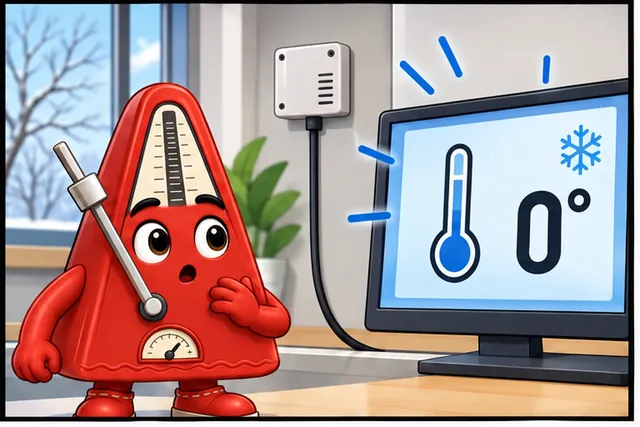
A room sensor suddenly reports zero degrees.
-
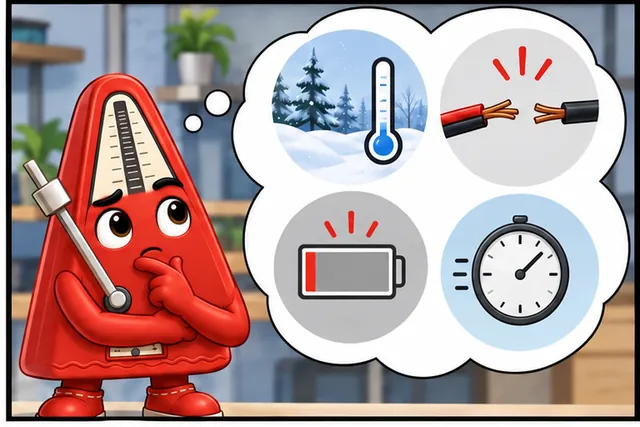
Zero may mean real cold, a loose wire, bad power, or an early read.
-
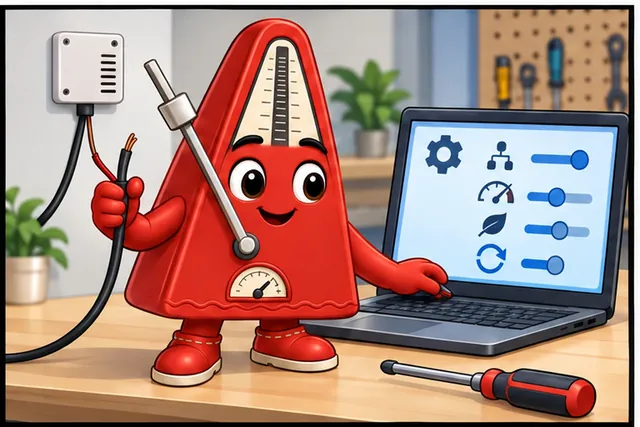
Remove wires, change the address and rate, lower power, and restart.
-
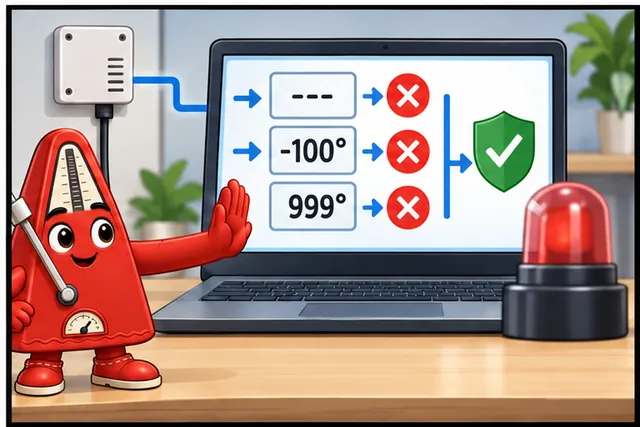
Reject missing or impossible values before any alarm or action.
Illustrated scene: A room sensor suddenly reports zero degrees.
A sampling rate means how often a sensor takes a reading. GPIO means general purpose input and output pins on a controller. Inter-integrated circuit (I2C) means a short shared wired link between chips. A pull-up resistor keeps a shared wire at a known high level when no part is pulling it low. Warm-up time means the delay before a sensor can make a useful claim.
Read one known room, then remove a wire, use the wrong address, read too fast, lower the supply, and restart the controller. Reject missing and impossible values. Record the raw value, time, device identity, and error before any alarm or physical action.
This runway does not diagnose every sensor fault. The deeper checklist shows voltage limits, pull-ups, timing, range checks, noise, placement, calibration, and the tests needed to distinguish a real event from a broken path.
Most sensor mistakes come from trusting a number without asking where it came from. Begin with the failure story: wrong range, wrong placement, missing calibration, hidden noise, weak power, or no evidence after deployment.
27.2 In 60 Seconds
This section: In 60 Seconds
The top sensor mistakes are: voltage level mismatch (5V sensor on 3.3V GPIO destroys the pin), missing pull-up resistors (I2C and 1-Wire fail without them), ignoring warm-up time (gas sensors need 24-48 hours), not checking for NaN/invalid readings, exceeding sampling rate (DHT22 needs 2-second intervals), and wrong I2C addresses. Always check voltage first, add pull-ups, validate data, and respect timing requirements.

27.3 Key Concepts
This section: Key Concepts
- Overvoltage Protection: Circuit techniques (series resistors, clamping diodes, TVS diodes) protecting sensor output pins or MCU input pins from voltages exceeding the absolute maximum rating.
- Floating Input: An undriven electrical node not connected to any defined voltage; produces random readings caused by induced noise, static charge, and leakage currents; prevented by pull-up or pull-down resistors.
- Power Supply Decoupling: Placing capacitors (100 nF ceramic plus 10 uF electrolytic) close to every IC’s power pins to absorb high-frequency current spikes and prevent them from affecting other circuit elements.
- Sensor Self-Heating: Current flowing through a resistive sensor element generates heat raising the sensor’s temperature above ambient, causing systematic positive bias error; controlled by minimizing excitation current.
- Latch-Up: A parasitic CMOS effect where an overvoltage event causes the IC to short VCC to GND, drawing excessive current until power is cycled; prevented by never applying signal voltage before supply voltage.
- Differential Measurement: Measuring voltage difference between two signal lines rather than between a signal and ground; rejects common-mode noise equally picked up on both conductors — essential for long cable runs.
- Ground Bounce: Transient voltage on the ground plane caused by rapid current switching in digital circuits; corrupts analog readings on ADC inputs sharing the same PCB ground; mitigated by separate analog and digital ground planes joined at a single point.
- ESD (Electrostatic Discharge): A brief high-voltage pulse from static electricity transfer; can permanently damage CMOS sensor inputs; prevented by ESD protection diodes in the IC and careful handling procedures.
27.4 Quick Check: Avoiding Sensor MistakesCheck your understanding: Avoiding Sensor Mistakes
This section: Quick Check: Avoiding Sensor Mistakes
Learning Objectives
This section: Learning Objectives
- Diagnose the top 10 sensor mistakes using a systematic debugging checklist
- Construct voltage divider circuits and pull-up resistor configurations that prevent hardware damage
- Validate sensor readings with a three-layer error-checking pattern (NaN, range, rate-of-change)
- Calculate the cost impact of sensor deployment failures and justify prevention investments
27.5 For Beginners: Common Sensor Mistakes
This section: For Beginners: Common Sensor Mistakes — Working with sensors can be frustrating when things do not work, but most problems come from the same handful of mistakes.
Working with sensors can be frustrating when things do not work, but most problems come from the same handful of mistakes. The most dangerous is using the wrong voltage — connecting a 5-volt sensor to a 3.3-volt microcontroller pin is like plugging a European appliance into an American outlet without an adapter. This chapter lists the top mistakes so you can avoid them before they happen.
Use this chapter as a pre-deployment fault review before trusting sensor readings:
- First you check destructive mistakes: voltage mismatch, missing pull-ups, warm-up time, and invalid readings.
- Then you add timing and bus discipline: sampling intervals, I2C addresses, ADC attenuation, decoupling, and cable length.
- Next you connect those rules to the greenhouse failure example, where 80 of 200 sensors failed and the preventable loss reached about
\$6,500. - Finally you convert the list into a debugging order: power, wiring, pull-ups, address, timing, warm-up, code, and validation.
The checkpoints mark the moment when a mistake changes from a fact to a deployable rule.
27.6 Prerequisites
This section: Prerequisites — No lab completion is required; the DHT22, DS18B20, ADC, timing, and wiring examples on this page introduce the evidence they use.
- Common IoT Sensors: Sensor types and specifications
No lab completion is required; the DHT22, DS18B20, ADC, timing, and wiring examples on this page introduce the evidence they use.
27.7 Costly Sensor Mistakes
This section: Costly Sensor Mistakes — Learning from mistakes accelerates your IoT development journey.
Learning from mistakes accelerates your IoT development journey. Here are the most common sensor mistakes beginners make and how to avoid them.
27.7.1 1. Voltage Level Mismatch
Mistake: Connecting a 5V sensor directly to ESP32’s 3.3V GPIO pins (or vice versa).
What Happens:
Start with Immediate damage to ESP32 GPIO (magic smoke!). Then sensor may appear to work initially but fail after hours/days. Finally unreliable readings or random crashes.
27.8 Voltage Mismatch Damage
This section: Voltage Mismatch Damage — Start with Always check datasheet for operating voltage and logic levels.
When a 5V signal enters a 3.3V GPIO pin, here is what happens internally:
- Overvoltage on input protection diode — GPIO pins have ESD protection diodes to VDD (3.3V) and GND.
- Diode conducts — When input voltage exceeds VDD + 0.7V (4.0V), the protection diode forward-biases.
- Excessive current — Current flows: (5V - 3.3V - 0.7V) / R_series = 10-50mA through the protection diode (rated for only ~1mA continuous).
- Thermal damage — The diode overheats, junction degrades, eventually shorts or opens.
Why it works initially then fails: The protection circuit can handle brief overvoltage spikes (ESD events), but continuous overvoltage causes cumulative thermal stress. After minutes to hours, the junction fails permanently.
Solution:
Start with Always check datasheet for operating voltage and logic levels. Then use level shifters (e.g., TXB0108) for mismatched voltages. Finally oR choose sensors that match your MCU voltage (e.g., 3.3V sensors for ESP32).
Example: HC-SR04 ultrasonic sensor outputs 5V logic on ECHO pin — Damages 3.3V ESP32!
Start by fix: Use voltage divider (2k and 3.3k resistors: V_out = 5V x 3.3k / 5.3k = 3.11V, safe for ESP32) or dedicated 3.3V HC-SR04P variant.
This section:
Checkpoint: Voltage Must Be Proved Before Power
Do not connect the sensor until you can name both sides of the interface. In this example the unsafe pair is 5V ECHO into a 3.3V ESP32 GPIO, and the safe divider recomputes to 3.11V from the chapter’s 2k and 3.3k resistors.
27.9 Interactive: Voltage Divider CalculatorTry: Voltage Divider Calculator
This section: Interactive: Voltage Divider Calculator
Use this calculator to size resistors for stepping down a sensor’s output voltage to a safe level for your microcontroller.
27.9.1 2. Forgetting Pull-Up Resistors
Mistake: Connecting I2C or 1-Wire sensors without pull-up resistors.
What Happens:
- I2C communication fails (no ACK, bus hangs)
- 1-Wire sensors return garbage data or NaN
- Intermittent failures that “work sometimes”
Solution:
- I2C: Add 4.7kohm pull-up resistors on SDA and SCL lines to VCC
- 1-Wire (DS18B20): Add 4.7kohm pull-up resistor on data line
- Some breakout boards have built-in pull-ups - check schematic!
Why: I2C and 1-Wire use open-drain outputs - resistors “pull” the line HIGH when not driven LOW.
After voltage is safe, the next group of mistakes is about trust over time. Pull-ups make the bus idle correctly, warm-up time keeps first readings out of your baseline, and validation prevents one failed read from becoming a published fact.
27.9.2 3. Ignoring Sensor Warm-Up Time
Mistake: Reading sensor data immediately after power-on.
What Happens:
- Gas sensors (MQ-2, MQ-135) give wildly wrong readings for first 24-48 hours.
- NDIR CO2 sensors need 3-5 minutes to stabilize.
- DHT22 needs 1-2 seconds after power-on for accurate readings.
Solution:
Start by read datasheet “Warm-Up Time” specification. Then add delay in code: delay(2000); // 2 seconds for DHT22 (check datasheet for your sensor). Next for long warm-ups, show “Sensor Initializing…” message to user. Finally don’t calibrate sensors during warm-up period!
27.9.3 Check NaN and Invalid ReadingsCheck your understanding: NaN and Invalid Readings
Mistake: Blindly using sensor.readTemperature() without error checking.
What Happens:
Start by sensor communication fails -> returns NaN (Not a Number). Then your calculation becomes NaN. Finally cloud MQTT broker receives invalid data -> crashes dashboard.
Solution: Always validate sensor data before using it!
Validate every reading before publishing it:
Start by reject NaN values from disconnected or failed sensors. Then reject values outside the sensor’s physical range. Finally flag values that jump faster than the real world can change.
27.10 Optional Validation Pattern
This section: Optional Validation Pattern
float t = dht.readTemperature();
if (isnan(t)) return;
if (t < -40 || t > 80) return;
if (abs(t - lastTemperature) > 5.0) warn();
27.11 Try It: Sensor Data Validation SimulatorTry: Sensor Data Validation Simulator
This section: Try It: Sensor Data Validation Simulator
Checkpoint: Every Reading Needs Three Gates
A reading is not ready for MQTT or storage until it passes the same three checks used in the validation simulator: it is not NaN, it sits inside the sensor’s physical range, and it has not jumped faster than the process can plausibly change.
27.11.1 5. Exceeding Sensor Sampling Rate
Mistake: Reading DHT22 every 500 ms when datasheet says “max 0.5 Hz” (once per 2 seconds).
What Happens:
Start by Sensor returns stale/cached data (same reading repeatedly). Then Communication errors increase. Finally Sensor lifespan decreases (wears out faster).
Solution:
Start with Read the datasheet for maximum sampling frequency. Finally Enforce the minimum interval before requesting another reading.
Checkpoint: Timing Is a Sensor Contract
For DHT22, the chapter’s safe interval is 2 seconds; polling every 500ms creates stale data and communication errors. Treat the interval as part of the measurement design, not as a performance knob.
27.12 Optional Sampling-Interval Pattern
This section: Optional Sampling-Interval Pattern
#define DHT_MIN_INTERVAL 2000  // 2 seconds

unsigned long lastRead = 0;

void loop() {
  if (millis() - lastRead >= DHT_MIN_INTERVAL) {
    float temp = dht.readTemperature();
    lastRead = millis();
    // Process reading
  }
}
27.13 Try It: Sampling Rate vs Sensor LimitsTry: Sampling Rate vs Sensor Limits
This section: Try It: Sampling Rate vs Sensor Limits
27.13.1 6. Wrong I2C Address
Mistake: Using default I2C address when sensor has address pin.
What Happens:
- Sensor not detected (“No device found at address 0x76”)
- Wrong sensor responds if multiple on bus
Solution:
- Run I2C scanner to find actual address
- Check address pin (SDO) connection: GND = 0x76, VCC = 0x77 (BMP280)
- Never leave address pins floating!
Use an I2C scanner to discover the real device address before changing your application code. If the scanner finds nothing, debug power, wiring, and pull-up resistors before replacing the sensor.
27.14 Optional I2C Scanner Pattern
This section: Optional I2C Scanner Pattern
Wire.begin();
for (byte a = 1; a < 127; a++) {
  Wire.beginTransmission(a);
  if (Wire.endTransmission() == 0) Serial.println(a, HEX);
}
27.14.1 7. Analog Reference Voltage Issues
Mistake: Assuming analog sensors output matches ADC reference.
What Happens:
Start by readings maxed out (always 4095) or always low. Finally incorrect scaling calculations.
Solution:
Start by check sensor output voltage range matches ADC input range. Finally use the ESP32 attenuation setting that matches the sensor voltage range.
27.15 Optional ESP32 ADC Attenuation Pattern
This section: Optional ESP32 ADC Attenuation Pattern
// ESP32: ADC default is 0dB attenuation (~0-1.1V range)
// For 3.3V sensors, set 11dB attenuation
analogSetAttenuation(ADC_11db);  // Extends range to ~0-3.6V
// Note: Best linearity is ~0.15-2.45V at 11dB
27.16 ESP32 ADC Range Calculator
This section: ESP32 ADC Range Calculator
27.16.1 8. No Decoupling Capacitors
Mistake: Not adding capacitors near sensor power pins.
What Happens:
Start by noisy readings from power supply ripple. Then sensor resets randomly. Finally interference affects nearby sensors.
Solution:
Start by add 100nF ceramic capacitor across VCC and GND. Then add 10uF electrolytic for current-hungry sensors. Finally place capacitors as close to sensor as possible.
27.16.2 9. Long Wire Runs Without Consideration
Mistake: Using 10-meter cables for I2C sensors.
What Happens:
Start by i2C communication fails (capacitance too high). Then voltage drop causes unreliable readings. Finally noise pickup corrupts data.
Solution:
Start by i2C: Max ~1 meter without repeaters. Then for long runs: Use RS-485, 4-20mA, or differential signaling. Finally reduce pull-up resistance for slightly longer I2C (2.2kohm instead of 4.7kohm).
27.16.3 10. Ignoring Environmental Effects
Mistake: Not accounting for temperature affecting non-temperature sensors.
What Happens:
- Humidity sensor drifts with temperature
- Pressure readings shift with altitude AND temperature
- Gas sensors give different readings hot vs cold
Solution:
- Use sensors with built-in temperature compensation (BME280)
- Read temperature alongside target measurement and compensate
- Calibrate in expected operating conditions
The environmental mistakes complete the hardware review: decoupling protects supply rails, cable discipline protects communication, and calibration conditions decide whether a reading means the same thing in the field as it did on the bench.
27.17 Greenhouse Failure Example
This section: Greenhouse Failure Example
27.18 Greenhouse Failure Diagnosis
This section: Greenhouse Failure Diagnosis
Scenario: A vertical farming startup deployed 200 DHT22 temperature/humidity sensors across 10 greenhouse zones. After 3 months, 80 sensors (40%) were returning unreliable readings or had stopped responding entirely.
Investigation findings:
| Failure Mode | Count | Root Cause | Mistake # |
|---|---|---|---|
| GPIO pin damage | 12 | 5V relay module sharing power rail sent voltage spikes to 3.3V ESP32 | #1 Voltage mismatch |
| Intermittent NaN | 28 | No pull-up resistors on DHT22 data lines; daisy-chained 15 sensors on 3m cable runs | #2 Pull-ups + #9 Long wires |
| Readings stuck at 99.9% RH | 18 | Sensors mounted directly above irrigation misters; condensation on element | #10 Environment |
| Random reboots | 14 | No decoupling capacitors; solenoid valves on same power rail caused brownouts | #8 No decoupling |
| Stale data (same value) | 8 | Code polled DHT22 every 500 ms instead of respecting 2-second minimum | #5 Sampling rate |
Cost of mistakes:
Start by 80 replacement sensors: 80 x $5 = $400. Then 12 damaged ESP32 boards: 12 x $8 = $96. Next 3 days engineer debugging: 3 x $600 = $1,800. After that crop loss from undetected temperature excursions: ~$4,200. Finally Total: ~$6,500 from preventable mistakes.
27.19 Putting Numbers to It
Deployment mistakes compound into major losses. For 200 sensors with 40% failure rate:
Total cost = hardware (\$496) + labor (\$1,800) + downtime (\$4,200) = \$6,496.
Per-sensor cost = \$6,496 / 200 = \$32.48 per deployed sensor. The original DHT22 cost \$5, so mistakes multiplied the cost by about 6.5x. Prevention cost is roughly \$424 for pull-ups, decoupling capacitors, and ventilated enclosures. ROI = (\$6,496 - \$424) / \$424 = 1,432%.
Corrective actions that fixed the deployment:
- Added 4.7k pull-up resistors on each DHT22 data line and limited cable runs to 1m per sensor
- Added 100nF + 10uF decoupling capacitors at each sensor
- Placed sensors in ventilated enclosures away from direct moisture
- Isolated solenoid power rail from sensor power rail
- Updated firmware with 2.5-second polling interval and NaN retry logic
Key insight: 90% of the failures mapped directly to the top 10 mistakes in this chapter. A 30-minute pre-deployment review of this checklist would have prevented $6,500 in losses.
Checkpoint: The Checklist Has a Cost Model
The greenhouse example turns the checklist into an investment decision: 80 failures in a 200 sensor deployment cost about \$6,500, while the prevention package is estimated at \$424. That is why the review happens before rollout, not after symptoms appear.
27.20 Deployment Failure Cost
This section: Deployment Failure Cost
Estimate the total cost of sensor deployment mistakes for your own project.
27.21 Start with Voltage and Wiring
This section: Start with Voltage and Wiring
Before buying sensors: Check that sensor voltage matches your microcontroller. ESP32 = 3.3V, many sensors = 5V.
First project setup: Use a breadboard, keep wires short (<15cm), and test one sensor at a time.
Example: DHT22 temperature sensor on ESP32 Start by connect VCC to 3.3V (the DHT22 supports 3.3-5.5V, but powering at 5V makes its data output 5V-level, which damages 3.3V ESP32 GPIO). Then add 4.7kΩ pull-up resistor from Data pin to VCC (datasheet recommended value). Finally wait 2 seconds between readings (datasheet requirement).
27.22 Validation and Filtering Build
This section: Validation and Filtering Build
Beyond basic wiring: Apply the three-layer validation pattern from Mistake #4 to every sensor reading: (1) check for NaN, (2) validate against the sensor’s physical range, and (3) flag suspicious rate-of-change values.
Add simple filtering: A moving average over 5-10 samples smooths noise without adding significant latency.
A moving average needs three parts: a small buffer of recent readings, a running index that wraps around, and an average of the buffer. Start with 5 samples for slow sensors like DHT22, then increase only if the display is still too noisy.
Example: Weather station with 3 sensors (DHT22, BMP280, UV sensor) on I2C bus with shared 4.7k pull-ups and individual 100nF decoupling capacitors.
27.23 Try It: Moving Average Filter ExplorerTry: Moving Average Filter Explorer
This section: Try It: Moving Average Filter Explorer
27.24 Production-Grade Error Handling
This section: Production-Grade Error Handling
Failure recovery: Implement sensor re-initialization after repeated failures.
Production recovery pattern:
- Count consecutive failed reads.
- Skip publishing while the reading is invalid.
- Reinitialize the sensor after repeated failures.
- Reset the failure counter after the first good reading.
Watchdog timers: Detect sensor lockups that freeze the main loop.
Redundancy: Use two sensors for critical measurements (temperature sensor A validates sensor B).
Example: Industrial cold-chain monitoring with dual sensors, automatic failover, and SMS alerts.
27.25 Debugging Checklist
This section: Debugging Checklist
When sensors don’t work, check in this order:
- Power: Is voltage correct (3.3V vs 5V)?
- Wiring: Are connections secure and on the correct pins?
- Pull-ups: Does I2C or 1-Wire have pull-up resistors?
- Address: Is the I2C address correct? Run a scanner.
- Timing: Are you reading too fast?
- Warm-up: Has the sensor stabilized?
- Code: Is the library installed correctly?
- Validation: Are you checking for NaN and impossible values?
27.26 Key Takeaway
This section: Key Takeaway
Most sensor problems are preventable by following a simple checklist: check voltage compatibility FIRST (before connecting anything), add pull-up resistors for I2C/1-Wire, allow warm-up time, validate every reading for NaN and range errors, and respect maximum sampling rates. When debugging, work through the checklist systematically from power to wiring to software — most failures are hardware connection issues, not code bugs.
27.27 For Kids: Meet the Sensor Squad!
This section: For Kids: Meet the Sensor Squad! — Temperature Terry had a terrible day.
Temperature Terry had a terrible day. He got connected to 5 volts when he only handles 3.3 volts, and POOF — magic smoke! “My GPIO pin is FRIED!” cried the microcontroller.
the LED made a safety checklist: “Rule number one: ALWAYS check the voltage before plugging anything in! It is like checking the water temperature before jumping in a pool.”
the battery added more rules:
- “Rule two: I2C sensors need pull-up resistors — without them, it is like trying to talk through a phone with no signal!”
- “Rule three: Gas sensors need 24-48 HOURS to warm up. Do not trust the first readings!”
- “Rule four: ALWAYS check if the reading makes sense. If Sammy says it is 500 degrees in your bedroom, something is wrong!”
Max created a debugging order: “When something does not work, check: (1) Is the power right? (2) Are the wires connected correctly? (3) Are pull-up resistors in place? (4) Is the I2C address correct? (5) Am I reading too fast? (6) Has the sensor warmed up? Most problems are in step 1 or 2!”
“Save yourselves the headache,” Sammy added (from his hospital bed). “Check voltage FIRST!”
27.28 Concept Check: Sensor TroubleshootingCheck your understanding: Sensor Troubleshooting
This section: Concept Check: Sensor Troubleshooting
27.29 Concept Relationships
This section: Concept Relationships
| Concept | Related To | Connection Type |
|---|---|---|
| Voltage Mismatch | Level Shifters | Use BSS138 or voltage divider for 5V to 3.3V |
| Pull-up Resistors | I2C/1-Wire | Required for open-drain protocol operation |
| NaN Validation | Exception Handling | Prevents crashes from invalid sensor data |
| Warm-up Time | Gas Sensors | MQ-series needs 24-48h burn-in period |
| Sampling Rate | Datasheet Specs | DHT22 max 0.5Hz prevents stale readings |
27.30 Label the Diagram
This section: Label the Diagram
27.31 Code Challenge
This section: Code Challenge
27.32 Accuracy, Precision, Drift
This section: Accuracy, Precision, Drift — The mistake checklist above keeps sensors alive and communicating.
The mistake checklist above keeps sensors alive and communicating. The companion page separates the measurement-quality errors that often remain after wiring is correct: accuracy, precision, drift, hysteresis, resolution, and uncertainty.
27.33 Next Quality CheckCheck your understanding: Next Quality Check
This section: Next Quality Check — Continue with Accuracy, Precision, Drift, and Hysteresis to classify the error before choosing averaging, calibration, recalibration, hardware changes, or uncertainty reporting.
Continue with Accuracy, Precision, Drift, and Hysteresis to classify the error before choosing averaging, calibration, recalibration, hardware changes, or uncertainty reporting.
27.34 Summary
This section: Summary
Key mistake-avoidance takeaways:
- Voltage first - Check levels before connecting.
- Pull-ups required - For I2C and 1-Wire.
- Respect timing - Warm-up and sampling intervals.
- Validate data - Check for NaN and range.
- Environment matters - Temperature affects everything.
27.35 Try It Yourself
This section: Try It Yourself
27.36 Exercise: Fix the Broken Sensor
This section: Exercise: Fix the Broken Sensor
Scenario: This ESP32 + HC-SR04 ultrasonic sensor code compiles but returns random garbage. Find and fix the mistake.
#define TRIG_PIN 5
#define ECHO_PIN 18

void setup() {
  Serial.begin(115200);
  pinMode(TRIG_PIN, OUTPUT);
  pinMode(ECHO_PIN, INPUT);
}

void loop() {
  digitalWrite(TRIG_PIN, LOW);
  delayMicroseconds(2);
  digitalWrite(TRIG_PIN, HIGH);
  delayMicroseconds(10);
  digitalWrite(TRIG_PIN, LOW);

  long duration = pulseIn(ECHO_PIN, HIGH);
  float distance = duration * 0.034 / 2;

  Serial.println(distance);
  delay(100);
}Hint: The code compiles and the logic looks correct, but readings are garbage. Check the HC-SR04 datasheet — what voltage does the ECHO pin output?
Problem: HC-SR04 ECHO pin outputs 5V logic, but ESP32 GPIO18 is only 3.3V tolerant. This overvoltage causes erratic readings and gradual damage.
Solution: Add a voltage divider on the ECHO pin:
Hardware fix:
- HC-SR04
ECHOoutputs 5V. - ESP32
GPIO18accepts 3.3V max. - Add a divider:
ECHO -> 1k R1 -> GPIO18 -> 2k R2 -> GND. - Approximate output:
5V * 2k / (1k + 2k) = 3.33V. - The code can stay the same after the signal is made safe.
Alternative fix: Use HC-SR04P (3.3V version) or add a bidirectional level shifter.
Common Pitfalls
This section: Common Pitfalls
27.37 Check Max RatingsCheck your understanding: Max Ratings
This section: Check Max Ratings
Recommended operating conditions describe the specified functional range; absolute maximum ratings mark stress levels beyond which permanent damage can occur, with the gap depending on the device. Exceeding absolute maximum ratings, even briefly during power-up transients, can permanently damage the sensor. Always check both sections before wiring.
27.38 2. Applying Signal Before Supply Voltage
This section: 2. Applying Signal Before Supply Voltage
CMOS sensor ICs include protection diodes from signal pins to VCC. If I2C or SPI signals are applied before VCC is powered, current flows backward through these diodes and can cause latch-up or permanent damage. Always ensure power supplies are established before driving signal lines.
27.39 Connect Every Ground Pin
This section: Connect Every Ground Pin
Some sensors have separate DGND and AGND pins, both of which must be connected. Connecting only one causes incorrect measurements or communication failures. Both ground pins must be tied to circuit ground — separate labels refer to internal routing, not separate external nets.
27.40 High-Voltage Creepage
This section: High-Voltage Creepage
Sensors measuring mains voltage require minimum PCB trace separation distances defined by safety standards (IEC 60950). Violating these creates shock and fire hazards. Always follow the sensor IC manufacturer’s PCB layout guidelines for high-voltage-isolated designs.
27.41 What’s Next
This section: What’s Next
Now that you know the top 10 mistakes and how to prevent them:
Find help
3 reviewed answers.
Where should I start in a module?
Open the module page from the sidebar to see its chapters in order. Use the module map to return to a topic you need.
Modules and pathsReviewed
What can I try when a project does not work?
Check the symptom, then work through the diagnostic steps. Keep the error message and the smallest example that reproduces it.
When you are stuckReviewed
How do interactive examples work?
Use the interactive guide to check how examples and simulations work before changing your project.
Interactive examples guideReviewed