7 AMQP Frames: Routing and Reliability
More
Depth: Practitioner
Progress saves as you read. Mark sections complete as you go; your progress appears in the sidebar.
Trace One Message From Send to Useful Action
Picture a freezer sending an alarm to a duty team. Advanced Message Queuing Protocol, or AMQP, is a protocol: a shared set of rules for moving messages between software systems. A broker is the service that accepts and routes those messages. The payload is the useful content inside one message.
AMQP commonly uses Transmission Control Protocol, or TCP, for an ordered connection. Transport Layer Security means protection for that connection. It is often shortened to TLS. Those layers help, but they do not prove that the right queue kept the alarm or that a worker acted on it.
Write the sender, message identity, route, queue, time, expiry, reply rule, retry rule, final user, and owner. State what each frame or reply proves and what it cannot prove.
Test a broker restart, a broken connection, a full queue, a duplicate, an expired alarm, a wrong route, and a worker that fails after receiving the message. Check the stored record and final outcome, not only the send call.
Keep urgent freezer action at the site when messaging is late. This opening does not select every AMQP feature. Practitioner maps routes and reliability needs. Under the Hood examines frames, links, sessions, flow, storage, security, and settlement boundaries.
Use a short route check. Send one alarm, break the link, restart the broker, and repeat the alarm. Record the queue, reply, copy count, final user result, and owner. Run it again after a route or storage rule changes.
Start with the story: Every AMQP conversation is built from small, labelled frames. The useful habit is to read those frames like a delivery log: who opened the connection, which channel or link carried the message, and which reliability signal proved the next step happened.
7.1 Start With the Decision
This section: Start With the Decision — An AMQP exchange sends each message by a named routing rule.
An AMQP exchange sends each message by a named routing rule. Choose direct, topic, or fanout routes to match the delivery need.
7.2 Route Overview
This section: Route Overview — This is part 1 of 2.
This is part 1 of 2. Continue with AMQP Frames: Storage and Throughput Calculations.
7.3 Learning Objectives
This section: Learning Objectives
- Trace amqp routing patterns across its components and failure boundaries.
- Validate case study: transcargo vehicle telemetry platform (netherlands, 2024) with a concrete scenario and pass criteria.
7.4 Chapter Roadmap
This section: Chapter Roadmap
- In 60 Seconds
- Key Concepts
- Prerequisites
- Related Chapters
- For Beginners: AMQP Frames
- The Secret Handshake
- AMQP Routing Patterns
- Reliability Features
- Quick Check: Transient vs. Persistent Messages
- Security
- Quick Check: Reading the ACL Table
- Interoperability
- AMQP 1.0 Frame Types
- Quick Check: AMQP Frame Roles
- Worked Example: Sizing an AMQP Broker for a Fleet Management Platform
- Illustrative Case Study: TransCargo (fictional) Vehicle Telemetry Platform
7.5 Learning Objectives
This section: Learning Objectives
By the end of this chapter, you will be able to:
- Apply AMQP Security: Configure SASL authentication, TLS encryption, and access control lists for a production IoT deployment
- Evaluate Interoperability: Compare AMQP broker implementations and justify vendor selection based on open standard benefits and multi-language client support
- Diagnose AMQP Connections: Analyze protocol-level frame sequences to identify and troubleshoot messaging failures
- Distinguish Frame Types: Explain the role of each AMQP 1.0 frame (OPEN through CLOSE) and construct the correct frame sequence for a given connection scenario
Key Concepts
This section: Key Concepts
-
AMQP 0-9-1 frame: Binary protocol unit — 7-byte header (type, channel, payload size) plus payload and a 1-byte frame-end marker
-
Frame Types: Method (protocol commands), Header (message metadata), Body (payload chunks), Heartbeat (keepalive)
-
Channel Multiplexing: Multiple logical streams sharing one TCP connection — reduces connection overhead for multi-queue systems
-
Max Frame Size: Negotiated during connection setup; 131,072 bytes is a common RabbitMQ default, not a protocol maximum
-
Heartbeat: Periodic empty frames detecting dead connections — prevents silent TCP failures from stranding consumers
-
Connection Negotiation: AMQP handshake agreeing on version, frame size, channel max, and heartbeat interval
-
Flow Control: Broker backpressure can slow publishing connections when queues cannot keep up; queue limits still need separate policy
7.6 Prerequisites
This section: Prerequisites — After learning the frame names, inspect Figure 7.1 to see the wire-level container that lets a peer distinguish control traffic from message data.
Before diving into this chapter, you should be familiar with:
- AMQP Core Architecture: Exchanges, queues, bindings, and the producer-broker-consumer model
- AMQP Messages and Delivery: Message structure and delivery guarantees
- Networking Basics: TCP connections, TLS, and authentication concepts
Deep Dives:
- AMQP Core Architecture - Exchanges, queues, and bindings
- AMQP Messages and Delivery - Message structure and guarantees
- AMQP Implementations and Labs - Hands-on broker setup
Security:
- IoT Security Fundamentals - Security concepts
- Transport Layer Security - TLS/SSL details
Related Protocols:
- MQTT Security - MQTT authentication and encryption
- CoAP Security - DTLS for CoAP
Think of AMQP 1.0 frames like envelopes for different types of communication:
- OPEN frame: “Hello, I want to connect” (like knocking on a door)
- BEGIN frame: “Let’s start a conversation” (opening a communication channel)
- ATTACH frame: “I want to send/receive messages” (establishing message link)
- TRANSFER frame: “Here’s a message” (actual data delivery)
- CLOSE frame: “Goodbye” (ending the connection)
Key terms:
| Term | Simple Explanation |
|---|---|
| Frame | Packet of data in AMQP protocol |
| Session | Logical channel within a connection |
| Link | Producer or consumer endpoint within a session |
| Flow Control | Managing how fast messages are sent |
| SASL | Authentication mechanism (username/password, certificates) |
After learning the frame names, inspect Figure 7.1 to see the wire-level container that lets a peer distinguish control traffic from message data.
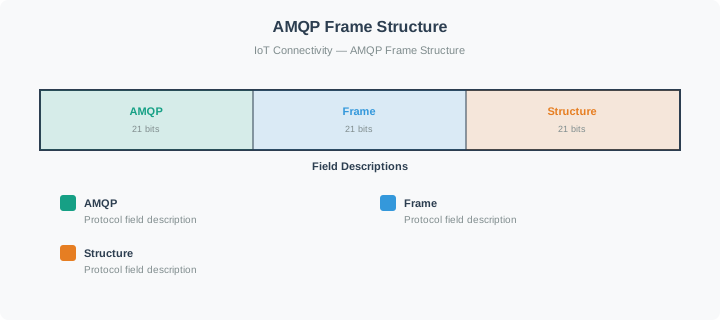
Read Figure 7.1 as an AMQP 0-9-1 frame: type (1 byte), channel (2 bytes), size (4 bytes), payload, and end marker (1 byte). The figure draws size first; on the wire AMQP 0-9-1 sends type first. The later OPEN/BEGIN/ATTACH lifecycle is AMQP 1.0 and uses a different frame format.
“Hey Max, I tried to send my light readings to the new cloud server, but it keeps rejecting me!” the LED said, flickering with frustration.
the microcontroller nodded wisely. “That’s because the server uses AMQP security — it’s like a clubhouse with a secret handshake. First, the server sets up a TLS tunnel — like whispering through a secret tube so nobody else can hear. Then you prove who you are with SASL authentication — that’s your username and password.”
“But what about all those frames you mentioned?” asked Temperature Terry. “Think of it like a phone call,” Max explained. “First you dial the number — that’s the OPEN frame. Then you say hello and start a conversation — that’s BEGIN. Then you say ‘I want to talk about temperature data’ — that’s ATTACH. Only then do you actually share your readings with TRANSFER. And when you’re done, you say goodbye with CLOSE.”
the battery chimed in: “The nice thing is, you can have multiple conversations at the same time over one phone line — that’s channel multiplexing. One connection, many conversations, and I only have to power one radio link!”
7.7 AMQP Routing Patterns
This section: AMQP Routing Patterns — AMQP supports multiple routing patterns to address different messaging scenarios.
AMQP supports multiple routing patterns to address different messaging scenarios.
7.7.1 Supported Patterns
1. Direct Routing (Point-to-Point):
First: One or more producers can publish to an exact-key binding; one queue may have competing consumers
Next: Every queue with a matching binding receives a copy
Then: Use case: Task assignment, direct commands
2. Publish-Subscribe (One-to-Many):
After that: One producer, multiple destination queues
Also inspect: Each bound queue gets a copy; competing consumers on the same queue share deliveries
Finally: Use case: Notifications, announcements
3. Topic-Based Routing (Pattern Matching):
Finally: Route based on hierarchical patterns
Finally: Wildcards for flexible subscriptions
Finally: Use case: IoT sensor data distribution
4. Request-Reply (RPC Pattern):
Finally: Producer sends request with reply-to queue
Finally: Consumer processes and sends response
Finally: Use case: Synchronous operations over async infrastructure
7.8 Reliability Features
This section: Reliability Features — AMQP provides enterprise-grade reliability mechanisms.
AMQP provides enterprise-grade reliability mechanisms.
7.8.1 Persistent Messages
Messages can be configured to survive broker restarts.
Configuration:
delivery_mode=2: message stored on disk; survives a restart if the queue is durable (publisher confirms tell the publisher the broker has it)- Durable queues: Queue definition persists
- Durable exchanges: Exchange definition persists
Trade-offs:
| Mode | Persistence | Performance | Use Case |
|---|---|---|---|
| Transient | No restart-survival promise; RabbitMQ may still write it to disk | Often lower confirmation latency | Loss-tolerant telemetry, logs |
| Persistent | Restart-survival intent in a durable classic queue | Confirmation waits for the queue’s persistence boundary | Critical data, orders |
7.8.2 Dead Letter Handling
Configured dead-letter routing can capture failed messages for investigation; default dead-letter republishing is at most once and can lose a message if the target cannot accept it.
Inspect Figure 7.2 before designing retries so a processing failure becomes an observable route rather than a silent loop.
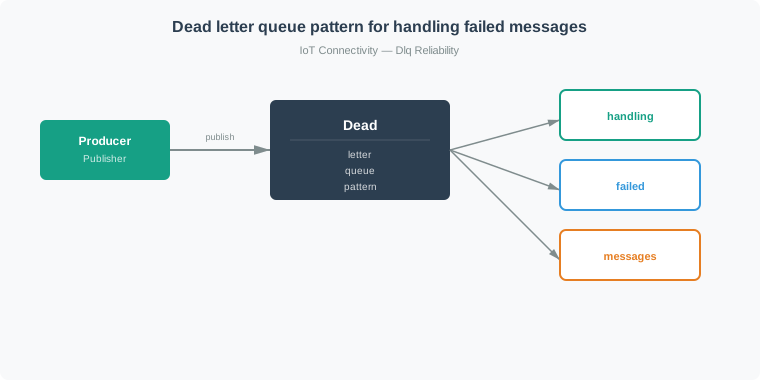
In Figure 7.2, first follow normal work from its queue to the consumer and onward after successful processing. Then take the failure branch into the dead-letter queue. Parking the failed message there lets the original workload continue, but the separate route also preserves an object that an operator can inspect. Move through investigation before retry: identify the cause, correct it, and only then return selected work to the main queue. The bounded return arrow is important because blind replay can recreate the same failure indefinitely. Dead-lettering therefore changes a hidden processing loop into an observable recovery path; it does not, by itself, repair the message or prove completion.
Benefits:
- Makes rejected messages observable when the dead-letter route succeeds
- Enables debugging of problematic messages
- Supports retry workflows (move back to main queue after fix)
7.9 Security
This section: Security — AMQP provides comprehensive security features for enterprise deployments.
AMQP provides comprehensive security features for enterprise deployments.
7.9.1 Authentication
AMQP supports multiple authentication mechanisms via SASL (Simple Authentication and Security Layer).
Mechanisms depend on broker configuration; for RabbitMQ, PLAIN and ANONYMOUS are built in, while EXTERNAL requires a plugin. SCRAM is not a built-in RabbitMQ mechanism:
| Mechanism | Description | Use Case |
|---|---|---|
| PLAIN | Username/password | Development, simple deployments |
| EXTERNAL | X.509 certificates | Production, mutual TLS |
| ANONYMOUS | No supplied credentials; broker maps to a configured user | Disable for production unless explicitly intended |
| SCRAM-SHA-256 | Challenge-response in implementations that offer it | Check broker and client support first |
Example (RabbitMQ with username/password):
credentials = pika.PlainCredentials('app_user', 'secure_password')
parameters = pika.ConnectionParameters(
    host='broker.example.com',
    credentials=credentials,
    virtual_host='/production'
)
connection = pika.BlockingConnection(parameters)
7.9.2 Encryption
AMQP supports TLS/SSL for transport security.
Configuration:
import ssl

ssl_context = ssl.create_default_context()
ssl_context.load_cert_chain(
    certfile='/path/to/client.crt',
    keyfile='/path/to/client.key'
)
ssl_context.load_verify_locations('/path/to/ca.crt')

parameters = pika.ConnectionParameters(
    host='broker.example.com',
    port=5671,  # AMQPS port
    credentials=credentials,
    ssl_options=pika.SSLOptions(ssl_context)
)
Best practices:
- Use TLS 1.2 or higher
- Prefer client certificates (mutual TLS) for device identity in production
- Rotate certificates regularly
- Use strong cipher suites
7.10 Interoperability
This section: Interoperability — AMQP is an open standard with broad ecosystem support.
AMQP is an open standard with broad ecosystem support.
7.10.1 Open Standard Benefits
Multiple broker implementations:
| Broker | Organization | Strengths |
|---|---|---|
| RabbitMQ | VMware | Most popular, extensive plugins |
| Apache Qpid | Apache | AMQP 1.0 focus, Java ecosystem |
| Azure Service Bus | Microsoft | Cloud-native, enterprise integration |
| Amazon MQ | AWS | Managed RabbitMQ/ActiveMQ |
| Solace | Solace | High performance, IoT focus |
Protocol-level interoperability:
- Clients and brokers from different vendors work together
- No vendor lock-in
- Consistent behavior across implementations
7.10.2 Language Support
AMQP has client libraries for all major programming languages:
| Language | Popular Libraries |
|---|---|
| Python | pika, aio-pika, kombu |
| Java | RabbitMQ Java, Apache Qpid JMS |
| JavaScript | amqplib, rhea |
| C# | RabbitMQ .NET |
| Go | streadway/amqp, Azure AMQP |
| Rust | lapin, amiquip |
| Ruby | bunny, march_hare |
Consistent API patterns:
# Python (pika)
channel.basic_publish(exchange='orders', routing_key='new', body=data)

# JavaScript (amqplib)
channel.publish('orders', 'new', Buffer.from(data))

# Java (RabbitMQ)
channel.basicPublish("orders", "new", null, data.getBytes())
7.11 AMQP 1.0 Frame Types
This section: AMQP 1.0 Frame Types — AMQP 1.0 defines the nine performatives listed here for connection, session, link, transfer, and settlement work.
AMQP 1.0 defines the nine performatives listed here for connection, session, link, transfer, and settlement work. These are different from the AMQP 0-9-1 frame types described earlier.
7.11.1 Frame Lifecycle
Inspect Figure 7.3 as a stateful route through AMQP 1.0 rather than memorising frame names in isolation.
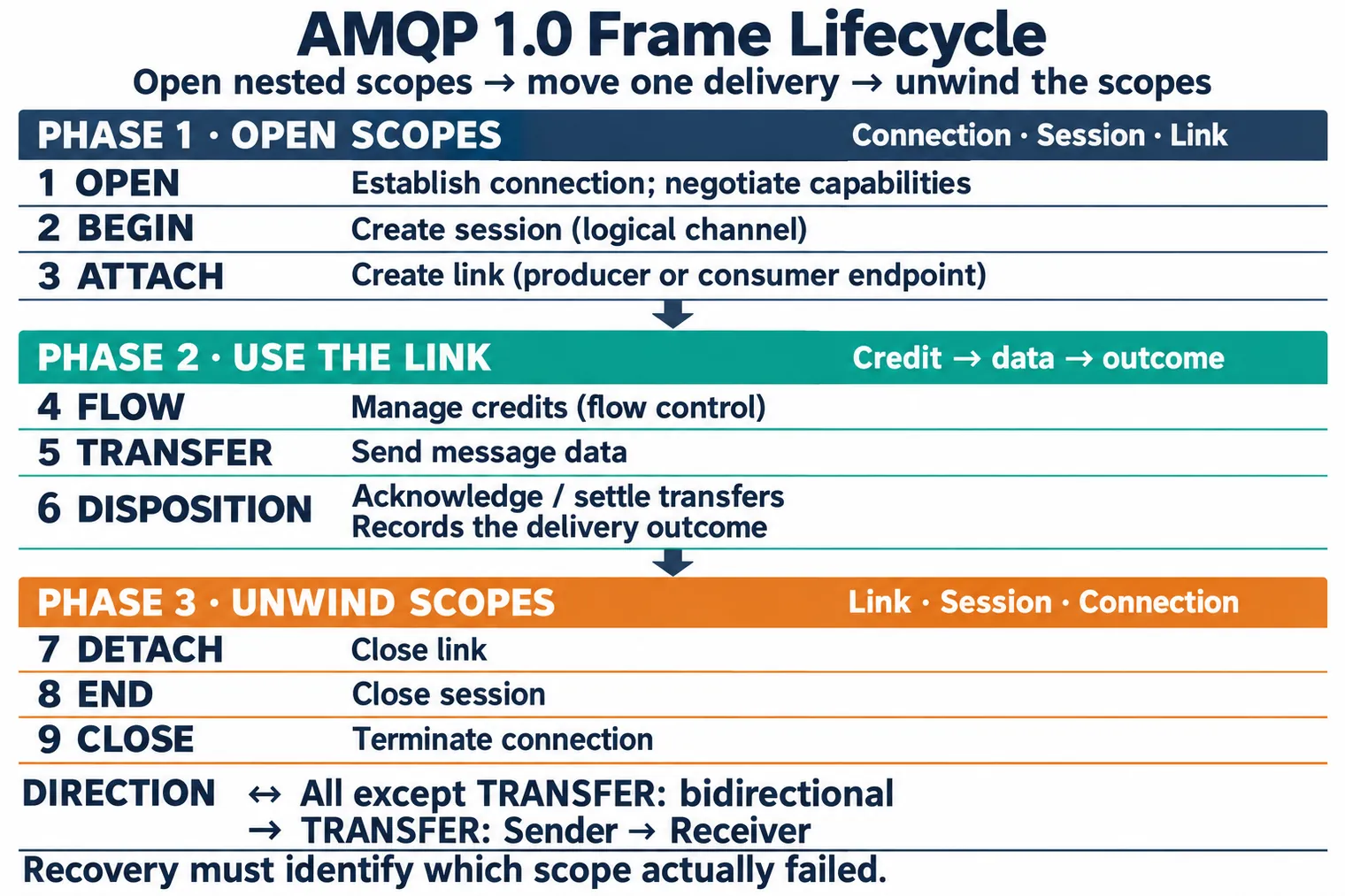
Trace Figure 7.3 from OPEN to BEGIN and ATTACH, then notice that FLOW grants capacity before TRANSFER carries a delivery. DISPOSITION records its outcome, while DETACH, END, and CLOSE unwind the nested scopes. This order explains why recovery must identify which scope actually failed.
7.11.2 Frame Descriptions
| # | Frame | Direction | Purpose |
|---|---|---|---|
| 1 | OPEN | Bidirectional | Establish connection, negotiate capabilities |
| 2 | BEGIN | Bidirectional | Create session (logical channel) |
| 3 | ATTACH | Bidirectional | Create link (producer or consumer endpoint) |
| 4 | FLOW | Bidirectional | Manage credits (flow control) |
| 5 | TRANSFER | Sender→Receiver | Send message data |
| 6 | DISPOSITION | Bidirectional | Acknowledge/settle transfers |
| 7 | DETACH | Bidirectional | Close link |
| 8 | END | Bidirectional | Close session |
| 9 | CLOSE | Bidirectional | Terminate connection |
7.11.3 Connection Layer (OPEN/CLOSE)
OPEN frame fields:
OPEN {
    container_id: "client-app-001"    # Unique identifier
    hostname: "broker.example.com"     # Peer hostname; vhost interpretation is broker-specific
    max_frame_size: 65536              # Max frame size in bytes
    channel_max: 32767                 # Max channels
    idle_time_out: 120000              # Requested maximum idle interval (ms)
}
Purpose:
- Negotiate connection parameters
- Exchange capabilities
- Negotiate idle timeout; a peer may send empty frames to keep the connection active
7.11.4 Session Layer (BEGIN/END)
Sessions provide logical channels within a connection.
BEGIN frame fields:
BEGIN {
    remote_channel: null               # For new session
    next_outgoing_id: 0                # Transfer sequence number
    incoming_window: 1000              # Flow control window
    outgoing_window: 1000              # Flow control window
}
Purpose:
- Multiplex multiple message streams
- Provide ordering guarantees within session
- Enable flow control per session
7.11.5 Link Layer (ATTACH/DETACH)
Links represent producer or consumer endpoints.
ATTACH frame fields:
ATTACH {
    name: "sensor-producer-link"       # Unique link name
    role: sender                       # sender or receiver
    source: { address: null }          # For sender: null
    target: { address: "sensor_queue" }# Destination queue
    snd_settle_mode: unsettled         # Wait for receiver disposition in this example
}
Purpose:
- Create message endpoints (sender or receiver)
- Define delivery semantics
- Specify source/target addresses
7.11.6 Transfer and Disposition
TRANSFER frame:
TRANSFER {
    handle: 0                          # Link handle
    delivery_id: 42                    # Unique delivery ID
    delivery_tag: <binary>             # Application correlation
    message_format: 0                  # Standard AMQP message
    settled: false                     # Requires acknowledgment
    more: false                        # Last fragment

    # Followed by message payload
}
DISPOSITION frame (acknowledgment):
DISPOSITION {
    role: receiver                     # Who is settling
    first: 42                          # First delivery ID
    last: 42                           # Last delivery ID
    settled: true                      # Final state
    state: accepted                    # accepted/rejected/released
}
7.11.7 Flow Control (FLOW)
Flow frames manage credit-based flow control.
FLOW frame fields:
FLOW {
    next_incoming_id: 100              # Expected transfer ID
    incoming_window: 500               # Available receive capacity
    next_outgoing_id: 50               # Next transfer to send
    outgoing_window: 500               # Send capacity
    handle: 0                          # Link handle (optional)
    link_credit: 100                   # Messages consumer can accept
}
Credit-based flow control:
First: A receiving link grants credits to its sending link
Next: Producer can only send messages up to available credits
Then: Bounds transfers on that link; application processing still needs its own capacity controls
After that: Enables backpressure signaling
7.12 Worked Example: Sizing an AMQP Broker for a Fleet Management Platform
This section: Worked Example: Sizing an AMQP Broker for a Fleet Management Platform
Scenario (planning assumptions): A logistics company operates 2,500 delivery trucks across Europe. Each truck sends GPS, fuel, engine, and temperature telemetry via cellular modems to a central RabbitMQ AMQP broker. The platform must support dispatch, archiving, and alert processing. The rates, sizes, and routing fractions below are illustrative, not measured fleet data.
7.12.1 Traffic Analysis
| Data Source | Payload Size | Frequency | Msgs/Sec (Fleet) |
|---|---|---|---|
| GPS position | 128 bytes | Every 10 sec | 250 |
| Fuel level | 64 bytes | Every 60 sec | 42 |
| Engine diagnostics (OBD-II) | 512 bytes | Every 30 sec | 83 |
| Cargo temperature | 48 bytes | Every 120 sec | 21 |
| Driver events (brake, door) | 96 bytes | ~5/hour/truck | 3 |
| Total inbound | 399 msgs/sec |
7.12.2 Routing Architecture
Using a topic exchange with hierarchical routing keys:
Pattern: truck.{truck_id}.{data_type}.{region}
Examples:
  truck.NL2501.gps.eu-west
  truck.DE1847.engine.eu-central
  truck.FR0923.temperature.eu-west
Consumer bindings:
| Consumer | Binding Pattern | Msgs/Sec Received | Purpose |
|---|---|---|---|
| Dispatch dashboard | truck.*.gps.# | 250 | Real-time map |
| Compliance archive | truck.# | 399 | Store everything |
| Temperature alerts | truck.*.temperature.# | 21 | Cold chain monitoring |
| Engine analytics | truck.*.engine.# | 83 | Predictive maintenance |
| Regional ops (EU-West) | truck.*.*.eu-west | ~200 | Regional dispatch |
| Total outbound | ~953 | 2.4x fan-out ratio |
7.12.3 Interactive Calculator: AMQP Fan-Out Analysis
Calculate how topic exchange routing affects message flow:
Experiment with parameters to understand how producer count, message frequency, and routing selectivity affect broker load. Lower match ratios indicate more efficient topic-based filtering.
7.12.4 Broker Sizing Calculation
Message throughput:
First: Assuming 150 bytes/message: 399 msgs/sec × 150 bytes = 59.85 kB/sec ≈ 5.17 GB/day. The listed payload mix instead averages about 197 bytes/message (78.7 kB/sec, ≈ 6.80 GB/day); both omit protocol and storage overhead.
Next: Assuming the same 150 bytes/message: 953 deliveries/sec × 150 bytes × 86,400 sec/day ≈ 12.35 GB/day of outbound payload.
Then: Peak (morning rush, 2.5x baseline): ~1,000 msgs/sec inbound
Memory requirements:
After that: Per-message memory: ~1 kB (headers + routing + payload)
Also inspect: Queue depth target: 30 sec buffer per consumer
Finally: Dispatch queue: 250 msgs/sec x 30 sec x 1 kB = 7.5 MB
Finally: Archive queue: 399 msgs/sec x 30 sec x 1 kB = 12 MB
Finally: The five queues total about 28.6 MB at 30 seconds and 1 kB/delivery (953 × 30 × 1,000 bytes); ~35 MB with roughly 22% planning margin and ~90 MB at a 2.5× peak with similar margin. This is a buffer model, not RabbitMQ’s measured memory use.
Persistent storage (archive queue):
Finally: 399 msgs/sec x 150 bytes x 86,400 sec/day = 5.17 GB/day
Finally: 90-day retention at the 150-byte assumption: about 465 GB of payload before replication, metadata, and filesystem overhead; at the listed weighted mix, about 612 GB.
Finally: An illustrative body-plus-index accounting would count about 2 × 399 ≈ 800 logical operations/sec. Actual RabbitMQ writes and flushes depend on queue type, version, batching, and workload; 200 ms batching would imply at most five scheduled flush intervals per second, not a guaranteed disk-flush rate.
7.13 Continue to the Next Part
This section: Continue to the Next Part — Carry this evidence into AMQP Frames: Storage and Throughput Calculations, which begins with Putting Numbers to It.
Carry this evidence into AMQP Frames: Storage and Throughput Calculations, which begins with Putting Numbers to It.
Find help
3 reviewed answers.
Where should I start in a module?
Open the module page from the sidebar to see its chapters in order. Use the module map to return to a topic you need.
Modules and pathsReviewed
What can I try when a project does not work?
Check the symptom, then work through the diagnostic steps. Keep the error message and the smallest example that reproduces it.
When you are stuckReviewed
How do interactive examples work?
Use the interactive guide to check how examples and simulations work before changing your project.
Interactive examples guideReviewed