3 Selecting Visualization Tools
More
Depth: Practitioner
Progress saves as you read. Mark sections complete as you go; your progress appears in the sidebar.
3.1 In 60 Seconds
This section: In 60 Seconds — Picture a freezer dashboard used by a night manager.
Choose the Tool From the Decision and Failure States
Picture a freezer dashboard used by a night manager. A polished line chart is easy to show. The harder job is making a late sensor, a missing unit, an old alert, a changed rule, and a failed reply clear enough for the manager to act.
Write the dashboard job first. Name the user, decision, source, identity, unit, source time, fresh limit, normal state, warning state, missing state, allowed editor, response route, upkeep owner, and reason to replace the tool.
Test normal, stale, missing, invalid, duplicate, delayed, and recovered data. Change a user role and a warning rule. Lose one source and restore it. Check the visible state and the final action, not only whether the chart loaded.
Keep urgent freezer action at the site when the dashboard is late. A view can guide and record work, but it should not be the only route to a time-bound alarm.
This opening does not choose one brand or demand custom work. Practitioner compares tool families with the same evidence. Under the Hood examines data links, access, saved state, change control, upkeep, exit, and the failure cases that force a retest.
Pick a visualization tool from the dashboard job, not from a brand name or a polished demo. The right tool proves the user decision, the data sources, degraded states, permissions, ownership, and maintenance path.
Start with the simplest tool family that can show normal, stale, missing, invalid, alert, and recovery cases clearly. Custom work is justified when existing tools cannot express the workflow or trust evidence.
3.2 Start With The Dashboard Job
This section: Start With The Dashboard Job — Visualization tools should be selected from the dashboard job, not from a popularity list or a polished demo.
Visualization tools should be selected from the dashboard job, not from a popularity list or a polished demo. A tool is a good fit when it can connect to the right data, support the user’s decision, show freshness and abnormal states clearly, fit governance needs, and remain maintainable after the first release.
The best choice is usually the simplest tool family that satisfies the real constraints. Standard monitoring can often use an operations dashboard platform. Device-heavy workflows may fit an IoT application platform. Classroom prototypes may fit flow-based builders. Product workflows may justify custom dashboards. Analysis and review packets may fit reports or notebooks instead of live dashboards. Figure 3.1 turns those possibilities into an evidence path so that the shortlist follows the job rather than the vendor name.
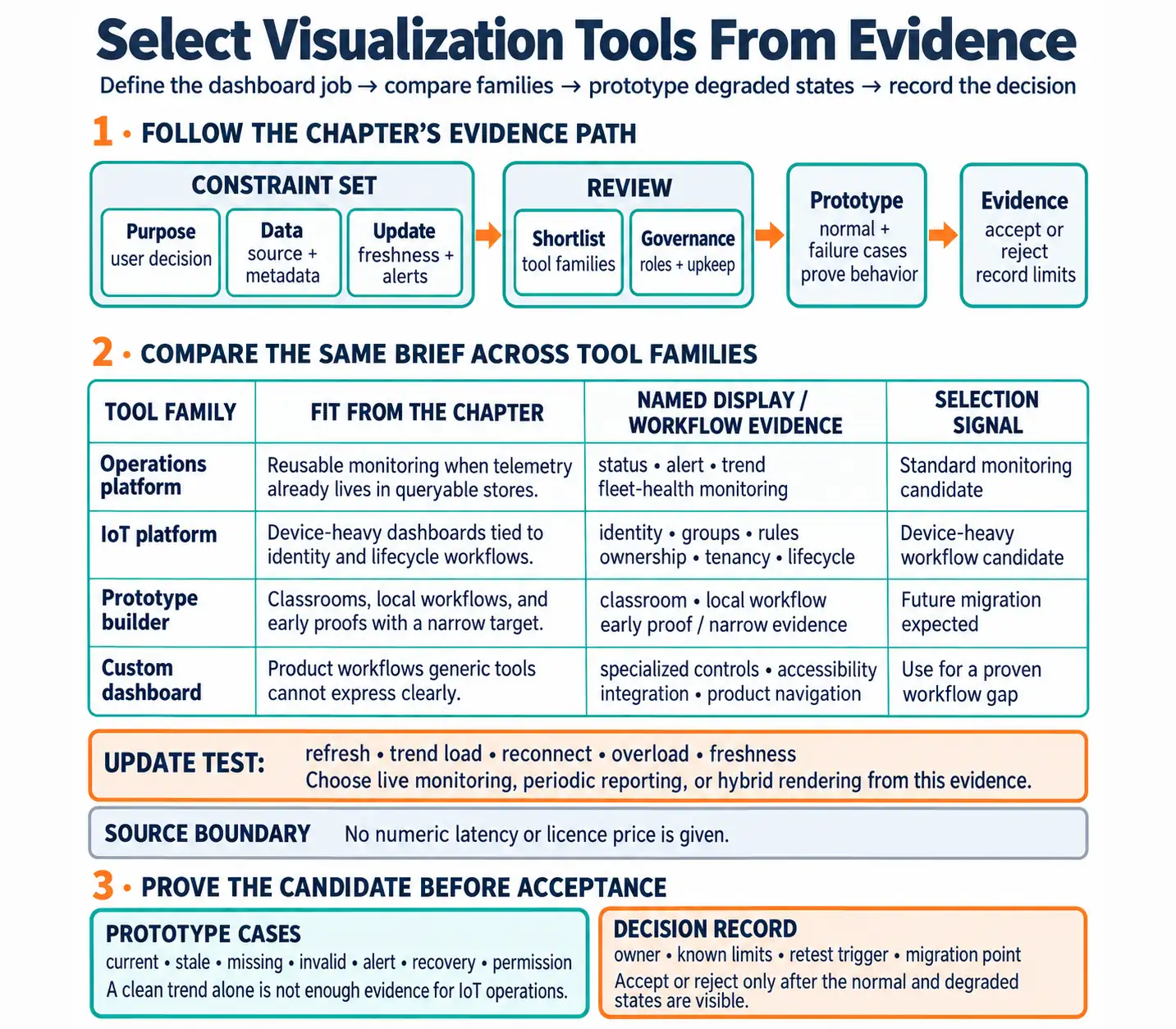
The three entry boxes in Figure 3.1 establish the constraint set: Purpose names the user decision, Data checks the source and metadata, and Update makes freshness and alert behavior explicit. Only then does the path reach Shortlist and Governance, where tool families, roles, and upkeep are evaluated. The final Prototype box demands normal and failure cases before Evidence permits an accept-or-reject decision. This order keeps a polished demo from outranking stale-data behavior, permission boundaries, or the team’s ability to maintain the chosen platform.
The prototype step should include both normal and degraded states because IoT dashboards often fail in the gaps between clean demos. A tool that handles a normal trend but cannot show stale devices, missing metadata, permission boundaries, or recovery evidence is not accepted yet. The decision can still be to use that tool, but only when the selection record names the limits, owner, retest trigger, and migration point.
If you only need the intuition, use this rule: choose the tool that proves the dashboard decision with the least long-term maintenance burden.
3.2.1 Tool Families
3.2.2 Operations Platforms
Fit reusable status, alert, trend, and fleet-health monitoring when data already lives in queryable telemetry stores.
3.2.3 IoT Platforms
Fit dashboards tied to device identity, groups, rules, ownership, tenancy, and lifecycle workflows.
3.2.4 Prototype Builders
Fit classrooms, local workflows, and early proofs when the evidence target is narrow and future migration is expected.
3.2.5 Custom Dashboards
Fit product workflows, specialized controls, strict accessibility or integration needs, and interfaces that generic tools cannot express clearly.
3.2.6 Beginner Selection Questions
Start selection by naming the dashboard user and the decision the view must support. Trace that decision back to the required sources, metadata, asset identities, units, and timestamps rather than assuming that a connector alone proves data fit. Describe how current, stale, missing, invalid, alert, and recovery states will differ visibly. Then identify who may edit dashboards, alert rules, permissions, and shared folders, and who maintains those choices. Close the selection brief with a retest plan for source, threshold, role, and refresh changes. A candidate tool is ready for comparison only when each of these questions has an evidence-bearing answer.
3.2.7 Overview Knowledge Check
3.3 Prove The Tool With Normal And Failure Cases
This section: Prove The Tool With Normal And Failure Cases — A practical tool selection record explains why one tool family is sufficient for a specific dashboard job.
A practical tool selection record explains why one tool family is sufficient for a specific dashboard job. It should compare candidates against the same criteria instead of turning selection into personal preference or feature-list scoring.
The record should include at least one normal case and one failure case. A dashboard tool that can show only clean telemetry is not proven for IoT operations, where stale devices, delayed updates, missing metadata, permissions, and maintenance changes are common.
3.3.1 Review Workflow
Build the review record from purpose outward. State the role, decision, first-screen status need, and next action, then document the sources, metadata, identity model, query limits, refresh behavior, and quality-state propagation that the tool must preserve. Compare operations platforms, IoT platforms, prototype builders, custom dashboards, reports, and spatial tools against that same brief. Prototype current, stale, missing, invalid, alert, recovery, and permission cases rather than scoring features in isolation. Before acceptance, name the owners of dashboards, alerts, connections, permissions, documentation, and retest evidence. Finally, record the limits that would force a prototype, platform view, or custom surface to migrate or undergo a new review.
3.3.2 Selection Ledger
3.3.3 Worked Review: Remote Asset Fleet
A remote asset fleet dashboard needs current condition, location context, device freshness, and a dispatch path. A map view may be justified if location changes the response. An operations dashboard may still be better for fleet health, alert history, and trends. A custom dashboard is justified only if dispatch actions, asset workflow, or product navigation cannot be represented clearly in an existing platform.
The evidence packet should include a normal marker, stale marker, missing-location state, alert state, trend drill-down, permission example, maintenance owner, and migration trigger. Without those examples, the team has only a demo, not a tool decision.
3.3.4 Practitioner Knowledge Check
3.4 Treat Tool Choice As A Lifecycle Contract
This section: Treat Tool Choice As A Lifecycle Contract — Under the hood, visualization tools define more than charts.
Under the hood, visualization tools define more than charts. They define how data is queried, how freshness is computed, how permissions are enforced, how alerts are owned, how dashboards are versioned, and how future maintainers change a trusted display. Those lifecycle details decide whether a dashboard remains trustworthy after the first demo.
A tool can fail even when every panel renders. It fails if users cannot tell stale from current data, if permissions expose the wrong asset group, if a dashboard cannot be reviewed after edits, if update behavior overloads the browser, or if the team cannot migrate when the workflow outgrows the prototype.
A lifecycle contract should name where dashboard configuration lives, how datasource changes are reviewed, how identity and tenancy are mapped, how alert rules are versioned, and how exports or backups are recovered. These details are not administrative extras. They decide whether a dashboard can be repaired after a schema change, whether a new maintainer can understand why a panel exists, and whether an operator can trust a shared view during an incident.
The strongest acceptance test is a change test, not a screenshot. Add a sensor field, change a threshold, revoke a role, simulate a stale source, and replay a recovery event. The selected tool should show what changed, who owns the change, how the dashboard was retested, and whether the old view can be restored or explained. If that path is unclear, the team has found a lifecycle risk even if the first dashboard looks polished.
3.4.1 Lifecycle Risks To Surface
3.4.2 Data Semantics
The tool must preserve asset identity, units, source timestamps, quality states, and metadata that make the display meaningful.
3.4.3 Change Control
Dashboard edits, alert changes, permission updates, folder moves, and datasource changes need a reviewable path.
3.4.4 Runtime Behavior
Refresh rates, query cost, client rendering, reconnect behavior, and overload states determine whether the dashboard stays readable.
3.4.5 Exit Path
Known limits and migration triggers prevent prototypes or platforms from becoming hidden single points of failure.
3.4.6 Failure Modes To Test
Exercise the tool where a polished normal view is least informative. Stop telemetry and verify that screen refresh does not conceal stale evidence. Change a role and check that shared dashboards do not expose assets, sites, tenants, or controls outside its boundary. Treat a classroom or internal prototype as a lock-in risk if it reaches operations without named owners, backups, tests, and review records. Conversely, challenge custom work that merely duplicates standard monitoring features an existing platform already supplies. The opposite mismatch matters too: reject a general dashboard platform when it forces a product-specific workflow or action boundary into an interface users cannot operate or review safely.
3.4.7 Under-the-Hood Knowledge Check
-
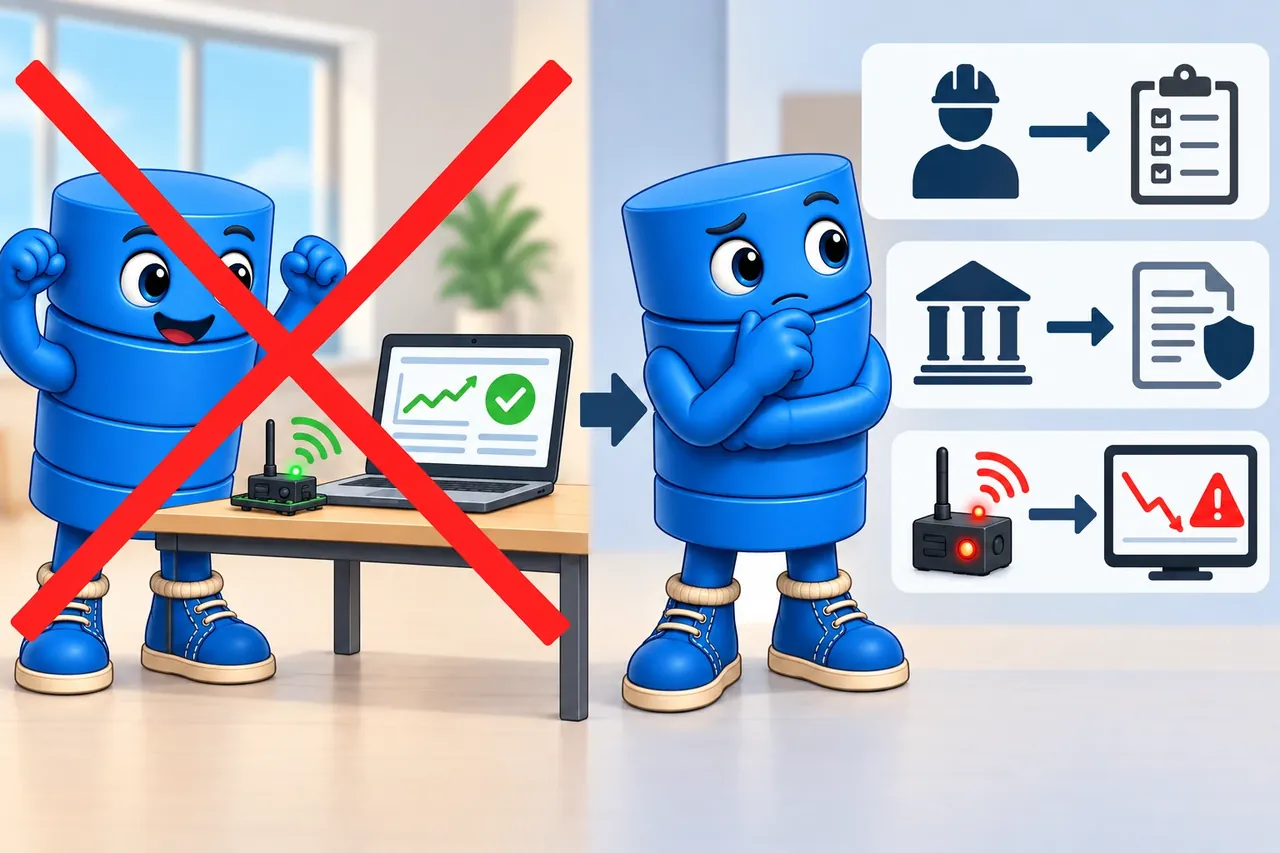
Wrong idea: a useful demo proves the dashboard is safe for daily work. It fails because owners, access rules, stale-data tests, and recovery are missing.
3.5 Summary
This section: Summary — Select a visualization tool from the dashboard purpose, data behavior, user roles, governance model, and maintenance evidence.
Select a visualization tool from the dashboard purpose, data behavior, user roles, governance model, and maintenance evidence. Existing dashboard platforms are strong candidates for standard monitoring, alerts, trends, and shared operations views when their constraints match the job. Custom dashboards become justified when a product workflow, specialized interaction, accessibility requirement, or embedding boundary cannot be expressed clearly in those platforms.
Whichever family is shortlisted, prototype both normal and degraded operation: stale data, missing devices, invalid values, permission boundaries, recovery, and maintenance handoff all belong in the evidence. The final decision should name an owner, known limits, retest triggers, and migration criteria. Those commitments connect initial tool fit to the longer lifecycle contract developed in this chapter.
Choose visualization tools as lifecycle commitments: the accepted tool must prove the dashboard decision, degraded states, governance model, maintenance path, and retest triggers.
3.6 See Also
This section: See Also
Visualization Types for IoT Data
Choose the visual form that fits the user decision, data shape, and update behavior.
Dashboard Design Principles for IoT
Connect tool choice to first-screen state, freshness, alerts, and drill-down paths.
Real-Time Visualization for IoT
Review update lanes, freshness windows, decimation, bounded buffers, and overload behavior.
Find help
3 reviewed answers.
Where should I start in a module?
Open the module page from the sidebar to see its chapters in order. Use the module map to return to a topic you need.
Modules and pathsReviewed
What can I try when a project does not work?
Check the symptom, then work through the diagnostic steps. Keep the error message and the smallest example that reproduces it.
When you are stuckReviewed
How do interactive examples work?
Use the interactive guide to check how examples and simulations work before changing your project.
Interactive examples guideReviewed