ESP32 dashboards with Chart.js and serial visualization
In 60 Seconds
A codec encodes digital signals into compressed format for transmission and decodes them back for playback. For IoT video, choosing H.265 over MJPEG can reduce storage costs by 87%. The key rule is that the same codec used to encode must be used to decode, and you should match codec type to content: waveform codecs for high-fidelity audio, parametric codecs for speech, and modern video codecs (H.264/H.265) for surveillance.
7.1 Learning Objectives
By the end of this chapter, you will be able to:
Distinguish between containers and codecs for IoT media streams
Compare waveform and parametric codec approaches for audio encoding
Select appropriate video codecs based on bandwidth, compute, and quality requirements
Evaluate lossy vs. lossless encoding tradeoffs for different IoT use cases
Design media encoding pipelines for IoT surveillance and monitoring systems
Calculate bandwidth and storage requirements for IoT camera deployments
Minimum Viable Understanding: Codecs for IoT Media
Core Concept: A codec encodes digital signals into compressed format for transmission, then decodes back for playback. The same codec used to encode MUST be used to decode - mismatches produce garbage.
Why It Matters: An IoT camera deployment using H.265 instead of MJPEG reduces storage costs by 87% (2.16 TB/day vs 16.2 TB/day for 100 cameras). Choosing wrong codecs wastes bandwidth, drains batteries, or produces unusable quality.
Key Takeaway: For video, use H.264 (widely compatible) or H.265 (50% smaller, more compute). For audio, use Opus for speech (low latency, adaptive bitrate) or AAC for music. For evidence preservation, use lossless formats.
7.2 Introduction
Before IoT media streams can be visualized, they must be encoded for efficient transmission and storage. Understanding codecs (coder-decoders) is essential when working with video surveillance cameras, audio monitoring systems, and other multimedia IoT sensors.
This chapter covers the encoding fundamentals that bridge IoT sensors and visualization: codec selection, the container vs. codec distinction, waveform vs. parametric approaches, and the bandwidth/quality tradeoffs that drive IoT media architecture decisions.
For Beginners: Codecs Explained Simply
Think of a codec like a packing strategy for moving:
For IoT, imagine a wildlife camera recording forest sounds:
Music or nature sounds? Use waveform codecs (preserve the beauty)
Just detecting if someone spoke? Use parametric codecs (save bandwidth)
The key rule: If you pack using the “IKEA method” (parametric), you MUST use the “IKEA instructions” (same codec) to unpack. Otherwise, you get a pile of random boards!
7.3 The Codec Principle
A codec encodes digital signals into a compressed format for transmission or storage, then decodes them back to the original (or approximation) for playback. The fundamental principle is simple but critical:
The same codec used to encode must be used to decode.
If you encode audio with MP3 and try to decode with AAC, you’ll get garbage. This creates important interoperability considerations for IoT deployments.
7.4 Containers vs. Codecs
Don’t confuse the two:
Container: The file format that holds encoded data (MP4, AVI, MKV, WebM)
Codec: The algorithm that compresses/decompresses the actual data (H.264, VP9, AAC, Opus)
A container can hold multiple codecs. For example, an MP4 file might contain:
Video: H.264 codec
Audio: AAC codec
Subtitles: WebVTT
This distinction matters for IoT because your edge device might support certain containers but not all codecs within them.
7.5 Waveform vs. Parametric Codecs
Codecs fall into two fundamental categories, each with different trade-offs:
Flowchart diagram
Figure 7.1: Comparison of waveform and parametric codec approaches for IoT media encoding
7.5.1 Waveform Codecs
Preserve the actual shape of the signal waveform:
PCM (Pulse Code Modulation): Uncompressed digital audio
Bitrate: 1,411 kbps (CD quality: 44.1 kHz x 16-bit x 2 channels)
Quality: Lossless, perfect reproduction
Use case: Studio recording, reference audio
ADPCM (Adaptive Differential PCM): Encodes differences between samples
Bitrate: 32-64 kbps
Quality: Good, slight degradation
Use case: Voice recorders, telephony
G.711 (u-law/A-law): Standard telephony codec
Bitrate: 64 kbps
Quality: Phone-quality audio
Use case: VoIP, intercom systems
7.5.2 Parametric Codecs
Model the signal using mathematical parameters rather than preserving the waveform:
LPC (Linear Predictive Coding): Models vocal tract as filter
Bitrate: 2.4-4.8 kbps
Quality: Robotic, intelligible speech
Use case: Military communications, satellite phones
CELP (Code-Excited Linear Prediction): Enhanced LPC with codebook
Bitrate: 4.8-16 kbps
Quality: Good speech quality
Use case: GSM mobile networks, Bluetooth headsets
G.729: ITU standard for VoIP
Bitrate: 8 kbps
Quality: Near-toll quality speech
Use case: Business VoIP, IP phones
Opus: Modern, versatile codec
Bitrate: 6-510 kbps (adaptive)
Quality: Excellent across the range
Use case: WebRTC, Discord, video conferencing
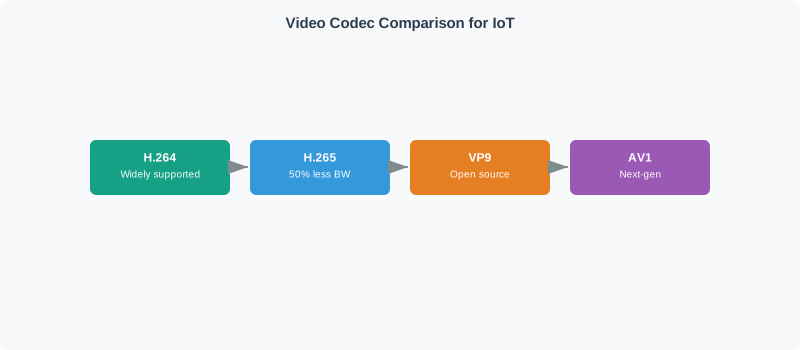
7.6 Video Codecs for IoT
Video surveillance and monitoring systems face similar trade-offs:
Codec
Bitrate (1080p)
Compression
Compute Needs
IoT Use Case
MJPEG
10-20 Mbps
Low
Very Low
Legacy cameras, simple edge devices
H.264/AVC
2-8 Mbps
High
Medium
Most IP cameras, NVRs
H.265/HEVC
1-4 Mbps
Very High
High
4K cameras, bandwidth-constrained
VP9
1-4 Mbps
Very High
High
WebRTC, browser-based viewing
AV1
0.5-2 Mbps
Extremely High
Very High
Future IoT, cloud transcoding
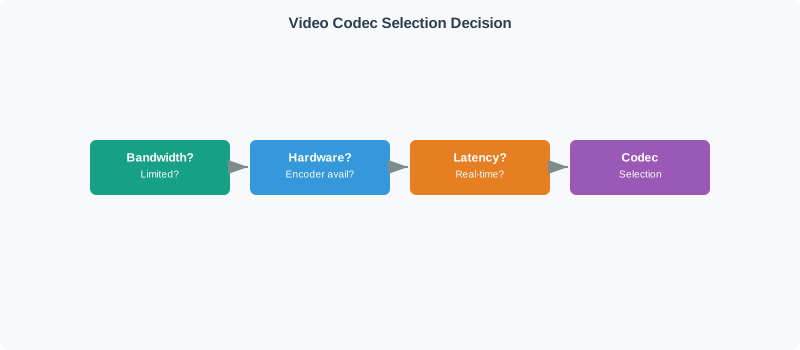
Flowchart diagram
Figure 7.2: Decision flowchart for selecting video codecs in IoT camera deployments
Mid-Chapter Check: Codec Types and Selection
7.7 Lossy vs. Lossless Encoding
Understanding compression trade-offs is critical for IoT sensor data:
Use when: Evidence preservation (security cameras), medical imaging, sensor calibration data
7.7.2 Lossy Encoding
Approximation with permanent information loss:
Some information permanently discarded
Compression ratio: 10:1 to 100:1 possible
Examples: MP3, AAC, JPEG, H.264, H.265
Use when: Bandwidth is limited, human perception is the target, storage costs matter
7.7.3 The IoT Trade-off Calculation
Consider a security camera deployment:
Scenario: 100 cameras x 1080p x 30 fps x 24 hours

MJPEG (lossy, low compression):
  - Bitrate: 15 Mbps per camera
  - Daily storage: 162 GB per camera
  - Total: 16.2 TB/day
  - Storage cost: ~$500/month (cloud)

H.265 (lossy, high compression):
  - Bitrate: 2 Mbps per camera
  - Daily storage: 21.6 GB per camera
  - Total: 2.16 TB/day
  - Storage cost: ~$65/month (cloud)

Savings: 87% reduction in bandwidth and storage
7.8 IoT Codec Selection Guidelines
When designing IoT media systems, consider these factors:
Factor
Favor Waveform Codecs
Favor Parametric Codecs
Content Type
Music, environmental audio
Speech, voice commands
Quality Requirements
Critical fidelity
Intelligibility sufficient
Bandwidth
Plentiful (LAN, fiber)
Limited (cellular, LPWAN)
Edge Processing
Minimal
Available for encoding
Latency
Less critical
Ultra-low latency needed
Power
Connected power
Battery-constrained
Interoperability
Standard ecosystems
Controlled environment
7.9 Practical Example: Smart Doorbell
A smart doorbell must handle multiple media streams with different requirements:
Video: H.264 baseline profile (works on most phones)
Two-way Audio: Opus at 24 kbps (low latency, good quality)
Recording: H.265 for stored clips (smaller files)
Event Detection: Raw audio briefly for ML, then discarded
This hybrid approach optimizes for each use case within the same device:
Live viewing prioritizes compatibility (H.264)
Storage prioritizes size (H.265)
Communication prioritizes latency (Opus)
ML processing needs uncompressed data (temporary)
7.10 Bandwidth Planning for IoT Video
Use this formula to calculate storage and bandwidth requirements:
Daily Storage (GB) = (Bitrate_Mbps x 3600 x 24) / 8 / 1000

Example: 4 Mbps H.264 stream
= (4 x 3600 x 24) / 8 / 1000
= 345,600 / 8000
= 43.2 GB/day per camera
7.10.1 Bandwidth by Resolution and Codec
Resolution
MJPEG
H.264
H.265
720p (30fps)
8-12 Mbps
1.5-3 Mbps
0.75-1.5 Mbps
1080p (30fps)
15-25 Mbps
3-6 Mbps
1.5-3 Mbps
4K (30fps)
50-80 Mbps
10-25 Mbps
5-12 Mbps
7.10.2 Storage Duration Planning
Cameras
Codec
Bitrate
7-Day Storage
30-Day Storage
10
H.264
4 Mbps
3.0 TB
13.0 TB
10
H.265
2 Mbps
1.5 TB
6.5 TB
50
H.264
4 Mbps
15.1 TB
64.8 TB
50
H.265
2 Mbps
7.6 TB
32.4 TB
100
H.264
4 Mbps
30.2 TB
129.6 TB
100
H.265
2 Mbps
15.1 TB
64.8 TB
7.10.3 Video Storage & Bandwidth Calculator
Use this interactive calculator to estimate storage, bandwidth, and cloud costs for your own camera deployment. Adjust the parameters to explore how codec selection and fleet size affect infrastructure requirements.
A smart city deploys 50 traffic cameras (1080p, 25 fps) transmitting over cellular LTE with a 50 Mbps aggregate backhaul. Compare bandwidth costs for MJPEG vs. H.265 encoding.
MJPEG bitrate per camera: 15 Mbps (typical for 1080p/25fps).
Cellular bandwidth constraint: 50 Mbps available. MJPEG requires 750 Mbps (15× over budget). H.265 requires 100 Mbps (2× over budget). Solution: transmit 25 cameras simultaneously with H.265, rotate coverage every 30 seconds. Or reduce frame rate to 12.5 fps, halving bandwidth to 50 Mbps.
Monthly cellular data cost: At $0.10/GB (enterprise LTE rate), 100 Mbps H.265 stream for 30 days = \(100 \text{ Mbps} \times 3600 \text{ s/hr} \times 24 \text{ hr/day} \times 30 \text{ days} / 8 / 1000 = 32{,}400 \text{ GB} = \$3,240/\text{month}\). MJPEG would cost $24,300/month (7.5× more).
7.11 Knowledge Check
Knowledge Check: IoT Media Codecs
A manufacturing facility is deploying 50 security cameras for both real-time monitoring and 30-day evidence retention. The facility has limited upload bandwidth (100 Mbps shared) but ample local storage. Which codec strategy is MOST appropriate?
A) MJPEG for all cameras to minimize edge device compute requirements
B) H.264 for real-time viewing, H.265 for stored recordings
C) VP9 for all streams to maximize browser compatibility
D) Uncompressed video to preserve evidence quality
Show Answer
Answer: B) H.264 for real-time viewing, H.265 for stored recordings
This hybrid approach optimizes for both constraints: - H.264 provides wide compatibility for real-time viewing on any device - H.265 reduces storage requirements by ~50% for the 30-day retention (critical for local storage) - Both codecs are well-supported by modern NVR systems - MJPEG would consume 5-8x more storage - VP9 has limited hardware support on IP cameras - Uncompressed is impractical for any significant retention period
Key Takeaway
Codec selection can reduce IoT infrastructure costs by 80% or more. For video surveillance, use H.264 for real-time viewing (wide compatibility) and H.265 for storage (50% smaller files). For audio, use Opus for speech and real-time communication, and waveform codecs like FLAC for evidence preservation. Always calculate bandwidth and storage requirements before deployment using the formula: Daily Storage (GB) = (Bitrate_Mbps x 3600 x 24) / 8 / 1000.
For Kids: Meet the Sensor Squad!
Codecs are like different ways of packing a suitcase – some methods save more space but take more effort!
7.11.1 The Sensor Squad Adventure: The Video Packing Challenge
The Sensor Squad had installed 100 security cameras around the school. But there was a BIG problem!
“We’re running out of storage!” cried Bella the Battery. “Each camera fills up 162 gigabytes EVERY DAY! That’s 16,200 gigabytes for all 100 cameras!”
“That’s like trying to fit 16,000 books in one shelf!” gasped Lila the LED.
Max the Microcontroller studied the problem. “The cameras are using MJPEG – that’s like taking a photo every split second and saving EVERY single one full-size. Super wasteful!”
Sammy the Sensor had an idea: “What if we use a SMARTER packing method? Instead of saving every full picture, what if we only saved what CHANGED between pictures?”
“That’s called H.265!” said Max. “It looks at each frame and says ‘the wall is still the same, only the person moved.’ So it only saves the movement part!”
The results were AMAZING: - MJPEG (old way): 16,200 GB per day – like packing every single toy in its own giant box - H.265 (new way): 2,160 GB per day – like putting similar toys together in smaller boxes
“We saved 87% of our storage!” cheered Bella. “That’s like fitting all your clothes for vacation into ONE suitcase instead of EIGHT!”
But Lila had an important reminder: “If we pack with the H.265 method, we MUST unpack with the H.265 method too. Using the wrong unpacking method gives you SCRAMBLED video – like trying to read a book backwards in a mirror!”
“Exactly!” said Max. “The rule is: same codec in, same codec out!”
7.11.2 Key Words for Kids
Word
What It Means
Codec
A method for packing (encoding) and unpacking (decoding) video or audio – like a packing and unpacking recipe
Compression
Making files smaller so they take up less space – like squishing a sponge to fit it in a small box
Lossy
Compression that throws away some details you won’t notice – like summarizing a long story
Lossless
Compression that keeps EVERY detail – like packing a puzzle so no pieces are lost
Quiz: Codec Selection for IoT
Interactive Quiz: Match Codec Concepts
Key Concepts
Video Codec: A compression algorithm that reduces video stream size by encoding spatial (within-frame) and temporal (between-frame) redundancy – H.264/H.265 dominate IoT camera applications
H.264 (AVC): The most widely deployed video codec, achieving 50-75% size reduction versus raw video with broad hardware decoder support across IoT gateways, browsers, and mobile devices
H.265 (HEVC): Next-generation video codec providing 40-50% better compression than H.264 at equivalent quality, requiring more encoding compute – suitable for bandwidth-constrained IoT camera streams
I-Frame / P-Frame / B-Frame: Video frame types: I-frames are fully self-contained reference frames, P-frames encode differences from previous frames, B-frames use both past and future frames – IoT streams limit B-frames for lower latency
MJPEG: Motion JPEG encoding individual frames as independent JPEG images, enabling frame-accurate seeking and simple implementation at the cost of 5-10x larger file sizes than H.264
WebRTC: A browser-native real-time communication protocol supporting sub-second video streaming from IoT cameras to web browsers without plugins, using adaptive bitrate and DTLS/SRTP for security
Bitrate Ladder: A set of pre-encoded video quality levels (480p/1Mbps, 720p/3Mbps, 1080p/6Mbps) used in adaptive streaming, where the viewer’s device automatically selects the highest quality that fits available bandwidth
RTSP: Real Time Streaming Protocol – a signaling protocol for controlling media servers in IoT camera systems, establishing and tearing down RTP media streams for live video feeds
Interactive Quiz: Sequence the Steps
7.12 Worked Example: Video Codec Selection for a Smart City Camera Network
Worked Example: Calculating Storage and Bandwidth for 500 Traffic Cameras
Scenario: Transport for London (TfL) deploys 500 traffic monitoring cameras across central London intersections. Cameras stream 1080p video 24/7 for live monitoring and store 30-day recordings for incident investigation. The network budget is 10 Gbps aggregate backhaul from camera clusters to the data center.
Given:
500 cameras, 1080p resolution (1920x1080), 25 fps
Live monitoring: 50 operators viewing any 4 cameras simultaneously (200 simultaneous streams)
Storage retention: 30 days, all cameras
Network backhaul: 10 Gbps total from 50 camera clusters (10 cameras each)
Edge compute: Each cluster has an Nvidia Jetson AGX Orin for local processing
Step 1 – Compare codec options for storage:
Codec
Bitrate (1080p/25fps)
Per Camera Per Day
500 Cameras x 30 Days
Encoding Power
MJPEG
15 Mbps
162 GB
2,430 TB
2 W
H.264 (High)
4 Mbps
43.2 GB
648 TB
5 W
H.265 (Main)
2 Mbps
21.6 GB
324 TB
12 W
AV1
1.5 Mbps
16.2 GB
243 TB
45 W
Step 2 – Calculate costs for each option:
Codec
Storage Required
SSD Cost (GBP/TB)
Total Storage Cost
Annual Power Cost (encoding)
MJPEG
2,430 TB
GBP 80/TB
GBP 194,400
GBP 4,380
H.264
648 TB
GBP 80/TB
GBP 51,840
GBP 10,950
H.265
324 TB
GBP 80/TB
GBP 25,920
GBP 26,280
AV1
243 TB
GBP 80/TB
GBP 19,440
GBP 98,550
Step 3 – Check network bandwidth feasibility:
Codec
Per Camera
500 Cameras Total
Fits 10 Gbps?
MJPEG
15 Mbps
7,500 Mbps = 7.5 Gbps
Yes (75% utilization)
H.264
4 Mbps
2,000 Mbps = 2.0 Gbps
Yes (20% utilization)
H.265
2 Mbps
1,000 Mbps = 1.0 Gbps
Yes (10% utilization)
All codecs fit the 10 Gbps backhaul, but H.264 and H.265 leave headroom for future expansion.
Step 4 – Evaluate total cost of ownership (3-year):
Codec
Storage (one-time)
Encoding Power (3yr)
Replacement Cycles
3-Year TCO
MJPEG
GBP 194,400
GBP 13,140
1 refresh at year 2
GBP 402,000
H.264
GBP 51,840
GBP 32,850
None (fits in initial)
GBP 84,700
H.265
GBP 25,920
GBP 78,840
None
GBP 104,760
AV1
GBP 19,440
GBP 295,650
None
GBP 315,090
Selected: H.264 (High profile)
Why not H.265? Despite 50% less storage, the encoding power cost for 500 cameras exceeds the storage savings. H.265 encoders consume 2.4x more power than H.264 for comparable quality. At scale (500 cameras x 24/7 x 3 years), this power premium adds GBP 20,000 over the storage savings.
Why not AV1? The Jetson AGX Orin can encode H.264 at 500+ fps but AV1 at only 15 fps. Encoding 500 cameras at 25 fps each requires 34 Jetson units for AV1 versus 3 for H.264 – a GBP 200,000 hardware penalty that dwarfs storage savings.
Result: H.264 provides the lowest 3-year TCO at GBP 84,700 for 500 cameras with 30-day retention. Storage cost (GBP 51,840) is the dominant factor, but it remains manageable. Network utilization is only 20%, leaving 8 Gbps headroom for adding cameras or higher resolution in the future.
Key Insight: For large-scale IoT video, the codec decision is not just about compression ratio – it is a systems-level tradeoff involving storage cost, encoding power, hardware availability, and network capacity. At 500+ cameras, encoding power consumption becomes a significant cost factor that can outweigh storage savings from more efficient codecs.
Concept Relationships
Understanding codecs connects to several related concepts:
Foundational: Data Visualization - Codecs enable visual IoT media streams (video, audio)
Infrastructure: Data Storage - Codec choice determines storage capacity needs
Contrast with: Data compression (reversible encoding for structured data) vs. media codecs (lossy/lossless encoding optimized for human perception of audio/video)
See Also
Edge Computing - Codec transcoding at the edge vs. cloud
Security Encryption - Encrypting video streams adds overhead to codec bitrate
::
Common Pitfalls
1. Using MJPEG for long-duration IoT camera recordings
MJPEG stores every frame independently, producing files 5-10x larger than H.264 for equivalent quality. A 1080p MJPEG stream at 30fps consumes 20-50 Mbps bandwidth and fills storage rapidly. Use H.264 or H.265 for all recordings where frame-accurate seeking is not required – most IoT surveillance and monitoring applications.
2. Ignoring decoder hardware support when selecting codecs
H.265 provides better compression but requires hardware decoder support for smooth playback on edge devices and mobile clients. Always verify that your target IoT gateway, browser SDK, and mobile app support hardware decoding of your chosen codec before encoding at scale – software decoding of H.265 at 1080p30 can exceed CPU capacity on many edge devices.
3. Not setting keyframe intervals for live streams
Without defined keyframe (I-frame) intervals, viewers who join a live IoT camera stream mid-GOP must wait until the next I-frame to display correctly. For live monitoring applications, set GOP size to 1-2 seconds (30-60 frames at 30fps). Longer GOPs improve compression but increase join latency and make random seeking in recordings slow.
Label the Diagram
💻 Code Challenge
7.13 Summary
Codec selection for IoT media requires balancing multiple constraints:
Know the difference: Containers hold data; codecs compress/decompress it
Match codec to content: Waveform for fidelity, parametric for efficiency