8 CoAP Methods and Multicast
More
Depth: Practitioner
Progress saves as you read. Mark sections complete as you go; your progress appears in the sidebar.
8.1 Start With the Device Menu
This section: Start With the Device Menu — Picture a caretaker using a small panel to read a tank level and change an alarm limit.
Choose the Action Before the Method
Picture a caretaker using a small panel to read a tank level and change an alarm limit. A read must not alter the device. A repeated update must not create a second record by accident. The action comes first; the message choice must preserve its meaning.
The panels show a tank reading and a change to its alarm limit. They show why a repeated request must keep the same meaning.
-
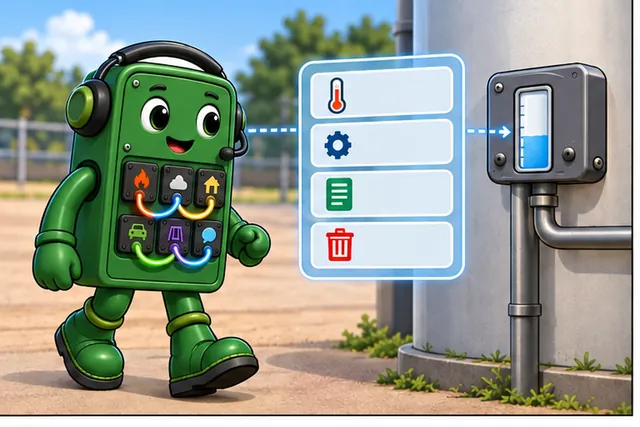
A caretaker reads a tank level and changes its alarm limit.
-
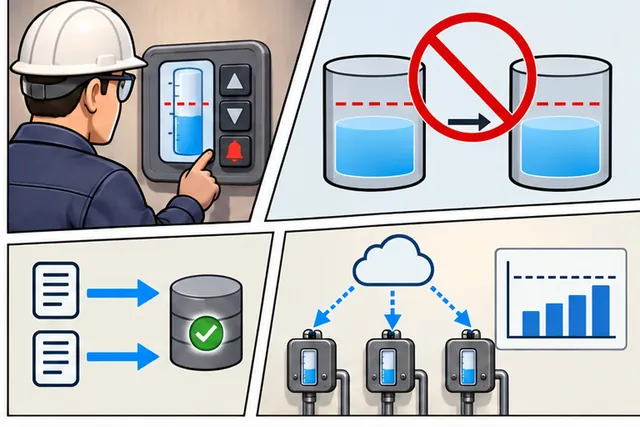
A repeated request must not alter or create the wrong record.
-
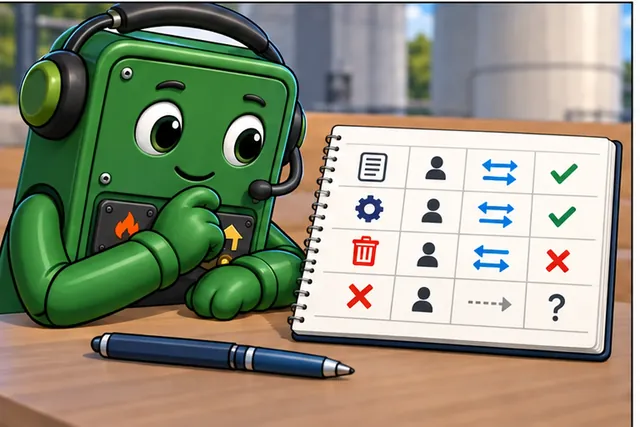
Name the resource, action, caller, reply, and repeat rule.
-
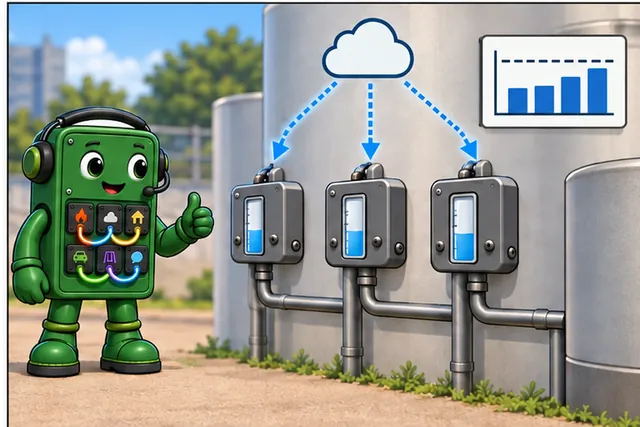
Choose the message method only after that action is clear.
A protocol is a shared set of rules for exchanging messages. Constrained Application Protocol (CoAP) is a compact web-style protocol for small devices and links. A gateway is a device that joins unlike networks. Before choosing a method, write the resource, the allowed action, who may request it, the expected reply, and whether repeating the request is safe.
Test one normal request, one missing resource, one denied change, and one lost reply. Check the device state as well as the screen. If many devices receive the same request, prove that the result stays bounded and that replies do not swamp the link.
This first menu does not settle every transport or security choice. It does expose unsafe meanings early. The deeper sections compare methods, group delivery, updates, and related message systems so the final design matches the action rather than a familiar label.
Imagine a gateway walking up to a sensor and seeing a tiny menu: read temperature, update configuration, create a calibration record, or delete a stale resource. CoAP methods are the verbs on that menu, and the same method has to mean the same thing whether one device calls it or a multicast group hears it.
The chapter starts with the method choice, then adds multicast, Observe, calculators, and comparisons so the learner can see why a compact resource operation is still a full protocol decision.
This chapter moves from verbs to deployment choices:
- First map GET, POST, PUT, and DELETE to sensor resources.
- Then test those methods in Python and ESP32 examples.
- Next compare CoAP, MQTT, and HTTP with the byte and battery calculators.
- Finally add multicast, discovery, Observe, and CON/NON evidence.
Checkpoint callouts pause the tour; Deep-dive sections and calculation audits are optional support on a first pass.
8.2 Learning Objectives
This section: Learning Objectives
- Apply CoAP REST methods (GET, POST, PUT, DELETE) with proper idempotency semantics for IoT resource manipulation
- Implement CoAP servers and clients using Python (aiocoap) and Arduino (ESP32) for sensor data exchange
- Configure CoAP multicast addressing for group operations and network-wide resource discovery via
/.well-known/core - Demonstrate how CoAP Observe enables server-push notifications and can reduce repeated polling traffic when resource changes are infrequent; calculate energy separately for the device and network.
- Compare CoAP’s 4-byte header efficiency versus HTTP’s 100+ byte overhead for battery-powered IoT devices
Think about how you communicate with friends. You might send a long email with lots of details, or you might send a quick text message with just the essential information. Both get the message across, but text messages are faster and use less data especially important when you have limited battery or a slow connection.
CoAP is like the text message version of web communication for IoT devices. Regular websites use HTTP, which is like sending detailed emails with lots of extra information in headers and metadata. That works great for powerful computers and smartphones with strong batteries and fast internet. But tiny sensors running on coin batteries can’t afford that luxury. CoAP strips away all the unnecessary extras and keeps just the essential parts: what you want to do, which resource you’re accessing, and the actual data.
The magic is that CoAP still works like the web you know. You can GET data from a sensor, PUT a new setting to a device, or POST a command just like with regular websites. But instead of using hundreds of bytes of overhead like HTTP, CoAP uses just 4 bytes for its header. This means a temperature sensor can report readings for years on a single battery instead of months, and devices can communicate even over slow, unreliable networks where every byte matters.
“CoAP has four magic words that do everything!” announced the microcontroller. “GET means ‘tell me your value.’ PUT means ‘change your setting to this.’ POST means ‘do this action.’ And DELETE means ‘remove this thing.’”
Temperature Terry demonstrated: “When the dashboard sends me a GET, I reply with my temperature. When someone sends a PUT to change my sampling rate from 10 to 30 seconds, I update my setting and confirm. It’s just like asking and answering questions!”
“And multicast is the coolest feature!” added the LED. “Instead of asking each sensor one by one — ‘Sammy, what’s your temperature? Bella, what’s your voltage?’ — you shout to ALL sensors at once: ‘Everyone, report your temperature!’ One message, fifty replies. Imagine how much time and energy that saves in a building with hundreds of sensors!”
the battery loved that. “One multicast GET instead of fifty individual GETs saves 98% of my outgoing requests, but the fifty replies still cost radio energy! It’s like a teacher taking attendance by saying ‘raise your hand if you’re here’ instead of calling each name individually!”
8.4 Continue: CoAP Method Codes and Multicast Contracts
This section: Continue: CoAP Method Codes and Multicast Contracts — The main chapter below stays focused on the core methods and feature tour.
The main chapter below stays focused on the core methods and feature tour. For the deeper contract behind compact method and response codes, safe/idempotent retry behavior, multicast discovery, Location options, Token correlation, and Leisure response spreading, continue to CoAP Method Codes and Multicast Contracts.
8.5 CoAP Methods
This section: CoAP Methods — Start with the verb contract.
Start with the verb contract. If the method is wrong, retries and troubleshooting become ambiguous even when the URI looks sensible.
Like HTTP, CoAP uses REST methods:
| Method | Purpose | HTTP Equivalent | Idempotent |
|---|---|---|---|
| GET | Retrieve resource | GET | Yes |
| POST | Create resource | POST | No |
| PUT | Update/Create | PUT | Yes |
| DELETE | Remove resource | DELETE | Yes |
8.5.1 Examples
Read the examples by the state transition each method promises. GET retrieves the current /temperature representation without changing it. POST sends a new reading to the /readings collection, allowing the server to create a subordinate resource. PUT replaces the known /config representation with the supplied interval, so an identical retry has the same intended state. DELETE removes /readings/old. URI, method, payload, and expected response code should be reviewed together before any of these exchanges is implemented.
GET: Retrieve temperature
coap://sensor.local/temperaturePOST: Add new sensor reading
coap://server.local/readings
Payload: {"temp": 23.5, "time": "2025-10-24T23:30:00Z"}PUT: Update configuration
coap://device.local/config
Payload: {"interval": 60}DELETE: Remove old data
coap://server.local/readings/oldThis section:
 Checkpoint: Method Semantics
You now know:
- CoAP carries the same four REST verbs as HTTP: GET, POST, PUT, and DELETE.
- GET, PUT, and DELETE are idempotent; POST is not, so duplicate delivery must be considered.
- A thermostat API should read with GET, update with PUT, and reserve POST for one-time actions.
8.6 Code Examples
This section: Code Examples
8.6.1 Python CoAP Server
import asyncio
from aiocoap import *

class TemperatureResource(resource.Resource):
    """Example resource for temperature readings"""

    async def render_get(self, request):
        """Handle GET requests"""
        temperature = 22.5  # Simulated sensor reading

        payload = f"{temperature}".encode('utf-8')

        return Message(
            code=Code.CONTENT,
            payload=payload,
            content_format=0  # text/plain
        )

    async def render_put(self, request):
        """Handle PUT requests to update config"""
        print(f'Received: {request.payload}')

        return Message(code=Code.CHANGED)

async def main():
    # Create CoAP server
    root = resource.Site()

    # Add temperature resource
    root.add_resource(
        ['temperature'],
        TemperatureResource()
    )

    # Start server
    await Context.create_server_context(root)

    print("CoAP server started on port 5683")
    await asyncio.get_running_loop().create_future()

if __name__ == "__main__":
asyncio.run(main())Install: pip install aiocoap
8.6.2 Python CoAP Client
import asyncio
from aiocoap import *

async def get_temperature():
    """Fetch temperature from CoAP server"""

    # Create CoAP client protocol
    protocol = await Context.create_client_context()

    # Build GET request
    request = Message(
        code=Code.GET,
        uri='coap://localhost/temperature'
    )

    try:
        # Send request
        response = await protocol.request(request).response

        print(f'Response Code: {response.code}')
        print(f'Temperature: {response.payload.decode("utf-8")}°C')

    except Exception as e:
        print(f'Failed to fetch: {e}')

async def update_config():
    """Send PUT request to update configuration"""

    protocol = await Context.create_client_context()

    request = Message(
        code=Code.PUT,
        uri='coap://localhost/config',
        payload=b'{"interval": 30}'
    )

    response = await protocol.request(request).response
    print(f'Update result: {response.code}')

# Run client
asyncio.run(get_temperature())
8.6.3 Arduino ESP32 CoAP Client
#include <WiFi.h>
#include <coap-simple.h>

// WiFi credentials
const char* ssid = "YourWiFi";
const char* password = "YourPassword";

// CoAP client
Coap coap;

// CoAP server details
IPAddress serverIP(192, 168, 1, 100);
int serverPort = 5683;

void callback_response(CoapPacket &packet, IPAddress ip, int port) {
  char payload[packet.payloadlen + 1];
  memcpy(payload, packet.payload, packet.payloadlen);
  payload[packet.payloadlen] = NULL;

  Serial.print("CoAP Response: ");
  Serial.println(payload);
}

void setup() {
  Serial.begin(115200);

  // Connect to WiFi
  WiFi.begin(ssid, password);
  while (WiFi.status() != WL_CONNECTED) {
    delay(500);
    Serial.print(".");
  }

  Serial.println("\nWiFi connected");

  // Start CoAP
  coap.response(callback_response);
  coap.start();
}

void loop() {
  // Send GET request every 10 seconds
  int msgid = coap.get(serverIP, serverPort, "temperature");

  Serial.print("Request sent, MID: ");
  Serial.println(msgid);

  delay(10000);

  coap.loop();
}
8.7 Interactive Comparison: CoAP vs MQTT vs HTTP
This section: Interactive Comparison: CoAP vs MQTT vs HTTP — The simulator comparisons become a protocol choice only after interaction pattern and device constraints are considered together.
CoAP Advantages:
- ✓ Smallest header size (4 bytes) - minimal overhead
- ✓ Best battery life (UDP, no connection overhead)
- ✓ RESTful design - familiar to web developers
- ✓ Low latency - simple request/response
When CoAP Wins:
- Resource-constrained devices (8-bit microcontrollers)
- Battery-powered sensors (years not months)
- Intermittent connectivity (devices sleep often)
- Integration with web infrastructure (HTTP proxies)
When to Choose Alternatives:
- MQTT: Publish-subscribe needed, TCP reliability required
- HTTP: Full web stack needed, rich tooling ecosystem
The simulator comparisons become a protocol choice only after interaction pattern and device constraints are considered together. Use Figure 8.1 to turn those observations into a repeatable selection route.
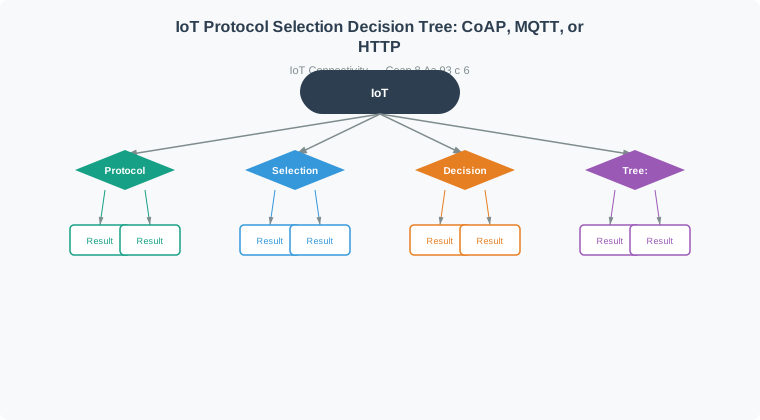
Read Figure 8.1 from the interaction question at the top. Small operations on named resources lead toward CoAP when sleep cycles, UDP, and tight headers matter; brokered fan-out leads toward MQTT; a full web API and proxy ecosystem leads toward HTTP. The branches describe fit, not a universal winner. Having chosen an interaction model, the next question is what that choice costs on the wire.
8.8 Interactive Tool: CoAP Message Size Calculator
This section: Interactive Tool: CoAP Message Size Calculator
Calculate the actual bytes sent over the network for different protocols:
For small payloads (< 100 bytes), protocol overhead dominates. Try adjusting the payload size above to see how CoAP’s efficiency scales.
Recommendation: For sensors sending small readings frequently, CoAP’s low overhead translates to:
- Reduced network congestion
- Longer battery life (less radio time)
- Lower latency (smaller packets = faster transmission)
8.9 Battery Life Calculator: CON vs NON Messages
This section: Battery Life Calculator: CON vs NON Messages — Delivery policy changes radio work, so use the interactive battery-life calculator below before treating CON or NON as a default.
Delivery policy changes radio work, so use the interactive battery-life calculator below before treating CON or NON as a default. Set the daily message rate first, then switch message type and compare size, daily energy, and the modeled battery-life bars.
In the interactive calculator, the daily rate controls how often the radio pays the transaction cost, while the message-type selector adds the ACK bytes used by this simplified CON model. Read the numeric cards before the bars: message size drives energy per day, which drives the projected years. The result isolates message traffic and therefore supports a relative CON-versus-NON decision; it is not a complete product battery forecast.
NON vs CON Performance:
Read these points as one illustrative byte-count comparison: NON sends 45 bytes and CON plus ACK sends 57 bytes, a 12-byte increase in this example. Radio energy also depends on the receive window, retries, and sleep schedule. Use CON when acknowledgment and retry matter, while planning for failure after the retry limit.
- NON messages skip acknowledgment; this example sends 45 bytes versus 57 bytes for CON plus ACK (12/57 = 21% fewer bytes)
- CON messages request an ACK and may retry; the example’s 57 bytes are 12/45 = 27% more than NON before retries
- Battery-life change depends on the full device energy budget
- Use CON when acknowledgment and bounded retries are needed
This section:
Checkpoint: Message Cost
You now know:
- CoAP’s base header is 4 bytes; the HTTP comparison uses 100-200 bytes of headers plus setup.
- For the 5-byte temperature example, the chapter’s model gives 45 bytes for CoAP and 425 bytes for HTTP.
- CON adds a 12-byte ACK path over the NON case, so reliability has a measurable battery cost.
This section:
What This Simulates: ESP32 demonstrating CoAP’s lightweight UDP request/response pattern
Before starting the simulator, inspect Figure 8.2 to predict which endpoint owns each resource and which identifiers should match when the response returns.
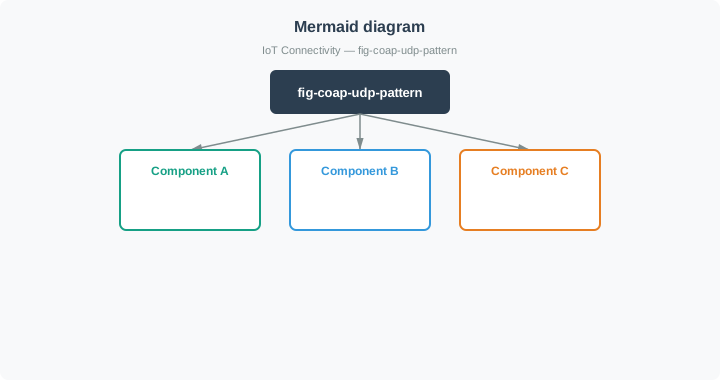
Read the diagram in Figure 8.2 from the ESP32 client across UDP port 5683 to the sensor server. GET selects /temperature, while PUT targets /led; the server maps each method and path to resource behavior. On the return path, Message IDs support the exchange and Tokens correlate responses with requests. Use those predicted fields as checkpoints while the serial trace runs.
How to Use:
- Select Start Simulation
- Watch Serial Monitor show UDP request/response cycle
- Observe message types (CON, NON, ACK)
- See CoAP-style resource addressing
- Monitor round-trip times (RTT)
8.10 Multicast Support
This section: Multicast Support — Once a single exchange is clear, scale the same resource model to a group.
Once a single exchange is clear, scale the same resource model to a group. Multicast helps discovery without changing what GET means.
CoAP supports multicast for group communication:
8.10.1 IPv4 Multicast
224.0.1.1878.10.2 IPv6 Multicast
FF0X::FDUse cases:
- Discover devices on network
- Broadcast commands to group
- Query multiple sensors simultaneously
Example:
coap://[FF05::FD]/temperatureSends GET request to all devices in multicast group.
8.10.3 Multicast Efficiency Calculator
Use the calculator to compare request amplification, not to assume multicast makes every operation safe. Set Number of Devices first, then switch Communication Type between Unicast (individual) and Multicast (group). Unicast increases request count and sequential time with every device; multicast holds the outbound request count at one but still receives one response per participating endpoint. That distinction explains why discovery benefits from multicast while state-changing commands still need per-device authorization, outcome tracking, and retry decisions.
This section:
Checkpoint: Discovery and Observe
You now know:
- Multicast can send one discovery request instead of contacting 50 sensors one by one.
- Polling 50 sensors every 5 seconds creates 600 request cycles per minute even when values stay stable.
- Observe fixes the polling problem by registering once and sending updates only when the resource changes.
8.11 CoAP Features
This section: CoAP Features
- Reduced Overhead: 4-byte header vs 100+ bytes in HTTP
- URI Support: Resource addressing like HTTP
- Content-Type: Supports JSON, XML, CBOR, etc.
- Resource Discovery: Automatic service discovery (/.well-known/core)
- Observe Pattern: Subscribe to resources, receive push notifications
- Simple Caching: Based on maximum message age
- Block-wise Transfer: For large payloads
- Security: DTLS encryption
8.11.1 Resource Discovery
Query available resources:
GET coap://device.local/.well-known/coreResponse:
</temperature>;ct=0,
</humidity>;ct=0,
</pressure>;ct=0,
</config>;ct=50What This Simulates: ESP32 CoAP server with automatic resource discovery via /.well-known/core
Resource Discovery Flow:
Step 1: Client queries server
   GET coap://device/.well-known/core

Step 2: Server responds with resource list
   </temperature>;rt="sensor";if="core.s",
   </humidity>;rt="sensor";if="core.s",
   </led>;rt="actuator";if="core.a"

Step 3: Client accesses specific resource
   GET coap://device/temperature
   Response: "23.5"
How to Use:
- Select Start Simulation
- Watch ESP32 advertise available resources
- See resource metadata (resource type, interface)
- Observe clients discovering services automatically
- Monitor GET requests to discovered resources
Treat discovery as a negotiation, not merely a directory listing. First request /.well-known/core, then parse each link into its resource path and attributes. The resource type says what the endpoint represents, the interface says how a client should interact with it, content format says what representation to expect, and obs advertises notification support. Only after those claims are understood should the client issue a request. The experiments below summarize ways to change that contract; each change should be checked in both the advertisement and the behavior of the discovered resource.
What You’ll Observe:
- Automatic Discovery - Devices announce capabilities without manual configuration
- Standard Endpoint -
/.well-known/coreis CoAP convention (RFC 6690) - Resource Attributes - Metadata describes resource type and interface
- Self-Describing - Servers advertise what they offer
- Plug-and-Play - New devices integrate without central registry
Resource Link Format:
</path>;attribute1=value1;attribute2=value2

Common Attributes:
rt = Resource Type (e.g., "temperature-sensor")
if = Interface Description (e.g., "sensor", "actuator")
ct = Content Type (0=text/plain, 50=application/json)
sz = Maximum Size
obs = Observable (supports observe pattern)
Example Resource Advertisement:
Resource discovery is useful only if a client can interpret an advertisement rather than merely find a URI. Inspect Figure 8.3 to decode the example from the path outward through its link-format attributes.
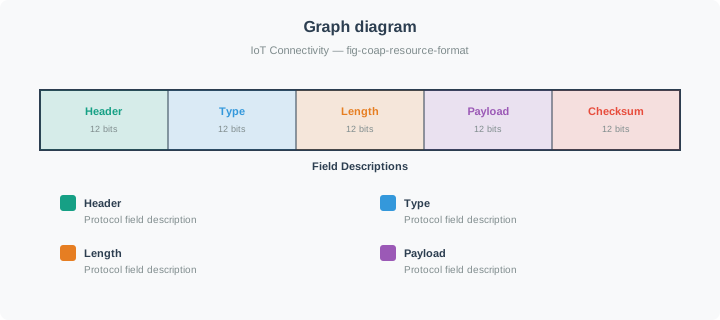
In Figure 8.3, start with /temp, the resource a client can request. Then read rt as its semantic resource type, if as the interaction interface, ct=0 as the representation’s content-format, and obs as the promise that Observe registration is supported. Those attributes let discovery feed a compatible client action, which is why the application examples below can find capabilities without hard-coded endpoint catalogs.
Real-World Applications:
- Smart Building - HVAC units discover sensors automatically
- Industrial IoT - Factory machines advertise capabilities
- Home Automation - New devices self-register with hub
- Healthcare - Medical sensors announce monitoring types
- Agriculture - Soil sensors advertise measurement types
Experiments to Try:
- Add New Resources - Implement
/pressure,/batteryendpoints - Resource Attributes - Add
obsfor observable resources - Content Types - Support JSON (ct=50) and XML (ct=41)
- Filtering - Query specific resource types:
?rt=sensor - Observe Pattern - Implement push notifications when resource changes
Discovery vs Hardcoding:
Without Discovery (Hardcoded):
- Client: GET coap://192.168.1.100/temp  ✗ Must know IP & path
- Brittle: Breaks if device IP changes

With Discovery:
- Client: Multicast GET /.well-known/core  ✓ Finds all devices
- Response: Server at 192.168.1.100 offers /temp
- Robust: Adapts to network changes
CoAP Resource Discovery Benefits:
- Zero configuration networking
- Dynamic topology adaptation
- Service versioning support
- Resource discovery can shorten integration work when it replaces manually maintained endpoint lists.
8.12 Protocol Comparison
This section: Protocol Comparison — The feature tour is complete: methods name the operation, discovery finds resources, and Observe changes polling into push.
The feature tour is complete: methods name the operation, discovery finds resources, and Observe changes polling into push. Now compare CoAP with HTTP and MQTT.
8.12.1 CoAP vs HTTP: Concrete Performance Numbers
| Feature | CoAP | HTTP | CoAP Advantage |
|---|---|---|---|
| Transport | UDP | TCP | No handshake overhead |
| Base Header Size in this example | 4 bytes | 100–200 bytes of illustrative HTTP headers | 96–98% fewer header bytes before CoAP options |
| Illustrative Total On-Wire Size | 40–60 bytes | 250–600 bytes | 76–93% fewer bytes across the stated endpoints |
| Connection Setup | None (UDP) | 3-way handshake | Saves 1+ RTT + ~180 bytes |
| Methods | GET, POST, PUT, DELETE | Same + more | Focused on IoT needs |
| Discovery | Built-in (/.well-known/core) | No standard | Zero-config networking |
| Multicast | Yes (FF0X::FD) | No | One-to-many efficiency |
| Observe | Yes (push notifications) | Server-Sent Events | In the chapter’s sparse-change polling example, about 99% less polling traffic |
| Security | DTLS | TLS | UDP-optimized |
| Measured average power in one Tmote Sky comparison | 0.744 mW | 1.333 mW | About 44% lower power for CoAP in that test, not a universal 10× advantage. Study |
| Estimated battery life in that Tmote Sky comparison | 151 days | 84 days | About 1.8× longer under the study conditions. Study |
Real Numbers Example - Temperature Reading:
Scenario: Send “22.5C” (5 bytes payload) from sensor to server
8.12.1.1 Putting Numbers to It
Total message overhead directly affects both bandwidth and battery life. For payload bytes:
CoAP message: bytes
HTTP message: bytes
For 1,000 daily readings at 3V, 200mA peak transmit current (typical for an ESP32 Wi-Fi radio), 250kbps effective link rate:
With CR2032 battery (675 mWh = 2,430 J): CoAP enables 7.7 years vs HTTP’s 0.8 years of TX-only battery life. The 9.4× overhead ratio translates directly to a 9.4× difference in radio energy per day. Note: real-world battery life will be shorter due to sleep/idle current, MCU processing, and other loads; this model isolates the protocol overhead contribution.
The arithmetic above becomes easier to audit when bytes, energy, and lifetime stay on one scale. Use Figure 8.4 to check that each stage preserves the same overhead ratio.
Read Figure 8.4 from on-wire bytes to daily energy and finally to TX-only battery life. The example’s 45-versus-425-byte traffic becomes 0.86 versus 8.16 joules per day under the same radio assumptions, so the lifetime bars reverse in length. Because sleep current, computation, retries, and battery behavior are excluded, carry forward the comparative conclusion—protocol overhead matters—not the projected years as a deployment promise.
This section:
Checkpoint: Protocol Selection
You now know:
- CoAP keeps REST-style GET, POST, PUT, and DELETE while avoiding TCP setup.
- In the chapter model, 1,000 daily readings produce 0.86 J/day for CoAP and 8.16 J/day for HTTP radio transmission.
- The isolated protocol-overhead model yields 7.7 years versus 0.8 years of TX-only battery life before other loads are counted.
8.12.2 CoAP vs MQTT
| Feature | CoAP | MQTT |
|---|---|---|
| Pattern | Request/Response | Publish/Subscribe |
| Transport | UDP | TCP |
| Discovery | Built-in | External |
| QoS | Via message type | 3 levels (0,1,2) |
| Broker | Optional | Required |
| Best For | RESTful IoT | Event-driven IoT |
8.13 CON and NON Pattern Evidence
This section: CON and NON Pattern Evidence — Choose the CoAP message type per interaction, not per deployment.
Choose the CoAP message type per interaction, not per deployment. The method tells the server what operation to perform; CON or NON tells the protocol how much delivery evidence is worth paying for.
| Interaction | Prefer | Reason |
|---|---|---|
| Periodic temperature or humidity reading | NON | The next reading replaces the missing one, so avoiding ACK traffic usually matters more than perfect delivery |
User-initiated configuration PUT | CON | The user or controller needs acknowledgement that the new state was accepted |
| Door unlock, alarm, valve close, or safety threshold alert | CON | Silent loss creates a safety or security failure |
| High-frequency heartbeat | NON, with application-level missing-heartbeat detection | Missing one heartbeat is tolerable; several missing heartbeats become the signal |
| Firmware block transfer | CON | Every block must arrive or be retried to reconstruct the payload |
For constrained sensors, a hybrid policy is often the measurable answer: routine telemetry as NON, rare commands and critical alerts as CON. Record the tolerated loss rate, expected message frequency, and retry budget so the battery and reliability tradeoff can be checked in tests.
8.14 See Also
This section: See Also — Review the method code contract first, then the message types used to carry those requests and responses.
Review the method code contract first, then the message types used to carry those requests and responses.
- CoAP Method Codes and Multicast Contracts: Deepen method-code, response-code, retry, multicast, Token, and Leisure behavior.
- CoAP Message Types: Review how CON, NON, ACK, and RST messages support method exchanges.
- CoAP Observe Extension: Extend GET semantics into server-pushed resource updates.
- CoAP Advanced Features: Continue from core methods into block-wise transfer, proxies, and advanced constrained workflows.
- CoAP vs MQTT and Use Cases: Compare REST-style CoAP methods with brokered MQTT publish/subscribe.
8.15 Summary
This section: Summary — CoAP methods and features work together: methods define the resource operation, content format defines representation, Observe reduces polling, and block-wise transfer handles payloads that do not fit in one datagram.
CoAP methods and features work together: methods define the resource operation, content format defines representation, Observe reduces polling, and block-wise transfer handles payloads that do not fit in one datagram.
8.16 Key Takeaway
This section: Key Takeaway — Keep CoAP designs resource-centered.
Keep CoAP designs resource-centered. If the interaction cannot be described as a small operation on a named resource, MQTT, HTTP, or a gateway pattern may be a better fit.
Find help
3 reviewed answers.
Where should I start in a module?
Open the module page from the sidebar to see its chapters in order. Use the module map to return to a topic you need.
Modules and pathsReviewed
What can I try when a project does not work?
Check the symptom, then work through the diagnostic steps. Keep the error message and the smallest example that reproduces it.
When you are stuckReviewed
How do interactive examples work?
Use the interactive guide to check how examples and simulations work before changing your project.
Interactive examples guideReviewed